Following a conversation on the Discord Support channel, The Vulcan series doesn't seem to work and so I would love to have this implemented.
 grant-m-s
All 33 comments
I can't find anything saying that the Roccat Vulcan is supported through TalkFX, so I don't think there's much we can do at this time.
 simon-wh
on 21 Jan 2019
simon-wh
on 21 Jan 2019
+1 for Roccat Vulcan / Swarm Drivers
 TomberWolf
on 18 Mar 2019
TomberWolf
on 18 Mar 2019
+1 for this :( i wish i have sync RGB on those :C
 Ranek99
on 5 May 2019
Ranek99
on 5 May 2019
Can anyone here test this to see if this changes colors and if it does, then help with mapping keys? https://github.com/SnakePin/Roccat-Vulcan-Aurora-KeyMapper-Study/releases/download/0.2/Release.zip
 SnakePin
on 7 May 2019
SnakePin
on 7 May 2019
How can I help you with that?
I've copied the the dll and the RCT_TEST.dll into the main folder of Aurora.
But what do I have to do now? :-)
TomberWolf
on 8 May 2019
@TomberWolf You have to run the program inside the zip and see if colors change on your kb, if they do then press on the lit up keys until all keys are done to help with key mapping.
SnakePin
on 8 May 2019

TomberWolf
on 9 May 2019
@TomberWolf Can you try this one https://github.com/SnakePin/Roccat-Vulcan-Aurora-KeyMapper-Study/releases/download/0.3/Release.zip~~ https://github.com/SnakePin/Roccat-Vulcan-Aurora-KeyMapper-Study/releases/download/0.4/Release.zip also if you have a Discord account that would be helpful for easier communication.
SnakePin
on 9 May 2019
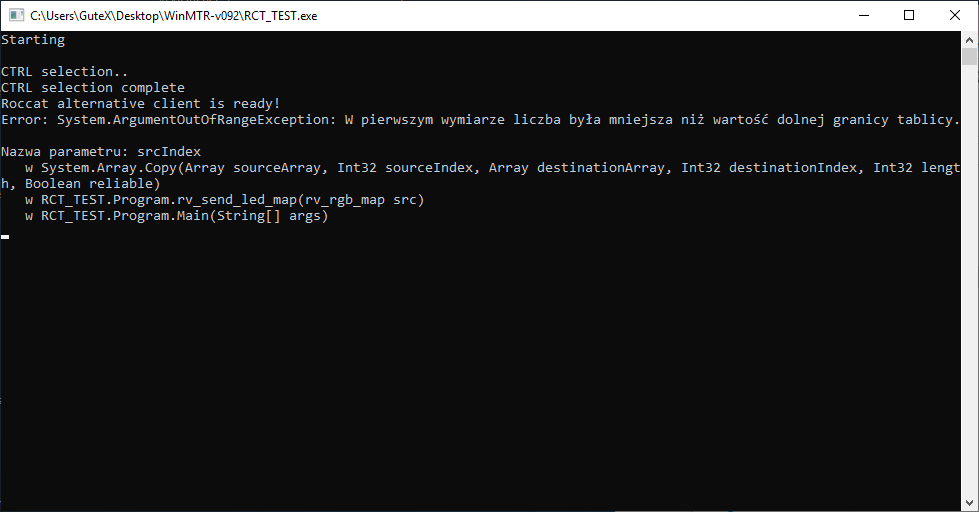
Hello! I Tried it, i get something like this :
Ranek99
on 9 May 2019
@Ranek99 okay this one should work https://github.com/SnakePin/Roccat-Vulcan-Aurora-KeyMapper-Study/releases/download/0.4/Release.zip
SnakePin
on 9 May 2019
Hello ! Thanks for fast answer.
*
*
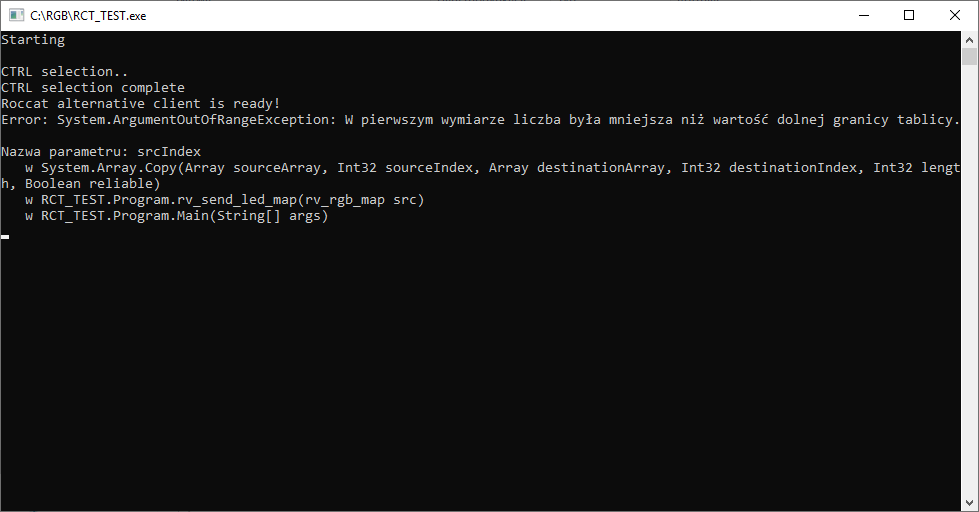
Still same. Tell me 1 thing. I need to have Roccat Talk FX. But is roccat swarm won't do any problems ?
Ranek99
on 9 May 2019
The keyboard is reacting as soon as I start the RCT_TEXT.exe.
It flickers for a short time.
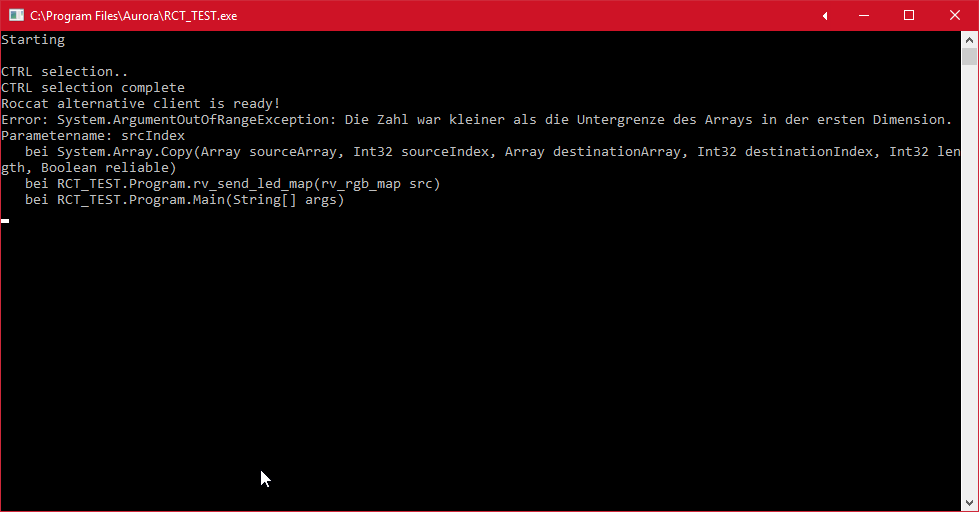
Do you need infos about my Swarm settings?
TomberWolf
on 10 May 2019
I'm sorry ppl, I just found out the error, the index was -4 when i was 0 in line 280, now it shouldn't happen anymore. Try this build https://github.com/SnakePin/Roccat-Vulcan-Aurora-KeyMapper-Study/releases/download/0.5/Release.zip
SnakePin
on 11 May 2019
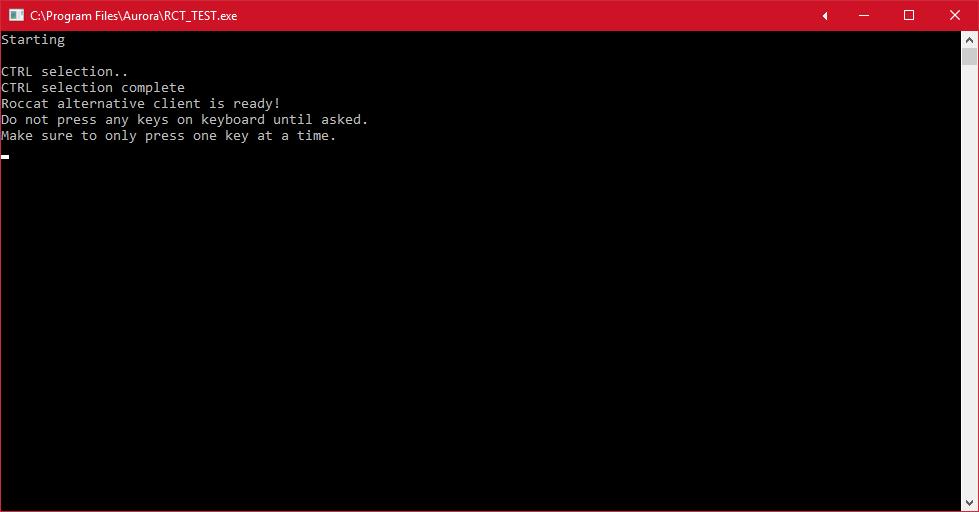
Seems to work
TomberWolf
on 11 May 2019
@TomberWolf Can you do the key mapping process and send the output file, it shows output file's location at the end of process, btw if any unrecognized key is lit up then just press ESC on those, I forgot to ask user to press the key
SnakePin
on 11 May 2019
Uhm... that's the only screen I got.
No keymapping process.
TomberWolf
on 11 May 2019
Don't you have any lit up keys on the keyboard @TomberWolf ? Edit: If you do then you are supposed to press that key.
SnakePin
on 11 May 2019
Oh, okay. When I turn off the SWARM Software and start the RCT_TEST, ESC turns red.
But nothing happens if I press it.
There's no other key lit-up.
TomberWolf
on 11 May 2019
Discord would be a much easier way to communicate all of this, if that's possible
 diogotr7
on 11 May 2019
diogotr7
on 11 May 2019
Discord would be a much easier way to communicate all of this, if that's possible
I know. I'm at work so that's not an option for me now, sorry.
TomberWolf
on 11 May 2019
Oh I'm again sorry @TomberWolf cause I noticed key detection process isn't working well, I'm trying to find out the reason.
SnakePin
on 11 May 2019
@TomberWolf Can you try this: https://github.com/SnakePin/Roccat-Vulcan-Aurora-KeyMapper-Study/releases/download/0.6/Release.zip
SnakePin
on 11 May 2019
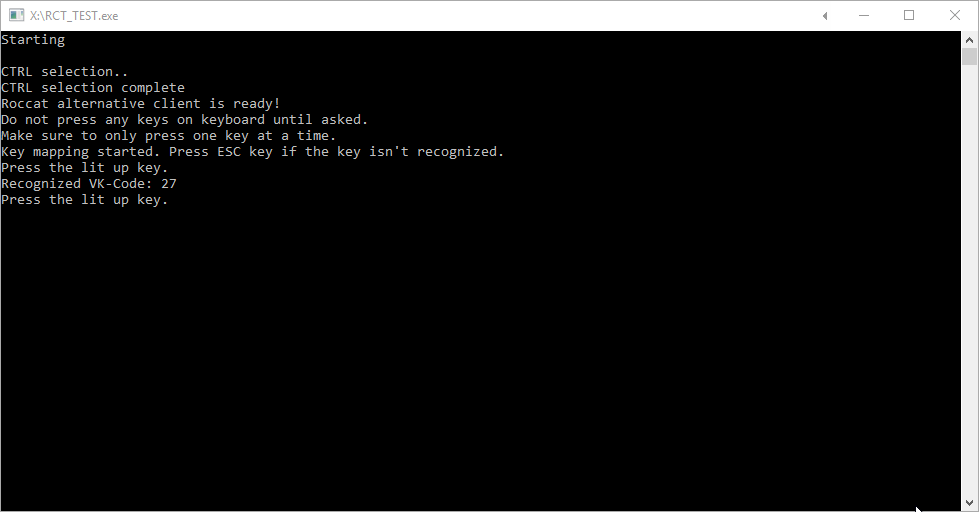
Sure.
ESC was lit-up but no other key.
So I pressed ESC.
Please take a look at the screenshot for the results:
TomberWolf
on 11 May 2019
If no key is lit up after the Press the lit up key. message then press ESC too, it will still up the index. Edit: Also you have to keep pressing lit up keys until you get a message that says Output file written to:
SnakePin
on 11 May 2019
Oh, okay. I got it. Sorry.
Please notice: I had two times with lit up keys. Both times, two keys were lit-up simultaneously. The "2" and the "Y" (German layout. English layout it would be the "Z" key).
At the first time I pressed "2" the second time I pressed "Y".
ROCCAT_KBMAP_OUTPUT.txt
TomberWolf
on 11 May 2019
Strange, all indexes show ESC key's VK code in the output file, can't reproduce on my computer though.
SnakePin
on 11 May 2019
I ran the same test. Apart from the initial ESC key lighting up, no keys lit up so just ended up pressing ESC the whole time
grant-m-s
on 11 May 2019
Tested - Same as grant-m-s only esc lit up.
If u want to make live-tests- pm me on Discord - Name's Trigger :)
Ranek99
on 11 May 2019
Can you ppl test this build of Aurora https://github.com/SnakePin/Aurora/releases/download/vulcan-test-0.1/Roccat-Vulcan-Test-Release.zip , tell me if it doesn't work or if some keys are at wrong position. Btw make sure Roccat Swarm is fully closed and do not run Roccat Swarm while testing this, this skips Roccat Swarm and directly communicates with keyboard.
SnakePin
on 11 May 2019
Seems to work as soons as the SWARM software is closed.
Roccat Vulcan was detected and the right keys lit up if I select the Roccat Ryos as Preferred Keyboard.
Now we have to find a way to run it beside the SWARM software. If I keep it active the keyboard is flickering like it has epilepsy. ;-)
TomberWolf
on 11 May 2019
@TomberWolf Sadly Roccat Swarm software doesn't allow other programs to control this keyboard, that's why it is flickering. There is no way to prevent this. Roccat SWARM must be closed.
SnakePin
on 12 May 2019
@TomberWolf Sadly Roccat Swarm software doesn't allow other programs to control this keyboard, that's why it is flickering. There is no way to prevent this. Roccat SWARM must be closed.
Hi @SnakePin . How to work around the fact that without SWAM running media keys (FN + F9-F12) do not work as well as rubber mute button doesn't blink on muted? I've tried to keep SWARM running with "black" color backlight but it still generates a conflict.
 ghost
on 10 Aug 2019
ghost
on 10 Aug 2019
Support for the vulcan has now been separated from unified HID and will be ready to use in the next version of aurora (probably v0.7.2)
diogotr7
on 15 Nov 2019
Related issues
 Aelari
·
9Comments
Aelari
·
9Comments
 SomaKhaos
·
10Comments
SomaKhaos
·
10Comments
 dominsch
·
9Comments
dominsch
·
9Comments
 alasharim
·
3Comments
alasharim
·
3Comments
 PixelHir
·
4Comments
PixelHir
·
4Comments
Most helpful comment
Can you ppl test this build of Aurora https://github.com/SnakePin/Aurora/releases/download/vulcan-test-0.1/Roccat-Vulcan-Test-Release.zip , tell me if it doesn't work or if some keys are at wrong position. Btw make sure Roccat Swarm is fully closed and do not run Roccat Swarm while testing this, this skips Roccat Swarm and directly communicates with keyboard.