Aurora: League of Legends profile is not working.
I have Logitech G410, installed Aurora day ago and i noticed that my League of Legends profile isn't working.
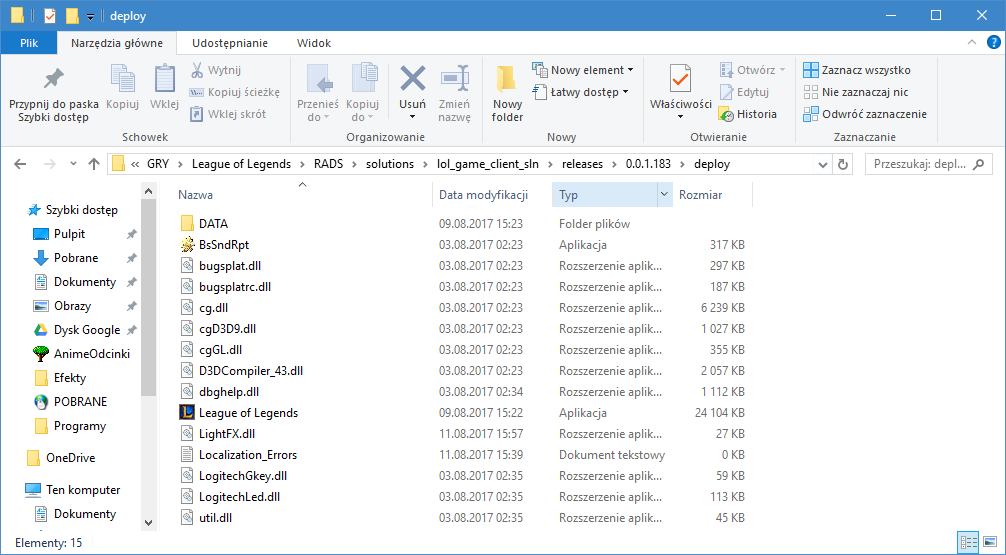
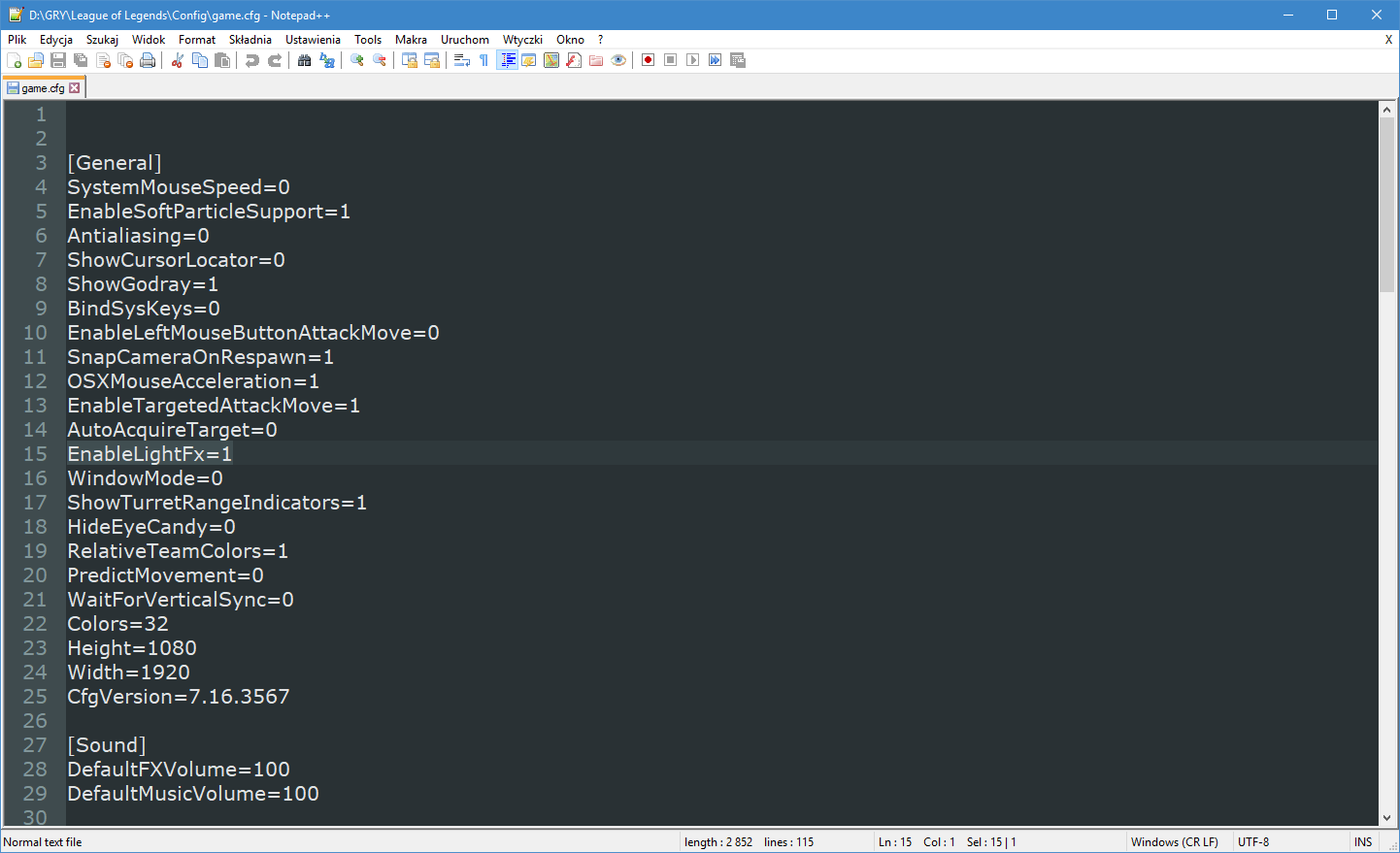
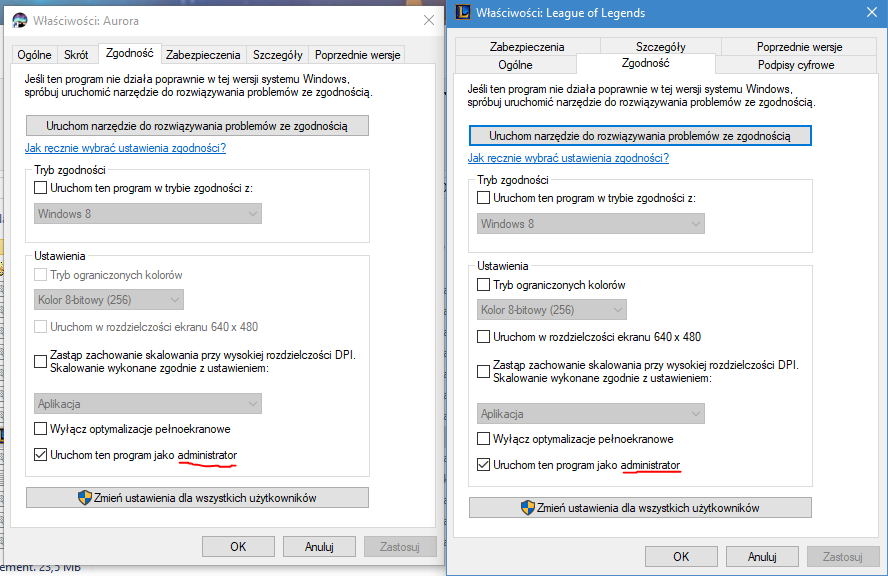
I already did this:

 KanyQan
All 22 comments
From the first image, the lighting won't display until you're in-game, there won't be any preview because the lighting information is from the game. I see that there is LogitechLed.dll in the LoL folder. Can you try changing the name of that to LogitechLed.dll.bak to see if it resolves the issue?
 simon-wh
on 11 Aug 2017
simon-wh
on 11 Aug 2017
Thanks for quick anwser !
Sorry, changing the name of LogitechLed.dll didnt help at all, but at the start of the game keyboard flash green few times ( blue Q W E R only ), after that there is still nothing, just black.
Is there a possiblity that where i was trying to patch LightFX i accidently broke something ? Maybe i should reinstall the game ? Or Aurora ?
KanyQan
on 11 Aug 2017
@KanyQan Could you try disabling LightFX in the config, removing the LightFX.dll and patch the Logitech wrapper in Aurora settings?
simon-wh
on 11 Aug 2017
Now, when im enable League profile in Aurora, keyboard is green ( with blue Q W E R ), but still black in game.
KanyQan
on 11 Aug 2017
@KanyQan The blue QWER is probably the Color Zones for the League profile. I'm not sure where the green background is, do you have any layers added?
simon-wh
on 11 Aug 2017
No, i didnt add any layers.
KanyQan
on 11 Aug 2017
Could you take a screenshot of the profile in Aurora then? Could you post your latest log file as well?
simon-wh
on 11 Aug 2017
 KanyQan
on 11 Aug 2017
KanyQan
on 11 Aug 2017
Could you try the latest development release and repatch the wrapper and post the log after you've tried again?
simon-wh
on 11 Aug 2017
I tried latest development release, repatch the wrapper, keyboard was black everytime, after turning on LightFX in config, keyboard is green ( with blue Q W E R ) in game.
Similar problem in CS:GO, keyboard stay blue ( with all the time green F keys ), however it switch between desktop mode and cs mode properly
KanyQan
on 11 Aug 2017
Try beta v0.6.0-dev2... I had the same problem in CSGO on latest dev but that one is working just fine.
 th3an7
on 13 Aug 2017
th3an7
on 13 Aug 2017
@KanyQan Could you using dev3?
simon-wh
on 31 Aug 2017
i am currently using dev3 and league is still not working. ive tried everythng, rocket league also doesnt work other then that i have no problems.
 lilfox666
on 14 Dec 2017
lilfox666
on 14 Dec 2017
It's me again - I asked around Rocket League modders and one guy made a modification for his program and now creates .json file with correct memory pointers every time they are changed (entering server, restarting PC/game) - problem is, they are just direct memory addresses so pointers are not needed and they show "0"...
I've checked if those addresses are actually working and they are indeed the same as those you can manually find with ex. Cheat Engine when you do pointer scan...
And here is the main problem - aurora still does not work for that game - I've checked logs and it shows:
[ERROR] 31.12.2017 21:02:27: ProfilesManager.Update() Exception, System.NullReferenceException: Odwołanie do obiektu nie zostało ustawione na wystąpienie obiektu.
   w Aurora.Profiles.RocketLeague.GameEvent_RocketLeague.UpdateLights(EffectFrame frame)
   w Aurora.Profiles.LightingStateManager.Update()
   w Aurora.Profiles.LightingStateManager.<InitUpdate>b__63_0(Object g)
Is it because pointers are equal to 0?? Example of .json file created by his program:
{"Team": {"baseAddress": "1119903888","pointers": [ "0", "0", "0", "0", "0" ]},"Orange_score": {"baseAddress": "1119903884","pointers": [ "0", "0", "0", "0", "0" ]},"Blue_score": {"baseAddress": "1119907468","pointers": [ "0", "0", "0", "0", "0" ]},"Boost_amount": {"baseAddress": "679834944","pointers": [ "0", "0", "0", "0" ]}}
th3an7
on 31 Dec 2017
I'll have a look into League as I have it downloaded. @th3an7 Could you provide me with what you're working with so I could fix up Aurora to work with it? Without looking at the code I assume it's because the json has strings instead of numbers for the pointers. If I can work with it directly it'd make it easier for me to get it working straight off.
simon-wh
on 20 Jan 2018
Sure - here it is
One thing - you need to unpack everything to C:/ProjectAurora and manually create Pointers folder (names must be exact) - otherwise it won't work... then just open the game and AlphaConsole.exe - it should inject itself to the game and create .json file in Pointers folder you've created.
th3an7
on 20 Jan 2018
@th3an7 I tried it and set it up in the way you described and nothing was being created in the Pointers directory.
simon-wh
on 20 Jan 2018
@simon-wh you tried with admin rights? Maybe try clicking "confirm and apply" (the green button above)? Also it should say "injected..." or something like that on top of that program.
I can try it myself tomorrow as it's 4 am here...
PS: sometimes Windows defender says it's a virus and blocks it - try disabling AVs before running that...
th3an7
on 20 Jan 2018
@th3an7 I clicked "Save & Apply" and it said it had successfully hooked.
simon-wh
on 20 Jan 2018
@simon-wh Then if you've created Pointers folder inside ProjectAurora, it should create .json file...
Have you entered the game? I mean ex. private match with bots?
th3an7
on 20 Jan 2018
@th3an7 It's shown up now, wasn't straight away, but it's something to work with at least.
simon-wh
on 20 Jan 2018
@th3an7 I tried it out at the time and forgot to give feedback, I got the pointers working, however, they don't properly work, at one point the orange score worked for a bit, but then stopped having the correct value and the others didn't work at all. I had to make a slight change for it to accept the pointers (which also requires the "0" entries to be removed all the "pointers" arrays).
simon-wh
on 27 Jan 2018
Related issues
 dominsch
·
9Comments
dominsch
·
9Comments
 incryptx
·
4Comments
incryptx
·
4Comments
 IrealiTY
·
7Comments
IrealiTY
·
7Comments
 Abcmsaj
·
8Comments
Abcmsaj
·
8Comments
 Mitonix
·
3Comments
Mitonix
·
3Comments
Most helpful comment
Sure - here it is
One thing - you need to unpack everything to C:/ProjectAurora and manually create Pointers folder (names must be exact) - otherwise it won't work... then just open the game and AlphaConsole.exe - it should inject itself to the game and create .json file in Pointers folder you've created.