Aurora: Pre-release feedback [Version 0.6.0]
While I am waiting for technical issues to clear up with updates server. I have posted a pre-release version of 0.6.0 for you guys to play around with.
https://github.com/antonpup/Aurora/releases/tag/v0.6.0-pre
It's a pretty hefty update. Alot has changed compared to the latest public version. Some things to test out:
- Give Layers a spin, see if they are easy to use
- If you have a foreign keyboard layout, see if it's working properly
- If you have a Razer or a Corsair keyboard, see if they are working properly
- Profile hiding
- Equalizer
- Overall stability and performance
- Spelling mistakes
Thank you for your time. I am hoping to release a proper 0.6.0 update next week.
 antonpup
All 43 comments
Have a G910 and G900. Will test it out! Everything looks good so far, no hiccups installing or loading profiles.
App seems to run smoother, but lags really badly when selecting keycap type. That's the only thing I've noticed so far really.
 TheRebelWizard
on 30 Dec 2016
TheRebelWizard
on 30 Dec 2016
@TheRebelWizard Interactive effects are now a layer, and can be applied per-profile.
antonpup
on 30 Dec 2016
Edited, just found them. Messing with the layers now and will update with anything I run into! :D
Dude, this equalizer is amazing!!!
Also the layers are very intuitive, super easy to use and understand. I already like them more than the color zones.
One cool thing I'm already seeing as a possibility, adding Spotify as a "game" and setting up an EQ layer there, that way it will only play with spotify for music, rather than any audio from other sources. It's of course only going to work that way while Spotify is the active window, but could be used for when cleaning or partying! Very cool! Even a nifty effect to have for just opening the music window for a moment. Great work on EQ effect!!! Loving it!
Being able to layer interactive effects is very cool!!! Key fade + Wave is interesting.
Loving the "fill entire keyboard" checkbox on some layers. Wouldn't mind it being an option on every layer tbh.
A copy/paste or duplicate option for layers would be a nice quality of life improvement. To add them between profiles, or if for whatever reason you wanted two layers on the desktop with only a slight variance. Also a way to add a layer to both night and day profiles. (Might be operator error on my end here, so please correct me if there's already a way to do that)
The gradient layer effect speed seems a lot faster than previous version, even at slowest setting.
The lock key effects are fun. I like making my caps lock red for ANGRY EMPHASIS!!!
If there was a way to choose keys affected by the equalizer that would be an awesome addition to it. Like having it only on the numpad for example. Not sure how it would look though, as smaller would lose a lot of the wave form touch, but blinking to the sound could be a cool effect I suppose.
TheRebelWizard
on 30 Dec 2016
@TheRebelWizard You can already copy/paste and delete layers with CTRL-C CTRL-V and DELETE keys. Copy/paste works across profiles.
antonpup
on 30 Dec 2016
First error report, when saving a new Profile and choosing to overwrite an existing one Aurora crashes before it saves. This happens 100% of the time for me.
Also, clicking the Aurora icon from the taskbar no longer gives that old error, but states "Aurora is already running" rather than bringing the app up from being minimized in the tray. (edited for clarity)
For some reason when highlighting a layer and pressing the delete key, it acts as though I input delete twice and asks me if I want to delete whatever the next layer selected is after deleting the first one.
EDITED: Audio issue, when switching default device, the EQ no longer detects it until restarting Aurora with the new default device selected. Headset vs Monitor speakers for example. I start Aurora with default audio output device set to monitor speakers, and all is good until switching default device to headphones. Then the EQ will no longer show up until restarting Aurora while the headphones are set to default. Vice versa.
TheRebelWizard
on 30 Dec 2016
@TheRebelWizard I've fixed two of the issues you've mentioned as you can see from the commits above. I was unable to replicate the issue you mentioned from bringing the app up from the taskbar, is it consistent? If so, how exactly are you replicating it? EDIT: I now know what you're talking about, I'll try and get it sorted.
 simon-wh
on 30 Dec 2016
simon-wh
on 30 Dec 2016
Yeah sorry, my description was kinda bad because I kept mixing up tray and taskbar. But to clarify either way, the taskbar shortcut will not open the Aurora window while it is minimized to the tray.
Also thanks for you guys' awesome work!!! You guys are literally pioneering this tech... it's crazy.
TheRebelWizard
on 30 Dec 2016
Logitech G900 is the only Logitech mouse in the device settings. I have a Logitech G Pro, which has logo and side lights. Selecting G900 for the mouse and setting the Peripheral Logo to be used in a layer does result in the logo and side lights being used on the G Pro. This is the behavior I'd expect and the way it was working on the release beta with automatic device detection.
Just not very intuitive. Perhaps there can be generic or automatic options added back to device selection? Or maybe there are plans to add more layouts for mice?
 bardyspoon
on 30 Dec 2016
bardyspoon
on 30 Dec 2016
@TheRebelWizard I will see about fixing automatic source detection. But I am not sure how to implement the key sequence for the EQ. I could probably do an option for a freestyle, but not key sequence.
@bardyspoon The automatic detection options are hard to do when several device SDKs do not report a connected keyboard. For example, the Razer SDK initializes even if you do not have a Razer keyboard plugged in. So as long as you have Razer Chroma enabled on your computer, Aurora would always detect your keyboard as Razer. And then there's Cooler Master, Roccat, and hopefully in the future SteelSeries. They simply don't report if a keyboard is physically connected.
As for the mouse layouts, you can technically use any of them for Logitech. Because Logitech RGB mice only have 1 color zone. But there are plans to add more mice, I just didn't feel like doing it for the reason stated above. #119
antonpup
on 30 Dec 2016
Very impressive Aurora build.
LOVE the EQ took me a bit of time to find where you stashed it though. After realizing I can click to add new layers and change the function of each layer everything made sense. For those less intuitive that layers have functions built into them these amazing features could go unnoticed.
One thing I found a bit annoying with the layer functionality is drag and drop or just overall moving the order of layers is not very refined. Maybe theirs key shortcuts for this function? However, Up and Down arrows next to each layer at the very least but even better when you drag a layer have it underline the layer it will be moved beneath.
While playing with the EQ colors I did manage to freeze up the color drop menu. I removed the layer and added a new layer and it was fixed. If I replicate the problem I'll let you know.
Added VLC as a new Lighting Profile, Added EQ options. Works great as long as VLC is running in the foreground but the second I switch to another window it defaults back to Desktop Settings. Would like to have the option for my audio programs to continue the light show no matter what window I'm in. Only switch off when I close the media application.
One more minor issue I am having, I assume it must just be me? "Assign Keys" does not seem to work for me assuming it's supposed let me select all the keys that I want to be a specific color or used for a specific effect. Keystrokes do not seem to be showing in the Affected Keys box.
Overall this project is so good and I just want to help see this grow 👍
As long as you guys don't mind I'll keep posting ideas, areas I can see improvement in and of course bugs/crashes/typos ;). I am enjoying watching how this project continues to evolve, keep up the excellent work.
- McRiot | G910 - Windows 10
 McRiot
on 31 Dec 2016
McRiot
on 31 Dec 2016
@McRiot I am not sure how to emphasize to users that Layers have options. They just gotta explore I guess? I really don't know.
But for layer dragging, I added "buns" to the left of a layer. When moused over, it will change the cursor to up-down arrows, hopefully indicating to the user that this can be dragged.

As for EQ, not sure how you froze it. But if you can recreate it, let me know. It probably affects all ColorBoxes.
antonpup
on 31 Dec 2016
Love the buns that looks great.
Maybe just making the "add" and "remove" buttons more appealing to press. Took me a bit before it occurred to me I should press "add" (colorize and enlarge it slightly?) Make me want to push the button :)
McRiot
on 31 Dec 2016
@McRiot So, if I understand correctly. Make the "add" button red, and make it uniquely stand out. Subconsciously making you want to press the button.
Like so:
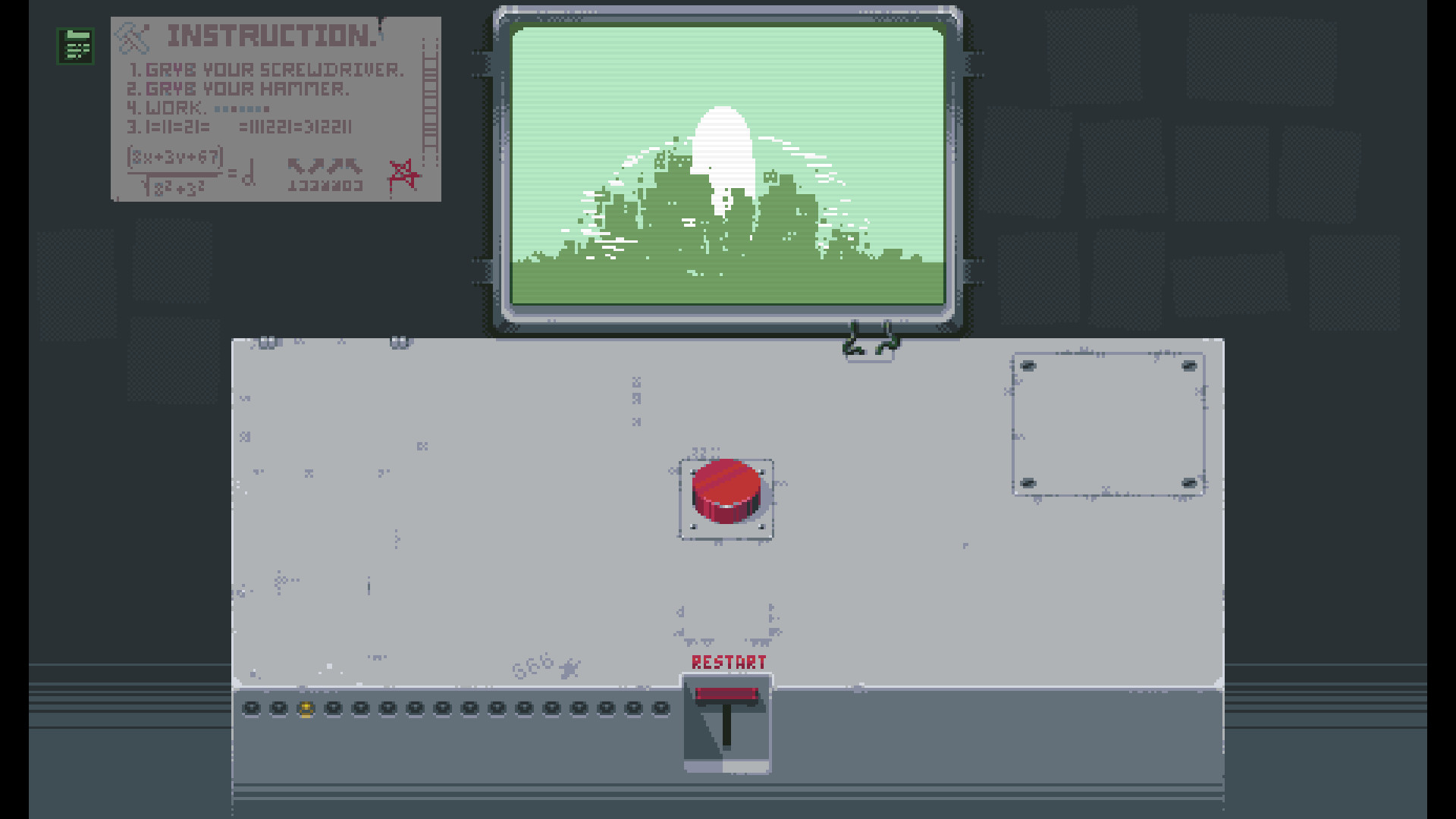
:)
antonpup
on 31 Dec 2016
I love this guy ^^ 👍
McRiot
on 31 Dec 2016
If you make red and green circular buttons for this build I'll buy you a drink ;)
McRiot
on 31 Dec 2016
@McRiot I added icons to the buttons. Hopefully, that will make them stand out more than before. I also added tooltips for those

antonpup
on 31 Dec 2016
Well it doesn't make me believe I'm about to launch those missiles but it does look much better :) :1st_place_medal:
this is what is currently bothering me more right now:
Added VLC as a new Lighting Profile, Added EQ options. Works great as long as VLC is running in the foreground but the second I switch to another window it defaults back to Desktop Settings. Would like to have the option for my audio programs to continue the light show no matter what window I'm in. Only switch off when I close the media application.
Probably a little more complicated then my cosmetic gripes. Maybe an option that can prioritize certain applications when running in the background or minimized. Perhaps the option can be integrated with the EQ Layer Effect?
McRiot
on 31 Dec 2016
It's possible to do. But it will come later as "overlays" feature. It will let you select profiles to act as overlays or underlays. So, current Skype and Volume overlays will go there.
I would also like to point out, that EQ on a specific application (like VLC) does not exclusively restrict audio analysis for that process. It takes overall PC sound.
antonpup
on 31 Dec 2016
Fantastic, I look forward to those changes 👍
I was really excited about getting this keyboard but I'm even more excited for this Aurora project.
Keep it up guys! I'll be checking in frequently :)
McRiot
on 31 Dec 2016
@TheRebelWizard Fixed EQ Layer to automatically switch to the current multimedia audio device.
antonpup
on 31 Dec 2016
Can you make the background keys dimmable in the EQ layer just like in the volume overlay ?
 gradius-v
on 31 Dec 2016
gradius-v
on 31 Dec 2016
@gradius-v So, dim background when there is music playing?
antonpup
on 31 Dec 2016
Thanks for all the fixes, that solves every technical problem I've encountered so far.
Any chance of lowering the lowest speed effect setting for layers?
I'm using the gradient layer, at 1 effect speed, and it's quite a bit faster than the lowest setting on the old Rainbow Shift Zone Effect. I really liked that speed setting at the lowest because it was pretty subtle in comparison.
TheRebelWizard
on 31 Dec 2016
@gradius-v I added the background dimming on sound to EQ Layer.
I also fixed a bug in EQ Layers that caused incorrect values to be displayed.
@TheRebelWizard I'll look into it, but as far as I remember, I just copy-pasted the effects to layers. Is it too fast for any animated effect? Or just the gradient?
antonpup
on 31 Dec 2016
I think it's just the effect animation speed in general. It seems faster overall for most settings.
Edit: Also I'm not quite sure what the ambilight layer is doing exactly, a short description on some effects could be helpful to new users.
TheRebelWizard
on 31 Dec 2016
I added an Image layer with gif support. So users can now create their own little animations, save them as gifs, and use with Aurora.
Here's Aurora Inception

antonpup
on 1 Jan 2017
Thanks for adding the dimming to the EQ layer.
I just compiled the latest source, EQ is great !
But the latest version does not detect old profiles.

gradius-v
on 2 Jan 2017
It seems that those profiles got corrupted. They won't be loaded. Your best bet is to delete them. I am not sure how they got corrupted.
antonpup
on 2 Jan 2017
Just deleted the corrupt profiles. I got another feature request, can you add an exclusion list to the key fade effect ?
gradius-v
on 2 Jan 2017
I really like the new version! :+1:
For foreign keyboard layout feedback, see: https://github.com/antonpup/Aurora/issues/123#issuecomment-269993488 and #310
Lighting for Corsair media keys work fine.
Profile hiding seems fine.
I like the new Equalizer layer. Maybe add a few more options like CEE has.
I'll test the Ambilight layer a little bit more. At first try, it looked too bright.
Oh and big thanks for adding the disable option for Desktop mode. (This was my very first request at your reddit post.) :smile:
Thanks for this awesome software and everyone who participated.
 brainbug89
on 2 Jan 2017
brainbug89
on 2 Jan 2017
Layers are great and it is a big step. But I have some more propositions for future.
- I feel like scripts should be as layers too, somethings like Script layer type.
- One more nice to have feature is ability to overlap profiles or maybe make layer across several profiles or "Profile Overlay" layer that will trigger all layers from selected profile.
I have my default colors/scripts in desktop profile and I want some game profile to add functionality when game running instead of replacing it. In addition it will allow to have one script instance across profiles, if scripts will be as layers.
Of course this I can do now by copy/pasting things in every profile, but it feels like it's not as it should be. It's a workaround. - Controls for scripts. Don't know in which way but will be nice.
 VoronFX
on 2 Jan 2017
VoronFX
on 2 Jan 2017
@bardyspoon I added some instructions for the "No keyboard selected" screen.

@gradius-v That will come later for all layers as a Layer Mask.
@brainbug89 What options exactly do you want to see from CEE?
@VoronFX Script layer was considered, but not added because originally it was going to just run all scripts in one layer. Now that I think about it, we could add a script layer that runs only one script. So users can choose where they go. But first I would like to see how general public likes the layers. If they don't, then it won't work out. For profile over/underlays see: https://github.com/antonpup/Aurora/issues/287#issuecomment-269852531 As for settings for layers, will have to see what we can come up with.
antonpup
on 2 Jan 2017
@brainbug89 What options exactly do you want to see from CEE?
More color effects like Rainbow (with direction and speed) and Defined Rows and maybe Db and frequencies settings.
brainbug89
on 3 Jan 2017
@brainbug89 Took me a bit of time. But here you have it!
The bar width is automatically scaled based on the number of frequencies. The frequencies are automatically sorted from lowest to highest (to avoid broken power bars).


And the default for comparison

Also, the way I set up EQ power bars is to sample between each defined frequency. So with default, 1st bar is between 60 - 170 Hz, 2nd is 170 - 310 Hz, etc... So instead of looking at information at a specific frequency, I also take a look around to get a bit more "vibrant" values.
antonpup
on 3 Jan 2017
@antonpup wow you're awesome! :smile: Now I only want more color options.
I could recreate the Defined Rows with Gradient (Vertical)

What I would like to see now is the moving Rainbow. So please add the animation options (Translate X and Y) from the Gradient Layer to the View Type: Gradient (Horizontal).
brainbug89
on 3 Jan 2017
@brainbug89
What I would like to see now is the moving Rainbow. So please add the animation options (Translate X and Y) from the Gradient Layer to the View Type: Gradient (Horizontal).
If I am adding options like these to several layers, I might as well make them into a universal control that I can stick everywhere without repeating code. I will do that at a later point.
antonpup
on 3 Jan 2017
I'm not sure if this is an issue with cooler master keyboards implementation or overwatch. Keys like the change hero button are flickering rather than pulsing. I'll try and figure out if it broke with my code at some point as I know it used worked but I'll be unavailable for the next few days.
 snichola
on 5 Jan 2017
snichola
on 5 Jan 2017
@snichola It's probably flickering because of Color Enhancement.
antonpup
on 6 Jan 2017
I've found a bug in the key fade feature. Pressing the Enter key in the numbers block results in the main Enter key lighting up instead. I have a G910 Orion Spectrum, German QWERTZ layout. Aurora compiled from latest source.
gradius-v
on 6 Jan 2017
Windows doesn't differentiate between Numpad_Enter and Enter
brainbug89
on 6 Jan 2017
Didn't see that. Logitechs LGS itself can light them up individually with their key fade implementation though.
gradius-v
on 6 Jan 2017
Because the Logitech driver tells LGS exactly which key was pressed. Aurora however using information from Windows to detect the pressed key and Windows doesn't differentiate between numpad Enter and normal Enter.
brainbug89
on 6 Jan 2017
Thank you, everyone, for your reports, suggestions, and support! Closing this now. :)
antonpup
on 10 Jan 2017
Related issues
 Dagda52
·
5Comments
Dagda52
·
5Comments
 SomaKhaos
·
10Comments
SomaKhaos
·
10Comments
 destiny188
·
3Comments
destiny188
·
3Comments
 IrealiTY
·
7Comments
IrealiTY
·
7Comments
 Ast3r10n
·
8Comments
Ast3r10n
·
8Comments
Most helpful comment
@TheRebelWizard You can already copy/paste and delete layers with CTRL-C CTRL-V and DELETE keys. Copy/paste works across profiles.