Atom-beautify: HTML in JSX, (js beautify and prettydiff)
Description
The results of beautification are not what I expect. Please note that the expected code is the same as what I start with below. I just wonder why atom-beautify breaks the html apart in the jsx. Is there a way to avoid this? Af now I don't run atom-beautify on the entire jsx as the html gets strange linebreak. I have tried with collapse-preserve-inline but result from below is using that. It does not matter what I set brace style too, since < > are not really the braces. Language is set to autodetect. The "non html" part of the jsx formats nicely.
Input Before Beautification
This is what the code looked like before:
import React, { Component } from 'react';

class extends Component {

  render() {
    return (
      <div>
      <nav class="navbar navbar-expand-lg navbar-light bg-light">
        <a class="navbar-brand" href="#">Navbar</a>
        <button class="navbar-toggler" type="button" data-toggle="collapse" data-target="#navbarNavAltMarkup" aria-controls="navbarNavAltMarkup" aria-expanded="false" aria-label="Toggle navigation">
          <span class="navbar-toggler-icon"></span>
        </button>
        <div class="collapse navbar-collapse" id="navbarNavAltMarkup">
          <div class="navbar-nav">
            <a class="nav-item nav-link active" href="#">Home <span class="sr-only">(current)</span></a>
            <a class="nav-item nav-link" href="#">Features</a>
            <a class="nav-item nav-link" href="#">Pricing</a>
            <a class="nav-item nav-link disabled" href="#">Disabled</a>
          </div>
        </div>
      </nav>
      </div>
    );
  }

}

export default;
Expected Output
The beautified code should have looked like this:
import React, { Component } from 'react';

class extends Component {

  render() {
    return (
      <div>
      <nav class="navbar navbar-expand-lg navbar-light bg-light">
        <a class="navbar-brand" href="#">Navbar</a>
        <button class="navbar-toggler" type="button" data-toggle="collapse" data-target="#navbarNavAltMarkup" aria-controls="navbarNavAltMarkup" aria-expanded="false" aria-label="Toggle navigation">
          <span class="navbar-toggler-icon"></span>
        </button>
        <div class="collapse navbar-collapse" id="navbarNavAltMarkup">
          <div class="navbar-nav">
            <a class="nav-item nav-link active" href="#">Home <span class="sr-only">(current)</span></a>
            <a class="nav-item nav-link" href="#">Features</a>
            <a class="nav-item nav-link" href="#">Pricing</a>
            <a class="nav-item nav-link disabled" href="#">Disabled</a>
          </div>
        </div>
      </nav>
      </div>
    );
  }
Actual Output
The beautified code actually looked like this:
import React, {
  Component
} from 'react';

class extends Component {

  render() {
    return ( <
      div >
      <
      nav class = "navbar navbar-expand-lg navbar-light bg-light" >
      <
      a class = "navbar-brand"
      href = "#" > Navbar < /a> <
      button class = "navbar-toggler"
      type = "button"
      data - toggle = "collapse"
      data - target = "#navbarNavAltMarkup"
      aria - controls = "navbarNavAltMarkup"
      aria - expanded = "false"
      aria - label = "Toggle navigation" >
      <
      span class = "navbar-toggler-icon" > < /span> <
      /button> <
      div class = "collapse navbar-collapse"
      id = "navbarNavAltMarkup" >
      <
      div class = "navbar-nav" >
      <
      a class = "nav-item nav-link active"
      href = "#" > Home < span class = "sr-only" > (current) < /span></a >
      <
      a class = "nav-item nav-link"
      href = "#" > Features < /a> <
      a class = "nav-item nav-link"
      href = "#" > Pricing < /a> <
      a class = "nav-item nav-link disabled"
      href = "#" > Disabled < /a> <
      /div> <
      /div> <
      /nav> <
      /div>
    );
  }

}

export default;
Steps to Reproduce
- Add code to Atom editor
- Run command
Atom Beautify: Beautify Editor - This beautified code does not look right!
Debug
Here is a link to the debug.md Gist: https://gist.github.com/ThomasJT/be68f8580ca7e40d0c665474659ad31e
Checklist
I have:
- [x] Tried uninstalling and reinstalling Atom Beautify to ensure it installed properly
- [x] Reloaded (or restarted) Atom to ensure it is not a caching issue
- [x] Searched through existing Atom Beautify Issues at https://github.com/Glavin001/atom-beautify/issues
so I know this is not a duplicate issue - [x] Filled out the Input, Expected, and Actual sections above or have edited/removed them in a way that fully describes the issue.
- [x] Generated debugging information by executing
Atom Beautify: Help Debug Editorcommand in Atom and added link fordebug.mdGist to this issue — Here i get active editor not found.
 thorstensson
All 11 comments
Please follow the issue template provided. More specifically, adding a link to the required debug.md gist which includes debugging information that answers our most commonly asked questions. Thank you.
![issue-check[bot] picture](https://avatars.githubusercontent.com/u/8315038?v=4&s=40) issue-check[bot]
on 13 Apr 2018
issue-check[bot]
on 13 Apr 2018
debug markdown file:
https://gist.github.com/ThomasJT/be68f8580ca7e40d0c665474659ad31e
thorstensson
on 13 Apr 2018
Correction. This applies of course to any where where I have tags. So the below lines
ReactDOM.render(
  <Router>
    <Switch>
    <Route component={Main}>
      <Route path="/" exact component={Home} />
      <Route path="/cars" component={Car} />
      <Route path="/about" component={About} />
    </Route>
    </Switch>
    </Router>,
  document.getElementById('container')
);
End up like this
ReactDOM.render( <
  Router >
  <
  Switch >
  <
  Route component = {
    Main
  } >
  <
  Route path = "/"
  exact component = {
    Home
  }
  /> <
  Route path = "/cars"
  component = {
    Car
  }
  /> <
  Route path = "/about"
  component = {
    About
  }
  /> <
  /Route> <
  /Switch> <
  /Router>,
  document.getElementById('container')
);
Am I dumb or am I missing something obvious here. Because that sure is not the formatting I see in any react books or online tutorials?
thorstensson
on 13 Apr 2018
Atom Beautify is interpreting that file as Javascript and not JSX, thus the beautifier is also formatting it as Javascript.
You can open the command palette and search for jsx, it should bring up Atom Beautify: Beautify Language Jsx. But I would recommend downloading https://atom.io/packages/language-javascript-jsx, then close and reopen the jsx file you're working on, and try beautifying again.
stevenzeck
on 13 Apr 2018
That worked!
I installed the package you mentioned, a check with CTRL+SHIFT+L: shows that JavaScript JSX is now highlighted. I then changed beautifier to PrettyDiff. With PrettyDiff for JSX, I now get very fine formatting of the entire JSX file without any strange gaps! "The road to learn React", here I come dear booooooooook!
Thanks for pointing me in the direction of this package 😎
thorstensson
on 13 Apr 2018
It doesn't work
JS Beautify => JSX
 lqzhgood
on 28 Mar 2019
lqzhgood
on 28 Mar 2019
@lqzhgood would you mind opening a new issue with your debug gist file? Then we can explore why this isn't working for you.
 prettydiff
on 28 Mar 2019
prettydiff
on 28 Mar 2019
@prettydiff
https://gist.github.com/lqzhgood/dafdf540f25c1f846f4acda0bce42f0b
Todo
- [x] Install Atom 1.35.1 in Clean virtual machines on Windows 7
- [x] install plugins
- [x] atom-beautify
- [x] language-javascript-jsx
- [x] setting plugins
- [x] atom-beatufiy - jsx
- [x] Default Beautifier -> JS Beautify
- [x] Beautify on save -> true
- [x] atom-beatufiy - jsx
- [x] Restart Atom
- [x] open app.jsx ( in debug.md Original File Contents)
- [x] confirm grammer is Javascript JSX
- [x] Ctrl + S not working
- [x] Ctrl+Shift+P => input Atom Beautify: Beautify language jsx not working
lqzhgood
on 28 Mar 2019
Was this resolved? I have to disable atom-beautify every time I use react now and still haven't out found why (including reinstalling atom)
 chrisdel101
on 25 Apr 2019
chrisdel101
on 25 Apr 2019
I'll pass on this one as I moved over to VSCode, albeit Atom is still
great.
On Thu, 25 Apr 2019 at 20:31, Chris Del notifications@github.com wrote:
Was this resolved? I have to disable atom-beautify every time I use react
now and still haven't out found why (including reinstalling atom)—
You are receiving this because you modified the open/close state.
Reply to this email directly, view it on GitHub
https://github.com/Glavin001/atom-beautify/issues/2114#issuecomment-486807960,
or mute the thread
https://github.com/notifications/unsubscribe-auth/AADALLDGOWJPDIEWSIXUOELPSIBI7ANCNFSM4E2ORJJA
.
thorstensson
on 25 Apr 2019
@chrisdel101 @lqzhgood
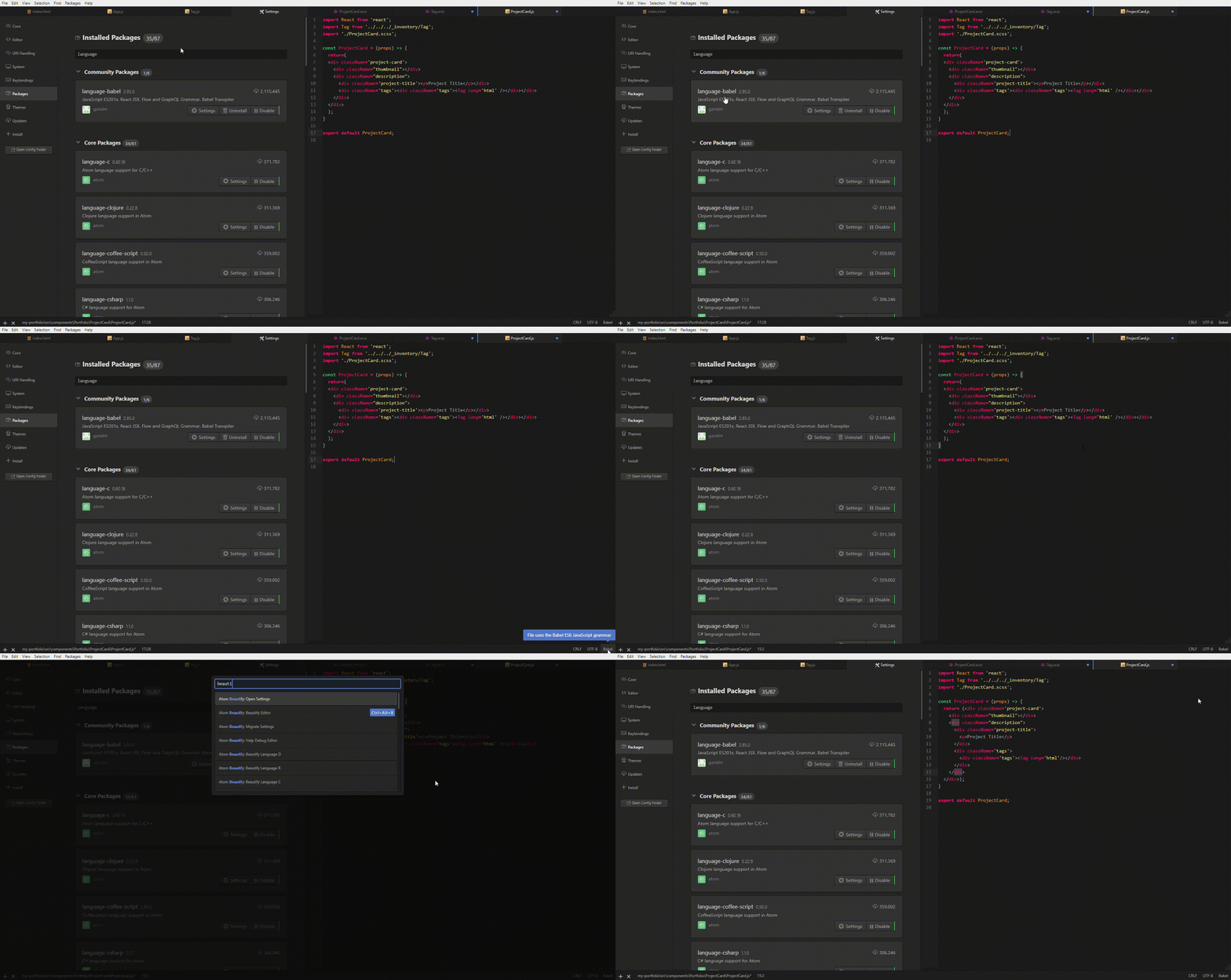
Installing https://github.com/gandm/language-babel works for me. Note that I have to manually switch language from 'auto-detect' to 'babel' for the first time.
 qwen-3108
on 2 Apr 2020
qwen-3108
on 2 Apr 2020
Related issues
 seanoldfield
·
5Comments
seanoldfield
·
5Comments
 bartocc
·
5Comments
bartocc
·
5Comments
 philiplb
·
5Comments
philiplb
·
5Comments
 mkermani144
·
4Comments
mkermani144
·
4Comments
 maxbrunsfeld
·
4Comments
maxbrunsfeld
·
4Comments
Most helpful comment
Atom Beautify is interpreting that file as Javascript and not JSX, thus the beautifier is also formatting it as Javascript.
You can open the command palette and search for
jsx, it should bring upAtom Beautify: Beautify Language Jsx. But I would recommend downloading https://atom.io/packages/language-javascript-jsx, then close and reopen the jsx file you're working on, and try beautifying again.