Atom-beautify: Failed to activate the atom-beautify package: Languages is not a constructor
steps to reproduce:
- Open atom
Atom: 1.21.1 x64
Electron: 1.6.15
OS: Ubuntu 17.10
Thrown From: atom-beautify package 0.30.6
Stack Trace
Failed to activate the atom-beautify package
At Languages is not a constructor

TypeError: Languages is not a constructor
    at /packages/atom-beautify/src/beautifiers/index.coffee:103:19
    at /packages/atom-beautify/src/beautifiers/index.coffee:672:16)
    at /packages/atom-beautify/src/beautifiers/index.coffee:1:1)
    at /packages/atom-beautify/src/beautifiers/index.coffee:1:1)
    at Module.get_Module._compile (/opt/atom/resources/app/src/native-compile-cache.js:106:36)
    at Object.value [as .coffee] (/opt/atom/resources/app/src/compile-cache.js:239:29)
    at Module.load (module.js:488:32)
    at tryModuleLoad (module.js:447:12)
    at Function.Module._load (module.js:439:3)
    at Module.require (/app.asar/static/index.js:47:45)
    at require (/opt/atom/resources/app/src/native-compile-cache.js:66:33)
    at /packages/atom-beautify/src/beautify.coffee:9:15)
    at /packages/atom-beautify/src/beautify.coffee:2:1)
    at /packages/atom-beautify/src/beautify.coffee:2:1)
    at Module.get_Module._compile (/opt/atom/resources/app/src/native-compile-cache.js:106:36)
    at Object.value [as .coffee] (/opt/atom/resources/app/src/compile-cache.js:239:29)
    at Module.load (module.js:488:32)
    at tryModuleLoad (module.js:447:12)
    at Function.Module._load (module.js:439:3)
    at Module.require (/app.asar/static/index.js:47:45)
    at require (internal/module.js:20:19)
    at customRequire (/opt/atom/resources/app/static/<embedded>:96:26)
    at Package.module.exports.Package.requireMainModule (/opt/atom/resources/app/src/package.js:903:35)
    at Package.module.exports.Package.activateNow (/opt/atom/resources/app/src/package.js:242:22)
    at /opt/atom/resources/app/src/package.js:1030:34
    at Function.module.exports.Emitter.simpleDispatch (/opt/atom/resources/app/node_modules/event-kit/lib/emitter.js:25:20)
    at Emitter.module.exports.Emitter.emit (/opt/atom/resources/app/node_modules/event-kit/lib/emitter.js:141:34)
    at PackageManager.triggerDeferredActivationHooks (/opt/atom/resources/app/src/package-manager.js:712:40)
    at Promise.all.then (/opt/atom/resources/app/src/package-manager.js:649:18)
Commands
     -0:31.9.0 intentions:highlight (input.hidden-input)
     -0:31.7.0 command-palette:toggle (input.hidden-input)
  2x -0:29.1.0 core:backspace (input.hidden-input)
  7x -0:25.6.0 core:move-down (input.hidden-input)
     -0:20.4.0 core:confirm (input.hidden-input)
     -0:20.4.0 application:open-folder (input.hidden-input)
Non-Core Packages
atom-alignment 0.13.0
atom-beautify 0.30.6
atom-bootstrap3 1.2.12
atom-ide-ui 0.5.3
atom-material-syntax 1.0.7
atom-material-syntax-dark 1.0.0
atom-material-ui 2.0.6
atom-terminal 0.8.0
atom-terminal-panel 4.4.4
blame 0.12.0
build 0.69.0
build-sass 0.11.0
busy 0.7.0
busy-signal 1.4.3
composer 0.5.0
docblockr 0.12.0
editor-settings 1.1.3
file-watcher 1.2.6
git-plus 7.10.0
git-time-machine 1.5.9
highlight-selected 0.13.1
hyperclick 0.0.0
ide-html 0.4.0
ide-json 0.1.0
ide-php 0.6.9
ide-vue 0.1.7
intentions 1.1.5
language-vue 0.23.1
linter 2.2.0
linter-eslint 8.4.0
linter-markdown 5.2.0
linter-php 1.5.1
linter-phpcs 1.6.8
linter-sass-lint 1.8.3
linter-scss-lint 3.1.1
linter-ui-default 1.6.10
markdown-pdf 2.1.0
markdown-preview-enhanced 0.14.11
markdown-preview-plus 2.4.16
meteor-api 2.20.0
minimap 4.29.7
minimap-highlight-selected 4.6.1
php-integrator-annotations 1.2.0
php-integrator-autocomplete-plus 1.6.1
php-integrator-base 3.1.0
php-integrator-navigation 1.2.1
php-twig 4.0.0
pigments 0.40.2
pretty-json 1.6.4
project-manager 3.3.5
remote-sync 4.1.8
symbols-tree-view 0.14.0
terminal-plus 0.14.5
vue-autocomplete 0.1.1
 mathus13
All 10 comments
Hmm, that's the second report today. Can you try uninstalling/reinstalling atom-beautify?
 stevenzeck
on 1 Nov 2017
stevenzeck
on 1 Nov 2017
I have, this is the requested new issue from here: https://github.com/Glavin001/atom-beautify/issues/1734#issuecomment-340922061
mathus13
on 1 Nov 2017
Ah sorry, my bad, a new issue was opened just a few minutes after I requested that here https://github.com/Glavin001/atom-beautify/issues/1921 and didn't look closely enough at the reporter. That user had resorted to uninstalling and reinstalling Atom, but we'll try not to get to that point.
Can you uninstall Atom Beautify and then go into your .atom directory and delete the compile-cache folder? Then restart Atom and reinstall and see if that fixes it. Running apm clean might also fix it, but not sure. Just make sure you restart Atom.
stevenzeck
on 1 Nov 2017
Thank you, removing the compile-cache folder before reinstalling fixed the issue
mathus13
on 1 Nov 2017
Encountered same issue, and fixed by apm clean.
 daggerjames
on 2 Nov 2017
daggerjames
on 2 Nov 2017
Thanks @daggerjames for confirming that works!
stevenzeck
on 2 Nov 2017
Nope, neither using "apm clean" or removing manually the cache folder worked for me :(
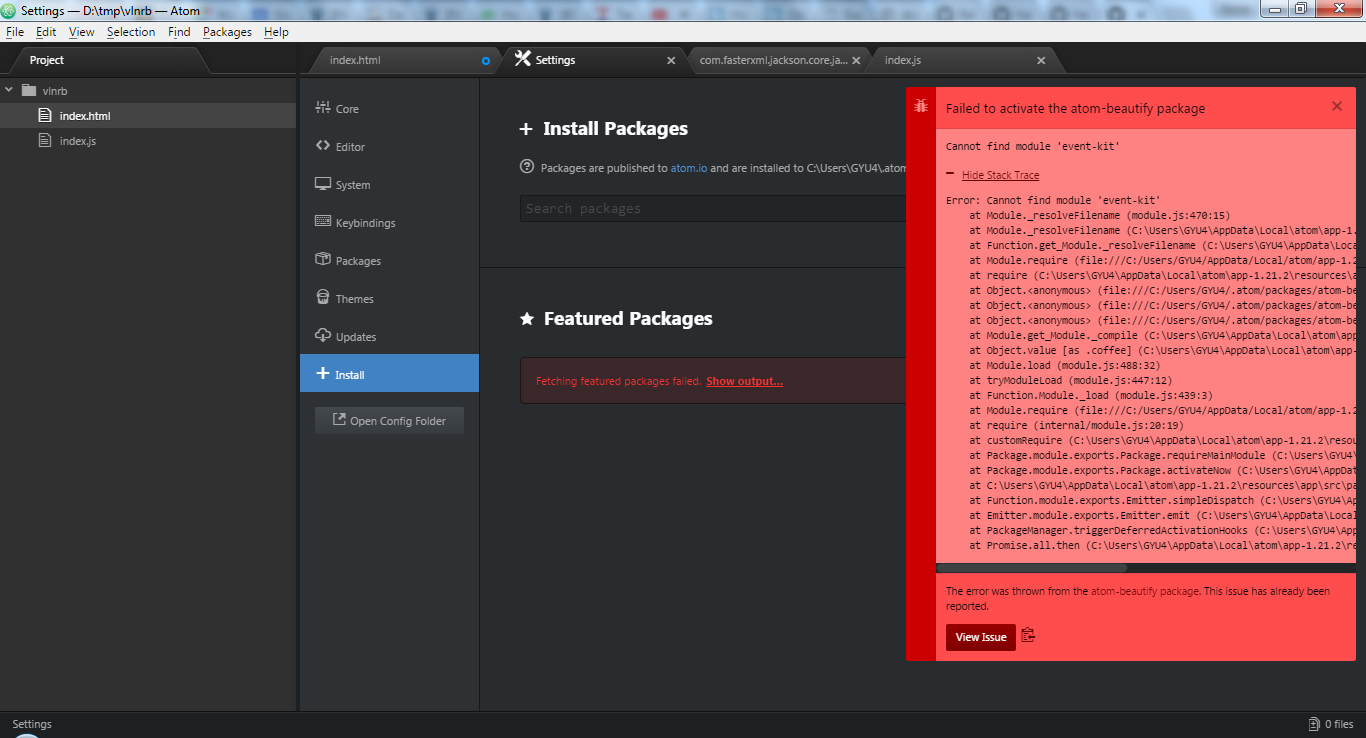
V0.29.26 fails when I try to beautify, same problem. Might it be a connectivity issue? We have a very tight firewall here.
 bbossola-tesco
on 3 Nov 2017
bbossola-tesco
on 3 Nov 2017
@bbossola-tesco Generally once it's installed and you try to beautify something, it should work, since it doesn't rely on the network at that point. 0.29.26 is several months old now, my guess is some of its dependencies have been updated while atom-beautify has not. Once you're updated to 0.30.6 it should work.
If you're behind a firewall, have you tried https://github.com/atom/apm#behind-a-firewall?
stevenzeck
on 3 Nov 2017
I did apm clean and I had Removing .yarn-integrity ✓ for more than 5 minutes... it seems a kind of loop.
 nanocreaator
on 22 Nov 2017
nanocreaator
on 22 Nov 2017
It probably was from other packages. Atom Beautify Doesn't use yarn
stevenzeck
on 22 Nov 2017
Related issues
 catscarlet
·
3Comments
catscarlet
·
3Comments
 derwaldgeist
·
4Comments
derwaldgeist
·
4Comments
 opikhidayat
·
4Comments
opikhidayat
·
4Comments
 ghost
·
4Comments
ghost
·
4Comments
 seanoldfield
·
5Comments
seanoldfield
·
5Comments
Most helpful comment
Encountered same issue, and fixed by
apm clean.