Atmosphere: emuMMC with sysnand 1.0.0 (ams 0.13.0). HEX-bug
Bug Report
What's the issue you encountered?
I created emuMMC (SD, FAT32) with sysnand 1.0.0 and got an error when loading (as in the screenshot).
How can the issue be reproduced?
To create emuMMC with sysnand 1.0.0.
Crash Report
N/A
System Firmware Version
1.0.0
Environment?
- What bootloader (fusèe, hekate, etc) was Atmosphère launched by: fusèe-primare through hekate
- Official release or unofficial build: Official release version 0.13.0
- Do you have additional kips or sysmodules you're loading: N/A
- Homebrew software installed: Choi
Additional context?
- Additional info about your environment: Another emuMMC version 10.0.4 located on the partition works correctly

 Skonikol
All 41 comments
The output you posted is not output that literally any atmosphere component would create.
I tested emummc on 1.0.0 and it works fine.
How are you creating the emummc? I suspect there's something going wrong in all this unrelated to atmosphere.
 SciresM
on 16 Jun 2020
SciresM
on 16 Jun 2020

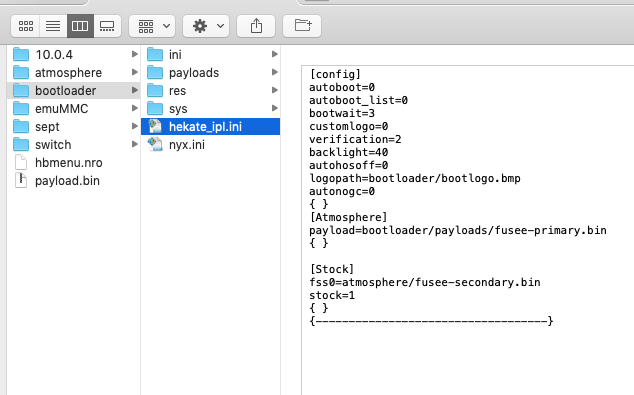

How are you creating the emummc? I suspect there's something going wrong in all this unrelated to atmosphere.
I was creating emuMMC via hekate 5.3.0 Just 5 minutes ago I took a vanilla AMS 0.13.0 and a new empty memory card. The result is the same.
Skonikol
on 17 Jun 2020
I saw the same screen earlier today creating an emummc. It's a problem with your hekate_ipl.ini. You need fss0=atmosphere/fusee-secondary.bin instead of payload=bootloader/payloads/fusee-primary.bin
 ndeadly
on 17 Jun 2020
ndeadly
on 17 Jun 2020
It seems like your bootloader/payloads/fusee_primary.bin is probably super ancient/not latest atmosphere. When did you last update it with the release fusee-primary?
SciresM
on 17 Jun 2020
I saw the same screen earlier today creating an emummc. It's a problem with your hekate_ipl.ini. You need
fss0=atmosphere/fusee-secondary.bininstead ofpayload=bootloader/payloads/fusee-primary.bin
This way the download happens, but then I can't go to homebrew to update the emu.
It seems like your bootloader/payloads/fusee_primary.bin is probably super ancient/not latest atmosphere. When did you last update it with the release fusee-primary?
The primary payload is exactly from AMS 0.13.0
Skonikol
on 17 Jun 2020
@Skonikol "the primary payload is from AMS 0.13.0" I...do not believe you. The error screen you posted is not one fusee-primary would ever produce so far as I'm aware. What's the SHA256 hash of sd:/bootloader/payloads/fusee-primary.bin? What about of sd:/atmosphere/fusee-secondary.bin?
SciresM
on 17 Jun 2020
@Skonikol "the primary payload is from AMS 0.13.0" I...do not believe you. The error screen you posted is not one fusee-primary would ever produce so far as I'm aware. What's the SHA256 hash of sd:/bootloader/payloads/fusee-primary.bin? What about of sd:/atmosphere/fusee-secondary.bin?
fusee-primary.bin | (application/macbinary) - 94176 bytes
-- | --
SHA-256 | 515da538622bb7dee1b18e3f83d966a92eedc46ecb8f13829e5311985623b949
fusee-secondary.bin | (application/macbinary) - 5746624 bytes
-- | --
SHA-256 | 589c9505edc9da852632ecd67cf870e1287e5f98a85a803cb4a0b816d1248f69
Skonikol
on 17 Jun 2020
Huh. Do you have fusee-secondary.bin at sept:/payload.bin? Hash of that?
Pinging @hexkyz because I don't recognize that error output at all.
SciresM
on 17 Jun 2020
Huh. Do you have fusee-secondary.bin at sept:/payload.bin? Hash of that?
Pinging @hexkyz because I don't recognize that error output _at all_.
payload.bin | (application/macbinary) - 5746624 bytes
-- | --
SHA-256 | 589c9505edc9da852632ecd67cf870e1287e5f98a85a803cb4a0b816d1248f69

Skonikol
on 17 Jun 2020
Yeah, this is gonna need hexkyz to diagnose. I do not recognize that error output and have never seen it before. It looks like the kind of legacy shit we'd have done in 2018.
SciresM
on 17 Jun 2020
Got the same screen after updating to latest ams. Although mine is an existing file-based emummc on the latest firmware but my sysmmc is also on v1.0.0. Booting it from hekate does work, just not from ams 0.13.0. Also, using an older build (0.12.0) only result into a long blackscreen which it probably should considering that it still uses an old and slow emummc driver.
 annson24
on 17 Jun 2020
annson24
on 17 Jun 2020
Got the same screen after updating to latest ams. Although mine is an existing file-based emummc on the latest firmware but my sysmmc is also on v1.0.0. Booting it from hekate does work, just not from ams 0.13.0. Also, using an older build (0.12.0) only result into a long blackscreen which it probably should considering that it still uses an old and slow emummc driver.
If I load emu (1.0.0, SD) via
fss0=atmosphere/fusee-secondary.bin
atmosphere=1
then I get an error 2162-0002 (0100000000001000) when logging into hbmenu
My emuMMC version 10.0.4 located on the partition works correctly (via fussee-primare)
Skonikol
on 17 Jun 2020
I'm getting this on a completely newly formatted SD Card and emuMMC via Hekate. Only non-standard modification done is that my lotus fuses are blown. I'm on 1.0 from my sysNAND cloned to emuMMC. The emuMMC is partition based.
All registers are empty including PC, and backtrace addresses 13-31 are all empty as well. Fusee-primary is not being used; FSS0 via Hekate is. I get the error screen in Atmosphere's graphical formatting, not the text based one in the original issue. The error code is the same as the comment before me.
 Halvorsen256
on 18 Jun 2020
Halvorsen256
on 18 Jun 2020
Hi! I have the same crash as described by OP. File-based emummc 9.2.0 AMS 0.13.0, 64 GB FAT32.
I can launch using fss0=atmosphere/fusee-secondary.bin, but end up with the same crash as in the original post when using reboot to payload
 Toonne
on 19 Jun 2020
Toonne
on 19 Jun 2020
@Toonne this will likely be because you're rebooting into fusee primary. If you replace reboot_payload.nro with a copy of Hekate it should work as expected
ndeadly
on 19 Jun 2020
Same issue as OP. sysnand is 6.0.1, file-based emuMMC 10.0.4, AMS 0.13.0, 64GB exFAT. Totally cleaned SD card and still getting the same issue. Attempting boot of fusee-primary directly or through Hekate results in:
 KaimanDoro
on 27 Jun 2020
KaimanDoro
on 27 Jun 2020
Mismo problema, emummc creada con hekate, basada en archviso, al ingresar pasa el logro de atmosfere y se queda en negro
 cronosunder
on 27 Jun 2020
cronosunder
on 27 Jun 2020
Same problem for me too, launch in Fusee_primary RCM, see the first ATM logo and crash with HEXA !
- emuMMC (create with HETAKE)
- exFAT 512Go
- CFW 9.0.1
- ATM 0.13
Backup on ATM 0.12, and work fine.
 Gonrak
on 28 Jun 2020
Gonrak
on 28 Jun 2020
same issue on a file based emummc exFAT using lastest atmosphere release
 jarconett
on 30 Jun 2020
jarconett
on 30 Jun 2020
Same issue here I'm on firmware 10.0.4 emuMMC created with hekate.
- when i try to boot the cfw - emuMMC from Hekate > launch the cfw works like a charm, games, homebrews and everything works fine.
- when i try to boot the cfw by injecting the latest fusee primary payload i can see the sept logo, the atmosphere logo and then i got an error that looks like an hex editor (see the attachment)
- file based emuMMC on exFAT 200Gb
- Fw version 10.0.4
- Atmosphere 0.13.0
i've tried to delete the switch folder, the config folder and the atmosphere/sept folder and reinstall but this error is still here.
 Outlander87
on 1 Jul 2020
Outlander87
on 1 Jul 2020
@Outlander87 Contact me (SciresM#0524) on discord for debugging.
SciresM
on 1 Jul 2020
@Outlander87 Contact me (SciresM#0524) on discord for debugging.
Will there be a solution for everyone else, too?
Skonikol
on 1 Jul 2020
...yes...? I was inviting that guy to debug because I thought it would be productive towards solving the problem. Clearly everybody experiencing this has the same issue.
SciresM
on 1 Jul 2020
...yes...? I was inviting that guy to debug because I thought it would be productive towards solving the problem. Clearly everybody experiencing this has the same issue.
I understand, thank you.
Skonikol
on 1 Jul 2020
Assigning this to myself. The fusee exception handling code is broken and severely outdated, so this will have to be fixed first in order to get appropriate debug information and track down the actual issue.
 hexkyz
on 1 Jul 2020
hexkyz
on 1 Jul 2020
Assigning this to myself. The fusee exception handling code is broken and severely outdated, so this will have to be fixed first in order to get appropriate debug information and track down the actual issue.
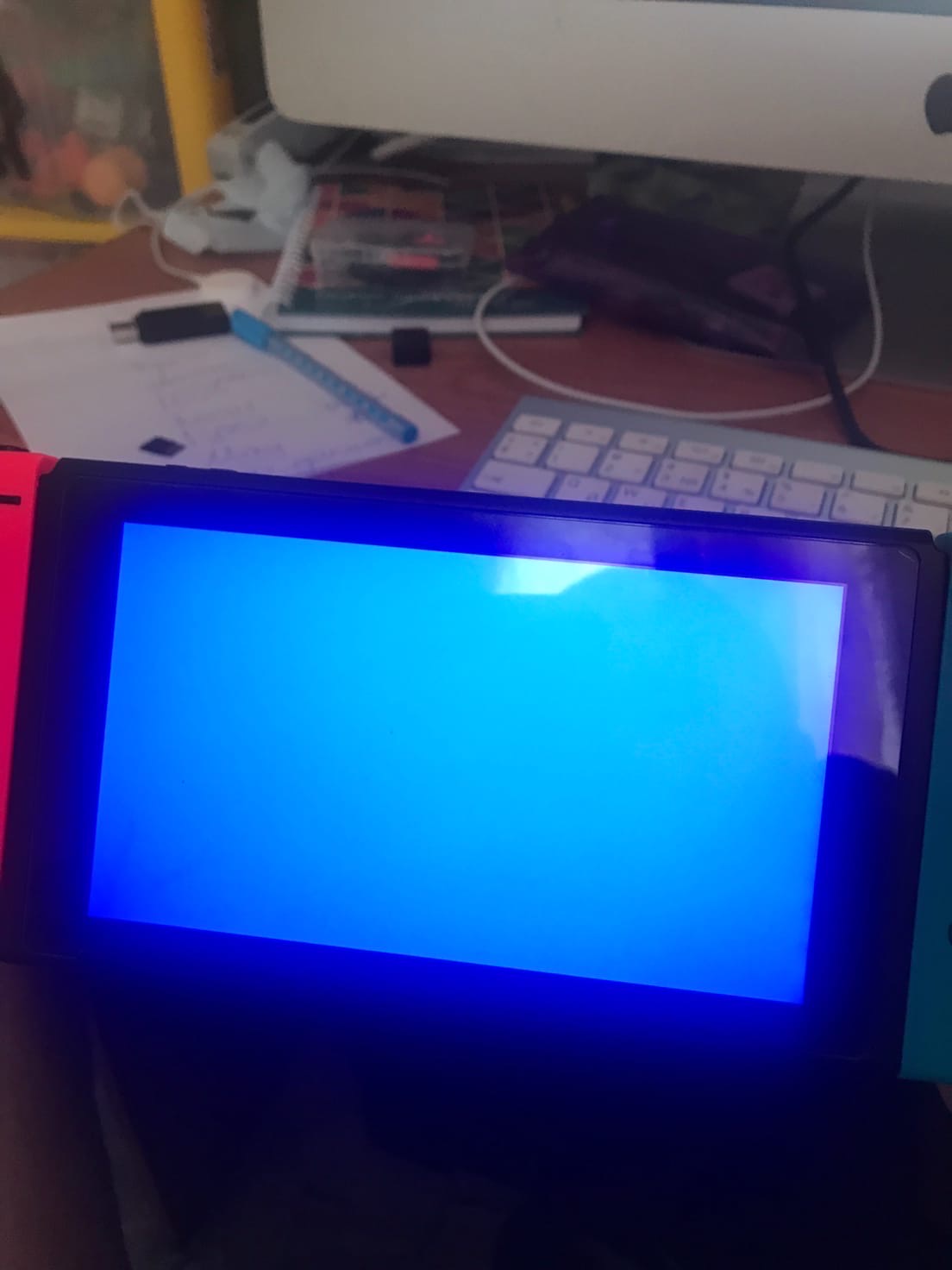
I'll add a few details. I also tried running my emuMMC (6.1.0, 8.0.1 & 8.1.0) from the memory card. When loading via fussee1, hex-bug appears, while hekate & fss0 displays a light blue screen. The other conditions are the same - sys 1.0.0, ams 0.13.0, and hek 5.3.0.
Skonikol
on 1 Jul 2020
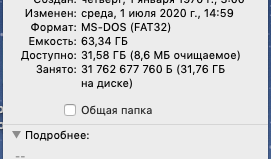
@Skonikol Are you sure your SD card is FAT32? Most people reporting errors are doing so on file-based emummc on exFAT SD card.
SciresM
on 1 Jul 2020
@Skonikol Are you sure your SD card is FAT32? Most people reporting errors are doing so on file-based emummc on exFAT SD card.
absolutely both cards in fat32
Skonikol
on 1 Jul 2020
My friend's console - emu via hekate, start fussee1, ams 0.13.0, sys 10.0.3, hek 5.3.0, sd FAT32

Skonikol
on 1 Jul 2020
Been seeing the same exact issue @Skonikol confirmed a few hours ago. After a lot of drastic measure to try and fix the issue, I am able to boot using fusee-secondary with 100% plain vanilla implementations on a new FAT32 sd with file-based emuMMC. fusee-primary causes the hex bug
 Aeolus91
on 1 Jul 2020
Aeolus91
on 1 Jul 2020
Following..my current situation: file based emummc, ams 0.13.0, emu 10.0.4, sysnand 4.0.0, fat32 SD, cannot boot to hekate or atmosphere
 nicewatch9
on 4 Jul 2020
nicewatch9
on 4 Jul 2020
Tengo el mismo problema. Solo me funciona Atmosphere 0.12, en la versión más actualizada no pasa de esa pantalla negra.
Atmosphere 0.13 funciona perfectamente, pero al intentar usar Emunad manda el siguiente error.
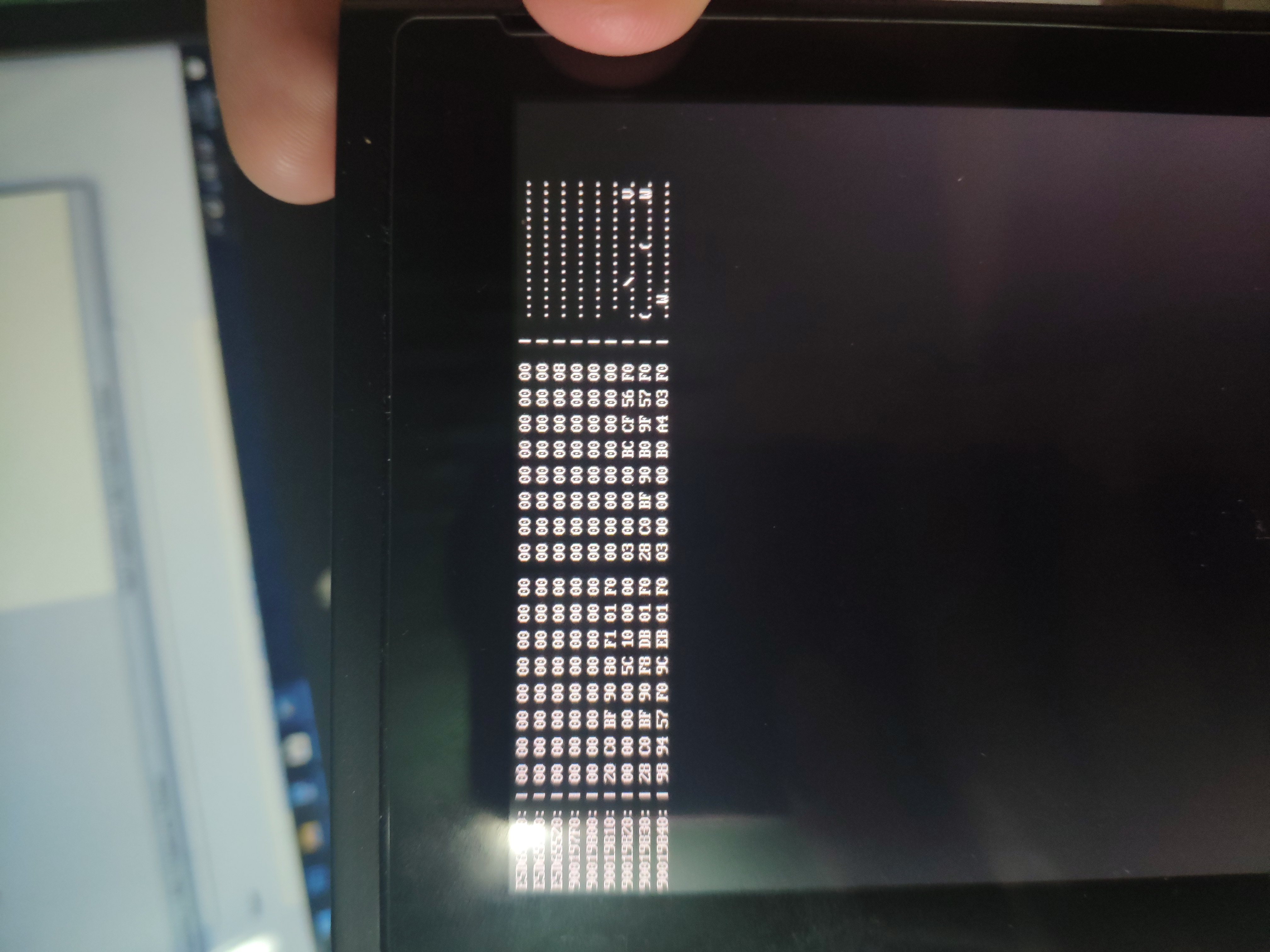
 Zullivan1987
on 5 Jul 2020
Zullivan1987
on 5 Jul 2020
I was able to replicate this issue on my own unit. Debugging is now under way.
hexkyz
on 8 Jul 2020
CFW on SysNAND boots fine, but trying to use fusee-primary will not work.
(I've never been able to make EmuMMC work)
FW 10.0.4
Latest Atmosphere (0.13) and Hekate (5.30)
Latest fusee-primary (from the Atmosphere GIT)
Whether I inject fusee-primary from TegraRCMGUI or try to launch it from Hekate, it shows the Sept logo, then (very briefly) the Atmosphere logo, then displays the HEX code dump and stops.
 DarkLordPrime
on 16 Jul 2020
DarkLordPrime
on 16 Jul 2020
Same issue, hekate 5.30, Atmosphere 0.13, EmuMMC throws Hex screen.
 Altairseven
on 18 Jul 2020
Altairseven
on 18 Jul 2020
Same configuration, same issue
 tahittibob
on 19 Jul 2020
tahittibob
on 19 Jul 2020
Thank you for all the reports. The issue has been identified, it's a design issue in how we handle emulated storage mounting for file-based emummc.
I'm currently working on re-designing this to fix the problem.
hexkyz
on 20 Jul 2020
I'll be keeping an eye out for this too but for a different reason. When I attempt to move some games (not all) from SD to Internal Storage while using a File Based EmuMMC I sometimes get this error and need to restart:
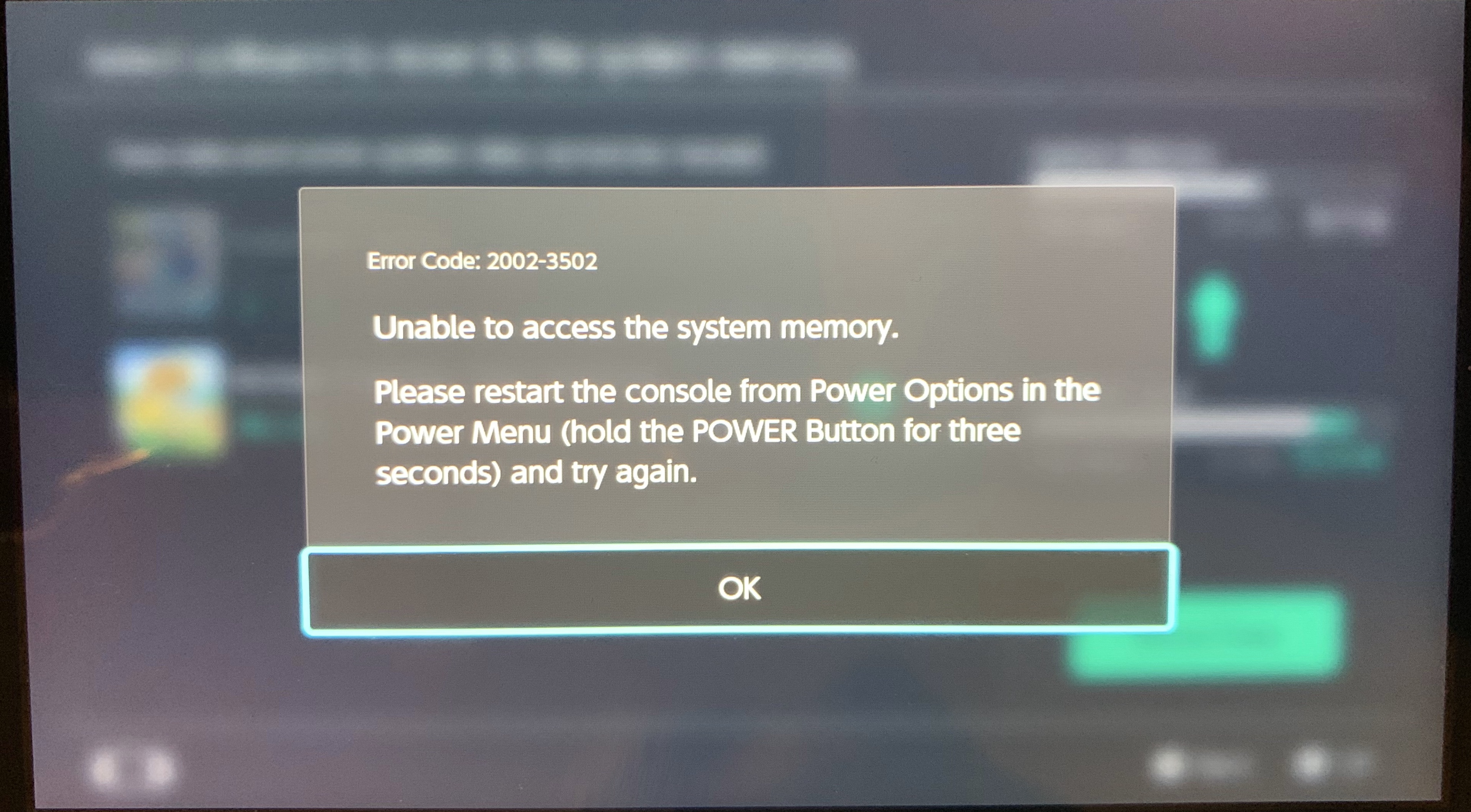
If I don't restart then looking at the Data Management section in Settings shows 0.0MB for any Internal Storage game. This happens when I try to migrate Pokémon Sword, Animal Crossing, Aragami or Naruto ULTIMATE STORM. Games that migrated just fine include Rune Factory 4 Special and Story of Seasons: Friends of Mineral Town.
Is anyone else else here, who is using File Based EmuMMC, having troubles migrating games from SD to Internal Storage? I want to see if it's related and want to try the Fusee fix before reporting as a new issue.
 AnalogMan151
on 22 Jul 2020
AnalogMan151
on 22 Jul 2020
@AnalogMan151 that is totally unrelated to this issue. This issue is a fusee bug, that's runtime/emummc itself. Probably an issue should be made on the emummc repo.
SciresM
on 22 Jul 2020
This should now be fixed by the latest commit.
hexkyz
on 1 Aug 2020
This is a different issue. Open a new issue using the issue template.
Also your fatal reports aren't public.
 HookedBehemoth
on 2 Aug 2020
HookedBehemoth
on 2 Aug 2020
Related issues
 fennectech
·
4Comments
fennectech
·
4Comments
 Remna0w0
·
4Comments
SciresM
·
4Comments
Remna0w0
·
4Comments
SciresM
·
4Comments
 sora10pls
·
3Comments
sora10pls
·
3Comments
 ghost
·
4Comments
ghost
·
4Comments
Most helpful comment
Thank you for all the reports. The issue has been identified, it's a design issue in how we handle emulated storage mounting for file-based emummc.
I'm currently working on re-designing this to fix the problem.