Aspnetcore: Changing Environment Variables causes error in Blazor WASM
Describe the bug
Last week I upgraded my Blazor Client side app(ASP.Net Hosted) to the RC versions and my app stopped working. I would get a 404 on the index page. There was no reason for why this would fail now, so I started by then creating a new Blazor WASM app and moved all of my code over into it and it STILL failed. Looking at the logs, this is what came up when I looked:
Microsoft.AspNetCore.Routing.EndpointMiddleware: Information: Executing endpoint 'Fallback {*path:nonfile}'
So I went through trying to downgrade packages and find out why this was failing and on my 3rd new Blazor app I forgot to change the environment variable from "Development" to "dev" (we use dev, test, and prod as our variables and use that to read the appsetting files). It worked! This is normally the VERY FIRST thing I change. It seems changing it from anything but "Development" causes this issue. ANY help to fix this would be appreciated.
To Reproduce
1) Open VS 2019
2) Click "Create New Project"
3) Find "Blazor App" template, click Next
4) Name your Blazor project and click Create
6) Select Blazor WebAssembly App, pick ASP.Net Core Hosted option, click Create
7) Open the launchSettings.json file for the Server project
8) Inside the IIS Express section, change the ASPNETCORE_ENVIRONMENT value from "Development" to "dev"
9) Debug application, you will 404 and the application will not be presented.
Further technical details
- ASP.NET Core version
- Include the output of
dotnet --info
.NET Core SDK (reflecting any global.json):
Version: 3.1.201
Commit: b1768b4ae7
Runtime Environment:
OS Name: Windows
OS Version: 10.0.17763
OS Platform: Windows
RID: win10-x64
Base Path: C:Program Filesdotnetsdk3.1.201
Host (useful for support):
Version: 3.1.3
Commit: 4a9f85e9f8
.NET Core SDKs installed:
2.1.202 [C:Program Filesdotnetsdk]
2.1.509 [C:Program Filesdotnetsdk]
3.1.201 [C:Program Filesdotnetsdk]
.NET Core runtimes installed:
Microsoft.AspNetCore.All 2.1.13 [C:Program FilesdotnetsharedMicrosoft.AspNetCore.All]
Microsoft.AspNetCore.App 2.1.13 [C:Program FilesdotnetsharedMicrosoft.AspNetCore.App]
Microsoft.AspNetCore.App 3.1.3 [C:Program FilesdotnetsharedMicrosoft.AspNetCore.App]
Microsoft.NETCore.App 2.0.9 [C:Program FilesdotnetsharedMicrosoft.NETCore.App]
Microsoft.NETCore.App 2.1.13 [C:Program FilesdotnetsharedMicrosoft.NETCore.App]
Microsoft.NETCore.App 3.1.3 [C:Program FilesdotnetsharedMicrosoft.NETCore.App]
Microsoft.WindowsDesktop.App 3.1.3 [C:Program FilesdotnetsharedMicrosoft.WindowsDesktop.App]
- The IDE (VS / VS Code/ VS4Mac) you're running on, and it's version
Microsoft Visual Studio Professional 2019
Version 16.5.4
VisualStudio.16.Release/16.5.4+30011.22
Microsoft .NET Framework
Version 4.7.03190
Installed Version: Professional
ASP.NET and Web Tools 2019 16.5.236.49856
ASP.NET and Web Tools 2019
ASP.NET Web Frameworks and Tools 2019 16.5.236.49856
For additional information, visit https://www.asp.net/
Azure App Service Tools v3.0.0 16.5.236.49856
Azure App Service Tools v3.0.0
Azure Functions and Web Jobs Tools 16.5.236.49856
Azure Functions and Web Jobs Tools
C# Tools 3.5.0-beta4-20153-05+20b9af913f1b8ce0a62f72bea9e75e4aa3cf6b0e
C# components used in the IDE. Depending on your project type and settings, a different version of the compiler may be used.
Common Azure Tools 1.10
Provides common services for use by Azure Mobile Services and Microsoft Azure Tools.
Cookiecutter 16.5.20041.1
Provides tools for finding, instantiating and customizing templates in cookiecutter format.
Extensibility Message Bus 1.2.0 (d16-2@8b56e20)
Provides common messaging-based MEF services for loosely coupled Visual Studio extension components communication and integration.
IntelliCode Extension 1.0
IntelliCode Visual Studio Extension Detailed Info
Microsoft Azure Tools 2.9
Microsoft Azure Tools for Microsoft Visual Studio 2019 - v2.9.30207.1
Microsoft Continuous Delivery Tools for Visual Studio 0.4
Simplifying the configuration of Azure DevOps pipelines from within the Visual Studio IDE.
Microsoft JVM Debugger 1.0
Provides support for connecting the Visual Studio debugger to JDWP compatible Java Virtual Machines
Microsoft Library Manager 2.1.25+gdacdb9b7a1
Install client-side libraries easily to any web project
Microsoft MI-Based Debugger 1.0
Provides support for connecting Visual Studio to MI compatible debuggers
Microsoft Visual Studio Tools for Containers 1.1
Develop, run, validate your ASP.NET Core applications in the target environment. F5 your application directly into a container with debugging, or CTRL + F5 to edit & refresh your app without having to rebuild the container.
Mono Debugging for Visual Studio 16.5.514 (c4f36a9)
Support for debugging Mono processes with Visual Studio.
NuGet Package Manager 5.5.0
NuGet Package Manager in Visual Studio. For more information about NuGet, visit https://docs.nuget.org/
ProjectServicesPackage Extension 1.0
ProjectServicesPackage Visual Studio Extension Detailed Info
Python 16.5.20041.1
Provides IntelliSense, projects, templates, debugging, interactive windows, and other support for Python developers.
Python - IronPython support 16.5.20041.1
Provides templates and integration for IronPython-based projects.
Python - Profiling support 16.5.20041.1
Profiling support for Python projects.
SQL Server Data Tools 16.0.62003.05170
Microsoft SQL Server Data Tools
TypeScript Tools 16.0.20225.2001
TypeScript Tools for Microsoft Visual Studio
Visual Basic Tools 3.5.0-beta4-20153-05+20b9af913f1b8ce0a62f72bea9e75e4aa3cf6b0e
Visual Basic components used in the IDE. Depending on your project type and settings, a different version of the compiler may be used.
Visual F# Tools 10.8.0.0 for F# 4.7 16.5.0-beta.20181.6+85af456066acd4e76d2bc7821b44a325e46f2fca
Microsoft Visual F# Tools 10.8.0.0 for F# 4.7
Visual Studio Code Debug Adapter Host Package 1.0
Interop layer for hosting Visual Studio Code debug adapters in Visual Studio
Visual Studio Container Tools Extensions (Preview) 1.0
View, manage, and diagnose containers within Visual Studio.
Visual Studio Tools for Containers 1.0
Visual Studio Tools for Containers
VisualStudio.DeviceLog 1.0
Information about my package
VisualStudio.Foo 1.0
Information about my package
VisualStudio.Mac 1.0
Mac Extension for Visual Studio
Xamarin 16.5.000.533 (d16-5@9152e1b)
Visual Studio extension to enable development for Xamarin.iOS and Xamarin.Android.
Xamarin Designer 16.5.0.470 (remotes/origin/d16-5@681de3fd6)
Visual Studio extension to enable Xamarin Designer tools in Visual Studio.
Xamarin Templates 16.5.49 (0904f41)
Templates for building iOS, Android, and Windows apps with Xamarin and Xamarin.Forms.
Xamarin.Android SDK 10.2.0.100 (d16-5/988c811)
Xamarin.Android Reference Assemblies and MSBuild support.
Mono: c0c5c78
Java.Interop: xamarin/java.interop/d16-5@fc18c54
ProGuard: xamarin/proguard/master@905836d
SQLite: xamarin/sqlite/3.28.0@46204c4
Xamarin.Android Tools: xamarin/xamarin-android-tools/d16-5@9f4ed4b
Xamarin.iOS and Xamarin.Mac SDK 13.16.0.13 (b75deaf)
Xamarin.iOS and Xamarin.Mac Reference Assemblies and MSBuild support.
 knight1219
All 11 comments
Thanks for contacting us.
Can you please share the full error message?
Also, a repro app would allow us investigate this further.
 mkArtakMSFT
on 19 May 2020
mkArtakMSFT
on 19 May 2020
Sure thing!
Here is the repo: https://github.com/knight1219/BlazorEnviroVariableError
As for the error message, the webpage gets a 404 and this is what shows up in the logs:
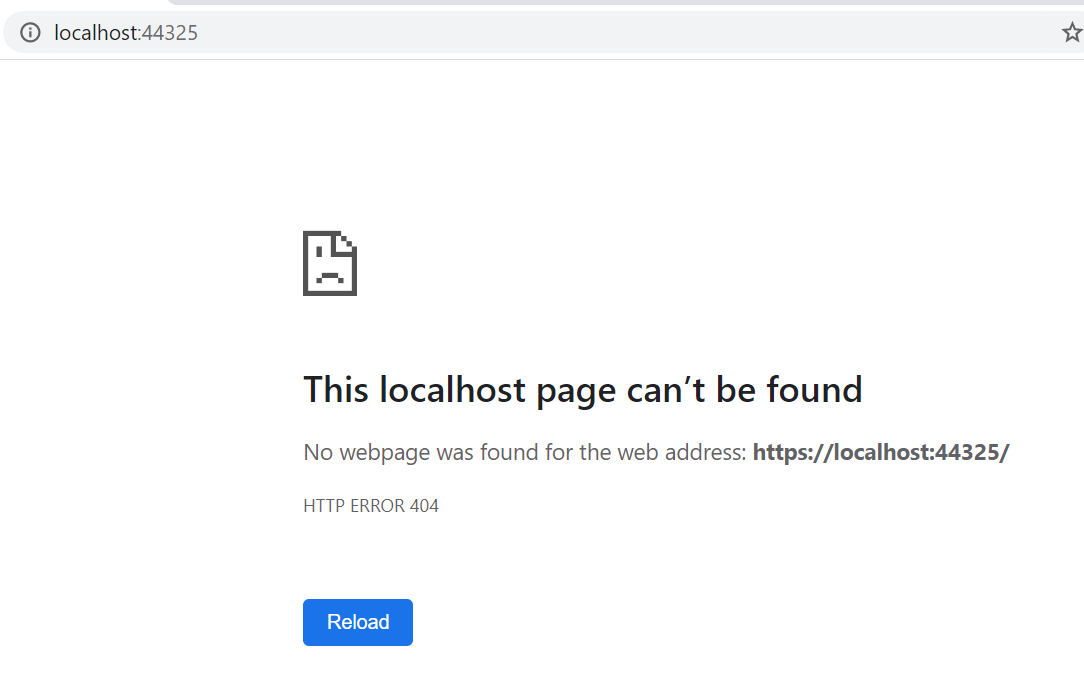
'
Starting IIS Express ...
Registration completed for site "BlazorApp3.Server"
IIS Express is running.
info: Microsoft.Hosting.Lifetime[0]
Application started. Press Ctrl+C to shut down.
info: Microsoft.Hosting.Lifetime[0]
Hosting environment: dev
info: Microsoft.Hosting.Lifetime[0]
Content root path: C:Users*user*SourceReposBlazorEnviroVariableErrorBlazorApp3Server
'
knight1219
on 19 May 2020
Also, I'm not sure if this will help, but I just saw that Blazor WASM 3.2.0 was just released today. I just updated my solution to the updated full release nuget packages and I still see the same issue.
knight1219
on 19 May 2020
I've just tested this on a different machine with VS 2019 16.6.0 and it has the same issues. I am asking a few of my teammates to attempt to reproduce and will report back with their results.
UPDATE: Two of my colleagues said they can reproduce this issue. This seems to be a fundamental flaw in Blazor. I'm working on a workaround now, but in order to deploy this and use it in production this has to work as designed
knight1219
on 19 May 2020
Perhaps simpler way to reproduce the issue described by @knight1219:
Create a new Blazor WebAssembly Project:
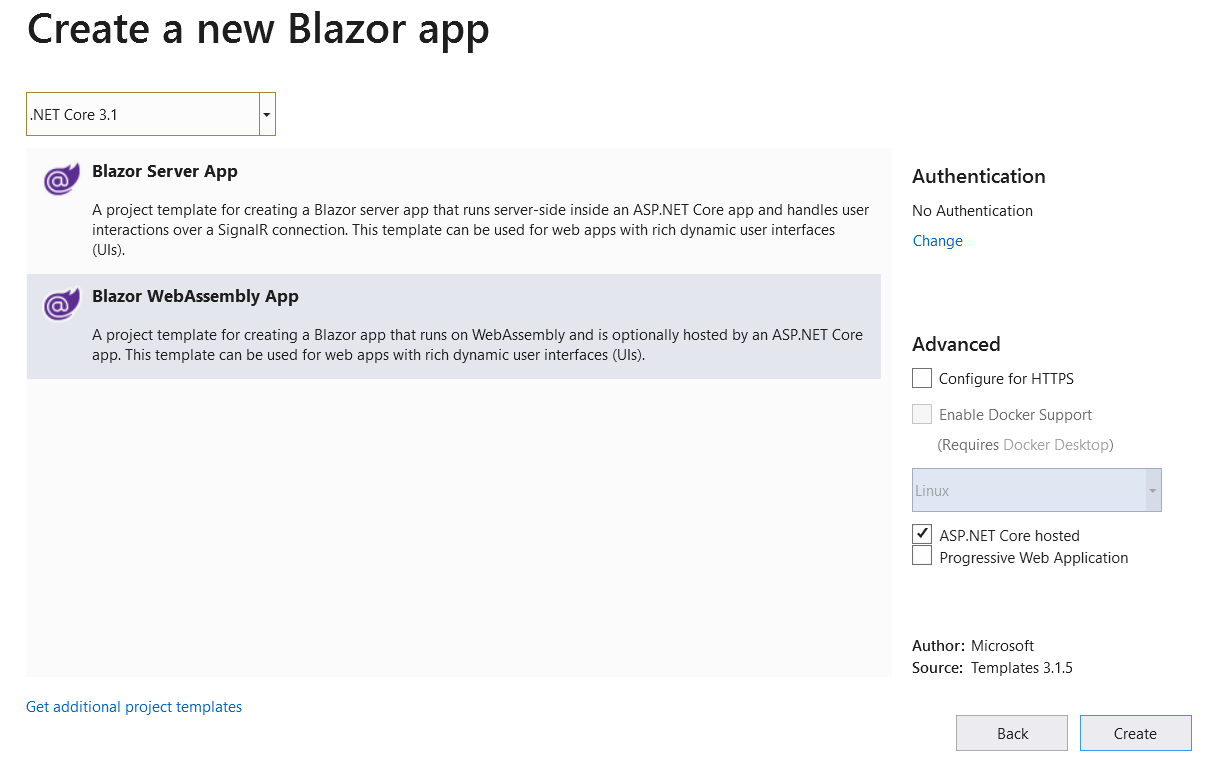
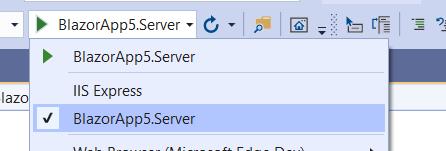
Switch to kestrel (just to rule out side-effects from IIS Expess):
Clone appsettings.Development.json to create appsettings.dev.json and update launchsettings.json to set ASPNETCORE_ENVIRONMENT value to dev. (TBH, cloning file is optional, the project isn't going to load the file at this point anyway.)

Note that contents of appsettings.Development.json and appsettings.dev.json are identical.
Running the project at this point (and navigating to http://localhost:5000 will result in 404.)
I'm on Host: 3.1.4 and SDK: 3.1.300.
Pretty much anything except "Development" seems to break the app (including Production.)
Note: In my real project, there's code like below to load the appsettings.xyz,json file to customize some non-sensitive values for each environment.
public Startup(IWebHostEnvironment env)
        {
            var builder = new ConfigurationBuilder()
                .SetBasePath(env.ContentRootPath)
                .AddJsonFile("appsettings.json", optional: true, reloadOnChange: false)
                .AddJsonFile($"appsettings.{env.EnvironmentName}.json", optional: true, reloadOnChange: false)

            Configuration = builder.Build();
        }
However, absence of that file wouldn't break my project either.
I'm currently on 3.2.0-preview1.20073.1 (where the custom ASPNETCORE_ENVIRONMENT works fine.) I'd guess that I'm missing something that was introduced between preview-1 and GA that's causing this to break.
 rahuldj
on 26 May 2020
rahuldj
on 26 May 2020
@rahuldj, In my real app that's almost EXACTLY how I'm using the ASPNETCORE_ENVIRONMENT variable. I think I was on Preview 2 before I upgraded and it worked fine. I've had to work around it, and it's put Blazor in the cross-hairs at work in terms of usability.
It's concerning that even "Production" doesn't work (All my work is still pre-prod). How are more people not seeing this as an issue?
knight1219
on 26 May 2020
It's concerning that even "Production" doesn't work (All my work is still pre-prod). How are more people not seeing this as an issue?
Trying to do my first "Production" deployment today and i am facing the same issue. If i make sure i don't have the ASPNETCORE_ENVIRONMENT variable set, so that it defaults to Production, my app doesn't work and the root 404, like reported by others.
 nlz242
on 28 May 2020
nlz242
on 28 May 2020
No news about this issue? It would seem that being unable to run any Blazor wasm app in a "Production" env (the default if no env is set) would be a big enough issue for it to get looked at, at least. Kinda gives a bad look to the whole thing. I mean, there are workarounds, we are currently running our app (in production) with the env set as development, doing so, we made sure to change all of our "if IsDevelopment" to Compiler's #If DEBUG, so we don't leak data/stacktraces/etc... it works, just feels super janky.
nlz242
on 9 Jun 2020
I know they have put in into their next sprint but one would think this would take priority and they would be issuing a fix for it asap. Ive had to add a new command line variable to it so it will work, i might end up having to go with your solution if nothing is done here in the nex week or so as we are moving out of dev and into qa/uat.
knight1219
on 9 Jun 2020
I solved the problem with "dotnet publish".
Dunno if that helps.
 timmi-on-rails
on 6 Jul 2020
timmi-on-rails
on 6 Jul 2020
Thanks for contacting us.
This is not something we plan to do in the near future. You can learn more about our triage process and how we handle issues by reading our Triage Process writeup.
mkArtakMSFT
on 22 Sep 2020
Related issues
 rynowak
·
3Comments
rynowak
·
3Comments
 bgribaudo
·
3Comments
bgribaudo
·
3Comments
 rbanks54
·
3Comments
rbanks54
·
3Comments
 ermithun
·
3Comments
ermithun
·
3Comments
 mj1856
·
3Comments
mj1856
·
3Comments