Aspnetcore: Cookies was not authenticated. Failure message: Unprotect ticket failed (aspnet core 3.0 on linux web app)
1) Create a new aspnetcore 3.0 application (same problem on 2.2 and older versions) with cookie auth, and services.AddDataProtection();
2) deploy it to azure linux web app (without a custom container).
3) Navigate to the application and execute a login, and go to a protected page.
4) Restart the web app in the azure portal
Problem :
5) Refresh the protected page and you will be asked for a login again.
Expected behavior :
5) you should still be logged in the application.
The documentation of data protection api says that without any specific configuration it should work out of the box :
https://docs.microsoft.com/en-us/aspnet/core/security/data-protection/configuration/default-settings?view=aspnetcore-3.0
 valeriob
All 12 comments
If you check the logs does it talk about ephemeral keys? Frankly I'm not sure azure linux webapps works with our detection light up. I'd suggest specifically using blob storage
 blowdart
on 29 Oct 2019
blowdart
on 29 Oct 2019
I think i found the issue.
The DataProtection is saving the key in this folder :
Writing data to file '/root/ASP.NET/DataProtection-Keys/key-8d817850-b8b6-49e3-9ff5-1893dd89da06.xml'.
while the documentation says it should be created in the folder backed by the network storage, that in case of a linux container should be /home/ASP.NET/DataProtection-Keys
Looking at the code it should work :
    public DirectoryInfo GetKeyStorageDirectoryForAzureWebSites()
    {
        // Azure Web Sites needs to be treated specially, as we need to store the keys in a
        // correct persisted location. We use the existence of the %WEBSITE_INSTANCE_ID% env
        // variable to determine if we're running in this environment, and if so we then use
        // the %HOME% variable to build up our base key storage path.
        if (!String.IsNullOrEmpty(Environment.GetEnvironmentVariable("WEBSITE_INSTANCE_ID")))
        {
            var homeEnvVar = Environment.GetEnvironmentVariable("HOME");
            if (!String.IsNullOrEmpty(homeEnvVar))
            {
                return GetKeyStorageDirectoryFromBaseAppDataPath(homeEnvVar);
            }
        }

        // nope
        return null;
    }
and the HOME env variable is set to "/home".
But for some reason it's writing on the root folder.
valeriob
on 30 Oct 2019
Another info:
Kudu reports that the HOME environment variable has "/home" value, but with ssh inside the container i can see that the HOME env variable is indeed "/root".
So the code works correctly, problem is inside the container the env variable has a different value.
valeriob
on 30 Oct 2019
hi @blowdart could you give some feedback to my analysis and if it will be fixed ?
I've looked into blob storage, but the sas token is a pain, i'd rather not complicate things more :D
Thanks
valeriob
on 6 Nov 2019
That's weird. Let me loop in someone from azure web apps. I'd still recommend blob storage though, it works with slot swaps, whereas the shared directory does not.
blowdart
on 6 Nov 2019
Taking a look.
 JennyLawrance
on 6 Nov 2019
JennyLawrance
on 6 Nov 2019
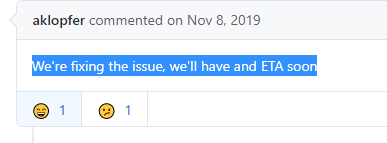
We're fixing the issue, we'll have and ETA soon
 aklopfer
on 8 Nov 2019
aklopfer
on 8 Nov 2019
Hi, do you guys have any feedback, or an issue on another repository i can track ?
Thanks
valeriob
on 28 Nov 2019
Hi, is this work tracked in another repo since it's marked as External ?
Thanks
valeriob
on 14 Apr 2020
Hi,
what does External mean, is there another issue i can track somewhere else ? 😄
Thanks
valeriob
on 30 Apr 2020
This issue has been determined to be caused by Azure Web Apps. Given that there is no action pending from our side here, we're closing this.
If you still face this issue we recommend filing a support ticket with Azure Web Apps instead.
 mkArtakMSFT
on 30 Oct 2020
mkArtakMSFT
on 30 Oct 2020
I'm sorry, but is there some issue to follow ?
i thought it was since
Thanks
valeriob
on 30 Oct 2020
Related issues
 TanvirArjel
·
3Comments
TanvirArjel
·
3Comments
 ermithun
·
3Comments
ermithun
·
3Comments
 ipinak
·
3Comments
ipinak
·
3Comments
 farhadibehnam
·
3Comments
farhadibehnam
·
3Comments
 groogiam
·
3Comments
groogiam
·
3Comments