Aspnetcore: Page is not displayed when pressing Reload button in browser
Steps to reproduce:
- Create stand alone app "WebApplication1"
- Publish the app
- Install "Web Server for Chrome" extension
- Conigure the path to \WebApplication1\WebApplication1\bin\Release\PublishOutput\WebApplication1\dist
- Go to the home page in browser
- Navigate to "Counter"
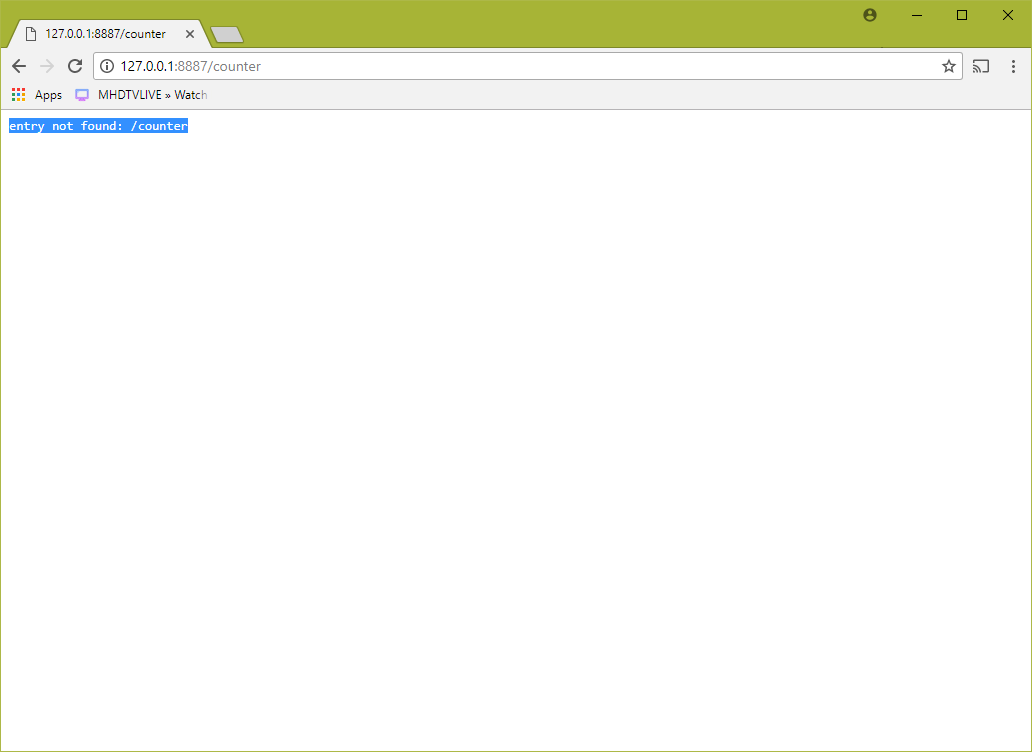
- Press the Reload button, The browser shows the message "entry not found: /counter". Please refer the screen shot
 kganil
All 5 comments
I am not familiar with Webserver for Chrome but your problems still sounds familiar to me. The route /counter is a client-side route. Your webserver does not know about it. This problem applies to any SPA (Single Page App) framework (e.g. Angular).
You have to configure your webserver so that all e.g. extension-less requests lead to returning index.html. There, the SPA framework will take control and do its client-side routing logic. A quick look in Webserver for Chrome showed me that it has a setting for that:
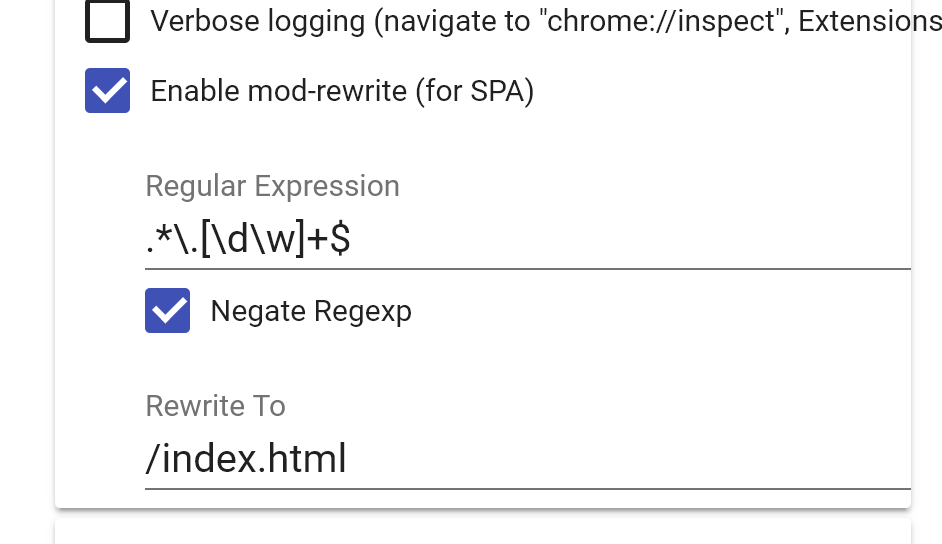
See also this GitHub issue in the Webserver for Chrome sample.
Hope this helps.
 rstropek
on 22 Mar 2018
rstropek
on 22 Mar 2018
BTW - here is an example for a SPA-configuration of a professional webserver (nginx). Maybe it helps to understand the problem and points you to possible solutions.
rstropek
on 22 Mar 2018
Thank you very much Rainer. The solution worked.
kganil
on 22 Mar 2018
Thanks for answering @rstropek - this is really helpful! "How to host on a static-files webserver" would make a great page for https://learn-blazor.com/ :)
 SteveSandersonMS
on 22 Mar 2018
SteveSandersonMS
on 22 Mar 2018
@SteveSandersonMS Great idea, here it is
rstropek
on 22 Mar 2018
Related issues
 snebjorn
·
3Comments
snebjorn
·
3Comments
 Pixel-Lord
·
3Comments
Pixel-Lord
·
3Comments
 mj1856
·
3Comments
mj1856
·
3Comments
 BrennanConroy
·
3Comments
BrennanConroy
·
3Comments
 rynowak
·
3Comments
rynowak
·
3Comments
Most helpful comment
@SteveSandersonMS Great idea, here it is