Aspnetcore: Blazor component property binding not working in NET Core 3.0 Preview 6?
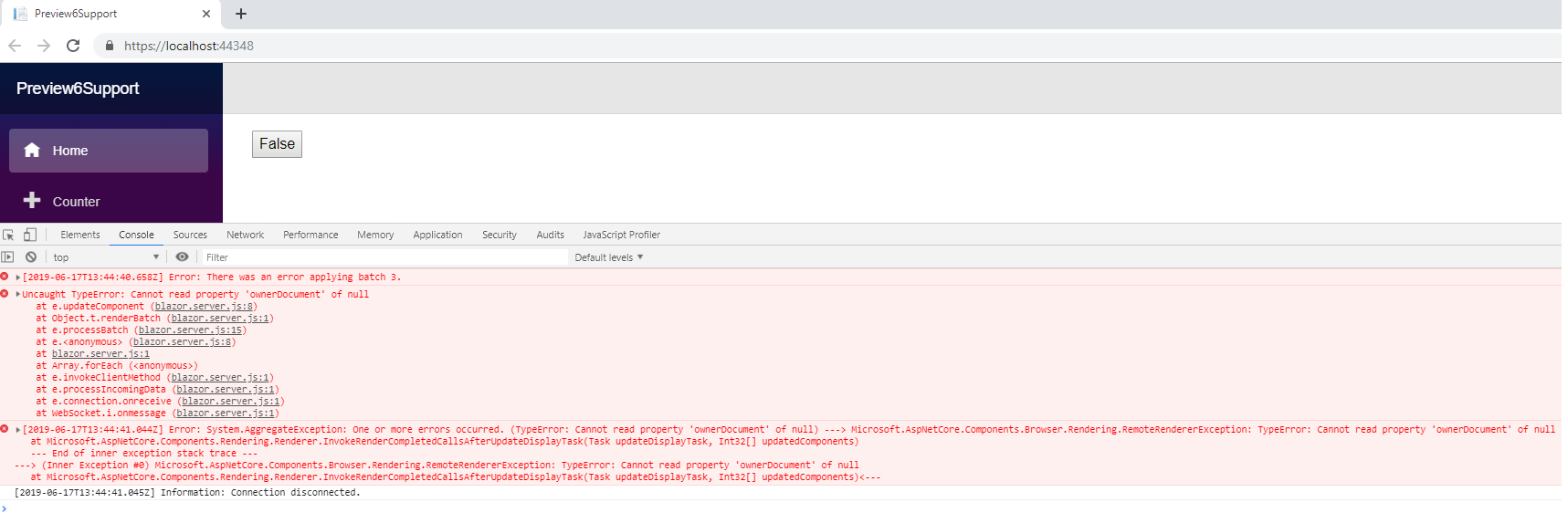
I have bind value, click property to button element. And try to change the value when click the button to check "Property Binding". But it is not working as expected due to OnAfterRender() which is not triggered when click the button.
<input type="button" value="@buttonContent" onclick="@onToggleClick" />
@code {
    private void onToggleClick(UIMouseEventArgs args)
    {
        this.buttonContent = "False";
    }
 mohankumar91
All 8 comments
The error says that you have something.ownerDocument somewhere (in the markup, probably), and something is null.
 guidevnet
on 17 Jun 2019
guidevnet
on 17 Jun 2019
.NET event listeners now have to be prefixed with @.
<input type="button" value="@buttonContent" @onclick="@onToggleClick" />
See https://devblogs.microsoft.com/aspnet/asp-net-core-and-blazor-updates-in-net-core-3-0-preview-6/
 campersau
on 17 Jun 2019
campersau
on 17 Jun 2019
Thanks for contacting us, @mohankumar91.
In preview 6 we've updated the way you register event handlers. Can you please confirm @campersau's suggestion solves your issues?
 mkArtakMSFT
on 17 Jun 2019
mkArtakMSFT
on 17 Jun 2019
It's working as expected while creating application with Preview 6 package references and using @ prefix with events.
 karthickthangasamy
on 18 Jun 2019
karthickthangasamy
on 18 Jun 2019
@mkArtakMSFT
I was earlier creating a new issue, but stumbled on this and this seems pretty close to the issue i am facing.
VS seems to not recognize the new bind syntax. Although it runs just fine, it's just the tooling issue i guess.

I am running VS 2019 v16.1.3 on Windows 10 Enterprise 1903 Build 18362.175
Also it seems to not recognize the new @code keyword instead of @functions
 abhisheksiddhu
on 18 Jun 2019
abhisheksiddhu
on 18 Jun 2019
@abhisheksiddhu make sure you use the latest VS preview (16.2) with the latest Blazor Extensions and .Net Core 3.0 preivew (preview 6).
mkArtakMSFT
on 19 Jun 2019
@mkArtakMSFT tried on 16.2 and it works fine on it. For now, I am sticking to the old syntax and will migrate later. I am assuming 3.0 final release will work out of the box in VS stable channel as well.
abhisheksiddhu
on 21 Jun 2019
Yes, it will, @abhisheksiddhu.
mkArtakMSFT
on 22 Jun 2019
Related issues
 snebjorn
·
3Comments
snebjorn
·
3Comments
 ipinak
·
3Comments
ipinak
·
3Comments
 groogiam
·
3Comments
groogiam
·
3Comments
 BrennanConroy
·
3Comments
BrennanConroy
·
3Comments
 FourLeafClover
·
3Comments
FourLeafClover
·
3Comments