Aspnetcore: IntelliSense does not work in client-side blazor projects
IntelliSense does not work in client-side blazor projects, but works in server-side. Makes it difficult to write code.
Steps to reproduce the behavior:
- Start VS2019 2019 16.0.3
- Create new blazor project client-side
- Add new blazor project server-side
- try to add Parameter to Counter component in client-side project
4.1 result: Param not intellisensed. expected: intellisense - try to add Paramter to Coutner component in server-side project
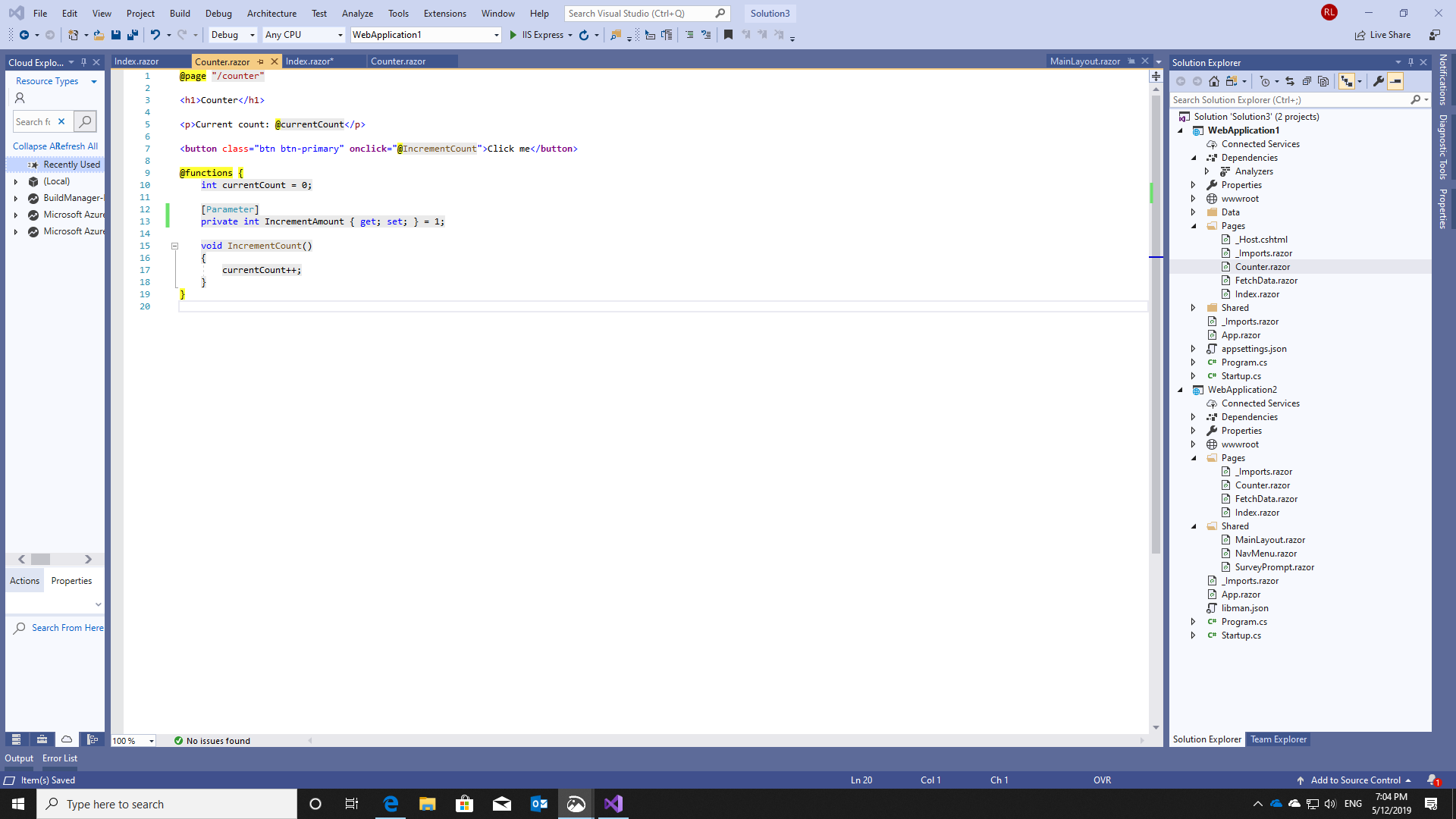
5.1 result: works as expected - intellisensed
Counter component not detected:

Parameter keyword and referenced are not usable:
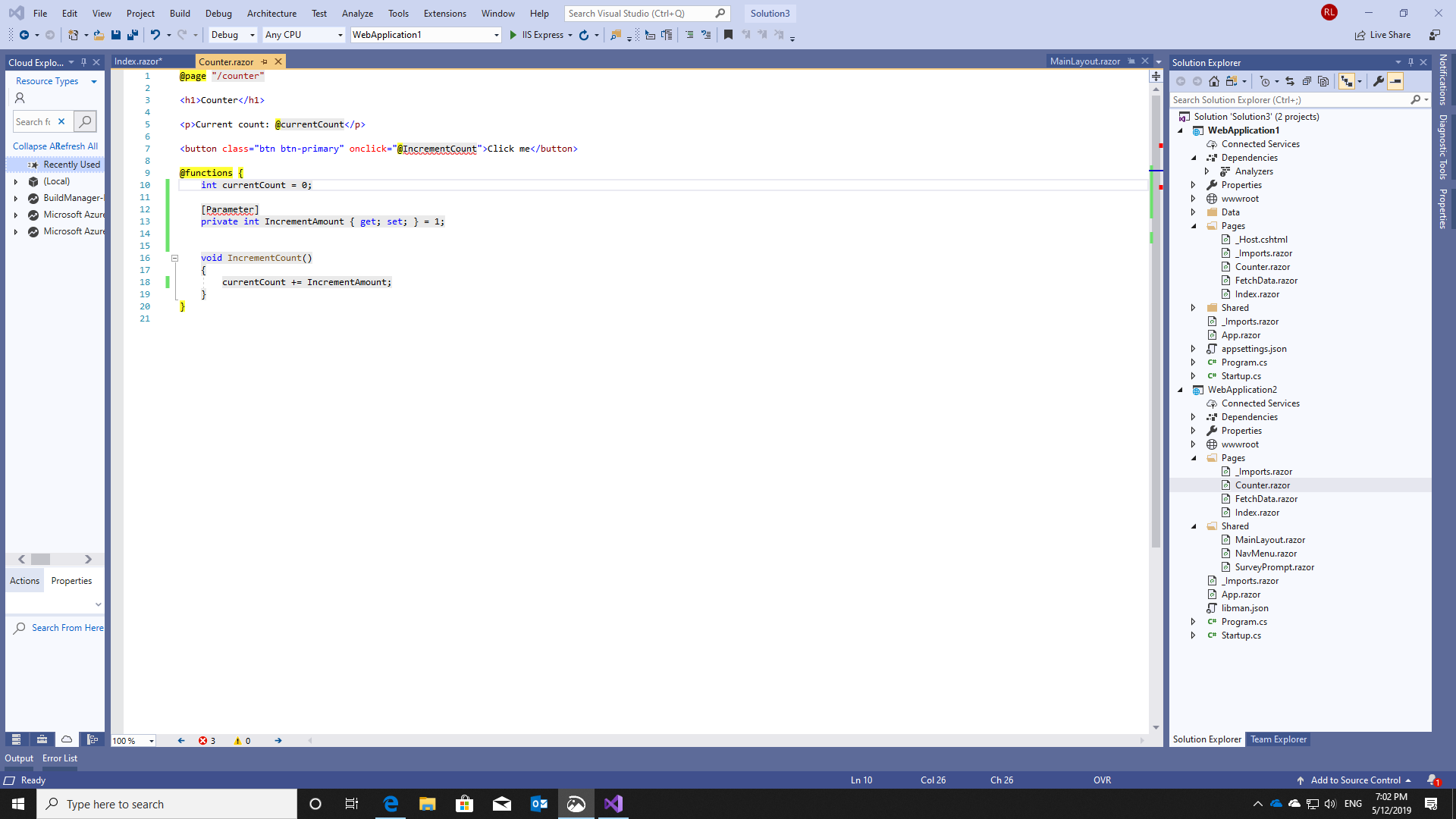
Server side works as expected:
Context
.NET Core SDK (reflecting any global.json):
Version: 3.0.100-preview5-011568
Commit: b487ff10aa
Runtime Environment:
OS Name: Windows
OS Version: 10.0.18362
OS Platform: Windows
RID: win10-x64
Base Path: C:\Program Files\dotnet\sdk\3.0.100-preview5-011568\
Host (useful for support):
Version: 3.0.0-preview5-27626-15
Commit: 61f30f5a23
.NET Core SDKs installed:
2.1.502 [C:\Program Files\dotnet\sdk]
2.1.505 [C:\Program Files\dotnet\sdk]
2.1.602 [C:\Program Files\dotnet\sdk]
3.0.100-preview5-011568 [C:\Program Files\dotnet\sdk]
.NET Core runtimes installed:
Microsoft.AspNetCore.All 2.1.6 [C:\Program Files\dotnet\shared\Microsoft.AspNetCore.All]
Microsoft.AspNetCore.All 2.1.9 [C:\Program Files\dotnet\shared\Microsoft.AspNetCore.All]
Microsoft.AspNetCore.App 2.1.6 [C:\Program Files\dotnet\shared\Microsoft.AspNetCore.App]
Microsoft.AspNetCore.App 2.1.9 [C:\Program Files\dotnet\shared\Microsoft.AspNetCore.App]
Microsoft.AspNetCore.App 3.0.0-preview5-19227-01 [C:\Program Files\dotnet\shared\Microsoft.AspNetCore.App]
Microsoft.NETCore.App 2.1.6 [C:\Program Files\dotnet\shared\Microsoft.NETCore.App]
Microsoft.NETCore.App 2.1.9 [C:\Program Files\dotnet\shared\Microsoft.NETCore.App]
Microsoft.NETCore.App 3.0.0-preview5-27626-15 [C:\Program Files\dotnet\shared\Microsoft.NETCore.App]
Microsoft.WindowsDesktop.App 3.0.0-preview5-27626-15 [C:\Program Files\dotnet\shared\Microsoft.WindowsDesktop.App]
OS:
Microsoft Windows [Version 10.0.18362.86]
VS:
Microsoft Visual Studio Enterprise 2019
Version 16.0.3
VisualStudio.16.Release/16.0.3+28803.352
Microsoft .NET Framework
Version 4.8.03752
Installed Version: Enterprise
Architecture Diagrams and Analysis Tools 00435-60000-00000-AA306
Microsoft Architecture Diagrams and Analysis Tools
Visual C++ 2019 00435-60000-00000-AA306
Microsoft Visual C++ 2019
Application Insights Tools for Visual Studio Package 9.0.20409.1
Application Insights Tools for Visual Studio
ASP.NET and Web Tools 2019 16.0.12313.64372
ASP.NET and Web Tools 2019
ASP.NET Core Blazor Language Services 16.0.19227.01
ASP.NET Web Frameworks and Tools 2019 16.0.12313.64372
For additional information, visit https://www.asp.net/
Azure App Service Tools v3.0.0 16.0.12313.64372
Azure App Service Tools v3.0.0
Azure Functions and Web Jobs Tools 16.0.12313.64372
Azure Functions and Web Jobs Tools
C# Tools 3.0.0-beta4-19218-01+18b0cfb66884840b40491fa0896a8854d68b3959
C# components used in the IDE. Depending on your project type and settings, a different version of the compiler may be used.
Common Azure Tools 1.10
Provides common services for use by Azure Mobile Services and Microsoft Azure Tools.
Cookiecutter 16.0.19074.1
Provides tools for finding, instantiating and customizing templates in cookiecutter format.
Fabric.DiagnosticEvents 1.0
Fabric Diagnostic Events
GitHub.VisualStudio 2.9.1.7781
A Visual Studio Extension that brings the GitHub Flow into Visual Studio.
Microsoft Azure Service Fabric Tools for Visual Studio 2.5
Microsoft Azure Service Fabric Tools for Visual Studio
Microsoft Azure Tools 2.9
Microsoft Azure Tools for Microsoft Visual Studio 0x10 - v2.9.0.0
Microsoft Continuous Delivery Tools for Visual Studio 0.4
Simplifying the configuration of Azure DevOps pipelines from within the Visual Studio IDE.
Microsoft JVM Debugger 1.0
Provides support for connecting the Visual Studio debugger to JDWP compatible Java Virtual Machines
Microsoft Library Manager 1.0
Install client-side libraries easily to any web project
Microsoft MI-Based Debugger 1.0
Provides support for connecting Visual Studio to MI compatible debuggers
Microsoft Visual C++ Wizards 1.0
Microsoft Visual C++ Wizards
Microsoft Visual Studio Tools for Containers 1.1
Develop, run, validate your ASP.NET Core applications in the target environment. F5 your application directly into a container with debugging, or CTRL + F5 to edit & refresh your app without having to rebuild the container.
Microsoft Visual Studio VC Package 1.0
Microsoft Visual Studio VC Package
Node.js Tools 1.5.10301.2 Commit Hash:9c34eb81d73db6babeb71674feb1cb437dba9f2f
Adds support for developing and debugging Node.js apps in Visual Studio
NuGet Package Manager 5.0.0
NuGet Package Manager in Visual Studio. For more information about NuGet, visit http://docs.nuget.org/.
Office Developer Tools for Visual Studio 16.0.28628.00
Microsoft Office Developer Tools for Visual Studio
ProjectServicesPackage Extension 1.0
ProjectServicesPackage Visual Studio Extension Detailed Info
Python 16.0.19074.1
Provides IntelliSense, projects, templates, debugging, interactive windows, and other support for Python developers.
Python - Conda support 16.0.19074.1
Conda support for Python projects.
Python - Django support 16.0.19074.1
Provides templates and integration for the Django web framework.
Python - IronPython support 16.0.19074.1
Provides templates and integration for IronPython-based projects.
Python - Profiling support 16.0.19074.1
Profiling support for Python projects.
ResourcePackage Extension 1.0
ResourcePackage Visual Studio Extension Detailed Info
ResourcePackage Extension 1.0
ResourcePackage Visual Studio Extension Detailed Info
Snapshot Debugging Extension 1.0
Snapshot Debugging Visual Studio Extension Detailed Info
SQL Server Data Tools 16.0.61903.25110
Microsoft SQL Server Data Tools
TypeScript Tools 16.0.10306.2001
TypeScript Tools for Microsoft Visual Studio
Visual Basic Tools 3.0.0-beta4-19218-01+18b0cfb66884840b40491fa0896a8854d68b3959
Visual Basic components used in the IDE. Depending on your project type and settings, a different version of the compiler may be used.
Visual F# Tools 10.4 for F# 4.6 16.0.0.0. Commit Hash: 809f41207b74a1356208f11b8fa3a15233734050.
Microsoft Visual F# Tools 10.4 for F# 4.6
Visual Studio Code Debug Adapter Host Package 1.0
Interop layer for hosting Visual Studio Code debug adapters in Visual Studio
Visual Studio Tools for Containers 1.0
Visual Studio Tools for Containers
Visual Studio Tools for Kubernetes 1.0
Visual Studio Tools for Kubernetes
Workflow Manager Tools 1.0 1.0
This package contains the necessary Visual Studio integration components for Workflow Manager.
 Damag3d
All 4 comments
Installed VS 2019 16.1 Preview fixed this for me.
 RebelSyntax
on 15 May 2019
RebelSyntax
on 15 May 2019
Thanks for contacting us, @Damag3d.
Blazor is not supported in VS 2019 RTM. You should be on the most recent preview to use it.
 mkArtakMSFT
on 15 May 2019
mkArtakMSFT
on 15 May 2019
@mkArtakMSFT RTM and Preview are different things as far as I understand. Anyway, 16.0.4 have the same problem. Will be testing 16.1 Preview today and will get back to you with results. My dev team are waiting for me to give them green light for Blazor. ;)
Damag3d
on 15 May 2019
@RebelSyntax @mkArtakMSFT confirmed - 16.1 preview resolves the problem for client side projects
Damag3d
on 16 May 2019
Related issues
 radenkozec
·
114Comments
radenkozec
·
114Comments
 glennc
·
117Comments
glennc
·
117Comments
 davidfowl
·
126Comments
davidfowl
·
126Comments
 kevinchalet
·
761Comments
kevinchalet
·
761Comments
 danroth27
·
130Comments
danroth27
·
130Comments