Aspnetcore: Upgrade from AspNetcore 1.1.2 to 2.0.0 failed
I'm trying to upgrade my current WebApi .NetCore 1.1.2 project to 2.0.0 but it's fails.
Error:
Package Microsoft.AspNetCore 2.0.0 is not compatible with netcoreapp1.1 (.NETCoreApp,Version=v1.1). Package Microsoft.AspNetCore 2.0.0 supports: netstandard2.0 (.NETStandard,Version=v2.0)
Already tried remove and restore packages and upgrade => same results.
Getting same error on few other projects.
Please advice how to upgrade my projects to new version. Thanks
 kogot
kogot
All 10 comments
 davidfowl
on 15 Aug 2017
davidfowl
on 15 Aug 2017
Thank you for reply. I just realised that it's not compatible with Visual Studio 2017 version 15.2.
So I need to install 15.3 preview first.
Thanks.
kogot
on 15 Aug 2017
I want to go to 2.0.0 but I don't understand how?
I want Entity Framework core 2.0.0.
Package Microsoft.EntityFrameworkCore 2.0.0 is not compatible with netcoreapp1.1 (.NETCoreApp,Version=v1.1). Package Microsoft.EntityFrameworkCore 2.0.0 supports: netstandard2.0 (.NETStandard,Version=v2.0)
Ok, so I install the latest SDK and change my target to .net Core 2.0
I try to upgrade EF to 2.0.0 but now I get this:
Error NU1201 Project ***** is not compatible with netcoreapp1.1 (.NETCoreApp,Version=v1.1). Project ***** supports: netcoreapp2.0 (.NETCoreApp,Version=v2.0)
WTF? My best guess is that some of my other ~40 nuget packages doesn't target 2.0 yet?
How the &#"¤%&¤"# is this .net core / .net app / .net CHAOS supposed to work?
 bassebaba
on 15 Aug 2017
bassebaba
on 15 Aug 2017
@bassebaba you need to update your project(s) to .NET Core 2.0. You can't use these 2.0.0 packages without updating everything else to 2.0.0 as well.
davidfowl
on 15 Aug 2017
@davidfowl I followed the guide you linked. But as soon as I have done every step there and just try to recompile, Nuget starts to try to restore packages and stuff blow up.
If I just revert to my old .csconfig and recompile, everything works fine.
My only guess is that -some- nuget packages I have referenced doesn't work with the netcoreapp2.0 target?
For example, I'm using this one:
https://www.nuget.org/packages/Nancy/2.0.0-barneyrubble
It says:
Dependencies
.NETFramework 4.5.2
Microsoft.Extensions.DependencyModel (>= 1.0.0)
.NETStandard 1.6
.net core 2.0 = .NETStandard 2.0? Is that correct?
Will nuget packages targeting .NETStandard 1.6 still work with .NETStandard 2.0?
bassebaba
on 15 Aug 2017
If I just revert to my old .csconfig and recompile, everything works fine.
Based on the issue you posted, it looks like you missed updating something to netcoreapp2.0. It's also possible you didn't install the latest SDK and tooling. Those are required as well.
My only guess is that -some- nuget packages I have referenced doesn't work with the netcoreapp2.0 target?
Seems unlikely unless you're hitting true runtime incompatibilities. But it sounds like you're mostly having build issues.
.net core 2.0 = .NETStandard 2.0? Is that correct?
No, that's not correct. .NET Core 2.0 supports .NET Standard 2.0 which means it supports .NET Standard 1.0 - 2.0 inclusive. They are backwards compatible. If it wasn't nothing would work.
Will nuget packages targeting .NETStandard 1.6 still work with .NETStandard 2.0?
Yes.
davidfowl
on 15 Aug 2017
@bassebaba Make sure you updated Visual Studio as well. If you change your target framework to 2.0 in your .csproj, go back into Visual Studio and go to your project properties. If 2.0 isn't showing in the target framework pulldown, then you'll need to do that update. Just run your Visual Studio installer and click update.

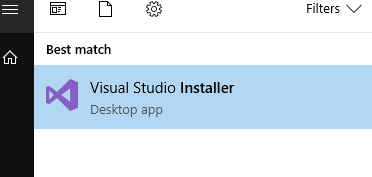
If you already did that, make sure your system knows that you have 2.0 installed. Run a cmd prompt and type dotnet --version. If 2.0.0 doesn't show, then try installing the other architecture so that you have both x86 and x64 installed.
 marvac
on 15 Aug 2017
marvac
on 15 Aug 2017
@marvac Thanks, I completely missed the Visual Studio upgrade. In previous versions (before 2017) I always got noticed inside VS when upgrades was available...
This time I had to open the installer in order to get the update...
@davidfowl Thanks for the feedback. I need to read up more about the whole ecosystem, but time is always time and it's hard to focus on other things than getting code out of the door...
I still haven't found one easy to read, simple, straight to the bottom line article about how the whole ecosystem works, so myself and many .netters i know still just blindly installs .net core stuff until "it works" ...
Based on your feedback, I started over again and it worked.
I think I just messed up somewhere. I have over 40 projects in my solution so I guess one .vsproj was faulty.
Also the switch to the metapackage gave an error about forced downgrade or something, if there was a link to a lower version still left over in the vsproj.
Bottom line, i tried to do 4 hrs of work in 10 mins (regex text replace in all files with notepad++) :)
bassebaba
on 16 Aug 2017
on VS 15.3.5 that was tricky - installed clean core2.0 created new project - everying at 1.1.2 - newget upgrade to 2.0 failed, cannot restore. (from update tab), went to Install Tab, and updated AspNetCore to 2.0, and this time OK.. then I could update the other 4 packages one by one.... got there...
 tonydrake
on 20 Sep 2017
tonydrake
on 20 Sep 2017
This issue is being closed because it has not been updated in 3 months.
We apologize if this causes any inconvenience. We ask that if you are still encountering this issue, please log a new issue with updated information and we will investigate.
 aspnet-hello
on 31 Dec 2017
aspnet-hello
on 31 Dec 2017
Related issues
 Kevenvz
·
3Comments
Kevenvz
·
3Comments
 rynowak
·
3Comments
rynowak
·
3Comments
 Pixel-Lord
·
3Comments
Pixel-Lord
·
3Comments
 farhadibehnam
·
3Comments
farhadibehnam
·
3Comments
 UweKeim
·
3Comments
UweKeim
·
3Comments
Most helpful comment
@bassebaba Make sure you updated Visual Studio as well. If you change your target framework to 2.0 in your .csproj, go back into Visual Studio and go to your project properties. If 2.0 isn't showing in the target framework pulldown, then you'll need to do that update. Just run your Visual Studio installer and click update.
If you already did that, make sure your system knows that you have 2.0 installed. Run a cmd prompt and type
dotnet --version. If 2.0.0 doesn't show, then try installing the other architecture so that you have both x86 and x64 installed.