Aspnetcore.docs: How do consumers of a component utilize the embedded resources or how do I have the component load them?
This page references embedded resources like images and stylesheets but for my sample, the component gets rendered but there are no styles there. How does this stuff work?
Document Details
⚠ Do not edit this section. It is required for docs.microsoft.com ➟ GitHub issue linking.
- ID: 37b02665-c8ab-bd91-8057-3b07b4e238d3
- Version Independent ID: e4f176f5-0b94-d532-53d5-cffce437961a
- Content: Razor components class libraries
- Content Source: aspnetcore/blazor/class-libraries.md
- Product: aspnet-core
- Technology: aspnetcore-blazor
- GitHub Login: @guardrex
- Microsoft Alias: riande
 4deeptech
All 15 comments
Hello @4deeptech ... I'm performing doc updates for Preview 4 today (Tuesday). I should get to this topic today, and I'll report back after I've had a chance to try it out with Preview 4. In theory, the assets go into a content folder and are marked as an embedded resource in VS. It should just work for the Blazor library (blazorlib template). It isn't supported yet for the Razor class library (razorclasslib) yet. I'll report back later today.
 guardrex
on 23 Apr 2019
guardrex
on 23 Apr 2019
@guardrex Thanks for replying. Will be looking forward to more info on this. I have confirmed that the project template creates a css file(and a sample image file) and marks it as an embedded resource and that it is indeed in the content folder in the project structure. However when consumed in another project that css stylesheet does not appear anywhere(not in the wwwroot or in the DOM) but the component does render and the events fire correctly, just without applying the styles defined in the css file.
4deeptech
on 23 Apr 2019
I'm working that topic over now. I'll set up a test project here, too, and we can compare notes. Let's see what the rubber :duck: has to say before I reach out to engineering.
First tho, I noticed that the tab controls and IDE instructions need work. There is a Razor Class Library template in VS, so I need to get the tabs for VS, VSC, and CLI straightened out in the topic. After that, I'll fire up a test app.
I'll get back to you soon.
guardrex
on 23 Apr 2019
@4deeptech Seems to be working ok here ...
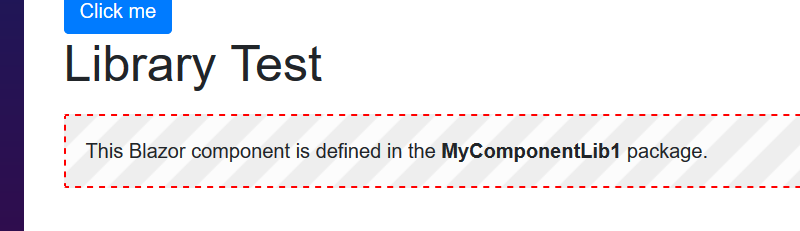
That's a Blazor Library (blazorlib) used inside of a Blazor client-side app. The styles seem good.

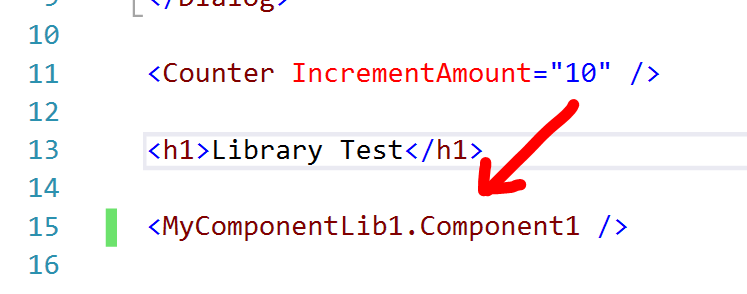
Just to clarify because you didn't say ... you are using a Blazor Library, right? Static assets are known not to work with Razor Class Libraries. They're working on that for a future preview ... looks like Preview 7 if this is the correct issue :point_right: https://github.com/aspnet/AspNetCore/issues/6349
guardrex
on 23 Apr 2019
Are the styles for the MyComponentLib1 in the styles.css under the content folder in the component project? Can you show those styles loaded up in the DOM and expand the wwwroot folder in that screenshot?
And yes, I used "dotnet new blazorlib" to create the component.
4deeptech
on 23 Apr 2019
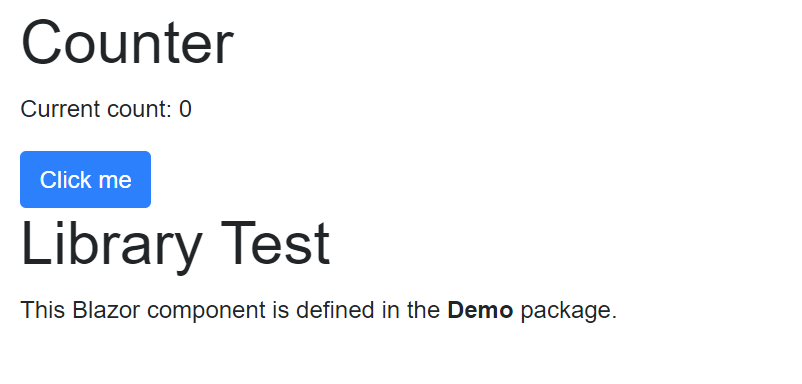
I just created a new component (didn't change anything from what the template creates) then a new project to consume it to match yours, and here is my output when running. No styles applied.

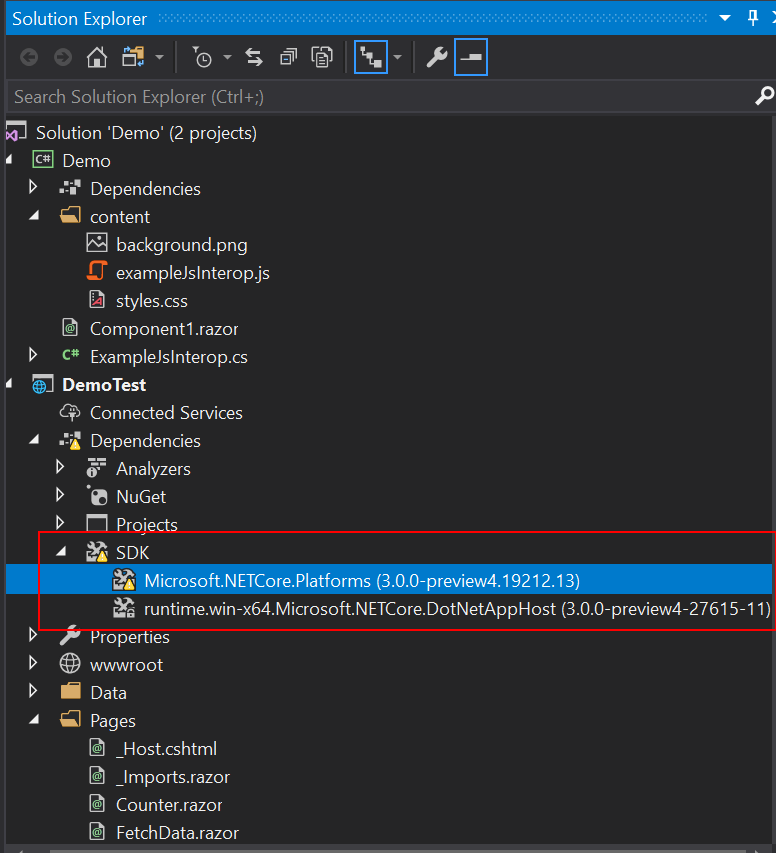
Is this the issue maybe?
4deeptech
on 23 Apr 2019
Are the styles for the MyComponentLib1 in the styles.css under the content folder in the component project?
Yes
Can you show those styles loaded up in the DOM and expand the wwwroot folder in that screenshot?
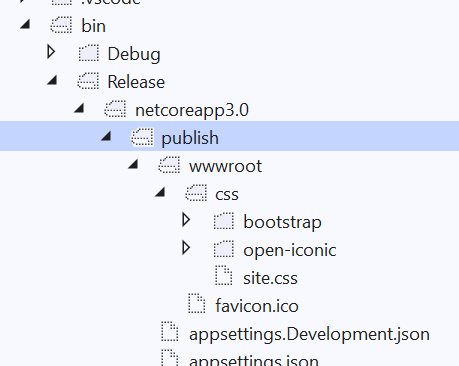
It won't move them to the wwwroot folder. If published, the app's stylesheet assets from wwwroot (along with anything else there) end up in the dist folder.
The thing about running locally like this in VS (or VSC for that matter) is that the tooling tends not to move static assets to run an app locally ... it typically just uses them in place. What's interesting here is to see what it does when the app is published ... where does that Blazor lib component stylesheet end up and how does the rendered component pull them in?
Drum roll plz 🥁🥁🥁🥁🥁🥁 ...

... and the index.html references that stylesheet from that location ...

To address the question you just asked. My setup is different: I'm consuming a Blazor Lib in a Blazor client-side app. I don't see anything like what you show _yet_.
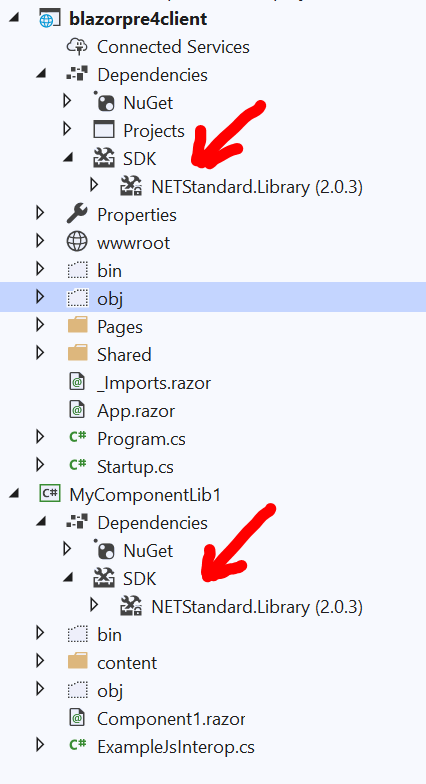
Stand-by ... I'll try the setup using my Blazor Lib in a Blazor server-side app and see what the differences are.
First tho ... I need to go offline for about an hour ... must run a quick errand. I'll get back to you asap ... give me an hour or so.
guardrex
on 23 Apr 2019
Yes, my sample consumer is server side. will try client side too and see if it behaves.
4deeptech
on 23 Apr 2019
Good and bad news ...
Good news ... I can repro what you're seeing. Bad news ... _I can repro what you're seeing!_
I'm going to head over to engineering issues and see if this is a known thing.

Published without the stylesheet ...
guardrex
on 23 Apr 2019
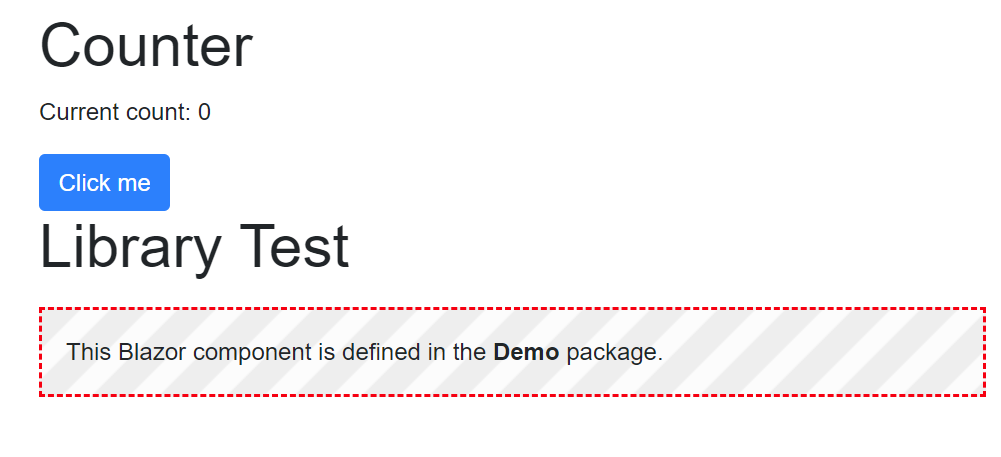
Yup. My client side one worked.
4deeptech
on 23 Apr 2019
Thanks Luke.
4deeptech
on 23 Apr 2019
I'm researching it in the issues now. If there isn't an issue, I'll ping engineering here before opening an issue over there.
guardrex
on 23 Apr 2019
Ok ... found it ...
https://github.com/aspnet/AspNetCore/issues/7127
The topic is currently _misleading_.
We have ...
Razor class libraries don't support static assets in ASP.NET Core Preview 4. Component libraries using the blazorlib template can include static files, such as images, JavaScript, and stylesheets.
That's not quite right ... what it doesn't say is that static assets are _totally unsupported_ in Blazor server-side. It doesn't matter if you use a Blazor Library (blazorlib) or not.
This is a possible workaround ... https://www.nuget.org/packages/BlazorEmbedLibrary/
I'll fix the topic. Leave this issue open. It will auto-close when the PR merges.
guardrex
on 23 Apr 2019
Yes, that is misleading. That seems to indicate that the component itself does not work. If the component relies on script in there I guess you could say it doesn't work. In this basic sample, the component itself works but the styles aren't applied. The confusion with the 'Razor Components' vs Blazor vs Blazor Client side vs Blazor server side doesn't help either. The blazorlib template vs razorclasslib template is a confusing mess too.
After all this confusion I'm not really sure what the end game is for components that is being targeted.
The ultimate goal is to be able to create component libraries with static assets just once and be able to consume that same component library by EITHER the client side or server side model right?
4deeptech
on 23 Apr 2019
Yes ... that's correct. Use them across projects _but also_ be able to create a package out of the library and shoot it up to NuGet so that other devs can pull your package into their app and get components.
They're still working the design-side of things according to the roadmap. It looks like this won't be resolved until Preview 7.
You could try that library .... at your own risk of course. :smile: lol It should work as a temporary workaround. We just can't guarantee anything about it given that it isn't a Microsoft thing. For all we know, it could melt your processor down. 💥🙈
I'm making major changes (hopefully improvements) to the topic now. I'm wrapping up the PR. I'll ping you on it when I send it in shortly.
guardrex
on 23 Apr 2019
Related issues
 Rick-Anderson
·
3Comments
Rick-Anderson
·
3Comments
 fabich
·
3Comments
fabich
·
3Comments
 AnthonyMastrean
·
3Comments
AnthonyMastrean
·
3Comments
 Mattacks
·
3Comments
Mattacks
·
3Comments
 royshouvik
·
3Comments
royshouvik
·
3Comments
Most helpful comment
@guardrex Thanks for replying. Will be looking forward to more info on this. I have confirmed that the project template creates a css file(and a sample image file) and marks it as an embedded resource and that it is indeed in the content folder in the project structure. However when consumed in another project that css stylesheet does not appear anywhere(not in the wwwroot or in the DOM) but the component does render and the events fire correctly, just without applying the styles defined in the css file.