Aspnetcore.docs: Update Scaffold Identity to 3.1
18.6 K PV/month
Hey Rick,
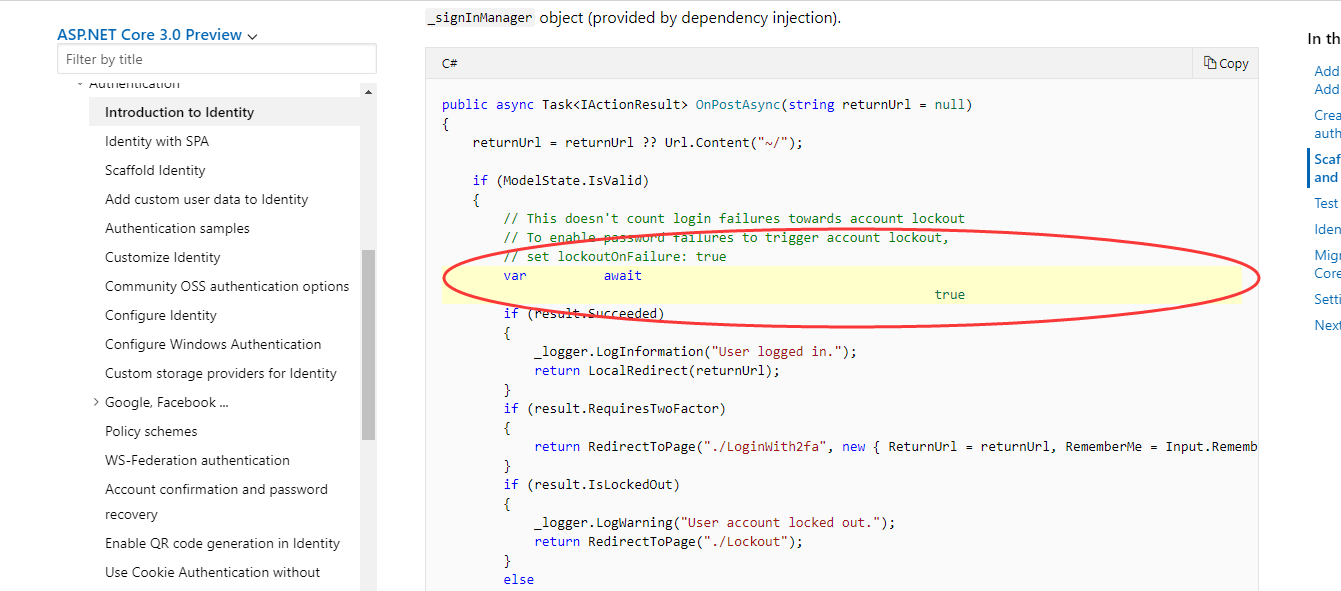
Lets try this again.
Please follow the instructions here:
To up-date the documentation here:
The docs should all be referencing ASP.NET Core version 2.2 now.
Document Details
⚠ Do not edit this section. It is required for docs.microsoft.com ➟ GitHub issue linking.
- ID: 804e24dd-7e30-8cf5-2c99-1ffacb4582f6
- Version Independent ID: 3e25547b-e2c9-6634-2c38-2a77207f17d4
- Content: Scaffold Identity in ASP.NET Core projects
- Content Source: aspnetcore/security/authentication/scaffold-identity.md
- Product: aspnet-core
- GitHub Login: @Rick-Anderson
- Microsoft Alias: riande
 DragonMastery
All 6 comments
@hongzewangpa wrote:
I found if I move the services.Addxxx out of IdentityHostingStartupinto startup.cs, it is working.
//code piece moved:
                services.AddDbContext<ApplicationDbContext>(options =>
                options.UseSqlServer(
                    context.Configuration.GetConnectionString("DefaultConnection")));

                services.AddDefaultIdentity<IdentityUser>()
                    .AddEntityFrameworkStores<ApplicationDbContext>();
 Rick-Anderson
on 16 Jun 2019
Rick-Anderson
on 16 Jun 2019
See #12857
Rick-Anderson
on 16 Jun 2019
 vthe
on 8 Jul 2019
vthe
on 8 Jul 2019
options.AllowAreas = true;
this setting doesn't work in ASP.NET Core 3.0
Any work around for this ?
 uzochiapa
on 19 Nov 2019
uzochiapa
on 19 Nov 2019
AllowAreas is a compatibility switch. With 3.0 being a breaking change, Areas are "allowed" out of the box, so options.AllowAreas = true; can be dropped.
https://github.com/aspnet/AspNetCore.Docs/issues/14357#issuecomment-532385914
Rick-Anderson
on 19 Nov 2019
Documentation is not updated for .Net Core 3.0. I tried the section "Create full identity UI source". I had to add below line for services.AddIdentityServer() to work (ApplicationUser is my IdentityUser):
services.AddScoped
 gopala000
on 24 Nov 2019
gopala000
on 24 Nov 2019
Related issues
 serpent5
·
3Comments
serpent5
·
3Comments
 wgutierrezr
·
3Comments
wgutierrezr
·
3Comments
 cocowalla
·
3Comments
cocowalla
·
3Comments
 madelson
·
3Comments
madelson
·
3Comments
 nenmyx
·
3Comments
nenmyx
·
3Comments
Most helpful comment