Argo-cd: Cannot connect to Private Gitlab Repo
Checklist:
- [x] I've searched in the docs and FAQ for my answer: http://bit.ly/argocd-faq.
- [x] I've included steps to reproduce the bug.
- [x] I've pasted the output of
argocd version.
Describe the bug
I have successfully connected to my private repo hosted on gitlab using the UI. The UI confirms successful connection.

When trying to create an app I receive the following error
Unable to create application: application spec is invalid:
InvalidSpecError: Unable to get app details: rpc error: code = Internal desc = Failed to fetch git
repo: `git fetch origin --tags --force` failed exit status 128:
Failed to add the ECDSA host key for IP address 'XX.XXX.XXX.XX' to the list of known hosts (/app/config/ssh/ssh_known_hosts).
Load key "/dev/shm/568617259": invalid format [email protected]: Permission denied (publickey). fatal: Could not read from remote repository.
Please make sure you have the correct access rights and the repository exists.
Expected behavior
To successfully clone repo
Version
argocd: v1.3.6+89be1c9
  BuildDate: 2019-12-10T22:48:19Z
  GitCommit: 89be1c9ce6db0f727c81277c1cfdfb1e385bf248
  GitTreeState: clean
  GoVersion: go1.12.6
  Compiler: gc
  Platform: darwin/amd64
argocd-server: v1.3.6+89be1c9
  BuildDate: 2019-12-10T22:47:48Z
  GitCommit: 89be1c9ce6db0f727c81277c1cfdfb1e385bf248
  GitTreeState: clean
  GoVersion: go1.12.6
  Compiler: gc
  Platform: linux/amd64
  Ksonnet Version: v0.13.1
  Kustomize Version: Version: {Version:kustomize/v3.2.1 GitCommit:d89b448c745937f0cf1936162f26a5aac688f840 BuildDate:2019-09-27T00:10:52Z GoOs:linux GoArch:amd64}
  Helm Version: v2.15.2
  Kubectl Version: v1.14.0
 tomjohnburton
All 26 comments
I am experiencing the exact same issue with Github
 jengo
on 18 Dec 2019
jengo
on 18 Dec 2019
I'm also experiencing with GitHub:
argocd: v1.3.6+89be1c9
  BuildDate: 2019-12-10T22:48:19Z
  GitCommit: 89be1c9ce6db0f727c81277c1cfdfb1e385bf248
  GitTreeState: clean
  GoVersion: go1.12.6
  Compiler: gc
  Platform: darwin/amd64
argocd-server: v1.3.6+89be1c9
  BuildDate: 2019-12-10T22:47:48Z
  GitCommit: 89be1c9ce6db0f727c81277c1cfdfb1e385bf248
  GitTreeState: clean
  GoVersion: go1.12.6
  Compiler: gc
  Platform: linux/amd64
  Ksonnet Version: v0.13.1
  Kustomize Version: Version: {Version:kustomize/v3.2.1 GitCommit:d89b448c745937f0cf1936162f26a5aac688f840 BuildDate:2019-09-27T00:10:52Z GoOs:linux GoArch:amd64}
  Helm Version: v2.15.2
  Kubectl Version: v1.14.0
 RobertKozak
on 6 Jan 2020
RobertKozak
on 6 Jan 2020
I just had the same problem today. I was able to add the repository but couldn't create an application.
Turns out, Argo has a glitch when entering the private key via the UI...
Solution: I added my repository via the command line and it works now; I can then create an application successfully.
argocd repo add [email protected]:you/your-repo.git --ssh-private-key $HOME/.ssh/private_key
https://argoproj.github.io/argo-cd/user-guide/private-repositories/#ssh-private-key-credential
 philippeboyd
on 6 Jan 2020
philippeboyd
on 6 Jan 2020
Any updates about this issue ?
 scbizu
on 19 Jan 2020
scbizu
on 19 Jan 2020
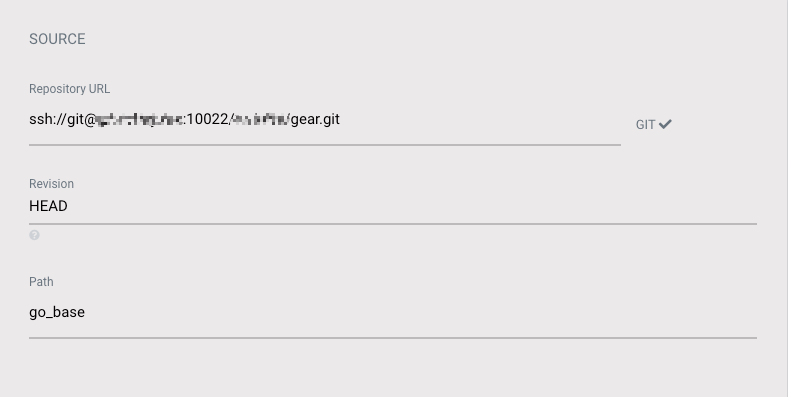
For the time being, can you please try to add the repository using a full qualified SSH URL, i.e. ssh://[email protected]/you/your-repo.git instead of [email protected]:you/your-repo.git and see if that functions as a workaround?
 jannfis
on 20 Jan 2020
jannfis
on 20 Jan 2020
For the time being, can you please try to add the repository using a full qualified SSH URL, i.e.
ssh://[email protected]/you/your-repo.gitinstead of[email protected]:you/your-repo.gitand see if that functions as a workaround?
Still can not .
scbizu
on 21 Jan 2020
BTW, why you try to git fetch the origin repo even if I already connected the repo origin to the origin git server rather than read the source file from the local temp git directory ?
scbizu
on 21 Jan 2020
And I think that I catch the bug :
As https://github.com/argoproj/argo-cd/blob/master/pkg/apis/application/v1alpha1/types.go#L1151 uses the getCAPath to fetch the SSH Cred file path , but the getCAPath only checks if it is a HTTPS Cred and no options for SSH .
As for the fix , I think it's better to add the other if case for the SSH , like this:
func getCAPath(repoURL string) string {
    if git.IsHTTPSURL(repoURL) {
        if parsedURL, err := url.Parse(repoURL); err == nil {
            if caPath, err := cert.GetCertBundlePathForRepository(parsedURL.Host); err == nil {
                return caPath
            } else {
                log.Warnf("Could not get cert bundle path for host '%s'", parsedURL.Host)
            }
        } else {
            // We don't fail if we cannot parse the URL, but log a warning in that
            // case. And we execute the command in a verbatim way.
            log.Warnf("Could not parse repo URL '%s'", repoURL)
        }
    }

     if git.IsSSHURL(repoURL){
           // TODO: fetch the SSH cred file path
     }

    return ""
}
I can send my PR if you guys do not have enough time to solve this bug.
scbizu
on 21 Jan 2020
And I think that I catch the bug :
As https://github.com/argoproj/argo-cd/blob/master/pkg/apis/application/v1alpha1/types.go#L1151 uses the
getCAPathto fetch the SSH Cred file path , but thegetCAPathonly checks if it is a HTTPS Cred and no options for SSH .
Hm, that function only resolves to the file the TLS CA certificate for HTTPS connected repositories should be loaded from. The SSH private key is actually stored in a Kubernetes secret (and written out to a temporary file during connection phase).
I just tried to reproduce the following:
- Connect new repository via SSH using the UI, using
[email protected]:user/repoas the repository URL and pasted my private SSH key into the text box - connected successfully - Created an application from this repository via UI - success
- Synced the application - success
Can you please exactly point out the steps you are doing? Do you maybe have a C&P error in your SSH private key data?
jannfis
on 21 Jan 2020
And I think that I catch the bug :
As https://github.com/argoproj/argo-cd/blob/master/pkg/apis/application/v1alpha1/types.go#L1151 uses thegetCAPathto fetch the SSH Cred file path , but thegetCAPathonly checks if it is a HTTPS Cred and no options for SSH .Hm, that function only resolves to the file the TLS CA certificate for HTTPS connected repositories should be loaded from. The SSH private key is actually stored in a Kubernetes secret (and written out to a temporary file during connection phase).
I just tried to reproduce the following:
- Connect new repository via SSH using the UI, using
[email protected]:user/repoas the repository URL and pasted my private SSH key into the text box - connected successfully- Created an application from this repository via UI - success
- Synced the application - success
Can you please exactly point out the steps you are doing? Do you maybe have a C&P error in your SSH private key data?
I can successfully connect to the my gitlab repo (the first step) , and failed at the second step when I try to create the app from my connected repo . Maybe I can give you some pod logs to help debugging ?
scbizu
on 21 Jan 2020
See the error message - the port is lost:
argocd app create --auto-prune --dest-namespace eos-jfr-srv-d1 --directory-recurse --name tac-jfr --path argocd --revision feature/argocd --repo ssh://[email protected]:7999/tac_jfr/tac-jfr-server.git --sync-policy automated
FATA[0000] rpc error: code = InvalidArgument desc = application spec is invalid: InvalidSpecError: Unable to get app details: rpc error: code = Internal desc = Failed to fetch git repo: `git fetch origin --tags --force` failed exit status 128: Warning: Permanently added 'fsstash.evry.com,10.252.176.59' (ECDSA) to the list of known hosts.%0D%0APermission denied, please try again.%0D%0APermission denied, please try again.%0D%[email protected]: Permission denied (publickey,gssapi-keyex,gssapi-with-mic,password).%0D%0Afatal: Could not read from remote repository.%0A%0APlease make sure you have the correct access rights%0Aand the repository exists.
no port 7999 there
 davidkarlsen
on 21 Jan 2020
davidkarlsen
on 21 Jan 2020
Indeed if I tcpdump on the host I see packets going to port 22 when I attempt to add the app.
davidkarlsen
on 21 Jan 2020
@davidkarlsen maybe you are right , my gitlab server is not at the default 22 port.
scbizu
on 21 Jan 2020
davidkarlsen
on 21 Jan 2020
Thanks for the additional info, @davidkarlsen - I'll setup a test repository on non-default port for further investigation. Long vacation seem to have erased some memory, I forgot about the issue I have opened myself ;-)
jannfis
on 21 Jan 2020
Hm, actually, all the end to end tests related to Git via SSH already run against a non-default SSH repository (2222).
jannfis
on 21 Jan 2020
There seems to be several implementations of the ssh-url parsing, like https://github.com/argoproj/argo-cd/pull/2948 for instance.
davidkarlsen
on 21 Jan 2020
davidkarlsen
on 21 Jan 2020
There seems to be several implementations of the ssh-url parsing, like #2948 for instance.
Yep, there's something fishy about it.
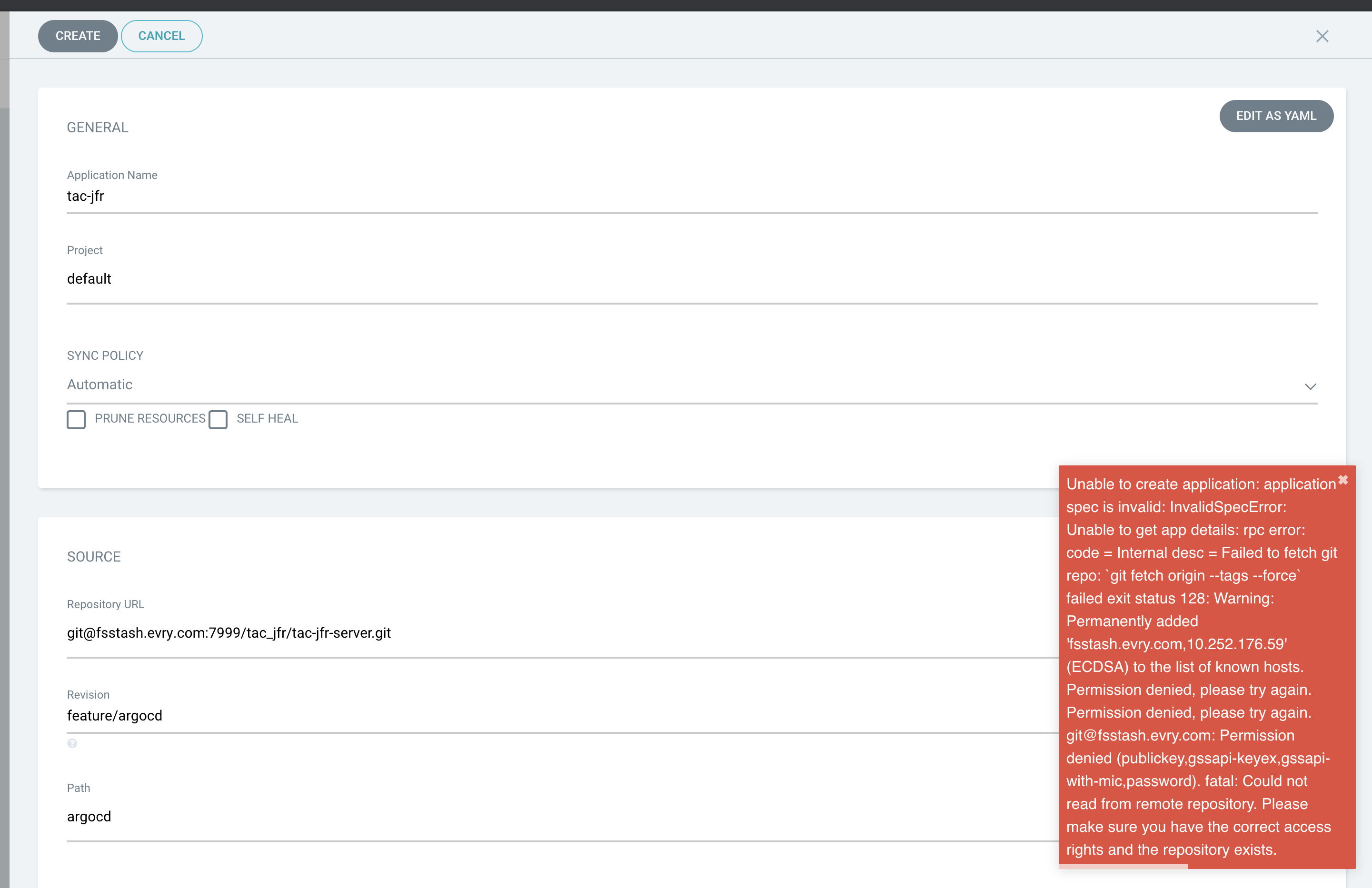
Can you actually create the application using the UI, i.e. by navigating to the repositories page, click the three vertical dots next to the repo and select "Add application"?
jannfis
on 21 Jan 2020
nope:
davidkarlsen
on 21 Jan 2020
Hm, in your screenshot, the URL is [email protected]:7999/... while it should really be ssh://[email protected]:7999/... - scp-style target destinations do not support a port specification, while ssh://-type URLs do.
Your repository is defined as [email protected]:7999/tac_jfr/tac-jfr-server.git I suppose. While testing the connection, it is internally converted to ssh://[email protected]:7999/tac_jfr/tac-jfr-server.git (so the connection test succeeds), but when used for i.e. Git, it is used verbatim - the port specification actually is part of the path, and default port 22 is used.
This is a bug, no question. As a workaround, please remove your configured repository and re-add it using ssh:// URL-scheme. This should work (and I have just tested it on a local setup that it does).
jannfis
on 21 Jan 2020
I've experienced the same issue with ArgoCD 1.4.2, both when using rsa and ed25519 keys. While adding/connecting the repository worked and showed up as successful, I was not able to add any application. Additionally, the path selector in the new application dialog did not work, probably for the same reason. As an additional remark, I've used the git@<server> syntax and Git is running on the default SSH port (tcp/22), but the UI wizard still did not work.
The workaround mentioned by @philippeboyd, which is adding the repository and its SSH private key through CLI, worked for me though.
 ppmathis
on 24 Jan 2020
ppmathis
on 24 Jan 2020
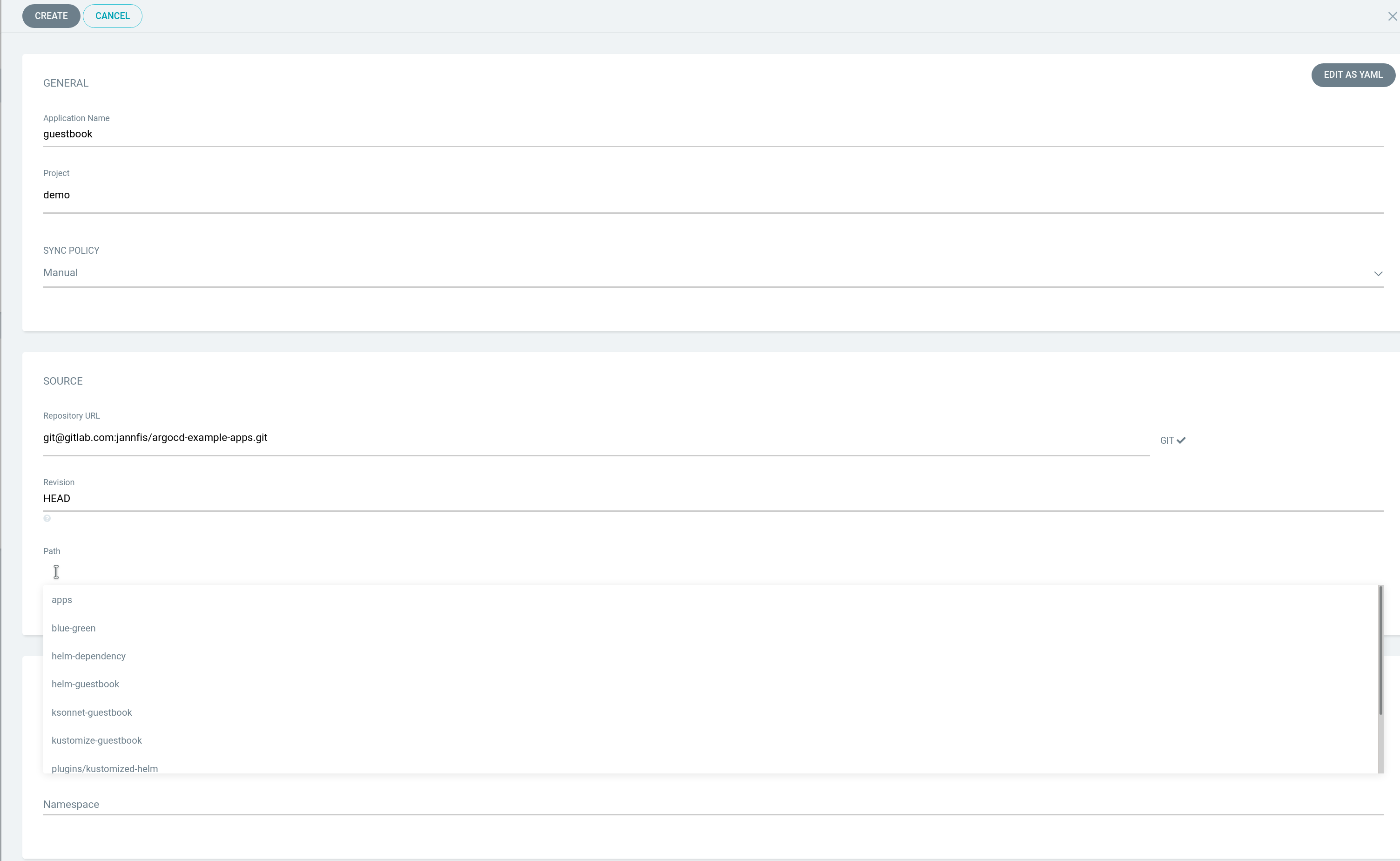
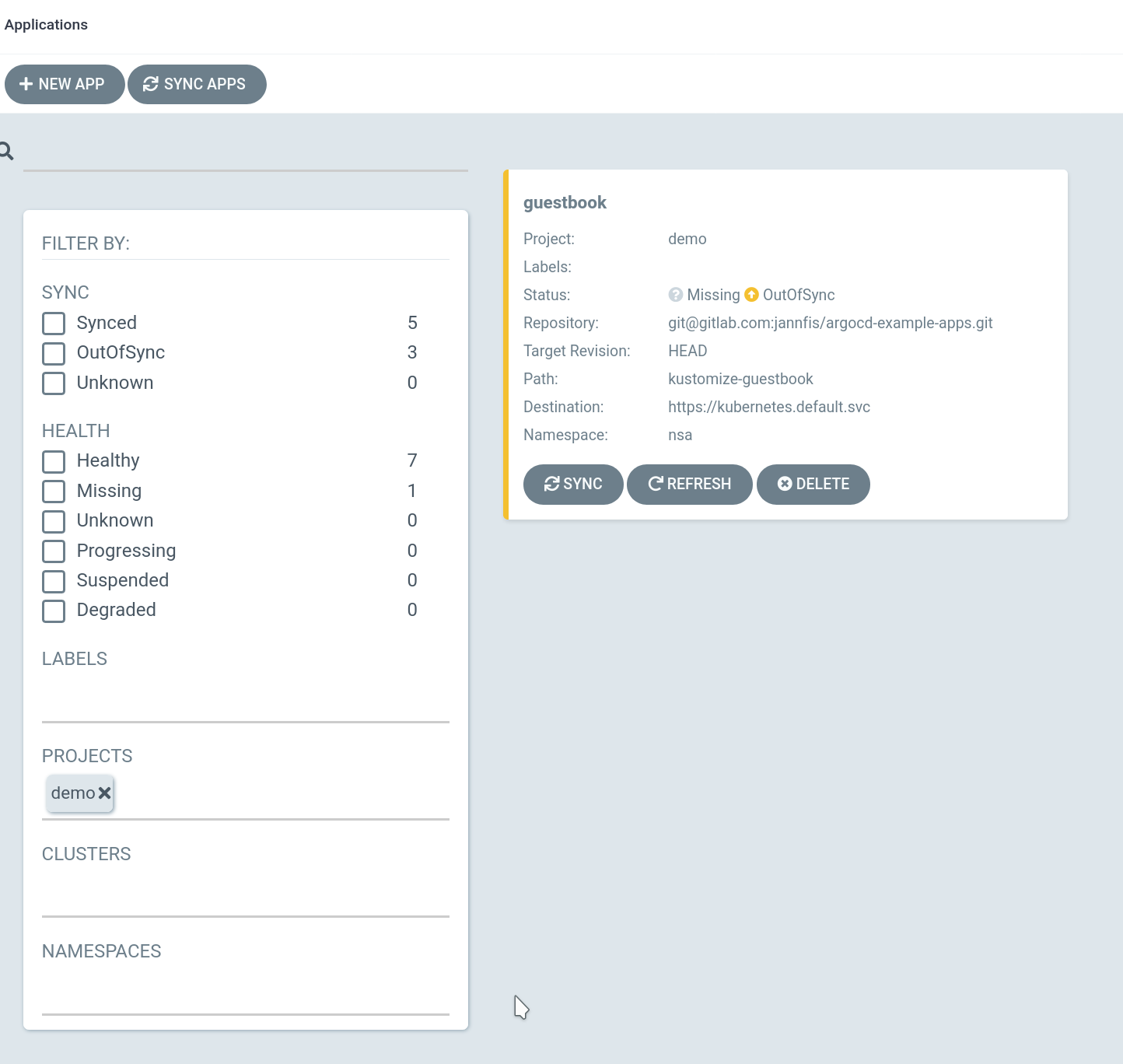
@ppmathis What is the exact error messages? I just tried the following using UI on 1.4.2 and it works. There's definitely a bug somewhere, but I need to be able to reproduce it. So every piece of concrete information that could be valuable for solving this bug is much appreciated.

jannfis
on 24 Jan 2020
@jannfis Thank you for your response and sorry, I missed mentioning that I am receiving the same error message which has been originally posted on this issue:
Unable to create application: application spec is invalid: InvalidSpecError: Unable to get app details: rpc error: code = Internal desc = Failed to fetch git repo:
git fetch origin --tags --forcefailed exit status 128: Failed to add the RSA host key for IP address '[repo server]' to the list of known hosts (/app/config/ssh/ssh_known_hosts). Load key "/dev/shm/422544524": invalid format git@[repo server]: Permission denied (publickey). fatal: Could not read from remote repository. Please make sure you have the correct access rights and the repository exists.
To help with reproducing this specific issue, I've created two new repositories argocd-gh2890-1 and argocd-gh2890-2, created a 4096 bit RSA key using ssh-keygen and added the same public key to both repositories as a deployment key (= read-only repository access). I've then proceeded by pushing the same contents to both repositories and adding them in separate ways:
1) argocd-gh2890-1 has been added through the UI, ensuring that no spaces are present before or after the private SSH key which I've copy-pasted from the terminal
2) argocd-gh2890-2 has been added through the CLI using this command: argocd repo add git@[repo server]:ppmathis/argocd-gh2890-2.git --ssh-private-key-path argocd --name gh2890-2
So far the behavior does not differ and both repositories show up as successfully connected. When trying to add a new application, the outcome is different:
1) argocd-gh2890-1 suffers from the issue I mentioned and throws the error message I quoted in the beginning of this issue. The path selector does not show any suggestions and adding the application fails.
2) argocd-gh2890-2 works just fine. The path selector shows all recognized kustomize deployment files and adding the application works.
I continued by extracting the secrets into separate files and analyzed them using xxd and vimdiff:
kubectl -n argocd get secrets -o go-template --template '{{.data.sshPrivateKey}}' repo-argocd-gh2890-1-3746518547 | base64 -d > secret1
kubectl -n argocd get secrets -o go-template --template '{{.data.sshPrivateKey}}' repo-argocd-gh2890-2-163780834 | base64 -d > secret2
vimdiff <(xxd secret1) <(xxd secret2)

The devil is in the detail as the screenshot clearly shows, as the secret added through the CLI (secret2 - right side) has a newline at the end whereas the key added through the WebUI does not. This also explains why the issue only occurs for some people when using the WebUI - when copying from a terminal (e.g. cat + manual selection), the newline usually does not get copied, however when copying from a graphical text editor the newline will be part of the clipboard.
To confirm the issue, I've added a third repository with the same contents named argocd-gh2890-3 with the same deployment key and added it through the UI once again, ensuring that the private key has a newline at the end - and everything works smoothly.
TL;DR: The SSH private key must have a single newline character at the end. While both cases (with and without) work just fine for the repository status check, the actual git fetch command fails without a trailing newline.
ppmathis
on 25 Jan 2020
Thank you very much for this excellent analysis, @ppmathis!
The different behaviour is most likely due to the fact that the repository connection check is done using the go-git Git native implementation in Go, while most other Git operations (such as fetch) are performed using the Git client binary, which in turn tunnels the connection through OpenSSH. Indeed, the different behaviour between go-git and git could be the culprit for many of the issues regarding "repository connection works when adding the repo" (performed by go-git) and "same repository connection does not work when adding application" (performed by git binary).
I guess the temporary fix for this issue would be to ensure that the private key has a trailing newline before being stored in the secret, without being dependent whether the API client (CLI, UI, custom, ...) actually sends a trailing newline along, while the long term fix would involve some refactoring of the Git code in ArgoCD and deciding on a single implementation to use.
I will perform a few more tests and send a fix shortly. Again, thank you very much for the analysis, it's much appreciated!
jannfis
on 25 Jan 2020
So just for the record: For any version not having the fix from #3064 included, the workaround is to a) either make sure that the SSH private key in the UI has a trailing new-line character or to add the private key via CLI.
jannfis
on 2 Feb 2020
Related issues
 peterbosalliandercom
·
3Comments
peterbosalliandercom
·
3Comments
 ksaito1125
·
3Comments
ksaito1125
·
3Comments
 everesio
·
3Comments
everesio
·
3Comments
 hulu1522
·
3Comments
hulu1522
·
3Comments
 KarstenSiemer
·
3Comments
KarstenSiemer
·
3Comments
Most helpful comment
So just for the record: For any version not having the fix from #3064 included, the workaround is to a) either make sure that the SSH private key in the UI has a trailing new-line character or to add the private key via CLI.