Arduino: I2C works with Arduino UNO/Leonardo but not ESP8266
There is a similar issue (https://github.com/esp8266/Arduino/issues/3048) but does not solves the problem. I am trying to communicate with a DGT 3000 Chess clock, it works with Arduino, but not with ESP8266. However using https://playground.arduino.cc/Main/I2cScanner/ I get the same result in both boards.
Basic Infos
- [x] This issue complies with the issue POLICY doc.
- [x] I have read the documentation at readthedocs and the issue is not addressed there.
- [x] I have tested that the issue is present in current master branch (aka latest git).
- [x] I have searched the issue tracker for a similar issue.
- [x] If there is a stack dump, I have decoded it.
- [x] I have filled out all fields below.
Platform
- Hardware: ESP8266MOD
- Core Version: 2.5
- Development Env: Arduino IDE
- Operating System: Windows
Settings in IDE
- Module: Wemos D1 mini
- Flash Size: 4MB
- Flash Frequency: 40Mhz
- CPU Frequency: 80Mhz
- Upload Using: SERIAL
- Upload Speed: 115200
Problem Description
Detailed problem description goes here.
MCVE Sketch
#include <Arduino.h>
#include <Wire.h>

void setup() {
  Serial.begin(9600);
  Wire.begin(0);
  Wire.onReceive(receiveEvent);
}

void receiveEvent(unsigned int howMany)
{
 Serial.println("Received");
}

void loop() {

}
Here is a capture from the logic analyzer of the start of Arduino-Clock communication:

But nothing with ESP8266:
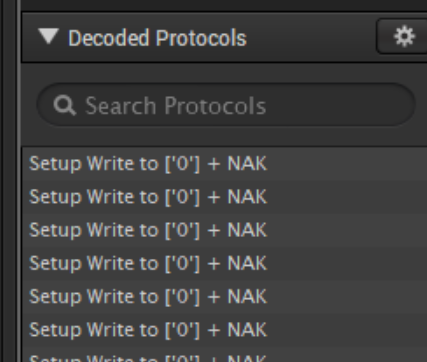
Thanks!
 eried
eried
All 8 comments
Are you trying to report a bug or issue with the ESP8266/Arduino repository? Because that is what this issue system is for. If you want help with programming problems then you should be asking on forums like https://www.esp8266.com/ or https://arduino.stackexchange.com/questions.
Just looking at your code I think your problem is that you are not telling the ESP8266 what pins are being used for the I2C communications. On Arduino boards the pins used are not optional, they are set by the hardware internally in the chip. With the ESP8266 the implemented I2C is done in software and you are not restricted to specific pins. So you need to provide the pins that you are using.
Wire.begin(int sda, int scl);
Replace SDA and SCL with the port pins you are using.
If you are using the ESP8266 as a master I2C device then I think you should not be using Wire.onReceive(receiveEvent);
If you are trying to use the ESP8266 as a slave device then take a look at this example,
 RudyFiero
on 23 Mar 2019
RudyFiero
on 23 Mar 2019
Hi @RudyFiero, thanks for the answer. I am thinking there is a bug on the implementation of the I2C in the ESP8266, that is why I am posting it here.
My wiring is:
- ESP8266: D4 and D5 with 4.7k pullups
- Arduino: HW pins with 4.7k pullups
My test is the follow:
- Connect the wires to the clock and turn it on
- Load i2cscanner sketch
- Check serial output
- ESP8266 and Arduino detect the clock at the address 0x08
- Load my MCVE sketch
- Check serial output
- Arduino: works OK, keeps the clock connected and receives messages from it.
- ESP8266: does not receive anything and the clock ends the communication.
What else can I test to try to find the root cause of why it behaves differently in the ESP?
eried
on 24 Mar 2019
Wire.begin(0);
Pleas explain what this does. Why 0. What do you think it is doing?
Have you ever used I2C with the ESP8266 before? If not then why do you think the failure is in this repository? What scanner are you using?
The MCVE you show has no address for the I2C device. Why not? Do you think the ESP8266 will guess the address?
Are you using this ESP8266 as the master or as a slave device?
RudyFiero
on 24 Mar 2019
The issue you referred to (#3048) is with the ESP8266 used as a master. But your code seems to indicate that you are using the ESP8266 in slave mode. Can you please clarify the problem.
The scanner routine you referred to has the ESP8266 in the role of Master. How is this relevant if you are using the ESP8266 as a slave?
RudyFiero
on 24 Mar 2019
Pleas explain what this does. Why 0. What do you think it is doing?
Hi, I am joining the bus as a slave with address 0x00, the clock starts to send statuses reports to me.
The scanner routine you referred to has the ESP8266 in the role of Master. How is this relevant if you are using the ESP8266 as a slave?
This is just a confirmation that both wirings are identical (pull ups, etc), just to check that the I2C is working.
Can you please clarify the problem.
The exact same code works on Arduino but not on ESP8266. None of the examples either work (specifying the pins and addresses).
Anyways, I was just wondering if there is a know problem with the I2C or some extra stuff I can do for debug the issue, but it seems there is not (I did not found anything in the open issues).
eried
on 24 Mar 2019
Take a look at this issue. It will give you some answers but not necessarily help.
https://github.com/esp8266/Arduino/issues/3046
The slave mode is experimental at this point. Most likely for the reasons it isn't working for you.
RudyFiero
on 25 Mar 2019
Oh I see! that seems to be the same issue!
As the last guy in that issue comments, I think I am going to use nanos/leonardos for handling the I2C for now.
Thanks
eried
on 25 Mar 2019
Hi, I am joining the bus as a slave with address 0x00, the clock starts to send statuses reports to me.
That clock is poorly done if it tries to talk to the General Call address 0x00. If your scanner sees you at address zero, then the scanner is also poorly done as it shouldn't be searching there. It could potentially get responses from EVERY device on the bus at every address by looking at 0x00.
Address 0x00 is the General Call address. The low 8 and upper 8 addresses are reserved by the I2C spec for various functions. 0x08 is the lowest allowed slave address, and 0x77 is the highest allowed. I don't recall the ESP8266 Wire library checking for valid addresses, although it should (and return an error if it sees reserved addresses that it can't handle). Whether your code works with a Nano is irrelevant, as reserved addresses may cause errors if other slaves are on the bus. Responding to 'General Call' is optional, but some parts _do_ implement it. I suppose we could leave General Call up to the user, but (as shown above) the user typically doesn't have any idea how to use it, and error-checking by the library for nonsense transmissions would be prohibitive.
edit: yes, the I2C scanner at Arduino Playground is written poorly. Line 51 should be
for (address = 8; address < 120; address++ ) //don't scan reserved addresses
It's not scanning zero, so I have NO earthly idea why that works with your Nano at address 0x00.
 Tech-TX
on 30 Nov 2019
Tech-TX
on 30 Nov 2019
Related issues
 Khorne13
·
3Comments
Khorne13
·
3Comments
 tttapa
·
3Comments
tttapa
·
3Comments
 gosewski
·
3Comments
gosewski
·
3Comments
 mreschka
·
3Comments
mreschka
·
3Comments
 treii28
·
3Comments
treii28
·
3Comments
Most helpful comment
Are you trying to report a bug or issue with the ESP8266/Arduino repository? Because that is what this issue system is for. If you want help with programming problems then you should be asking on forums like https://www.esp8266.com/ or https://arduino.stackexchange.com/questions.
Just looking at your code I think your problem is that you are not telling the ESP8266 what pins are being used for the I2C communications. On Arduino boards the pins used are not optional, they are set by the hardware internally in the chip. With the ESP8266 the implemented I2C is done in software and you are not restricted to specific pins. So you need to provide the pins that you are using.
Wire.begin(int sda, int scl);
Replace SDA and SCL with the port pins you are using.
If you are using the ESP8266 as a master I2C device then I think you should not be using Wire.onReceive(receiveEvent);
If you are trying to use the ESP8266 as a slave device then take a look at this example,
https://github.com/esp8266/Arduino/blob/04dc463153e3c92ab9bc6583c09f52d0e983caca/libraries/Wire/examples/slave_receiver/slave_receiver.ino