Arduino: Esp8266 IP Address not reachable after a while
Hi All,
ESP abecomes unavailable after sometime intermittently where it says
Connection to http://192.168.1.4:80 refused
org.apache.http.conn.HttpHostConnectException: Connection to http://192.168.1.4:80 refused
The same happens from the web browser and then it starts working randomly. Checking the logs of the ESP device itself there is no crash.
Am i missing something in the setup of the server which can keep it alive all the time.
I thought this was a webserver problem but it seems like and ESP issue.
Here is the related issue https://github.com/me-no-dev/ESPAsyncWebServer/issues/54
Cheers,
Akash A
 thehellmaker
All 326 comments
A similar issue https://github.com/esp8266/Arduino/issues/1137 was reported on dec 2015
thehellmaker
on 26 Jul 2016
A similar issue also reported in
http://internetofhomethings.com/homethings/?p=426
thehellmaker
on 26 Jul 2016
As mentioned in https://github.com/me-no-dev/ESPAsyncWebServer/issues/54 I have already tried the approach in the link http://www.esp8266.com/viewtopic.php?p=12809 and its still not working.
Now will analyse using wireshark myself
thehellmaker
on 26 Jul 2016
Wireshark is recieving ARP broadcast from the module every second because of the fix.
Here is the packet content.
100 7.995514 Espressi_1a:66:47 Broadcast ARP 42 Gratuitous ARP for 192.168.1.6 (Request)
Frame 100: 42 bytes on wire (336 bits), 42 bytes captured (336 bits) on interface 0
Ethernet II, Src: Espressi_1a:66:47 (5c:cf:7f:1a:66:47), Dst: Broadcast (ff:ff:ff:ff:ff:ff)
Destination: Broadcast (ff:ff:ff:ff:ff:ff)
Address: Broadcast (ff:ff:ff:ff:ff:ff)
.... ..1. .... .... .... .... = LG bit: Locally administered address (this is NOT the factory default)
.... ...1 .... .... .... .... = IG bit: Group address (multicast/broadcast)
Source: Espressi_1a:66:47 (5c:cf:7f:1a:66:47)
Address: Espressi_1a:66:47 (5c:cf:7f:1a:66:47)
.... ..0. .... .... .... .... = LG bit: Globally unique address (factory default)
.... ...0 .... .... .... .... = IG bit: Individual address (unicast)
Type: ARP (0x0806)
Address Resolution Protocol (request/gratuitous ARP)
Hardware type: Ethernet (1)
Protocol type: IPv4 (0x0800)
Hardware size: 6
Protocol size: 4
Opcode: request (1)
[Is gratuitous: True]
Sender MAC address: Espressi_1a:66:47 (5c:cf:7f:1a:66:47)
Sender IP address: 192.168.1.6
Target MAC address: 00:00:00_00:00:00 (00:00:00:00:00:00)
Target IP address: 192.168.1.6
thehellmaker
on 26 Jul 2016
For a device to which ARP is responding here is the sequence
- Request
1732 208.713855 IntelCor_c5:37:30 Espressi_1a:66:47 ARP 42 Who has 192.168.1.6? Tell 192.168.1.7 - Response
1733 208.734013 Espressi_1a:66:47 IntelCor_c5:37:30 ARP 42 192.168.1.6 is at 5c:cf:7f:1a:66:47 - Request Body
Frame 1732: 42 bytes on wire (336 bits), 42 bytes captured (336 bits) on interface 0
    Interface id: 0 (\Device\NPF_{641ED2C7-4125-43D0-BEF1-205ACE40B627})
    Encapsulation type: Ethernet (1)
    Arrival Time: Jul 26, 2016 21:05:15.359512000 India Standard Time
    [Time shift for this packet: 0.000000000 seconds]
    Epoch Time: 1469547315.359512000 seconds
    [Time delta from previous captured frame: 0.374458000 seconds]
    [Time delta from previous displayed frame: 0.374458000 seconds]
    [Time since reference or first frame: 208.713855000 seconds]
    Frame Number: 1732
    Frame Length: 42 bytes (336 bits)
    Capture Length: 42 bytes (336 bits)
    [Frame is marked: False]
    [Frame is ignored: False]
    [Protocols in frame: eth:ethertype:arp]
    [Coloring Rule Name: ARP]
    [Coloring Rule String: arp]
Ethernet II, Src: IntelCor_c5:37:30 (18:5e:0f:c5:37:30), Dst: Espressi_1a:66:47 (5c:cf:7f:1a:66:47)
    Destination: Espressi_1a:66:47 (5c:cf:7f:1a:66:47)
        Address: Espressi_1a:66:47 (5c:cf:7f:1a:66:47)
        .... ..0. .... .... .... .... = LG bit: Globally unique address (factory default)
        .... ...0 .... .... .... .... = IG bit: Individual address (unicast)
    Source: IntelCor_c5:37:30 (18:5e:0f:c5:37:30)
        Address: IntelCor_c5:37:30 (18:5e:0f:c5:37:30)
        .... ..0. .... .... .... .... = LG bit: Globally unique address (factory default)
        .... ...0 .... .... .... .... = IG bit: Individual address (unicast)
    Type: ARP (0x0806)
Address Resolution Protocol (request)
    Hardware type: Ethernet (1)
    Protocol type: IPv4 (0x0800)
    Hardware size: 6
    Protocol size: 4
    Opcode: request (1)
    Sender MAC address: IntelCor_c5:37:30 (18:5e:0f:c5:37:30)
    Sender IP address: 192.168.1.7
    Target MAC address: Espressi_1a:66:47 (5c:cf:7f:1a:66:47)
    Target IP address: 192.168.1.6
- Response Body
Frame 1733: 42 bytes on wire (336 bits), 42 bytes captured (336 bits) on interface 0
    Interface id: 0 (\Device\NPF_{641ED2C7-4125-43D0-BEF1-205ACE40B627})
    Encapsulation type: Ethernet (1)
    Arrival Time: Jul 26, 2016 21:05:15.379670000 India Standard Time
    [Time shift for this packet: 0.000000000 seconds]
    Epoch Time: 1469547315.379670000 seconds
    [Time delta from previous captured frame: 0.020158000 seconds]
    [Time delta from previous displayed frame: 0.020158000 seconds]
    [Time since reference or first frame: 208.734013000 seconds]
    Frame Number: 1733
    Frame Length: 42 bytes (336 bits)
    Capture Length: 42 bytes (336 bits)
    [Frame is marked: False]
    [Frame is ignored: False]
    [Protocols in frame: eth:ethertype:arp]
    [Coloring Rule Name: ARP]
    [Coloring Rule String: arp]
Ethernet II, Src: Espressi_1a:66:47 (5c:cf:7f:1a:66:47), Dst: IntelCor_c5:37:30 (18:5e:0f:c5:37:30)
    Destination: IntelCor_c5:37:30 (18:5e:0f:c5:37:30)
        Address: IntelCor_c5:37:30 (18:5e:0f:c5:37:30)
        .... ..0. .... .... .... .... = LG bit: Globally unique address (factory default)
        .... ...0 .... .... .... .... = IG bit: Individual address (unicast)
    Source: Espressi_1a:66:47 (5c:cf:7f:1a:66:47)
        Address: Espressi_1a:66:47 (5c:cf:7f:1a:66:47)
        .... ..0. .... .... .... .... = LG bit: Globally unique address (factory default)
        .... ...0 .... .... .... .... = IG bit: Individual address (unicast)
    Type: ARP (0x0806)
Address Resolution Protocol (reply)
    Hardware type: Ethernet (1)
    Protocol type: IPv4 (0x0800)
    Hardware size: 6
    Protocol size: 4
    Opcode: reply (2)
    Sender MAC address: Espressi_1a:66:47 (5c:cf:7f:1a:66:47)
    Sender IP address: 192.168.1.6
    Target MAC address: IntelCor_c5:37:30 (18:5e:0f:c5:37:30)
    Target IP address: 192.168.1.7
Found a very interesting thing.
I am using a Windows 7 OS to debug this issue and here are the findings
- ESP is responding to ARP queries where destination is the ESP MAC address
1918 151.364565 IntelCor_c5:37:30 Espressi_1a:66:47 ARP 42 Who has 192.168.1.6? Tell 192.168.1.7
1919 151.371335 Espressi_1a:66:47 IntelCor_c5:37:30 ARP 42 192.168.1.6 is at 5c:cf:7f:1a:66:47 - ESP is not responding to broadcast ARP pings using nmap.
3459 254.010073 IntelCor_c5:37:30 Broadcast ARP 42 Who has 192.168.1.6? Tell 192.168.1.7
I will look into the arp query responder code in the codebase
thehellmaker
on 26 Jul 2016
Looks like the arp requests are completely handled by lwIP project which is what this project is depenent on.
@me-no-dev looks like you imported the project as dependency 4 months back. And i did a diff with the latest version of the project 1.4.1 of lwIP and seems like some broaddcast functionality was added which is not there in the version imported. Did you import the latest version ?
thehellmaker
on 26 Jul 2016
lwip comes from espressif and not me :) I just tweaked some stuff here and there (not broadcast but multicast). Latest lwip is wip :)
 me-no-dev
on 26 Jul 2016
me-no-dev
on 26 Jul 2016
Upgrade to open source Lwip(1.4.1) from 1.3.2 port as suggested by @igrr The module is still responding to ARP requests.. Waiting to see if it stops.
thehellmaker
on 28 Jul 2016
Can you make a diff between 1.3.2 and 1.4.1 in the part which deals with ARP? Maybe we can backport the fix instead of updating all of lwip for now.
 igrr
on 1 Aug 2016
igrr
on 1 Aug 2016
Stopped responding to ARP requests on 1.4.1 as well.
The gratuitous ARP that is being sent is not being handled by android devices. Deep diving into the code base to debug further.
51056 1693.352539 Espressi_88:7f:7e Broadcast ARP 42 Gratuitous ARP for 192.168.1.12 (Request)
Frame 51056: 42 bytes on wire (336 bits), 42 bytes captured (336 bits) on interface 0
Ethernet II, Src: Espressi_88:7f:7e (5c:cf:7f:88:7f:7e), Dst: Broadcast (ff:ff:ff:ff:ff:ff)
Address Resolution Protocol (request/gratuitous ARP)
thehellmaker
on 2 Aug 2016
How ever restarting the module takes a new ip address and it starts responding to ARP requests.
thehellmaker
on 2 Aug 2016
Now I am seeing that the IP Address is also in use by another device which is obvious as ESP didn't respond to ARP request. But ESP has been sending gratuitous ARP and here is the wire shark capture
5495591 37123.051429 00:e1:40:46:09:6c Broadcast ARP 42 Gratuitous ARP for 192.168.1.5 (Request) (duplicate use of 192.168.1.5 detected!)
thehellmaker
on 7 Aug 2016
This is not an issue with ARP as most people have pointed out. This has something to do with the wireless connectivity stability.
I see debug logs right after the module stops responding to ARP saying
wifi evt: 7
add 1
aid 1
station: 40:88:05:b1:29:eb join, AID = 1
wifi evt: 5
wifi evt: 7
bcn_timout,ap_probe_send_start
This seems to be the root cause. I have attached the full log here.
https://drive.google.com/open?id=0B8DXcb9GfNuARFZGdy1USGNPbFk
thehellmaker
on 12 Aug 2016
Attaching Enums that the event numbers point to
https://github.com/esp8266/Arduino/blob/db5e20f23770e1be307348633dc497f689493996/tools/sdk/include/user_interface.h#L368
https://github.com/esp8266/Arduino/blob/de166c9dd73bd1da0baa35b2a62695035196018a/libraries/ESP8266WiFi/src/ESP8266WiFiType.h#L51
Both map to same enum values..
thehellmaker
on 12 Aug 2016
What make, model and firmware is your AP? Have you tried a different brand or model of wifi AP? they are not all equal by far.
On Aug 12, 2016, at 10:46 AM, Akash Ashok [email protected] wrote:
This is not an issue with ARP as most people have pointed out. This has something to do with the wireless connectivity stability.
I see debug logs right after the module stops responding to ARP saying
wifi evt: 7
add 1
aid 1
station: 40:88:05:b1:29:eb join, AID = 1
wifi evt: 5
wifi evt: 7
bcn_timout,ap_probe_send_startThis seems to be the root cause. I have attached the full log here.
https://drive.google.com/open?id=0B8DXcb9GfNuARW54YWFsVHhJbnc https://drive.google.com/open?id=0B8DXcb9GfNuARW54YWFsVHhJbnc
—
You are receiving this because you are subscribed to this thread.
Reply to this email directly, view it on GitHub https://github.com/esp8266/Arduino/issues/2330#issuecomment-239513382, or mute the thread https://github.com/notifications/unsubscribe-auth/AKy2zsZ_DPhgEpNQL7VhxiU-lqHxkFeCks5qfLF8gaJpZM4JVNL1.
 mtnbrit
on 12 Aug 2016
mtnbrit
on 12 Aug 2016
So you think the wifi connectivity instability lead to the inability of responding ARP broadcast requests?
A reception problem since transmission seems to be ok, correct?
 ClaudioHutte
on 13 Aug 2016
ClaudioHutte
on 13 Aug 2016
@ClaudioHutte You are partially right. Here are my observations
- Reciever seems to be mainly affected because post this gratuitous ARP from other module is not being recieved as well but Gratuitous ARP is being sent to other modules though
- How ever if you see the log below it seems like... The module tries to rejoin it gets a wifi evt: 5 which is connected post which it recieves the Gratuitous ARp from other modules for just a few seconds post which it disconnects with
err already associed!
station: 98:0c:a5:b8:de:91 leave, AID = 1
Log
add 1
aid 1
station: 98:0c:a5:b8:de:91 join, AID = 1
wifi evt: 5
wifi evt: 7
wifi evt: 7
wifi evt: 7
wifi evt: 7
wifi evt: 7
Got ARP Input
nHere for arpwifi evt: 7
Got ARP Input
nHere for arpGot ARP Input
nHere for arpwifi evt: 7
wifi evt: 7
wifi evt: 7
wifi evt: 7
Got ARP Input
nHere for arpGot ARP Input
nHere for arpGot ARP Input
nwifi evt: 7
wifi evt: 7
wifi evt: 7
wifi evt: 7
wifi evt: 7
wifi evt: 7
wifi evt: 7
wifi evt: 7
wifi evt: 7
Got ARP Input
nHere for arpGot ARP Input
nHere for arpGot ARP Input
nHere for arpwifi evt: 7
wifi evt: 7
wifi evt: 7
wifi evt: 7
wifi evt: 7
Got ARP Input
nHere for arpwifi evt: 7
Got ARP Input
nHere for arpGot ARP Input
nHere for arpwifi evt: 7
Got ARP Input
nHere for arpwifi evt: 7
wifi evt: 7
wifi evt: 7
wifi evt: 7
wifi evt: 7
err already associed!
station: 98:0c:a5:b8:de:91 leave, AID = 1
rm 1
wifi evt: 6
add 1
aid 1
station: 98:0c:a5:b8:de:91 join, AID = 1
- somewhere between multiple join and leave attempts you'll also see
max connection! - And ofcourse a bunch of
bcn_timout,ap_probe_send_start
bcn_timout,ap_probe_send_start
Just to explain my setup I have 2 esp8266 12 f modules
http://www.thaieasyelec.com/products/wireless-modules/wifi-modules/esp8266-12f-wifi-serial-transceiver-module-detail.html
- I setup gratuitous ARP to send arp broadcast pings into the network every second as @ClaudioHutte pointed out in the beginning
- When the modules connect for the first time every second the module prints
Got ARP Input
nHere for arp
- Along with this ARP recieve there are other wifi events.
- At some point the logs mentioned in point 2 stop. (After close to 48 hours) and there are a bunch of other events which happen before this terminates.
I have attached the complete log to the link
https://drive.google.com/file/d/0B8DXcb9GfNuARFZGdy1USGNPbFk/view
thehellmaker
on 13 Aug 2016
I never tested two units as you done, though I incurred into the same troubles with ESP8266-12 and a TP-link router located quite far (two stories below mine). I would like to do some tests the same way you've done, but I will be busy into other works for the next two weeks.
What happens if the "every second gratuitous ARP send" workaround is stopped/skipped?
ClaudioHutte
on 13 Aug 2016
Before you mentioned about the gratuitous ARP i hadn't added it into the code base. Even then the module stopped responding like we discussed here https://github.com/me-no-dev/ESPAsyncWebServer/issues/54
But i haven't collected the logs without Gratuitous ARP but I'm sure its the same issue though.
For the module to eventually stop responding it always take 36 hours + .
thehellmaker
on 13 Aug 2016
By upgrading to SDK 2.1.0 #3215 this problem will be solved.
 alex00971
on 8 May 2017
alex00971
on 8 May 2017
Thanks for the efforts to create the update_sdk_2.1.0 branch.
But I'm still having the ARP issue even when using that branch:

Can anyone confirm that their ARP issue has been resolved by using that branch?
 pouriap
on 20 Jun 2017
pouriap
on 20 Jun 2017
I tried new sdk and still have arp issue.
 IvanBayan
on 20 Jun 2017
IvanBayan
on 20 Jun 2017
I also have this same issue.
I am using a webserver on the ESP which connects to my router in the STA mode. The router assigns a fix IP to the ESP (192.168.1.54). All works good but after some time (typically a few hours to a day) the ESP webserver stops responding. I tried pinging the IP address at this point and its unreachable. To see memory footprint I added log calls within the ESP which calls a googlesheet URL and logs all relevant info. All that keeps working fine. Memory foot print is also normal. So while my ESP is able to reach the internet it's IP address is not reachable from within the local network.
If I reset my ESP or turn my modem ON/OFF (to again assign the IP address) the issue goes away for a few hours.
I have tried the simple webserver from the examples and it behaves the same way so my program is not what is causing this. I have also tried this on a SONOFF,Electrodragon ESP relay module, ESP 01 module , ESP 12E module - they all behave the same.
Can somebody guide me on what should I be looking at here,
 vks007
on 25 Jun 2017
vks007
on 25 Jun 2017
Can you ping the ESP from the router itself?
It looks like the arp issue.
Have you eliminated the access-point/router as being the cause by trying a different make/model?
On Jun 25, 2017, at 2:21 AM, Vijay notifications@github.com wrote:
I also have this same issue.
I am using a webserver on the ESP which connects to my router in the STA mode. The router assigns a fix IP to the ESP (192.168.1.54). All works good but after some time (typically a few hours to a day) the ESP webserver stops responding. I tried pinging the IP address at this point and its unreachable. To see memory footprint I added log calls within the ESP which calls a googlesheet URL and logs all relevant info. All that keeps working fine. Memory foot print is also normal. So while my ESP is able to reach the internet it's IP address is not reachable from within the local network.
If I reset my ESP or turn my modem ON/OFF (to again assign the IP address) the issue goes away for a few hours.
I have tried the simple webserver from the examples and it behaves the same way so my program is not what is causing this. I have also tried this on a SONOFF,Electrodragon ESP relay module, ESP 01 module , ESP 12E module - they all behave the same.
Can somebody guide me on what should I be looking at here,—
You are receiving this because you commented.
Reply to this email directly, view it on GitHub https://github.com/esp8266/Arduino/issues/2330#issuecomment-310891995, or mute the thread https://github.com/notifications/unsubscribe-auth/AKy2zuT0ObFwq_Fiv_pkoVam4IsGv3hIks5sHiadgaJpZM4JVNL1.
mtnbrit
on 25 Jun 2017
Hi @mtnbrit , I am in the process of trying out a different router, will a few days to verify this.
Also, while the above condition happened some times, with my testing since yday most of the times, I am able to ping the ESP while the webserver does not respond. At other times, I am sometimes able to get a response from my iPhone browser while the desktop browser throws - connection reset error.
I also, started recycling the webserver every 10 min (I mean recreate the webserver object via reset method) and I was still able to get into a state where the ESP behaves normally but webserver stops responding.
Is there someway I can debug the state of the webserver object, I can log that and figure out what is not responding. Maybe I can tweak the source files and read some members and log them, if they are private, make them public just for this purpose. But I am not sure what things would tell me something about the webserver object.
vks007
on 26 Jun 2017
An update on my issue: I am not sure how does ARP work and what can be done about it but I changed by router and my ESP has been working perfect since then. Its been 4 days and it has not been unreachable even once. So there is something with my existing router that causes it to be unreachable. What a waste of time this has been for me. I have been trying to implement a solution to this for many weeks now. Phew!
vks007
on 11 Jul 2017
Hi all. I have the same issue with ESP8266 webserver example. I can see ESP8266 MAC address on modem's page but i can't see it's IP address. Also i cant reach ESP8266's IP over browser. How can i solve this problem?
Thanks.
 mikrodunya
on 17 Aug 2017
mikrodunya
on 17 Aug 2017
Hi @mikrodunya , I would suggest you try another router and see if the issue persists. If you dont have one, loan it form a friend for a day or two :) . It is certianly a ARP issue with the router.
vks007
on 19 Aug 2017
I am suspected my router too. I will try it on another router.
Thanks.
mikrodunya
on 19 Aug 2017
I have seen improvement by having my esp devices connect to an access point running on my computer using hostapd.
That said, I still maintain that we can't just take the easy road here and blame the router. _only_ esp8266 devices connected to my router exhibit any arp issues.
 lexelby
on 20 Aug 2017
lexelby
on 20 Aug 2017
... And by "still maintain", I mean that I mentioned that in another similar issue here -- I forget which one. :)
lexelby
on 20 Aug 2017
All, does PR #3362 help with this?
 devyte
on 19 Oct 2017
devyte
on 19 Oct 2017
I completely fail to understand why this issue is not being addressed.
Is it a rare thing? Is my ESP device the problem? Will buying another one solve this?
I have been waiting for a fix for almost a YEAR now. Struggling with this completely broken device.
It simply does not answer ARP requests. I cannot reach it half of the time. I have to refresh my browser for minutes until it finally responds.
You cannot blame the router for this because there are like 10 wifi devices in my house connected to this router all the time and none of them have ever had a similar problem.
I've tried many solutions during this one year but none of them work. The ESP just stops responding to ARP and it's completely random. Sometimes right after I turn it on it will be unresponsive. Sometimes it will take a while.
1- How can this be my router's fault when all other devices are working fine?
2- If it is not my router's fault then how is it possible that apparently very few people are having this issue? Because apparently no one even cares/knows that this issue exists.
pouriap
on 21 Oct 2017
@pouriap PR #3362 is an update to lwip-v2. Could you try it and report here ?
 d-a-v
on 22 Oct 2017
d-a-v
on 22 Oct 2017
@d-a-v Thank you for answering.
I'm not sure how I should use a pull request. I searched your repositories and found your lwip2v2 branch. Is that what I'm supposed to download?
(BTW am I doing this right? Shouldn't there have been a link to it in the pull request? It took me a while to find it).
Also, I already have the esp8266 v2.3.0 board installed via the boards manager. Do I have to build/make anything? Or do I just copy your branch to the esp8266 folder and overwrite it?
pouriap
on 22 Oct 2017
Cloning my lwip2v2 branch would do it for a try.
d-a-v
on 22 Oct 2017
But if you are using v2.3.0 from board manager, you should try current master or v2.4.0rc2 first (link)
d-a-v
on 22 Oct 2017
Thanks @d-a-v
Just flashed with v2.4.0rc2 with no luck. Became unresponsive after ~1 hour.
Going to try with your lwip2v2 branch.
pouriap
on 22 Oct 2017
It might be useful to start building a list of access points that have this issue, would you care to report the make model and firmware version? Have you tried a different AP?
On Oct 22, 2017, at 2:12 AM, Pouria Pirhadi notifications@github.com wrote:
Thanks @d-a-v
Just flashed with v2.4.0rc2 with no luck. Became unresponsive after ~1 hour.
Going to try with your lwip2v2 branch.—
You are receiving this because you were mentioned.
Reply to this email directly, view it on GitHub, or mute the thread.
mtnbrit
on 22 Oct 2017
@mtnbrit That's exactly what I was thinking about today. I thought maybe someone would be able to see a pattern in the routers and figure out the problem. We should post our WiFi settings as well. Like encryption method, etc.
I'm not familiar with github workflow though, so I'm not sure how/where we should create this list.
Here is my router model and settings:
(I think for people with publicly accessible IPs posting their firmware version could be a security issue)
Huawei D-100 3G/4G Desktop Modem
Firmware version: 01.01.02.082
Radio Channel: Auto
Working Mode: 802.11b/g/n
Bandwidth: 20M/40M
RTS Threshold: 2347
CTS Protection Mode: Auto
Preamble Length: Short Preamble
SSID Broadcast: Enable
Authentication: WPA/WPA2-Personal Mixed Mode
Encryption: TKIP/AES
Though the Huawei D-100 that comes up on the internet is not the one I have. I think it might be a model specific to my ISP? (Irancell)
I have not tried a different AP because it would be a useless thing to do. Even if it worked with another router(which I suspect it would given how rare this issue is), I can't afford to buy a new router just because the ESP doesn't work with my current one. Also I'm pretty sure my ISP wouldn't let me use 3rd party hardware.
I guess I'll just have to keep refreshing until it responds, unless the cure is found. 😞
Speaking of which, I think the lwip2v2 isn't fixing it either. I flashed it this afternoon and it has gone into brief periods of unresponsiveness. Its behavior is always inconsistent so I cannot tell for sure until a few days have passed. But my intuition and past experiences tell me that it's going to go fully unresponsive by tomorrow or in a few days.
pouriap
on 22 Oct 2017
@mtnbrit I have the same issue as @pouriap and others (but mine are all gone once the webserver stops responding) . My webbserver stops responding after a couple of minutes but it is still responsive using serial and UDP broadcasts. I have tried 2.4.0-rc2 down to 2.2.0 with the same results. I am running 4 Node MCU ESP-12 that goes blackout regardless of how they are powered (USB or local PSU).
I am running 2 Unify access points in mesh with a Unify router (EdgeRouter PoE v1.9.7+hotfix.4):
model: UAP
version: 3.9.3.7537
radio: 802.11b/g/n
channel: 6 and 11
I will setup a second wifi using some other Netgear router and post back my results.
 jogyl
on 23 Oct 2017
jogyl
on 23 Oct 2017
@jogyl , I have tried every possible combination for my ESPs , powering it differently etc but I was always able to get this issue with my DLink router. While everything works fine with my TP Link router. I have been running on my TP Link router for many months now and I have never had any issues.
One important test I did was to reach out to the internet form the ESP. My ESP was able to continuously reach the internet while it was not reachable from the local network. This indicates that the issue isnt with the web server but something between the ESP and the router.
I havent tried tweaking the DLink router settings to see if some setting solves the issue with the ESP - its too time consuming to try each setting for a couple of hours.
Hi @mtnbrit , to answer your question about list of AP, model, firmware - I have used various kinds of ESP available in the market loaded with the webserver example and they all had this issue. I have used ESP 01, ESP 12E, Electrodragon ESP relay, SONOFF. I don't have firmware version at hand but i assume they must be different to some extent. And the beauty is that they all work perfectly fine with my TP Link router.
vks007
on 23 Oct 2017
@vks007, ok. You have problems using some DLink router, @pouriap is on a Huawei and I am using products from Ubiquiti and there are others in other forums. It seems like our devices still can send data (you using TCP connecting to an external service and me using UDP). Our devices stops responding to networks request (regardless of where in the network stack the problem is located).
The solution cannot be that we all get TP Link routers, can we at least agree upon that there seems to be some problem and try to work to isolate it?
DLink, Huawei and Ubiquity are all pretty large companies, going for that there is some special way that these companies have implemented their networking is what kills the ESPs communication does not feel right. Is there some way we can do structured testing using same versions of the firmware and using the same sketch etc? @igrr and co, is there any way we can help out and give better feedback?
Maybe start tweeting on #my_esp_too
jogyl
on 23 Oct 2017
@d-a-v I can confirm now that unfortunately the lwip2v2 is not fixing the issue.

FYI this has been captured from a third machine, not the one sending the requests. So the router is actually sending the broadcast across the network but the ESP isn't responding to it.
pouriap
on 24 Oct 2017
A question: Do your ESPs respond after a while? Because mine does respond after I keep pinging it(or keep hitting the reload button in the browser). Sometimes it takes 30 seconds, sometimes one minute, sometimes more, but it usually does respond eventually. In the first image in one of my earlier posts you can see the ESP responding eventually in the highlighted row, but it has taken it one minute to do so.
Do yours do the same thing?
pouriap
on 24 Oct 2017
@pouriap I can confirm the behaviour you described.
My ESPs always responds to a ping, when I keep pinging it continously.
If I stop pinging and waiting for a while (don't know exactly how long... a few hours or so), the ESP is unreachable for the first 10 or 20 pings. Then the ESPs answers with a very high response time (> 300ms) for some replies before it is getting to a normal level.
While ping is not available, the webserver running on the ESP is not responding, too.
FYI: I am using an Apple TimeCapsule as AP.
Now I'm pinging my ESPs with nagios every 5 minutes. Seems to keep them alive.
 jp112sdl
on 24 Oct 2017
jp112sdl
on 24 Oct 2017
Same problem here.
mikrodunya
on 24 Oct 2017
@pouriap, my ESPs allways stops respoding after little less then 2 minutes and they never wake up. They are still broadcasting their UPD presence with no interrupts.
@jp112sdl, I tried your ping-thing but it made no difference on my network. After they stop responding I get 15 "...unreachable" and 3 "...timeout" over an over (ping -t in Windows).
@vks007, I have set up another network (a Windows 10 laptop as mobile hotspot) and connected an ESP to that network. It has been responding fine for a couple of hours so the error is indeed network dependent.
(I created a small logg app that listens to my ESPs UDP broadcasts and does a web request against them and logs the result so I can get some statistics)
I am not good at packet logging but if there is anything I can setup to log and compare now that I have two networks with the same sketches and firmware running on two different networks with very dramatically different results, I'd be happy to help out...?
jogyl
on 24 Oct 2017
So a very curious thing just happened.
I was trying to manually send an ARP request to the ESP, only I couldn't!
It does not answer to my manual ARP requests at all. And the only reason it works after a restart is because when it is starting up it sends a gratious ARP and my computer learns it's MAC address.
I'm confused, because when I do the manual ARP no matter how long I keep requesting, it does not answer. But when I ping it, it does answer eventually.
Now the interesting part: I have another ESP, and this other ESP does respond to my manual ARP requests! I'm flashing the same code into them. The example web server.
Can you guys send manual ARP requests to your device and see if it responds?
You can do it using the Windows utility arp-ping (Available here):
arp-ping IP-OF-ESP
Or using the Linux utility arping:
arping IP-OF-ESP
Or using the nping utility, which is part of nmap. (Available here for Linux and Windows):
nping --arp arp --arp-target-ip IP-OF-ESP IP-OF-ROUTER
nping --arp IP-OF-ESP
As far as I can remember this other ESP also goes unresponsive after a while, but now I'm not so sure. I'm going to leave it on for a few days to see if it goes unresponsive.
pouriap
on 24 Oct 2017
@d-a-v how do I enable debug output for lwip?
Now that I can reproduce 100% of the time with manual ARP requests, I'm trying to enable the debug output for etharp.c. It has interesting debug messages that could possibly help us trace the cause. But when I add #define LWIP_DEBUG 1 to lwipopts.h I get this error when compiling the sketch:
>
In file included from C:\Users\PouriaAppData\LocalArduino15\packagesesp8266\hardwareesp82662.3.0/tools/sdk/lwip/include/lwip/arch.h:43:0,
    from C:\Users\Pouria\AppData\Local\Arduino15\packages\esp8266\hardware\esp8266\2.3.0/tools/sdk/lwip/include/lwip/debug.h:35,

    from C:\Users\Pouria\AppData\Local\Arduino15\packages\esp8266\hardware\esp8266\2.3.0/tools/sdk/lwip/include/lwip/opt.h:46,

    from C:\Users\Pouria\AppData\Local\Arduino15\packages\esp8266\hardware\esp8266\2.3.0\libraries\ESP8266WiFi\src\WiFiServer.cpp:35:

    C:\Users\Pouria\AppData\Local\Arduino15\packages\esp8266\hardware\esp8266\2.3.0\libraries\ESP8266WiFi\src\WiFiServer.cpp: In member function 'int8_t WiFiServer::_accept(tcp_pcb*, int8_t)':

    C:\Users\Pouria\AppData\Local\Arduino15\packages\esp8266\hardware\esp8266\2.3.0/tools/sdk/lwip/include/arch/cc.h:80:45: error: 'ETS_ASSERT' was not declared in this scope

     #define LWIP_PLATFORM_ASSERT(x) ETS_ASSERT(x)

                                                 ^

    C:\Users\Pouria\AppData\Local\Arduino15\packages\esp8266\hardware\esp8266\2.3.0/tools/sdk/lwip/include/lwip/debug.h:66:3: note: in expansion of macro 'LWIP_PLATFORM_ASSERT'

       LWIP_PLATFORM_ASSERT(message); } while(0)

       ^

    C:\Users\Pouria\AppData\Local\Arduino15\packages\esp8266\hardware\esp8266\2.3.0/tools/sdk/lwip/include/lwip/tcp.h:335:36: note: in expansion of macro 'LWIP_ASSERT'

     #define          tcp_accepted(pcb) LWIP_ASSERT("pcb->state == LISTEN (called for wrong pcb?)", \

                                        ^

    C:\Users\Pouria\AppData\Local\Arduino15\packages\esp8266\hardware\esp8266\2.3.0\libraries\ESP8266WiFi\src\WiFiServer.cpp:155:5: note: in expansion of macro 'tcp_accepted'

         tcp_accepted(_pcb);

         ^
Couldn't find anything on the internet about this.
pouriap
on 24 Oct 2017
in lwipopts.h,
#define LWIP_DBG_TYPES_ON LWIP_DBG_ON
and at least for ARP:
#define ETHARP_DEBUG LWIP_DBG_ON
add this too:
#define ETS_ASSERT(x) do { os_printf("Assertion \"%s\" failed at line %d in %s\n", x, __LINE__, __FILE__); *(int*)0=0; } while(0)
I see that most peoples which have that issue have it on ESP with webserver, i have that issue when ESP works as simple client which just send data over TCP once per 5 min.
When it happens i see that my server (which placed in same lan) is lost HW address of ESP ($ ip neighbour).
ESP trying to send data, but TCP connection can't be established, because server can't find HW address of ESP (it sends ARP requests but ESP doesn't answer on them).
IvanBayan
on 24 Oct 2017
@d-a-v Thank you. I was missing the last part.
It compiled but I can't get anything meaningful from it. When I only enable the debug for ETHARP_DEBUG nothing is sent to the serial output.
I then turned on SOCKETS_DEBUG, ICMP_DEBUG, INET_DEBUG, IP_DEBUG, TCP_DEBUG, and a bunch of others. Then I pinged the device and opened a web page on the device but still nothing was being sent to serial output.
I tried turning all the debug modes on, which resulted in a LOT of data being logged to the serial output continuously, but it's garbled text. Similar to when the baud rate is not correct. I tried all standard baudrates but it's still garbled text. I tried adding #define UART_REDIRECT 0 as instructed here but it didn't help either. I tried removing serial output in my sketch but it didn't help either.
Is there anything else I need to do to get the debug output on the serial monitor?
pouriap
on 24 Oct 2017
@pouriap, this is me nping-ing one of my ESPs just around the time it fails. First one sucessfull ping (after a reset of the device) and then seconds later a fail. And then its not respodning to anything any more...
C:...nmap-7.60>nping --arp arp --arp-target-ip 192.168.2.143 192.168.2.1
Failed to resolve given hostname/IP: arp. Note that you can't use '/mask' AND '1-4,7,100-' style IP ranges
Starting Nping 0.7.60 ( https://nmap.org/nping ) at 2017-10-24 21:12 W. Europe Daylight Time
SENT (2.5170s) ARP who has 192.168.2.143? Tell 192.168.2.48
RCVD (2.7000s) ARP reply 192.168.2.143 is at 18:FE:34:E0:BD:E9
SENT (3.6330s) ARP who has 192.168.2.143? Tell 192.168.2.48
RCVD (3.7190s) ARP reply 192.168.2.143 is at 18:FE:34:E0:BD:E9
SENT (4.6330s) ARP who has 192.168.2.143? Tell 192.168.2.48
RCVD (4.7410s) ARP reply 192.168.2.143 is at 18:FE:34:E0:BD:E9
SENT (5.6330s) ARP who has 192.168.2.143? Tell 192.168.2.48
RCVD (5.6630s) ARP reply 192.168.2.143 is at 18:FE:34:E0:BD:E9
SENT (6.6330s) ARP who has 192.168.2.143? Tell 192.168.2.48
RCVD (6.6890s) ARP reply 192.168.2.143 is at 18:FE:34:E0:BD:E9
Max rtt: N/A | Min rtt: N/A | Avg rtt: N/A
Raw packets sent: 5 (210B) | Rcvd: 5 (230B) | Lost: 0 (0.00%)
Nping done: 1 IP address pinged in 6.69 seconds
C:...nmap-7.60-win32nmap-7.60>nping --arp arp --arp-target-ip 192.168.2.143 192.168.2.1
Failed to resolve given hostname/IP: arp. Note that you can't use '/mask' AND '1-4,7,100-' style IP ranges
Starting Nping 0.7.60 ( https://nmap.org/nping ) at 2017-10-24 21:12 W. Europe Daylight Time
SENT (2.5140s) ARP who has 192.168.2.143? Tell 192.168.2.48
SENT (3.6320s) ARP who has 192.168.2.143? Tell 192.168.2.48
SENT (4.6320s) ARP who has 192.168.2.143? Tell 192.168.2.48
SENT (5.6320s) ARP who has 192.168.2.143? Tell 192.168.2.48
SENT (6.6400s) ARP who has 192.168.2.143? Tell 192.168.2.48
Max rtt: N/A | Min rtt: N/A | Avg rtt: N/A
Raw packets sent: 5 (210B) | Rcvd: 0 (0B) | Lost: 5 (100.00%)
Nping done: 1 IP address pinged in 7.64 seconds
jogyl
on 24 Oct 2017
@pouriap try with
(LWIP_DBG_ON|LWIP_DBG_TRACE|LWIP_DBG_STATE|LWIP_DBG_FRESH|LWIP_DBG_HALT)
instead of just LWIP_DBG_ON
d-a-v
on 24 Oct 2017
Some wifi APs have a “kick” function that disconnects a client and forces it to re-associate, can you try that when it loses connectivity and see if it becomes reachable after re-associateing to the AP?
Or even try restarting the AP, does that get it back pinging again?
On Oct 24, 2017, at 12:17 PM, jogyl notifications@github.com wrote:
@pouriap https://github.com/pouriap, this is me nping-ing one of my ESPs just around the time it fails. First one sucessfull ping (after a reset of the device) and then seconds later a fail. And then its not respodning to anything any more...
C:...nmap-7.60>nping --arp arp --arp-target-ip 192.168.2.143 192.168.2.1
Failed to resolve given hostname/IP: arp. Note that you can't use '/mask' AND '1-4,7,100-' style IP rangesStarting Nping 0.7.60 ( https://nmap.org/nping https://nmap.org/nping ) at 2017-10-24 21:12 W. Europe Daylight Time
SENT (2.5170s) ARP who has 192.168.2.143? Tell 192.168.2.48
RCVD (2.7000s) ARP reply 192.168.2.143 is at 18:FE:34:E0:BD:E9
SENT (3.6330s) ARP who has 192.168.2.143? Tell 192.168.2.48
RCVD (3.7190s) ARP reply 192.168.2.143 is at 18:FE:34:E0:BD:E9
SENT (4.6330s) ARP who has 192.168.2.143? Tell 192.168.2.48
RCVD (4.7410s) ARP reply 192.168.2.143 is at 18:FE:34:E0:BD:E9
SENT (5.6330s) ARP who has 192.168.2.143? Tell 192.168.2.48
RCVD (5.6630s) ARP reply 192.168.2.143 is at 18:FE:34:E0:BD:E9
SENT (6.6330s) ARP who has 192.168.2.143? Tell 192.168.2.48
RCVD (6.6890s) ARP reply 192.168.2.143 is at 18:FE:34:E0:BD:E9Max rtt: N/A | Min rtt: N/A | Avg rtt: N/A
Raw packets sent: 5 (210B) | Rcvd: 5 (230B) | Lost: 0 (0.00%)
Nping done: 1 IP address pinged in 6.69 secondsC:...nmap-7.60-win32nmap-7.60>nping --arp arp --arp-target-ip 192.168.2.143 192.168.2.1
Failed to resolve given hostname/IP: arp. Note that you can't use '/mask' AND '1-4,7,100-' style IP rangesStarting Nping 0.7.60 ( https://nmap.org/nping https://nmap.org/nping ) at 2017-10-24 21:12 W. Europe Daylight Time
SENT (2.5140s) ARP who has 192.168.2.143? Tell 192.168.2.48
SENT (3.6320s) ARP who has 192.168.2.143? Tell 192.168.2.48
SENT (4.6320s) ARP who has 192.168.2.143? Tell 192.168.2.48
SENT (5.6320s) ARP who has 192.168.2.143? Tell 192.168.2.48
SENT (6.6400s) ARP who has 192.168.2.143? Tell 192.168.2.48Max rtt: N/A | Min rtt: N/A | Avg rtt: N/A
Raw packets sent: 5 (210B) | Rcvd: 0 (0B) | Lost: 5 (100.00%)
Nping done: 1 IP address pinged in 7.64 seconds—
You are receiving this because you were mentioned.
Reply to this email directly, view it on GitHub https://github.com/esp8266/Arduino/issues/2330#issuecomment-339101040, or mute the thread https://github.com/notifications/unsubscribe-auth/AKy2zrLVTlDmzqVyttGGkkxEWXpgMLowks5svjfWgaJpZM4JVNL1.
mtnbrit
on 24 Oct 2017
@mtnbrit, I tried that as my APs has a "controller" sw. When I hit "reconnect" they, don't... I can see how the connection statistics goes away and does not get refreshed and seconds later they are removed from the list of connected clients on that AP. The intresting thing is that it stopped them from doing UDP broadcasts that was working until I "kicked" them.
There is also something that sets them appart from other devices on my wifi, the ESPs are listed as "power save: enabled" no other devices are. On issue #460 I see some discussion about it from the standpoint to have the devices consume as little power as possible. Is this something? That some APs support this mode but they are not waking up as expected and on other networks it's not supported so they just keep on chatting...?
jogyl
on 24 Oct 2017
@d-a-v That didn't work either. It keeps resetting right after it connects to the AP:
......
Soft WDT reset
ctx: sys
sp: 3ffffc30 end: 3fffffb0 offset: 01b0
>>>stack>>>
3ffffde0: 00000092 00000017 3fff268c 3ffee878
3ffffdf0: 00000000 00000000 00000020 00000000
3ffffe00: 3fff31cc 402470a4 3fff2a4c 40227124
3ffffe10: 3ffeb0e0 401042a4 3ffee878 3fff2a50
3ffffe20: 0002617f 00000000 3fff31cc 40228324
3ffffe30: 4021e0a1 40219f4c 3fff2f7c 00000063
3ffffe40: 402470a4 3fff2a50 00000080 00000011
3ffffe50: 00000000 0b464298 00004978 00000000
3ffffe60: 00000000 00000003 00000004 3fff2a50
3ffffe70: 3fff31cc 402470a4 3fff319c 40228354
3ffffe80: 3fff2a4c 00000000 00000000 3fff2a50
3ffffe90: 3fff31cc 402470a4 3fff319c 40226bd4
3ffffea0: 3fff2a4c 3fff01e6 3fff00e4 40106abc
3ffffeb0: 3fff31cc 3fff2a4c 00000043 3fff3234
3ffffec0: 00000001 3fff2a4c 3fff315c 00000000
3ffffed0: 3fff266e 3fff2a4c 3fff315c 40222049
3ffffee0: 3fff0184 00000000 3fff2a4c 40106abc
3ffffef0: 40226d48 0000002c 3fff268c 3ffe8004
3fffff00: 402470a8 3fff315c 3fff2a4c 40222fda
3fffff10: 3fff0184 000013ca 3fff268c 4021a177
3fffff20: 00000006 3fff02c8 00000010 3fff312c
3fffff30: 3ffef6d4 3fff2690 4021a1c5 3fff00a0
3fffff40: 402185a1 00000009 00000010 00000005
3fffff50: 3fff01e6 00000200 40218ba5 3fff00a0
3fffff60: 4021950b 00000003 00000008 00000001
3fffff70: 3fff2f44 4021c06f 00000000 00000000
3fffff80: 3ffee878 4021ba16 3fffdab0 00000000
3fffff90: 3fffdcc0 3ffeb1b8 00000000 4020452b
3fffffa0: 3ffeb1b8 40000f49 3fffdab0 40000f49
<<<stack<<<
[04]B1…þLG[11]H6Êÿ
Let's review the steps once more. These are the things I'm doing:
- clone the
esp8266-2.4.0-rc2branch (also tried with 2.3.0 from board manager) - add/change these in the lwipopts.h file:
#define LWIP_DEBUG 1
#define ETS_ASSERT(x) do { os_printf("Assertion \"%s\" failed at line %d in %s\n", x, __LINE__, __FILE__); *(int*)0=0; } while(0)
#define LWIP_DBG_TYPES_ON LWIP_DBG_ON
#define ETHARP_DEBUG LWIP_DBG_ON
(Tried with and without the#define LWIP_DEBUG 1)
(Does it matter where in the file I put these? I'm adding them in the DEBUG section of the file) cd tools\sdk\lwip\srcmake cleanmake install- rename and copy the generated
liblwip_src.afile over theliblwip_gcc.aintools\sdk\lib - compile and upload
(Tried with code that hasSerial.begin(9600)in it. And with code that doesn't useSerial)
Absolutely no debug info is outputted to serial.
pouriap
on 24 Oct 2017
- The
*(int*)0=0is supposed to intentionally segfault/reset (trigger gdb). Asserts are not supposed to be raised in a normal behaviour but you can comment this out for a try. - Also I'm not sure about
LWIP_DBG_HALT(that you don't seem to use) but in case, you can try and keep it out from the otherLWIP_DBG_*. - Does it reset if you are recompiling and using fresh lwip without all those defines ?
- Can you add a simple
os_printf("hello\n");right afterSerial.begin()as a sanity check since this is whatLWIP_PLATFORM_DIAG(x)does (ifLWIP_DEBUGis defined) - About where, I think
lwip/include/arch/cc.his the place to be.
d-a-v
on 24 Oct 2017
@mtnbrit One does not simply debug this ARP thing. There are some Quantum stuff going on. In order to find out if it has become unresponsive we need to ping it. And when you ping it, after a brief period, say 1 minute, it becomes responsive. And 1 minute is the time it takes for the modem to restart. So you can't say for sure if the modem reset is what has made it responsive, or the ping request.
Also it's behavior is very random and inconsistent. At least in my case it doesn't happen in a specific time. It just randomly goes unresponsive. So if I ping it and it answers, I won't know if it is just randomly working or if I have done something to make it work.
I have managed to get 100% unresponsiveness with sending it manual ARP requests so I don't have to wait for hours anymore. Right now I'm trying to get some debug info from it. Take a look at this file . It should output all the information about the ARP requests it receives, the ones it accepts, the ones it rejects. Very interesting info if I manage to somehow make it blurt it the hell out.
pouriap
on 24 Oct 2017
@d-a-v
As it turns out os_printf("hello\n"); is not working.
The code:
Serial.println("something should print here: ");
os_printf("hello\n");
Serial.println("----");
The output:
something should print here:
----
I put it all over the code and none of them is being printed.
pouriap
on 24 Oct 2017
May be a Serial.setDebugOutput(true); will help for os_printf. Sorry about that.
About LWIP_DBG_HALT you should not use it because it will while(1); at the very first message, which will cause a WDT reset.
d-a-v
on 24 Oct 2017
Aaaah, finally!!
All I needed was Serial.setDebugOutput(true);
Clearly stated here:
By default the diagnostic output from WiFi libraries is disabled when you call Serial.begin. To enable debug output again, call Serial.setDebugOutput(true).
Thanks a lot @d-a-v for all your help.
I'm too exhausted to do any debugging right now. I'll take a look at it tomorrow to see if it will tell me when it's rejecting my ARPs.
pouriap
on 24 Oct 2017
Ok I did some tests. But I'm afraid my findings will only add to the confusion.
Here is all I know about this issue:
- My other ESP is working. The exact same code flashed to both ESPs. One answers to ARP requests and the other one doesn't. I connected them to my phone's WiFi hotspot too and their behavior was similar. This is the exact opposite of this and this. They have tested multiple ESPs with one router and they all failed. And changing the router has solved the issue for @vks007 .
- My ESP has stopped responding to ARP requests altogether. I'm flashing the exact same code as before, but it is not responding. In the process of testing I accidentally shorted it for a brief amount of time. I wonder if that can be the reason. The fact that it has become worse and the fact that changing the router has not helped can hint that this can be a hardware issue. At this point I'm not even sure if I'm having the same issue as other people here. Or it could be that some of us are having different issues that only have a similar symptom.
- The broken ESP is still responsive after a few minutes of restart. But the reason is not that it is answering ARP requests. It's because it sends a number of packets after restarting and Windows automatically learns it's IP/MAC from those packets. This can explain why @thehellmaker is able to access the ESP with his computer and phone and not with his tablet. Because different operating systems have different policies about learning MAC/IP. So if your ESP is working only minutes after you restart it and then goes completely unresponsive chances are it is not responding to ARP requests at all. You can confirm this by
nping --arp IP-OF-ESP. If you don't get a reply with this command, but you can ping your ESP or you can access the web server on your ESP, it means that your ESP is never answering ARP requests. - The ESP answers the ARP request if the destination mac address in the ethernet header(not in the ARP header) is set to the ESP's mac address. This is exactly what @thehellmaker has described. You can test this with the command
nping --arp --dest-mac MAC-OF-ESP IP-OF-ESP. - I went as deep as I could into the code and here is what I've gathered:
In lwip initialization code we have anetif_add()function which initializes the network interface:
netif_add(&netif, &ipaddr, &netmask, &gw, NULL, ethhw_init, ethernet_input). Theethernet_inputfunction here is a callback function which is called every time a network packet is passed to lwip. Packets are passed to lwip in the main program loop with the functionnetif.input(p, &netif). Theethernet_inputfunction is in etharp.c file. I added debug output lines to it, and it is not being called when the ESP is receiving broadcast packets. My understanding is that in the main loop there is some logic that decides whether a packet should be send to lwip vianetif.inputor not, and that logic is dropping our broadcast packets. Or maybe the interrupt that callsnetif.inputis not being triggered. I even added debug output to thepbuf_alloc()function and it is not being called either. According to lwip sample code thepbuf_allocfunction should be called in the interrupt even before callingnetif.input. And even that is not being run. If I'm correct this can explain why @d-a-v 's lwip2 branch is not fixing this. Because the problem occurs before the packet is even passed to lwip. (Tho I'm not sure if anyone other than me has tried that branch to see if it fixes the problem or not).
Now I tried with my limited knowledge to find out what's going on before that but everything is closed source and it's difficult to figure out. I suspect what we're after is happening in theapp_main.cfile in thelibmain.a. If some program logic is indeed dropping the packets, someone who knows assembly could possibly write a patch for thelibmain.a.
Again, this all describes my ESP's behavior, which is behaving rather strangely and quite different than @vks007. So it's possible that none of this will apply to you. But if changing your router is not fixing it, and if doing nping --arp IP-OF-ESP is not giving you any responses chances are that you are having a similar problem as mine.
If more people do these tests and report we will have more information. We will at least know if my ESP is a special case or not.
- The most important test is this. Please first do this test and report.
- Try a different router. You can use your phone's WiFi hotspot for this.
- Try a different ESP with your current router.
- Try the latest release.
- Try @d-a-v 's lwip2v2 branch.
- Try sending ARP request to your device when it is working (using
nping --arp IP-OF-ESP) - It is reported that changing your router authentication settings can make the devices respond. Try changing your router to open mode (no password) or WEP or WPA2/AES instead of WPA2 mixed mode. This is not safe and you should change back your settings to WPA2. This is only for testing purposes.
I think the best test we can do is enabling debug output for ethernet_input function to see if it's being called at all or not. But I can't suggest that until @igrr or @d-a-v confirm that what I'm saying in 5 is correct or not. i.e. does ethernet_input not being called mean that packets are not being passed to lwip?
pouriap
on 28 Oct 2017
What I can tell for sure:
- about 5 you are correct.
ethernet_inputis _the_ lwip entry point. - using lwip2, I instrumented only
pbuf_alloc()andethernet_input()and didnpingwith and without--dest-mac. In both case,pbuf_alloc()is called first, thenethernet_input()is called with the resulted pbuf pointer. At the same time, I could verify the withtcpdump -nethat the destination mac address was indeedff:ff:ff:ff:ff:ffwithout--dest-mac.
That tells me that the link layer lets lwip do all the packet interpretation, ARP included.
lwip2 debug ouput: 10 times the following 2 lines (the 2 above nping)
lwESP: pbuf_alloc(RAW/REF)-> 0x3fff3c2c 20B type=2
lwESP: received pbuf@0x3fff3c2c (pbuf: 42B ref=1 eb=0x3ffedd08) on netif 0
If the underlying code is not passing the packets to lwip for interpretation, then there is nothingfurther we can do.
I think we should aim towards documenting the problem as much as possible (I.e.: make understanding and tracing it idiot-proof), including wireshark details of the packet sent that was not passed, and pass the info on to Espressif.
devyte
on 29 Oct 2017
I have to wonder: if all interpretation of the packet is done in lwip, what could cause a packet to not be passed? Is ARP the only case where packets are not passed? If not, why haven't we seen lost packets elsewhere?
devyte
on 29 Oct 2017
Perhaps we have, but they're TCP (auto retried) or udp (user expects to
lose some) so it's not obvious..?
On 29/10/2017 11:19 am, "Develo" notifications@github.com wrote:
I have to wonder: if all interpretation of the packet is done in lwip,
what could cause a packet to not be passed? Is ARP the only case where
packets are not passed? If not, why haven't we seen lost packets elsewhere?—
You are receiving this because you are subscribed to this thread.
Reply to this email directly, view it on GitHub
https://github.com/esp8266/Arduino/issues/2330#issuecomment-340223590,
or mute the thread
https://github.com/notifications/unsubscribe-auth/AAN_A8nPYEGgA1yBL4ysGLBDEDr5cedTks5sw6hcgaJpZM4JVNL1
.
 davisonja
on 29 Oct 2017
davisonja
on 29 Oct 2017
Is ARP the only case where packets are not passed?
No. Packets are not passed when destination mac address is broadcast. I sent a modified TCP SYN packet. I changed the destination mac to ff:ff:ff:ff:ff:ff and lwip didn't receive it. It's only in ARP (AFAIK) that we send packets with broadcast destination mac which is why this doesn't happen elsewhere.
what could cause a packet to not be passed?
Somewhere down there something is deciding whether a packet is ours or not, by looking at it's destination mac, right? A network interface ignores packets not addressed to it. Maybe that thing is ignoring the broadcasts as well.
I'm going to make a post asking others with the same problem to enable the debug output of ethernet_input. We first need to find out if all problem ESPs do this, or if it's only mine doing this. Because it's so weird and I'm suspicious that it's only mine doing this.
pouriap
on 29 Oct 2017
@pouriap I'll test it, if you walk me through the whole thing, starting with getting lwip2 built. I have several different esp12-based boards for testing, and I have a tiny bit of time over the next week.
devyte
on 29 Oct 2017
@devyte do any of them have the issue of going unresponsive after a while?
pouriap
on 29 Oct 2017
No, I haven't seen it happen, but then again my network is a bit.... special.
If you're right about mac broadcast packets not being passed, then I should be able to replicate that here.
devyte
on 29 Oct 2017
@devyte They probably pass the packet if you haven't experienced the issue. But it's worth a shot.
Just extract(overwrite) the liblwip_gcc.a from here into tools\sdk\lib folder in your main esp8266 folder. On my computer (Windows) it's in C:\Users\Pouria\AppData\Local\Arduino15\packages\esp8266\hardware\esp8266\2.3.0\tools\sdk\lib
back up your own liblwip_gcc.a first so you can go back to using it later
Then add this to your Arduino code:
Serial.begin(BAUDRATE); //if you don't already have it
Serial.setDebugOutput(true);
Now you should see "ethernet input" being written to serial every time a packet is received. You can test it with ping. You can see an "ethernet input" is printed each time a ping probe is sent.
Then download and install nmap
Then do nping --arp IP-OF-ESP
If you see "ethernet input" printed to serial with each ARP request sent it means broadcast packets are passed to lwip.
I think copy/pasting liblwip_gcc.a should work. If it didn't I'll tell you how to build it yourself.
pouriap
on 29 Oct 2017
@thehellmaker @ClaudioHutte @alirezza @IvanBayan @vks007 @mikrodunya @lexelby @jp112sdl @mikrodunya @jogyl
You guys have all experienced the unresponsiveness issue. Could you kindly try doing what I described in the above post and report?
pouriap
on 29 Oct 2017
Hello guys, I had the issue long time ago, may be one year ago. At the time I patched the problem by sending gratuitos ARP packets, with some clumsy responses (it worked with windows devices but with some delays on an iPad), and because I had to follow other projects I had to give up eventually (the ESP never left the lab, the budget were exhausted).
I am not so good at ARP protocol but now, after reading your insights @pouriap, I realized that you probably have focused the cause of the problem. Your experience seems to match mine:
- before adding the gratuitos ARP hack the ESP stopped to be responsive (even by pinging the IP address) after a while, say several minutes (random time).
- I "solved" the problem by sending gratuitos ARP packets, and this worked decently with Windows devices because, as I realized reading your experience, they probably cache the MAC-IP. It also worked somewhat clumsy on an iPad, perhaps just because it happened the iPad catched the instant when a gratuitos ARP packet was sent (I used to send those pakects at a rate of one per half second), in fact it never worked when that rate was too slow (say some several seconds). This behaviour seems to indicate that the ESP never answered the ARP requests.
- The same behaviour happened with both a netgear and a tp-link router, and with ESP nodeMCU1.0 ESP12E, nodeMCU0.9 ESP12 and the Generic ESP.
Now, even though I tossed my testing setup into the waste bin, I will try to perform your tests Pouria, though it will take some long time before I will be able to do it because for the next two months I will be really busy with other tasks, sorry.
ClaudioHutte
on 30 Oct 2017
The same behaviour happened with both a netgear and a tp-link router, and with ESP nodeMCU1.0 ESP12E, nodeMCU0.9 ESP12 and the Generic ESP.
Now that's new, 4 different ESPs and 2 different routers!
It's promising though. What we need to know atm is if it's only my ESP not passing packets to lwip.
When you had the time, please do this test first. Two months is a long time though. Hopefully by the time you come back to report we will have found a solution 😊 (we probably won't)
pouriap
on 30 Oct 2017
@pouriap I did your test and my ESPs run fine for a while logging "ethernet input" and taking web requests. Once they stop responding it says "LmacRxBlk:1" in the serial output. It is not written in a response to an ethernet action as far as I can tell but at a pace around 1s.
They do not respond to nping and nping-ing them does not change the output nor the pace of the "LmacRxBlk:1" logging. Nping gets no reply for their IP.
jogyl
on 30 Oct 2017
For all LmacRxBlk:1 problems, you should have a try with #3362. Please report back if you do.
d-a-v
on 30 Oct 2017
@d-a-v I used 2.3.0 with liblwip_gcc.a from @pouriap s post. What you are referencing includes some other patches? I am asking so that the testing and reports are consistent and we are all using the same versions when testing...
How do I download and install that branch? (sorry to be asking but I am not used with git). Is it included in any of the 2.4 rc:s?
jogyl
on 30 Oct 2017
I don't know what LmacRxBlk message is. I've never got it.
Are you sure you don't get that with the default liblwip_gcc.a?
Edit: Apparently it has something to do with receiving too many requests, and you are seeing it because you enabled debug output. Are you flashing the webserver from the examples? or you own code?
pouriap
on 30 Oct 2017
@jogyl
@pouriap provided you a version of lwip1.4 with some debug info activated. I suggest you try lwip2 instead of 1.4. @pouriap did so and it did not resolve his problem.
But it's still worth a try because your LmacRxBlk:1 tilts me: I had been fighting with it for weeks and it leaded to lwip2/#3362. I am 90% confident that lwip2 will solve this very message which is clearly related to a broken network stack which does not empty the link layer buffers. Several people addressed this problem (there are at least the Async* libs from @me-no-dev which I guess tend to grab data from link layer as soon as they are received as a workaround to broken lwip1.4 and of course @igrr's buffered WiFi* classes), but the core problem of this is lwip1.4 implementation that we are using.
Unfortunately (or not) this message is only displayed with Serial.setDebugOutput(true);.
The patched library @pouriap gave you shows at least one thing: ARP stopping responding is correlated with stuffed link layer (LmacRxBlk:1). With lwip2 you won't have the same debug messages, but you will not have LmaxRxBlk:1 anymore (the link layer = wifi will not be stuffed so ARP which is low-level processing in lwip would not stop working).
You should leave your sketch as-is with Serial.setDebugOutput(true);.
To try #3362 pull-request, check this page.
d-a-v
on 30 Oct 2017
@pouriap This message comes from the wifi part of the binary firmware (the link layer), not from lwip. It is raised when internal wifi receive buffers are stuffed.
d-a-v
on 30 Oct 2017
@jogyl Do what @d-a-v said. Leave the Serial.setDebugOutput(true) in your code and use his branch.
To do it first download his repo and then in your esp8266 folder delete everything and then copy the files you downloaded to it.
(Your esp8266 folder in windows is :
C:\Users\USERNAME\AppData\Local\Arduino15\packages\esp8266\hardware\esp8266\2.3.0
assuming you are using the 2.3.0 version)
Edit: as far as I can remember the directory structure of the toolchain is different in that branch, so if you got compile errors you have to wait until I get back to my PC and tell you which lines to edit in boards.txt
pouriap
on 30 Oct 2017
@pouriap thanks. Ok, I replaced all the files of the ..2.3.0 with @d-a-v s repo. When I compile (my code untouched) I get:
error: use of deleted function 'ESP8266WebServer& ESP8266WebServer::operator=(const ESP8266WebServer&)'
_web = ESP8266WebServer(80);
Is there something else I need to update? I a couple of other errors too but all related to the ESP8266WebServer.
Edit: Some more info from the friendly compiler...
ESP8266WebServer.h:69:7: note: 'ESP8266WebServer& ESP8266WebServer::operator=(const ESP8266WebServer&)' is implicitly deleted because the default definition would be ill-formed:
ESP8266WebServer.h:69:7: error: use of deleted function 'std::unique_ptr<_Tp, _Dp>& std::unique_ptr<_Tp, _Dp>::operator=(const std::unique_ptr<_Tp, _Dp>&) [with _Tp = HTTPUpload; _Dp = std::default_delete
]' unique_ptr.h:274:19: error: declared here
unique_ptr& operator=(const unique_ptr&) = delete;
jogyl
on 30 Oct 2017
@jogyl Unfortunately you have to wait a few hours until I get back to my PC. It's probably because of directory structure that I mentioned above.
pouriap
on 30 Oct 2017
@pouriap Sure. Just to be clear. I placed the contents of the zip (the bootloaders, cores, doc etc) into the C:\Users\MY_USERNAMEAppData\LocalArduino15\packagesesp8266\hardwareesp82662.3.0 folder replacing the content (deleting the content first, then adding the new files).
jogyl
on 30 Oct 2017
Folks, would any of you mind trying the latest git version? I have just committed the latest version of non-OS SDK libraries, which fix an issue with the group key. Since group key is used to decrypt broadcast frames, that may somehow be related to this issue. Or maybe not. But worth trying anyway!
(Instructions for installing from git are in the main README.md.)
igrr
on 30 Oct 2017
@jogyl
I placed the contents of the zip (the bootloaders, cores, doc etc) into the C:\Users\MY_USERNAMEAppData\LocalArduino15\packagesesp8266\hardwareesp82662.3.0 folder replacing the content (deleting the content first, then adding the new files).
I just did exactly that and it's working. My own code compiles, and the example web server also compiles. Did you restart the Arduino IDE?
@igrr I'll try that.
pouriap
on 30 Oct 2017
@igrr Still no response to ARP using the latest commit. Tho after shorting my ESP I have a feeling that it has become 2x broken so my results should not be taken as reliable.
For anyone who wants to try the latest commit: If you are copy/pasting the repository in your esp8266 folder you need to change line 110 of platform.txt to this:
tools.esptool.path={runtime.tools.esptool.path}
And restart Arduino IDE
pouriap
on 30 Oct 2017
Hi All
Here is some more input on the issue:
Equipment:
ESP: 3 x ESP8266 NodeMCU, 1 x ESP-32S NodeMCU
Router: D-Link DIR 842
Hosts: Laptop - Win-7, Smathphone: Android - 7.0
Versions:
ESP8266 - 2.3.0
ESP-32S - 12 Oct 2017
I have seen the "ARP" issue on all 3 ESP8266, never on the ESP-32S. All 4 systems are running the same code, combined Webserver and UDP server. I don't have much history on the ESP-32S ... yet.
What I have seen:
1 - ESP8266, go unavailable. No TCP:80 Webpage or UDP response. I have seen this with both my phone and laptop.
2 - ESP8266, go unavailable on my laptop, but continue to work and respond well on my smartphone.
3 - Usually takes a while after reset before the ESP8266's go unresponsive.
4 - Never seen a issue with my ESP-32S, but not much run time yet. I will let the code run for a few days.
5 - Laptop unavailable, smartphone ok ... so I ran "nping --arp 192.168.0.140"
I get:
Starting Nping 0.7.60 ( https://nmap.org/nping ) at 2017-10-30 15:16 Eastern Daylight Time
SENT (0.5150s) ARP who has 192.168.0.140? Tell 192.168.0.125
SENT (1.7940s) ARP who has 192.168.0.140? Tell 192.168.0.125
SENT (2.8080s) ARP who has 192.168.0.140? Tell 192.168.0.125
SENT (3.8220s) ARP who has 192.168.0.140? Tell 192.168.0.125
SENT (4.8360s) ARP who has 192.168.0.140? Tell 192.168.0.125
Max rtt: N/A | Min rtt: N/A | Avg rtt: N/A
Raw packets sent: 5 (210B) | Rcvd: 1 (28B) | Lost: 4 (80.00%)
Nping done: 1 IP address pinged in 5.85 seconds
Hmmm. Why the lost packets?

And than a while later:
nping --arp 192.168.0.140

Starting Nping 0.7.60 ( https://nmap.org/nping ) at 2017-10-30 15:52 Eastern Daylight Time
SENT (0.5310s) ARP who has 192.168.0.140? Tell 192.168.0.125
RCVD (0.8270s) ARP reply 192.168.0.140 is at 60:01:94:51:EA:C3  <= Notice the long delay, 0.296s
SENT (1.8100s) ARP who has 192.168.0.140? Tell 192.168.0.125
RCVD (1.8410s) ARP reply 192.168.0.140 is at 60:01:94:51:EA:C3  <= 0.031s
SENT (2.8240s) ARP who has 192.168.0.140? Tell 192.168.0.125
RCVD (2.8710s) ARP reply 192.168.0.140 is at 60:01:94:51:EA:C3  <= 0.047s
SENT (3.8380s) ARP who has 192.168.0.140? Tell 192.168.0.125
RCVD (3.8850s) ARP reply 192.168.0.140 is at 60:01:94:51:EA:C3  <= 0.047s
SENT (4.8520s) ARP who has 192.168.0.140? Tell 192.168.0.125
RCVD (4.9140s) ARP reply 192.168.0.140 is at 60:01:94:51:EA:C3  <= 0.062s

Max rtt: N/A | Min rtt: N/A | Avg rtt: N/A
Raw packets sent: 5 (210B) | Rcvd: 5 (140B) | Lost: 0 (0.00%)
Nping done: 1 IP address pinged in 4.91 seconds

All is OK again. ESP8266 Webpage up again. All during this time smartphone access was just fine.
Well, I will continue to poke at the systems.
Cheers, Ron
 Rki009
on 30 Oct 2017
Rki009
on 30 Oct 2017
@igrr @pouriap I have setup the following ESPs (all are running "HelloServer"):
- 192.168.2.142 igrr master commit 5c01841
- 192.168.2.148 2.4.0-rc2
- 192.168.2.149 2.3.0
- 192.168.2.150 2.3.0 @pouriap liblwip_gcc.a mod
Unfortunately I still cannot get @d-a-v s lwip2 branch to compile. There was a later commit so with that I am only getting: "../xtensa-lx106-elf/bin/ld.exe: cannot find -llwip2" the ESP8266WebServer.h errors are gone.
Right now only .148 stopped responding. I will get back later. Once I get some result. I will repeat the test but shifting the ESPs so it's nothing hardware related. I'd really like to rung lwip2 since I have a couple more ESPs but I am not understading what I am doing wrong?
jogyl
on 31 Oct 2017
@jogyl I'm getting the same error you get with the new commit.
However using this commit I don't get any errors.
I think the ESP8266WebServer.h errors you got last time was because you had not restarted your Arduino IDE after changing the files.
pouriap
on 31 Oct 2017
@pouriap you are probably right since it got it uploaded now... Unfortunately my ESP keeps resetting using that version. Here is the output:
ets Jan 8 2013,rst cause:2, boot mode:(3,6)
load 0x4010f000, len 1384, room 16
tail 8
chksum 0x2d
csum 0x2d
v00000000
~ld
jogyl
on 31 Oct 2017
@Rki009
Could you enable debug output in your code with Serial.setDebugOutput(true); and then do these two tests:
1- Try the lwip2v2 branch. (Apparently this is the working commit)
2- Try doing this
You should have your serial monitor opened when doing these tests to see if anything is printed there.
pouriap
on 31 Oct 2017
@jogyl I don't know what can cause that 😔
It works fine for me.
pouriap
on 31 Oct 2017
@pouriap seems like my "mini" (Ch340) ESP did not like @d-a-v s lwip version (tried several boards) but my "bigger" (CP2102) one did. So now the setup is:
- 2675476 192.168.2.142 igrr master commit 5c01841
- 2677198 192.168.2.148 2.4.0-rc2
- 2675240 192.168.2.149 2.3.0
- 13868341 192.168.2.150 2.3.0 pouriap liblwip_gcc.a mod
- 14728681 192.168.2.143 2.? d-a-v lwip2
...finally, I will get back with some results
jogyl
on 31 Oct 2017
@pouriap I tried your instructions above: I downloaded the lwip zip file, built and flashed the binary, and tried out my app with the serial debug enabled.
My observations:
- The ESP crashes quite often with the following, which looks like a problem with snprintf.
0x402457c1: udp_input at C:\Users\Pouria\AppData\Local\Arduino15\packages\esp8266\hardware\esp8266\2.3.0\tools\sdk\lwip\src/core/udp.c line 269
0x40246f30: ip_input at C:\Users\Pouria\AppData\Local\Arduino15\packages\esp8266\hardware\esp8266\2.3.0\tools\sdk\lwip\src/core/ipv4/ip.c line 553
0x40246335: ethernet_input at C:\Users\Pouria\AppData\Local\Arduino15\packages\esp8266\hardware\esp8266\2.3.0\tools\sdk\lwip\src/netif/etharp.c line 1382
0x4023ba4b: pp_tx_idle_timeout at ?? line ?
0x4023b9be: pp_tx_idle_timeout at ?? line ?
0x40249e9b: ets_snprintf at ?? line ?
- As I mentioned, my network is a bit... special(*). Without doing a nping, I already see a whole bunch of "ethernet input" messages. Maybe this is why I haven't seen any of my ESPs go unresponsive?
- I _think_ the nping packets are causing additional "ethernet input" messages. I am not 100% sure though, the printout is a bit chaotic.
I think I should build lwip2 myself. I will need to do it eventually for my own reasons anyways. Could you please walk me through it?
(*): I have 4 TP-Link Archer C7 routers bridged over WPS providing the Wifi coverage, and right now about 130 devices total on the network, spanning various Linux, Windows, MacOS, Android in various flavours, Embedded Linux on various chinese boards, iOS, a whole lot of ESPs, a whole bunch of game consoles, TVs, and a printer.
devyte
on 1 Nov 2017
@devyte Yeah sure.
I didn't include the instructions to build it because I didn't want it to seem too much work so that people would be more inclined to test it and report. I built the 2.3.0 version that comes with the boards manager, I guess it won't work on other versions. (It should work with 2.4.0 tho).
Prerequisites:
You need the make tool. Linux has it builtin. I'm on Windows and installed mingw to get make. (I wouldn't bother with any other method).
How to build:
- Go to your esp8266 folder ->
tools\sdk\lwip\src - Open
etharp.cinnetiffolder - Find the function
ethernet_input - Add
os_printf("ethernet input");as the function's first line of code. - Save and exit
- Now open your terminal/cmd in the
tools\sdk\lwip\srcdirectory and runmake install - In the unlikely event that it actually works, a file named
liblwip_src.awill be created. Rename it toliblwip_gcc.aand copy/paste it to thetools/sdk/libfolder(like you did with the file I gave you). - If it gave you an error about not finding
xtensa-lx106-elf-blah blah blahit means it can't find the tools path so you have to do the following: - Find the location of the
xtensatool. On my Windows it's inC:\Users\Pouria\AppData\Local\Arduino15\packages\esp8266\tools\xtensa-lx106-elf-gcc\1.20.0-26-gb404fb9-2. There is anotherxtensa-lx106-elffolder inside this folder, you don't want that. - Open the
tools\sdk\lwip\src\Makefilewith a text editor and in the first line you can see it has the tools path. For me it'sTOOLS_PATH ?= ../../../xtensa-lx106-elf/bin/xtensa-lx106-elf- - Now replace the part before
/bin/with the path you found in the previous step. For me it becomes like this:TOOLS_PATH ?= C:\Users\Pouria\AppData\Local\Arduino15\packages\esp8266\tools\xtensa-lx106-elf-gcc\1.20.0-26-gb404fb9-2/bin/xtensa-lx106-elf- - Go to step 6 above
PS: I tried once and couldn't build @d-a-v 's lwip2v2 branch with this method. But I could build the 2.3.0 and 2.4.0 versions of the main repository.
Without doing a nping, I already see a whole bunch of "ethernet input" messages.
The ethernet_input() function is the entry point of lwip. So our "ethernet input" that we added to that function is printed every time a packet is sent to lwip. So it's normal for it to be printed when the ESP is communicating with other devices on the network.
The significance of it is that if your ESP becomes unresponsive and you nping --arp it and "ethernet input" is not printed, then it means that the ESP is for some reason dropping broadcast packets in a low level code and not passing them to lwip at all.
My ESP does this, we need to know if other ESPs do this too.
pouriap
on 1 Nov 2017
@pouriap @d-a-v My setup have been running for 20 hours straight with only two small hiccups, all the other ESPs have been running fine:
ESP 13868341 with IP 192.168.2.150 running "2.3.0 pouriap liblwip_gcc.a mod"
offline between 2017-10-31 18:15:48 and 2017-10-31 19:18:47 for (63 minutes)
offline between 2017-10-31 19:18:57 and 2017-10-31 21:37:37 for (139 minutes)
Unfortunately I was not able to run any nping or watch the serial output during these periods. The 13868341 ESP recovered and is now running fine along with the others. They are all running "Hello server" from the web server sample. I have a PC app polling (http) the devices every 10 second and logging.
This result baffles me. I could have sworn that I saw the unresponsive http behavior using the web server samples. So now I had 5 ESPs running different versions of the Arduino ESP firmware (see setup) running for 20 hour straight (just like others have reported).
I then this morning extended the test to include more ESPs running my code (that includes web server and udp beacon along other stuff as a "core lib" that I then build my applications on. Just my "core" and no sensors etc.). I then immediately got the error as before. The ESPs running my core stopped responding to http. I then tested to run just one ESP with my "core". I ran without any problems for more than two hours of test along with my test setup (that had no problems). The error when running several ESPs with my "core" hits just after a couple of minutes max, one alone - no problems.
- So, one "core" runs fine.
- More then one kills all "cores" but does not effect other ESPs.
The only comm a "core" does is udp broadcasts every 60 second and responds to http. No other receive, just udp broadcast and web server.
So was there some error in my "core" code... (is that possible ;-) )??!! Clearly no memory leak since one ESP with my "core" runs fine. I lifted the udp beacon code to the "Hello server" sample and I could reproduce the same error as with my "core" code. After a couple of minutes, the ESPs that broadcasts udp stops responding to http but the udp broadcasts still work (and they seem to "kill" each other's web servers but not udp broadcasts) no other ESPs are affected.
I am attaching the extended "Hello server" sample. I hope you find some error, or are able to reproduce my result (once I know if the way I do udp broadcasts is correct or not I will do more tests. Right now, I cannot conclusive say that it's this code combination that is my root cause with so few test rounds. But I am able to stable reproduce the error). @d-a-v note that I get the LmacRxBlk:1 error in the console for the unresponsive ESP running the sample below. The ESPs that I tested on and can reproduce this error on are running stock 2.3.0:
#include <ESP8266WiFi.h>
#include <WiFiClient.h>
#include <ESP8266WebServer.h>
#include <ESP8266mDNS.h>
#include <WiFiUdp.h>

const char* ssid = "********************";
const char* password = "********************";

ESP8266WebServer server(80);
WiFiUDP _udpSender;
IPAddress _broadcastIp;
long _lastHeartbeat = 0;

const int led = 13;

void handleRoot() {
  digitalWrite(led, 1);
  server.send(200, "text/plain", "hello from esp8266!");
  digitalWrite(led, 0);
}

void handleNotFound(){
  digitalWrite(led, 1);
  String message = "File Not Found\n\n";
  message += "URI: ";
  message += server.uri();
  message += "\nMethod: ";
  message += (server.method() == HTTP_GET)?"GET":"POST";
  message += "\nArguments: ";
  message += server.args();
  message += "\n";
  for (uint8_t i=0; i<server.args(); i++){
    message += " " + server.argName(i) + ": " + server.arg(i) + "\n";
  }
  server.send(404, "text/plain", message);
  digitalWrite(led, 0);
}

void setup(void){
  pinMode(led, OUTPUT);
  digitalWrite(led, 0);
  Serial.begin(115200);
  Serial.setDebugOutput(true);
  WiFi.mode(WIFI_STA);
  WiFi.begin(ssid, password);
  Serial.println("");

  // Wait for connection
  while (WiFi.status() != WL_CONNECTED) {
    delay(500);
    Serial.print(".");
  }
  Serial.println("");
  Serial.print(ESP.getChipId());
  Serial.print(" connected to ");
  Serial.println(ssid);
  Serial.print("IP address: ");
  Serial.println(WiFi.localIP());

  if (MDNS.begin("esp8266")) {
    Serial.println("MDNS responder started");
  }

  server.on("/", handleRoot);

  server.on("/inline", [](){
    server.send(200, "text/plain", "this works as well");
  });

  server.onNotFound(handleNotFound);

  server.begin();
  Serial.println("HTTP server started");

  _broadcastIp = ~WiFi.subnetMask() | WiFi.gatewayIP();
  _udpSender.begin(10010);
}

void loop(void){
  server.handleClient();

  if (millis() - _lastHeartbeat >= 60000) {
    _lastHeartbeat = millis();
    _udpSender.beginPacket(_broadcastIp, 10010);
    _udpSender.write("foo");
    _udpSender.endPacket();
  }
}
Using the code above
@pouriap I repeated your test with the modified liblwip_gcc.a and like I wrote bofore it does not respond to nping after http stops responding and in the console it says the LmacRxBlk:1 error like @d-a-v had input on (therefore I cannot complete the test using your setup I guess?)
@d-a-v running this lwip2 version I have been able to run the ESP using the code above for almoste an hour and still running (other ESPs with that code get unresponseive after just a couple of minutes).
@igrr I can also confirm that running the latest git version unfortunately also seems to still leeds to unresponsiveness using the sample above.
So lwip2 seems good to me so far...
jogyl
on 1 Nov 2017
@jogyl You have a nice setup.
Some notes:
I have a PC app polling (http) the devices every 10 second and logging.
The thing about http polling is that it uses the ARP cache of your operating system. And polling every 10 seconds can possibly maintain the ESP MAC address in the ARP cache of the operating system. In other words, if you http poll it and it answers, there is no telling if the ESP is actually answering ARP requests. So you have to poll it with ARP. If it's possible for you to modify your polling app, try using nping --arp instead/besides of http polling.
PS: I've noticed when nping sends an ARP request, it captures any ARP response that is received by the computer. For example sometimes I send an ARP request to ESP and nping captures an ARP response from my router. So in your polling code you wanna make sure the ARP response is actually from the ESP.
This result baffles me. I could have sworn that I saw the unresponsive http behavior using the web server samples.
Probably because of the 10 seconds poll. The MAC address is kept in the cache, so no ARP request is sent, so you think the ESP is responsive while it actually is not.
So lwip2 seems good to me so far...
Nice. So at least some ESPs are having a memory problem(LmacRxBlk:1) which is apparently solved with lwip2v2.
🔔 Important note for everyone: Being able to access the web server on ESP does not necessarily mean it is responsive. You have to make sure it is answering ARP requests (using nping --arp).
pouriap
on 1 Nov 2017
@dragondaud had success compiling lwip2v2 under windows.
He installed the stand-alone GnuWin32 make from SF and ran make / make install from tools/sdk/lwip2.
For lwip it is in tools/sdk/lwip/src plus rename src->gcc, which is not necessary with lwip2.
d-a-v
on 1 Nov 2017
@pouriap Thanks, I really like to get this working...
Ok. I so I first listed my arp entries (after stopping all http polling). Then I cleared the cache with
netsh interface ip delete arpcache
then I listed my arp entries again, verifying It was cleared. I then (just to be sure) rebooted my pc and repeated the above procedure.
Then I nping:ed the first three ESPs in my setup (that have now been running for 24h, and the ones that "are supposed to stop responding") and they all respond. Is that a good enough test? I guess I could put together some other test app that just does nping on the devices and log that instead of http...?
Since I cannot do the nping when they stop responding due to the LmacRxBlk:1 memory problem and when I use lwip2 they do not stop responding. How can I perform your test on an unresponsive ESP?
Just a side note: ny access point managment sw stops listing unresponsive ESPs and that only happends if I run my udp modified "Hello server". With the normal "Hello server" they are just fine nping:ing and alive as far as the APs.
I will now stop http polling them for a couple of days (as I have to put this aside) and leave my setup with a couple of standard "Hello server" running along with the "udp Hello server" and nping them this weekend.
I might not be doing the deepest digging into the source of the problem here but I would be really nice to hear if the testcode causes the same problem for anyone else and if lwip2 helps for you too.
jogyl
on 1 Nov 2017
Since I cannot do the nping when they stop responding due to the LmacRxBlk:1 memory problem and when I use lwip2 they do not stop responding. How can I perform your test on an unresponsive ESP?
My ESP has never given me LmacRxBlk:1 when it's unresponsive. Do you have any ESP that goes unresponsive but doesn't give you LmacRxBlk:1? If not then I don't think there is any other test that needs to be done. It seems the LmacRxBlk:1 problem is solved.
What I'm looking for at this point is another ESP like mine, i.e. one that goes unresponsive but doesn't give the LmacRxBlk:1 error.
If you do have an ESP that goes unresponsive without giving you LmacRxBlk:1, then you should flash it with my modified liblwip_gcc.a and then somehow _catch_ it in the unresponsive state and see if "ethernet input" is printed in the serial when you send it ARP request in unresponsive state.
Then I nping:ed the first three ESPs in my setup (that have now been running for 24h, and the ones that "are supposed to stop responding") and they all respond. Is that a good enough test?
It's not perfect because you have only npinged them once(right?). But since you said you could swear that they used to go unresponsive before, a perfect test would be to nping them regularly to see if they go unresponsive. If re-writing the polling application is too time consuming you can just let them run and manually nping them every now and then, see if they ever go unresponsive. Again, only because you said they used to go unresponsive before.
pouriap
on 1 Nov 2017
@pouriap did you test running the modified "Hello server" on two ESPs on the same network?
That is how I get unresponsive ESPs. But maybe as you hint, that only causes LmacRxBlk:1 and not the problem you are having? The thing is that in the bulk of people having issues with their ESPs not responding, we don’t know how their code looks.
Do you have any code that can cause your unresponsiveness so that it is easier to test and isolate the problem? As I understand your problem can take a while to get, it comes and goes and you may have a shorted ESP that you are testing on so some more confirmation is needed?
Runnnig your modified liblwip_gcc.a on a device with 2.3.0 and on serial output can tell on what level in the stack the problem is at. Being able to provoke the error would be great. Having a bunch of ESPs all connected to a monitored serial output for hours while being nping:ed to capture the problem is not an easy setup. If it could be simplified it would help a lot.
jogyl
on 1 Nov 2017
Did you test running the modified "Hello server" on two ESPs on the same network?
I just did and they worked fine. How long should I wait before they go unresponsive? I waited a couple minutes but I didn't get the LmacRxBlk:1 error and the web server was working.
But maybe as you hint, that only causes LmacRxBlk:1 and not the problem you are having?
Yeah.
The thing is that in the bulk of people having issues with their ESPs not responding, we don’t know how their code looks.
I don't think we need to know what their code is at this stage. Currently we know of two kinds of broken ESPs: my ESP which just drops ARP packets, and your ESP which gives the LmacRxBlk:1 error. I think what we need to know atm is if other broken ESPs fall into these two categories.
Do you have any code that can cause your unresponsiveness so that it is easier to test and isolate the problem?
Any code I flash I get the issue.
Here's a brief history of my ESP in chronological order if you're interested:
- Ever since I've used it for extended periods of time I realized it goes unresponsive after a while. And I had to refresh the web page a few times, and then it would respond. At that time I did not do any ARP tests or anything. I thought it was a code issue and fiddled with my code, but finally I just gave up.
- I tried the
SDK 2.1.0branch that was supposed to solve the issue and the issue wasn't solved. At this point I knew it wasn't a code issue, but an ARP issue. - Then @d-a-v suggested the
lwip2v2branch which didn't solve the issue either - It was then that I started testing the ESP more systematically and also digging into the code, which led me to the realization that
ethernet_input()is not being called. At that stage I needed to know if other people are also having this issue, so I created the modifiedlibliwp_gcc.afile. - However there was one thing that made me doubt my test results and it was the fact that my ESP had become worse. It no longer answers ARP requests. No matter how many times I refresh the web page, it no longer responds. I know I'm not crazy because you can see the Wireshark capture here. As you can see it has taken it ~40 ARP requests, but the ESP has finally answered in the highlighted row. But now no matter how many ARP requests I send it, it never answers.
- Then you realized you were having the
LmacRxBlk:1error after enabling debug output. This was different than what my ESP did, and @d-a-v said that thelwip2v2branch has been specifically made to fix the `LmacRxBlk:1problem. And you built it and it indeed did fix your problem. - As far as I know you are the only person besides me who has actually tried the
lwip2v2. Who knows, maybe it will fix everyone else's problem too. We really need more people to test that branch.
Having a bunch of ESPs all connected to a monitored serial output for hours while being nping:ed to capture the problem is not an easy setup.
Yeah never mind. With an ESP like mine which is always unresponsive it's easy, but with your ESPs as you said it's difficult.
You've already helped a lot. We finally know that at least for some ESPs the cause of the problem is LmacRxBlk:1 and that it will be solved by using lwip2v2.
Thanks for taking the time.
Also I guess I'm just giving up. Because I just realized that my other ESP is also dropping broadcast packets(ethernet_input() is not called). When I nping, ~80% of packets are lost. And sometimes 100%. I'm pretty certain that it answered all the packets before.
I don't know, I have a crappy USB-to-Serial converter. Maybe that's what damaging the ESPs. But I still don't understand how hardware damage can cause ESP to specifically drop packets that start with ff:ff:ff:ff:ff:ff and process everything else.
pouriap
on 1 Nov 2017
@pouriap Thanks for this history. It can be a good start for a new issue when lwip2 is merged (new PR #3783, formers PR are closed unmerged) so we won't be confused between ARP unresponsive and LmacRxBlk:1.
Could you also remind us of all the router models you have (this thread is long, I remember Huawei and TPLink, but I also read DLink). I have a DLink N300 around with which I could run tests if it is worth it.
With how many esp did you have the problem ?
About your usb-serial dongles, are they shipped integrated with the esp8266, or are they separate ? have you tested they feed the esp with 3.3v not 5v ? Apart from that I can't see how they could damage the esp.
Did you try with a stronger 3.3v converter ?
Sorry if all that is already stated above, as I said this thread is long and it is worth starting a new issue.
d-a-v
on 2 Nov 2017
First of all I owe you guys an apology because I didn't test my second ESP properly.
I'm not sure if it dropped ARP packets before or not. I should have documented it somewhere but I didn't. And now from memory I can't remember for sure what exactly the second ESP did. I'm really embarrassed.
@d-a-v A new issue would be nice. It's really messy in here and I don't think many people will actually bother to read all this. Heck, even if they did I don't think they could tell what's going on.
With how many esp did you have the problem ?
With both of my ESPs. The first one, that I've used for a year has become worse as I have mentioned and I can't get it to answer ARP requests at all. The second one which I have only used for testing purposes drops some ARP requests but eventually answers.
Regarding the usb to serial, I bought it separately and it's a cheap Chinese knockoff. I've tested it and its 3.3v output is around 3.5v. TX voltage measured with multimeter was also around 3.5v. Tho I connected it's TX to an Arduino analog input to measure the maximum logic voltage(while I was typing randomly to the serial) and the maximum the Arduino logged was ~3.9v. It's not 5v, but not exactly 3.3v either.
Could you also remind us of all the router models you have
I only got a Huawei and my phone's(Samsung) hotspot. As far as I can remember @jogyl had the DLink and @vks007 changed to TPLink which fixed his issue.
Are you going to put the brief history in the new issue? If so I could edit it a little to include some more info about all the stuff that has happened in this issue.
pouriap
on 2 Nov 2017
With the updated history above and once you have sorted out your two esp, you should do it.
Speaking of voltage, 3.6v should/must? be the max on all pins (rx,tx,gpio,power). Speaking of usb2serial, I use lots of ch34x at 1Mbits and they work (at least with linux, they are less good with OSX, no experience with windows). In doubt, try a board powered by USB with an integrated usb2serial.
Did you experienced the ARP issue with your android hotspot too ?
d-a-v
on 3 Nov 2017
Yeah they behaved the same with the android hotspot.
If my usb2serial has indeed damaged the ESP, then how is it possible that only ARP packets are ignored? Because everything works fine if my computer already knows the MAC address of the ESP: I can access the web server on ESP with no problem. WiFi connectivity is also fine.
pouriap
on 3 Nov 2017
That's indeed something to sort out with, I guess, a fresh new issue.
The problem is quite isolated now, so the next thing to do would be for us to try and reproduce it.
What you could do is to try with your samsung and a board which embeds the usb2serial converter and the regulator (I know about nodemcu and wemos but there are others).
d-a-v
on 3 Nov 2017
I made a summary of everything that people with this problem have reported.
Here's the link.
I've highlighted those two columns because those are the ones that really matter IMHO.
Do you have any suggestions/corrections to add to the sheet?
pouriap
on 3 Nov 2017
Corrupted packets:
I have been looking at raw incoming packets. I added a handler that decodes the packets.
struct netif* ESPif = NULL;
netif_input_fn originalInputFn = NULL;
setup() {
...
if ( ( ESPif = eagle_lwip_getif( 0 ) ) != NULL ) {
Serial.println( "Got ESP IF\n" );
originalInputFn = ESPif->input;
ESPif->input = netif_input;
}
...
}
static err_t netif_input(struct pbuf* p, struct netif* inp) {
struct EtherFrame* FrameHeader = (struct EtherFrame*) p->payload;
uint16_t type = 0;
char text[128];
type = swap16(FrameHeader->typeLength);
uint8_t* data = (uint8_t*)(p->payload);
if (type == 0x0000) {
/* I decode the packets here based on Ethernet packet type ..... */
}
return originalInputFn( p, inp );
}
Results:
All seems ok for about an while, maybe an hour or two of running, sometimes less. I ICMP ping the ESP8266 NodeMCU every 30 seconds and every ping is OK.
2 ICMP Pings - OK:
13:22:03: Source: 00:24:D7:89:45:98 Dest: 60:01:94:51:E0:7A Type: 0800
13:22:03: ICMP 192.168.0.125 ==> 192.168.0.142: port=49781
13:22:03: ICMP 192.168.0.125 <== 192.168.0.142: port=51829
13:22:04: Source: 00:24:D7:89:45:98 Dest: 60:01:94:51:E0:7A Type: 0800
13:22:04: ICMP 192.168.0.125 ==> 192.168.0.142: port=49780
13:22:04: ICMP 192.168.0.125 <== 192.168.0.142: port=51828
ARP - OK:
13:22:06: Source: 00:24:D7:89:45:98 Dest: 60:01:94:51:E0:7A Type: 0806
13:22:06: ARP => 192.168.0.125, Request
13:22:06: ARP <= 192.168.0.125, Reply
All is ok with access to the board, WireShark all packets look good.
After and hour or so ..... weird stuff:
I get packets with an Ethernet type of 0x0000. There is no such packet type!!!
Here are two wierd packets. I dump the Ethernet header, PBuf info and first 32 bytes:
13:22:05: Source: 23:23:92:60:02:00 Dest: D7:89:45:98:90:F7 Type: 0000
13:22:05: PBuf: next=0, tot=216, len=216, type=2, flags=0, ref=1, eb=1073662816
[00] d7, 89, 45, 98, 90, f7, 23, 23, 92, 60, 02, 00, 00, 00, 33, 33
[10] 00, 00, 00, 0c, 00, 24, d7, 89, 45, 98, cb, 2e, 3a, 98, 2f, a6
13:22:05: Source: 23:23:93:60:02:00 Dest: 3E:6A:18:2A:A0:F7 Type: 0000
13:22:05: PBuf: next=0, tot=50, len=50, type=2, flags=0, ref=1, eb=1073662696
[00] 3e, 6a, 18, 2a, a0, f7, 23, 23, 93, 60, 02, 00, 00, 00, ff, ff
[10] ff, ff, ff, ff, ac, 5f, 3e, 6a, 18, 2a, aa, 5a, cf, 68, 73, 6a
I am just starting to investigate the packets and compare to WireShark. ALL packets
look fine with WireShark. So far I have seem corrupted ICMPv6, SSDP(v6), DHCPv6 and ARP packets!
Not all packets are corrupted. Sometimes my ESP8266 continues to function well and respond to pings.
Sometimes not! All non WiFi activities always seem normal.
Example ... Corrupted ARP packet:
ESP8266 Corrupted ARM broadcast packet from 192.168.0.141 (another ESP8266),
this ESP8266 IP is 192.162.0.142:
16:38:59: Source: 53:73:B1:60:02:00 Dest: 94:51:E6:6D:80:50 Type: 0000
16:38:59: PBuf: next=0, tot=50, len=50, type=2, flags=0, ref=1, eb=1073662776
[00] 94, 51, e6, 6d, 80, 50, 53, 73, b1, 60, 02, 00, 00, 00, ff, ff
[10] ff, ff, ff, ff, 60, 01, 94, 51, e6, 6d, cd, bd, 94, 9f, b3, 31
Actual WireShark packet:
Frame 650: 42 bytes on wire (336 bits), 42 bytes captured (336 bits) on interface 0
Ethernet II, Src: Espressi_51:e6:6d (60:01:94:51:e6:6d), Dst: Broadcast (ff:ff:ff:ff:ff:ff)
Destination: Broadcast (ff:ff:ff:ff:ff:ff)
Source: Espressi_51:e6:6d (60:01:94:51:e6:6d)
Type: ARP (0x0806)
Address Resolution Protocol (request/gratuitous ARP)
Hardware type: Ethernet (1)
Protocol type: IPv4 (0x0800)
Hardware size: 6
Protocol size: 4
Opcode: request (1)
[Is gratuitous: True]
Sender MAC address: Espressi_51:e6:6d (60:01:94:51:e6:6d)
Sender IP address: 192.168.0.141
Target MAC address: 00:00:00_00:00:00 (00:00:00:00:00:00)
Target IP address: 192.168.0.141
Loaded the same Raw Packet code on a second ESP8266 NodeMCU and the same packets are
corrupted with both boards.
The investigation continues ....
Cheers, Ron
Rki009
on 5 Nov 2017
This is indeed very strange. It does not show the same behaviour as @pouriap's because his ethernet_input() was receiving nothing at some point, not even a corrupted packet.
In your "corrupted example", I don't understand why the ethernet source address is cut by two bytes.
This is anyway very interesting and I would be pleased if you shared your sketch.
d-a-v
on 5 Nov 2017
Rki009
on 6 Nov 2017
@d-a-v I know next to nothing about ESP SDK but it appears to me that he is capturing the packets raw as they come into the ESP and then assigns his own function for processing them. Is that correct @Rki009 ?
I didn't even know that was possible. This is what I wanted to do, but I searched the API Reference from Espressif and I couldn't find a way to do that.
Anyway, I'm trying to flash this because this is exactly what I need. If something in the main loop logic is dropping the ARP packets I should be able to find out with this code because it bypasses the Espressif code.
@Rki009 What's this private.h ? I don't have it and get a compile error.
pouriap
on 6 Nov 2017
Ok I commented out that include and could flash the code. Your netif_input() function isn't being called either upon receiving broadcast ARP requests.
So basically the same behavior as the original SDK code.
Going to test with my other ESP as AP, as promised to @d-a-v .
pouriap
on 6 Nov 2017
@pouriap yes that what is done in his sketch. netif is part of lwIP api, used by ESP's SDK.
If used with master, this sketch has to be configured in menu to be run with lwip1.4.
(beware it is pointless to try and use it with lwip2 because lwip api is lwip2's, and eagle_lwip_getif() will return lwip1.4 structs).
So I have it running slightly modified to print 'x' for any received packet except those with a 0x0 type or a broadcast dest address.
I have nothing weird so far, and I can see broadcast packets.
d-a-v
on 6 Nov 2017
Well, it's working with second ESP as Access Point.
It does drop like half of the packets sometimes when I nping --arp but it answers the rest.
Been working for a couple hours so far.
pouriap
on 6 Nov 2017
Yes, the sketch uses lwip1 callbacks to peek at the incoming packet. It does not modify them and forwards them for ARP, UDP and TCP processing by lwip.
TCP is a robust protocol, it can transparently handle dropped or missing packets. Users may never notice. ARP and UDP do not retransmit so it is more obvious when a packet is lost. I have not looked at TCP at all to see if packets are missing.
I have not seen any issues with my ESP32S NodeMCU. It seems to run my application code without any problems. I would like to look at raw packets with the ESP32S for comparison with the ESP8266. Can this be done???
My #2 ESP8266 behaved exactly the same as my #1 ESP8266. Working just fine for a while then failing on exactly the same packet.
Packets seem to be corrupted between the modem and netif_input() callback, they do not seem to be lost.
cheers, Ron
Rki009
on 6 Nov 2017
I had the sketch running for several days and I got no 0x0-type ethernet frame.
ARP is still working on my olgood 3years old ESP01 and master/current SDK (using linux-WPA2-hostapd). I'm going to setup a second one running in //.
@Rki009 After a while, you get 0x0-type ethernet packets. From that point do you receive only corrupted packets?
@pouriap After a while, you get no broadcast packets with your router or your AP-phone. Using one ESP as AP it works better. Did you try to exchange your two ESP and see if the behaviour is the same ?
Are you simultaneously running more than one esp8266 on the same WPA2-AP (like in #3095) ?
(@Rki009 I don't know about phy/lwip implementation on ESP32)
d-a-v
on 9 Nov 2017
I still don't have any (ARP or other) issue with two esp on WPA2 AP.
There is another test you could try, which is to use this wifi_set_promiscuous_rx_cb() SDK function.
Do you find it interesting to test and see if you still have your respective problem with it ?
d-a-v
on 10 Nov 2017
I have tried another router, a 10 year old Netgear WGR 614. I get corrupted packets with WPA2, only the router and a single ESP8266 on the wireless. I will try no encryption an see how things go.
Back to my main router ... Corrupted packets seem to have correct MAC addresses in bytes [0x10] to [0x1e] followed by the 0x0000 packet type. They also seem to be about the expected size of the original packet + 8 byte. I use this to send a response to what i think was originally an ARP request broadcast. (Router MAC, Broadcast MAC ff:ff:ff:ff:ff:ff, size 68 bytes). So far ok, the ESP8266 has always been available. This is a big kludge!!! My main router sends APR requests to many IPs about every minute or two. So i generate lots of redundant and unexpected ARP REPLY packets.
Rki009
on 10 Nov 2017
My ESP8266 seems to be more responsive now. I will let it run for a while more. However, is still does not seem as solid as my ESP32S running the same sketch on the same network. Never had any issues with the ESP32S!
Rki009
on 11 Nov 2017
@Rki009 you confirm that:
- you have the same problems with two different routers and two different esp
- you force/fake type-0 ethernet packets to type-ARP then the esp becomes stable
- both your esp are nodemcu
d-a-v
on 12 Nov 2017
1 - Yes, two different router and two ESP8266s
2 - Yes, forced ARP seems to be stable, but not much run time yet
3 - Yes, ESP8266 NodeMCU
Rki009
on 12 Nov 2017
I've been looking into this issue too, as I'm seeing it as well. Hopefully some of my observations can help.
Configuration
- Asus RT-N66U running Tomato Shibby v140
- Adafruit Huzzah ESP8266 flashed with a custom NodeMCU (based on 2.1.0)
- Ubuntu Linux desktop with a wired connection
- Ubuntu Linux laptop with a wireless connection to the router's 2.4GHz radio (same as the Huzzah)
The router's 2.4G radio is configured for WPA2 Personal/AES security, a beacon interval of 90ms (I live in a congested area), and a DTIM of 6 (to help with battery life on our phones).
This is my init.lua: http://nodemcu.readthedocs.io/en/latest/en/upload/#initlua; my application.lua script runs a small web server that talks to a DHT22 temperature/humidity sensor.
I've modified etharp.c per @pouriap's instructions to include os_printf("Ethernet input!\n"); at the beginning of ethernet_input().
Observations
Desktop
- The wired desktop can ping the ESP8266; it can also connect to and retrieve the web page with the sensor data.
- The desktop's ARP cache shows an entry for the ESP8266.
- If I remove the ESP8266 entry from my desktop's ARP cache, I can no longer ping the ESP8266; nor can I connect to the web server.
- If I reboot the ESP8266, the entry returns to my desktop's ARP cache.
Mobiles
Phones/tablets on the same radio can't ping the ESP8266 or connect to its web server.
Router
If I run tcpdump -vvvv -i eth0 arp on my router, I can see ARP traffic to and from the 2.4G radio. When I reboot the ESP8266, I see the following:
19:53:29.753214 ARP, Ethernet (len 6), IPv4 (len 4), Request who-has NODE-xxxxxx tell 0.0.0.0, length 28
19:53:30.221757 ARP, Ethernet (len 6), IPv4 (len 4), Request who-has NODE-xxxxxx tell 0.0.0.0, length 28
19:53:30.722755 ARP, Ethernet (len 6), IPv4 (len 4), Request who-has NODE-xxxxxx tell NODE-xxxxxx, length 28
Furthermore, I can also see the ARP requests from the mobiles, and from my desktop if I remove the ESP8266's entry from its ARP cache.
Laptop
The laptop is running wireshark and capturing ARP packets on the 2.4G band. Here I can see that the packets captured on the router are all being sent by the ESP8266. I can also see that when other ARP requests are making it to the air, but are never replied to. This reflects the the lack of any Ethernet input! messages in the ESP8266 output.
It sure looks like the ESP8266 is dropping broadcast frames. This could be because the low-level firmware is filtering out broadcast packets. It could also happen if the driver is somehow botching the DTIM interval and missing broadcast traffic. I will try changing my DTIM to 1 to see if that makes any difference.
 mikeaich
on 15 Nov 2017
mikeaich
on 15 Nov 2017
Follow-up: I tried dropping my router's DTIM from 6 to 1 and all of a sudden the ARP replies started flowing to both my desktop and my mobiles! I then tried ramping DTIM from 1..6 to see where things failed, and... they never did. My router is back to DTIM 6 and ARP to the ESP8266 is working.
Changing DTIM requires restarting the WiFi radio (I can see my devices all reconnect at the same time), so maybe this isn't an ESP8266 problem? Or it's a problem between either the '8266 and the router hardware, or the router firmware.
I'll keep trying ARP pings (sudo nping -c 100000 --delay 10s --arp NODE-xxxxxx) to see if things eventually go south.
In the meantime, if anyone can think of anything else to try, I'm happy to help out.
mikeaich
on 15 Nov 2017
@mikeaich this is not the Lua firmware repo, so the SDK and lwip configs are different. In particular, the SDK we're using is some commits past the latest official release, and we're migrating to lwip2.
Could you please repeat your tests with the firmware of this repo built from latest git, and with lwip2?
devyte
on 15 Nov 2017
@mikeaich good catch! I guess if this is confirmed this should go directly to the nonos-sdk repo's issues.
@pouriap you have the same issue, can you try the proposed solution ?
@devyte in this whole issue/thread there are three cases.
- The first one could have been solved by lwip2.
- The second one above (some packets (arp-requests only? broadcasts only?) are not even received by lwip1/2) is in the link layer inside the SDK.
- The third one (packets received with wrong ethernet type and which appear to be arp packets) needs further understanding and may be related to 2.
d-a-v
on 15 Nov 2017
@d-a-v
After a while, you get no broadcast packets with your router or your AP-phone. Using one ESP as AP it works better. Did you try to exchange your two ESP and see if the behaviour is the same ?
It's not after a while. I just don't get any with router and mobile. And no I didn't try that.
Are you simultaneously running more than one esp8266 on the same WPA2-AP (like in #3095) ?
No I'm not. (btw info about using more than one ESP and other stuff I've gathered related to the issue are included in the spreadsheet I created).
There is another test you could try, which is to use this wifi_set_promiscuous_rx_cb() SDK function.
Do you find it interesting to test and see if you still have your respective problem with it ?
Was that for me? Yes I have tried that before but since it's in promiscuous mode it just receives everything any router in the vicinity is sending, and they're also encrypted. I fixed the channel to my router's channel but figured there isn't much I can do in that mode because I can't ARP it or anything. It was receiving some beacons and stuff but I don't really know much about that stuff.
you have the same issue, can you try the proposed solution?
@mikeaich 's problems seems to be the same as me. My router doesn't have a setting for DTIM unfortunately.
In other news, my ESP has started answering ARP requests again!!
Isn't that ridiculous? When I nping it, it drops like 50% of the packets and answers the rest. It's the first ESP I'm talking about which used to not answer at all during my tests.
Only different thing I can think of, is that it wasn't turned on for about 9 days. Then I hook it up this morning to do the DITM test, and I see it's answering my ARPs.
pouriap
on 15 Nov 2017
@devyte yeah, I know this is the Arduino repo, but after much googling, this thread is the best analysis and discussion on the ARP-less issue that I've found, and I was hoping my results might be helpful. I apologize if I've caused any confusion.
That said, after playing with my DTIM settings, nping --arp has been running here with DTIM=6 for almost 21 hours now, and aside from various reboots and power-downs to move the '8266 breadboard, I don't see any dropped packets (unlike @pouriap). At this point I can only speculate that setting DTIM=1 either cleared a buggy state in my AP, or (maybe?) forced the '8266 to clear out some bad persisted setting.
I have an extra Thing Dev lying around. I'll try to get that up and running with Arduino/lwip2.
mikeaich
on 16 Nov 2017
At the risk of utterly embarrassing myself, I would like to propose a very out-of-left-field suggestion. What happens to your problems if you simply insert this line of code in your initial setup()?
wifi_set_sleep_type(NONE_SLEEP_T);
I actually got this idea from an utterly unrelated thread, here:
[https://github.com/esp8266/Arduino/issues/2070](https://github.com/esp8266/Arduino/issues/2070)
And what led me to this was my own work on an extremely low-latency (<1MS or "real time" by human standards) client-server setup, specifically using a raspberry pi3 as a soft AP with custom server, and a moderate (<<100) number of ESP8266's. Until recently, I've seen 99% success, but every now and then, one of the ESP's would "lag" in its response. Having concluded the problem was not in my software, I've scoured the forums and read endless threads looking for similar problems, and more generally, ESP8266 networking problems, and have seen numerous ongoing threads about what seem like "ghostly" networking problems - difficult to reproduce, inconsistent behaviour, and the like, which led me to this thread.
Bottom line, when I tried the above solution, all my problems went away! I have some theories, which is what led me to try this in the first place, and what prompts me to suggest this to you.
I freely confess I'm commenting above my pay grade at this point ;-), but given the comments in the thread on the ADC, it's obvious the 8266, when in wifi mode, is going to sleep and waking up all the time (one of its power-saving features) by default, something I hadn't realized. My theory is that this is causing extremely occasional networking problems, which can be temporarily solved simply by eliminating the sleep behavior altogether. I can certainly attest the solution works in my case for my networking problem.
It could be that a) the power fluctuations from turning wifi on and off (see thread on 2070 above) are causing other issues; or b) mis-handling of incoming signals upon wake-up is causing additional unnecessary signals; or c) being asleep, it's missing signals altogether; or d) there's a memory corruption problem, as possibly evidenced by the mal-formed packets mentioned in this thread. Or, none of the above.
At any rate, I think it would therefore be an extremely easy and very interesting test for your networking problems - it may not help at all, but it's worth a try.
$02.
Neil
 CapnNemo
on 19 Nov 2017
CapnNemo
on 19 Nov 2017
Neil, I tried your solution and it did not work in my situation. Possibly my Time Warner furnished router is part of the problem. With wifi_set_sleep_type(NONE_SLEEP_T); added to my code some devices could not reach the ESP8266 if they had been off the network for around an hour. This behavior makes no sense to me but there it is.
What seems to be working is the following rather unsatisfying fix. Every 3 minutes the ESP8266 PINGs its own IP from within LOOP().
unsigned long pingTest = 1000UL * 60UL * 3UL; // Test connection every 3 minuites
unsigned long currentLoop = millis(); // Used to time Ping test
void loop();{
if ((millis() - currentLoop) > pingTest) {
currentLoop = millis();
if (Ping.ping(WiFi.localIP()), 1) {
Serial.print("ping Success!! Ping Time (mS) = "); Serial.println(Ping.averageTime());
} else {
Serial.println("ping Error :(");
ESP.restart();
}
}
}
This method also has the advantage of testing the connection to the router. Three minutes may not be the sweet spot but I am finding that it works better I had 15 hours of responsive operation, Testing presently.
EDIT ** I tried the forcearp() soluition and the server still became unresponsive overnight so I added forcearp(); just before the print statement above and removed the arp timer. Testing presently.
 bill-orange
on 26 Nov 2017
bill-orange
on 26 Nov 2017
Well, thanks for giving it a shot, even if it was a long shot.
CapnNemo
on 29 Nov 2017
This code has been running for 30 hours now without issue. That's not enough time to declare victory but you could try it. The sketch pings itself and does a forcearp every 3 minutes.
unsigned long pingTest = 1000UL * 60UL * 3UL; // Test connection every 3 minuites
unsigned long currentLoop = millis(); // Used to time Ping test
extern "C" {
extern char *netif_list;
uint8_t etharp_request(char *, char *);
}
void forceARP() {
char *netif = netif_list;
while (netif)
{
etharp_request((netif), (netif + 4));
netif = ((char *) netif);
}
}
void loop();{
if ((millis() - currentLoop) > pingTest) {
currentLoop = millis();
if (Ping.ping(WiFi.localIP()), 1) {
//if (Ping.ping(remote_host)) {
Serial.print("ping Success!! Ping Time (mS) = "); Serial.println(Ping.averageTime());
forceARP();
} else {
Serial.println("ping Error :(");
ESP.restart();
}
}
}
bill-orange
on 29 Nov 2017
Alright, so we don't have a fix, but we may have a workaround.
@thehellmaker @mikeaich @pouriap @jogyl @Rki009 could you please test the previous and report back here?
Has anyone been able to reproduce this using just SDK code? I'm thinking towards gift-wrapping the issue for Espressif.
devyte
on 29 Nov 2017
This approach has an added advantage. My cheap Time-Warner router/cable-modem will occasionally stop talking to the ESP8266 but otherwise appear to be operating normally. To ping itself, the ESP8266 has to go through the router. Thus, this approach also, indirectly, verifies router connectivity.
bill-orange
on 29 Nov 2017
As I understand it, when pinging its own IP address, an IP stack will typically recognize it as a local address and respond in 0ms (assuming the interface is up) without even touching the LAN or router.
On Nov 29, 2017, at 9:56 AM, bill-orange notifications@github.com wrote:
This approach has an added advantage. My cheap Time-Warner router/cable-modem will occasionally stop talking to the ESP8266 but otherwise appear to be operating normally. To ping itself, the ESP8266 has to go through the router. Thus, this approach also, indirectly, verifies router connectivity.
—
You are receiving this because you were mentioned.
Reply to this email directly, view it on GitHub https://github.com/esp8266/Arduino/issues/2330#issuecomment-347942684, or mute the thread https://github.com/notifications/unsubscribe-auth/AKy2zqGFn45L0GTv9-BIdFi3o9V6gbiPks5s7ZrLgaJpZM4JVNL1.
mtnbrit
on 29 Nov 2017
mtnbrit, Rats..... Then I will need to add a second ping.
bill-orange
on 29 Nov 2017
I will give it a try. The WiFi no_sleep kept my ESPs running for days with HelloServer but died eventually. What library or external class contains the ping function?
So, we ping ourselves and if that goes well then forceARP does some magic? And if ping fails we reset... Can you give some insights into what this does?
My best solution so far has been to let my "server" broadcast at an interval and if the ESPs do not hear from the server for a while they reset.
jogyl
on 29 Nov 2017
Here's the link to the ping library:
https://github.com/dancol90/ESP8266Ping
Regarding how this work. I discovered that when my Async server became unresponsive it would no longer respond to ping. So the solution seemed to be to do a ping test and reset on failure. This would keep me running for about 12 hours. On another thread ( https://github.com/me-no-dev/ESPAsyncWebServer/issues/54) other folks with a similar problem reported that the forceapt() fix seemed to work (at once per second!). I tried it and it increased my 'up' time but it did not solve the problem. I tried the two together and was greeted with wtd resets. So I tried just adding the forceapt() to the ping test. Apparently the forcearp closes some sort of unhanded open connection of which there can only be four. Gypsy magic.
Another factor in this seem to be iPhone Safari. I can crash the Async browser pretty quickly with it.
bill-orange
on 29 Nov 2017
Whit that lib I get an error when I compile:
"ESP8266Ping.impl.h:65: undefined reference to `ping_start'"
Any ideas?
jogyl
on 29 Nov 2017
@jogyl yes. use lwip-1.4 in menus. ping in lwip2 is coming.
d-a-v
on 29 Nov 2017
@mtnbrit is right. self pinging does nothing (even though our lwip conf has no 'lo'cal interface).\
Pinging WiFi.gatewayIP() does ping for real.
About espressif's ping api, it is not perfect since it is blocking and not async.
It this pinging scheme solves the esp-unresponsiveness-syndrom, it would much worth to start a background(timer) process that would ping the gateway and take action (a callback) when a ping timeout occurs (like reset). This can be done using bare lwIP api.
This would do the gift @devyte propose for espressif :)
If I may, thanks for bringing this ping idea and all the previous ones too to this thread !
d-a-v
on 29 Nov 2017
3886 is interesting and does appear relevant. I don't see how it could be directly applied to the Async libraries however. I could be missing something.
bill-orange
on 1 Dec 2017
It became unresponsive again this morning. RATS! The problem seem more manageable with the "ping fix" but perhaps not a full solution. Still, I went 20 hours without a problem. That's much better than before. Perhaps I will put an automatic reboot in at 6 hours.
bill-orange
on 1 Dec 2017
I notices that when it was unresponsive that it became responsive again when my sketch updates wundergound data, suggesting the following to keep it awake.
Clutching at straws:
extern "C" {
extern char *netif_list;
uint8_t etharp_request(char *, char *);
}
void forceARP() {
char *netif = netif_list;
while (netif)
{
etharp_request((netif), (netif + 4));
netif = ((char *) netif);
}
}
void loop();{
HTTPClient http_1;
if ((millis() - currentLoop) > pingTest) {
currentLoop = millis();
if (Ping.ping(WiFi.localIP()), 1) {
//if (Ping.ping(remote_host)) {
Serial.print("ping Success!! Ping Time (mS) = "); Serial.println(Ping.averageTime());
forceARP();
} else {
Serial.println("ping Error :(");
ESP.restart();
}
http_1.begin("http://api.wunderground.com");
int httpCode = http_1.GET();
if (httpCode>0) {
Serial.println ("connection test okay!");
}
else {
Serial.print("connection test failed! code: ");
Serial.println(httpCode);
ESP.restart();
}
http_1.end();
}
}
bill-orange
on 1 Dec 2017
Have you tried with WiFi.gatewayIP() instead of WiFi.localIP() ?
The latter does not really ping.
d-a-v
on 2 Dec 2017
As a matter of fact, I am testing that right now. It has rebooted at least once today when ping failed.
I think that’s a good thing. It is the behavior I want to see.
bill-orange
on 3 Dec 2017
Well, I ran a couple of days without a failure. It became unresponsive this morning. It was loading, but super slow. The symptoms have changed a bit. Now, it seems to become unresponsive after several hours of disuse, such as first thing in the morning. I left the browser open with bytes dribbling in and when the ping test executed it it rebooted and began to work normally. This is better behavior but still not acceptable.
bill-orange
on 5 Dec 2017
There are these interesting WiFiOff/WiFiOn functions there.
Maybe you can try "resetting" wifi using these functions from time to time and check if the connectivity behaves better ?
d-a-v
on 5 Dec 2017
Good idea. I have to go out on my consulting gig today, but I will try it tonight. Unfortunately,
It looks like we are all trying to treat the symptoms rather than cure the disease. Perhaps at some point the developer(s) will have a look at this and we can get down to the problem. Even an addition to the Async library like bool I_have_decided_to_sleep_now() would be welcome. If it was true we would know to reboot.
Sent from my iPhone
On Dec 5, 2017, at 7:45 AM, david gauchard notifications@github.com wrote:
There are these interesting WiFiOff/WiFiOn functions there.
Maybe you can try "resetting" wifi using these functions from time to time and check if the connectivity behaves better ?—
You are receiving this because you commented.
Reply to this email directly, view it on GitHub, or mute the thread.
bill-orange
on 5 Dec 2017
If Testing now. I threw the kitchen sink at it. All of the code I shared four days ago is still there. I added the Wifi-ON-OFF to it in a 30 minute interval. Wifi ON - OFF takes about 5 seconds to execute. With the rest of the code, Loop is busy testing for 10 seconds. That's too much to do every 3 min. If this works I can take tests out to see whats really helping and try to lengthen the interval.
EDIT- so far so good , up about - 18 hours which include 9 hours of inactivity.
bill-orange
on 5 Dec 2017
Do you Off/On unconditionnaly every 30 minutes ?
What if you Off/On only when ping(gateway) times out?
d-a-v
on 6 Dec 2017
On/Off unconditionally. Coming up on 24 hours now. I don’t think a conditional ON/OFF would address all situations. I have had Async unresponsive several times and ping does not time out. I think we are seeing several “diseases” causing the same symptom.
bill-orange
on 6 Dec 2017
Can you please post your complete sketch so other can easily try it ?
d-a-v
on 7 Dec 2017
Will do, but let’s give it another 15 hours or so. If it crashes tonight, there would be no point in wasting others time.
bill-orange
on 7 Dec 2017
OKAY, no unresponsive episodes in a couple of days. Good. As I mentioned earlier, I think we have several "diseases" here with the same symptom. My work-around tries to catch all of the underlying problems. Thus, in most situations only a portion of this may be necessary, Also, it may not need to run as frequently as I am doing here. Give it a try and let us know. It is possible that WiFi On-OFF is the only thing we really need. This code is not meant to stand alone. Add it to your existing problematic sketch. One problem not addressed here (I think) is the problem with iPhone Safari and the Async Web Server. There seems to be a cache issue. Can someone also test this with iPhone Safari as the client?
include
include
include
define FPM_SLEEP_MAX_TIME 0xFFFFFFF
unsigned long pingTest = 1000UL * 60UL * 30UL; // Test connection every 30 minuites
unsigned long prevMillis = 0; // used for temp timing counter
extern "C" {
include "user_interface.h" // Required for wifi_station_connect() to work
}
extern "C" {
extern char *netif_list;
uint8_t etharp_request(char *, char *); // required for forceArp to work
}
void forceARP() {
char *netif = netif_list;
while (netif)
{
etharp_request((netif), (netif + 4));
netif = ((char *) netif);
}
}
void setup() {
wifi_set_sleep_type(NONE_SLEEP_T); // May help stability
// add your code to connect to the internet and so forth
}
void loop() {
// ----------------------Connectivity testing within Loop() -----------
HTTPClient http_1; // used in ping test
unsigned long currentMillis = millis(); // timer for data
unsigned long pingMillis = millis(); // timer for data
if ((pingMillis - prevMillis) > pingTest) {
prevMillis = pingMillis;
WiFiOff();
Serial.print("WiFi - OFF ");
delay (20);
WiFiOn();
while (WiFi.status() != WL_CONNECTED) {
delay(500);
Serial.print(".");
}
Serial.println("WiFi - ON");
if (Ping.ping(WiFi.gatewayIP())) {
Serial.print("ping gateway Success!! Ping Time (mS) = "); Serial.println(Ping.averageTime());
forceARP();
} else {
Serial.println("Failed ping to gateway!");
ESP.restart();
}
if (Ping.ping(WiFi.localIP()), 1) {
Serial.print("ping localIP Success!! Ping Time (mS) = "); Serial.println(Ping.averageTime());
forceARP();
} else {
Serial.println("ping Error :(");
ESP.restart();
}
http_1.begin("http://api.wunderground.com");  // or some other web site you like
int httpCode = http_1.GET();
if (httpCode > 0) {
  Serial.println ("connection test okay!");
}
else {
  Serial.print("connection test failed! code: ");
  Serial.println(httpCode);
  ESP.restart();
}
http_1.end();
}
// -------------------- end testing ---------------------------
// rest of your loop goes here
}
//----------------------------------- WiFi On OFF ----------------------------------
void WiFiOn() {
wifi_fpm_do_wakeup();
wifi_fpm_close();
//Serial.println("Reconnecting");
wifi_set_opmode(STATION_MODE);
wifi_station_connect();
}
void WiFiOff() {
//Serial.println("diconnecting client and wifi");
//client.disconnect();
wifi_station_disconnect();
wifi_set_opmode(NULL_MODE);
wifi_set_sleep_type(MODEM_SLEEP_T);
wifi_fpm_open();
wifi_fpm_do_sleep(FPM_SLEEP_MAX_TIME);
}
bill-orange
on 7 Dec 2017
Still running. Three days now (I think) without user intervention to resolve the 'unresponsive' behavior. A new record every millisecond. It has restarted itself. My counter shows that it restarted itself 8 hours ago but that's fine. Any sort of network glitch should trigger a restart by design.
**Edit - past four days now without intervention.
* Edit - Good news and bad news. After 5 days (a record) it became unreachable. The good news is when WiFi On / Off ran it became reachable again. I have no idea what upset it. So perhaps we have a partial work-around only,*
bill-orange
on 9 Dec 2017
pingTest is 30 minutes, so it became unreachable for less than 30 minutes, right ?
Current ping() is blocking which is bad.
What would you think of a continuous transparent/background N-secs-gateway-ping which would work like tcp-keep-alive that would trigger WiFiOff/WiFiOn as soon as P contiguous ping are not received ?
(N,P) could be (6,10: unreachable for one minute max) or (1800,1: half an hour)
edit: this is how tcp keep-alive works before shutting the client connection up
d-a-v
on 11 Dec 2017
"pingTest is 30 minutes, so it became unreachable for less than 30 minutes, right ?"
Sadly, often ping still works even when the Async server has become unresponsive. Ping tests other network issues pretty well (like my connection to wunderground and fuctionality of my flaky Time Warner router). I have not found any test that reliably shows that the Async server has or will stop responding. WiFiOff/WiFiOFF restores it to health but having no test I have to just go by time.
That highlights the problem here; Detecting when Async server has stopped responding.
If the Async server produced a bool that indicated that it could not respond, we could:
if (!asyncAvailable){
WiFiOff/WiFiOFF
}
and be done wit this problem.
Bill
bill-orange
on 11 Dec 2017
Is there something like a "ethernet-stack-reset" we could do? Since sending works though receive stops for both UDP and TCP, It feels like something is vulnerable and once tripped it cannot recover. As I understand WiFi reset is not 100% so that means it’s outside the WiFi stack code?
A logic reset clearing the receiving buffers and state would be interesting to try if someone has the insights to conjure one up?
Am I wrong to assume that the device not responding to arp is just the device not responding to anything so it’s not really just an arp issue (as earlier in the thread)?
jogyl
on 12 Dec 2017
It seems like there has been no progress on the root cause of the problem(s). Fake ARP responses or ping/reset seem to reduce the problem. But these workarounds are real kludges!!! My IoT applications need solid 100% realtime communictions. My ESP32s seem to have no problem doing this. I have only seen issues with my ESP8266s. For me the cost difference is not a big problem, but the reliability issue is a HUGE problem.
How do we get to the root cause?
Cheers, Ron
Rki009
on 12 Dec 2017
I agree with @Rki009 but that would be "get involved" in the project, right?
If we happy coders out here get some more help-bits we can test and try to zero in on where the problem is located. Now everybody comes up with their own theories and solutions (and a combination of server UDP heartbeats to the ESPs with a WiFi reset seems to keep us running), but brings us no closer to a solution.
So I vote for a lower level reset like the WiFi one to bring us closer to where the problem is located.
jogyl
on 12 Dec 2017
Keep in mind that the code in this repo is built on top of the Espressif SDK, and we don't have access to that code (distributed in binary form). There are strong suspicions that the issue is in the Espressif link layer code. What we are searching for here is:
- confirmation that the issue is in the link layer
- a reproducible testcase to giftwrap for Espressif, or
- a code solution if it is not in the link layer
- a workaround to allow those users who encounter the issue to recover
At this point, we don't have any of the above.
devyte
on 12 Dec 2017
True.
What I was thinking was that when I start digging into the source I can see that there is a chain of classes down to Lwip and EthernetClient/Server and probably deeper if I dig more. As far as I can see there is no way to “hook in” or “inject” anything in the chain in order to see what is going on. So, the only option seems to be to modify the source and compile the whole ESP/Arduino project. And that is unfortunately a bit more then I (and probably others) feel up to.
Instead we are grasping at what we can reach. I don’t know if it could help (it’s just all so frustrating to stand by) but I just feel that I like to “get a handle on” what is going on deeper in the stack when the ESPs stops responding. Is there nothing at all coming from the Espressif binaries?
If I would imagine something that would be an “Ethernet.On” endpoint with raw socket data to inspect.
jogyl
on 12 Dec 2017
Espconn seems to be the lowest point of interface against Espressif, is that correct? I don’t get Lwips place in the stack as just looking from the outside what it handles “should” been taken care of by the Espressif SDK... But that's just me.
So, for instance some way to get info when a connection is handed over by espconn, like in espconn_connect_callback or somewhere around that area. Is that possible? Or have we allready covered that?
jogyl
on 12 Dec 2017
@jogyl espconn is not used in Arduino and is for the record above lwIP. Issues happen below lwIP:
The lowest point of interface between open source and espressif binaries (on the network side) is lwip calling netif->linkoutput() (a function pointer inside lwip's netif structure initialized by espressif), and lwip's ethernet_input() called by espressif.
Please re-read all the above. It happens that there are several issues with different behaviours. But they all seem to be related with an issue inside the link layer = the binary only wifi part, below the lwIP network layer.
d-a-v
on 12 Dec 2017
So would it be a bad thing if we had any way to see if for example ethernet_input() is called and with what parameters? My other point is that is there no other way to reset the network part below lwip other then doing a WiFi reset?
Could it be that detecting that there is not ethernet_input activity for a while would be a good way to know that something has gone wrong and then not having to reconnect to WiFi would be a faster way to resolve it?
As I said we have as many theories, hacks and tweaks as there are posters in the thread but we are not getting anywhere… Getting some way to do a low-level debug wouldn’t that help us to see if it indeed are several different issues or just different symptoms? Or is this the wrong way to go?
jogyl
on 12 Dec 2017
A month ago I provided an example that captued corrupted raw ARP request packets. See the messages above ...
At the moment i am on the other side of the planet from my code and system. I should be back next week and try to get some input from Espressif.
Rki009
on 12 Dec 2017
So, @bill-orange looking at @Rki009 s RawPacket code could it be a way forward to reset WiFi when netif_input detects a packet of type 0?
Btw thank you @Rki009, this looks like what I was going on about... When I read the code before I did not know what I was looking at, makes more sense now ;-)
jogyl
on 12 Dec 2017
Interesting. I am busy for the next few day but it someone can put some test code together I can get it running.
bill-orange
on 12 Dec 2017
I just did something really quick, I will post a complete sketch after some cleanup. But here is what I do and what I found:
_netif_input stops getting triggered when my esp go unresponsive so I set a timeout on that and reset WiFi and netif_input starts kicking in and my esp is back._
I placed the code in the HelloServer sketch but my resetWiFi is bad and cause a reset of the device so someone else is welcome to polish this…
#include <ESP8266WiFi.h>
#include <WiFiClient.h>
#include <ESP8266WebServer.h>
#include <WiFiUdp.h>
#include <ESP8266WiFi.h>
#include "lwip/opt.h"
#include "lwip/sys.h"
#include "lwip/netif.h"

#define FPM_SLEEP_MAX_TIME 0xFFFFFFF
extern "C" {
  struct netif* eagle_lwip_getif(uint8_t index);
  #include "netif/etharp.h"
}

void resetWiFi() {
  Serial.println("WiFi reset");
  wifi_station_disconnect();
  wifi_set_opmode(NULL_MODE);
  wifi_set_sleep_type(MODEM_SLEEP_T);
  wifi_fpm_open();
  wifi_fpm_do_sleep(FPM_SLEEP_MAX_TIME);
  delay(20);
  wifi_fpm_do_wakeup();
  wifi_fpm_close();

  wifi_set_opmode(STATION_MODE);
  wifi_station_connect();
  while (WiFi.status() != WL_CONNECTED) {
    delay(500);
  }
  Serial.print("WiFi connected, local IP: ");
  Serial.println(WiFi.localIP());
}
//===============================================================================
//      netif->input - is called when packet is received from wlan
//===============================================================================
struct EtherFrame {
    uint8_t destMAC[6];
    uint8_t srcMAC[6];
    uint16_t typeLength;
} __attribute__((packed));

struct netif* ESPif = NULL;
netif_input_fn originalInputFn = NULL;
long lastNetifInput = 0;
uint16_t swap16(uint16_t n) {
  return ((n>>8)&0xff) | ((n<<8)&0xff00);
}
static err_t netif_input(struct pbuf* p, struct netif* inp) {
  struct EtherFrame* FrameHeader = (struct EtherFrame*) p->payload;
  uint16_t type = 0;

  type = swap16(FrameHeader->typeLength);
  lastNetifInput = millis();
  Serial.println(type);

  return originalInputFn( p, inp );
}
In setup, do this:
  if((ESPif = eagle_lwip_getif(0)) != NULL) {
    Serial.println("Got ESP netif");

    originalInputFn = ESPif->input;
    ESPif->input = netif_input;
  }
If it's bad then it's mine if it's good then it's the work of @Rki009 and @bill-orange
Edit: I run this code against version 2.3 since with that version I get the most unresponsiveness
jogyl
on 12 Dec 2017
Here is a simple sketch (tested on 2.3) that successfully detect when the ESPs I have get unresponsive. It has a simple web server interface to verify it is not responding and a udp broadcast to show it still can send while unresponsive.
“netif_input” resets a timeout for every packet received by the ESP and when no packets arrive for about 10 seconds (works well in my network) the timeout resets.
I have tried doing every kind of wifi and network reset I can find but I am unable to recover receiving unless I reset the device. I have also tried to disconnect and reconnect wifi under normal circumstances but I can never get it to reconnect to wifi, maybe someone have a good reset routine? I cannot get the WiFiOn/Off or variations of that from @bill-orange to work either. The netif_input is from @Rki009 and his raw packet sketch in this thread.
Does this sketch detect when your esp go unresponsive?
#include <ESP8266WiFi.h>
#include <WiFiClient.h>
#include <ESP8266WebServer.h>
#include <WiFiUdp.h>
#include <ESP8266WiFi.h>
#include "lwip/opt.h"
#include "lwip/sys.h"
#include "lwip/netif.h"
#include "lwip/init.h"

#if LWIP_VERSION_MAJOR != 1
#error please use lwip v1.4
#endif

#define FPM_SLEEP_MAX_TIME 0xFFFFFFF
extern "C" {
  struct netif* eagle_lwip_getif(uint8_t index);
  #include "netif/etharp.h"
}

const char* ssid = "YOUR _SSID";
const char* password = "YOUR_PASSWORD";

ESP8266WebServer server(80);
WiFiUDP _udpSender;
IPAddress _broadcastIp;
long _lastHeartbeat = 0;
struct netif* ESPif = NULL;
netif_input_fn originalInputFn = NULL;
long lastNetifInput = 0;

static err_t netif_input(struct pbuf* p, struct netif* inp) {
  lastNetifInput = millis();
  return originalInputFn( p, inp );
}


void setup(void){
  Serial.begin(9600);
  Serial.print("[STARTUP ");
  Serial.print(ESP.getChipId());
  Serial.println("]");
  WiFi.mode(WIFI_STA);
  WiFi.begin(ssid, password);
  while(WiFi.status() != WL_CONNECTED) {
    delay(500);
    Serial.print(".");
  }
  Serial.println("");
  Serial.print("Connected to ");
  Serial.print(ssid);
  Serial.print(" as ");
  Serial.println(WiFi.localIP());

  if((ESPif = eagle_lwip_getif(0)) != NULL) {
    originalInputFn = ESPif->input;
    ESPif->input = netif_input;
  }

  server.on("/", [](){
    char buf[100] = "";
    snprintf(buf, 100,"ESP %d, uptime %d\n", ESP.getChipId(), millis() / 1000);
    server.send(200, "text/plain", buf);
  });

  server.begin();
  _broadcastIp = ~WiFi.subnetMask() | WiFi.gatewayIP();
  _udpSender.begin(10010);
  lastNetifInput = millis();
}

void loop(void){
  server.handleClient();

  if (millis() - lastNetifInput >= 10000) {
    lastNetifInput = millis();
    Serial.println("Unresponsive, resetting...");
    //ESP.reset();
    ESP.restart();
  }

  if (millis() - _lastHeartbeat >= 10000) {
    _lastHeartbeat = millis();
    _udpSender.beginPacket(_broadcastIp, 10010);
    _udpSender.write("foo");
    _udpSender.endPacket();
  }
}
Did you already try this to restore WiFi?
extern "C" {
include "user_interface.h" // Required for wifi_station_connect() to work
}
void WiFiOn() {
wifi_fpm_do_wakeup();
wifi_fpm_close();
//Serial.println("Reconnecting");
wifi_set_opmode(STATION_MODE);
wifi_station_connect();
}
bill-orange
on 13 Dec 2017
I put your On/Off routine togeather to a Reset but that causes my esp to crash so I moved to try variations of yours and looking through the WiFi libs for clues but no luck.
Am I doing something wrong? (rest of code as my sketch above)
#define FPM_SLEEP_MAX_TIME 0xFFFFFFF
extern "C" {
  #include "user_interface.h" // Required for wifi_station_connect() to work
}
void rst2() {
  wifi_station_disconnect();
  wifi_set_opmode(NULL_MODE);
  wifi_set_sleep_type(MODEM_SLEEP_T);
  wifi_fpm_open();
  wifi_fpm_do_sleep(FPM_SLEEP_MAX_TIME);
  delay(500);
  wifi_fpm_do_wakeup();
  wifi_fpm_close();
  wifi_set_opmode(STATION_MODE);
  wifi_station_connect();

  while (WiFi.status() != WL_CONNECTED) {
    delay(500);
    Serial.println(WiFi.status());
  }
}
Edit: using variations of this and also less low-level ones I can get my esp to disconnect (WL_DISCONNECTED) but never connect again. As said, if I disconnect it while live and working I cannot reconnect either (I have tested on 5 different ESPs so far...).
Edit2: I am at this point more interested in finding out if others can detect unresponsiveness using netif_input, the reset can be worked out later
jogyl
on 13 Dec 2017
" I am at this point more interested in finding out if others can detect unresponsiveness using netif_input, the reset can be worked out later"
I can not test for a few days. All my machines are busy testing other code. I should be able to do something later.
"Am I doing something wrong? (rest of code as my sketch above)"
while (WiFi.status() != WL_CONNECTED) {
delay(500);
Serial.println(WiFi.status());
}
Boy, you code really does look fine. The only thing I spotted is WiFi.status() being called when you are disconnected. I would try changing that to Serial.print("."); I don't know what WiFi.status() does when you are not connected.
bill-orange
on 13 Dec 2017
@bill-orange, I desided to print WiFi status instead of “.” as my esps reports WL_CONNECTED even though they are unresponsive (but are broadcasting). Also, when I fiddle with other resets seeing if the reset moves it to WL_DISCONNECTED helps to see if the reset does anything (sadly I cannot reconnect though, just a minor glitch.). I have not seen that printing WiFi status makes it worse.
I read thorough the thread again… and all the linked posts and started on the “WiFi power/sleep track” again. Am I misunderstanding if:
ESP.deepSleep(1e6 * 10, WAKE_RF_DEFAULT); // sleep 10 seconds
is supposed to put the esp to sleep for 10 seconds and then wake up? I tried it in setup but they do not wake up… at all. Also, I tried (not in the same sketch):
wifi_set_sleep_type(NONE_SLEEP_T);
…again but it makes no difference, they go unresponsive. In my network with 2.3 (newer versions have not helped and 2.3 is the quickest one to get in trouble so it's good for testing) it takes roughly 300 seconds for my esps to go unresponsive so since it is so regular could there be any functions in the esp that kicks in and cause this or a network thing that the esps are sensitive to?
Also, is it so that none of the contributors to the esp core have had or seen this issue? It just strikes me when reading through the threads...
Edit: More tests...
When I set
wifi_set_sleep_type(NONE_SLEEP_T);
during setup, I was able to do do the wifi reset above without crash and also a simple
WiFi.reconnect();
that worked (while responsive). So, I set up to reset my wifi connection every 60 second (!) but had no effect on my ESP going unresponsive (and no type of wifi reset I have tried helps once it goes unresponsive, it cannot reconnect to wifi). So, if resetting wifi does not help and cannot be performed once unresponsive it feels like the error is out of reach of the wifi class domain?
Is there some other type of ethernet reset that can be done?
@thehellmaker @pouriap @mikeaich @IvanBayan @mikrodunya @jp112sdl @vks007 Anyone else up for testing the netif_input sketch above to detect unresponsiveness? (or improve it). I think being able to on the troubled esp to detect that it is unresponsive is the first step to find a workaround/fix.
jogyl
on 14 Dec 2017
@jogyl I don't think there is much point testing on 2.3 — it used an SDK version which is known to have a bug in decrypting broadcast packets under some conditions, which in turn caused ARPs to be not received.
It would be more interesting to figure out the conditions which cause the ARP issue to occur for the latest git version. FYI, Espressif's QA considers this issue fixed in the the SDK at the moment. To reopen it, we need to reproduce it locally, so input about router model, router settings, whether they are other devices on the network, and other things that may relevant to this issue would be very much welcome.
igrr
on 14 Dec 2017
@jogyl , I am really surprised that the WiFi on/off does not restore responsiveness for you. It corrects the condition 100% of the time for me. This further reinforces my opinion that we have several different “diseases” with roughly the same symptom. Any chance, you could test with a different router? I suspect my Time Warner router of many sins but it is a lot of trouble to test around it. Perhaps the developers are using high end routers and for that reason can not reproduce this.
bill-orange
on 14 Dec 2017
@igrr, In my case:
router model: Ubee DVW32C1
Settings: As it related to this issue 'default' settings, Some ESP8266 are forwarded with static IP
Devices on network: (2) ESP32, (6) ESP8266, (1) Desktop, (1) Laptop, (2) Raspberry PI, (1) NEST, (1) Roku Box, (2) ECHO, (1) Samsung TV, (1) Onkyo Receiver, (1) Samsung Blu Ray Player, (2) iPhones
Wow, That's a lot of devices when I count then all up.
bill-orange
on 14 Dec 2017
@igrr Ok, the reason I used 2.3 was that the unresposivness came faster using that version and there were as far as I could see no reliable way for the esp s to know that they stopped responding. @bill-orange was close with the ping but not 100% as I understood. Since we have seen this error in all versions including rc releases and with lwip2 and master some month ago it felt like it did'nt matter (bitter? no...!!!).
It would be more interesting to figure out the conditions which cause the ARP issue to occur for the latest git version.
How can we figure out the cause? With no input/feedback most of us are just posting any and all results we get, hoping it will somehow contribute to the whole picture.
we need to reproduce it locally, so input about router model, router settings, whether they are other devices on the network, and other things that may relevant to this issue
I think @pouriap did that earlier. I am not sure what we expect to find by listing network environments, though I understand that only some experience this issue. My setup is router and APs from Ubiquity. I see where we are going with this and I will setup a separate network using some off-the-shelf router.
@devyte had some input
confirmation that the issue is in the link layer
a reproducible testcase to giftwrap for Espressif, or
a code solution if it is not in the link layer
a workaround to allow those users who encounter the issue to recover
I was going for a workaround since it was faster and within reach and we are quite a few not being able to use out esp s due to this issue. Is it true that none of you devs have experienced this issue? What network configs are you on?
When compiling the netif_input on master I get compilation errors:
error: 'err_t netif_input(pbuf, netif)' was declared 'extern' and later 'static' [-fpermissive]
static err_t netif_input(struct pbuf* p, struct netif* inp) {
Any ideas as to why?
Edit: It compiles and runs fine using 2.4.0-rc2 (result is same same...)
I think some input on how to do better tests with usable result would be much appreciated? Anyway, the netif_input routine as detection and with an ESP.restart() seems to do it.
jogyl
on 14 Dec 2017
When compiling the netif_input on master I get compilation errors
error: 'err_t netif_input(pbuf, netif)' was declared 'extern' and later 'static' [-fpermissive]
static err_t netif_input(struct pbuf* p, struct netif* inp) {
Because of lwip2, we currently can't access to espressif's lwip1.4's netif structure (not implemented but could be).
lwip2's netif's input is not called by the link layer which is the point of this sketch (and what lwip2 does too to transfer packets to the new lwIP)
So use lwip1.4 in menu.
You can add to your sketch:
#include "lwip/init.h"

#if LWIP_VERSION_MAJOR != 1
#error please use lwip v1.4
#endif
Also,
if you rename your netif_input function to something else, il will compile and run.
But the definition of netif used by eagle_lwip_getif() is not the same as the one in "lwip/netif.h" so bad things may happen.
d-a-v
on 14 Dec 2017
will setup a separate network using some off-the-shelf router
Thanks, that might indeed help. We do have some Ubiquity gear here, can try to test with it. What is the typical timeframe for this issue happening in 2.4.0-rc2 (or latest git), based on your experience?
igrr
on 15 Dec 2017
I cannot speak to the latest git, but using the latest released version, I have had it happen as quickly as half an hour but as slowly as four days. Connecting with Safari on an iPhone seems to accelerate the failure.
bill-orange
on 15 Dec 2017
On 2.4.0-rc2 it takes up to 5-6 minutes max on the latest git I cannot say. It is hours or even days (I will have to setup monitoring). I will post back, and also when I get some router. It it helps I can send some esp for test if its device dependent.
jogyl
on 15 Dec 2017
@igrr I found an old Dovado UMR, it's an old but pretty solid 3G router. I setup a WiFi with no internet connection (or connection to my lan) using default settings and just a WPA2 AES PSK 802.11 b+g on channel 9 (no other overlapping active channels of neighboring networks).
I removed the reset option from the netif_input sketch and added back printing of basic packet info. It is compiled against 2.4.0-rc2:
extern "C" {
  struct netif* eagle_lwip_getif(uint8_t index);
  #include "netif/etharp.h"
}
struct netif* _ESPif = NULL;
netif_input_fn _originalInputFn = NULL;
long _lastNetifInput = 0;
static err_t netif_input_local(struct pbuf* p, struct netif* inp) {
  _lastNetifInput = millis();
  printPacketInfo(p);
  return _originalInputFn( p, inp );
}

struct EtherFrame {
    uint8_t destMAC[6];
    uint8_t srcMAC[6];
    uint16_t typeLength;
} __attribute__((packed));
void printPacketInfo(struct pbuf* p) {
  struct EtherFrame* FrameHeader = (struct EtherFrame*) p->payload;
  uint16_t type = 0;
  char text[128];

  type = swap16(FrameHeader->typeLength);
  uint8_t* data  = (uint8_t*)(p->payload);

  char srcMAC[ 32 ];
  char destMAC[ 32 ];
  MACsprintf( FrameHeader->srcMAC, srcMAC, sizeof( srcMAC ) );
  MACsprintf( FrameHeader->destMAC, destMAC, sizeof( destMAC ) );

  snprintf(text, sizeof(text), "Source: %s Dest: %s Type: %04X", srcMAC, destMAC, type );
  Serial.println(text);
}
uint16_t swap16(uint16_t n) {
  return ((n>>8)&0xff) | ((n<<8)&0xff00);
}
int MACsprintf( const uint8_t* MAC, char* buffer, size_t bufferLength ) {
    return snprintf( buffer, bufferLength, "%02X:%02X:%02X:%02X:%02X:%02X",
      MAC[0], MAC[1], MAC[2], MAC[3], MAC[4], MAC[5]);
}
I restart the router and connected devices between tests. The monitored esp is connected to serial on a PC not on the same network. Here is what I found:
### Test 1
Connected devices: 1 esp and 1 Nexus 5x (Android 8.1)
Result: everything is just fine, the esp is responsive (test ran for about 1 hour)
Observations: it prints out a lot of IPv4 packets (type 0800) in a steady stream a few of 86DD and 0806. The packets seem to be from the phone (not hitting web page of esp) as they stop when turning screen of and putting down the phone. Turning on screen and logging starts on the esp.
### Test 2
Connected devices: 2 esp and 1 Nexus 5x (Android 8.1)
Result: the monitored esp logs packets for < 20 seconds and then goes unresponsive
Observations: starting the network and devices togheather or connecting the other esp to an active network with the monitored esp makes no difference. As soon as the second esp is connected to the network the monitoried one stops responding within seconds. From what I can see the second esp (different mac) broadcasts a couple of 0800 then a few 0806 and then a few more 0800 then my monitored esp stops logging and it is not responsive any more.
What would you like me to do?
jogyl
on 15 Dec 2017
I found something really weird (or not, if there are some “unknown” services running on the esp??)
If something is broadcasting on port 10010 on the same network as one of my esp s then it will stop responding within 5-6 packets. It does not have to be actively listening to that port. This is so strange I had to test and retest… Right now I have my setup (above) with two esp s running the same sketch (below) and one is broadcasting on 10011 and it has been running for 45 minutes now and still running. If I shift the second esp to broadcast on 10010 the first one becomes unresponsive. I have repeated the test with the same result several times.
The modified netif_input sketch exposes a http endpoint http://address_of_your_esp?port=X. When X is more then 0 it will start broadcasting on that port. If X is 0 it will stop broadcasting. Setting X while broadcasting will change the broadcasting port.
Please prove me wrong, this is too weird…
How to test
- Flash two esp s with the sketch (tested on 2.4.0_rc2)
- Run on your local network or better, setup new network (less interference, the less other traffic there is on the network the easier it is to follow the output from the esp being monitored)
- Find out the IP of your esp s (shows on boot in Serial Monitor)
- Have your “test esp” connected to the Serial Monitor of your PC
- Set the broadcasting port of the “second esp” to anything but 10010 (let use 10011)
- See the output in the Serial Monitor
IP/17 192.168.0.174 ==> 192.168.0.255: port=10011
The .174 is the address of my “second esp”
Now change the broadcast port of your “second esp” to 10010. Does your “test esp” stop listing packets?
jogyl
on 15 Dec 2017
The sketch
#include <ESP8266WiFi.h>
#include <WiFiClient.h>
#include <ESP8266WebServer.h>
#include <WiFiUdp.h>
#include <ESP8266WiFi.h>
//#include "lwip/opt.h"
//#include "lwip/sys.h"
//#include "lwip/netif.h"

const char* ssid = "*****";
const char* password = "*****";

ESP8266WebServer _server(80);
WiFiUDP _udpSender;
IPAddress _broadcastIp;
int _broadcastPort = 0;
long _lastHeartbeat = 0;

extern "C" {
  struct netif* eagle_lwip_getif(uint8_t index);
  #include "netif/etharp.h"
}
struct netif* _ESPif = NULL;
netif_input_fn _originalInputFn = NULL;
long _lastNetifInput = 0;
static err_t netif_input_local(struct pbuf* p, struct netif* inp) {
  _lastNetifInput = millis();
  printPacketInfo(p);
  return _originalInputFn( p, inp );
}

int MACsprintf( const uint8_t* MAC, char* buffer, size_t bufferLength ) {
    return snprintf( buffer, bufferLength, "%02X:%02X:%02X:%02X:%02X:%02X",
      MAC[0], MAC[1], MAC[2], MAC[3], MAC[4], MAC[5]);
}

int IPsprintf( const uint8_t* IP, char* buffer, size_t bufferLength ) {
    return snprintf( buffer, bufferLength, "%d.%d.%d.%d", IP[0], IP[1], IP[2], IP[3]);
}

uint16_t swap16(uint16_t n) {
  return ((n>>8)&0xff) | ((n<<8)&0xff00);
}

struct EtherFrame {
    uint8_t destMAC[6];
    uint8_t srcMAC[6];
    uint16_t typeLength;
} __attribute__((packed));
void printPacketInfo(struct pbuf* p) {
  struct EtherFrame* FrameHeader = (struct EtherFrame*) p->payload;
  uint16_t type = swap16(FrameHeader->typeLength);
  uint8_t* data  = (uint8_t*)(p->payload);
  char text[128];


  if (type == 0x0806) {
    printARP((uint8_t*)(p->payload));
    Serial.println("");
  }

  else if (type == 0x0800) {
    printIP((uint8_t*)(p->payload));
    Serial.println("");
  }

  else {
    char srcMAC[ 32 ];
    char destMAC[ 32 ];
    MACsprintf( FrameHeader->srcMAC, srcMAC, sizeof( srcMAC ) );
    MACsprintf( FrameHeader->destMAC, destMAC, sizeof( destMAC ) );

    snprintf(text, sizeof(text), "Source: %s Dest: %s Type: %04X", srcMAC, destMAC, type );
    Serial.println(text);
    Serial.println("");
  }
}
struct etharp_packet {
  struct EtherFrame hdr;
  uint16_t hwtype;
  uint16_t proto;
  uint8_t  hwlen;
  uint8_t  protolen;
  uint16_t opcode;
  uint8_t  src_eth_addr[6];
  uint8_t  src_ip_addr[4];
  uint8_t  dst_eth_addr[6];
  uint8_t  dst_ip_addr[4];
} __attribute__((packed));
void printARP(uint8_t* data) {
  char text[256];
  char srcMAC[32];
  char destMAC[32];
  char srcIP[32];
  char destIP[32];
  // uint16_t type = 0;

  struct etharp_packet* arp = (struct etharp_packet*)data;
  uint16_t opcode = swap16(arp->opcode);

  // filter - ONLY ME!!!
  //if (arp->dst_ip_addr[3] != 142 && arp->src_ip_addr[3] != 142 ) return;
  //if (arp->dst_ip_addr[3] == 1 || arp->src_ip_addr[3] == 1 ) return; // from/to the router

  IPsprintf(arp->src_ip_addr, srcIP, sizeof(srcIP) );
  IPsprintf(arp->dst_ip_addr, destIP, sizeof(destIP) );
  if (opcode == 1) snprintf(text, sizeof(text), "ARP => %s, Request", srcIP);
  else if (opcode == 2) snprintf(text, sizeof(text), "ARP <= %s, Reply", destIP);
  else snprintf(text, sizeof(text), ": ARP -----");
  Serial.println(text);

  MACsprintf(arp->hdr.srcMAC, srcMAC, sizeof(srcMAC));
  MACsprintf(arp->hdr.destMAC, destMAC, sizeof(destMAC));
  snprintf(text, sizeof(text), "ETH: Source: %s Dest: %s", srcMAC, destMAC);
  Serial.println(text);

  MACsprintf(arp->src_eth_addr, srcMAC, sizeof(srcMAC));
  MACsprintf(arp->dst_eth_addr, destMAC, sizeof(destMAC));
  snprintf(text, sizeof(text), "MAC: Source: %s Dest: %s", srcMAC, destMAC);
  Serial.println(text);

  snprintf(text, sizeof(text), "IP: Source: %s Dest: %s Opcode: %04X", srcIP, destIP, opcode );
  Serial.println(text);
}
struct IP_Frame {
  // #if BYTE_ORDER == LITTLE_ENDIAN
  uint8_t   ip_hlen:4;  // header length
  uint8_t   ip_ver:4;   // version

  uint8_t   ip_tos;     // type of service
  uint16_t  ip_len;     // total length
  uint16_t  ip_id;      // identification
  uint16_t  ip_off;     // fragment offset field
  uint8_t   ip_ttl;     // time to live
  uint8_t   ip_proto;   // protocol
  uint16_t  ip_sum;     // checksum
  uint8_t   ip_src_addr[4];  // destination address
  uint8_t   ip_dst_addr[4];  // source address
} __attribute__((packed));
struct udp_packet {
  struct EtherFrame hdr;
  struct IP_Frame ip;
  uint16_t  src_port;
  uint16_t  dst_port;
  uint16_t length;
  uint16_t checksum;
} __attribute__((packed));
void printIP(uint8_t* data) {
  char text[256];
  char srcMAC[32];
  char destMAC[32];
  char srcIP[32];
  char destIP[32];
  // uint16_t type = 0;

  struct udp_packet* udp = (struct udp_packet*)data;
  IPsprintf(udp->ip.ip_src_addr, srcIP, sizeof(srcIP));
  IPsprintf(udp->ip.ip_dst_addr, destIP, sizeof(destIP));

  snprintf(text, sizeof(text), "IP/%d %s ==> %s: port=%d", udp->ip.ip_proto, srcIP, destIP, swap16(udp->dst_port));
  Serial.println(text);
}

void printMyMac() {
  byte mac[6];
  WiFi.macAddress(mac);
  Serial.print(mac[0],HEX);
  Serial.print(":");
  Serial.print(mac[1],HEX);
  Serial.print(":");
  Serial.print(mac[2],HEX);
  Serial.print(":");
  Serial.print(mac[3],HEX);
  Serial.print(":");
  Serial.print(mac[4],HEX);
  Serial.print(":");
  Serial.print(mac[5],HEX);
}

void setup(void){
  Serial.begin(9600);
  Serial.println("");
  Serial.print("[STARTUP (");
  Serial.print(ESP.getResetReason());
  Serial.print(") ");
  Serial.print(ESP.getChipId());
  Serial.println("]");
  WiFi.mode(WIFI_STA);
  WiFi.begin(ssid, password);
  while(WiFi.status() != WL_CONNECTED) {
    delay(500);
    Serial.print(".");
  }
  Serial.println("");
  Serial.print("Connected to ");
  Serial.print(ssid);
  Serial.print(" as ");
  Serial.print(WiFi.localIP());
  Serial.print(" (");
  printMyMac();
  Serial.println(")");
  Serial.println("");

  _server.on("/", [](){
    char buf[100] = "";
    if (_server.arg("port") == "") {
      snprintf(buf, sizeof(buf),"ESP %d, uptime %d\n", ESP.getChipId(), millis() / 1000);
      _server.send(200, "text/plain", buf);
    } else {
      _broadcastPort = _server.arg("port").toInt();
      if (_broadcastPort > 0) {
        snprintf(buf, sizeof(buf),"Ok, will broadcast on %d\n", _broadcastPort);
        _server.send(200, "text/plain", buf);
      } else {
        _server.send(200, "text/plain", "Ok, port is 0 broadcast stopped");
      }
    }
  });
  _server.begin();
  _broadcastIp = ~WiFi.subnetMask() | WiFi.gatewayIP();
  _udpSender.begin(10010);

  if((_ESPif = eagle_lwip_getif(0)) != NULL) {
    _originalInputFn = _ESPif->input;
    _ESPif->input = netif_input_local;
  }
  _lastNetifInput = millis();
}

void loop(void){
  _server.handleClient();

  if (_broadcastPort > 0 && millis() - _lastHeartbeat >= 500) {
    _lastHeartbeat = millis();
    _udpSender.beginPacket(_broadcastIp, _broadcastPort);
    _udpSender.write("foo");
    _udpSender.endPacket();
  }

  if (millis() - _lastNetifInput >= 10000) {
    _lastNetifInput = millis();
    char buf[100] = "";
    snprintf(buf, 100,"Unresponsive, resetting... (uptime %d)", millis() / 1000);
    //Serial.println(buf);
    //ESP.restart();
  }
}
I found something really weird (or not, if there are some “unknown” services running on the esp??)
How about my own code... sorry
_udpSender.begin(10010);
I start the udp supposed to be used for broadcasting listening on my "mystery port". Once I remove the above line it works fine. So if you start an udp listener but don’t read from it your esp becomes unresponsive (overflowed I guess?). So, something is at least sensitive to that.
I am sorry not to have spotted that.
jogyl
on 16 Dec 2017
I have 3 ESP8266’s running with the “type=0x0000” and reconnect code workaround. They have been running for 8+ hours now. I have not seen any not reachable problems. ESP8266 #1 – reconnected 12 times, #3 reconnected 57 times, #2 reconnected 1109 times!!! None of the ESP8266’s are close to the router, #2 is the furthest away, but not by much.
I will add some more debug code and try another round of testing to see what the results are.
Cheers, Ron
Rki009
on 16 Dec 2017
@jogyl please add this to your reference sketch
#include "lwip/init.h"

#if LWIP_VERSION_MAJOR != 1
#error please use lwip v1.4
#endif
That's very promising @Rki009. Would you please post your reconnect code? Were you able to do this with a WiFi.reconnect() or something one of the more involved approaches?
-- Update --
Update 1: I'm up to 8 instances of type == 0. I've been using WiFi.reconnect() when this happens and so far I'm still on line. I'll keep it running at least a few more hours.
Update 2: It's been running for ~9 hours now with 34 instances of type == 0, followed by WiFi.reconnect(). The unit is still actively responding to web requests.
Update 3: I'm at about 20 hours and up to 46 reconnects. Still working like a charm. This is looking like an effective workaround.
 jpasqua
on 16 Dec 2017
jpasqua
on 16 Dec 2017
I am using:
void WiFiOn() {
wifi_fpm_do_wakeup();
wifi_fpm_close();
wifi_set_opmode(STATION_MODE);
wifi_station_connect();
}
Rki009
on 16 Dec 2017
After 24 hr of running three devices: ESP8266 #1 and #3 reconnected about 200 times each. #2 reconnected over 5000 times.
About 2 months ago I have reflashed #2 with a build from nodemcu-build.com. #1 and #3 have the original Amico NodeMCU bootcode. I have been trying to figure out the firmware versions. All report the same:
SDK version: 1.5.3(aec24ac9)
Core Version: 2_3_0, SDK Version: 49
Flash ID: 1458270, Flash Size: 4194304
Sketch size: 262880, MD5: db4fb6210385c06072cff4027cc96d79
How do I get the ESP wifi (not lwip) code version info?
Rki009
on 17 Dec 2017
@Rki009 the low level code (link layer, i.e.: C-style functions) is part of the SDK.
The WiFi code (WiFi class) is part of the core.
Lwip is the IP stack.
devyte
on 18 Dec 2017
Could this be the same issue? My ESPs in certain configurations become unresponsive via http/ping, but usually are reachable/pingable again within a few minutes. The ESP also has no internet connectivity during that time. I use the "WiFi.onStationModeDisconnected" callback to count disconnects but it does not trigger...
When I keep pinging the ESP every second, the problem goes away.
 klaasdc
on 21 Dec 2017
klaasdc
on 21 Dec 2017
Sounds like the same problem to me.
Sent from my iPhone
On Dec 21, 2017, at 12:02 PM, Klaas De Craemer notifications@github.com wrote:
Could this be the same issue? My ESPs in certain configurations become unresponsive via http/ping, but usually are reachable/pingable again within a few minutes. The ESP also has no internet connectivity during that time. I use the "WiFi.onStationModeDisconnected" callback to count disconnects but it does not trigger...
When I keep pinging the ESP every second, the problem goes away.—
You are receiving this because you were mentioned.
Reply to this email directly, view it on GitHub, or mute the thread.
bill-orange
on 21 Dec 2017
most of the posts here are way above my level, but maybe my simple experience might help. I finally got a ESP8266 DHT22 webserver running after much frustration. One of the problems was that I could not view the webpage, even when the serial monitor showed the server was running. I finally pulled out an old router (not internet connected) and revised the ESP8266 code to connect to that old router. Then when I connected my laptop to that router I was able to view the webserver. So now I knew the problem was related to my network/router. I then changed my primary router from WPA2 - AES to WPA-TKIP/AES. Then the ESP8266 would connect and serve up a web page. It ran all night and was working fine this morning until I decided to fix the wireless repeater bridge that was now "broken" because of me changing security. I fixed that by changing both routers to WPA-AES. After rebooting the ESP8266 it connected and served up a web page. I was all pleased until it quit. So google brought me to this page about the ESP8266 not responding after awhile. As I mentioned, most posts here are way over my head. But after realizing that all I had changed since yesterday was the WPA security, I went back to WPA-TKIP/AES and no problems since. Could it be that simple that the ESP8266 needs WPA-TKIP?
 drh9
on 21 Dec 2017
drh9
on 21 Dec 2017
In case it makes some difference, the code I am running is from here:
https://randomnerdtutorials.com/esp8266-dht11dht22-temperature-and-humidity-web-server-with-arduino-ide/
Thanks for that code Mr. Santos
drh9
on 21 Dec 2017
I've now been running over a week with the workaround described above and I'm still online with multiple devices. I'm hopeful that the root cause will be resolved in a future core release, but I'm thankful for all of the work that made the workaround possible.
jpasqua
on 1 Jan 2018
@jpasqua , just to be sure we are all on the same page, can you re-post the work-around that you have found to be effective?
bill-orange
on 1 Jan 2018
@bill-orange, I've extracted the code I'm using and hopefully haven't lost anything in the process. My setup() function calls prepIPWorkAround() after initializing the wifi stack. Upon receiving a packet of type 0, the netif_input() function calls WiFi.reconnect(). The getNumReconnects() function is purely for maintaining stats. BTW, since I'm just checking for packet type 0, the call to swap16() isn't really necessary. I left it in because previously I was monitoring other packet types.
struct EtherFrame {
    uint8_t destMAC[6];
    uint8_t srcMAC[6];
    uint16_t typeLength;
} __attribute__((packed));

extern "C" {
  struct netif* eagle_lwip_getif(uint8_t index);
  #include "netif/etharp.h"
  #include "user_interface.h"
}

struct netif    *ESPif = NULL;
netif_input_fn  originalInputFn = NULL;
uint32_t        nReconnects = 0;

uint16_t swap16(uint16_t n) { return ((n>>8)&0xff) | ((n<<8)&0xff00); }

static err_t netif_input(struct pbuf* p, struct netif* inp) {
  struct EtherFrame* FrameHeader = (struct EtherFrame*) p->payload;
  uint16_t type = swap16(FrameHeader->typeLength);
  if (type == 0) {
    Serial.println("Packet Type: 0, reconnecting");
    WiFi.reconnect();
    nReconnects++;
  }
  return originalInputFn( p, inp );
}

void prepIPWorkAround() {
  wifi_set_sleep_type(NONE_SLEEP_T);
  if ((ESPif = eagle_lwip_getif(0)) != NULL) {
    Serial.println("Got ESP netif");
    originalInputFn = ESPif->input;
    ESPif->input = netif_input;
  }
}

uint32_t getNumReconnects() { return nReconnects; }
That’s very different from my WiFiOn/WiFiOff approach. I can’t test it in my code right now but I will as soon as I can.
bill-orange
on 2 Jan 2018
Of course hours after I declared success, I ran into an issue. I took an ESP8266 to a different network environment and tried it out. Different router, different wifi access point, different cable modem - you name it. The device was seeing packet type 0 constantly. With the simple code I'm using (posted above), it was constantly doing reconnects; which effectively rendered it inaccessible. Back to the drawing board on that one.
jpasqua
on 2 Jan 2018
Yup, that’s how troubleshooting this problem has been going for me too!
Sent from my iPhone
On Jan 2, 2018, at 8:04 AM, Joe Pasqua notifications@github.com wrote:
Of course hours after I declared success, I ran into an issue. I took an ESP8266 to a different network environment and tried it out. Different router, different wifi access point, different cable modem - you name it. The device was seeing packet type 0 constantly. With the simple code I'm using (posted above), it was constantly doing reconnects; which effectively rendered it inaccessible. Back to the drawing board on that one.
—
You are receiving this because you were mentioned.
Reply to this email directly, view it on GitHub, or mute the thread.
bill-orange
on 2 Jan 2018
For the time being I've modified my code to do the WiFi.reconnect(); no more frequently than every 5 minutes. It's been working for 24 hours in my primary environment (where it already worked). I'll try it this weekend in an environment where there are continual packets of type 0. It should result in WiFi.reconnect()'s every 5 minutes (not great), but hopefully it will stay online.
jpasqua
on 4 Jan 2018
Hello from #3095! I am seeing this issue with various devices since I started playing with home automation a couple of weeks ago. I don’t know for how long I’ve had this issue as my devices just subscribe to an MQTT server which seems to always have the ARP entry cached, so everything “seems” to work.
I definitely do have this issue on at least two devices, though, they are both Sonoff devices (ESP8266 and ESP8285 based).
I am happy to help testing theories. So far I have rebooted everything and am running @Rki009 Raw Packet decoder overnight to see if I am getting any of these mysterious 0x0000 packets.
My main wireless LAN is a TP Link Archer C7, but today I’ve resurrected an old WRT54G and created a dedicated AP for testing. It his however bridged to my main network so it will see broadcast packets from the whole LAN.
What else can I do to help?
 SupraJames
on 9 Jan 2018
SupraJames
on 9 Jan 2018
I am seeing this on a couple of devices. I have 4 devices running the same code, and this occurs regularly on two of them - which happen to be ESP8285 based.
Now, I've worked around this issue myself externally to the ESP, by running a script on my server which listens out for ARP requests regarding the affected devices, and responds on their behalf. It's not exactly a recommended approach, but works for me!
I've made the script public in case it helps anyone else.
https://gist.github.com/SupraJames/779475fefb6dfe7af315a68f03fe63dd
SupraJames
on 11 Jan 2018
Hello to all,
I’ve been struggling for months with the same connectivity problem described here with all the esp8266’s I have at home, but found this thread only recently. All of them have the same Arduino firmware, with a web server (ESPAsyncWebServer) and a MQTT client (Pubsubclient). They lose connectivity randomly several times every day, cannot connect to the web server and connection to the MQTT broker is lost, without any clear pattern.
So, after reading all your posts, I’ve been doing some experiments with several esp8266 and can confirm that, in my case, it seems related to the tcp/ip stack not responding to ARP broadcast. I have monitored three modules, the first is connected to a COMPAL CH6640E wifi router, the second one to another wifi router, TP-Link TL-WR1043, and the third one to a wifi repeater (EMINENT EM4596 in wireless repeater mode, linked to the first router) All of them are in the same IP subnet, so I guess that they are in the same broadcast domain for ARP packets, though.
I have tried to ping with the software “http-ping” that check if a web page can be accessed, and the result with a ping every one minute during 24h is that only in 1..3% of the pings didn’t get a response, for all modules, I guess that this is because the MAC address is cached most of the time.
Using the software “arp-ping” in Windows, I have pinged continuously with ARP packets during 24h, every one minute. The statistics show that the first and second module had a 58% and 55% of lost ARP packets, but the third one, connected to the wifi repeater, only lost 3% of the ARP packets. This could indicate that the problem only occurs with specific router brands.
I was wondering if this problem is related to the tcp/ip services running in the esp8266 modules (too much traffic? Too many simultaneous connections?...) , so I programmed a fourth one with a basic example from the esp8266 Arduino repository (WiFiWebServer.ino). It stopped responding to ARP packets within two hours and never recovered (so far).
My next test will be to connect only one esp8266 module in an isolated wifi network, because someone mentioned that this problem only occurs when more than one module is present. That could explain why, with millions of modules surely deployed, this problem is so rare.
Any help or idea on what to test will be much appreciated. My home automation system is currently a random nightmare 😊
Regards,
Adolfo.
 acobo
on 11 Jan 2018
acobo
on 11 Jan 2018
I have similar problems.
I did not watch them before (on 8266) but since I bought sonoff's t1 with 8285 the problem began occur.
This is not a problem with the signal strength (98-100%), they just stop responding, sometimes disconnecting from AP (I tested different AP'a) and simple reset does not solve the problem! I have to disconnect power supply completely (230V line) or remove for a while sonofft1 front pcb (with esp)
this is called home automation with human support :)
 reaper7
on 11 Jan 2018
reaper7
on 11 Jan 2018
Hello @SupraJames ,
I greately appreciate your python script, I have installed it in a raspberry PI running my MQTT broker and it works like a charm! it is a nice and simple workaround while this problem is sorted out.
Thankyou and regards,
Adolfo.
acobo
on 12 Jan 2018
@acobo very happy it’s helping, though of course it’s the wrong solution. I am hopeful the underlying issue will be fixed by Espressif and/or the skilled contributors to the arduino core project, but this helps in the meantime!
SupraJames
on 12 Jan 2018
Just a note from my side. I have moved two of my devices to a different router (an old WRT54GL running Tomato) and the issue has not recurred. The router is still connected to the same subnet as before, but there's obviously a difference here.
I now have 3 ESPs running from the Archer C7 and 2 from the Linksys, and no issues. Massive headscratcher!
SupraJames
on 15 Jan 2018
have this Problem since Month (thought it was "my" mistake, ..)
my workaround is to Ping the devices every 10 Sekonds..
works 99,9% now (but not 100%)
found this thread today
sorry to Ask, but: is there any working solution for this Problem?
 LechnerRobert
on 26 Jan 2018
LechnerRobert
on 26 Jan 2018
@LechnerRobert Are you using ESP8266mDNS.h (and an MDNS responder)?
With a Sonoff (ESP8285), the device is getting unreachable after a few hours.
I removed the MDNS responder. Now it is much better!
In my projects with a Wemos D1 (ES8266) I don't have any problems with reachability!
jp112sdl
on 26 Jan 2018
Hello @LechnerRobert , it is interesting that using mDNS is affecting this problem. I am not using esp8266mDNS, I have double checked that, and I am still having this issue with ALL my (+10) ESP8266 devices .
The solution for me has been the python script published here by SupraJames, although I have found that my windows 10 laptop does not always receive the ARP responses sent by the script , but the raspberry PI (which host my MQTT broker) always does. I don't know why.
I have realised that I am using version 2.3.0 of arduino core for esp8266, but the latest one is 2.4.0. I think that one developer mentioned that version 2.3.0 have a bug in the response to broadcast packets, which could be related to this issue. I am now playing with the new 2.4.0 release to check if the problem persists.
UPDATE: I have reprogrammed a wemos D1 with the basic WiFiWebServer.ino example using version 2.4.0 of arduino core for esp8266, and lost connectivity after a few minutes (no response to ARP requests). Same behaviour than using 2.3.0.
Regards!
Adolfo.
acobo
on 26 Jan 2018
@acobo Do you use ArduinOTA?
devyte
on 26 Jan 2018
@devyte no, I do not. I can reproduce the connectivity problem with an ESP8266 programmed with the example (available in the menu examples in arduino ide) "WiFiWebServer.ino" which I copy here. It is a simple web server.
/*
 *  This sketch demonstrates how to set up a simple HTTP-like server.
 *  The server will set a GPIO pin depending on the request
 *    http://server_ip/gpio/0 will set the GPIO2 low,
 *    http://server_ip/gpio/1 will set the GPIO2 high
 *  server_ip is the IP address of the ESP8266 module, will be
 *  printed to Serial when the module is connected.
 */

#include <ESP8266WiFi.h>

const char* ssid = "";
const char* password = "";

// Create an instance of the server
// specify the port to listen on as an argument
WiFiServer server(80);

void setup() {
  Serial.begin(9600);
  delay(10);

  // prepare GPIO2
  pinMode(2, OUTPUT);
  digitalWrite(2, 0);

  // Connect to WiFi network
  Serial.println();
  Serial.println();
  Serial.print("Connecting to ");
  Serial.println(ssid);

  WiFi.begin(ssid, password);

  while (WiFi.status() != WL_CONNECTED) {
    delay(500);
    Serial.print(".");
  }
  Serial.println("");
  Serial.println("WiFi connected");

  // Start the server
  server.begin();
  Serial.println("Server started");

  // Print the IP address
  Serial.println(WiFi.localIP());
}

void loop() {
  // Check if a client has connected
  WiFiClient client = server.available();
  if (!client) {
    return;
  }

  // Wait until the client sends some data
  Serial.println("new client");
  while(!client.available()){
    delay(1);
  }

  // Read the first line of the request
  String req = client.readStringUntil('\r');
  Serial.println(req);
  client.flush();

  // Match the request
  int val;
  if (req.indexOf("/gpio/0") != -1)
    val = 0;
  else if (req.indexOf("/gpio/1") != -1)
    val = 1;
  else {
    Serial.println("invalid request");
    client.stop();
    return;
  }

  // Set GPIO2 according to the request
  digitalWrite(2, val);

  client.flush();

  // Prepare the response
  String s = "HTTP/1.1 200 OK\r\nContent-Type: text/html\r\n\r\n<!DOCTYPE HTML>\r\n<html>\r\nGPIO is now ";
  s += (val)?"high":"low";
  s += "</html>\n";

  // Send the response to the client
  client.print(s);
  delay(1);
  Serial.println("Client disonnected");

  // The client will actually be disconnected
  // when the function returns and 'client' object is detroyed
}
I have the same observations, my energy meter (wemos d1 mini) uses:
ESP8266mDNS, ArduinoOTA, ESPAsyncTCP, ESPAsyncWebServer (latest github esp8266 arduino with LwIP v2)
and sometimes I can not connect to webpage from desktop pc and android phone...
I have openwrt x86 router and in the same time, php script (from this router) connect to wemos without problem.
To make it even more strange, I try ping wemos webserver from this router (php scipt still connect and get data from wemos) :
oping get answer but nping(arp) not:
oping 192.168.0.120
PING 192.168.0.120 (192.168.0.120) 56 bytes of data.
56 bytes from 192.168.0.120 (192.168.0.120): icmp_seq=1 ttl=255 time=30.18 ms
56 bytes from 192.168.0.120 (192.168.0.120): icmp_seq=2 ttl=255 time=54.45 ms
56 bytes from 192.168.0.120 (192.168.0.120): icmp_seq=3 ttl=255 time=2.14 ms
56 bytes from 192.168.0.120 (192.168.0.120): icmp_seq=4 ttl=255 time=2.25 ms
56 bytes from 192.168.0.120 (192.168.0.120): icmp_seq=5 ttl=255 time=2.73 ms
56 bytes from 192.168.0.120 (192.168.0.120): icmp_seq=6 ttl=255 time=1.05 ms
56 bytes from 192.168.0.120 (192.168.0.120): icmp_seq=7 ttl=255 time=5.80 ms
56 bytes from 192.168.0.120 (192.168.0.120): icmp_seq=8 ttl=255 time=4.16 ms
56 bytes from 192.168.0.120 (192.168.0.120): icmp_seq=9 ttl=255 time=1.47 ms
--- 192.168.0.120 ping statistics ---
9 packets transmitted, 9 received, 0.00% packet loss, time 104.2ms
rtt min/avg/max/sdev = 1.050/11.581/54.450/18.506 ms


nping --arp 192.168.0.120
Starting Nping 0.6.01 ( http://nmap.org/nping ) at 2018-01-28 11:25 CET
SENT (0.0094s) ARP who has 192.168.0.120? Tell 192.168.0.254
SENT (1.0100s) ARP who has 192.168.0.120? Tell 192.168.0.254
SENT (2.0114s) ARP who has 192.168.0.120? Tell 192.168.0.254
SENT (3.0126s) ARP who has 192.168.0.120? Tell 192.168.0.254
SENT (4.0139s) ARP who has 192.168.0.120? Tell 192.168.0.254

Max rtt: N/A | Min rtt: N/A | Avg rtt: N/A
Raw packets sent: 5 (210B) | Rcvd: 0 (0B) | Lost: 5 (100.00%)
Tx time: 4.00575s | Tx bytes/s: 52.42 | Tx pkts/s: 1.25
Rx time: 5.00688s | Rx bytes/s: 0.00 | Rx pkts/s: 0.00
Nping done: 1 IP address pinged in 5.02 seconds
after a few attempts nping got answer and I can connect from decktop pc and other clients without "not reachable" errors
reaper7
on 28 Jan 2018
Hello all,
I would like to share my last findings regarding this connectivity problem. I have managed to get Wireshark working in monitor mode to check the traffic of my wifi network. Debugging the ARP packets is being a real nightmare, as I have found that some of the ping (or arp-ping or arp-scan) packets that got no reply from the ESP8266 modules are actually not sent in the first place (the requests are not seen in the wireshark capture, sometimes), so I don't really know if the modules are responding or not to the ARP packets. To make things worse, for some reason, now wireshark is not decoding ARP replies from anyone, ever, although I was getting responses from some esp8266 at the begining, I am sure.
Anyway, what I have found that could be related to this problem is that all the esp8266 modules are generating A LOT of "null function (no data)" 802.11 packets. In a capture of 5 minutes, 99.9% of the traffic of the wifi network is from null packets from the esp8266 modules DOING NOTHING.
In the following screenshot you can see the number of packets for each host.
[IMG]http://i68.tinypic.com/b4gprm.jpg[/IMG]
The node with more traffic is the router (of course). The second one is an esp8266 controlling a ligthbulb, doing nothing, but generated 2221 null packets. The third one is an esp8266 controlling a shutter, doing nothing (2657 packets). The fourth one, interestingly, is an esp8266 temperature sensor that is in deep sleep for 27 seconds and wake up for three seconds to send the temperature to the MQTT broker, yet it managed to send close to one thousand null packets; etc... I should add that there was many others devices connected to the wifi network (several mobiles phones, one amazon fire tv stick playing something, the mqtt broker, ...) yet almost all of the traffic was generated by the null packets from esp8266 modules.
You can see in the following screenshot of some of the captured packets:
[IMG]http://i64.tinypic.com/sbshvl.jpg[/IMG]
that one of the esp8266 sent 6 null packets in just 10ms.
I don't know if this is the expected behaviour of the modules. Incidentally, another connected device is an ESP32 module, which sends data to thingspeak.com every 20 seconds , but there are only 95 packets captured from this node in the same 5 minute period.
Maybe the esp8266 is too busy sending null packets to respond properly to ARP requests ¿?¿
best regards,
Adolfo.
acobo
on 3 Feb 2018
I have also found this issues on multiple esp8266's I have whereby pinging the device from multiple machines during the downtimes doesn't work however my DNS server which runs on my raspberry pi always pings it successfully during the downtime on the other devices.
 robbalmbra1
on 9 Feb 2018
robbalmbra1
on 9 Feb 2018
Hello everyone,
I can confirm that I have resolved the connectivity problem of my ESP8266s changing the firmware of the wifi router.
I had a TP-link TL-WR1043 with the stock firmware, and while debugging the network traffic with Wireshark, I noticed that a big amount of 802.11 packets were marked as “malformed packets”, although everything in the WiFi network seemed to work Ok. I changed the firmware to the latest TP-Link version, but nothing changed. Then, I installed the Gargoyle (open-wrt based) firmware in the router and the malformed packet mark disappeared. Since then, I have been monitoring all the ESP8266s devices connected to this router, and none of them have had a connectivity problem in more than a week. Meanwhile, some other esp8266s are still connected to another WiFi router (Compal CH6640E) with connectivity problems, and they are still failing. However, I still don’t know why. I have a Wireshark capture of WiFi traffic in which an ESP8266 programmed with a simple web server from the basic examples stop responding to ARP requests within seconds after reboot. I also have recorded several times an esp8266 not responding to ARP requests while the web server was responding to HTTP requests, and also the opposite. This seems important for me, because there are several posted solutions that deals with the lack of ARP responses, but I think it is a broader problem. I should add that I have replicated the problem with version 2.3.0 of Arduino esp8266 core but also now with latest 2.4.0 version.
So, it seems a router-related problem, and TP-Link routers have been mentioned several times in this thread. But I haven’t notice any other problems with other devices in the network before deploying the esp8266s. I believe that these routers could be using proprietary extensions to the 802.11 protocol that are affecting how the esp8266 behave. The 802.11 null packets that the esp8266 are generating at high rate surely is related to this problem. If the only purpose of these null packets in the 802.11 protocol is a “keep alive” or to signal when a client wakes-up, I don’t see the point of sending tens of those packets per second. There are even bursts of several null packets within a few milliseconds. The rate of null packet generation, as far as I can see in the wireshark captures, is not related to the connectivity problem, and it didn’t change with the new firmware. The packet rate changes randomly with time from 1 or 2 packets/s up to 20 packets/s. The other devices (tablets, mobile phones, PCs) do not send null packets or send just one every many seconds (the esp32 I have sends one null packet every 210 seconds, exactly). Only one iPad it sending also small bursts of a few packets, but then none for seconds.
All in all, changing the router firmware worked for me, but I believe that there is something wrong with the ESP8266 firmware. If anyone have some ideas of what to look for in the wireshark captures, please let me know.
Regards,
Adolfo.
acobo
on 17 Feb 2018
@acobo My router (tp-link archer c2600) runs LEDE (also like wrt) but I do have this issue.
 supersjimmie
on 28 Feb 2018
supersjimmie
on 28 Feb 2018
I recently found that some instabilities in ping response were fixed by using:
WiFi.setSleepMode(WIFI_NONE_SLEEP);
Can anyone facing this arp issue / unreachable state after some time can try this, just in case ?
d-a-v
on 15 Mar 2018
@d-a-v - interesting, I must check this solution.
I have tp-link re350 with lede as AP.
setSleepMode before or after WiFi.begin ? I've never used this functionality.
reaper7
on 15 Mar 2018
I tried this fix some time ago and it did not work for me. I thing that there are several root problems with the same symptom.
Sent from my iPhone
On Mar 15, 2018, at 5:54 AM, reaper7 notifications@github.com wrote:
@d-a-v - interesting, I must check this solution.
I have tp-link re350 with lede as AP.
setSleepMode before or after WiFi.begin ? I've never used this functionality.—
You are receiving this because you were mentioned.
Reply to this email directly, view it on GitHub, or mute the thread.
bill-orange
on 15 Mar 2018
@reaper7 I think before is OK (with debug mode enabled, we have pm open: 0 0 instead of 2 0)
@bill-orange do you remember details about your symptoms ?
d-a-v
on 15 Mar 2018
After a random period of time my device would be unreachable. This usually happened in terms of hours rather than minutes.
My solution was to ping the router every 10 minuites. If the ping fails, I restart. If the ping suceeds, then I turn WiFi off and back on.
bill-orange
on 15 Mar 2018
Hello,
I can confirm that adding that line to disable the sleep mode did work for me and solved the connectivity problems. Changing the stock firmware of my TP-Link router to Gargoyle (dd-wrt) also solved the problem without changing the sleep mode.
I filled a bug report to Espresif (they offer a $2000 price for anyone who discover a bug in ESP modules, that is motivating 😊) about those connectivity problems. After exchanging some emails and sending many wireshark packet captures, they suggested me to test the effect of WIFI_NONE_SLEEP, which actually worked. The problem is, they don’t recommend using this mode in which the wifi radio is always on, as the power consumption and heat increase a lot. In “normal” mode, the wifi radio wakes up every 100ms, wait for the router’s beacon for any packet pending to be received, and goes to sleep again. According to Espresif’s support, my Wifi network is “bad”, because 70% of the beacons are lost and that is the cause of the connectivity problem: there are packets (such as your ping tests) waiting but they are never received by the ESP due to the beacons being lost. That should be also the reason that WIFI_NONE_SLEEP solve the problem, as the wifi radio is always on and more beacons can be received. However, I don’t believe that a “bad” network is the problem. I have tested THREE routers so far, in different channels, and I live in a detached house with very little interferences from neighbour’s wifi networks. The ESP modules loss connectivity in all cases, even with a very strong signal from the router just one meter apart. It is a weird problem, and the router firmware and the sleep mode do have an influence, somehow.
Regards,
Adolfo.
acobo
on 15 Mar 2018
@acobo Do you have multiple ESP8266 and ESP32 running near each other? I have been wondering if that might be a factor. What raised that idea in my head was an incident with a TP-Link TL-WR702n. I noticed that I randomly lost connectivity to it if I was within roughly a meter of and ESP8266.
bill-orange
on 15 Mar 2018
@acoco This is a very interesting report.
At least the connectivity problem could have a workaround in some cases.
This also allow us to check whether the esp8266 arduino core is really the cause of some weird issues.
d-a-v
on 15 Mar 2018
@d-a-v
Hi Dave.
I have added the WIFI_NONE_SLEEP and also I'm sending gracious ARP every minute. But I haven't added the WiFiOn and WiFiOff thing. With those changes I have not had problems for ~4 days.
Also I'm using the latest official 2.4.0 Arduino IDE release.
I've put the ESP in my setup. I'll let it run for a few weeks and report the results here.
I have also done another thing, I have removed the reset pin header from the ESP board. Because it caused resets every time I turned my lights on/off (the ESP is very close to the lights). So people might also want to try that if everything else fails because based on how my ESP behaved there was hints that hardware issue was a possible cause.
pouriap
on 15 Mar 2018
I was scratching my head for weeks :) I thought I have problem with my sketch , until I found this thread.
I would say the majority of the discussion above is clearly way above my knowledge but I think it is better to share my experience with this issue. Also I admit I incorporated many libraries in my sketch so it is getting tougher to find the culprit.
Similar with others, what really confused me is if the problem is in the router, why it only affect the ESPs? But if I change the firmware of the router, the problem seems disappear (which leads to conclusion that the problem is in the router).
1- How can this be my router's fault when all other devices are working fine?
Yep, this is my case.
I noticed that I randomly lost connectivity to it if I was within roughly a meter of and ESP8266.
I have 2 ESPs, a NodeMcu v1.0 is 5cm away from the router and the other one (a Wemos mini) is 15m away, but both are having same symptom.
I can confirm that I have resolved the connectivity problem of my ESP8266s changing the firmware of the wifi router.
I tried that and can confirm it works (tested at least for 3 days). With the old firmware, it only survive for a few hours. But my setup have problem: My router is a 3-4 years old TP-Link 1043 v1 running on Attitude Adjustment 12.09 firmware. I was stable so far until I found this issue. Then I flashed the latest LEDE and it seems the issue with ESPs is gone. My setup survive for 3 days until a power outage happened, and the router (with LEDE firmware) got bricked and it won't startup (had to debricked it). It is maybe because my old router is already on the limit and not recommended to run latest LEDE (see this link), so I had no choice and went back to the old firmware - or of course get a higher spec router :)
I had a TP-link TL-WR1043 with the stock firmware
@acobo What version of TL-WR1043 do you have there? I bet it must be v2 or above?
I recently found that some instabilities in ping response were fixed by using:
WiFi.setSleepMode(WIFI_NONE_SLEEP);
Nice, certainly will test this solution.
Cheers,
 minida28
on 31 Mar 2018
minida28
on 31 Mar 2018
maybe the whole "thing" has somthing to do with den "Key Reinstallation Attacks: Forcing Nonce Reuse in WPA2"/WPA2 vulnerability/KRACK?? found last year? ??
maybe some router firmware cause this problem with the esp because they got some protection against this,...
the
WiFi.setSleepMode(WIFI_NONE_SLEEP);
did not work for me,
it got "more responsive", but keeps getting unreashable after some hours
i dont think it is an router problem: it is like software runnig fine on WinXP but not running fine on Win7.. this was in 99% not a Windows Problem.. but software not respecting standards..
LechnerRobert
on 31 Mar 2018
Hello @minida28 ,
thank your for sharing your experience. It seems to confirm that the issue appears only when we have two or more ESP8266 connected, and definitevely there is something wrong with TP-LINK routers, they are the most mentioned in this thread, although I can reproduce the problem with other brands.
I can't confirm which firmware versión I had in my TP-Link TL-WR1043ND (V2 hardware), I only remember that I updated it to the newest available:
https://static.tp-link.com/resources/software/TL-WR1043ND_V2_140613.zip
from a previous one. It didn't solve the issue, but flashing with Gargoyle (OpenWRT) did solve the problem.
I am still doing experiments from time to time with these modules, as I am truly intrigued with the root cause of this problem. This is my theory: there is something wrong (or a compatibility issue, at least) at the WiFi level of the ESP8266 chips, only in the default WIFI_SLEEP mode . In this mode, they wakeup every 100ms, listen to the beacon from the router, and check if there is incoming traffic for them. I have found in wireshark captures that they generate A LOT of null data packets, which indicate that they are not receiving most of the beacons. When a beacon is not received properly, the module miss the incoming requests, thus explaining the loss of connectivity (arp, ping...)
A person from Espresif support told me (looking at my wireshark captures) that it is a router problem, because beacons are not broadcasted in the first place, it is not a matter of the module not receiving them. However, I can reproduce the problem with three routers and my WiFi network is pretty clean, I live in a detached house with neighbours far from my home, and very little interference in the channels I am using. In a recent experiment, I have a wireshark capture with ALL of the beacons there (one every 100ms, as expected), but the modules, one meter apart from the router, are still generating null packets (in particular, one of them generated 12 consecutive null packets in a few milliseconds after a correct beacon, which it is not posible under normal operation)
My bet is that it is a low-level timming issue related to the wakeup from sleep, which only manifest itself for certains routers depending on the implementation of the 802.11 protocol at the low level. Why it only happens when there are more than one esp8266 attached to the network is a mystery to me, perhaps the first esp8266 (due to the timming issue) is accesing the shared medium wrongly, thus affecting to the reception of beacons to the others.
Of course, proving this theory would require a low-level debugging of the WiFi network that it is outside the possibilities of most of us.
Regards!
Adolfo.
acobo
on 31 Mar 2018
Hi @LechnerRobert
WiFi.setSleepMode(WIFI_NONE_SLEEP);
did not work for me,
Hmm... in my setup the above workaround looks promising though. My ESP in test has been running for 21 hrs now and it is still reachable (I am able to reach its homepage normally using a web browser). Previousy it only survive for a few hours without WiFi.setSleepMode(WIFI_NONE_SLEEP); line.
Hi @acobo
I've played with Wireshark or Fiddler in the past but never really understand which information I had to look for when running those softwares, I am still learning :)
in wireshark captures that they generate A LOT of null data packets
Sorry for noob question, but what is null data packet? Is it possible to share the screenshot of your wireshark capture and give marks which data coming from ESP that are considered null? I will run wireshark or Fiddler in my setup too to check how frequent my ESPs generate those null data packets that you've mentioned, but not sure what data to look at/for. But I understand it may contain sensitive data so no worries if you can't share it.
Edit:
I came across this blogpost after posting this, I think I start to understand what acobo meant by null data packet.
minida28
on 1 Apr 2018
Ok just a short update, I've managed installing and setting-up wireshark and capturing packets / wifi frames from my router.
I captured only a few seconds (around 4-5 seconds) to see the the effect of the WIFI_NONE_SLEEP.
I hope I understand correctly what null packet is (cmiiw), I found that WITHOUT WiFi.setSleepMode(WIFI_NONE_SLEEP) line, there were lots of null packets coming from ESP.
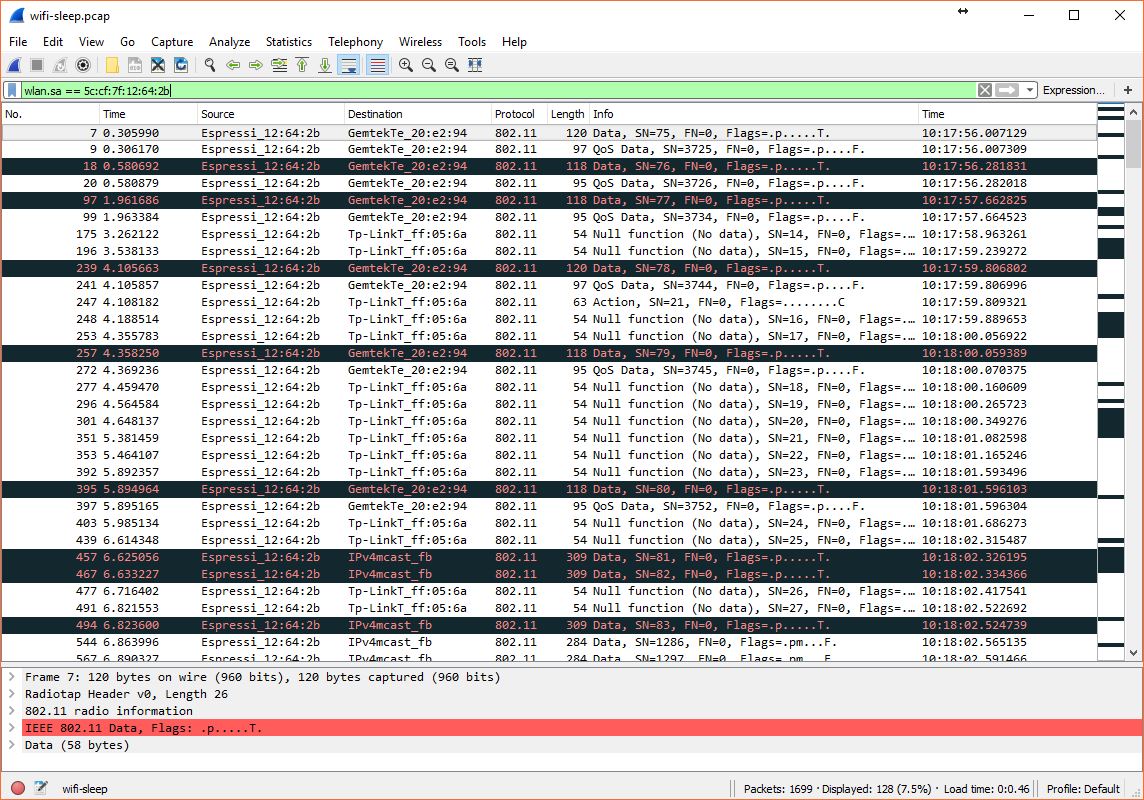
WITH WiFi.setSleepMode(WIFI_NONE_SLEEP) line in place, I cannot see any null packet.
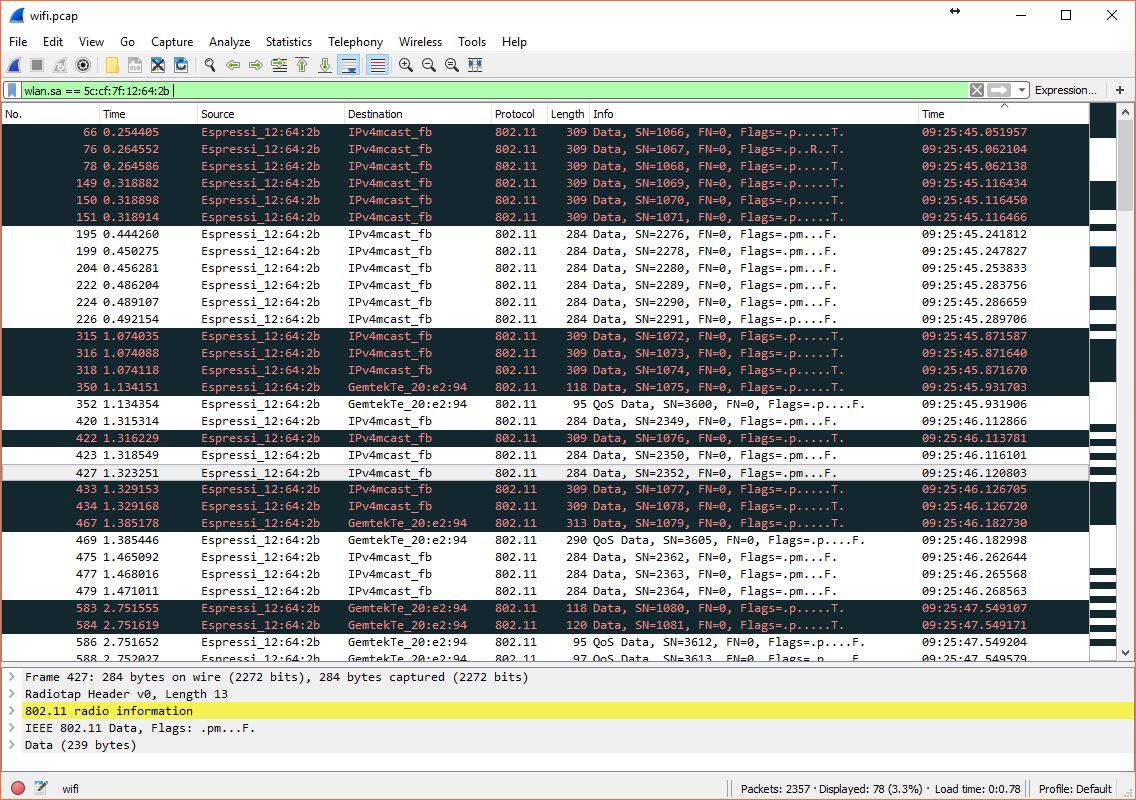
minida28
on 1 Apr 2018
Hello @minida28,
I have found the same behaviour. I capture all the traffic then use a display filter:
wlan.fc.type_subtype == 8 to view the beacons from the router
wlan.fc.type_subtype == 36 to view the null packets
Null packets should only be emitted when a device is in sleep mode and want to signal to the router that it is now awake. According to the Espressif support , the reason to generate those null packets is that the esp8266 is not receiving the beacon when it wakes up every 100ms , so it sends this packet, up to 4 times. For this reason, there is no null packets when WIFI_SLEEP mode is disabled, as the radio is always on and should receive everything.
I have found some other devices in my network (one ipad and one Motorola phone) that also send null packets from time to time, but not at this rate. The support guy said that up to 70% of the beacons are lost in my network (I have a "bad" network), and that is the reason for the emission of null packets.
However, I have seen several times in the wireshark captures the emission of long bursts of null packets after a correct beacon (in fact, in recent captures, all the beacons are there).
for example:
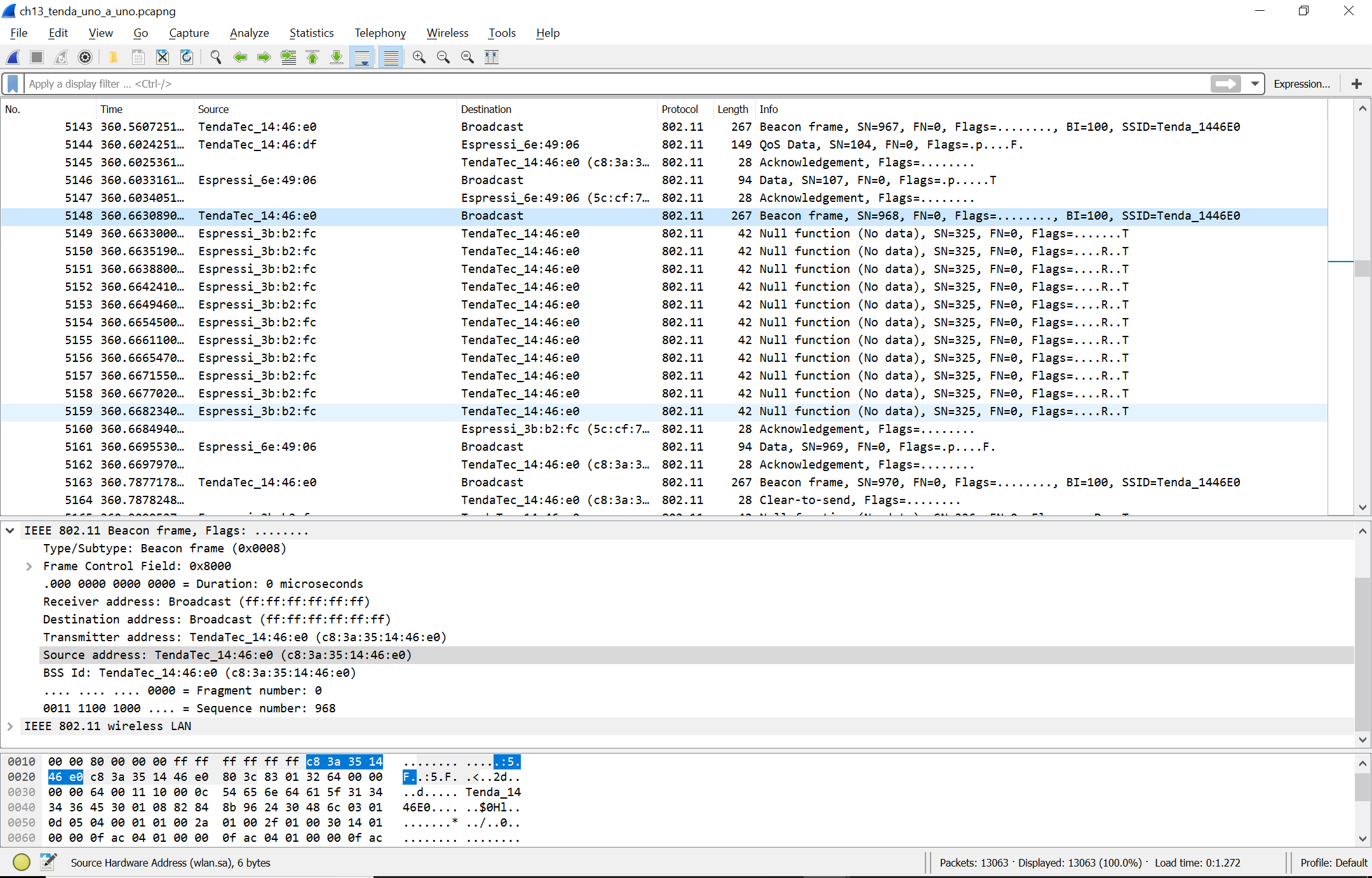
One interesting tool is the IO graph:
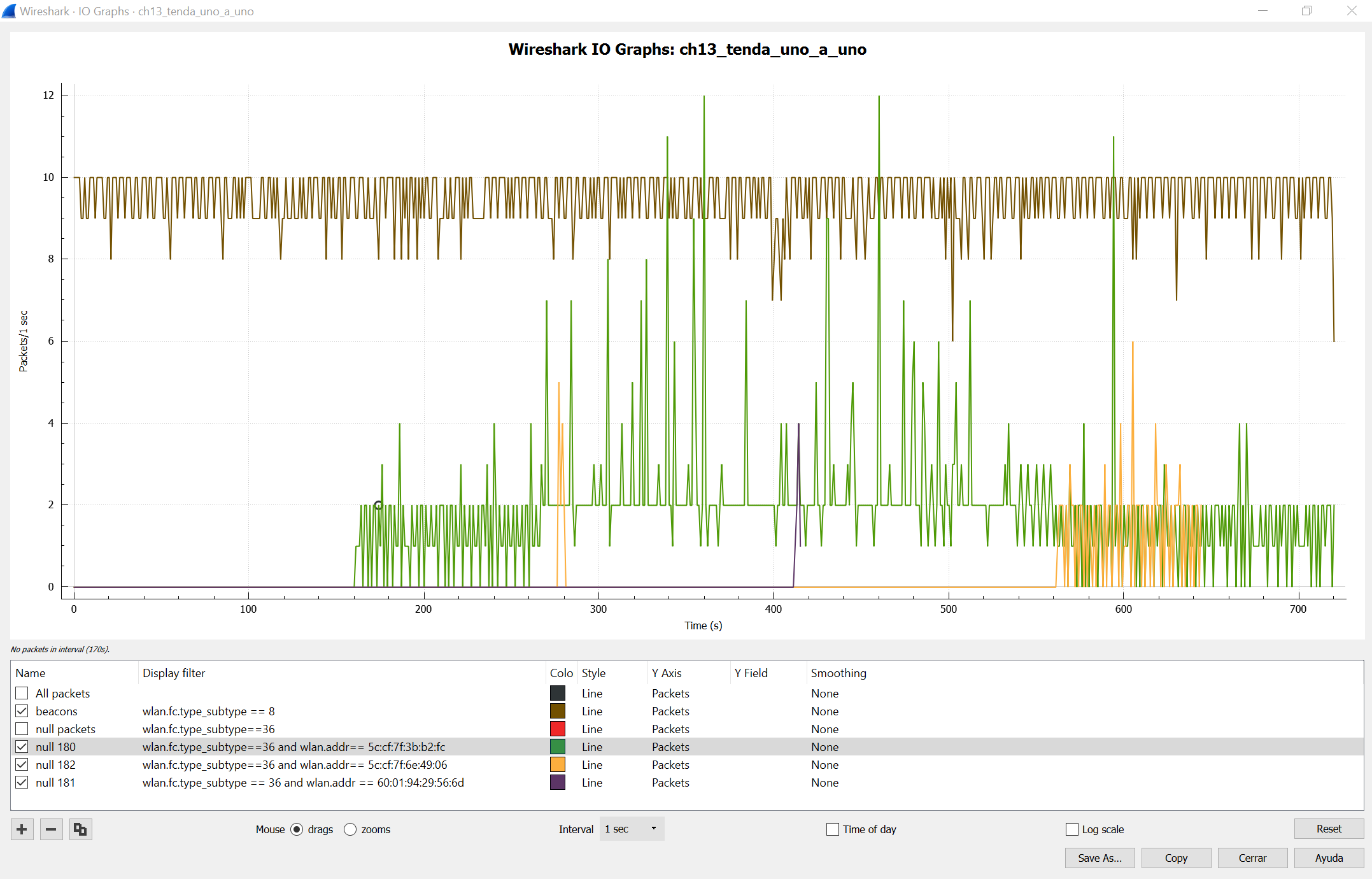
In this one, you can see the beacons from the router (upper Brown trace, almost none is lost). the Green trace is the emission of nullpackets from a esp8266 that I connected around second 160.
at second 270 I connected a second esp8266, which interestingly does not generate null packets untill some minutes later.
What that is interesting for me is that the presence of the second esp8266 makes the first esp8266 to generate more null packets. A third esp8266 in second 410 only generate a small burst of null packets (this is the most recent module I have bought, with a different MAC vendor address, probably from a different batch of hardware).
But, the most important thing is that I don't know if this null packets issue is related to the loss of connectivity, I think it is, but I am not sure, It is just the only weird thing I have found in the wireshark captures so far. When a module is not responding to ARP or PING requests, you can see clearly the request but not the response, only null packets. And request for sleeping modules should be in the beacons they don't receive, that is my point.
At least, this is intriguing.
Regards!
Adolfo.
acobo
on 1 Apr 2018
Hi @acobo
Thanks for sharing, especially the display filter wlan.fc.type_subtype == 8 and wlan.fc.type_subtype == 36 , that does the trick ;)
That's indeed very interesting findings, it's like they can talk each others haha :-)
I also have a few esp8266s here, I'll see if they behave like your units or not.
cheers,
minida28
on 1 Apr 2018
What would be the correct point to change the SleepMode?
I now have a wifi setup function that roughly does this:
    WiFi.persistent(false);
    WiFi.softAPdisconnect(true);
    WiFi.mode(WIFI_OFF);
    WiFi.hostname(HostName);
    WiFi.setSleepMode(WIFI_NONE_SLEEP);
    wifi_station_connect();
    if (WiFi.status() != WL_CONNECTED) {
      WiFi.begin(ssid, password);
    }
So I now have it just before connecting. Would that be a good place or should I call it earlier/later?
supersjimmie
on 4 Apr 2018
hello @supersjimmie,
I put it right before the WiFi.begin() (the same place as you) and it worked.
you could check if the wifi sleep is disabled measuring the current comsuption, it change from about 70mA (default) to +200mA (WIFI_NONE_SLEEP)
regards,
Adolfo
acobo
on 4 Apr 2018
Hello,
I am also having some issues with the ESP and IP addresses. Trying to go thru all the posts here to see for similarities.
What happens with my device is as follows;
It runs the default websever, and is also sending HTTP requests to a server around once a minute to update sensor data. This works flawless for weeks in a row, and then at one point the unit starts to experience issues, it is not updating to the server on regular intervals anymore, and the IP address that my server logs from the ESP is suddenly 0.0.0.0 but still able to log the data on the server??
The unit is not easy to access while running, and I also don't have an exact time span when it starts to go wrong. The only thing I can see in my server log; there are about 13 Days between this event (ie a power off and on until it starts recording 0.0.0.0 on the IP address again).
I will try to update the code to include some more debuging and will try the investigate a bit further, but I would like to share my issues here as well. One thing in common is that I also have a TP-LINK router (just bought new :( a TP-Link Archer C2300 v1.0 with firmware 2.0.1 Build 20171121 Rel. 61622).
And looking further back in my History, the only recordings of the 0.0.0.0 IP Address where when I bought and installed the TP-Link...
P.s My ESP is using DHCP, I will change it to a static IP to see if that makes a difference after 2 weeks of running..
 martin072
on 14 Apr 2018
martin072
on 14 Apr 2018
Oddly, I have found this is only an issue on my Windows 10 box, I have started using my Ubuntu box to access the ones the windows 10 box stops being able to see after awhile. No idea why this is, no idea how to fix it, but at least they are accessible.
 davericher
on 14 Apr 2018
davericher
on 14 Apr 2018
Hello @martin072 ,
I had the connectivity problem with a TP-Link router until I reflashed with a Gargoyle firmware. However, I still have issues with a COMPAL and a TENDA router (in fact, all I have).
In my case, adding the following line:
WiFi.setSleepMode(WIFI_NONE_SLEEP);
before the WiFi.begin() solved the problem.
Goog luck,
Adolfo.
acobo
on 14 Apr 2018
Hello @davericher,
I have found that sometimes the modules are not responding to ARP requests, although other services (http...) are working. I have found also that the ARP table in my raspberry PI with a Linux distribution seems to be more persistent, in Windows, the ARP table seems to be refreshed more oftenly. If this is the case, the reason to the weird behaviour you have found could be that the MAC address of the ESP module is in the ARP table in Linux , but not in Windows, you can check the table entries using "arp -a"
Regards,
Adolfo.
acobo
on 14 Apr 2018
@acobo, I will try this next week (not able to work on for a little while).
martin072
on 15 Apr 2018
@acobo After adding the WiFi.setSleepMode(WIFI_NONE_SLEEP); just before the begin(), the problem seemed to be gone... Seemed, because today it came back. The module kept working fine and had it's own network connection (kept logging to an external system) but it was no longer reachable on the LAN.
I don't have a way to check the current consumption.
supersjimmie
on 17 Apr 2018
WiFi.setSleepMode(WIFI_NONE_SLEEP) seems to be a technical solution but is not green enough and may be not viable for battery powered setups.
I just pushed this library that pings the gateway every 5 seconds (configurable).
Would you mind to test it without WIFI_NONE_SLEEP and tell us how it goes over time ?
https://github.com/d-a-v/PingAlive
d-a-v
on 9 May 2018
Hi @d-a-v
My esp has been running for more than 2 days now (without WIFI_NONE_SLEEP of-course) and I can always successfully access its web page. I do not make any changes in the PingAlive library.
I'll let it run for weeks; well I hope there is no power outage at my housing complex in the incoming weeks though :)
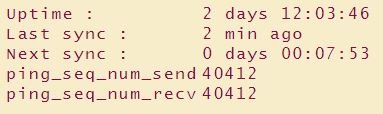
minida28
on 12 May 2018
Two days, this is already promising :)
Thanks for the feedback !
d-a-v
on 12 May 2018
hi @d-a-v
So just few minutes ago something have gone wrong with my old router; the wifi signal seemed disappear for about few minutes :(. I quickly checked the esp under testing, both ping_seq_num_send and ping_seq_num_recv are reset to 0 (zero)... arrgghh...
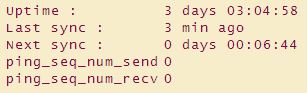
Do you think the esp is still ping-ing ?
As I understood, ping_should_stop is defaulted to 0 so I guess the answer is yes (i.e ping still alive)?
EDIT:
My bad I have left somewhere in my code ping_should_stop set to 1 during my test with your ping library :) Have removed it and restarting the esp now.
minida28
on 12 May 2018
Hi @d-a-v
Just checked my Esp under test today, the unit was somehow reset due to exception around 19 hrs ago.
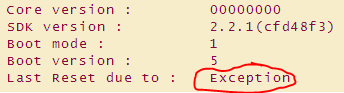
Well I was also playing with other libraries and other things in the same unit, so there is a high chance there was still bug in my code causing the reset.
The unit last 9 days before the reset (screenshot below was also taken yesterday):
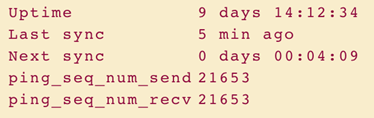
I accessed the unit on daily basis just checking its free heap (it was stable at around 27k) and I can confirm I had no issues accessing its web server (100% success rate and very responsive).
minida28
on 23 May 2018
@minida28 Thanks !
Any other experiment with PingAlive is welcome
d-a-v
on 23 May 2018
I have the unit running with a static IP Address for a while now, and it seems to be ok (more the 10 days at least without issues, will keep on monitoring).
Maybe some useful info for the ones using I2C devices, I have noticed my ESP started to reset with exceptions at random times because of an issue with some I2C devices (namely the ones from Ali..)
I am using a CCS811 and BME280 and OLED display on one bus, and when I changed this line:
twi_setClockStretchLimit(230)
to
twi_setClockStretchLimit(460)
(in ./esp8266/hardware/esp8266/2.4.1/cores/esp8266/core_esp8266_si2c.c)
All started to work fine without any issues so far.. All the sensors/devices work fine.
I had to update the unit yesterday, so I am restarting the clock to see if it lasts longer then 10 days.
martin072
on 23 May 2018
Update, my unit is now up for 28 days without any issues at all. So a Fixed IP address seemed to sort this out, and thus might be related to DHCP & routers? (I have a TP Link and noticed others have issues with the ESP as well)

martin072
on 19 Jun 2018
Hello everyone! I'm facing the same issue: now I can access the ESP, but after 2 mins if I try to ping it I get "unreachable host". It may become reachable after a while. Changing router doesn't help. Any suggestions?
 albertoZurini
on 19 Jun 2018
albertoZurini
on 19 Jun 2018
I read through this thread and did some similar tests. I experience this issue on all my Wemos ESP8266 boards, but only on Windows and Android. On Debian Linux (and also my LEDE router, TP-Link), I can ping and access the ESP8266 all the time.
Usually, connectivity is 'lost' after as little as 1 minute, on Windows (pinging and http). Then I added the aforementioned forceARP() calls, every 5 seconds. This seems to help Windows to get the IP address of the ESP. On Android it does not make a difference, always timeout.
klaasdc
on 20 Jun 2018
@klaasdc - I have the same obeservations.
My wemos-d1-mini based energy meter after a random time becomes unreachable (ping/web page) from windows machine/android/esp32 but I can ping from x86 openwrt lan router.
Inaccessible wemos-d1-mini works ok, still send data to thingspeak and local mqtt broker(on x86 openwrt lan router)!
The same problem applies to all my sonoff devices (based on esp8285) with sonoff-tasmota firmware.
The only way to restore access to unreachable device is: restart device or restart x86 openwrt lan router or restart additional wireless AP (tp-link re350 with LEDE in my case).
Interesting, when wemos energy meter web page is inaccessible from LAN windows machines and android devices I can still open web page from WAN(port forwarding on x86 openwrt lan router)! also from the same android device (when I switch wifi off and switch on gprs transmission) and other windows machines from WAN side.
reaper7
on 20 Jun 2018
@klaasdc, @reaper7
Did you try fixed IP adresses? I am also running my own wemos and some sonoff (running tasmota) and don’t seem to have any issues with a fixed IP address...
martin072
on 20 Jun 2018
Of course, all devs with fixed IP!l
reaper7
on 21 Jun 2018
@klaasdc @reaper7 @albertoZurini can you try with pingAlive mentionned above ?
d-a-v
on 21 Jun 2018
@d-a-v - I have not tried yet, only WiFi.setSleepMode(WIFI_NONE_SLEEP) which allows to work properly for a few days.
reaper7
on 21 Jun 2018
There is no known solution for this at the moment, and confirmation of the proposed workarounds is still pending. Pushing milestone back.
devyte
on 3 Oct 2018
Please have a look at #5210
d-a-v
on 6 Oct 2018
I've been able to workaround this issue in my environment by creating a python ARP responder script which bascially responds for ARP requests from the firewall, I've not had a single ping alert since or at least they happen once a week for 1 or 2 boards, previously I'd get 15-20 alerts a day. Once in a while one of the boards disconnect, but considering I have 30+ of them at home, I blame it on channel congestion. I'd still prefer to see a solution that doesn't need workarounds so happy to try the new sdk on one of the units.
 mateuszdrab
on 6 Oct 2018
mateuszdrab
on 6 Oct 2018
Everyone, #5210 is merged. Given the explanation in Espressif's doc (quoted in comments in the PR), it is clear that the ESP could miss broadcasts when using light sleep and sleep level max. It is possible that at some point Espressif "improved" power usage by internally changing sleep level to max, which can miss broadcasts, which could explain the symptoms in this issue. Now, in the sdk version integrated in the PR, the setting can be controlled, and is set explicitly in the core internals.
Please retest with latest git, and report back here.
Oh, and cross fingers...
devyte
on 9 Oct 2018
If the issue is still there, I put a pingAlive example in WIFI_MODEM_SLEEP mode.
gateway-ping is set with a 5secs interval.
Maximum unreachable time has been 7 seconds in 15 hours testing (just jumped to 10secs after I put my finger on the antenna).
I don't have an accurate enough power meter for current measurement.
date (UTC): Fri Oct 19 07:56:11 2018
delta:      25118 ms
delta-max:  30143 ms
            (should not be more than (ping)5000 + (refresh)20000 = 25000 ms)

gateway ping stats: 11019 sent - 11019 received

will be refreshed in 16 seconds
Hi all! I had a similiar issue, my ESP8266 doesnt respond after 5 minutes. I put the pingAlive code and the issue was resolve (at least my esp8266 is responding for 3 hours) I dont know how that code impact in my energy consumption.
(well... I had to edit this post after 5 hours... IT DOESNT WORK!! I wanted to log in the webserver on the ESP8266 and it didnt response! it is strange because if I do a ping it responds, but when I want to enter in port 80 nothing happend. ) How it is possible?
 javot
on 11 Nov 2018
javot
on 11 Nov 2018
For me, the issue was solved after #5210. My Wemo D1 stays reachable for many weeks now.
klaasdc
on 23 Dec 2018
For me, the issue was solved after #5210. My Wemo D1 stays reachable for many weeks now.
So just need to rebuild from source using latest SDK? 2.4.0 or 2.5.0?
mateuszdrab
on 25 Dec 2018
For me, the issue was solved after #5210. My Wemo D1 stays reachable for many weeks now.
So just need to rebuild from source using latest SDK? 2.4.0 or 2.5.0?
Yes, just a rebuild. I used a git version a few days after Oct 9, when devyte mentioned the merge. I suppose it is now in the 2.5 beta's.
klaasdc
on 25 Dec 2018
I am on the same boat; my ESP stops responding to ARP requests as well, so I am basically losing connectivity after my ARP cache gets flushed. FWIW, I am using a Ubiquiti Unifi AP. For me the issue persists even with #5210. From what I observe and what I have read on this thread, my impression is that this is really a bug in lwip's ARP handling, which is triggered by some behaviour of the AP or by packets sent from some other devices on the same network.
As a workaround, I settled for sending gratuitous ARP broadcasts every 5 seconds with the following code (I am using the scheduler):
#include <lwip/netif.h>
#include <lwip/etharp.h>

// ... SNIP ...

void GratuitousARPTask::loop() {
    netif *n = netif_list;

    while (n) {
        etharp_gratuitous(n);
        n = n->next;
    }

    delay(5000);
}

// ... SNIP ...
I can see the ARP broadcast sent every five seconds with Wireshark, and it reliably restores connectivity after I flush my laptops ARP table. While a direct response to ARP broadcasts would arguably be better, this is a viable workaround for me.
 DirtyHairy
on 17 Jan 2019
DirtyHairy
on 17 Jan 2019
This solution is nice.
From what I observe and what I have read on this thread, my impression is that this is really a bug in lwip's ARP handling
I'm not sure about that. lwIP has a wide audience.
Could you use netdump and check, once your esp is not responding, if you can read incoming arp requests from your AP on the serial console ?
d-a-v
on 17 Jan 2019
I'm not sure about that. lwIP has a wide audience.
Mmmh, I guess you're right, I should have read a bit deeper into lwip's background. I agree, it is unlikely that such a bug would've gone unnoticed.
Could you use netdump and check, once your esp is not responding, if you can read incoming arp requests from your AP on the serial console?
That's a cool idea, will do so this weekend --- I am curious what I'll find. I did another test and tried sending ARP requests systematically with arping; it seems that, in my case, the ESP answers ARP requests only sporadically even immediatelly after boot. For example, there's the initial gratuitous broadcast on boot, then a stretch of ARP requests not being answered, then five answered ones, then again nothing for 30 seconds or so, and so on.
DirtyHairy
on 18 Jan 2019
OK, I have done some experiments with netdump and arping. The result: I don't think this is a bug at all, but a reception issue. ARP requests that are not answered are not received by the device at all. However, I notice that placement of the module and the wiring around it have a noticeable effect on its tendency to receive and answer ARPs. In particular, I can get a significant improvement in received packages by just touching the antenna trace on the PCB, and nearly all packages get answered if I move close to the AP.
I am not sure why ARP packages are that badly affected, while IP seems to be fine, but it might just be the small package length that causes the device to mistake ARP packages for noise. In addition, now that I am scrutinising connectivity more closely, I notice that ICMP ping times are pretty inconstant as well where I am usually sitting, ranging from 10ms to 200ms, with an occasional dropped package.
DirtyHairy
on 19 Jan 2019
Have you tried a different AP? Not all APs are created equal. Try a totally different platform, not just a different model of the same manufacturer. For me I found Mikrotik worked but Ubnt didn’t, this was couple years ago though.
On Jan 19, 2019, at 2:51 PM, Christian Speckner notifications@github.com wrote:
OK, I have done some experiments with netdump and arping. The result: I don't think this is a bug at all, but a reception issue. ARP requests that are not answered are not received by the device at all. However, I notice that placement of the module and the wiring around it have a noticeable effect on its tendency to receive and answer ARPs. In particular, I can get a significant improvement in received packages by just touching the antenna lane on the PCB, and nearly all packages get answered if I move close to the AP.
I am not sure why ARP packages are that badly affected, while IP seems to be fine, but it might just be the small package length that causes the device to mistake ARP packages as noise. In addition, now that I am looking for this, I notice that ICMP ping times are pretty inconstant as well where I am usually sitting, ranging from 10ms to 200ms, with an occasional dropped package.
—
You are receiving this because you were mentioned.
Reply to this email directly, view it on GitHub https://github.com/esp8266/Arduino/issues/2330#issuecomment-455821857, or mute the thread https://github.com/notifications/unsubscribe-auth/AKy2zsNd4jWx79Z987PKN7SIuzOven-Uks5vE6GHgaJpZM4JVNL1.
mtnbrit
on 20 Jan 2019
Have you tried a different AP? Not all APs are created equal. Try a totally different platform, not just a different model of the same manufacturer. For me I found Mikrotik worked but Ubnt didn’t, this was couple years ago though.
Thanks for the hint. As this seems (at least in my case) to be a reception issue, I would even expect that different APs lead to different reliability --- a different AP will at have a different characteristic, transmit at a different power and differ in a myard of other details.
However, switching APs is not really an option for me; I am quite happy with our Unifi, and I have it wall mounted in our house. The workaround of broadcasting gratuitous ARPs at fixed intervals feels a bit clumsy, but is totally sufficient for me --- much more than switching APs 😏
DirtyHairy
on 20 Jan 2019
Think you might be right about reception guys. I have about 20 of those at home and only some of them have the ARP issue. I just get by with it using the python script but I might implement the gratuitous ARP solution. With the ARP script, I pretty much never have ping issues with the ESPs but there sometimes is a situation the ESPs will struggle to reconnect for long time and recently one of my boards started disconnecting after a couple of hours on the network - I am going to test if its a location/placement issue by plugging it in nearer the AP. Switching APs is no solution to me either ;)
mateuszdrab
on 20 Jan 2019
I just ran into exactly same problem. Esp12e drops connection to mqtt server and messages "no reppy arp from x.x.x" are appearing.
My router is d-link dwr921
 cziter15
on 5 Feb 2019
cziter15
on 5 Feb 2019
Hello all time to tell my story! I have the same problem here.
I have 10 esp8266 in my network, when they go down I can not reach them from neither computer nor the phone but they still continue communicating with my Raspberry and internet. If i wait the all comes up again after a few ours or some day.
I have tried 5 different routers with different results.
Whith my Dlink DIR-809 connection problem occurs every day. I have tried simple server from example with same results.
Their (esp) logs shows that the never rebooted or drop wifi.
When they goes down the don't respond to ping or arping.
They are all only meters from Access point with good reception.
My PC or Raspberry have never problem on same wlan network so i cant only blame the routers.
The problem seems to be worse when i have more esp on my network.
But when i use my old thompson router with only 3 esp for 6 mounts they stayed connected for weeks.
But if is 100% router related why comes the raspberry and PC server always stay connected.
 timmpo
on 10 Feb 2019
timmpo
on 10 Feb 2019
I disable Multicast Streams i my router and now my ESPs have not stopped respond in days!
https://support1.bluesound.com/hc/en-us/articles/200639793-D-Link-Router-General-Setup
The Local Multicasting is being blocked or over-prioritized by this outgoing, internet-based Multicasting.
timmpo
on 17 Feb 2019
For me it looks like LWIP 1.4 is more stable than 2.0 (both Higher memory).
When on LWIP 2, my MQTT connection timeouts few times per hour, while on LWIP 1.4 it timeouts few times per week. I don't know what cuses this anyways.
@ 2.5.0 release
cziter15
on 20 Feb 2019
I wrote a bash script that ping all my devices, it sending 1 packet to all devices once per minute and i got ~1 packet drops per our in at least one of the devices ( not only esp8266) that indicate my wlan isn't fool proof, but before the Multicast Streams setting changed i got much more packets drops over the wlan.
A new problem occurred with that disabled, the esp's cant send big web pages outside the lan in
lwip 1.4 (Error: content_length_mismatch) i had to change the esp's with big pages to lwip v2 witch for me makes slower load times on pictures.
But finally my esp's don't drops out anymore!
timmpo
on 24 Feb 2019
I am now looking into the _gratuitous ARP_ option suggested above.
What is a good interval for such an ARP packet? 5 seconds is suggested, but I was hoping someone already found a more dynamic way of sending such a packet.
Is there some way to see how much traffic has been sent/received in the IP stack? (also useful for other purposes)
Is there a good rule of thumb on how often an ARP table in a switch is being cleared? (possibly also related to amount of nodes in the network and ARP table size)
 TD-er
on 1 Mar 2019
TD-er
on 1 Mar 2019
how is the follow code use in Arduino platform that was created by DirtyHairy
void GratuitousARPTask::loop() {
netif *n = netif_list;
while (n) {
    etharp_gratuitous(n);
    n = n->next;
}

delay(5000);
}
its this used in the main loop, or in set up. I guess since you are calling it everytime then i'm guessing main loop, sorry if that was a novice question, still kinda new to the esp8266
 lp422003
on 8 May 2019
lp422003
on 8 May 2019
Avoid using delay. There is a fancy class called Ticker, which you can use
to periodically invoke arp task.
Treat delay as a function which suspends CPU (don't use this like timer,
ofc you can use delay for small period of time to throttle cpu and allow it
to sleep, bit this is only exception).
Anyway @topic, ESP can drop packets even when RSSI is in good range (below
-67), but good strength does not mean high signal quality. If you guys are
using modules with PCB trace antenna, keep your module close to AP and away
from grounded/noise generating things like fridge or TV.
śr., 8.05.2019, 02:00: lp422003 notifications@github.com napisał(a):
how is the follow code use in Arduino platform that was created by
DirtyHairyvoid GratuitousARPTask::loop() {
netif *n = netif_list;while (n) {
etharp_gratuitous(n);
n = n->next;
}delay(5000);
}
its this used in the main loop, or in set up. I guess since you are
calling it everytime then i'm guessing main loop, sorry if that was a
novice question, still kinda new to the esp8266—
You are receiving this because you commented.
Reply to this email directly, view it on GitHub
https://github.com/esp8266/Arduino/issues/2330#issuecomment-490296506,
or mute the thread
https://github.com/notifications/unsubscribe-auth/ABGFTPFQN2PJJS4FF3KZDKTPUIJYZANCNFSM4CKU2L2Q
.
cziter15
on 8 May 2019
Ok, I have seen the Ticker library but am not to familiar with it, can you give an example of what you mean, I have read some on it and see something often referring to a flag, I am reading thru the H files now and seeing what I can find, but any help would be much appreciated
lp422003
on 9 May 2019
I am having the same issue
esp devices are not in arp table due to not responding to requests
 riker65
on 24 Jun 2019
riker65
on 24 Jun 2019
Hi
I did not understand how to implement etharp gratious arp.
anyone having a full code example?
Thanks T
riker65
on 25 Jun 2019
@riker65
void sendGratuitousARP() {
  netif *n = netif_list;
  while (n) {
    etharp_gratuitous(n);
    n = n->next;
  }
}
@TD-er
thanks
do I implement this in loop section?
which library to include?
Thanks
riker65
on 25 Jun 2019
Having a compiler issue:
0/.arduino15/packages/esp8266/hardware/esp8266/2.5.2/tools/sdk/lwip2/include/lwip/ip4_addr.h:60:8: error: forward declaration of 'struct netif'
 struct netif;
        ^
exit status 1
'netif_list' was not declared in this scope
@riker65
You also need these includes (in the same file where you define your sendGratuitousARP function)
#include <lwip/netif.h>
#include <lwip/etharp.h>
Just keep track of the last time you send one such packet and call it from the loop() every N seconds.
I have not a magic number for this, but I guess 5 seconds is fine to start with.
TD-er
on 25 Jun 2019
@TD-er
thanks a lot
which option do you use for compiling and flashing?
for:
-IwLP variant:?
- which Espressiv FW?
Thanks
riker65
on 25 Jun 2019
For core 2.5.0 and newer I use PIO_FRAMEWORK_ARDUINO_LWIP2_LOW_MEMORY_LOW_FLASH
The others have PIO_FRAMEWORK_ARDUINO_LWIP2_LOW_MEMORY set.
See: https://github.com/letscontrolit/ESPEasy/blob/5b42210c47201e43a2310826d514911450fc211a/platformio.ini#L72-L104
TD-er
on 25 Jun 2019
For few months I've been trying to fix this issue somehow, but still no success.
I've ended with 3.0.0 SDK with LWIP 1.4, Modem Sleep DTIM 3. This config reaches few days without disconnection.
But still, disconnects happen. In router logs I can see "disassociated due to inactivity" - that means router is kicking out module from WiFi, then after few seconds it reconnects. (WiFi autoreconnect). There is no watchdog reset or something, just module is dropping wifi connection.
This happens more often with lower RSSI values, but RSSIs are still in good range. (~ -55 dBm)
What is the problem? What is the best config / workaround?
cziter15
on 30 Aug 2019
What is the problem? What is the best config / workaround?
This is normal behavior for all WiFi devices.
The AP may disconnect a device for a number of reasons:
- Inactivity
- Switching to another channel
- Too many checksum errors in packets received by the AP (not only from the ESP device)
- Beacon timeout (this might be initiated by the WiFi client)
- etc.
As long as the ESP node does not crash on reconnect and is able to reconnect, there should be no problem.
Just make sure you do restart services on your node if needed, so it may be needed to keep track of WiFi disconnects. You can listen to events for this.
One thing I found out the hard way, just make sure not to send packets while the WiFi connection setup has not yet finished.
TD-er
on 30 Aug 2019
I know it's normal to sometimes lose connection, but it's not normal, when other devices are still connected and router sometimes kicks off only esp. It doesn't interrupt my service for a long time, module reconnects, but that means that it's unreliable/unstable.
cziter15
on 30 Aug 2019
Have the other devices similar RSSI values?
Please note that the parameters used to kick a device from an AP are set by the vendor of that AP.
So in order to compare behavior, you should try to have as similar conditions as possible.
- Same RSSI, both on the device as well as the AP (some AP's allow to see RSSI of connected clients)
- Same connection speed (B/G/N mode, etc)
It also may help to set the WiFi channel fixed.
It could be the AP tries to scan for a best new channel, which does make the AP unreachable for about 2.4 seconds.
The ESP may consider that as being disconnected, while other devices may have larger timeouts.
TD-er
on 30 Aug 2019
Looks like 22y sdk from latest git improves connection stability a lot. Still have to test it more but first impressions are great.
Edit: disconnections still happens, even on device standing near to AP
cziter15
on 31 Aug 2019
@all everyone who has encountered the arp issue, aka ESP not reachable after a while, please try #6484 and report back.
devyte
on 9 Sep 2019
@devyte Is there a way to fetch these changes for use with PlatformIO?
PS C:\Users\gijs\.platformio\packages\framework-arduinoespressif8266> git status
On branch pre_26x
Your branch is up to date with 'origin/pre_26x'.

nothing to commit, working tree clean
PS C:\Users\gijs\.platformio\packages\framework-arduinoespressif8266> git fetch
PS C:\Users\gijs\.platformio\packages\framework-arduinoespressif8266> git fetch origin +refs/pull/6484/merge:
fatal: couldn't find remote ref refs/pull/6484/merge
Now it is just 2 files changed, so I could do that manually, but I really would like to have a way of fetching a single PR from the Arduino branch to make a test build in PlatformIO.
These do take a lot of time every attempt I make to test some core changes.
Edit:
With core 2.6.0 SDK 222y, it kept rebooting, so either I did something wrong in manual merging the PR, or it is not compatible?
TD-er
on 9 Sep 2019
git fetch origin pull/6484/head:testingBranch
git checkout testingBranch
I've experienced rebooting too, when uploading via OTA.
After uploading with erasing whole flash contents via UART, device booted up successfully.
Actually I'm unable to test that PR, but maybe later this week.
cziter15
on 9 Sep 2019
@cziter15 @TD-er Try adding IRAM_ATTR to the three new functions (check https://github.com/esp8266/Arduino/pull/6484#issuecomment-529378139)
d-a-v
on 9 Sep 2019
I am using 2.5.0 version from Boards Manager because versions above that give me a BSOD when I try to upload the sketch. (And I'm too exhausted to look into the root of the problem).
Is it okay if I just copy/paste the two changed files into my Arduino15\packages\esp8266\hardware\esp8266\2.5.0\ folder?
pouriap
on 9 Sep 2019
@pouriap this is only part of the fix, the last part (I hope). The rest was merged after 2.5.2. That means that pulling just these files into your version won't make a meaningful test.
devyte
on 9 Sep 2019
@devyte If I clone ChocolateFrogsNuts repository and checkout ets_intr_lock_nest branch will it work?
Or is there something else I need to do?
pouriap
on 9 Sep 2019
@pouriap Yes
Another way for command line git users is there.
d-a-v
on 9 Sep 2019
It keeps crashing giving me this on serial monitor:
ISR not in IRAM!

User exception (panic/abort/assert)
Abort called

>>>stack>>>

ctx: cont
sp: 3ffffec0 end: 3fffffc0 offset: 0000
3ffffec0:  feefeffe feefeffe feefeffe feefeffe
3ffffed0:  000000fe 00000000 00000000 00000000
3ffffee0:  00000000 00000000 00000000 00ff0000
3ffffef0:  5ffffe00 5ffffe00 feefeffe 00000000
3fffff00:  00000003 0000000e 3ffe84d9 4020865e
3fffff10:  401004c6 00000000 3ffee6f8 40208674
3fffff20:  3ffedf60 3ffee8b8 3ffe84d9 40208ba5
3fffff30:  00000000 3ffee8b8 3ffe8504 4021788c
3fffff40:  4020874e 00000064 3ffee6f8 3ffee858
3fffff50:  3ffee728 3ffee540 3ffe84d9 40208c54
3fffff60:  3ffee728 00000000 3ffee818 402023e1
3fffff70:  feefeffe feefeffe feefeffe feefeffe
3fffff80:  feefeffe feefeffe feefeffe feefeffe
3fffff90:  feefeffe feefeffe feefeffe 3ffee858
3fffffa0:  3fffdad0 00000000 3ffee818 40208268
3fffffb0:  feefeffe feefeffe 3ffe8504 40100df9
<<<stack<<<
$J⸮C⸮LC2   #⸮⸮
There's a bunch of new options added which I don't understand. I'm using the defaults:
VTables -> Flash
Espressif FW -> nonos-sdk.2.2.1 + 100 (testing)
Exceptions -> Legacy (new can return nullptr)
(IRAM_ATTR is already added to the functions in core_esp8266_main.cpp)
pouriap
on 9 Sep 2019
The HelloSever sketch works so the above error is probably because of Ticker library or something else I'm using in my main sketch. The versions above 2.5.0 seem to break everything for me.
Anyways in other news the ets_intr_lock_nest did not fix the ARP issue for me:

pouriap
on 9 Sep 2019
ISR not in IRAM! is not about core error, but probably error in your code. You have to move all your ISR handlers to IRAM using right decorator. It means that all attachInterrupt() must point to ICACHE_RAM_ATTR decorated methods.
 Pablo2048
on 9 Sep 2019
Pablo2048
on 9 Sep 2019
@pouriap ISRs being in IRAM has always been a requirement, it's just that we started enforcing it (at least the top level function) recently in 2.5.x. The fact that you hit the message with the newer core means that you aren't complying.
I don't know the state of the fork you used. The fix comprises several parts, including a rebuild of lwip and umm malloc, plus #6484. I suggest using this PR directly, and doing a full clean build before testing.
devyte
on 9 Sep 2019
Deleted previous esp8266 directories (Board Manager one and the git one).
Cloned the main repository as per instructions in the docs.
Fetched the pull request as per @d-a-v's script.
This is how my local repository looks like in GitExtentions:

Have I done everything correctly?
pouriap
on 9 Sep 2019
If you are not sure about the ISR functions, you may just build against the (released) core 2.5.2 and try to see if that still gives the same issues.
This way you can differentiate the issues caused by the current core branch and issues with your code.
TD-er
on 9 Sep 2019
Looks and sounds correct. Also, to cover super paranoia, delete the arduino15 dir.
devyte
on 9 Sep 2019
Deleted Arduino15 dir to cover super paranoia.
Sketch uploaded with no problems and ESP working. Tho the ARP side of things doesn't look promising. 90% of ARP requests still dropped:

I'll wait for a few hours/days and see if it goes unresponsive.
@TD-er Thanks. Adding ICACHE_RAM_ATTR before ISR functions fixed the error. It was my fault for not having read the docs carefully. And the BSOD reason was because of verbose mode in upload. Updating Arduino IDE and disabling verbose upload fixed that too.
pouriap
on 9 Sep 2019
I wonder, who is answering the ARP requests after the 1st one?
Are you sure the ARP request is always answered by the ESP node?
The reason I'm asking is this run I just did:
sudo nping --arp 192.168.1.152 -c 10

Starting Nping 0.7.60 ( https://nmap.org/nping ) at 2019-09-09 21:51 CEST
SENT (0.2256s) ARP who has 192.168.1.152? Tell 192.168.1.4
RCVD (0.4115s) ARP reply 192.168.1.152 is at CC:50:E3:B6:0C:18
RCVD (0.4115s) ARP reply 192.168.1.152 is at CC:50:E3:B6:0C:18
SENT (1.2259s) ARP who has 192.168.1.152? Tell 192.168.1.4
RCVD (1.4355s) ARP reply 192.168.1.152 is at CC:50:E3:B6:0C:18
SENT (2.2275s) ARP who has 192.168.1.152? Tell 192.168.1.4
RCVD (2.4555s) ARP reply 192.168.1.152 is at CC:50:E3:B6:0C:18
SENT (3.2297s) ARP who has 192.168.1.152? Tell 192.168.1.4
RCVD (3.4755s) ARP reply 192.168.1.152 is at CC:50:E3:B6:0C:18
SENT (4.2317s) ARP who has 192.168.1.152? Tell 192.168.1.4
RCVD (4.2915s) ARP reply 192.168.1.152 is at CC:50:E3:B6:0C:18
SENT (5.2339s) ARP who has 192.168.1.152? Tell 192.168.1.4
RCVD (5.3116s) ARP reply 192.168.1.152 is at CC:50:E3:B6:0C:18
SENT (6.2359s) ARP who has 192.168.1.152? Tell 192.168.1.4
RCVD (6.3315s) ARP reply 192.168.1.152 is at CC:50:E3:B6:0C:18
SENT (7.2379s) ARP who has 192.168.1.152? Tell 192.168.1.4
RCVD (7.3513s) ARP reply 192.168.1.152 is at CC:50:E3:B6:0C:18
RCVD (8.1675s) ARP reply 192.168.1.4 is at F4:4D:30:6A:83:6B
SENT (8.2381s) ARP who has 192.168.1.152? Tell 192.168.1.4
RCVD (8.3713s) ARP reply 192.168.1.152 is at CC:50:E3:B6:0C:18
SENT (9.2398s) ARP who has 192.168.1.152? Tell 192.168.1.4
RCVD (9.3913s) ARP reply 192.168.1.152 is at CC:50:E3:B6:0C:18

Max rtt: N/A | Min rtt: N/A | Avg rtt: N/A
Raw packets sent: 10 (420B) | Rcvd: 12 (578B) | Lost: 0 (0.00%)
Nping done: 1 IP address pinged in 9.43 seconds
As you can see, I got 12 replies here.
Please note that specific ESP is also sending Gratuitous ARP packets, which may explain the one extra received packet. The other is a reply about its own address (192.168.1.4).
I tested only one of my nodes running the PR #6484 to make sure I did not change behavior on the other one running this test.
That one node and all others running in my network were all replying to these ARP pings without loosing any. They are all running Gratuitous ARP (except the ones running the new PR).
So in this test setup I could not see any difference.
So I doubt whether it is a good test for these specific issues and also I am not entirely sure it does test what you think it tests.
The first 2 pings take 150 - 200 msec to get a reply and the rest is replied in 15 - 100 msec.
To me, that's an indication you are already changing the ESP's behavior. When hooked up to a power supply with an Amp meter, you can probably see the power consumption rising after the 2nd (ARP) ping.
TD-er
on 9 Sep 2019
@TD-er If you use Wireshark you can make sure who is answering the ARP by looking at the MAC address of the sender.
About changing behavior, I think if ARPing it changes its behavior that means it's still not fixed.
When I ARP it, for the first few packets(5, 10, 20, it varies) I receive no answer, but after the first answer it's like the ESP "wakes up" and starts answering the rest of the ARPs. (Not always tho because its behavior is highly inconsistent). But if it wasn't dropping the ARPs in the first place this change of behavior wouldn't even happen.
@devyte Is there a specific SKD and lwip version we should use for this test?
pouriap
on 10 Sep 2019
I think testing on 2.2.x+100 with LWIP v2 (Higher Bandwidth or Lower Memory) is expected.
Update: My two nodes are still connected to MQTT, w/o disconnection for ~12 hours. Still testing.
No ARP issues for now, tested using arping for windows.
@pouriap What DTIM and power saving mode are you using?
What DTIM is set on access point you are connected to?
cziter15
on 10 Sep 2019
@pouriap The same behavior of "waking up" the ESP was also seen before, but then tested with ping.
For ping, I sometimes saw latency numbers of up-to 800 - 900 msec, but all would get answered eventually.
This was not happening with other packet types like UDP traffic.
My test nodes are still responding quickly after the night and I'm not using Gratuitous ARP on those running this patch.
TD-er
on 10 Sep 2019
@pouriap just don't use sdk3. Also, don't use sdk libs not included with our core, or use sdk calls directly.
What is your test sketch? It's possible that #6484 is still somehow incomplete, although I don't see how atm.
devyte
on 10 Sep 2019
@pouriap The test build here is with, SDK 22y and lwip v2 low mem with a fairly recent git pull, but it shouldn't matter which lwip v2 config you use (low mem, high bandwidth or otherwise).
No gratuitous arp.
nping --arp is getting 100% response with no extras:
Raw packets sent: 100 (4.200KB) | Rcvd: 100 (4.600KB) | Lost: 0 (0.00%)
Nping done: 1 IP address pinged in 99.36 seconds
The first 1-15 responses take around 100ms although I've seen up to 250ms, until the esp "wakes up" and replies are mostly about 5ms, with some up to 15ms.
ping is getting similar results, although there was some minimal packet loss
100 packets transmitted, 99 received, 1% packet loss, time 99189ms
rtt min/avg/max/mdev = 2.402/8.386/92.298/14.849 ms
I am running 15dbm RF output on the test - shouldn't make a difference unless your chip is showing other signs of instability but might be worth a try.
Oh and those tests above were run against a WEMOS D1 mini that's been running 104 hours without a reset or loss of connectivity.
 ChocolateFrogsNuts
on 11 Sep 2019
ChocolateFrogsNuts
on 11 Sep 2019
Closing via #6484
devyte
on 11 Sep 2019
Related issues
 Marcelphilippeandrade
·
3Comments
Marcelphilippeandrade
·
3Comments
 eliabieri
·
3Comments
eliabieri
·
3Comments
 hoacvxd
·
3Comments
hoacvxd
·
3Comments
 tttapa
·
3Comments
tttapa
·
3Comments
 SmartSouth
·
3Comments
SmartSouth
·
3Comments
Most helpful comment
Everyone, #5210 is merged. Given the explanation in Espressif's doc (quoted in comments in the PR), it is clear that the ESP could miss broadcasts when using light sleep and sleep level max. It is possible that at some point Espressif "improved" power usage by internally changing sleep level to max, which can miss broadcasts, which could explain the symptoms in this issue. Now, in the sdk version integrated in the PR, the setting can be controlled, and is set explicitly in the core internals.
Please retest with latest git, and report back here.
Oh, and cross fingers...