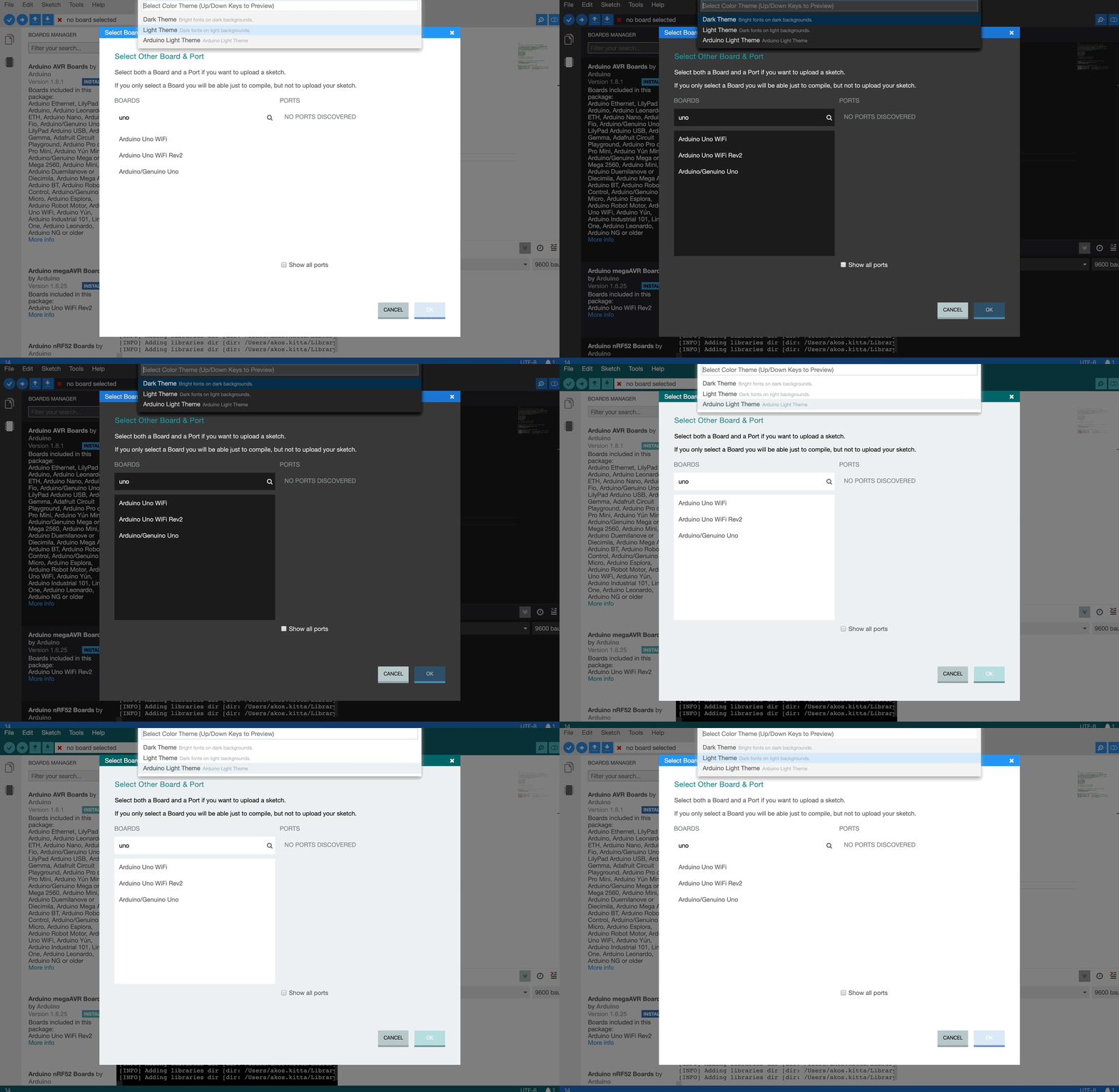
Arduino-pro-ide: Using dark theme at Select Board screen, it is not possible to see the text I write. The font color is white as the background color.
Describe the bug
A clear and concise description of what the bug is.
To Reproduce
Steps to reproduce the behavior:
- Go to '...'
- Click on '....'
- Scroll down to '....'
- See error
Expected behavior
A clear and concise description of what you expected to happen.
Screenshots
If applicable, add screenshots to help explain your problem.
Desktop (please complete the following information):
- OS: [e.g. iOS]
- Version [e.g. 22]
Additional context
Add any other context about the problem here.
 flaviosg
All 2 comments
It is really annoying when people just walk in, screen them have a problem, and run away. this bug report is utterly useless the way you have written it right now.
It would now take devs like 10more minutes to figure out what you mean, and it is just not helpful, why even bother if you do it this way?
PROPER WAY:
Describe the bug
When in the board selection window, the input field text is white and so is the background
To Reproduce
1 open en start the IDE pro (arduino.Pro.IDE 0.0.2) and make sure you are using the DARK THEME
- open board manager and the 'select board' window should appear
- type something in the boards selection window
- text and background is white
Screenshots
https://i.imgur.com/I0gBcUt.png
OS: Windows 10 Version 10.0.18362 Build 18362
Version arduino.Pro.IDE 0.0.2
Version arduino-cli.exe Version: 0.6.0 Commit: f99361a
 jellewie
on 19 Nov 2019
jellewie
on 19 Nov 2019
Fixed and will be available with the next release.
 kittaakos
on 26 Nov 2019
kittaakos
on 26 Nov 2019
Related issues
 j-rieck
·
5Comments
j-rieck
·
5Comments
 natemara
·
6Comments
natemara
·
6Comments
 IMSHOX
·
6Comments
IMSHOX
·
6Comments
 joysfera
·
3Comments
joysfera
·
3Comments
 OMGdaDPS
·
5Comments
OMGdaDPS
·
5Comments
Most helpful comment
It is really annoying when people just walk in, screen them have a problem, and run away. this bug report is utterly useless the way you have written it right now.
It would now take devs like 10more minutes to figure out what you mean, and it is just not helpful, why even bother if you do it this way?
PROPER WAY:
Describe the bug
When in the board selection window, the input field text is white and so is the background
To Reproduce
1 open en start the IDE pro (arduino.Pro.IDE 0.0.2) and make sure you are using the DARK THEME
Screenshots
https://i.imgur.com/I0gBcUt.png
OS: Windows 10 Version 10.0.18362 Build 18362
Version arduino.Pro.IDE 0.0.2
Version arduino-cli.exe Version: 0.6.0 Commit: f99361a