Arduino-esp32: Why the link https://dl.espressif.com/dl/package_esp32_index.json is not working?
Why the link https://dl.espressif.com/dl/package_esp32_index.json is not working?
I am Using Arduino IDE Boards Manager to install esp32 platform at Arduino IDE and it is not working. I received the message: Error - downloading https://dl.espressif.com/dl/package_esp32_index.json .
Computer configuration: InterCOre i5-7200U 2.5Ghz with turbo Boost up to 3.1GHz, Intel HD Graphics, Memory 8GB DDR4, 1000 GB HDD
 shnonomura
All 8 comments
Having the same issue. Looks like this is occuring:
System: Darwin, Info: Darwin-18.7.0-x86_64-i386-64bit
Platform: x86_64-apple-darwin
Downloading xtensa-esp32-elf-osx-1.22.0-80-g6c4433a-5.2.0.tar.gz
Traceback (most recent call last):
  File "get.py", line 148, in <module>
    get_tool(tool)
  File "get.py", line 103, in get_tool
    urlretrieve(url, local_path, report_progress)
  File "/System/Library/Frameworks/Python.framework/Versions/2.7/lib/python2.7/urllib.py", line 98, in urlretrieve
    return opener.retrieve(url, filename, reporthook, data)
  File "/System/Library/Frameworks/Python.framework/Versions/2.7/lib/python2.7/urllib.py", line 245, in retrieve
    fp = self.open(url, data)
  File "/System/Library/Frameworks/Python.framework/Versions/2.7/lib/python2.7/urllib.py", line 213, in open
    return getattr(self, name)(url)
  File "/System/Library/Frameworks/Python.framework/Versions/2.7/lib/python2.7/urllib.py", line 443, in open_https
    h.endheaders(data)
  File "/System/Library/Frameworks/Python.framework/Versions/2.7/lib/python2.7/httplib.py", line 1049, in endheaders
    self._send_output(message_body)
  File "/System/Library/Frameworks/Python.framework/Versions/2.7/lib/python2.7/httplib.py", line 893, in _send_output
    self.send(msg)
  File "/System/Library/Frameworks/Python.framework/Versions/2.7/lib/python2.7/httplib.py", line 855, in send
    self.connect()
  File "/System/Library/Frameworks/Python.framework/Versions/2.7/lib/python2.7/httplib.py", line 1274, in connect
    server_hostname=server_hostname)
  File "/System/Library/Frameworks/Python.framework/Versions/2.7/lib/python2.7/ssl.py", line 352, in wrap_socket
    _context=self)
  File "/System/Library/Frameworks/Python.framework/Versions/2.7/lib/python2.7/ssl.py", line 579, in __init__
    self.do_handshake()
  File "/System/Library/Frameworks/Python.framework/Versions/2.7/lib/python2.7/ssl.py", line 808, in do_handshake
    self._sslobj.do_handshake()
IOError: [Errno socket error] [Errno 54] Connection reset by peer
Found this workaround but that's not working either: https://github.com/espressif/arduino-esp32/issues/961 does it work for you @shnonomura
 sogeniusio
on 26 Sep 2019
sogeniusio
on 26 Sep 2019
I'm having the same issue, trying to install ESP32 for the first time and the json file is not online.
I tried using https://raw.githubusercontent.com/jantje/arduino-esp32/master/package/package_Espressif_esp32_index.json
But this did not install it either. Then went to installing esp32 with the Git Gui but this failed as well. I guess im stuck until the https://dl.espressif.com/dl/package_esp32_index.json is back.
I tried on Arduino versions 1.9.9 and 1.9.10
 WinstonPHz
on 26 Sep 2019
WinstonPHz
on 26 Sep 2019
Is there any workin mirror for this json file ?
 soql
on 26 Sep 2019
soql
on 26 Sep 2019

Verbose curl gives some info
 elisaado
on 26 Sep 2019
elisaado
on 26 Sep 2019
I tried using https://raw.githubusercontent.com/jantje/arduino-esp32/master/package/package_Espressif_esp32_index.json
but....

 naichaychan
on 26 Sep 2019
naichaychan
on 26 Sep 2019
Hi!
Update now.... This link https://dl.espressif.com/dl/package_esp32_index.json is work.
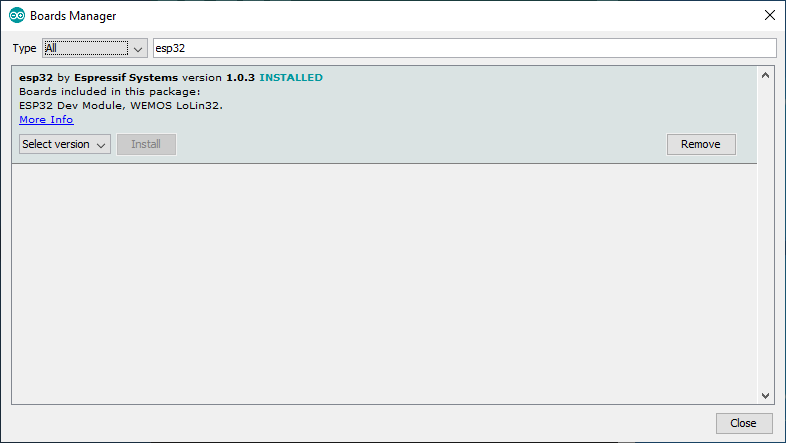
naichaychan
on 26 Sep 2019
Hello, folks, I was also getting the same error as mentioned above I tried the following steps :
1) Updating the Arduino IDE (but didn't work).
2) Trying and pasting the different links, that I got from various other discussion forums (but didn't work).
3) Downloaded the latest Arduino IDE from here https://www.arduino.cc/en/main/software, and then installing it, on installation (a message shown that you need to uninstall the old Arduino IDE), I followed it and un-installed the old IDE, after the un-installation of old IDE was finished the IDE was installed and I followed the same procedure and pasting this link in
Files>Prefrences>Additional Board Manager URLs: https://dl.espressif.com/dl/package_esp32_index.json
and pressed OK, then I followed the below steps :
i)Then I just headed to Tools>Board>Boards Manager
ii) I searched in the search box for ESP32 and clicked the Install button it began downloading(it was something around 67.824Mbs file)
Conclusion: Downloaded the new Arduino IDE and pasted the link in the preferences, and from board manager choosed and installed the ESP32 board It worked for me.
Thank you!
 Princediscjalpha
on 4 Jun 2020
Princediscjalpha
on 4 Jun 2020
Upgrading to the latest version of Arduino IDE (1.8.13 as of now) solved the issue for me. Cheers!
 Al-Imran
on 11 Nov 2020
Al-Imran
on 11 Nov 2020
Related issues
 maxpromer
·
3Comments
maxpromer
·
3Comments
 Curclamas
·
4Comments
Curclamas
·
4Comments
 huming2207
·
4Comments
huming2207
·
4Comments
 0x1abin
·
3Comments
0x1abin
·
3Comments
 DrewHoyt
·
4Comments
DrewHoyt
·
4Comments
Most helpful comment
Hi!
Update now.... This link https://dl.espressif.com/dl/package_esp32_index.json is work.