Arduino-esp32: captiveportal example not working on some platforms
Hardware:
Board: doit v1, ESP32 Dev Module
Core Installation/update date: today
IDE name: platformio
Flash Frequency: ?40Mhz?
Upload Speed: ?115200?
Description:
using captiveportal example
No captive portal launches on windows, linux, android.
surprisingly it works on osx and ios.
 tablatronix
All 72 comments
Bug confirmed here on Arduino IDE also
 Testato
on 27 Jan 2018
Testato
on 27 Jan 2018
I see lots of malformed dns packets in wireshark.
iturd-Pro:tools shawn$ dig google.com
;; Warning: Message parser reports malformed message packet.

; <<>> DiG 9.9.7-P3 <<>> google.com
;; global options: +cmd
;; Got answer:
;; ->>HEADER<<- opcode: QUERY, status: NOERROR, id: 42797
;; flags: qr rd ad; QUERY: 0, ANSWER: 0, AUTHORITY: 0, ADDITIONAL: 1
;; WARNING: recursion requested but not available

;; Query time: 8 msec
;; SERVER: 192.168.4.1#53(192.168.4.1)
;; WHEN: Sun Jan 28 18:09:06 CST 2018
;; MSG SIZE  rcvd: 12
wireshark
[Expert Info (Error/Malformed): Malformed Packet (Exception occurred)]
tablatronix
on 29 Jan 2018
Source mac must not be a group address and lg and ig bits present, does that sound right?
tablatronix
on 29 Jan 2018
Looks like dig always fails, since it sends additional rr OPT every time, I noticed OPT and PTRs fail.
Ill look into this again tomorrow on new machines and see what I see, might not be related at all.
tablatronix
on 29 Jan 2018
Probably i found the problem:
The DNSserver redirect all to 192.168.1.1, instead of the captive portal IP (192.168.4.1)


Log made on Win10
Testato
on 29 Jan 2018
Are you using the captiveportal example, it uses that address instead.
tablatronix
on 29 Jan 2018
This fixes it, the dns repsones are not including the question along with the answer.
This is from esp8266, not sure why @me-no-dev left it out.
DNSServer.cpp diff
@@ -135,15 +119,35 @@
   if (_buffer == NULL) return;
   _dnsHeader->QR = DNS_QR_RESPONSE;
   _dnsHeader->ANCount = _dnsHeader->QDCount;
-  _dnsHeader->QDCount = 0;
+  _dnsHeader->QDCount = _dnsHeader->QDCount;
+  //_dnsHeader->RA = 1;

   _udp.beginPacket(_udp.remoteIP(), _udp.remotePort());
   _udp.write(_buffer, _currentPacketSize);
+
+  _udp.write((uint8_t)192); //  answer name is a pointer
+  _udp.write((uint8_t)12);  // pointer to offset at 0x00c
+
+  _udp.write((uint8_t)0);   // 0x0001  answer is type A query (host address)
+  _udp.write((uint8_t)1);
+
+  _udp.write((uint8_t)0);   //0x0001 answer is class IN (internet address)
+  _udp.write((uint8_t)1);
+
   _udp.write((unsigned char*)&_ttl, 4);
DNSServer.cpp updated
void DNSServer::replyWithIP()
{
  if (_buffer == NULL) return;
  _dnsHeader->QR = DNS_QR_RESPONSE;
  _dnsHeader->ANCount = _dnsHeader->QDCount;
  _dnsHeader->QDCount = _dnsHeader->QDCount;
  // _dnsHeader->QDCount = 0;

  _udp.beginPacket(_udp.remoteIP(), _udp.remotePort());
  _udp.write(_buffer, _currentPacketSize);

  _udp.write((uint8_t)192); //  answer name is a pointer
  _udp.write((uint8_t)12);  // pointer to offset at 0x00c

  _udp.write((uint8_t)0);   // 0x0001  answer is type A query (host address)
  _udp.write((uint8_t)1);

  _udp.write((uint8_t)0);   //0x0001 answer is class IN (internet address)
  _udp.write((uint8_t)1);

  _udp.write((unsigned char*)&_ttl, 4);
  _udp.write((uint8_t)0);
  _udp.write((uint8_t)4);
  _udp.write(_resolvedIP, 4);
  _udp.endPacket();
}
for the original fix,
heres the blame
https://github.com/esp8266/Arduino/blame/20b7e480b5a3e9aeffc056020d816a2fad4cbe12/libraries/DNSServer/src/DNSServer.cpp
and forum post
http://www.esp8266.com/viewtopic.php?f=32&t=3618&start=36
tablatronix
on 29 Jan 2018
Have you found a solution for android 7? Still not showing up popup
 nicogon
on 26 Mar 2018
nicogon
on 26 Mar 2018
I dont have android to test, this issue should be resolved. Do you have the latest commits? Are you using the captive portal example
tablatronix
on 26 Mar 2018
It is important understand if the portal do not work or only do not automatically show the connection webpage.
After the connetction try to manually open Chrome browser on the phone and write the address www.test.it
If the captive portal work you will be recirected to the Configuration page.
(It is important that you use an address not https, so google.com is not a good address)
Testato
on 26 Mar 2018
Yes of course, but that doesn't help with the issue.
@nicogon this is how I debugged my issue.
Here is my PR to add debugging to DNS server
https://github.com/espressif/arduino-esp32/pull/1046
define DEBUG_ESP_PORT in your build flags, or un-comment in the file.
You can also enable webserver debugging in a similar fashion.
If you enable both those and still see no logging, then your device is not even requesting a captive portal. In that case, either it disabled somehow, or it does not have satisfactory dns information to request a site. Which could indicate a bug.
Can you get a captive portal to work somewhere else? say a store or coffeeshop or something ?
tablatronix
on 26 Mar 2018
This seems to be a problem with most modern iphone, android and other devices. None of the code or examples I've seen of handling captive portal from ESP8266 work on anything newer than somewhere about IceCream I believe on the android side. You can see the DNS requests being made, but the phone doesn't appear to trust the responses as it never makes an http or https request to the 'spoofed' ip address. (at least not in my tests)
EDIT: OK, reading some of your linked posts. I hadn't sniffed the actual contents of the packets. Is this because it was sending back 0.0.0.0?
 treii28
on 30 Mar 2018
treii28
on 30 Mar 2018
As for my experiences, I have gotten captive portals before on my android phone where the pop-up appears. Both at public places like McDonald's or xFinity wifi as well as at home on an openWRT router. I've been trying to have someone more knowledgeable in C/Arduino/ESP/tcp/ip look into this for well over a year now. I was about to start boning up on lwip myself and hacking apart both the Android OS source code and openWRT source code to try to figure it out myself.
treii28
on 30 Mar 2018
So are you saying captive portal example works on neither esp32 nor esp8266 for your device/s?
tablatronix
on 30 Mar 2018
I have been trying to find a working captive portal for over a year. I even tried sniffing the packets at one point but had only a limited idea what to look for. The best I have ever achieved on an android device (from an ESP based AP) is a pop-up telling me the device is not connected to the internet. (no redirect - redirect does, however, work fine on my home router and public wifi hotspots with sign-in pages on these devices)
If you need any help researching this issue or doing testing, don't hesitate to ask. I have half a dozen wifi adapters, Raspberry pis, laptops (all dual booted with windows and linux) and more than one of just about every type of ESP. I would love to see this working and will do whatever I can to help. But I'm not as familiar with using things like wireshark so if you need packets sniffed, you'll have to help me figure out the configuration/filters to get what you need.
Android devices I own include a Note 4 running android 7 (non-rooted), a note 3 running android 5.? (rooted), a t-mobile slide running cyanogenmod android 4.4 (rooted), and a samsung tab 7 running android 5.? (rooted). And, as mentioned, I have 7 raspberry pis and two banana pis I can use for testing purposes. I could probably even open a connection to one if someone wanted to run the wireshark themselves as I set up various devices with whatever code they wanted to check.
Esp's include two nodemcu (lolin and a generic v1.0), nodemcu mini, wemos d1, I have multiple ESP-01 and ESP-01m, individual 12e and 12f modules, esp-03, esp-07, esp-201. I don't have any of the 32's yet but I think I'm going to order one now if you think those might work.
treii28
on 1 Apr 2018
Can you run android on a raspi or virtuabox?
I have a zero, I gotta buy a android phone on ebay or craigslist, or see if someone I know has one
tablatronix
on 1 Apr 2018
I have android nougat running on virtualbox , but the mouse barely moves, and I cannot get the wireless bridge mode to work, not sure if this requires an extension pack or is just not possible.
I might need a better vm.
tablatronix
on 2 Apr 2018
On android only works if you try to open a http page (not https). And is
not automatic as in ios or a pc.
I've been researching about this, and it seems the problem is that android
dont like that captive portal ip is in the same network. i've tested with a
functional captive portal that dns resolves correctly (for android captive
https://www.gstatic.com/generate_204 as an external ip) but it seems there
is some kind of http redirection of the request to the captive portal.
dns service should give an external ip and then do some kind of http
redirection (that i havent been able to do it with esp8266). Do you know if
there is a way of intercepting http packet to an external ip and deliver a
302 redirection to the captive portal?
2018-04-01 19:05 GMT-03:00 Shawn A notifications@github.com:
I have android nougat running on virtualbox , but the mouse barely moves,
and I cannot get the wireless bridge mode to work, not sure if this
requires an extension pack or is just not possible.I might need a better vm.
—
You are receiving this because you were mentioned.
Reply to this email directly, view it on GitHub
https://github.com/espressif/arduino-esp32/issues/1037#issuecomment-377820359,
or mute the thread
https://github.com/notifications/unsubscribe-auth/AFbCFxYADeL053AX5VnhPGoiuFU6rwZSks5tkU9HgaJpZM4Rvalh
.
nicogon
on 2 Apr 2018
Android can be run on a pi, but I don't see the download on their standard downloads page anymore. Nor do I know how closely it would resemble what goes on in a phone. I may have to try it with my pi zero w (the one with wifi/bluetooth - they cost about $10-15 btw, Adafruit appears to be out-of-stock at the moment but amazon prime has an 'essentials' kit for $24. piMoroni, piHut and CanaKit don't appear to show them out of stock)
http://androidpi.wikia.com/wiki/Android_Pi_Wiki
But again, if there's anything you need tested, let me know. As mentioned, I could even set up an account on the pi-zero-w or the pi-3. (both have built in wifi. They aren't the most robust platforms for atmel/esp development, but I've done it on them. I generally use platformio when on the pis)
treii28
on 2 Apr 2018
Also on Android there is an automatic connection to the captive portal, but it depends on the Android version. On an LG G5 with Android 7, it work correctly. On my second phone, Android 4.4 Samsung, i need to manually go to an http address
Testato
on 2 Apr 2018
Yeah I read that there are some bugs or changes in behavior after a certain android version, I also read about 204 expected url, and redirects expecting 307 temporary redirects, we send location header and a 302 redirect.
I also read about, captive portals failing if you leave cellular on, since it can still get out, and some notes about walled garden exceptions for google. .. no idea what that means.
Oh and one more note about people using google dns 8.8.8.8 and it not hitting the esp dns causing no captive portal
tablatronix
on 2 Apr 2018
re: depends on android version
Hmmm. I had the opposite experience. On my older androids it still works and on anything newer than 4.4 it stopped working.
treii28
on 2 Apr 2018
re: cellular on
Hmmm, interesting. I may need to test this later as that makes sense. But doesn't help me with my project as I'm trying to get something to work that requires minimal instruction. If that's the case, I may need to go with an android app after all to handle the connection/data-exchange transparently.
But wait, that still leaves a question because I still get the redirect pop-up at public hotspots. So there must be some way to do it.
treii28
on 2 Apr 2018
Yes I think I read that too, around version 5 something changed etc,
tablatronix
on 2 Apr 2018
To summarize things I want to test.
on device
- no security restrictions enabled , not sure specifics
- no custom dns 8.8.8.8 etc
- cellular off
- chromium bugs? _(doubtful since sniffing shows no http)_
in code
- ~on generate_204 requests send 204~ (oops that is for connection proof)
- on all other send 307 redirect
tablatronix
on 2 Apr 2018
I suspected (but it's only my blind guessing) that they may have put some 'known trusted' ips somewhere in the code or some way of checking the ip so it doesn't follow dns spoofing attempts to localnet or other addresses. The android code itself doesn't show anything I could pick out as a test on it, but when I ran some of the DNS debug mods in the ESP, I could see the requests for sites like google.com coming in and the DNS responding with the local net address, I had the debugging in my web server code maxxed out so literally any request would show in some way, but I never see any of the requests coming after the DNS query from android.
That was when I tried setting up wireshark to try to see if 'any' TCP/IP/http connections went out after the DNS query, but I didn't capture any. In fact, many of the backgrounded apps still keep trying to go to their respective heartbeat URLs.
treii28
on 2 Apr 2018
It could also be some minor dns packet issue that it does not like, that would be the hope. But if its not working in either esp32 nor esp8266, then its probably android
tablatronix
on 2 Apr 2018
I thought the gist on the 204 requests was to 'not' send a 204. i.e. Google requests the document and 'expects' a 204 if it's connected to the internet but you want the device to know it's "not connected" to the internet and thus redirect to the content.
treii28
on 2 Apr 2018
oh yeah that is to close the captive portal, my bad
tablatronix
on 2 Apr 2018
I've used the default coding in most of the examples as well as modified them every way from Sunday trying to see if something would work, but - at least as per my sniffing attempt - it doesn't seem to be even making the request after the DNS lookup. It's been a while so I might need to try it again. (I was fighting with setting up a new development laptop this weekend)
(That's why I wonder about the cellular connection aspect. It may have been making the request out of the prior default route - but I got similar results on the tab, however which doesn't connect via cellular. Only the wifi)
treii28
on 2 Apr 2018
I gotta get me a device, I have every codebase and platform to test with and an enterprise captive portal at my disposal to sniff. Just no android lol. Maybe I will spin up some different vm's today and see if any of them have wifi hardware bridge support, I bet vmware works, gonna try that next
tablatronix
on 2 Apr 2018
It works properly on my Pixel, using WiFiManager. It asks me to log into the website, and clicking on the notification takes me to the WiFiManager homepage. I use genymotion for android vms on linux. It is not fast, but gives reasonably accurate behavior.
 lbernstone
on 2 Apr 2018
lbernstone
on 2 Apr 2018
I got my esp32dev board the other day and tried the captive portal example on it and got the same result in android. It pops up that the thing may not be connected but doesn't do anything more or (give any options to) pop open a browser to any landing page. Again if there's anything needs doing, don't hesitate to ask.
treii28
on 10 Apr 2018
Maybe post your android versions? Shrug
tablatronix
on 10 Apr 2018
I have a kitkat (4.4 cyanogenmod), a 5.0, a 5.1 and a - not sure, it was updated multiple times recently... let me check. Hmmm still says 7.0
treii28
on 12 Apr 2018
So this is most likely not an security or process change in android since that goes back quite a ways.
tablatronix
on 12 Apr 2018
I hadn't really tested with the 4.4 in a while. At the time I first started trying this, my 5.0 device was on 4.4 and the 4.4 device was on 4.3. The 4.3 still got the pop-up (at that time) and I haven't gotten a redirect on a ESP based captive portal on >4.4 ever
treii28
on 12 Apr 2018
you can manually pull up a page and be redirected, can you manually get to the ip address, so dns and webserver are both working ?
tablatronix
on 12 Apr 2018
@treii28
remember that the manual way work only for http, not https
Testato
on 12 Apr 2018
@tablatronix - yeah the webserver works just fine even with a given hostname spoofed by the dns server. but the application I'm trying to implement will be devices left out in public places out of site. (that's kinda the whole point of virtual geocaching - you have to get close enough to connect to the device) Thus I can't necessarily give detailed instructions on how to connect to it and even if I could, the kind of people likely to use it might have a hard time with it.
I'm talking to some local android guys to try to get them to help me to build an app to connect to them, but it would be nice if I could also allow wifi-captive redirection for people who don't have the app.
@Testato yes, I'm aware of that. I'm not trying to do anything fancy with ssl. I just need the device capable of being signed into so a geo-cacher can add a log entry that they found the device. (or at least it's location - the devices will be hidden out of site so people don't tamper with them)
treii28
on 17 Apr 2018
ok so its not a dns library issue then
tablatronix
on 17 Apr 2018
Did some test with a raspberry and I got it working by
-Setting the DNS to resolve all queries to 172.217.28.206 (public ip of http://clients3.google.com/)
-Then have a tcp rule to forward all port 80 traffic to my host
-> captive portal working in all platforms.
The problem with esp libraries is that I haven't been able to forward outgoing 80 tcp traffic to esp host.
Is there any way of doing this?
nicogon
on 20 Apr 2018
how did you test this?
Why does it need or care what the ip is?
What are you forwarding ? On the client?
tablatronix
on 21 Apr 2018
It looks like captive portal on android won't show if client3.google.com
is resolved with a local ip (tested this, popup won't show). If i fake the
dns query with an external ip, when the http query (
http://captive.apple.com/generate_204 ) is made the raspberry would answer
as if it was an external host.
Example
1.Client make a client3.google... dns query to raspberry.
- Raspberry answer dns query with an external ip (i used the real
client3.googe hardcoded ip) - The client will make a http query to that external ip to the ap
(raspberry) - Instead of forwarding this packet to the wan (because there is no wan)
rasberry will answer to this packet as if it was an external ip with the
captiveportal html
Sorry for my bad English
El vie., 20 de abr. de 2018 23:11, Shawn A notifications@github.com
escribió:
how did you test this?
Why does it need or care what the ip is?
What are you forwarding ? On the client?
—
You are receiving this because you were mentioned.
Reply to this email directly, view it on GitHub
https://github.com/espressif/arduino-esp32/issues/1037#issuecomment-383259775,
or mute the thread
https://github.com/notifications/unsubscribe-auth/AFbCF9LTy8RsEWCKqLKaqiGMdGK3Mgyqks5tqpUzgaJpZM4Rvalh
.
nicogon
on 21 Apr 2018
So does setting the ip manually for the esp to a non class c resolve this ? it should if that is indeed what is going on.
tablatronix
on 21 Apr 2018
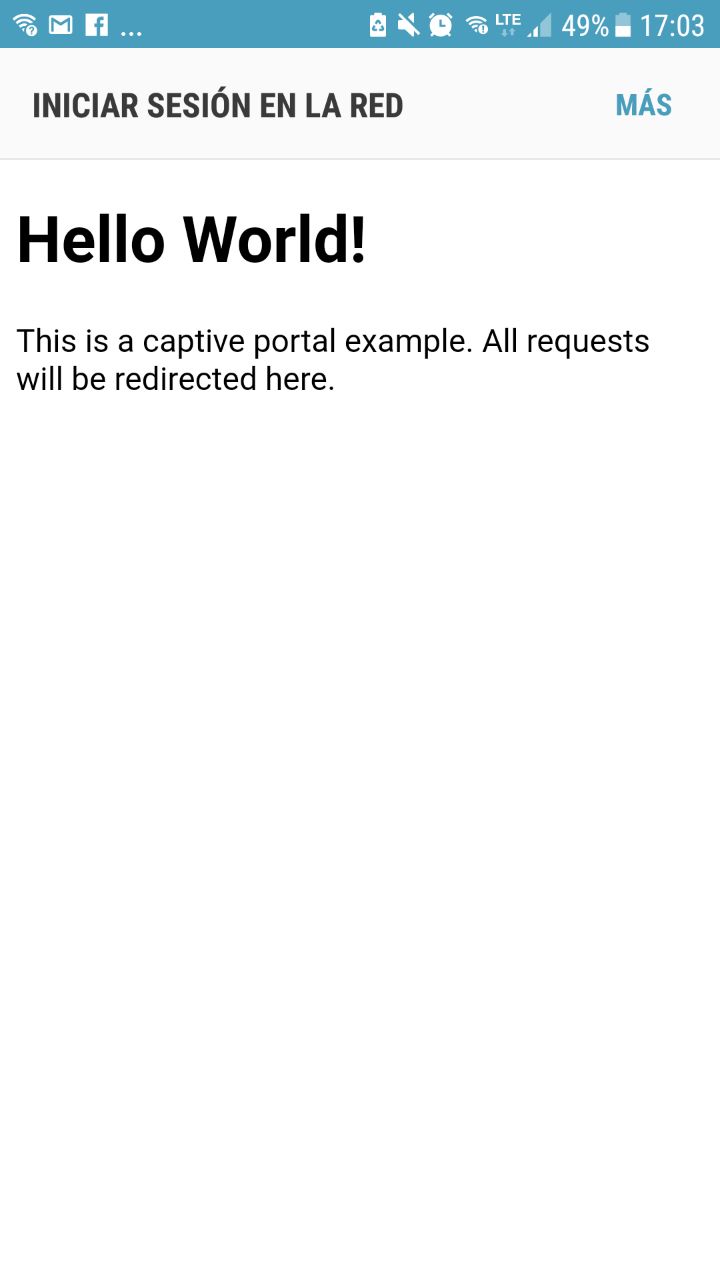
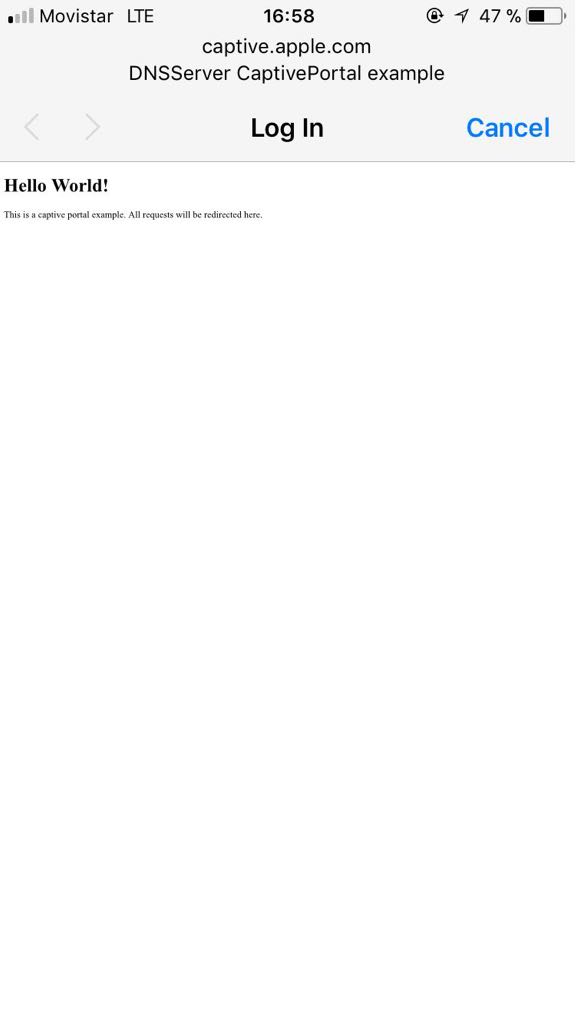
hell yeah! you were right, no need of http reroute.
Just have the captive portal ip as an external ip. I used
172.217.28.1 as esp ip with captive portal example (network mask 255.255.255.0) and I got the popup woking on android 7 (Samsung S7), Iphone 7 and OSX.
I would suggest change captive portal example with this configuration.
nicogon
on 21 Apr 2018
talking with nic on facebook atm - I'll give that a shot on my end with the IP for clients3.google.com - what I'm thinking is perhaps set up the primary points such as the google and apple main addresses in combination so it can answer either locally without just a spoofing.
(updating a banana pi zero OS at the moment or I would have tried it already)
treii28
on 21 Apr 2018
Well we need to see where this is documented first, and find out why this behavior is such, since you really arent supposed to be doing stuff like that.
tablatronix
on 21 Apr 2018
Have we confirmed that android is actually using the dhcp addresses assigned to it by esp? Could be dhcp or lease issue also, small chance
tablatronix
on 21 Apr 2018
@nicogon just for correctness, 172.x.x.x is not an 'external IP' but according to RFC1918 chapter 3 one of the address ranges for "Private Address Space". It is however a "class B" address range and it seems that solves the problem. An AP address of 10.x.x.x should work as well as it is a "class A" address range.
I am wondering why newer versions of Android, IOS and OSX have this exclusion of "class C" address ranges.
EDIT
Test 1: AP set to 172.16.1.1 AP name set to DNSServer CaptivePortal 172
SKK Chronos - Android 5.1 (Lollipop) I get the notification to sign into WiFi-network
Samsung S3 - Android 7.1.2 (Nougat) I get the notification to sign into WiFi-network
Samsung S4 - Android 5.0.1 (Lollipop) I get no notification, but redirection in browser to the captive portal
Samsung Tab A - Android 5.0.2 (Lollipop) I get no notification, but redirection in browser to the captive portal
Test 2: AP set to 192.168.1.1 AP name set to DNSServer CaptivePortal 192
SKK Chronos - Android 5.1 (Lollipop) I get no notification
Samsung S3 - Android 7.1.2 (Nougat) I get no notification
Samsung S4 - Android 5.0.1 (Lollipop) I get no notification
Samsung Tab A - Android 5.0.2 (Lollipop) I get no notification
Test 3: AP set to 10.1.1.1 AP name set to DNSServer CaptivePortal 10
SKK Chronos - Android 5.1 (Lollipop) I get the notification to sign into WiFi-network
Samsung S3 - Android 7.1.2 (Nougat) I get the notification to sign into WiFi-network
Samsung S4 - Android 5.0.1 (Lollipop) I get no notification, but redirection in browser to the captive portal
Samsung Tab A - Android 5.0.2 (Lollipop) I get no notification, but redirection in browser to the captive portal
Using a 'class a' or 'class b' address range shows some differences, but it still doesn't work on 2 of my 4 devices.
The redirection in the browser actually only worked when I tried a _http_ url (like http://mhc.giesecke.tk) It didn't work if I use a _https_ url (like https://desire.giesecke.tk/index.php/2018/01/30/esp32-wiki-entries/)
 beegee-tokyo
on 22 Apr 2018
beegee-tokyo
on 22 Apr 2018
Thanks for the clarification, makes sense, I have seen 172 and 10 used alot more and was wondering how that worked
tablatronix
on 22 Apr 2018
I have no problem with ios or windows however when using 192. space
tablatronix
on 22 Apr 2018
I would expect all https to be blocked by browsers with cors compliance
tablatronix
on 22 Apr 2018
Also for me there is no problem on Android7 and 192 space
A complete test should be at least on major OS used
Win10
Ubuntu
MacOs
Android7
Ios
Testato
on 22 Apr 2018
FYI, tried Nic's suggestion yet again with a 172.16.1.1 address specifically. Still nada
Using Android 7.0 - tested on both an esp8266 with the AsyncWebServer with built in captive portal code and on esp32 with the captiveportal example in the DNSServer folder.
Is nic referring to just the https redirection? The thing I'm trying to see is the pop-up to sign-in. (I don't see any example of that in any of his screen-shots)
treii28
on 1 May 2018
I have noticed this behaviour with my Galaxy S7 on Android 7.0 - no login page, just "Internet may not be available" notification.
How can we setup Dnsserver library to supply a bogus IP when queried for clients3.google.com, and the AP IP for all other requests?
https://github.com/espressif/arduino-esp32/blob/master/libraries/DNSServer/src/DNSServer.cpp
Usually it is initialised in this way, which provides the same answer to any request
dnsServer->start(DNS_PORT, "*", WiFi.softAPIP());
 garageeks
on 2 May 2018
garageeks
on 2 May 2018
The problem is not dns, dns already does that with *, the problem is there seems to be a ip restriction requirement.
tablatronix
on 2 May 2018
Any update on this? Did someone found any official documentation that explains this problem?
 gonzabrusco
on 3 Jul 2018
gonzabrusco
on 3 Jul 2018
Maybe this does not work because we are not working EXACTLY like a captive portal should. Check this:
https://serverfault.com/questions/368644/how-do-captive-portal-network-connections-work
https://community.arubanetworks.com/t5/Security/How-does-captive-portal-authentica-tion-really-work/m-p/165596#M12502
This is what we do:
1) Android connects to the AP and sends DNS request for clients3.google.com/
2) We responde with the AP IP address.
3) Android sends HTTP GET for generate_204 to AP webserver.
4) We responde, "it moved .... Location: http:// AP Ip address"
The DNS request for clients3.google.com returns the same IP Address as the request for generate_204. We don't hijack the generate_204 http as the linked solutions, we just reply because we pretend to be clients3.google.com. Probably there's a issue with that. I'm thinking out loud here, trying to brain storm this problem.
Maybe Google expects us to hijack the generate_204 request by modifying the http and NOT hijacking clients3.google.com by playing with the DNS. That way when we set a non local IP for the AP it works (?). Because Android thinks the request for clients3.google.com was succesful. Just an idea.
gonzabrusco
on 3 Jul 2018
my setup: Android 7.0 on S6 with Firefox browser. (after manually going to 192.168.4.1)
Gents, I'm by no means an experts in this topic, but one thing that strikes me as not being great is that the result from the wifiManager configuration page, i.e. the "192.168.4.1/wifisafe?s=[ssid]&p=[password]" is send in the open. The issue is that this is now stored in the users web history (unless done in Private Mode on browser) and thus open to vulnerability from that end on that phone/pc/tablet. That doesn't sound cosher.
 RobbesU
on 3 Aug 2018
RobbesU
on 3 Aug 2018
This has nothing to do with wifimanager this is captive portal testing using default example.
Also that is fixed in development version.
Use minimal captiveportal code
tablatronix
on 4 Aug 2018
Had the same problem.
Found this: https://www.esp8266.com/viewtopic.php?f=6&t=15993
This post of eduperez:
"Android devices have the Google DNSs hard-coded, they will always use 8.8.8.8 and 8.8.4.4, despite what the DHPC server might tell them to use. You need to configure your gateway to redirect all outgoing traffic to port 53 to your DNS."
That gives the idea, use 8.8.8.8 as IP-address and as DNS-server address.
Tada! Works like a charm!
So this demo sketch provided/included at ESP library will work:
#include <ESP8266WiFi.h>
#include <WiFiClient.h>
#include <ESP8266WebServer.h>
#include <DNSServer.h>
#include <ESP8266mDNS.h>
#include <EEPROM.h>

/*
   This example serves a "hello world" on a WLAN and a SoftAP at the same time.
   The SoftAP allow you to configure WLAN parameters at run time. They are not setup in the sketch but saved on EEPROM.
   Connect your computer or cell phone to wifi network ESP_ap with password 12345678. A popup may appear and it allow you to go to WLAN config. If it does not then navigate to http://192.168.4.1/wifi and config it there.
   Then wait for the module to connect to your wifi and take note of the WLAN IP it got. Then you can disconnect from ESP_ap and return to your regular WLAN.
   Now the ESP8266 is in your network. You can reach it through http://192.168.x.x/ (the IP you took note of) or maybe at http://esp8266.local too.
   This is a captive portal because through the softAP it will redirect any http request to http://192.168.4.1/
*/

/* Set these to your desired softAP credentials. They are not configurable at runtime */
#ifndef APSSID
#define APSSID "TheGeekMan"
#define APPSK  "12345678"
#endif

const char *softAP_ssid = APSSID;
const char *softAP_password = APPSK;

/* hostname for mDNS. Should work at least on windows. Try http://esp8266.local */
const char *myHostname = "thegeekman";

/* Don't set this wifi credentials. They are configurated at runtime and stored on EEPROM */
char ssid[32] = "";
char password[32] = "";

// DNS server
const byte DNS_PORT = 53;
DNSServer dnsServer;

// Web server
ESP8266WebServer server(80);

/* Soft AP network parameters */
//IPAddress apIP(192, 168, 4, 1);
IPAddress apIP(8, 8, 8, 8);
IPAddress netMsk(255, 255, 255, 0);


/** Should I connect to WLAN asap? */
boolean connect;

/** Last time I tried to connect to WLAN */
unsigned long lastConnectTry = 0;

/** Current WLAN status */
unsigned int status = WL_IDLE_STATUS;

/** Is this an IP? */
boolean isIp(String str) {
  for (size_t i = 0; i < str.length(); i++) {
    int c = str.charAt(i);
    if (c != '.' && (c < '0' || c > '9')) {
      return false;
    }
  }
  return true;
}

/** IP to String? */
String toStringIp(IPAddress ip) {
  String res = "";
  for (int i = 0; i < 3; i++) {
    res += String((ip >> (8 * i)) & 0xFF) + ".";
  }
  res += String(((ip >> 8 * 3)) & 0xFF);
  return res;
}

/** Load WLAN credentials from EEPROM */
void loadCredentials() {
  EEPROM.begin(512);
  EEPROM.get(0, ssid);
  EEPROM.get(0 + sizeof(ssid), password);
  char ok[2 + 1];
  EEPROM.get(0 + sizeof(ssid) + sizeof(password), ok);
  EEPROM.end();
  if (String(ok) != String("OK")) {
    ssid[0] = 0;
    password[0] = 0;
  }
  Serial.println("Recovered credentials:");
  Serial.println(ssid);
  Serial.println(strlen(password) > 0 ? "********" : "<no password>");
}

/** Store WLAN credentials to EEPROM */
void saveCredentials() {
  EEPROM.begin(512);
  EEPROM.put(0, ssid);
  EEPROM.put(0 + sizeof(ssid), password);
  char ok[2 + 1] = "OK";
  EEPROM.put(0 + sizeof(ssid) + sizeof(password), ok);
  EEPROM.commit();
  EEPROM.end();
}

/** Handle root or redirect to captive portal */
void handleRoot() {
  if (captivePortal()) { // If caprive portal redirect instead of displaying the page.
    return;
  }
  server.sendHeader("Cache-Control", "no-cache, no-store, must-revalidate");
  server.sendHeader("Pragma", "no-cache");
  server.sendHeader("Expires", "-1");

  String Page;
  Page += F(
            "<html><head></head><body>"
            "<h1>HELLO WORLD!!</h1>");
  if (server.client().localIP() == apIP) {
    Page += String(F("<p>You are connected through the soft AP: ")) + softAP_ssid + F("</p>");
  } else {
    Page += String(F("<p>You are connected through the wifi network: ")) + ssid + F("</p>");
  }
  Page += F(
            "<p>You may want to <a href='/wifi'>config the wifi connection</a>.</p>"
            "</body></html>");

  server.send(200, "text/html", Page);
}

/** Redirect to captive portal if we got a request for another domain. Return true in that case so the page handler do not try to handle the request again. */
boolean captivePortal() {
  if (!isIp(server.hostHeader()) && server.hostHeader() != (String(myHostname) + ".local")) {
    Serial.println("Request redirected to captive portal");
    server.sendHeader("Location", String("http://") + toStringIp(server.client().localIP()), true);
    server.send(302, "text/plain", "");   // Empty content inhibits Content-length header so we have to close the socket ourselves.
    server.client().stop(); // Stop is needed because we sent no content length
    return true;
  }
  return false;
}

/** Wifi config page handler */
void handleWifi() {
  server.sendHeader("Cache-Control", "no-cache, no-store, must-revalidate");
  server.sendHeader("Pragma", "no-cache");
  server.sendHeader("Expires", "-1");

  String Page;
  Page += F(
            "<html><head></head><body>"
            "<h1>Wifi config</h1>");
  if (server.client().localIP() == apIP) {
    Page += String(F("<p>You are connected through the soft AP: ")) + softAP_ssid + F("</p>");
  } else {
    Page += String(F("<p>You are connected through the wifi network: ")) + ssid + F("</p>");
  }
  Page +=
    String(F(
             "\r\n<br />"
             "<table><tr><th align='left'>SoftAP config</th></tr>"
             "<tr><td>SSID ")) +
    String(softAP_ssid) +
    F("</td></tr>"
      "<tr><td>IP ") +
    toStringIp(WiFi.softAPIP()) +
    F("</td></tr>"
      "</table>"
      "\r\n<br />"
      "<table><tr><th align='left'>WLAN config</th></tr>"
      "<tr><td>SSID ") +
    String(ssid) +
    F("</td></tr>"
      "<tr><td>IP ") +
    toStringIp(WiFi.localIP()) +
    F("</td></tr>"
      "</table>"
      "\r\n<br />"
      "<table><tr><th align='left'>WLAN list (refresh if any missing)</th></tr>");
  Serial.println("scan start");
  int n = WiFi.scanNetworks();
  Serial.println("scan done");
  if (n > 0) {
    for (int i = 0; i < n; i++) {
      Page += String(F("\r\n<tr><td>SSID ")) + WiFi.SSID(i) + ((WiFi.encryptionType(i) == ENC_TYPE_NONE) ? F(" ") : F(" *")) + F(" (") + WiFi.RSSI(i) + F(")</td></tr>");
    }
  } else {
    Page += F("<tr><td>No WLAN found</td></tr>");
  }
  Page += F(
            "</table>"
            "\r\n<br /><form method='POST' action='wifisave'><h4>Connect to network:</h4>"
            "<input type='text' placeholder='network' name='n'/>"
            "<br /><input type='password' placeholder='password' name='p'/>"
            "<br /><input type='submit' value='Connect/Disconnect'/></form>"
            "<p>You may want to <a href='/'>return to the home page</a>.</p>"
            "</body></html>");
  server.send(200, "text/html", Page);
  server.client().stop(); // Stop is needed because we sent no content length
}

/** Handle the WLAN save form and redirect to WLAN config page again */
void handleWifiSave() {
  Serial.println("wifi save");
  server.arg("n").toCharArray(ssid, sizeof(ssid) - 1);
  server.arg("p").toCharArray(password, sizeof(password) - 1);
  server.sendHeader("Location", "wifi", true);
  server.sendHeader("Cache-Control", "no-cache, no-store, must-revalidate");
  server.sendHeader("Pragma", "no-cache");
  server.sendHeader("Expires", "-1");
  server.send(302, "text/plain", "");    // Empty content inhibits Content-length header so we have to close the socket ourselves.
  server.client().stop(); // Stop is needed because we sent no content length
  saveCredentials();
  connect = strlen(ssid) > 0; // Request WLAN connect with new credentials if there is a SSID
}

void handleNotFound() {
  if (captivePortal()) { // If caprive portal redirect instead of displaying the error page.
    return;
  }
  String message = F("File Not Found\n\n");
  message += F("URI: ");
  message += server.uri();
  message += F("\nMethod: ");
  message += (server.method() == HTTP_GET) ? "GET" : "POST";
  message += F("\nArguments: ");
  message += server.args();
  message += F("\n");

  for (uint8_t i = 0; i < server.args(); i++) {
    message += String(F(" ")) + server.argName(i) + F(": ") + server.arg(i) + F("\n");
  }
  server.sendHeader("Cache-Control", "no-cache, no-store, must-revalidate");
  server.sendHeader("Pragma", "no-cache");
  server.sendHeader("Expires", "-1");
  server.send(404, "text/plain", message);
}

void setup() {
  delay(1000);
  Serial.begin(9600);
  Serial.println();
  Serial.println("Configuring access point...");
  /* You can remove the password parameter if you want the AP to be open. */
  WiFi.softAPConfig(apIP, apIP, netMsk);
  WiFi.softAP(softAP_ssid, softAP_password);
  delay(500); // Without delay I've seen the IP address blank
  Serial.print("AP IP address: ");
  Serial.println(WiFi.softAPIP());

  /* Setup the DNS server redirecting all the domains to the apIP */
  dnsServer.setErrorReplyCode(DNSReplyCode::NoError);
  dnsServer.start(DNS_PORT, "*", apIP);

  /* Setup web pages: root, wifi config pages, SO captive portal detectors and not found. */
  server.on("/", handleRoot);
  server.on("/wifi", handleWifi);
  server.on("/wifisave", handleWifiSave);
  server.on("/generate_204", handleRoot);  //Android captive portal. Maybe not needed. Might be handled by notFound handler.
  server.on("/fwlink", handleRoot);  //Microsoft captive portal. Maybe not needed. Might be handled by notFound handler.
  server.onNotFound(handleNotFound);
  server.begin(); // Web server start
  Serial.println("HTTP server started");
  loadCredentials(); // Load WLAN credentials from network
  connect = strlen(ssid) > 0; // Request WLAN connect if there is a SSID
}

void connectWifi() {
  Serial.println("Connecting as wifi client...");
  WiFi.disconnect();
  WiFi.begin(ssid, password);
  int connRes = WiFi.waitForConnectResult();
  Serial.print("connRes: ");
  Serial.println(connRes);
}

void loop() {
  if (connect) {
    Serial.println("Connect requested");
    connect = false;
    connectWifi();
    lastConnectTry = millis();
  }
  {
    unsigned int s = WiFi.status();
    if (s == 0 && millis() > (lastConnectTry + 60000)) {
      /* If WLAN disconnected and idle try to connect */
      /* Don't set retry time too low as retry interfere the softAP operation */
      connect = true;
    }
    if (status != s) { // WLAN status change
      Serial.print("Status: ");
      Serial.println(s);
      status = s;
      if (s == WL_CONNECTED) {
        /* Just connected to WLAN */
        Serial.println("");
        Serial.print("Connected to ");
        Serial.println(ssid);
        Serial.print("IP address: ");
        Serial.println(WiFi.localIP());

        // Setup MDNS responder
        if (!MDNS.begin(myHostname)) {
          Serial.println("Error setting up MDNS responder!");
        } else {
          Serial.println("mDNS responder started");
          // Add service to MDNS-SD
          MDNS.addService("http", "tcp", 80);
        }
      } else if (s == WL_NO_SSID_AVAIL) {
        WiFi.disconnect();
      }
    }
    if (s == WL_CONNECTED) {
      MDNS.update();
    }
  }
  // Do work:
  //DNS
  dnsServer.processNextRequest();
  //HTTP
  server.handleClient();
}
 codebeat-nl
on 8 Feb 2019
codebeat-nl
on 8 Feb 2019
- What device?
- Which Android version?
- Which ROM?
It may be Vendor dependent "feature". My Samsung A5 with Android 8.0.0 accepts DNS servers received in DHCP response.
 engycz
on 12 Feb 2019
engycz
on 12 Feb 2019
has anyone confirmed @codebeat-nl solution about google dns ?
Can you add code fences to your code snippet please?
tablatronix
on 5 Mar 2019
@engycz and other, some additional findings. Some google DNS is hard-coded in Android when using auto DHCP. like most people use. If using manual settings (advanced options), assign a static IP address, you can change DNS settings however when second DNS is not altered, it defaults back to 8.8.4.4 (first when empty is 8.8.8.8) when first DNS cannot be found/timeouts. So you can change the DNS however only client-side and you need to alter both DNS fields. This is not very user-friendly so I will use the 8.8.8.8 setting to cover all Android versions. It doesn't harm anything because is an adhoc network.
I am using 5.1.1 and other 5.x versions of Android, stock ROMS.
codebeat-nl
on 5 Mar 2019
As per @codebeat-nl, I have just tested setting the AP IP to 8.8.8.8 and am successfully prompted to sign in to the captive portal on a previously-not working stock Samsung Galaxy 9+ when using the more common 192.168.x.x range, and it continues to function as expected on my 3 LineageOS 15.1 (Oreo / 8.1) devices. I will test with a LineageOS 16.0 (Pie / 9) device later tonight.
I don't think this is a permanent solution, but it appears to work.
 msoose
on 6 Mar 2019
msoose
on 6 Mar 2019
I found another reference in my re-visiting this topic that suggests if you respond to google's ping domains dns lookup with an address 'other than' your ap address, it will allegedly work.
https://unix.stackexchange.com/questions/432190/why-isnt-androids-captive-portal-detection-triggering-a-browser-window
treii28
on 6 Mar 2019
Here's some discussion on these issues on my library for Mongoose OS (which is just FreeRTOS with idf):
https://github.com/tripflex/wifi-captive-portal/issues/7
And my work on splitting it up into separate libraries, working on the fix for samsung related devices:
https://github.com/tripflex/captive-portal/blob/dev/src/mgos_captive_portal.c
 tripflex
on 8 Mar 2019
tripflex
on 8 Mar 2019
I have not followed up on any of the android issues myself, I do not have any android devices to test.
It looks like @tripflex has done the most research on this so far, I have been trying to find out what commercial solutions are doing such as citrix , There is no RFC for this, and vendors are just doing what ever they want and not documenting it anywhere that I can tell, maybe pour through some release notes, but typically these kind of adjustments and changes are not even noted
tablatronix
on 1 Jul 2019
This issue has been automatically marked as stale because it has not had recent activity. It will be closed in 14 days if no further activity occurs. Thank you for your contributions.
![stale[bot] picture](https://avatars3.githubusercontent.com/in/1724?v=4&s=40) stale[bot]
on 30 Aug 2019
stale[bot]
on 30 Aug 2019
This stale issue has been automatically closed. Thank you for your contributions.
stale[bot]
on 13 Sep 2019
Related issues
 ComputerLag
·
3Comments
ComputerLag
·
3Comments
 0x1abin
·
3Comments
0x1abin
·
3Comments
 jhowkis
·
3Comments
jhowkis
·
3Comments
 Darkhub
·
3Comments
Darkhub
·
3Comments
 zuqualla
·
4Comments
zuqualla
·
4Comments
Most helpful comment
Any update on this? Did someone found any official documentation that explains this problem?