Arcore-unity-sdk: White screen on Instant Preview instead of camera feed.
Hello!
I'm trying the new Instant Preview feature in the HelloAR example scene. The installation was successful and when pressing the play button it logs to console "Instant Preview Version: 1.0.7" like it should.
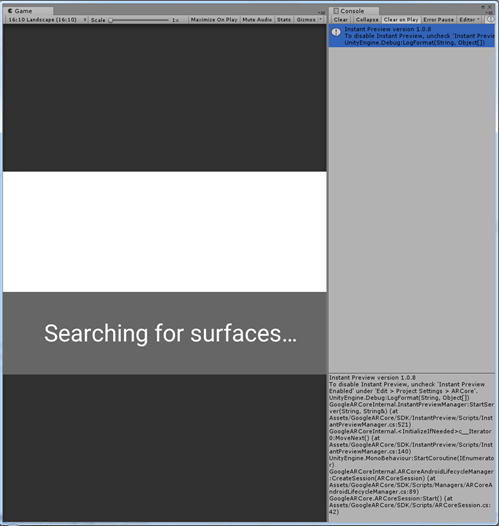
However I'm only seeing white screen instead of the feed from the back camera. I'm seeing the "Searching for surfaces…" but the text doesn't change and the screen stays white.
- OS Windows
- Unity version 2018.1.0b13
- ARCore unity SDK version 1.1.0
- Latest ARCore version from store

This is the screen in the phone and in the Unity editor.
Thanks for any help and it's a really great feature. Can't wait to get it to work.
 sNAtttu
All 87 comments
I also had some trouble getting this to work on my Samsung S8, I was however able to get it working on a pixel device.
 DanMillerDev
on 3 Apr 2018
DanMillerDev
on 3 Apr 2018
Hi, thanks for the report. I added it to our internal tracking and we'll be looking into it.
 pablisho
on 4 Apr 2018
pablisho
on 4 Apr 2018
@DanMillerDev
Hi, have you got it to work on your Samsung S8?
I'm using S8+ myself but haven't got it to work yet.
sNAtttu
on 5 Apr 2018
Joining the club; Galaxy S7 here. Occasionally it works but more often than not I get a constant "not connected to editor". A fresh reboot helps, occasionally.
 MichaelHazani
on 5 Apr 2018
MichaelHazani
on 5 Apr 2018
anyone running the editor with OpenGL, try switching to DX11. this resolved the issue for me.
 dylan-hart
on 6 Apr 2018
dylan-hart
on 6 Apr 2018
It doesn't work on Galaxy S8. The Instant-preview app stays on 'Press PLAY in Unity Unity editor '. White screen in the Editor. Unity console says: 'Instant Preview Version: 1.0.7'.
 rfilkov
on 8 Apr 2018
rfilkov
on 8 Apr 2018
Same here as with rfilkov. Not working on Samsung Galaxy S8.
 norbykov
on 11 Apr 2018
norbykov
on 11 Apr 2018
The exact same issue here too on the Samsung Galaxy S8+
 MarkeMark
on 12 Apr 2018
MarkeMark
on 12 Apr 2018
Yesterday with my s8 and android version 7 it worked, after upgrading to android version 8 I've the same issue.
 markusfehr
on 13 Apr 2018
markusfehr
on 13 Apr 2018
Any luck with that? I have same problem with s8 after upgrade to Android 8
I've debugged the reason. Frame.CameraImage.Texture in ARCoreBackgroundRenderer.cs returns null so there is no image and I see the white screen
Probably it is relate with what wrote @rfilkov - the instant preview does seems to not work correctly and it is not passing the frame image
 dpacholczyk
on 17 Apr 2018
dpacholczyk
on 17 Apr 2018
anybody was able to handle this problem?
dpacholczyk
on 18 Apr 2018
me too, same issue on U2017.3.1, OSX 10.13.4 using a Samsung S8 "Oreo"
 pap3rinik
on 21 Apr 2018
pap3rinik
on 21 Apr 2018
Same issue for me with the S8. Does anyone have a solution? When I check the adb log I see this:
[EGL] Attaching window :0xdc97f808
WARNING: Shader
Unsupported: 'ARCore/ARBackground' - Pass '' has no vertex shader
...
Unable to lookup library path for 'instant_preview_unity_plugin', native render plugin support disabled.
Unable to find instant_preview_unity_plugin
Well, it's true, that ARBackground.shader code doesn't have a vertex shader. Question is what now?
 Roland09
on 29 Apr 2018
Roland09
on 29 Apr 2018
same here latest ARCore + S8 Android 7 + Unity 2017.4.2f2
 philmaas
on 11 May 2018
philmaas
on 11 May 2018
Same 2018.1 + Pixel Android P Beta
 omerfaruk
on 14 May 2018
omerfaruk
on 14 May 2018
same here, galaxy s9 running android 8.0.0, unity 207.3.1f1, arcore 1.2.0, and instant preview 1.0.8
 Mraeclo
on 15 May 2018
Mraeclo
on 15 May 2018
i opt out from beta program and it works correctly now. Be careful about android P
omerfaruk
on 15 May 2018
@omerfaruk what do you mean? what exactly did you do?
thanks
Mraeclo
on 15 May 2018
I was on 2018.1 + Pixel Android P Beta and had error. After turn back to android 8.1 my instant preview start working @Mraeclo
omerfaruk
on 15 May 2018
thanks @omerfaruk
Mraeclo
on 15 May 2018
same here, galaxy s8 running android 8.0.0, unity 207.3.1f1 on OSX, arcore 1.2.0, and instant preview 1.0.8
pap3rinik
on 22 May 2018
Hi my unity version is 2017.4.3f1 and my mobile phone is Google pixel. I have activated developer options and USB debugging. Also in project settings I have enabled instant preview. Nevertheless ,the error is the follow:

 juanmajr93
on 22 May 2018
juanmajr93
on 22 May 2018
I see that a lot of people have exactly same problem. I'm wondering when it will be fixed. Deploying each, even smallest change, to the device is just a waste of time
dpacholczyk
on 23 May 2018
Sometimes the ports Instant Preview uses don't get freed and Instant Preview can't listen on the port. Only one instance of Unity with Instant Preview will work at a time. If you close all instances of Unity and check your instant preview port, is it open? You can do that on windows with:
netstat -ano | findstr 49838
and on osx with:
netstat -an | grep 49838
If open, they should not show any output.
If the port isn't open, try using adb kill-server which sometimes helps.
 gstanlo
on 23 May 2018
gstanlo
on 23 May 2018
I solved the problem changing unity version.
juanmajr93
on 23 May 2018
Same for me: I get a blank (white) screen, with the message "Seaching for surfaces".
- Samsung Galaxy A8 (2018), which is supported, according to https://developers.google.com/ar/discover/supported-devices
- Editor is Win 7
- ARCore and ARCore Instant Preview are installed and running on my mobile
- Camera permissions granted wherever possible
Adding 2 more details from my case:
- When bulding the HelloAR app and running directly on my mobile, I don't get the white screen, but simply an empty Unity game scene (horizon with blue sky), with no possibility to interact
- android logcat states: "E Unity : Unable to find unitygar"; it's the only error logged; anything else is "I" (Info) or "D" (Debug) messages
@juanmajr93 What exactly do you mean by "changing unity version"?
I really hope that some developer will have a look into this, as seems to affect many people by now.
 coffiarts
on 25 May 2018
coffiarts
on 25 May 2018
@juanmajr93 can you let us know which unity version worked for you?
eagerly awaiting a fix for this bug
philmaas
on 25 May 2018
It's not apparent why a different Unity version would cause an Instant Preview compatibility problem.
@coffiarts was HelloAR scene added to the Unity build?
@philmaas I recently tested with an S8 on Windows 10 / SDK v1.20. Which OS/SDK version are you using?
gstanlo
on 25 May 2018
Thanks for your assistance, @gstanlo !
And you're so right: I hadn't added HelloAR scene to the build! I fixed that, and now the app runs fine on the mobile (after building).
The Instant Preview is still the same, however. I suppose that the original issue discussed here is not solved by this. But I've got a step further at least. Thanks!
coffiarts
on 25 May 2018
BTW, concerning the Instant Preview "White Screen" issue:
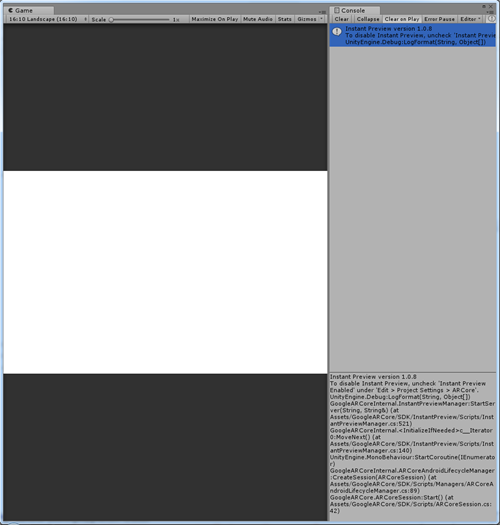
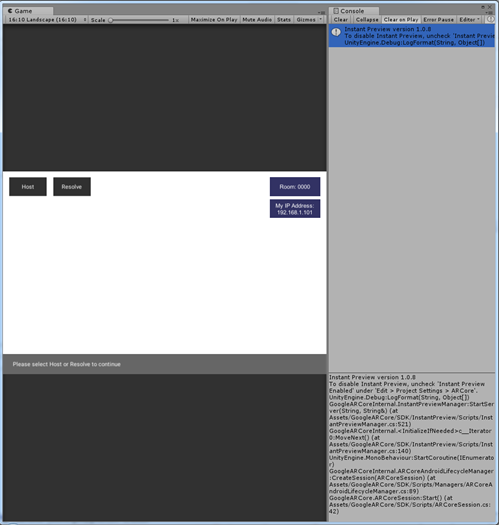
I tried it with some of the other example scenes from the HelloAR project (see below) --> the effect is reproducible for any of them.
Each of the screenshots below is taken in the editor. The related screens from the connected mobile (with AR Instant Preview) are always identical to what I see in the editor:
AugmentedImage:
CloudAnchor:
ComputerVision:
HelloAR:
coffiarts
on 26 May 2018
@gstanlo yes same here: S8 on Windows 10 / SDK v1.20
Unity Version doesn't seem to matter, tested with 2017.3x and 20.18.1x
philmaas
on 26 May 2018
Hey guys, I have the same problem.
I use mobile device is ZenfoneAR on Win10 and SDKv1.2
I tried various versions. Unity Version 2017.2 / 2017.3 / 2018.1
 tso0000e
on 27 May 2018
tso0000e
on 27 May 2018
Same problem for me:
- Samsung Galaxy A5 (2017) on Win10 and SDKv1.2
- Unity version 2018.1.2f1
 Goliath86
on 29 May 2018
Goliath86
on 29 May 2018
As stated before the issue seems to be only with the Instant Preview. If I "Build & Run" the app from Unity all seems to works as expected
Goliath86
on 30 May 2018
We believe that most of these issues can be solved with the adb kill-server method detailed here: https://github.com/google-ar/arcore-unity-sdk/issues/158#issuecomment-391438805
Please let us know if this fails to work!
gstanlo
on 30 May 2018
The adb-kill doesn't work, atleast for me. netstat -ano | findstr 49838 doesn't show any output, but i still get the whitescreen instead of the camera feed. Im using a Samsung Galaxy A5 (2017), Win10, SDKv1.2, and Unity version 2018.1.2f1.
It used to work, but for some reason it suddenly stopped about two weeks ago and it hasn't worked since.
 Sajdkick
on 30 May 2018
Sajdkick
on 30 May 2018
Same here with Pixel 1 XL with a Win7 machine using Unity 2017.3.0f2.
When I hit play, the instant preview app did fire up and showed
Press PLAY in Unity editor to stream
However, a dialogue box showed up on my PC when I hit Play saying
adb.exe has stopped working.
Two errors showed up in the Unity Console:
- Request error (error):
UnityEditor.AsyncHTTPClient:Done(State, Int32)
- daemon not running; starting now at tcp:5037 could not read ok from ADB Server* failed to start daemonerror: cannot connect to daemon
I think that this should be the problem. But how can I solve this?
Any help is appreciated.
 ZeroLu
on 31 May 2018
ZeroLu
on 31 May 2018
Same for me: the adb-kill doesn't works as Sajdkick said
Goliath86
on 31 May 2018
@Sajdkick Have you recently upgraded your android tools?
In Unity, if you go to Preferences / External Tools, you should see a path to your Android SDK. Under that SDK path, there should be platform-tools/adb. If you run adb devices, from here, do you see your connected device?
You might have multiple versions of adb installed on your computer. You can see which might be available using where adb(Win) or which adb(OSX). Use the one specified in the Unity preferences.
Before starting Unity, ensure that the ports are open with netstat, and that your device is attached to adb. You should see something like
List of devices attached
HTXXXXXXX00047    device
Another possibility is that something is blocking your ports. Instant Preview presently uses TCP port 49838. With Unity open, after you press PLAY and you get a white screen, try using the command adb reverse --list. You should see the response: (reverse) tcp:49838 tcp:49838.
gstanlo
on 31 May 2018
Thanks for the quick response!
- Yes, i do see my device when i run
adb devices. - When i run
where adbonly one instance is listed. - I don't get an output when running
netstat -ano | findstr 49838. Which, if i understand correctly, means that it's open. And when i runadb devicesit shows my device. These checks are done prior to opening Unity. - When i run the command
adb reverse --listi get(reverse) tcp:49838 tcp:49838.
Even though it all seems to work, i'm still not getting a camera feed.
Sajdkick
on 31 May 2018
@Sajdkick you mentioned this worked previously, can you recall any changes between then and now? Was this with the same phone (Samsung Galaxy A5) and host computer?
Have you attempted using a wifi connection?
What scene are you testing with? I've been using the HelloAR demo.
gstanlo
on 31 May 2018
It was with the same phone and computer. I have also tried with another computer, which i have never tried to run instant preview on before, but i get the same issue there . I first encountered the whitescreen when i was playing around with cloud anchors in a prototype i'm working on. But i have since then been trying to get it to work with the HelloAR demo. I can't recall any major changes other than just working on the prototype, but even after going back to another project with the HelloAR demo in it, it still wouldn't work.
I'll try to see if i can get it to work over wifi!
Sajdkick
on 1 Jun 2018
I manage to connect over wifi no problem, but still the whitescreen unfortunately.
Sajdkick
on 1 Jun 2018
Does the tracking on the phone still work? If you move your phone around while connected, do you see the camera in Unity move around? Are there any exceptions in the Unity console?
Also, does the 1.1 version of the SDK work? Maybe there was a bug introduced in 1.2.
I was thinking maybe the camera permissions weren't on, but I can't start the app on my phone without accepting the permissions.
gstanlo
on 1 Jun 2018
We fixed some issues that might cause it to work in the next version. In the mean time, this might be tricky, but you might be able to find some sort of error happening in Windows event logs: https://blogs.msdn.microsoft.com/mf/2010/05/20/using-event-viewer-to-trace-media-foundation/
In particular the sections "Did the Media Session start?" and "Did transforms process data?". When testing this I only have either Verbose or Information events -- any errors would be important to note.
gstanlo
on 5 Jun 2018
When I play the HelloAR scene, an error appear first on the console:

But only the first run. If I close, reopen Unity and re-run the project, the error vanish.
Goliath86
on 7 Jun 2018
Another strange thins: if i 'maximize' or resize the 'Game' window in Unity editor, even on my smartphone I see the window resizing. It seems that Instant Preview send information to the smartphone and not viceversa. I don't know if it is a normal behaviour.
Goliath86
on 7 Jun 2018
After some debugging I've found that the function _NativeApi.LockCameraTexture(out pixelBytes, out width, out height)_ used on GoogleARCoreInternal.InstantPreviewManager.UpdateBackgroundTextureIfNeeded (InstantPreviewManager.cs) always return false
Goliath86
on 7 Jun 2018
Here's a log from adb logat just after started the Instant Preview on the Smartphone (Samsung Galaxy A5 2017):
If you see, on the final part of the file, there are messaged that continuously spam.
Goliath86
on 7 Jun 2018
Also get only whitescreen in preview, AR Core 1.2.1, Unity 2018.1.1f1, Samsung S7, Android Oreo. App works fine when deployed on device.
 peterhendriks
on 9 Jun 2018
peterhendriks
on 9 Jun 2018
@Goliath86 to clarify, can you see changes to the unity scene -- other than the camera feed -- displayed on your phone? That is, it appears to be an issue streaming the camera feed over?
If you run the hello app, does plane detection work?
gstanlo
on 12 Jun 2018
@gstanlo I can't see any changes to the unity scene. The unity camera object doesn't move. The entire unity scene seems unresponsive. There is no plane detection working. If I _Build&Run_ the app, then it works (obviously without been attached to the PC)
Goliath86
on 12 Jun 2018
Instant Preview appears to be connected though? Does the device display a completely white screen?
gstanlo
on 12 Jun 2018
Yes, Instant Preview appears to be connected when the phone is attached to the PC via USB. The device display a white screen with the 'Searching for surfaces..' text on the bottom.
Goliath86
on 12 Jun 2018
What type of GPU are you using? It sounds like the issue could be in Media Foundation, used for decoding the video from Android. This is a little tricky, but you can view codec events using the windows event viewer: https://blogs.msdn.microsoft.com/mf/2010/05/20/using-event-viewer-to-trace-media-foundation/
If you are able test this, does there appear to be any errors being logged?
gstanlo
on 12 Jun 2018
If I place, for example, an object on the unity scene, I can see it on the device display but I can't move the view.
I've already done what you suggested related to the Media Foundation and I've not found any error.
My GPU is an NVIDIA GeForce GTX 980M
Goliath86
on 12 Jun 2018
Looking at your log, I found Failed to H264CodecSrcSetup which is possibly the encoder problem causing this. The pose state tries to sync with the encoded frame in the plugin which might explain why you're not getting poses.
gstanlo
on 12 Jun 2018
So the problem seems related to the phone. Is there something that I/we can do to solve this encoder problem to see if it is effectively the 'White Screen' cause?
Goliath86
on 13 Jun 2018
Bump having the same white screen issue on
Galaxy S7 on latest official (8.0.0)
Unity 2017.4.6f1
MacOS 10.13.5
ACCore 1.3 (Instant Preview Version 1.0.9)
adb finds device, ports open. Killserver and other mentioned solutions did not fix the problem.
- Console gives me this error:
Assertion failed: OPENGL NATIVE PLUG-IN ERROR: GL_INVALID_OPERATION: Operation illegal in current state
 michaelheiml
on 4 Jul 2018
michaelheiml
on 4 Jul 2018
Yes, the problem still there even after the 1.3.0 update
Goliath86
on 4 Jul 2018
Same for me, Galaxy S9 8.0.0, Unity 2018.1.5.f1, latest Arcore stuff
 JanLoehr
on 7 Jul 2018
JanLoehr
on 7 Jul 2018
I'm not sure if this is the fix. But I thought it might have something to do with the new Unity Hub which is technically like a second Unity instance running. So I restarted my computer and made sure to open Unity standalone, without Hub (and after checking that the port was indeed open). I opened the project and Preview worked for me.
 avrahamraskin
on 26 Jul 2018
avrahamraskin
on 26 Jul 2018
Problem still exists in Unity 2018.2.2f1 and ARCore v1.4.0 :/ if anyone has any solution to this I would be more than grateful as this would speed up my development times significantly.
 FUBAR2077
on 8 Aug 2018
FUBAR2077
on 8 Aug 2018
i use Samsung A6 i tried this version of unity:
Unity 2017.4.5f1 (64-bit)
Unity 2018.1.0f2 (64-bit)
Unity 2018.2.2f1 (64-bit)
ARcore 1.4
NOTHING works with istant preview...
please no one can help us?
 MarcoLavoro
on 10 Aug 2018
MarcoLavoro
on 10 Aug 2018
@dylan-hart how can i run the with DX11?
MarcoLavoro
on 10 Aug 2018
@avrahamraskin how can i open unity without this "hub"?
MarcoLavoro
on 10 Aug 2018
@juanmajr93 what version of unity and what device?
MarcoLavoro
on 10 Aug 2018
This is only a problem if you've downloaded Hub and you it.
Even once you've got Hub on your computer, you can still choose to open
Unity straight
On Fri, Aug 10, 2018 at 3:35 PM ikaro88 notifications@github.com wrote:
@avrahamraskin https://github.com/avrahamraskin how can i open unity
without this "hub"?—
You are receiving this because you were mentioned.
Reply to this email directly, view it on GitHub
https://github.com/google-ar/arcore-unity-sdk/issues/158#issuecomment-412069298,
or mute the thread
https://github.com/notifications/unsubscribe-auth/ADf0QxIgHdnB-L96Av6WF3XsaWv1zU5Kks5uPX4qgaJpZM4TC5o6
.
--
Avraham Raskin
*AR Creator - *check out my new series '2025' on Instagram
Instagram http://instagram.com/avrahamraskin | Website
http://avrahamrask.in | Medium http://medium.com/@avrahamraskin
avrahamraskin
on 13 Aug 2018
I have tried to run without hub but it doesn't help :/
FUBAR2077
on 13 Aug 2018
I'm developing on Samsung Galaxy S8. I've tried Unity 2017.3.1 and 2017.4.10. It always gives me blank screen with Searching for Surfaces message.
It also appears the following error on the console:
Couldn't start Instant Preview server with adb path: C:\Users\name\Documents\Android\Sdk\platform-tools\adb.exe.
I've tryed to reinstall android sdk as well as stop and restart adb server via command line. Nothing happens and the same error still occurs.
Any idea?
 DomCoccorese
on 6 Sep 2018
DomCoccorese
on 6 Sep 2018
Hi, ARCore SDK for Unity 1.5.0 has been released and this issue should be fixed. Please feel free to comment if you still experience it.
pablisho
on 27 Sep 2018
Hello, I've downloaded and installed the sdk update 1.5.0 but blank screen still occurs with the same error log:
Couldn't start Instant Preview server with adb path "C:\Users\name\AppData\Local\Android\Sdk\platform-tools\adb.exe".
UnityEngine.Debug:LogErrorFormat(String, Object[])
GoogleARCoreInternal.InstantPreviewManager:StartServer(String, String&) (at Assets/GoogleARCore/SDK/InstantPreview/Scripts/InstantPreviewManager.cs:515)
GoogleARCoreInternal.
UnityEngine.MonoBehaviour:StartCoroutine(IEnumerator)
GoogleARCoreInternal.ARCoreAndroidLifecycleManager:CreateSession(ARCoreSession) (at Assets/GoogleARCore/SDK/Scripts/Managers/ARCoreAndroidLifecycleManager.cs:83)
GoogleARCore.ARCoreSession:Awake() (at Assets/GoogleARCore/SDK/Scripts/ARCoreSession.cs:63)
DomCoccorese
on 28 Sep 2018
@pablisho Yes, I can confirm the instant preview finally works in Unity editor now, but there is a new issue. When I run the app on the device, I get: "Failure to initialize! - Your hardware does not support this application, sorry!" What does this mean and is there a workaround? There was no problem with ARCore from 1.0 to v1.4.1. I use Unity 2017.4.0, as required.
rfilkov
on 28 Sep 2018
if i open a new prowect it works, but if i import the new sdk in previus arcore projects the problem still persist...
MarcoLavoro
on 29 Sep 2018
Deleting GoogleARCore and PlayServiceResolver, and reimporting the project (Asset-> reimport all) fixed the problem for me
 vincentlorant
on 29 Sep 2018
vincentlorant
on 29 Sep 2018
@vincentlorant you mean the folders?
MarcoLavoro
on 29 Sep 2018
Btw doing reimport now the instant preview works (only on unity) but while i compile i have this error:
Error: Duplicate file(s) in apk: 'C:\Users\carlo\Documents\Sviluppo\ArCore Balance\Temp\StagingArea\android-libraries\arcore_unity\libs'
can you help me?
MarcoLavoro
on 29 Sep 2018
I reimported the project and reinstalled ARCore, but it's still not working for me. In the Editor is a white screen and the Instant Preview App is showing a red Message "Not connected to editor"
 OptiHub
on 18 Oct 2018
OptiHub
on 18 Oct 2018
Everything was working fine on my Samsung S8+, and then I upgraded to a S9+ and I am now getting the problem, HelloAR says searching for surfaces.. and it just has a white screen above that. I'm on Unity 2018.2.14f1 and ARCore 1.5.0.
Any suggestions on how to get this working again would be greatly appreciated.
 kromley
on 28 Oct 2018
kromley
on 28 Oct 2018
When using Samsung Galaxy Note 9, Unity 2017.4.6f1, and ARCore 1.5.0, instant preview gets a white screen. Using a Google Pixel 2 with this setup, however, works fine.
 ProfessorJamJam
on 31 Oct 2018
ProfessorJamJam
on 31 Oct 2018
In samsung S8 the error is intermitent. The instant preview worked as it should yesterday. Today it isnt working. I havent installed any updates.
 geronimo-lisboa
on 1 Nov 2018
geronimo-lisboa
on 1 Nov 2018
Same here, the instant preview suddenly stopped working 2 days ago(Honor 10, Unity 2018.2.13f1, and ARCore 1.5)
EDIT: Not sure if that was the case, but update Unity to the 2018.2.14f1 did solve the issue.
 webnovationNET
on 3 Nov 2018
webnovationNET
on 3 Nov 2018
Using ARCore v1.5 on a Mac with a rooted OnePlus 5. It shows the white screen on a fresh import and the helloAR example.
 haranrk
on 3 Nov 2018
haranrk
on 3 Nov 2018
Same here, the instant preview suddenly stopped working 2 days ago(Honor 10, Unity 2018.2.13f1, and ARCore 1.5)
EDIT: Not sure if that was the case, but update Unity to the 2018.2.14f1 did solve the issue.
Same here too :(
Honor 8X, Unity 2018.3.0f2, ARCore 1.6.
 listopad
on 7 Jan 2019
listopad
on 7 Jan 2019
this error still occurs, should be oppened no? :(
 EricBatlle
on 7 Sep 2019
EricBatlle
on 7 Sep 2019
I get this same error on mac OS, Unity 2019.1, ARcore 1.12.0
 knightcube
on 18 Sep 2019
knightcube
on 18 Sep 2019
Same problem. mac OS, Unity 2020.1.10f1, ARCore XR Plugin 3.1.8 ?
 djebel-amila
on 11 Nov 2020
djebel-amila
on 11 Nov 2020
Related issues
 GTaylorRabbit
·
5Comments
GTaylorRabbit
·
5Comments
 iBicha
·
4Comments
iBicha
·
4Comments
 pIuszak
·
6Comments
pIuszak
·
6Comments
 tarakinsuide
·
4Comments
tarakinsuide
·
4Comments
 synthercat
·
4Comments
synthercat
·
4Comments
Most helpful comment
Same here, the instant preview suddenly stopped working 2 days ago(Honor 10, Unity 2018.2.13f1, and ARCore 1.5)
EDIT: Not sure if that was the case, but update Unity to the 2018.2.14f1 did solve the issue.