Arcore-android-sdk: Feature Request: Dense Pointcloud from depth sensors or stereo
I know there were already several requests related to the possible support of Tango Devices with ARCore. My question is based on the fact, that we want to use the already available depth sensors to capture dense depth data with our devices. So is there any plan (short, mid or long term) that the ARCore will use the hardware capabilities of Tango Devices?
Is it possible that ArFrame_acquirePointCloud() not only can deliver depth data about features, but also gives us the pointcloud we already got via tango, when hardware is there?
 SimonScholl
All 352 comments
This is definitely something we could do, but currently ARCore doesn't even run on any devices with depth cameras so it's a bit early to even think about.
 inio
on 10 Jan 2018
inio
on 10 Jan 2018
Copied from Google Tango homepage:
In addition to working with our OEM partners on new devices, Google is also working closely with Asus, as one of our early Tango partners, to ensure that ZenFone AR will work with ARCore. We'll be back with more information soon on how existing and new ZenFone AR users will get access to ARCore apps.
It seems that at one point ARCore will be running on ZenFone AR. It would be a great feature for the existing hardware.
 helipiotr
on 30 Jan 2018
helipiotr
on 30 Jan 2018
Yeah i already read that, but to clear things up. This feature request is not about "running ARCore on Asus", that's what i expect. It is more about getting dense pointcloud data from devices which have a hardware component like a Time of Flight Sensor, so ARCore would offer us the best of all development possibilities.
SimonScholl
on 31 Jan 2018
I see the ARCore for the zenfone is eminent. Is this going to have point cloud support? Will the release deprecate the point cloud support that it currently has? I use matterport scenes all the time, I want that to still work but I would also like the new features of ARCore.
How is this going to work?
 jonomacd
on 23 Feb 2018
jonomacd
on 23 Feb 2018
Sorry, not yet. Point clouds on the ZenFone are derived from visual features, just like on other ARCore phones.
inio
on 23 Feb 2018
I hope it doesn't override our tango core on the framework, til the support for dense depth data from related sensors, there should be no one be forced to use ARCore. Especially a lot of developers need those data, for exsiting and upcoming applications.
SimonScholl
on 26 Feb 2018
ARCore DP2 and later can coexist with TangoCore.
inio
on 26 Feb 2018
Any update on this with regards to Snapdragon 845 / Galaxy S9 compatibility being unveiled "within weeks"?
 kevhill
on 30 Mar 2018
kevhill
on 30 Mar 2018
@kevhill Wrong bug? (I think you meant #250)
inio
on 30 Mar 2018
No, but certainly lacking clarity.
I meant that one of the features Qualcomm is promoting for the 845 is accurate and dense point clouds based on dual cameras as opposed to IR (through the Spectre 280 ISP). As the S9 has all of the required hardware, and in theory the 845 has software support for that, it seems like this should be a straightforward feature to expose through ARCore.
kevhill
on 30 Mar 2018
If anyone hasn't seen the demo video, it is pretty sweet. https://www.youtube.com/watch?v=16vz3_6-tbM
kevhill
on 30 Mar 2018
Ah, sorry, didn't read that clearly. Makes sense now.
No, no update on dense depth from stereo. Updated FR description to include.
inio
on 30 Mar 2018
@inio Any update on this? Asus Zenfone AR is already supported few months.
This app is waiting for it: https://play.google.com/store/apps/details?id=com.lvonasek.arcore3dscanner
 lvonasek
on 11 May 2018
lvonasek
on 11 May 2018
@lvonasek Nope.
inio
on 18 May 2018
How is this progressed?
I think almost all device which has ARCore available contain stereo camera. So the point cloud should be better handled
 Thaina
on 6 Aug 2018
Thaina
on 6 Aug 2018
In this video https://youtu.be/7ZSm95naghw?t=127 is a 3d scanner using depth sensor on non Tango device.
Is it based on ARCore? Or shall we migrate to another technology?
lvonasek
on 3 Nov 2018
In this video https://youtu.be/7ZSm95naghw?t=127 is a 3d scanner using depth sensor on non Tango device.
Is it based on ARCore? Or shall we migrate to another technology?
Hi, i also had an eye out on the new oppo. As far as i know this is not based on ARCore, it is even not a open development kit available to use this depth sensor for new apps. I still hope ARCore will offer tango-like functions for phones with the right hardware components, as depth sensors get more common on android devices.
SimonScholl
on 5 Nov 2018
It is written in #603 that they are not going to implement it in the near future. About Oppo I watched the same presentation in more languages. Here was at least some informations shared:
https://youtu.be/-Vz5US3vt5E?t=3274
lvonasek
on 9 Nov 2018
It is written in #603 that they are not going to implement it in the near future. About Oppo I watched the same presentation in more languages. Here was at least some informations shared:
https://youtu.be/-Vz5US3vt5E?t=3274
Thx for the link informative video, the question is what does google understands in 'near term', that could be months we have to wait or a year. My hope is that as hardware enabled devices will raise again and the demand of our developer community using that sensors, will force them to give this topic a higher priority.
They already have the knowledge integrating the sensors like they did with tango, maybe it was not perfect but it was working. So why not bringing together the best of both worlds.
SimonScholl
on 12 Nov 2018
The demand from the developers is quite big. Everytime I talk with someone about ARCore I hear words like disappointment, useless, etc... Tango was working well in bussiness area, thats why I tried this request: #638
lvonasek
on 12 Nov 2018
@lvonasek It not really big at all. Just a computer vision with stereo camera is enough for everything we all need. It was just a stupid paradox decision of ARCore team which I don't know who have think about it
The point is ARCore always limit device it could be run on by no reason. Almost all of it's device has stereo camera like it required to yet they don't utilize stereo camera while it should. ARCore could be run on normal phone with single camera but they just said the quality of those phone is not acceptable for them. However the quality of ARCore that run on my phone right now even the measure app from google is not acceptably accurate or usable
Thaina
on 12 Nov 2018
@Thaina Difference between structure from motion with single (current implementation) and pasive stereo camera is that stereo has known transformation from the first photo to the second photo. Then you can reach much better point cloud (accurate). But there would be the same problems like with current implementations - white walls wont be for the device visible. Also occlusion or collision with real world would not work better. Thats why I am saying that demand on depth sensor is quite big - because other systems are just compromises, not full solutions. Of course stereo-camera solution would be better but Google cannot make Google's Pixel rivals better than own device. Maybe Google will solve it later using AI but I am not aware of any ready-to-production system for it.
And about limiting device support - there is really good reason for it. Computer vision needs camera calibration. And Google needs IMU calibration. Google has a lot of work with every supported device (calibration all possible device variants, device firmware fixing, firmware update, whitelisting the device on Google Play). I would say we need patience, Google has enough work to do.
lvonasek
on 12 Nov 2018
https://www.androidauthority.com/samsung-galaxy-s10-tof-sensor-927054/
"A rear-facing TOF sensor could provide a more accurate augmented reality experience than ARCore"
Would not be better for Google to bring depth sensor standard instead of letting Oppo, Samsung, Huawei and others create own standards? I can imagine that without bringing depth sensor support into ARCore there would be in the future more SDKs and you wont be able to use it together with ARCore because of the locked camera.
lvonasek
on 22 Nov 2018
Yeah with more TOF equipped phones coming out, this will be a must have. AR without dense depth is just half baked imo. I can't make good use of it. I am forced to use the zed sdk with the zed stereo camera for now to get depth and occlusion. Not ideal for me either, but all i can find for now.
More and more tof camera phones will be coming. AR will only make sense when it takes advantage of that in my opinion. I await that day, and when that day comes I will get excited about AR on phones.
 mpottinger
on 7 Apr 2019
mpottinger
on 7 Apr 2019
White wall is known that we can't achieve but depth from stereo can solve many more things even without true depth sensor
You can't expect manufacturer to put depth sensor just for AR. It not practical usage for normal customer. But stereo camera is, it would be used in photography and that's all we need
You are underestimate the depth imaging. Just depth image from stereo camera would be exponentially useful. Just the ability to not need to move camera around to start AR session is precious. And it can make a guess on even white wall if we could make a depth on edge between wall and floor. There was so many more usage if we could put reliable depth image in AR
Thaina
on 7 Apr 2019
@mpottinger - Huawei already confirmed that ToF support is coming into ARCore (it was during Huawei P30 presentation in Paris). The ToF sensor runs on the same framerate like RGB camera and it can detect objects in range 1cm-4m. I expect that it will be introduced on Google IO on the 7th May.
@Thaina even stereo cameras cannot detect white walls like ToF camera. Anyway I made wall detection which is working on all Android ARCore devices:
https://www.linkedin.com/feed/update/urn:li:ugcPost:6512251490525020160
(You can download it from Unity Asset Store).
But what makes me more wrinkles is that Google is decreasing amount of support here (there are topics unanswered very long). This is the same behaviour they did shortly before ending with Google Tango (which was in summer 2017).
Tango was killed after Apple introduced ARkit. Will be ARCore killed because Microsoft introduced Hololens 2?
lvonasek
on 7 Apr 2019
@lvonasek That is really good to know, thanks!
Also there are two software only based approaches by Facebook research and Google that look really promising and are supposed to work at camera framerates.
The Facebook approach is open source but only a slightly crippled Python reference version. The parts that make it real-time are left out of the Python code. By default it takes minutes per frame. I was able to optimize it and best i could achieve was 12 FPS at very low res with the Python code, but it was proof to me that it can work.
https://github.com/facebookresearch/AR-Depth
The Google approach is similar but no open-source code available. Would be great if they support tof devices and then use the software approach on other devices later.
mpottinger
on 9 Apr 2019
I totally agree with @lvonasek , can you link some source for the Huawei statement?
For me and people i know ARCore is only something to play with. The capabilities are that limited it can be used for many products, even more real depth data via TOF was more meaningfull. As they announced ARCore i hope it will be the best out of all worlds, but as it seems we cannot expect big changes in the future to this topic.
SimonScholl
on 9 Apr 2019
@lvonasek It's not that I don't wish that all the phone would have ToF depth sensor. I just say that it was not practical to have it in most customer phone. Only some phone will add this feature as a bonus. It would less likely to have wide adoption
Surely it will eliminate almost all of AR problem but it don't have much demand unlike multi camera that used in normal photography. So I think we better not put our hope for ToF and should put more effort in Dual Camera unless there was a demand for ToF in other field (for what? I don't know, interior mapping maybe?)
Thaina
on 9 Apr 2019
@SimonScholl - https://youtu.be/2xMa3UZbRUU at 1:36.08
@Thaina - I do not believe in massive adoption of ToF sensor or stereo camera (of course there are more phones with stereo than ToF). Anyway I expect that AR on phones have no long future but that's just my opinion.
lvonasek
on 9 Apr 2019
@lvonasek Stereo camera already has massive adoption. And this trend would never drop. Because it has demand in photography and many normal people use it outside AR. People use camera more than AR in reality. So utilizing stereo camera that already exist nowaday is better option
Thaina
on 9 Apr 2019
@lvonasek yes i also disagree because photography has a use for it, both stereo and especially tof are growing rapidly in adoption on flagship phones now.
AR on phones might not be the best or preferred option in the future but it won't go away because of dedicated headsets. It is simple to keep simplified phone AR as an option while also developing advanced headset AR.
mpottinger
on 9 Apr 2019
@fredsa Any updates on this?
lvonasek
on 8 May 2019
When is a ToF support presented by Huawei coming? I thought we will learn more on I/O but no word about it :(
 kexar
on 8 May 2019
kexar
on 8 May 2019
Yes, this is disappointing. I thought this would be announced on day#1 of Google IO 2019. I'm holding back purchasing my next device until I know it has a ToF camera I can access.
 jdesbonnet
on 8 May 2019
jdesbonnet
on 8 May 2019
Yeah kind of disappointed. Maybe it will come one day but I am not holding my breath now and will need to come up with a software based solution.
All I need from the dense depth is accurate placement of objects on uneven surfaces without plane detection.
This sort of works by just using hit tests on the feature points as anchors and disabling plane detection, but not well enough.
I need to place the objects instantly wherever I want them and features are not always there. When they are there its still sometimes wildly inaccurate. I get an object way behind, above, or below where it was supposed to be.
I am hoping some kind of single pixel depth classifier with a neural net can pull that off.
Instead of full depth frames just have a neural net infer the depth of a point on the screen on demand.
Some kind of very coarse occlusion would be ok too. Just detect whether a pixel at the centre of an object is occluded and show/hide the objects based on that.
mpottinger
on 8 May 2019
@kexar - currently the firmware versions of Honor/Huawei devices supporting ToF are only in China (they have an AR Measure app using ToF sensor), more I do not know
@mpottinger - maybe this could be something for you: https://www.linkedin.com/feed/update/urn:li:activity:6512251608032641024
lvonasek
on 8 May 2019
@lvonasek Really nice! Yes that is along the lines of what I need.
This is similar to what 6D.ai has achieved, but only on IOS. Been waiting for them to announce Android support for months.
Tried the demos, the accuracy unfortunately doesn't seem to be enough for my application. 6D seemed to be just barely accurate enough but is still IOS only.
Maybe if it had an external depth sensor for input like the structure core, it would work.
I know depth from mono is difficult though. Thats why I am thinking maybe only calculate the points that I need instead of full frame or mesh.
mpottinger
on 8 May 2019
Apologies if this query is a little off topic from the original question: but now that Google IO 2019 has passed and there seems to be no way to access ToF raw data from ToF camera enabled android devices, can anyone recommend some low cost (ideally less than $500) ToF cameras that has an open SDK? I'm looking for a resolution of 80x60 at the very least.
jdesbonnet
on 13 May 2019
@jdesbonnet - There is a Camera2 API which makes possible to read ToF data, on my Honor View 20 it returns two resolutions:
-20x15 - this works correctly
-240x180 - this returns nothing
I guess it is just question of the device firmware update...
lvonasek
on 13 May 2019
Oh I didn't know that. So I presume it returns a greyscale image with the value = range/dept. Can anyone verify if this is also the case with the S10/S10e or the Huawei P30 pro? (two android devices on my short list for ToF experimentation). A colleague of mine has the P30 pro... is there any app on the playstore we could use to check out if there is data from the ToF camera? Thx.
jdesbonnet
on 13 May 2019
We got a dump from Camera2 API Probe app in playstore ( https://play.google.com/store/apps/details?id=com.airbeat.device.inspector ) for the Huawei P30 pro. It lists 5 camera devices which seems right. But not clear which (if any) is the ToF camera. They all list resolutions way beyond what the ToF camera does (640x480 res as I understand it).
Huawei_P30_pro_camera2_api_probe.txt
The Camera2 API probe app output from the Samsung S10e:
Samsung_S10e_camera2_api_probe.txt
It lists 4 camera devices, but again the listed resolutions are all way in excess of what a ToF camera would provide, unless these are scaled for developer convenience.
jdesbonnet
on 13 May 2019
@jdesbonnet - this app can list the depth camera resolutions:
https://play.google.com/store/apps/details?id=com.hvt.camera2test
There is about ten smartphones with ToF sensor. I tested Oppo R17 Pro And there the app returns no information about ToF sensor. If I find a bit time then I will make a ToF data viewer.
lvonasek
on 13 May 2019
Yes, a data/image viewer would be very handy. There are a few apps on the playstore that probe the camera capabilities, but I can't find any that can grab an image from a specific camera at a specific resolution/setting.
jdesbonnet
on 13 May 2019
@jdesbonnet The structure core sensor looks like a good option. That is what I am going with as it seems like the best option out there for my use case.
It is not a TOF camera it is stereo structured light but looks awesome.
Accessing raw tof data on a phone would be great too, but I am in a rush to get something working and it needs to be synched to the RGB data as well. Structure sensor takes care of all that plus has pose estimation.
mpottinger
on 15 May 2019
Here is my ToF data viewer:
https://drive.google.com/open?id=19IyI3M3DL5_iF7Okf6FFlQPBn6JSawUX
(on Honor View 20 it works with resolution 20x15)
Note that 2019 smartphones with ToF sensor have the depthmap synced with RGB however the capture distance is very low.
lvonasek
on 15 May 2019
Thanks for that. I checked with the Samsung S10e with the above APK: "Camera2 API: ToF not found". I'll check the Huawei P30 pro tomorrow.
jdesbonnet
on 15 May 2019
@lvonasek Thanks! Don't have a phone with a tof sensor yet. Wow, that is really low resolution.
I also didn't realize at first these would be very short range on phones.
Structure Core sensor it is then!
mpottinger
on 16 May 2019
@lvonasek just to let you know that works with the Huawei P30 pro :-) The highest resolution we got it to work with was 280x140. I don't suppose you can share the source code for that? (no worries if not, it seems straight forward enough if it's just the Camera2 API). Thanks for your work on this!

jdesbonnet
on 16 May 2019
@jdesbonnet - Cool, can you maybe make a video of it? (showing framerate, viewdistance, etc..)
As a "thank you" for the video, here is the source code of the app (the code is not so nice as I made it for testing purposes only):
https://drive.google.com/open?id=1Fa1a7oBPH2E5wlDKTV3ATmaJDoMkRnXe
lvonasek
on 16 May 2019
@lvonasek apologies for the shaky nature of of the video (trying to two phones isn't too easy :-) ) , but I hope it illustrates resolution and frame rates: https://youtu.be/295Twtb0uO0 (for anyone not up-to-date with the last few messages, this is the Huawei P30 pro running the ToF camera demo which @lvonasek posted above)
jdesbonnet
on 17 May 2019
@jdesbonnet Thanks for the demo.
Definitely seems quite limited to me. Maybe that explains why no support in ARCore yet. It's still early days for the hardware side.
This is enough to convince me that these sensors are not suitable for my purposes yet.
mpottinger
on 17 May 2019
Hi all, I'm replying from the official Chuck Knowledge account. Post I/O it should be clear what it is and now there's no embargo on information. We're moving depth capability development ahead without Huawei. It's delicate and Googlers can't speak to it so please don't put good people in a bad situation. As always, you can talk on the Slack and if you need to ship you can contact me directly [email protected]
 chucknology
on 20 May 2019
chucknology
on 20 May 2019
@lvonasek Thanks for your ToF data viewer, working for me on P30 Pro. Would be cool if you could make it as an unity plugin.
@chucknology Too bad, I bought P30 Pro because of ToF integration into ARCore :(
kexar
on 22 May 2019
@kexar if Google adds Shared Camera functionality for ARCore NDK then I would be able to enable ToF sensor in my 3D Scanner for ARCore even on Huawei devices. However I am not sure if I can do it in Unity because there I would have to change the ARCore initialization.
Sure it is possible to add ToF into Unity without AR but there I do not see any usecase.
lvonasek
on 22 May 2019
Really want to Dev for ToF again. Working with Tango and the Zenfone AR was the funniest thing I have done. What you could do with Tango blows ARCore out of the water. (My test App - https://youtu.be/z_seJgR5CCA). Really really hope ARCore starts to implement Tango functionality with the reemergence of rear facing/ world facing ToF. Want to develop for the Samsung 5G ToF but cannot find any way to do so.
 sethhaller
on 22 May 2019
sethhaller
on 22 May 2019
@chucknology Do I understand the situation right: Honor View 20 and Huawei P30 Pro will never get ToF support with ARcore because of Mr. Trump?
So propably Huawei will make ToF data available through their "HUAWEI AR Engine" at a certain point...
Is the Samsung S10 5G now the the best chance for ToF support with ARcore or is there another (better / cheaper) device?
Or do you think ToF support now has moved to a very low priority within the google team?
 ar-ml
on 23 May 2019
ar-ml
on 23 May 2019
Apologies if this query is a little off topic from the original question: but now that Google IO 2019 has passed and there seems to be no way to access ToF raw data from ToF camera enabled android devices, can anyone recommend some low cost (ideally less than $500) ToF cameras that has an open SDK? I'm looking for a resolution of 80x60 at the very least.
I found here is a external ToF camera for mobile phone. From Tmall it's around 130 USD. They provides SDK, but not sure how good it works. Let us know when you tried
https://detail.tmall.com/item.htm?id=581766178950&spm=a1z09.2.0.0.12e72e8dU4jVuo&_u=39n3ahn8440&skuId=4223523143092
This is the spec info from their official site:
http://www.myntai.com/dev/mynteye_mobile
SDK/sample:
https://drive.google.com/drive/folders/1wVp4xqqgjidPQyzzW1Tmibbw4yY5p4sv

 marklinmao
on 3 Jun 2019
marklinmao
on 3 Jun 2019
Hi @jdesbonnet,
can you do for me another video? I've just made working ToF sensor in my 3d scanning app. However my Honor works only with resolution 20x15? Can you test it on your Huawei P30 with higher resolution? You have to check "Use depth sensor" in the scan dialog and then select the correct resolution. Here is the link: https://drive.google.com/open?id=1Y_dF5BZhLdnHTtEClCcQS7Yx6bCvfuAi
Thank you in advance
Lubos
lvonasek
on 3 Jun 2019
@kexar if Google adds Shared Camera functionality for ARCore NDK then I would be able to enable ToF sensor in my 3D Scanner for ARCore even on Huawei devices. However I am not sure if I can do it in Unity because there I would have to change the ARCore initialization.
Sure it is possible to add ToF into Unity without AR but there I do not see any usecase.
I download your apk on my P30 pro and it works well! So do I get it right that it is possible to retrieve the depth data (with Camera2 API, like this apk), but it's not possible to somehow 'feed' it to ARCore for better 3d-reconstruction ?
marklinmao
on 3 Jun 2019
@marklinmao can you make a video how it works on your phone and share it with me?
I see that you quoted my older comment. I solved since then many problems and I think I can add it into my Unity 3D reconstruction asset in week or so (depends on the weather in Germany :D). But it won't be ready for releasing apps because of the limited device support (there are about ten ToF devices but currently I know only about Huawei P30 having Camera2 API working).
lvonasek
on 3 Jun 2019
No problem, I will do it in a few hours.
Best regards,
LIN.
Luboš Vonásek notifications@github.com 于 2019年6月3日周一 22:05写道:
@marklinmao https://github.com/marklinmao can you make a video how it
works on your phone and share it with me?I see that you quoted my older comment. I solved since then many problems
and I think I can add it into my Unity 3D reconstruction asset in week or
so (depends on the weather in Germany :D). But it won't be ready for
releasing apps because of the limited device support (there are about ten
ToF devices but currently I know only about Huawei P30 having Camera2 API
working).—
You are receiving this because you were mentioned.
Reply to this email directly, view it on GitHub
https://github.com/google-ar/arcore-android-sdk/issues/120?email_source=notifications&email_token=ABEAJ7MZUGWKS5D2VWH4F53PYVTPXA5CNFSM4ELEBRI2YY3PNVWWK3TUL52HS4DFVREXG43VMVBW63LNMVXHJKTDN5WW2ZLOORPWSZGODW2MEDQ#issuecomment-498385422,
or mute the thread
https://github.com/notifications/unsubscribe-auth/ABEAJ7P6MSIJQ5WQ6LAPZ2LPYVTPXANCNFSM4ELEBRIQ
.
marklinmao
on 3 Jun 2019
@lvonasek Here is the video on P30 Pro: https://vimeo.com/340064857
It support 240x180, but it seems it doesn't look quite OK. Just let me know when you have newer version, I can test for you.
marklinmao
on 3 Jun 2019
Thanks @marklinmao. I am afraid that without buying P30 I cannot fix it. Does 20x15 work correctly? (That's the resolution which works on my Honor V20)
lvonasek
on 3 Jun 2019
With 20x15, the camera can be open but the mesh is not created. Nothing
happen. With other resolution, the camera gets frozen.
Luboš Vonásek notifications@github.com 于2019年6月3日周一 下午11:26写道:
Thanks @marklinmao https://github.com/marklinmao. I am afraid that
without buying P30 I cannot fix it. Does 20x15 work correctly? (That's the
resolution which works on my Honor V20)—
You are receiving this because you were mentioned.
Reply to this email directly, view it on GitHub
https://github.com/google-ar/arcore-android-sdk/issues/120?email_source=notifications&email_token=ABEAJ7KGD4BYOXL2BS22U33PYV46LA5CNFSM4ELEBRI2YY3PNVWWK3TUL52HS4DFVREXG43VMVBW63LNMVXHJKTDN5WW2ZLOORPWSZGODW2S3MA#issuecomment-498412976,
or mute the thread
https://github.com/notifications/unsubscribe-auth/ABEAJ7OSB657C6JY3SO2WADPYV46LANCNFSM4ELEBRIQ
.
marklinmao
on 3 Jun 2019
@lvonasek I tried it on P30 Pro too and had the same problems as @marklinmao
kexar
on 4 Jun 2019
@kexar It is most likely some calibration issue in my code. I asked @marklinmao to try to fix my code but he is currently too busy.
lvonasek
on 4 Jun 2019
Could someone test for me this version on Huawei P30 or P30 Pro? (I might fixed the previous issue) Just check "Use depth sensor" and select resolution 240x180.
https://drive.google.com/file/d/1-2q6cyZED8BnVCHHkwtzK2b5oj7sg-77/view?usp=drivesdk
lvonasek
on 8 Jun 2019
@lvonasek I tried it. It worked, but the quality of 3d model seems comparable to ARCore version. I can make a video tomorrow...
kexar
on 8 Jun 2019
@kexar Even that is success. Please make video with 2cm resolution, thank you
lvonasek
on 8 Jun 2019
@lvonasek I made a video https://drive.google.com/file/d/1BziohrVFAO3K46-e-1bYEn9VoxUMkZ0f/view?usp=drivesdk
kexar
on 9 Jun 2019
@kexar Thanks for the video. One thing I see there is that the wall estimation is enabled (that's wrong because ToF can do it more accurate), this I have to fix. Another thing is that I am using DEPTH16 access which should be used for occlusion only, I will use DEPTH_POINT_CLOUD as soon as it is on my device supported.
lvonasek
on 9 Jun 2019
@marklinmao That looks like a stereo camera, not TOF. Won't be as precise, but will have higher resolution anyway.
I bought an active stereo camera, the structure core sensor. Works with windows, linux or Android. Realsense d415 is a good active stereo option as well.
These would be not of much help with ARCore, but it is very doable to make your own AR with Unity or another game engine using one of these cameras.
My application is not for general public consumption, so special equipment is no problem. ARCore just seemed like a convenient way to do it but without depth its a no go.
I am going to use an active stereo depth camera attached to a Surface Go tablet and do AR that way. With an Intel realsense T265 to do the position tracking in Unity and a Structure core for the depth.
It's an option if you need AR but aren't making apps for the app store.
mpottinger
on 12 Jun 2019
@mpottinger what you describe is exactly what we wanted to do: using structure core or intel realsense together with a tablet device to build a proprietary high quality AR solution for our customers.
Problem: as far as I know, none of the existing SDKs from Occipital or intel support persistence. I had a skype with an Occipital product manager and a chat with someone from Intel support: Both say they might add "persistence" featurs (=saving / loading of area description files) one day, but it's not their priority. I think, Occipital currently only offers a basic SDK that provides depth data and IMU stream - looks like they are still working on improving their SLAM... while pesistence is far away on their roadmap!
If you have tested those sensors for AR purpose, I am thankful for more information. How good does it work? What about occlusion and SLAM accuracy, loop correction etc.?
Also, if anyone knows a solution for persistent AR experiences with one of the hardware sensors, help would be very much appreciated. If someone whants to build a "persistence extension" for one of the sensors, we would be willing to contribute to that. Thx!
ar-ml
on 12 Jun 2019
@ar-ml I have only just started playing around with them, but so far it looks really promising.
I haven't tried to do any persistence yet but I have read that the T265 allows for loading and saving localization maps on the device.
Accuracy seems almost on par with ARCore, but relocalization is slower and fails more often if the camera is moved really fast, is shaken a lot, or moved in a twisting/twirling motion.
The big advantage for me is that you have access to direct pose information. In ARCore you have to use anchors because the pose estimate from ARCore is only valid in the current frame.
With the t265 you deal with the coordinates directly. So if you always started from the same exact physical location, you have easy persistence pretty much for as long as you want. This method is enough for me.
If that isn't an option, the T265 map saving might work but haven't tested it.
Yes the structure core just gives basic depth and imu. That's why I have the T265 for position tracking.
Occlusion from the depth map, I haven't figured out yet but I know there is a way to do it in Unity, I have read a description of how it is done but haven't seen any code.
Oh and almost forgot to mention that the T265 has a Unity demo for position tracking, so it is just a matter of implementing the color camera view background, and depth can easily be used for placing objects anywhere, not just where planes are detected.
Occlusion in unity, I have read it involves manipulating the z buffer but I haven't tried it yet
mpottinger
on 12 Jun 2019
Hi guys,
yesterday I ported my scanner (again) to Huawei AREngine, this time the motion tracking works with constant coordinate system (not like last time). On my Honor View 20 I receive with AREngine more accurate motion tracking than with ARCore. Depth sensor is on AREngine officially supported, also I made it working in really short time and it works much better!
Can someone make a video how it works on Huawei P30 or P30 Pro? I need to test configuration:
2cm, without "poisson reconstruction", without "realtime gap filling" and with "use depth sensor".
Here is the version using Huawei AREngine:
https://drive.google.com/open?id=1xpz383OHdDIVLVt3tuI-VOBp1WiuNQf5
Thank you in advance
lvonasek
on 15 Jun 2019
@mpottinger thx for your reply! Would be great if you contacted me via email: [email protected]
I read this interesting Realsense T265 casestudy here:
https://www.intelrealsense.com/visual-inertial-tracking-case-study/
I'd like to discuss some more details about its capabilities with you and I fear it's off-topic here. Also if you want, you could maybe do some tests for us.
ar-ml
on 20 Jun 2019
For anyone who is interested in AR applications with T265:
We have tested it last week and it's not an optionfor us right now for the following reasons:
- Android support for Realsense T265 is planned but not scheduled yet.
(@mpottinger Or did you get it running on Android?) - Unity Wrapper does not show any hint about saving and loading maps / persistence features, even though this should be there, according to some github posts and a video from intel.
- Tracking problems occure when rotating the device quickly.
We will wait untill Android support has been officially added and will re-evaluate it then again.
In the meantime I am happy to hear from anyone who testet T265 with an AR usecase.
_Related posts:_
https://github.com/IntelRealSense/librealsense/issues/4263
https://github.com/IntelRealSense/librealsense/tree/master/examples/ar-basic
ar-ml
on 3 Jul 2019
Is it still the case that you can't use TOF Sensors (For example the S10 5g is releasing a firmware soon that will provide access) with ARCore?
 Murded
on 4 Jul 2019
Murded
on 4 Jul 2019
@ar-ml Sorry for my late reply. I mostly work with this stuff in my spare time and I haven't had much lately! Most of my recent work has been on the depth sensor integration with unity to get live occlusion working, object placement etc. Not so much on the tracking yet.
I am using a Surface Go tablet, since I am not planning on creating an Android app store app.
An option with Android is to use a rooted device if this is not for the app store. I have gotten the Google Edge TPU which is a Linux only device working on a rooted Samsung phone with no issues using Linux Deploy.
Once you have a Linux chroot on the phone you can compile just about anything that uses libusb instead of kernel drivers.
Haven't tried it but I expect the Realsense would work without an issue through that route on an Android device.
And yes the T265 is definitely sensitive to rapid movement, especially fast rotation. Not an issue in my case. The limitations in ARCore are more of an issue for me despite the excellent tracking.
mpottinger
on 4 Jul 2019
@Murded No built in support at all. It should be possible to roll your own support though depending on what you need.
For example I need to be able to place objects instantly on any physical surface as a sort of marker. No need for physics etc. Getting the depth information directly and using that would be straightforward using the tof reader example posted here.
Occlusion using a depth map is possible with a custom shader on PC. I think Android limitations might make that more difficult. I have no idea how it would work.
mpottinger
on 4 Jul 2019
@mpottinger
When you say "roll your own support" I presume you mean without using ARCore?
For example if my end goal was to get a dense point cloud, then I'd just use the android camera api to get data from the TOF sensor rather than somehow making ARCore use the sensor?
Murded
on 4 Jul 2019
@Murded well it should be possible to use it with ARCore in a rudimentary way.
For example in my use case I only need to place objects in fixed positions. If you tap on the screen, get the xyz coordinate to place the object.
With ARCore alone and no TOF, I would have to use the sparse point cloud/features, which are sometimes unavailable on some surfaces. It limits where I can place fixed objects, and often very innacurate.
With TOF it would simply be a matter of creating an ARcore anchor at the distance given by the TOF sensor at a given point on the screen.
For occlusion I have heard custom shaders work in Unity on PC, but I haven't gotten that far yet to see if it would also work on Android.
mpottinger
on 4 Jul 2019
@mpottinger Ahh okay I see what you're saying now. Thanks again, shame that's not natively supported though
Murded
on 4 Jul 2019
If someone want to test ToF functionality then here is an updated app for it:
https://play.google.com/store/apps/details?id=com.lvonasek.tofviewer
lvonasek
on 19 Jul 2019
Does it use camera2 api to get depth data?
 anirudh-simha
on 30 Jul 2019
anirudh-simha
on 30 Jul 2019
Yes but not many devices support it. AFAIK it works only on Honor View 20 and Huawei P30 Pro
lvonasek
on 30 Jul 2019
I don't have a Tof supported device yet..but do you get depth related data in different planes on the image in the imagereader?We will be getting some devices in the near future for a project using this feature.
anirudh-simha
on 30 Jul 2019
It is just one plane in the ImageReader
lvonasek
on 30 Jul 2019
Thank you much appreciated!
anirudh-simha
on 31 Jul 2019
Hi @lvonasek , why the minimun resolution is 2 cm? It's a library limitation?
 pacomibox
on 2 Aug 2019
pacomibox
on 2 Aug 2019
Hi @pacomibox, I am limiting it because the higher resolution currently does not work so good. But it should be possible to scan with 1cm grid soon (one of my contributor is on good way to solve issues connected with higher resolution).
lvonasek
on 2 Aug 2019
Hi @lvonasek, I tried to test TOF function on Samsung Galaxy10 5G with your app (https://play.google.com/store/apps/details?id=com.lvonasek.tofviewer).
But It didn't work with a message, "Camera2 API: TOF not found".
Can you guess why? I'm sure the phone has TOF sensor.
 yeongrok
on 5 Aug 2019
yeongrok
on 5 Aug 2019
@yeongrok It possible that even hardware exist, the device or firmware itself not expose it to the google SDK. This happen to me with dual camera on Nokia 7 plus, it contain dual camera hardware not ToF, but there was not listed on the multiple camera capability of google sdk. The dual camera can only be accessed by Nokia owned bokeh camera app
Thaina
on 5 Aug 2019
Hi @yeongrok, it is exactly like @Thaina said.
lvonasek
on 5 Aug 2019
@lvonasek, @Thaina, Thank you for your answer. I have more questions.
I got 6 cameras(2 front, 4 rear) from camera2api, cameraManager.getCameraIdList(), on Galaxy10 Plus 5G and getOutputSizes(SurfaceTexture.class) returned null with a camera that is TOF camera in my guess. Does this mean the device or firmware itself not expose it to the google SDK ??
I'm very sorry for writing this question on this thread.
yeongrok
on 5 Aug 2019
It would work with ImageReader only but S10 5g does not have it enabled yet. ADAIK currently only Huawei devices have enabled ToF functionality using Camera2 API.
lvonasek
on 5 Aug 2019
OK, Thank you all so much for your answers.
yeongrok
on 5 Aug 2019
It would work with ImageReader only but S10 5g does not have it enabled yet. ADAIK currently only Huawei devices have enabled ToF functionality using Camera2 API.
Which Huawei Devices currently have TOF Enabled?
Murded
on 5 Aug 2019
Honor View 20 and Huawei P30 Pro
Also the front ToF on Huawei Mate 20 Pro is working
lvonasek
on 5 Aug 2019
Honor View 20 and Huawei P30 Pro
Also the front ToF on Huawei Mate 20 Pro is working
Great, Thanks!
Murded
on 5 Aug 2019
Honor View 20 and Huawei P30 Pro
Also the front ToF on Huawei Mate 20 Pro is working
Is it the honor 20 pro?
Murded
on 5 Aug 2019
I have no informations about Honor 20 Pro - that's too new device for me.
lvonasek
on 5 Aug 2019
Great thanks again, Btw you may already be aware but samsung plan to release their TOF in the coming months.
Murded
on 5 Aug 2019
Do you have a source of this information?
lvonasek
on 5 Aug 2019
Do you have a source of this information?
Hi, Yes I contacted Samsung technical support from the developer forum and got the following response.


Murded
on 5 Aug 2019
Thank you, that means that ARCore ToF support is most likely more far away than I thought.
I will keep using Huawei AREngine for AR.
lvonasek
on 5 Aug 2019
This is from ARCore 1.11 changelog released yesterday.
Added MinFPS, MaxFPS, and DepthSensorUsage properties to CameraConfig.
No description what DepthSensorUsage means though. Will test a demo app.
kexar
on 6 Aug 2019
I tested the depth sensor function and it is currently not supported on any ToF device I have here.
lvonasek
on 7 Aug 2019
Why when I test your night vision / ToF viewer the 240x180 resolution doesn't work?
Murded
on 7 Aug 2019
It depends on device software. Huawei and Honor enabled 240x180 on most devices with software update 9.1.xxx
lvonasek
on 7 Aug 2019
It depends on device software. Huawei and Honor enabled 240x180 on most devices with software update 9.1.xxx
Ahh okay it's a brand new honor 20 so will see if there is an update
Murded
on 7 Aug 2019
It depends on device software. Huawei and Honor enabled 240x180 on most devices with software update 9.1.xxx
All working great after updating, do you know what the maximum resolution of the honor 20 is? can it go above 240x180 but it just hasn't been made supported yet or is that the highest resolution of the sensor?
Murded
on 7 Aug 2019
240x180 is 0.04MP. I heard that Huawei P30 Pro has the same ToF like Honor View 20 (not sure if it is true).
However Huawei P30 Pro shows ToF resolution 992x558 which is 0.55MP but it returns no data (just like 240x180 on Honor before updating).
Note that Huawei P30 Pro is getting all ToF updates earlier than Honor View 20.
lvonasek
on 7 Aug 2019
In a GoogleARCore.ARCoreCameraConfigFilter.DepthSensorUsageFilter class reference there is a description:
bool RequireAndUse = true
Filters for camera configs that require a depth sensor to be present on the device, and that will be used by ARCore.See the ARCore Supported Devices (https://developers.google.com/ar/discover/supported-devices) page for a list of devices that currently have supported depth sensors.
Unfortunately there is no information about depth sensors compatible devices on that link.
kexar
on 8 Aug 2019
@kexar there is no information because Google does not currently support any single device
lvonasek
on 8 Aug 2019
240x180 is 0.04MP. I heard that Huawei P30 Pro has the same ToF like Honor View 20 (not sure if it is true).
However Huawei P30 Pro shows ToF resolution 992x558 which is 0.55MP but it returns no data (just like 240x180 on Honor before updating).Note that Huawei P30 Pro is getting all ToF updates earlier than Honor View 20.
Hi, I have tried your Night Vision app it works well on my p30 pro, I am just curious to know how did you detect the supported resolution of the tof camera? I checked the camera2 info, only cameraId=0 supports to output DEPTH16 image, there are more resolutions in the list. How did you check it actually only supports 240*180? Is it trial and error or is there any tricks to do it? Thank you for your great work!
 Sheng-Xuan
on 13 Aug 2019
Sheng-Xuan
on 13 Aug 2019
Hi @Sheng-Xuan,
there is no way how to test it. The thing that Huawei P30 Pro gives you unsupported resolution as supported is wrong and we as app developers should not have to deal with this at all.
What I did in my app is detecting if the resolution is higher than 240x180 and if so then I label it as unsupported. I did this to avoid thousands of users writing me "it does not work". Now it is hundreds only :D
The app helps me to have an overview which devices currently support ToF using Camera2 API. I reached 10k installations and it is currently supported only on Huawei P30 Pro and Honor View 20.
lvonasek
on 13 Aug 2019
Hi @Sheng-Xuan,
there is no way how to test it. The thing that Huawei P30 Pro gives you unsupported resolution as supported is wrong and we as app developers should not have to deal with this at all.
What I did in my app is detecting if the resolution is higher than 240x180 and if so then I label it as unsupported. I did this to avoid thousands of users writing me "it does not work". Now it is hundreds only :D
The app helps me to have an overview which devices currently support ToF using Camera2 API. I reached 10k installations and it is currently supported only on Huawei P30 Pro and Honor View 20.
I also found that in AREngine, the the depth image I can get is 240*180. Btw, I am trying to make an app on producing both RGB image and depth image. It seems quite troublesome to use camera2 api to do so. I found I can use ARFrame.acquireDepthImage() and acquireCameraImage() in AREngine. But I could not get correct RGB image and depth images from the ARFrame, the DEPTH16 value after decoding is wrong and I could not convert YUV_420_888 format to jpeg successfully either. I am not sure if you tried these methods. There is too little discussion about AREngine online. Thank you in advance if you have any hint on this, but it's ok if you don't have time to explain. 😃
Sheng-Xuan
on 15 Aug 2019
I have successfully converted YUV to RGB and DEPTH16 to float array (only the depth information) however the Z is somehow wrong, in the center of camera it seems to be correct but on sides it is not.
lvonasek
on 19 Aug 2019
@lvonasek So even in AREngine we can't reliably use depth for AR? The depth in AREngine is inaccurate?
Why did they even advertise the AR benefits of a tof sensor if that is true.
Things are progressing much more slowly in this area than I had hoped.
mpottinger
on 15 Sep 2019
@mpottinger - if you just enable depth sensor then you get in AREngine depth data instead of feature points. However you get less than 300 points per frame. If you use CPU access to depth data then you get full resolution depthmap. Which works great but it is really not easy to convert it into the world coordinates.
lvonasek
on 15 Sep 2019
@lvonasek Oh i see, thanks. So the issue is converting the depth map to point cloud or world coordinates.
From what I know so far, that requires the intrinsic parameters of the camera. Is that what is missing in this case?
With my depth sensor for the pc, I have those available and it is easier to get world coordinates.
mpottinger
on 16 Sep 2019
@mpottinger I have it working only on two devices and there has the depth camera the same intrinsic parameters like color camera.
lvonasek
on 16 Sep 2019
@lvonasek Strange, so there is something else going on there?
Usually it should be straightforward to get a point cloud from a depth sensor as long as you have intrinsics, correct?
If it were possible, I would be very tempted to buy a P30 pro. I am struggling with PC based solutions for other reasons.
mpottinger
on 16 Sep 2019
@mponttiger - yeah, you just do not know what's the depthmap orientation, also you can hardcode it or detect it from the projection matrix.
lvonasek
on 16 Sep 2019
@lvonasek So you mean the rotation of the phone causes the issue? If that is the case wouldn't locking the auto-rotate solve the issue?
I had to lock the rotation when I was testing out computer vision in ARCore, to keep it consistent and predictable. Would that solve it in this case? If so im getting a P30 pro asap ;)
mpottinger
on 17 Sep 2019
@mpottinger Basically yes, you get depthmap in DEPTH16 format (that's documented how to parse it), in portrait the orientation was something like x,y ->-y,x and then you transform the points into world coordinates
lvonasek
on 17 Sep 2019
@lvonasek Ok based on that I decided to just go and buy a P30 Pro.
I was not disappointed! It is exactly what I needed. Your 3D scanner app works much faster and more accurately on it.
Tried the Night vision app, and TOF viewer. Yes the range and resolution are limited, but for my use, after testing I found that is not a problem at all for what I need.
Then tried AREngine and was very pleased with the results. It perfectly fixes what was missing in ARcore for my use.
I haven't tried using the DEPTH16 image yet. Even without that it performs very well for me. I just disable plane detection and change the hit test on points to accept any point, and I can place AR markers wherever I want instantly, on any surface with no detection delay and without needing to wave the phone around.
It seems it already uses to depth sensor to do what I wanted out of the box, minus occlusion.
Perfect! Not everyone will have the same use case as myself, but for anyone who just wants to be able to place markers/placeholders in AR without limitation, Huawei P30 Pro and AREngine are the way to go 100%
Hope Google takes note.
mpottinger
on 19 Sep 2019
Can you make a video showing the limitations and capabilities of huawei P30
Pro and AREngine?
Thanks in advance!
Best regards,
David Vieira
On Thu, Sep 19, 2019 at 11:57 AM mpottinger notifications@github.com
wrote:
@lvonasek https://github.com/lvonasek Ok based on that I decided to
just go and buy a P30 Pro.I was not disappointed! It is exactly what I needed. Your 3D scanner app
works much faster and more accurately on it.Tried the Night vision app, and TOF viewer. Yes the range and resolution
are limited, but for my use, after testing I found that is not a problem at
all for what I need.Then tried AREngine and was very pleased with the results. It perfectly
fixes what was missing in ARcore for my use.I haven't tried using the DEPTH16 image yet. Even without that it performs
very well for me. I just disable plane detection and change the hit test on
points to accept any point, and I can place AR markers wherever I want
instantly, on any surface with no detection delay and without needing to
wave the phone around.It seems it already uses to depth sensor to do what I wanted out of the
box, minus occlusion.Perfect! Not everyone will have the same use case as myself, but for
anyone who just wants to be able to place markers/placeholders in AR
without limitation, Huawei P30 Pro and AREngine are the way to go 100%Hope Google takes note.
—
You are receiving this because you are subscribed to this thread.
Reply to this email directly, view it on GitHub
https://github.com/google-ar/arcore-android-sdk/issues/120?email_source=notifications&email_token=AAAJJGUH4YOZBFZ43N7MT6TQKOHM3A5CNFSM4ELEBRI2YY3PNVWWK3TUL52HS4DFVREXG43VMVBW63LNMVXHJKTDN5WW2ZLOORPWSZGOD7DYR6Q#issuecomment-533170426,
or mute the thread
https://github.com/notifications/unsubscribe-auth/AAAJJGXKK53XEMFPBPDVRZ3QKOHM3ANCNFSM4ELEBRIQ
.
 davidhsv
on 19 Sep 2019
davidhsv
on 19 Sep 2019
@davidhsv Yes definitely after I play around with it more. I want to see if occlusion is possible as well using the raw depth.
In plane detection mode it detects planes all over everything, walls, ceiling, etc, which would be good for some people.
The big advantage for me is that I do not need or want plane detection, and when I just do hit testing on feature points, there are feature points to anchor to everywhere, without even needing to move the phone around.
In ARCore I need to wave the phone around a lot, and often on smooth surfaces there are no points to set an anchor, it is hit or miss. In AREngine I can always place an object on any surface except maybe a mirror surface, with no delay, no phone waving.
For sure I will post a comparison later.
mpottinger
on 19 Sep 2019
That is great news! I need a way to see anchor points without waving my
phone. I want to make a audio assisted visualization for blind people, but
I'm afraid of spending $1000 to buy the p30 pro :(
Best regards,
David Vieira
On Thu, Sep 19, 2019 at 2:56 PM mpottinger notifications@github.com wrote:
@davidhsv https://github.com/davidhsv Yes definitely after I play
around with it more. I want to see if occlusion is possible as well using
the raw depth.In plane detection mode it detects planes all over everything, walls,
ceiling, etc, which would be good for some people.The big advantage for me is that I do not need or want plane detection,
and when I just do hit testing on feature points, there are feature points
to anchor to everywhere, without even needing to move the phone around.In ARCore I need to wave the phone around a lot, and often on smooth
surfaces there are no points to set an anchor, it is hit or miss. In
AREngine I can always place an object on any surface except maybe a mirror
surface, with no delay, no phone waving.For sure I will post a comparison later.
—
You are receiving this because you were mentioned.
Reply to this email directly, view it on GitHub
https://github.com/google-ar/arcore-android-sdk/issues/120?email_source=notifications&email_token=AAAJJGVPU6GNH75B6AWIZPTQKO4MHA5CNFSM4ELEBRI2YY3PNVWWK3TUL52HS4DFVREXG43VMVBW63LNMVXHJKTDN5WW2ZLOORPWSZGOD7EJ2GY#issuecomment-533241115,
or mute the thread
https://github.com/notifications/unsubscribe-auth/AAAJJGRRVBPOH2OFPSDFL6TQKO4MHANCNFSM4ELEBRIQ
.
davidhsv
on 19 Sep 2019
@mpottinger - there are two ways how to do occlusion. The easier way is to enable meshing and use material which renders no color, only depth data before rendering camera background (this is how 6d.ai does it), however this way does not occlude dynamic objects. The second way is to use depthmap and render it into depth buffer (this is how it was done on Tango)
@davidhsv - you can buy Honor View 20 - it has the same capability like Huawei P30 Pro
lvonasek
on 19 Sep 2019
@lvonasek Ok based on that I decided to just go and buy a P30 Pro.
I was not disappointed! It is exactly what I needed. Your 3D scanner app works much faster and more accurately on it.
Tried the Night vision app, and TOF viewer. Yes the range and resolution are limited, but for my use, after testing I found that is not a problem at all for what I need.
Then tried AREngine and was very pleased with the results. It perfectly fixes what was missing in ARcore for my use.
I haven't tried using the DEPTH16 image yet. Even without that it performs very well for me. I just disable plane detection and change the hit test on points to accept any point, and I can place AR markers wherever I want instantly, on any surface with no detection delay and without needing to wave the phone around.
It seems it already uses to depth sensor to do what I wanted out of the box, minus occlusion.
Perfect! Not everyone will have the same use case as myself, but for anyone who just wants to be able to place markers/placeholders in AR without limitation, Huawei P30 Pro and AREngine are the way to go 100%
Hope Google takes note.
Has the quality of the P30 depth increased at all or is the highest still 240x180? Further up in the thread it was said that the 992x558 option did not return data, Is this still the case or is 992x558 supported now?
Murded
on 20 Sep 2019
@Murded Still 240x180, but I find that is more than good enough for my use. I intend to do object detection and then AR marking of detected objects. Those detectors operate at not much higher resolution than that anyway
mpottinger
on 20 Sep 2019
@davidhsv I don't think you would regret it. It looks to be the only platform right now that gives developers what they really want for AR so far, short of theb$3000 HoloLens or Magic Leap.
They just released a new version of the SDK yesterday, and it looks nice. I'm away from home for the weekend though.
If it makes you feel any better I have spent more than $1,000 on hardware to experiment with.
Bought an iPhone XS Max to test 6d.ai, then gave it to my wife.
Bought a Note 9, that I will try to sell.
Have a $500 ZED mini camera that is collecting dust, a $500 Structure Core, a $200 T265 that will probably collect dust now, and so on hah.
Oh btw I am also doing computer vision. If you are doing object detection you may or may not havr noticed the same thing I have.
Object detection on Android is currently too slow to implement with AR. Running SSD Mobilnet usually runs at 5-10fps or less. By time the object is detected, the phone may have moved way off the object.
I am going to have to write code to get the Edge TPU to work with Android, which works at 60+fps.
mpottinger
on 20 Sep 2019
@lvonasek Yes I tried 6d.ai and it was impressive for only working via a mono RGB camera, but still not good enough for my purposes, too slow, holes, some innacuracies etc.
When you mentioned meshing in AREngine I did a search and couldn't find the code to do it. Then I just noticed this morning they uploaded a new version that includes scene meshing and occlusion!! I am very excited about that.
I tried it out and I'm very impressed. Need to try it out more! Why does Google not have this? You'd think they'd be leading this area not Huawei. Their Pixel phones should have had TOF sensors and demonstrate what Huawei is already beating them at.
I do prefer the second method though via the depth map and not via meshing. I need that instant responsiveness to the environment so the user can move quickly.
I am not very experienced with OpenGl but I do know it can be done with a custom Shader which I have example code for on PC but not Android.
mpottinger
on 20 Sep 2019
hhahahahahhahaha I feel I little bit better now ! X)
Do you tried the Azure kinect DK? It looks promessing...
Att.,
David Vieira
On Fri, Sep 20, 2019 at 6:20 PM mpottinger notifications@github.com wrote:
@davidhsv https://github.com/davidhsv I don't think you would regret
it. It looks to be the only platform right now that gives developers what
they really want for AR so far, short of theb$3000 HoloLens or Magic Leap.They just released a new version of the SDK yesterday, and it looks nice.
I'm away from home for the weekend though.If it makes you feel any better I have spent more than $1,000 on hardware
to experiment with.Bought an iPhone XS Max to test 6d.ai, then gave it to my wife.
Bought a Note 9, that I will try to sell.
Have a $500 ZED mini camera that is collecting dust, a $500 Structure
Core, a $200 T265 that will probably collect dust now, and so on hah.—
You are receiving this because you were mentioned.
Reply to this email directly, view it on GitHub
https://github.com/google-ar/arcore-android-sdk/issues/120?email_source=notifications&email_token=AAAJJGQWRG3C44DDVHH2DFDQKU5CPA5CNFSM4ELEBRI2YY3PNVWWK3TUL52HS4DFVREXG43VMVBW63LNMVXHJKTDN5WW2ZLOORPWSZGOD7H45QQ#issuecomment-533712578,
or mute the thread
https://github.com/notifications/unsubscribe-auth/AAAJJGXMQLBSAAPGS6MPFFDQKU5CPANCNFSM4ELEBRIQ
.
davidhsv
on 20 Sep 2019
Guys who like my stuff and have P30 Pro, could you please test for me this APK?
https://drive.google.com/folderview?id=1TjKrcyXdbwkOMdc0QoNWzoIRohkBYCcE
Thank you in advance
lvonasek
on 21 Sep 2019
@lvonasek I tried it, it is working great. Did you use the latest AR Engine 2 for mesh building?
kexar
on 21 Sep 2019
@kexar No, it is using AREngine 1.7 for reading depth data and Tango3DR for meshing.
lvonasek
on 21 Sep 2019
@lvonasek BTW Do you know how to read Camera texture in Unity & AR Engine? I tried ARFrame.CameraTexture but it always returns texture with 0 size.
kexar
on 21 Sep 2019
@kexar I do not know. I do not use CPU access to RGB camera at all. I would have to transform it to screen coordinates anyway. Also it is much better for me to render the GL texture and then read the bytes.
lvonasek
on 21 Sep 2019
@Ivonasek
Hi, I was wondering if you tried your app with Samsung S10 5G, Samsung Note 10+ and huawei mate 30 pro? , Note10 has a TOF 3D VGA camera, but there is no information about the Mate 30 pro TOF camera.
I also found out Samsung is deprecating their camera SDK and there is no information about the replacement or if their new SDK would support TOF camera, do you have any new information about this?
Qualcomm also has some SDKs for products with snapdragon platform but there is no information about TOF camera and if it can support any of them.
What I found out is that google somehow is taking over most of the software development efforts around Android, at least for the smartphone cameras, Qualcomm discontinued their Android SDK few years ago and Samsung is deprecating the Camera SDK, I don't know about other OEMs, I didn't check if they have any specific SDK for their smartphones camera.
The thing is that Google has to make something that works with all the platforms and OEMs and it's very difficult and time consuming, it's the reason they are moving so slow and there is not much software support for TOF cameras already on many smartphones. Huawei is progressing faster than others in this field because they can't rely on Android and Google anymore and have to develop their own softwares and make their own developers community, and I think they are going toward an Apple like business model somehow, Samsung should be thinking about this too.
In an ideal world developers should have access to the hardware and especially cameras in 3 levels:
SoC leve: Qualcomm, Apple, MediaTek, Samsung, HiSilicon (Huawei), Intel, AMD, NVIDIA
Middle level: Samsung, Apple, Huawei, Intel, NVIDIA and all the other OEMs
OS level: Google, Apple, Microsoft
But it's not an Ideal world! :))
 AbiNyte
on 22 Sep 2019
AbiNyte
on 22 Sep 2019
@AbiNyte - There is Camera2 API for ToF sensor access since 2017. However the first integration was added by Huawei P30 Pro in March 2019 and by Honor View 20 in May 2019. I am using this API camera on my night vision app (originally it was just to testing ToF sensor).
Samsung confirmed that they will add Camera2 API ToF sensor integration in Q4/2019. It might be added together with Android 10 update. I would be curious if my night vision app runs on Samsung 10 5G/Note 10+ with Android 10 beta but I am not going to buy the device because of it.
I was following for some time Samsung WhARe but they do not support it anymore and it feels dead. Google ARCore's support is also terrible since @inio is not doing it anymore but at least Google still develops it.
In 2020 there should be Camera2 API to access ToF data on middle level and ARCore to access it on AR level. HW level you won't receive because it would be make possible to burn the device.
lvonasek
on 22 Sep 2019
@Ivonasek - Thank you, very good points, I was wondering if you have done any test to measure the Huawei TOF camera depth resolution? based on your tests the planar resolution seems to be 240x180, but what about depth?
Have you tried your app with firebase test lab?
https://firebase.google.com/docs/test-lab
AbiNyte
on 22 Sep 2019
Guys who like my stuff and have P30 Pro, could you please test for me this APK?
https://drive.google.com/folderview?id=1TjKrcyXdbwkOMdc0QoNWzoIRohkBYCcEThank you in advance
Ok I was able to test today and had time to upload some videos of your app in action. The demos certainly work better on the P30 Pro with AREngine vs ARCore.
However I can see from the demos my preferred methods won't include meshing, as there are still imperfections. I much prefer the z-buffer method of occlusion, with a fullscreen quad, which I am busy working on right now to get working.
I am making good progress on that, just need to make sure I line up the CPU images correctly with the display.
Here are the videos from your apk tested in my house:
P30 Pro TOF viewer
https://youtu.be/TPXCOo6Cba8
3D Scanner:
https://youtu.be/T6vKqvrGKMM
Plane detection:
https://youtu.be/fdFEj_bzT5M
Minecrafter:
https://youtu.be/o0vMU1jDPQE
Mesh demo:
https://youtu.be/JKznJqDSubg
Cube demo:
https://youtu.be/fCw1Wn7eeHI
mpottinger
on 22 Sep 2019
hhahahahahhahaha I feel I little bit better now ! X) Do you tried the Azure kinect DK? It looks promessing... Att., David Vieira
I almost forgot about the kinect DK! Yes it looks very interesting, after my experience with the Structure Core and T265 I don't think I will be spending more money for a PC based solution. My app really needs to be mobile. I found even a tablet is cumbersome, and with external cameras like that, you end up having a big mess of wires and dongles attached to the tablet.
I did get very close with AR with the Depth Cam and T265 combo. It worked, sorta, but I would need something like a Raspberry Pi 4 with an attached screen in order for it to be portable.
I was using Panda3D because it is easy to interface with OpenCV and Python, and will work on ARM Linux.
Alignment/calibration between two devices is a big issue for me, I am not expert enough to do it properly.
I didn't properly figure out how to align the depth camera pose with the T265 exactly. I crazy glued the Structure Core to the top of the T265 and just took the pose info direct from the T265 and AR Images from the Structure Core. Suprisingly it worked half-decently at close range, but because of the misalignment, it was waaaay off at a distance. Too much hassle to fix.
Anything other than smartphone form factor just isn't going to work out is what I decided. AREngine is wonderful, I am liking it more and more and probably will not need or want anything else.
mpottinger
on 22 Sep 2019
Samsung confirmed that they will add Camera2 API ToF sensor integration in Q4/2019. It might be added together with Android 10 update. I would be curious if my night vision app runs on Samsung 10 5G/Note 10+ with Android 10 beta but I am not going to buy the device because of it.
The ToF camera of the Samsung S10 5G is enabled and perfectly accessible via the Camera 2 API (having one here myself for development, build G977BXXU1ASD8). The camera resolution is 240x180. Depth-Format is Depth16 as specified in the Camera2 Api (depth in mm, 3 bits for confidence, 13 bits for actual depth value)
The depth range is from around 12 cm to 2.5m, with closer ranges having much better depth resolution as it seems.
The Night Vision App does not work btw, shows "Camera2 API: ToF not found".
 bastiankayser
on 23 Sep 2019
bastiankayser
on 23 Sep 2019
@AbiNyte - the depth resolution is dependent on light conditions (outside it is bit worse) and on materials (black materials are visible only from really close distance). I am getting depth data until 3-4m.
@mpottinger Thank you a lot.
@bastiankayser Could you share how you read the depth sensor resolutions? On my end Samsung returns always nothing.
lvonasek
on 23 Sep 2019
@lvonasek Sure my pleasure, here the important part, called from my main acitivity:
ImageReader mImageReader = ImageReader.newInstance(240,180, ImageFormat.DEPTH16,5);
...
CameraDevice.StateCallback callBack = new CameraDevice.StateCallback() {
        @Override
        public void onOpened(@NonNull CameraDevice cameraDevice) {
            Surface imageReaderSurface = mImageReader.getSurface();

            try {
                final CaptureRequest.Builder requestBuilder = cameraDevice.createCaptureRequest(CameraDevice.TEMPLATE_PREVIEW);
                requestBuilder.addTarget(imageReaderSurface);

                cameraDevice.createCaptureSession(Arrays.asList(imageReaderSurface),new CameraCaptureSession.StateCallback() {

                    @Override
                    public void onConfigured(CameraCaptureSession cameraCaptureSession) {
                        CameraCaptureSession.CaptureCallback captureCallback = new CameraCaptureSession.CaptureCallback() {
                            @Override
                            public void onCaptureStarted(@NonNull CameraCaptureSession session, @NonNull CaptureRequest request, long timestamp, long frameNumber) {
                                super.onCaptureStarted(session, request, timestamp, frameNumber);

                            }

                            @Override
                            public void onCaptureProgressed(@NonNull CameraCaptureSession session, @NonNull CaptureRequest request, @NonNull CaptureResult partialResult) {
                                super.onCaptureProgressed(session, request, partialResult);
                            }

                            @Override
                            public void onCaptureCompleted(@NonNull CameraCaptureSession session, @NonNull CaptureRequest request, @NonNull TotalCaptureResult result) {
                                super.onCaptureCompleted(session, request, result);

                                Image depthImage = mImageReader.acquireLatestImage();

                                //work with depth image here

                                depthImage.close();

                            }

                            @Override
                            public void onCaptureFailed(@NonNull CameraCaptureSession session, @NonNull CaptureRequest request, @NonNull CaptureFailure failure) {
                                super.onCaptureFailed(session, request, failure);
                            }
                        };

                        try {

                            HandlerThread handlerThread = new HandlerThread("DepthBackgroundThread");
                            handlerThread.start();
                            Handler handler = new Handler(handlerThread.getLooper());
                            cameraCaptureSession.setRepeatingRequest(requestBuilder.build(),captureCallback,handler);

                        } catch (CameraAccessException e) {
                            e.printStackTrace();
                        }
                    }
                    @Override
                    public void onConfigureFailed(CameraCaptureSession cameraCaptureSession) {

                    }
                },null);
            } catch (CameraAccessException e) {
                e.printStackTrace();
            }
        }
        @Override
        public void onDisconnected(@NonNull CameraDevice cameraDevice) {

        }
        @Override
        public void onError(@NonNull CameraDevice cameraDevice, int i) {

        }
    };
...
manager.openCamera(depthCameraID, depthCallback, null);
bastiankayser
on 23 Sep 2019
@bastiankayser Thank you, your code looks almost same like mine. The main difference is that you hardcoded the depth sensor resolution. I tried the same with my night vision app, could you pls try it on your Samsung? Thank you in advance, here is the APK:
https://github.com/lvonasek/binary/blob/master/ARCoreNightVision/040.apk
lvonasek
on 23 Sep 2019
Nope, sorry did not work. The app shows a black screen. But here the debug output where the app throws an error:
2019-09-23 12:17:42.181 14182-14182/? W/System.err: java.lang.NullPointerException: Attempt to get length of null array
2019-09-23 12:17:42.181 14182-14182/? W/System.err:     at com.lvonasek.tofviewer.DepthmapRenderer.getResolutions(DepthmapRenderer.java:87)
2019-09-23 12:17:42.181 14182-14182/? W/System.err:     at com.lvonasek.tofviewer.TofViewerActivity$5$1.run(TofViewerActivity.java:679)
2019-09-23 12:17:42.181 14182-14182/? W/System.err:     at android.os.Handler.handleCallback(Handler.java:873)
2019-09-23 12:17:42.181 14182-14182/? W/System.err:     at android.os.Handler.dispatchMessage(Handler.java:99)
2019-09-23 12:17:42.181 14182-14182/? W/System.err:     at android.os.Looper.loop(Looper.java:214)
2019-09-23 12:17:42.181 14182-14182/? W/System.err:     at android.app.ActivityThread.main(ActivityThread.java:7058)
2019-09-23 12:17:42.181 14182-14182/? W/System.err:     at java.lang.reflect.Method.invoke(Native Method)
2019-09-23 12:17:42.181 14182-14182/? W/System.err:     at com.android.internal.os.RuntimeInit$MethodAndArgsCaller.run(RuntimeInit.java:493)
2019-09-23 12:17:42.181 14182-14182/? W/System.err:     at com.android.internal.os.ZygoteInit.main(ZygoteInit.java:964)
2019-09-23 12:19:02.042 14182-14182/? W/System.err: java.lang.NullPointerException: Attempt to get length of null array
2019-09-23 12:19:02.043 14182-14182/? W/System.err:     at com.lvonasek.tofviewer.DepthmapRenderer.initCamera(DepthmapRenderer.java:108)
2019-09-23 12:19:02.043 14182-14182/? W/System.err:     at com.lvonasek.tofviewer.TofViewerActivity.openToFCamera(TofViewerActivity.java:470)
2019-09-23 12:19:02.043 14182-14182/? W/System.err:     at com.lvonasek.tofviewer.TofViewerActivity.access$1000(TofViewerActivity.java:50)
2019-09-23 12:19:02.043 14182-14182/? W/System.err:     at com.lvonasek.tofviewer.TofViewerActivity$5$1$1.onClick(TofViewerActivity.java:693)
2019-09-23 12:19:02.043 14182-14182/? W/System.err:     at com.android.internal.app.AlertController$AlertParams$3.onItemClick(AlertController.java:1299)
2019-09-23 12:19:02.043 14182-14182/? W/System.err:     at android.widget.AdapterView.performItemClick(AdapterView.java:362)
2019-09-23 12:19:02.043 14182-14182/? W/System.err:     at android.widget.AbsListView.performItemClick(AbsListView.java:1689)
2019-09-23 12:19:02.043 14182-14182/? W/System.err:     at android.widget.AbsListView$PerformClick.run(AbsListView.java:4130)
2019-09-23 12:19:02.043 14182-14182/? W/System.err:     at android.widget.AbsListView$7.run(AbsListView.java:6612)
2019-09-23 12:19:02.043 14182-14182/? W/System.err:     at android.os.Handler.handleCallback(Handler.java:873)
2019-09-23 12:19:02.043 14182-14182/? W/System.err:     at android.os.Handler.dispatchMessage(Handler.java:99)
2019-09-23 12:19:02.043 14182-14182/? W/System.err:     at android.os.Looper.loop(Looper.java:214)
2019-09-23 12:19:02.043 14182-14182/? W/System.err:     at android.app.ActivityThread.main(ActivityThread.java:7058)
2019-09-23 12:19:02.043 14182-14182/? W/System.err:     at java.lang.reflect.Method.invoke(Native Method)
2019-09-23 12:19:02.043 14182-14182/? W/System.err:     at com.android.internal.os.RuntimeInit$MethodAndArgsCaller.run(RuntimeInit.java:493)
2019-09-23 12:19:02.043 14182-14182/? W/System.err:     at com.android.internal.os.ZygoteInit.main(ZygoteInit.java:964)
@lvonasek I also tried on Samsung Note 10+ and it did not work with a black screen
@bastiankayser what is the value of depthCameraID you are having for the call -manager.openCamera(depthCameraID, depthCallback, null) ?
 tchowhan
on 23 Sep 2019
tchowhan
on 23 Sep 2019
@tchowhan Could you try this version?
https://drive.google.com/open?id=1R6FzBPOihOfTJ-AEH07K6EVtDB66yF7z
lvonasek
on 23 Sep 2019
@lvonasek I'm a bit new to the camera2 api so please excuse if this is an obvious question but how do you sync the RGB and depth frames? is there a way to have them return in a single imagereader or do you have to have 2 image readers and then just grab the 2 closest frames?
Murded
on 23 Sep 2019
@lvonasek It seems I am having a strange issue with the depth images in AREngine, I hope you might know what is going on.
I am trying to visualize the images from AREngine by saving PNG files.
RGB is fine, depth appears to work but looks strange and not reflecting actual depth. There is a weird banding effect.
Here is an example, colorized, but even in gray-scale I get the same effect, this zebra stripe effect where it appears to be cycling through the same values and not actually reflecting depth.
https://photos.app.goo.gl/5wpLQPyBg1zJLHpV9
Any idea what's going on? The DEPTH16 image in AREngine should be the same as from the Camera2 API is it not?
mpottinger
on 23 Sep 2019
@lvonasek It seems I am having a strange issue with the depth images in AREngine, I hope you might know what is going on.
I am trying to visualize the images from AREngine by saving PNG files.
RGB is fine, depth appears to work but looks strange and not reflecting actual depth. There is a weird banding effect.
Here is an example, colorized, but even in gray-scale I get the same effect, this zebra stripe effect where it appears to be cycling through the same values and not actually reflecting depth.
https://photos.app.goo.gl/5wpLQPyBg1zJLHpV9
Any idea what's going on? The DEPTH16 image in AREngine should be the same as from the Camera2 API is it not?
Not sure if relevant to what you're doing but when working with the realsense camera I had to use unsigned datatypes instead of the ones that java provides. Otherwise I had an effect that looked similar to yours
Here's the libary I used if you'd like to see if that helps:
https://github.com/jOOQ/jOOU/tree/master/jOOU-java-6/src/main/java/org/joou
Murded
on 23 Sep 2019
@lvonasek: Thanks. I tried : It still starts with the black screen. If I look at the log for the TOF Camera test (#0#) it seems to suggest a resolution of 320 x 240 for the depth sensor(Perhaps is for Note 10 plus). What Camera ID are you using for the depth? (Camera Characteristics does not return one with depth)
tchowhan
on 23 Sep 2019
@Murded Thanks, yeah that would make sense, I will have to look very carefully and play around with the types.
The decoding part I used the code straight from the Android developer website with the DEPTH16 spec.
I have the same issue whether I convert to an Android bitmap or OpenCV mat. Strange.
mpottinger
on 23 Sep 2019
@Murded I never tried to sync RGB and depth camera using Camera2 API, I am using AREngine and there it is already synced.
@mpottinger Did you parse the data as it is here described:
https://developer.android.com/reference/android/graphics/ImageFormat.html#DEPTH16 ?
you want depthRange data which are in mm, also for the distance 4m is the value 4000.
@tchowhan What about this version?
https://drive.google.com/open?id=1nTJByFEoWy8NDiwcGBKf3Nd3V1P6_rXd
Here is how I get the camera ID (RGB and depth camera have the same id):
      for (String cameraId : manager.getCameraIdList()) {
        CameraCharacteristics characteristics
                = manager.getCameraCharacteristics(cameraId);

        // We don't use a front facing camera in this sample.
        Integer facing = characteristics.get(CameraCharacteristics.LENS_FACING);
        if (facing != null && facing == CameraCharacteristics.LENS_FACING_FRONT) {
          continue;
        }
        mCameraId = cameraId;
        return;
      }
@lvonasek Yes I used the exact code from that link to decode.
I suspect @Murded is correct that it's an issue with signed vs unsigned types that's causing the issue with my conversion & visualization. I vaguely remember having the same issue on PC in Python briefly.
Maybe NDK will be easier for me with this low level stuff. I will try that.
Strange that you do not see the same issue though.
mpottinger
on 23 Sep 2019
@lvonasek did not work:
2019-09-23 20:56:03.715 29731-29827/? D/CameraDeviceClient: createSurfaceFromGbp: width=320, height=240, format=540422489, dataSpace=4096
2019-09-23 20:56:03.715 29731-29827/? E/CameraDeviceClient: createSurfaceFromGbp: Camera 0: No supported stream configurations with format 0x20363159 defined, failed to create output stream
/////////////////////////////////////////////////////////////////////////////////////////////////////////
Whereas for The Internal TOF Camera Test appplication it logs:
2019-09-11 06:21:54.276 5463-31685/? D/ExynosCameraSec: [CAM(8)][Back_TOF]-(m_setStreamInfo[6082]):Stream(0xebd93918), ID(0), type(0), usage(0x3) format(0x20363159) w(320),h(240), option(0x2)
2019-09-11 06:21:54.276 5463-31685/? D/ExynosCameraSec: [CAM(8)][Back_TOF]-(m_setStreamInfo[6082]):Stream(0xebd93398), ID(1), type(0), usage(0x3) format(0x20) w(320),h(240), option(0x2)
2019-09-11 06:21:54.276 5463-31685/? D/ExynosCameraSec: [CAM(8)][Back_TOF]-(m_setStreamInfo[6117]):set CONFIGURATION_PRO_MODE 1
2019-09-11 06:21:54.276 5463-31685/? D/ExynosCameraSec: [CAM(8)][Back_TOF]-(m_enumStreamInfo[6321]):In
2019-09-11 06:21:54.276 5463-31685/? D/ExynosCameraSec: [CAM(8)][Back_TOF]-(m_enumStreamInfo[6647]):HAL_PIXEL_FORMAT_Y16 format(0x20363159) usage(0x3) stream_type(0) stream_option(0x2)
tchowhan
on 23 Sep 2019
@tchowhan Interesting, could you send me the output from this app:
https://play.google.com/store/apps/details?id=com.hvt.camera2test ?
lvonasek
on 23 Sep 2019
@lvonasek : Thanks. Here is the log:
camera2info-samsung_SM_N975F.txt
tchowhan
on 23 Sep 2019
@tchowhan Try pls this one:
https://drive.google.com/open?id=1DFo8ftddT1Vn8Nq801Z0s4Pg6MNuOxpJ
lvonasek
on 23 Sep 2019
@lvonasek Just curious, do you know if AREngine makes use of ARCore in the back end, or is it an entirely separate software package from Huawei like Apple's ARKit.
The SDK is similar enough that I had no problem getting familiar with it.
I'm curious because it seems more accurate etc for relocalization of anchors, etc.
mpottinger
on 24 Sep 2019
@lvonasek : Still the same problem - black screen
2019-09-24 06:47:33.398 29731-29731/? D/CameraDeviceClient: createSurfaceFromGbp: width=320, height=240, format=540422489, dataSpace=4096
2019-09-24 06:47:33.398 29731-29731/? E/CameraDeviceClient: createSurfaceFromGbp: Camera 2: No supported stream configurations with format 0x20363159 defined, failed to create output stream
2019-09-24 06:47:33.398 8213-8235/? D/freecess_core: Data received from kernel
2019-09-24 06:47:33.399 30141-31870/? W/CameraDevice-JV-2: Stream configuration failed due to: createSurfaceFromGbp:1155: Camera 2: No supported stream configurations with format 0x20363159 defined, failed to create output stream
2019-09-24 06:47:33.399 30141-31870/? E/CameraCaptureSession: Session 0: Failed to create capture session; configuration failed
tchowhan
on 24 Sep 2019
@mpottinger - AREngine Is independent from ARCore - Huawei is using own calibration for own devices (which is more accurate then the one in ARCore). That's why AREngine is more accurate.
@tchowhan - I made it yesterday with big help from @bastiankayser working on S10 5G. I believe I am really close to make it working on Note10+. Could you check this build?
https://drive.google.com/open?id=1-BueiNibpUtqor4YyLp0dFOpAv5cxYbJ
lvonasek
on 24 Sep 2019
lvonasek : Still the same problem,
if you look in the above logs the one of the difference I see is the usage
HAL_PIXEL_FORMAT_Y16 format(0x20363159) usage(0x3) stream_type(0) stream_option(0x2)
tchowhan
on 24 Sep 2019
@tchowhan write me pls on [email protected] , we are making this thread too long
lvonasek
on 24 Sep 2019
@lvonasek Sorry to make this thread longer, but I am desperate. :)
I am having serious issues getting the depth properly in AREngine. I looked at the TOF viewer code and used that now. It is very similar to what I had before but I noticed you used INTs where I used shorts.
I put the results into a Bitmap instead of OpenCV mat.
It no longer looks like garbage with the zebra stripes, but now it looks like I have an infrared image and not a depth image.
The results look very much like your night vision app, and not the TOF viewer. I am almost 100% certain it is infrared and not depth. While great (I could use infrared too), I am clueless why I am not getting a depth map instead.
mpottinger
on 24 Sep 2019
@mpottinger
short depthSample - unparsed data
short depthRange - depth data
short depthConfidence - infra data
float depthPercentage - infra data
lvonasek
on 24 Sep 2019
@lvonasek Ah interesting. Thank you. I am almost sure I was using the depth range data as you described, but I will take a closer look tonight.
mpottinger
on 24 Sep 2019
@mpottinger I have it working only on two devices and there has the depth camera the same intrinsic parameters like color camera.
Hi sorry again to increase the size of this thread, I was wondering how you were accessing the camera intrinsics ?
I'm using the following code however the result is:
[0,0,0,0,0]
Any suggestions?
Also do you have an alternative contact method to prevent making this thread any longer
CameraManager manager = (CameraManager) getSystemService(Context.CAMERA_SERVICE);
CameraCharacteristics characteristics = manager.getCameraCharacteristics(tempcameraId);
float[] intrinsics = characteristics.get(CameraCharacteristics.LENS_INTRINSIC_CALIBRATION);
@Murded feel free to post here stuff. I just did not want to send here more links to APK because it might annoy some people.
I am getting intrinsics from projection matrix:
cx = fabs(width * (1.0f - proj[2][0]) / 2.0f);
cy = fabs(height * (1.0f - proj[2][1]) / 2.0f);
fx = fabs(width * proj[0][0] / 2.0f);
fy = fabs(height * proj[1][1] / 2.0f);
It works well with fixed focus.
lvonasek
on 25 Sep 2019
@Murded @lvonasek
I stayed up far too late yesterday trying to get the depth parsing correct in Java, and it would never work properly. It was always corrupted. I followed the code examples exactly as shown. I suspected it was an issue with Java's lack of unsigned types and decided to try it in C++ via ndk. Despite it being my first ever use of NDK, it worked perfectly.
Now I get beautiful depth maps, and it worked with the exact same parsing code in C/C++. I found it impossible in Java. Strange how nobody else has had the same frustrations as I had! Anyway, ndk/jni solved it for me!
Here is what I always had no matter what (or worse) in Java, with exact code from any example I could find
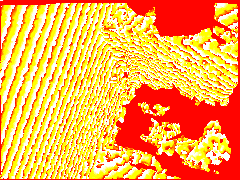
Here is what I had in C++ on the first try:





mpottinger
on 26 Sep 2019
@mpottinger Glad you were able to get it working, sorry for the slow reply but I was also able to get it working using the camera2 api (On the Honor 20)
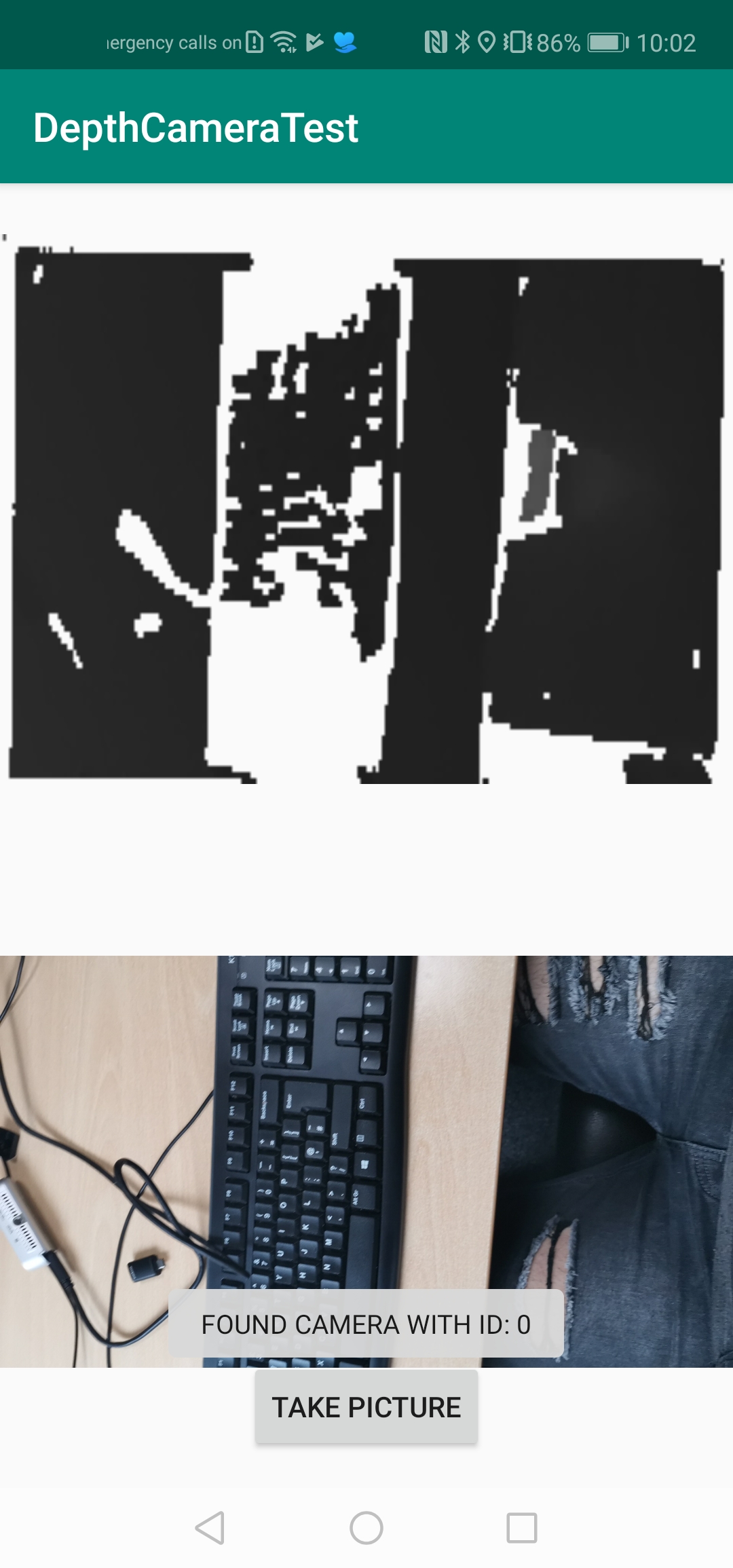
Here's the code that I used:
Configuration of reader
reader = ImageReader.newInstance(240,180, ImageFormat.DEPTH16, 30);
Code to read and display the depth:
ImageReader.OnImageAvailableListener readerListener = new ImageReader.OnImageAvailableListener() {
                @Override
                public void onImageAvailable(ImageReader reader)
                {
                    Image image = null;
                    try {
                        image = reader.acquireLatestImage();

                        if(image != null)
                        {
                            Bitmap b = Bitmap.createBitmap(240,180, Bitmap.Config.ARGB_8888);

                            Image.Plane plane = image.getPlanes()[0];
                            ShortBuffer shortDepthBuffer = plane.getBuffer().asShortBuffer();
                            ArrayList<Short> pixel = new ArrayList<Short>();
                            while (shortDepthBuffer.hasRemaining())
                            {
                                pixel.add(shortDepthBuffer.get());
                            }


                            int stride = plane.getRowStride();
                            int offset = 0;
                            float[] output = new float[image.getWidth() * image.getHeight()];
                            float maxz = -1000;
                            for (int y = 0; y < image.getHeight(); y++)
                            {
                                for (int x = 0; x < image.getWidth(); x++) {
                                    int depthSample = pixel.get((int)(y / 2) * stride + x);
                                    int depthRange = (depthSample & 0x1FFF);
                                    int depthConfidence = ((depthSample >> 13) & 0x7);
                                    float depthPercentage = depthConfidence == 0 ? 1.f : (depthConfidence - 1) / 7.f;
                                    if(depthRange > maxz)
                                    {
                                        maxz = depthRange;
                                    }
                                    output[offset + x] = depthRange;
                                }
                                offset += image.getWidth();
                            }

                            for(int y = 0; y < 180; y++)
                            {
                                for(int x =0; x < 240; x++)
                                {
                                    float z = output[y * 240 + x];

                                    if(z > 0) {


                                        int colour = (int) (z / maxz * 255);
                                        int c = Color.rgb(colour, colour, colour);
                                        b.setPixel(x, y, c);
                                    }
                                }
                            }

                            imageView.setImageBitmap(b);
Please excuse the inefficiency and poor code but I'm pretty busy at the moment and don't have time to fix
Murded
on 26 Sep 2019
@Murded Were you able to confirm the depth from this code? I swear I was doing the exact same thing in Java and many slight variations of it, and while I could see something resembling a depth map, it never was really a smooth depth map and was unusable.
Looking at a wall you should see a very smooth gradient along it with distance.
Can you reproduce images like I posted by putting depth range as just the R channel in a bitmap and saving it?
I was not satisfied until I saw images like I posted above.
It was absolutely impossible for the above code to really work for me. I had results like what you posted but its not confirmed as usable depth until you can see smooth gradients in the range.
mpottinger
on 26 Sep 2019
@mpottinger Hmm interesting, I changed the code that colours the pixel to the following:
for(int y = 0; y < 180;
{
    for(int x =0; x < 240; x++)
    {
        float z = output[y * 240 + x];
        int c = Color.rgb(z, 0, 0);
        b.setPixel(x, y, c);
    }
}
And I do indeed see a weird banding effect when pointing at a wall
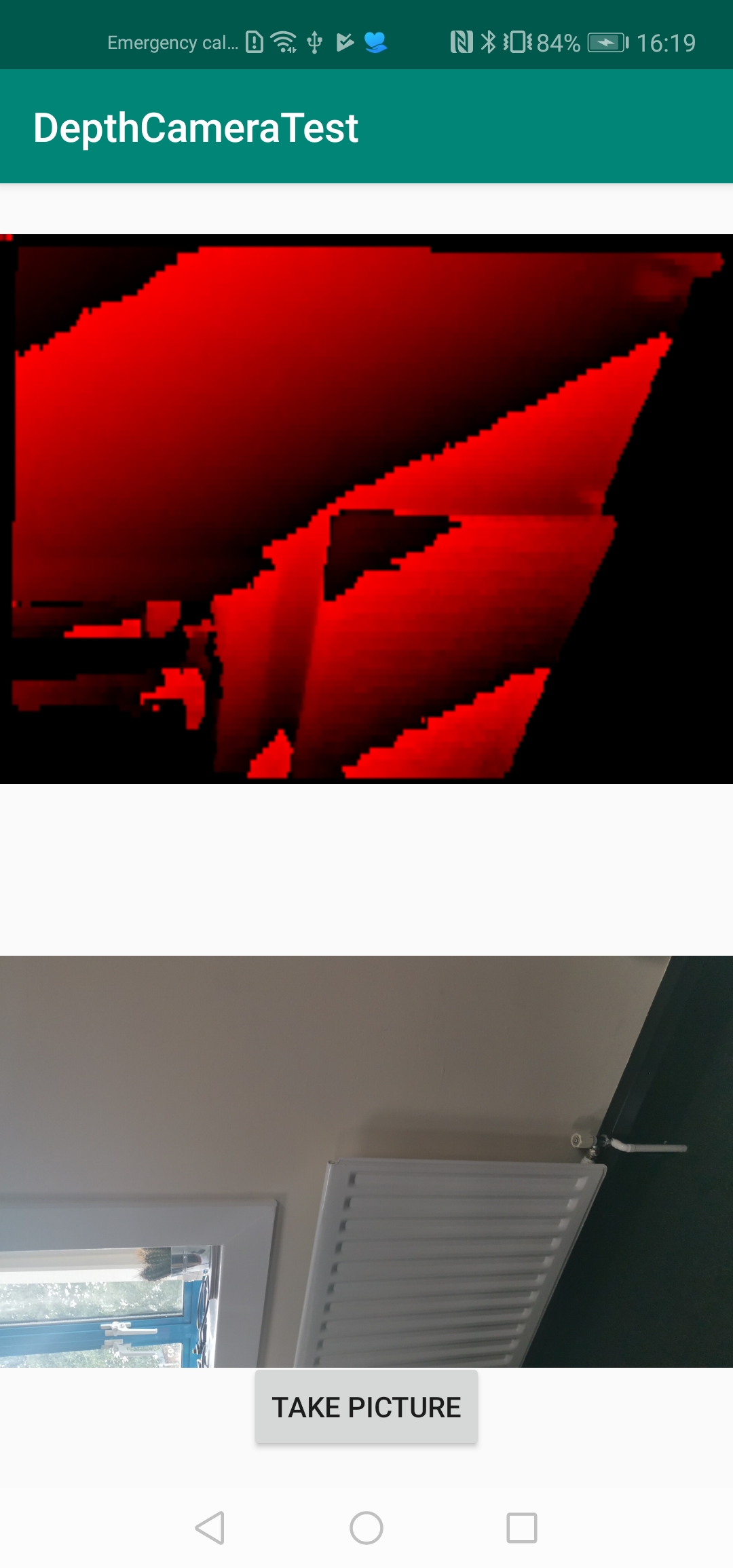
Out of curiosity could you take a picture of your keyboard from above and export it to a .xyz file so I can compare to the results I'm getting?
This is the depth image that was displayed
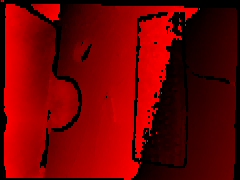
here is a visualisation of the depth (X & Y in pixel coords)
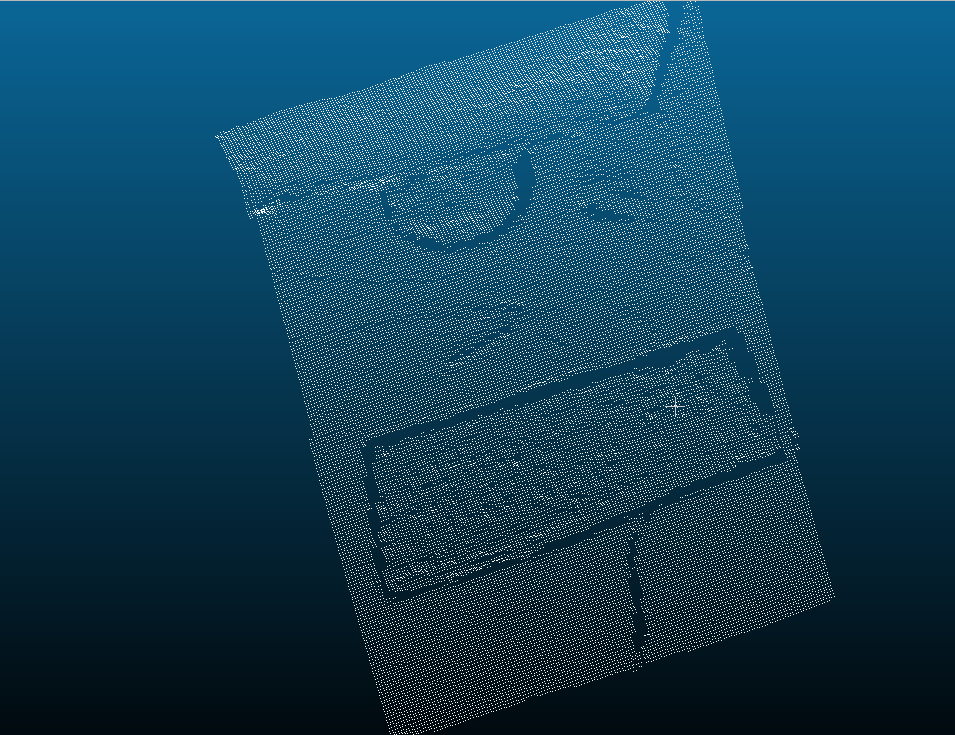
As you can see top down it looks fairly good, however a sideview looks fairly messy.
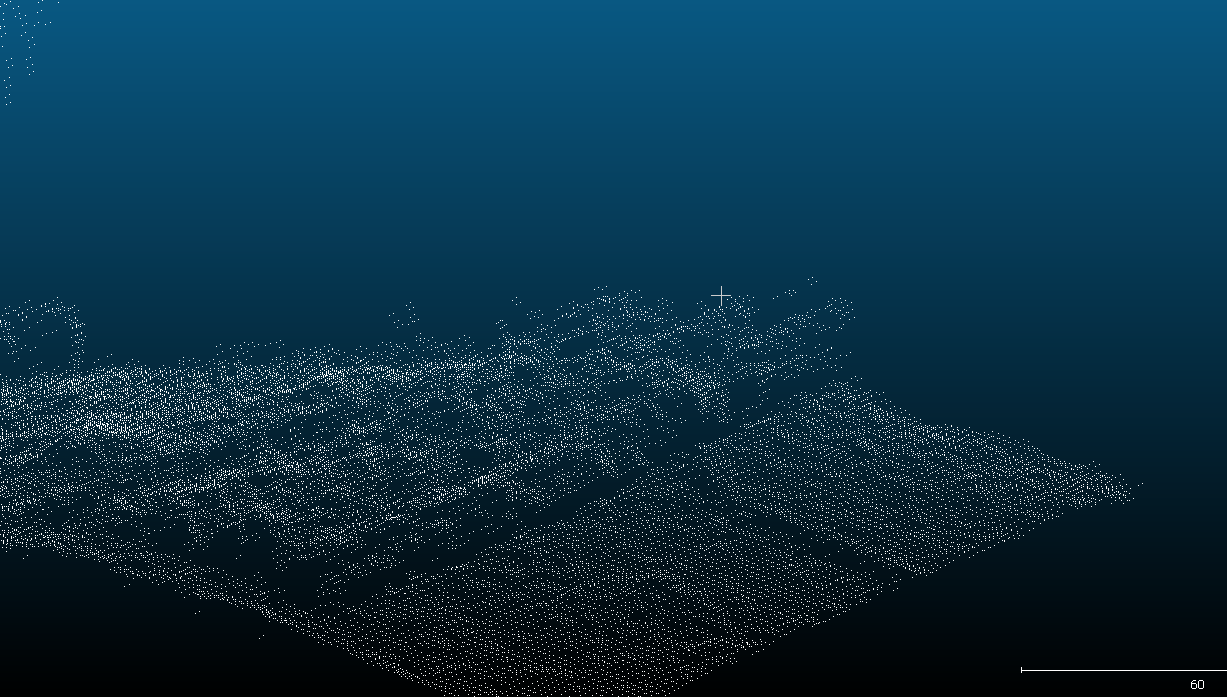
I had assumed this was due to poor depth quality or low resolution so I'd be interested to see your results
Edit: Intrestingly although the depth image displays a dark shade at the bottom half of the keyboard this isn't reflected in the extracted depth data so I'm wondering if this is just an issue with the way I'm visualising?
Murded
on 26 Sep 2019
@Murded
You have no idea how nice it is to have confirmation that I am actually not crazy and this is a real issue with the posted examples in Java.
If it was not for the tof viewer code @lvonasek working, I would swear on my life that it is utterly, absolutely impossible to get it working properly and accurately in Java. I inspected the tof viewer code and I do not understand how it works while any attempt I make will not work in Java.
In any case it was very straightforward, as it should be, in C++, as I was used to on PC.
I am not 100% sure about the banding, you say it seems correct when you check the data but you also see the same artifacts when you visualize? I don't know, except I really suspect Java's type system is getting in the way like you said. All I know is when I used the exact same decoder in C/C++, it looked much better, with no real changes to the underlying algorithm except C++ allows me to declare unsigned short. I think Java just makes this impossible at worst or very inefficient at best.
I am also obsessed with performance when it comes to this kind of low level data processing. In C or C++ you can access the buffers directly through pointers. Not sure if Java has it's own ways of optimizing it but I suspect it's a lot more efficient in ndk than Java. Not sure yet if it can be done in a GPU shader, but that might be even more efficient if you don't need CPU access to the depth image.
You can't really see the keyboard keys in my images, but I am not scaling the values properly right now in my code to get good contrast at close range. The TOF sensor also isn't good at picking up black objects, and the keyboard is black.
The important thing is that the gradients are smooth and continuous on walls, etc. You can even see some folded papers on my desk, that rise very slightly above the desk, and the gradient on them at the mm level. That's how it should be.


I haven't tried making point clouds from the Depth yet, I will try doing that tonight when I get home from work. This is a hobby right now, wish it was full time ;)
mpottinger
on 26 Sep 2019
@ar-ml Yes I have also given up on the T265 and PC depth sensor for my use. Not sure if you're still following this thread but AREngine and Huawei devices are the way to go until ARCore supports depth, if that day will ever come
Not sure about persistence in AREngine either though. There is are functions for serialization/deserialization of anchors but my first attempts with that just froze the app.
mpottinger
on 26 Sep 2019
@Murded
You have no idea how nice it is to have confirmation that I am actually not crazy and this is a real issue with the posted examples in Java.
If it was not for the tof viewer code @lvonasek working, I would swear on my life that it is utterly, absolutely impossible to get it working properly and _accurately_ in Java. I inspected the tof viewer code and I do not understand how it works while any attempt I make will not work in Java.
In any case it was very straightforward, as it should be, in C++, as I was used to on PC.
I am not 100% sure about the banding, you say it seems correct when you check the data but you also see the same artifacts when you visualize? I don't know, except I really suspect Java's type system is getting in the way like you said. All I know is when I used the exact same decoder in C/C++, it looked much better, with no real changes to the underlying algorithm except C++ allows me to declare unsigned short. I think Java just makes this impossible at worst or very inefficient at best.
I am also obsessed with performance when it comes to this kind of low level data processing. In C or C++ you can access the buffers directly through pointers. Not sure if Java has it's own ways of optimizing it but I suspect it's a lot more efficient in ndk than Java. Not sure yet if it can be done in a GPU shader, but that might be even more efficient if you don't need CPU access to the depth image.
You can't really see the keyboard keys in my images, but I am not scaling the values properly right now in my code to get good contrast at close range. The TOF sensor also isn't good at picking up black objects, and the keyboard is black.
The important thing is that the gradients are smooth and continuous on walls, etc. You can even see some folded papers on my desk, that rise very slightly above the desk, and the gradient on them at the mm level. That's how it should be.
I haven't tried making point clouds from the Depth yet, I will try doing that tonight when I get home from work. This is a hobby right now, wish it was full time ;)
@mpottinger Interesting, would you be willing to give out your C implementation (and JNI interface if you have one)?
Murded
on 27 Sep 2019
I was fighting with 3D point generating for longer time. And I am sorry that I am not sharing it publicly. I am sharing my repository only after signing NDA to people who want to collaborate on my 3D scanning app.
lvonasek
on 27 Sep 2019
@Murded Ok, i will try to share something this weekend.
Right now it is in a non-working state because I am changing the implementation a bit. I wanted to use OpenCV on both the C++ and Java side.
Before I was using Bytebuffers with allocateDirect to get a pointer to the data on the native side, C++ code was almost exactly the same as Java except working on that Bytebuffer pointer, and creating an Android bitmap from the bytebuffer.
I prefer to have it all in OpenCV Mat format and work with the data that way.
@lvonasek Yes I totally understand, even for me I am considering commercial potential for what im working on. I wouldn't have gotten anywhere with it without you guys here though, so the least I should do is share a jni implementation.
mpottinger
on 27 Sep 2019
allocateDirect
@mpottinger Thanks that would be great and useful. Have a good weekend!
Murded
on 27 Sep 2019
@Murded Sorry it is taking so long to post a code example.
NDK is new to me and I spent the whole weekend playing around with it and adding different C++ libraries to my project, and practicing/experimenting with different ways of passing data between C++ and Java.
I was able to add all the typical useful C++ libraries for computer vision, etc. Pointcloud library, OpenCV, Eigen, dlib, etc. Just about anything works, which is great.
I can now pass OpenCV Mat images between Java and C++ directly with pointers. I also have colorized visualization of the depth (red green and blue palette like they have in realsense, etc)
When I can I will post an example, but right now just having so much fun, and frustration playing around.
mpottinger
on 30 Sep 2019
@Murded Sorry it is taking so long to post a code example.
NDK is new to me and I spent the whole weekend playing around with it and adding different C++ libraries to my project, and practicing/experimenting with different ways of passing data between C++ and Java.
I was able to add all the typical useful C++ libraries for computer vision, etc. Pointcloud library, OpenCV, Eigen, dlib, etc. Just about anything works, which is great.
I can now pass OpenCV Mat images between Java and C++ directly with pointers. I also have colorized visualization of the depth (red green and blue palette like they have in realsense, etc)
When I can I will post an example, but right now just having so much fun, and frustration playing around.
That's no problem, any idea when you'd be able to post some code?
It doesn't need to be in working order just need to look at it so I can get an idea of how you're doing it :)
Murded
on 2 Oct 2019
@Murded feel free to post here stuff. I just did not want to send here more links to APK because it might annoy some people.
I am getting intrinsics from projection matrix:
cx = fabs(width * (1.0f - proj[2][0]) / 2.0f);
cy = fabs(height * (1.0f - proj[2][1]) / 2.0f);
fx = fabs(width * proj[0][0] / 2.0f);
fy = fabs(height * proj[1][1] / 2.0f);It works well with fixed focus.
@lvonasek Where is the projection matrix contained?
Do I have to use the camera manager ?
Get it from the image reader?
Or is this part of the AR Library you are using? if so do you have any idea how it could work for camera2 api?
Murded
on 2 Oct 2019
@Murded in NDK it is
void HwArCamera_getProjectionMatrix(const HwArSession *session,
const HwArCamera *camera,
float near,
float far,
float *dest_col_major_4x4);
lvonasek
on 2 Oct 2019
@Murded in NDK it is
void HwArCamera_getProjectionMatrix(const HwArSession *session,
const HwArCamera *camera,
float near,
float far,
float *dest_col_major_4x4);
@lvonasek Ahh I see so you are using the huawei ar camera to get the matrix, Do you know how this works behind the scenes?
I'm trying to stay away from huaweir ar engine because it says that it doesn't support all devices for example the samsung s10.
Any idea if it's possible to do this using the camera2 API?
Murded
on 2 Oct 2019
You can use ARCore - there is very similar method
lvonasek
on 2 Oct 2019
@Murded I will try to post something tonight. Ok I will do that, just post something to give you an idea. I hesitated to post the whole project, it is a bit of a mess since I am doing a lot of playing around.
Ill try to post something short just to give you the important parts of how it works.
Though I am using AREngine. I am not concerned myself about multi-device support
mpottinger
on 2 Oct 2019
@Murded I will try to post something tonight. Ok I will do that, just post something to give you an idea. I hesitated to post the whole project, it is a bit of a mess since I am doing a lot of playing around.
Ill try to post something short just to give you the important parts of how it works.
Though I am using AREngine. I am not concerned myself about multi-device support
@mpottinger That would be very much appreciated, thank you.
Murded
on 2 Oct 2019
@Murded Oh also, did you notice that the 6d.ai Android beta is out now? I have access to it, but no compatible device to test on yet.
Another thing to complicate things for me and tempt me to buy another device :)
I am pretty sure the TOF sensor is still superior, but there are other considerations. I know you are also doing computer vision.
I can do object detection in Android, but it is too slow and needs motion compensation to work well. That would require tracking the movement of the point cloud and adjusting after obj. detection inference.
With a OnePlus 7 ,Pro I can root it and use 6d.ai, with a Google Edge TPU attached to the phone I would have very fast object detection, but lower depth quality and speed.
First world problems.
mpottinger
on 2 Oct 2019
@Murded I will try to post something tonight. Ok I will do that, just post something to give you an idea. I hesitated to post the whole project, it is a bit of a mess since I am doing a lot of playing around.
Ill try to post something short just to give you the important parts of how it works.
Though I am using AREngine. I am not concerned myself about multi-device support@mpottinger That would be very much appreciated, thank you.
Ahh, seems there is never enough time for me to work on this stuff as much as I want. Ok, this might be messy but I will post the code that I have.
NOTE: Getting OpenCV working in both Java and C++ is a bit of a pain in the latest Android Studio. The posted examples don't work and you need a few workarounds. Let me know if you have trouble with that and I can help.
For JNI:
in the cpp file in the cpp directory of the project:
The actual conversion code in C++:
`
extern"C"
JNIEXPORT jintArray JNICALL Java_com_huawei_hiardemo_java_MainActivity_parseDepth(JNIEnv *env, jobject obj, jobject depth16_img, jint width, jint height, jint max, jlong viz_color){
// when returning a cv::Mat pointer to Java, make it static so it doesn't get destroyed when we leave this function.
static cv::Mat depthviz_result;

LOGV("parsedepth: width is %d; height is %d;",width,height);

// TODO: may have to investigate if memory needs to be freed after use
// get direct pointer access to the bytebuffer with raw depth16 data passed in to this function
unsigned short *depth16_ptr=(unsigned short *)env->GetDirectBufferAddress(depth16_img);

// create a new java int array and get access to the elements to write
jintArray result = env->NewIntArray(width * height);
jint *result_ptr = env->GetIntArrayElements(result, NULL);

if (result == NULL) {
    return NULL; /* out of memory error thrown */
}

cv::Mat depthviz_input = Mat(height, width, CV_16UC1);
unsigned short * depthvis_inputptr = (unsigned short *)depthviz_input.data;

// write to the OpenCV Mat image using a pointer

int len = width * height;
int max_depth = 0;

for(int i=0;i<len;i++)
{
    unsigned short depthSample = depth16_ptr[i];

    unsigned short depthRange = (unsigned short) (depthSample & 0x1FFF);

    // write to Mat for vizualization
    depthvis_inputptr[i] = depthRange;

    //unsigned short depthConfidence = (unsigned short) ((depthSample >> 13) & 0x7);
    //float depthPercentage = depthConfidence == 0 ? 1.f : (depthConfidence - 1) / 7.f;
    //LOGV("depthrange: %d", depthRange);

    if(depthRange > max_depth) max_depth = depthRange;

    result_ptr[i] = depthRange;
}

max = max_depth;

// jni needs to release the java int array always after using it.
env->ReleaseIntArrayElements(result, result_ptr,  NULL);

// returns encoded .bmp file as direct ByteArrayBuffer for a colorized depth vizualization from Java.
depthviz_result = vizualizeDepth(depthviz_input, width, height, max);

Mat* mat = (Mat*) viz_color;
*mat = depthviz_result.clone();

//memcpy(mat->data, depthviz_result.data, mat->step * mat->rows);


//unsigned char *viz_ptr=(unsigned char *)env->GetDirectBufferAddress(viz_color);
//std::copy(depthviz_result.begin(), depthviz_result.end(), viz_ptr);

return result;
}
`
the C++ visualization code:
`cv::Mat vizualizeDepth(cv::Mat depth, int width, int height, int max){
static int max_depth;
static int num_frames;

num_frames++;

if(max > max_depth) max_depth = max;

// Grayscale Visualization
/*
cv::Mat depthViz_Gray = cv::Mat(height, width, CV_8UC1);
cv::Mat depth2 = depth.clone();
depth2.convertTo(depthViz_Gray, CV_8UC1, 255.0/max_depth);
std::string filename = "/sdcard/debug_images/depth_viz_gray" + std::to_string(num_frames) + ".bmp";
imwrite(filename.c_str(), depthViz_Gray);
*/

cv::Mat depthviz_Color = Mat(height, width, CV_8UC3);

unsigned short * depth_ptr = (unsigned short *)depth.data;
unsigned char * depthvis_ptr = depthviz_Color.data;
int len = width * height;

for(int i=0, j=0; i<len;i++, j+=3){
    unsigned short depthSample = depth_ptr[i];
    double value = (double)depthSample  / (double) max_depth;
    //LOGV("depthSample: %d", depthSample);
    //LOGV("max: %d", max);
    //LOGV("value: %f", value);
    unsigned int rgb[] = { 0,0,0 };

    if(value == 0){

    }
    else if (value <= 0.5f)
    {
        value *= 2.0f;
        rgb[0] = (unsigned int)(255 * (1.0f - value) + 0.5f);
        rgb[1] = (unsigned int)(255 * (value) + 0.5f);
    }
    else
    {
        value = value * 2.0f - 1.0f;
        rgb[1] = (unsigned int)(255 * (1.0f - value) + 0.5f);
        rgb[2] = (unsigned int)(255 * (value) + 0.5f);
    }

    depthvis_ptr[j] = rgb[2];
    depthvis_ptr[j + 1] = rgb[1];
    depthvis_ptr[j + 2] = rgb[0];


}

std::string filename = "/sdcard/debug_images/depth_viz_color" + std::to_string(num_frames) + ".png";
imwrite(filename.c_str(), depthviz_Color);

//std::vector<uchar> buf;
//cv::imencode(".bmp", depthviz_Color, buf);

return depthviz_Color;
}
`
In my java file:
need to declare the imported C++ function first at the top:
public native int[] parseDepth(ByteBuffer imageIn, int widthIn, int heightIn, int max, long depthviz); // depthviz is a pointer to a C++ Mat (returned by the function)
then when you want to visualize the depth and get an int array of depth in mm:
`// Use cloneDirert and allocateDirect to pass byte buffers to C++ and use as pointers to the buffer.
ByteBuffer buf = DepthImage.getPlanes()[0].getBuffer().asReadOnlyBuffer();
ByteBuffer depth16_img = MiscUtils.cloneDirect(buf);
        int depth_width = DepthImage.getWidth();
        int depth_height = DepthImage.getHeight();

        int max = 0;

        /*  Direct allocated buffer using cloneDirect() or allocateDirect() Seems like one of the best methods for bulk data transfer to/from NDK
            if not calculating values to put into an array, etc.

            ByteBuffer depthviz_buf = ByteBuffer.allocateDirect(depth_width * depth_height * 5);

          For images, you can also create an empty Mat in Java and pass the pointer as a jlong to C++ via matObj.getNativeObjectAddr()
          in C++ create Mat * pointer in using the jlong pointer, and to get access the Mat by using ->
          or clone a C++ mat to the pointer using .clone()

                example (C++)
                Mat* mat = (Mat*) matjlong_var;
                *mat = cpp_mat.clone();
        */

        Mat depthviz= new Mat(); // This empty Mat will be filled in C++ to use in OpenCV on java.
        // depth_mm is returned as an int array of depth in mm from the C++ NDK code.
        int[] depth_mm = parseDepth(depth16_img, depth_width, depth_height,max, depthviz.getNativeObjAddr());
`
My CMakeLists.txt
`
Added 2 path definitions to support 20160825 additions
set(pathToProject /home/matt/AREngine/AREnginesdk-sample-2.0.0.6/java/JavaSample/WorldAR_Java/src/main/cpp)
set(pathToOpenCv ${pathToProject}/opencv)
Added by the IDE on project create
cmake_minimum_required(VERSION 3.4.1)
OPENCV -------------------------------------------------------
Two sets suggested by Bruno Alexandre Krinski 20160825
set(CMAKE_VERBOSE_MAKEFILE on)
set(CMAKE_CXX_FLAGS "${CMAKE_CXX_FLAGS} -std=gnu++11")
Addition suggested by Bruno Alexandre Krinski 20160825
include_directories(${pathToOpenCv}/sdk/native/jni/include)
Added by IDE on project create
add_library( hello-jni SHARED ${pathToProject}/hello-jni.cpp )
Addition suggested by Bruno Alexandre Krinski 20160825
add_library( lib_opencv SHARED IMPORTED )
Addition suggested by Bruno Alexandre Krinski 20160825
set_target_properties(lib_opencv PROPERTIES IMPORTED_LOCATION ${pathToProject}/jniLibs/${ANDROID_ABI}/libopencv_java4.so)
Added by IDE on project create
find_library( log-lib log )
Added by IDE on project create, Removed and replace with additional parameter suggested by Bruno Alexandre Krinski 20160825
target_link_libraries( native-lib ${log-lib} )
target_link_libraries( hello-jni ${log-lib} android lib_opencv)
`
mpottinger
on 3 Oct 2019
added to my build.gradle
`externalNativeBuild {
cmake {
version '3.10.2'
path "src/main/cpp/CMakeLists.txt"
    }

}

sourceSets {
    main {
        jni.srcDirs = [jni.srcDirs, '/home/matt/AREngine/AREnginesdk-sample-2.0.0.6/java/JavaSample/WorldAR_Java/src/main/cpp/opencv/sdk/native/jni/include']
        jniLibs.srcDirs = [jniLibs.srcDirs, 'libs', 'jniLibs', '/home/matt/AREngine/AREnginesdk-sample-2.0.0.6/java/JavaSample/WorldAR_Java/src/main/cpp/opencv/sdk/native/3rdparty/libs', '/home/matt/AREngine/AREnginesdk-sample-2.0.0.6/java/JavaSample/WorldAR_Java/src/main/cpp/jniLibs']
    }
}`
@mpottinger Thanks soo much, I'll take a look when I get a chance
Murded
on 3 Oct 2019
@lvonasek Are you able to show what values you are getting for your transformation matrix?
Using the following code:
 float[] tMatrix = new float[16];
//Get transformation matrix
sharedCamera.getSurfaceTexture().getTransformMatrix(tMatrix);
I'm getting the following results:
[1,0,0,0,0,1,0,0,0,0,1,0,0,0,0,1]
Edit: Just noticed I think I'm using the incorrect method.
After changing the method call it now looks more like this:
[1.9827987,0,0,0,0,1.4874399,0,0,-0.0011794396,-0.003269622,-1.0006669,-1,0,0,-0.020006668,0]
@Murded I was able to get live occlusion working with the depth map in OpenGL. I will post a demo later.
The most difficult part of that was realizing that the depth buffer in OpenGL is not linear and the depth data needs to be converted via a formula, which can be found online posted on forums.
I tried getting the intrinsics from the Matrix, but AREngine also had some debug messages in logcat which give some intrinsics.
My values from the matrix matched what the debug messages showed for cx and fx but not cy and fy.
I haven't gotten to using point clouds right now though. Right now I am trying to find a good depth hole filling algorithm. Occlusion doesn't work well around black objects or depth shadows.
mpottinger
on 17 Oct 2019
@mpottinger Very nice, I'd be interested to see your point cloud data when you get to that stage :)
Murded
on 17 Oct 2019
@Murded Well here I am again making this thread longer ;) Maybe Google will see high demand :)
I am porting everything over to ARCore from AREngine. I used the SharedCamera example as a base. I didn't realize things have moved so far ahead with ARCore. Getting Occlusion to work in ARCore was relatively painless.
I need the persistent anchor feature upcoming in ARCore so I decided to try a switch.
It is more code to write in ARCore than AREngine due to the callbacks. I cant simply write AcquireDepthImage() like in AREngine, but at least it works!
Doing my own custom hit testing using the depth sensor is a lot more tricky than occlusion though it seems!
AREngine does the hit testing using depth automatically.
I have it partially working in ARCore just in the centre of the camera. I am taking the camera pose and the centre depth pixel to get distance from the camera.
It sometimes works and is sometimes way off. Not sure why, maybe due to noise in the tof data. AREngine is doing something behind the scenes that I need to learn.
Here is a video of what I have in ARcore so far. Sorry about the video quality!
mpottinger
on 22 Oct 2019
@mpottinger I had with the depth calculation also problems but I solved it. If you give me access into your repository then I fix it for you.
lvonasek
on 22 Oct 2019
@lvonasek Oh yes thank you, it might save me hours of frustration, I would be very grateful.
I do not have the code posted on github but I will do that this evening.
I have somewhat figured out why I am getting such inconsistent results, it appears with my simple code I am getting depth values off centre from the screen.
The AR objects are centred in the middle of the screen but the depth data is coming from the far left in landscape mode.
I haven't even attempted yet to turn screen coords into world coords.
mpottinger
on 23 Oct 2019
@mpottinger It will be my pleasure to help you.
lvonasek
on 23 Oct 2019
Any update on this? Does ARCore integrate depth info yet?
 abreu4
on 23 Oct 2019
abreu4
on 23 Oct 2019
@abreu4 It is supported in the sense that you can now get TOF depth frames within ARCore, using the shared camera functionality and do with it what you wish.
What is not supported is easy, built in functions to take care of the common things you would want to do with the depth. We are on our own in that respect, also I don't think the depth is used for more robust tracking like maybe it could be.
However, with access to the raw depth data, anything is possible to do right now, with some work.
@lvonasek, almost ready to upload my repo, had to clean it up a bit and change fixed paths to relative, etc. Also I want to give it a shot for myself to see if I can figure it out, I may almost have it.
mpottinger
on 23 Oct 2019
also I don't think the depth is used for more robust tracking like maybe it could be.
This is what I meant to ask. How can you be sure of that? Everything looks blackboxed. Any clue regarding the same for ARKit?
abreu4
on 23 Oct 2019
@abreu4 I have no idea. We are in the dark about that, but for sure if RGBD slam were used tracking would be more stable/accurate.
Tracking on a phone right now with a TOF sensor seems to be still the same as on one without, so I assume nothing was added.
@lvonasek I just uploaded my project to github and gave you access. I tried for hours trying to get conversion from screen to world coordinates with no luck.
I tried adopting the LineUtils class from the AR drawing experiment: https://github.com/googlecreativelab/ar-drawing-java
It works partially. From the centre of the camera it works fine, but off centre it is distorted and it is beyond me how to solve it.
mpottinger
on 28 Oct 2019
@mpottinger - I will take a look on it tomorrow
lvonasek
on 28 Oct 2019
@mpottinger - I will take a look on it tomorrow
@lvonasek Thank you, I would be immensely grateful. Hopefully it isn't something very simple I am missing, but 3D isn't my strongest point, especially with these types of conversions.
Actually just thinking about it now, I have not tried converting to a point cloud before sending into that raycast function. I will give that a try right now.
mpottinger
on 28 Oct 2019
any updates?
 TotallWAR
on 22 Nov 2019
TotallWAR
on 22 Nov 2019
@TotallWAR Nothing new that I know of other than Samsung should have TOF sensors on the S11 and not just the 'special' 5G phone which isnt even available in my country.
Still slowly pushing ahead with using the sensor on my P30 pro in my spare time. Pretty much anything you could want is possible with ARCore right now. However it takes work, any support needs to be custom developed aside from just accessing the depth sensor.
No word at all if Google plans to help out with that.
mpottinger
on 5 Dec 2019
Get Ready for the ARCore Depth API https://www.youtube.com/watch?v=1q0-jdknbTs&feature=em-uploademail
kexar
on 9 Dec 2019
@kexar whoaaaaaaaa. No way. That looks amazing. I did not expect this at all. From the looks of it, no TOF sensors needed and it will be doing some kind of dense depth from motion?
I tried the latest in open source neural net based depth from motion but was not able to get good results, i concluded that nothing could beat a real depth sensor. I could be wrong now.
It will be very interesting how this stacks up against tof sensors.
My mind is blown. Can't wait.
mpottinger
on 9 Dec 2019
@mpottinger if you read it carefully then you see that without depth sensor it will work only with static objects... Anyway impressive
lvonasek
on 9 Dec 2019
@lvonasek Yes in fact we can evaluate it right now, the houzz app has the feature already.
My first impression is that it is very impressive for just a monocular camera, but not a full replacement for a tof depth sensor.
You are right, if I move my hand in front, it does not occlude.
There also appears to be somewhat limited range, and a ghosting effect where there are holes in the depth.
That said it would complement a tof sensor when you need accuracy. It is almost the reverse weaknesses of the tof sensor.
It appears to not like white walls etc, which tof is the reverse and doesn't work with dark surfaces.
I am not sure if the depth is high enough quality for 3D scanning, etc. Looks good if you need something simple that works on all ARCore phones.
It worked on my Note 9 with no tof.
mpottinger
on 10 Dec 2019
@mpottinger Could you make a video of it? It does not work on my Honor View 20.
lvonasek
on 10 Dec 2019
@lvonasek Ok sure, here it is. Also I noticed it is not enabled with all 3D models in that app, it was enabled for furniture like chairs, couches etc
The second video shows the depth coverage of the TOF sensor. Notice the to the TOF the table is almost invisible while Google's depth algorithm successfully generated depth for it.
mpottinger
on 10 Dec 2019
Nokia 7 plus here. Does not got this feature on houzz or ar animal
Thaina
on 11 Dec 2019
It works on both my P30 Pro and my Note 9, but on my Galaxy S7 it doesn't. Logcat comes up with this error:
2019-12-10 22:28:56.618 12566-13030/? E/native: status.cc:153 ArStatusErrorSpace::AR_ERROR_ILLEGAL_STATE:
ARCoreError: third_party/arcore/ar/core/session.cc:2340Motion stereo module is disabled. Call SetDepthEnabled(kSmoothDepth, true) before requesting depth.
I did some poking around in the houzz apk, just because I am impatient and can't resist. Looks like we will have access to a function called aqcuireDepthImage(), much like with the TOF sensor in Huawei ArEngine, and it will return a DEPTH16 image just like the TOF sensors.
In their occlusion shader, they do it a different way from how I achieved it, I would simply write a de-linearized depth value to gl_FragDepth in the background image shader. They are doing it in the object frag shader and doing some smoothing of the occlusion edges. Interesting.
They send the depth as two 8-bit values in the R and G channels of a texture and convert back to 16-bit, whereas I would send the depth as a 16-bit texture, or as floats in an SSBO
mpottinger
on 11 Dec 2019
Thank you a lot @mpottimger. I was afraid that Huawei devices won't get it due to attack on them from the US government.
lvonasek
on 11 Dec 2019
houzz working also for me on P30 Pro, it is solid, but waiting for ToF support as Google mentioned on their blog:
The Depth API is not dependent on specialized cameras and sensors, and it will only get better as hardware improves. For example, the addition of depth sensors, like time-of-flight (ToF) sensors, to new devices will help create more detailed depth maps to improve existing capabilities like occlusion, and unlock new capabilities such as dynamic occlusion—the ability to occlude behind moving objects.
https://developers.googleblog.com/2019/12/blending-realities-with-arcore-depth-api.html
kexar
on 11 Dec 2019
@kexar well technically that is already there if you need it. For example I have TOF functionality already working like in the houzz app.
The additional depth from motion would be pretty simple to integrate I think, just overlay one depth stream over the other, maybe with some smoothing if needed.
SharedCamera api is not as nice and simple as acquireDepthImage, but it does the job.
Google seems to really only be in the business of providing the low level functionality. With ARCore before it was basic tracking etc, and give you a few simple examples to build on.
Looks like this will be the same sort of thing. They will give you depth frames and you do what you can with it on your own, with maybe a simple occlusion example provided by Google.
We already have access to the depth frames from TOF. Granted it would be nice though to do without the extra code needed for SharedCamera.
mpottinger
on 11 Dec 2019
For developers who do not want to wait anymore ;-)
https://www.linkedin.com/posts/lubo%C5%A1-von%C3%A1sek-9682a314b_3dscanning-android-ar-activity-6613815582854795264-Y0zN
lvonasek
on 20 Dec 2019
@lvonasek Wow that demo is impressive!
I am working on something quite different, not so much into AR games etc but I will get this just to try it just for the cool factor alone.
Especially impressive is the live interaction with virtual objects.
mpottinger
on 20 Dec 2019
I'm trying to feed the depth buffer data into Tango3DR_updateFromDepthImage with a null colour image and then use Tango3DR_updateFloorplan followed by Tango3DR_extractFullFloorplan to generate polygons for a 2D floorplan.
No luck yet, but having seen lvonasek's awesome 3D scanner meshing, I think it must be possible.
Has anybody here tried Tango3DR_updateFromDepthImage?
 mode51dev
on 28 Dec 2019
mode51dev
on 28 Dec 2019
@floor51 I am updating it from pointcloud. The conversion depthmap to pointcloud is quite hard to implement. However Tango3DR has not so good implementation of floorplan detection. I think using my Unity asset you would be able to create better floor detection. You can also use it with NDK - I provide the library header for it. However I did not attach any example for C++ usage.
lvonasek
on 28 Dec 2019
Thanks @lvonasek. I'll give the pointcloud a go, and also try sending a camera image to Tango3DR_updateFromDepthImage. I note that floorplan detection worked well on the Zenfone AR using Tango.
mode51dev
on 28 Dec 2019
@floor51 I did not say that it does not work. I said that the floorplan has really low quality. I extracted it from mesh and it was much better.
lvonasek
on 28 Dec 2019
Ok @lvonasek that makes sense, the meshes do look really great.
mode51dev
on 29 Dec 2019
For everyone who wants to join my new Slack community (about projects using ToF sensor):
https://join.slack.com/t/lvonasek/shared_invite/enQtODc5MjkzNDAzNTcxLTA2M2U3ZGY2MmFlYWYzZTYyYzMwZjA1NDhjOGVlOGMxNjgxNzBiMTc2YmQ3YWQzY2Y4NmRhODRiY2IyOGFmOGI
lvonasek
on 2 Jan 2020
As of today my google animal 3D view still don't have depth map in Nokia 7 plus
Are there any requirement or incapability of any device in particular or it just don't get update yet?
Thaina
on 14 Jan 2020
Does anyone know how to get TOF camera from Huawei P30 pro? I can only get the other four camera on P30 pro, but I can't get TOF camera through CameraManager.getCameraIdList().
 diudiutao
on 17 Jan 2020
diudiutao
on 17 Jan 2020
We got a dump from Camera2 API Probe app in playstore ( https://play.google.com/store/apps/details?id=com.airbeat.device.inspector ) for the Huawei P30 pro. It lists 5 camera devices which seems right. But not clear which (if any) is the ToF camera. They all list resolutions way beyond what the ToF camera does (640x480 res as I understand it).
Huawei_P30_pro_camera2_api_probe.txt
The Camera2 API probe app output from the Samsung S10e:
Samsung_S10e_camera2_api_probe.txt
It lists 4 camera devices, but again the listed resolutions are all way in excess of what a ToF camera would provide, unless these are scaled for developer convenience.
Do you find TOF camera on P30 pro? I have the same questions as you. I want to know how can I get TOF camera on Huawei P30 pro.
diudiutao
on 17 Jan 2020
Honor View 20 and Huawei P30 Pro
Also the front ToF on Huawei Mate 20 Pro is working
Can you tell me how to get the TOF camera from Huawei P30 Pro. I can't open the camera. I can only get the camera ID of '0',which combines the other three cameras, but I can't find TOF camera.
diudiutao
on 17 Jan 2020
@mpottinger Glad you were able to get it working, sorry for the slow reply but I was also able to get it working using the camera2 api (On the Honor 20)
Here's the code that I used:
Configuration of reader
reader = ImageReader.newInstance(240,180, ImageFormat.DEPTH16, 30);Code to read and display the depth:
ImageReader.OnImageAvailableListener readerListener = new ImageReader.OnImageAvailableListener() {
                @Override
                public void onImageAvailable(ImageReader reader)
                {
                    Image image = null;
                    try {
                        image = reader.acquireLatestImage();

                        if(image != null)
                        {
                            Bitmap b = Bitmap.createBitmap(240,180, Bitmap.Config.ARGB_8888);

                            Image.Plane plane = image.getPlanes()[0];
                            ShortBuffer shortDepthBuffer = plane.getBuffer().asShortBuffer();
                            ArrayList<Short> pixel = new ArrayList<Short>();
                            while (shortDepthBuffer.hasRemaining())
                            {
                                pixel.add(shortDepthBuffer.get());
                            }


                            int stride = plane.getRowStride();
                            int offset = 0;
                            float[] output = new float[image.getWidth() * image.getHeight()];
                            float maxz = -1000;
                            for (int y = 0; y < image.getHeight(); y++)
                            {
                                for (int x = 0; x < image.getWidth(); x++) {
                                    int depthSample = pixel.get((int)(y / 2) * stride + x);
                                    int depthRange = (depthSample & 0x1FFF);
                                    int depthConfidence = ((depthSample >> 13) & 0x7);
                                    float depthPercentage = depthConfidence == 0 ? 1.f : (depthConfidence - 1) / 7.f;
                                    if(depthRange > maxz)
                                    {
                                        maxz = depthRange;
                                    }
                                    output[offset + x] = depthRange;
                                }
                                offset += image.getWidth();
                            }

                            for(int y = 0; y < 180; y++)
                            {
                                for(int x =0; x < 240; x++)
                                {
                                    float z = output[y * 240 + x];

                                    if(z > 0) {


                                        int colour = (int) (z / maxz * 255);
                                        int c = Color.rgb(colour, colour, colour);
                                        b.setPixel(x, y, c);
                                    }
                                }
                            }

                            imageView.setImageBitmap(b);
Please excuse the inefficiency and poor code but I'm pretty busy at the moment and don't have time to fix
hello, I want to know how to find the TOF camera? I can't find it on my Huawei P30 pro.
diudiutao
on 17 Jan 2020
hello, I want to know how to find the TOF camera? I can't find it on my Huawei P30 pro.
Make sure that your Huawei P30 Pro is up to date (Software).
To get the camera, I used the TOF sample that was posted further above
https://drive.google.com/file/d/1Fa1a7oBPH2E5wlDKTV3ATmaJDoMkRnXe/view
Murded
on 20 Jan 2020
Hi,
What about LG g8s thinq, he have also TOF in selfie camera.
I'm running your code but i get "TOF not found". it only for back camera?
 matanel-6over6
on 28 Jan 2020
matanel-6over6
on 28 Jan 2020
Hi @matanel-6over6,
it depends if the device has Camera2 implementation. I made it working on Huawei Mate 20 Pro with front camera. Some devices (Samsung) does not return the camera resolution but if you request the correct resolution then it works. Working ToF together with ARCore I saw only on Huawei devices.
lvonasek
on 28 Jan 2020
10x,
I have LG g8s thinq and i need data from TOF to get a distance from camera to face like iPhone X. You have a solution to my device?
matanel-6over6
on 28 Jan 2020
No, sorry
lvonasek
on 28 Jan 2020
Hi again,
You mean Huawei Mate 30 Pro? i saw in gsmarena site that Huawei Mate 30 Pro have TOF in SELFIE CAMERA.
matanel-6over6
on 2 Feb 2020
Hi, I wrote: "I made it working on Huawei Mate 20 Pro with front camera". Front camera is selfie camera. You can make Mate 30 Pro ToF working using Huawei AREngine but not with ARCore due to ban.
lvonasek
on 2 Feb 2020
10x.
In Huawei Mate 20 Pro don't have TOF sensor
matanel-6over6
on 2 Feb 2020
I just double checked it. Huawei Mate 20 Pro has a ToF sensor with resolution 640x480 on front side and can be accessed using Camera2 API.
lvonasek
on 2 Feb 2020
https://www.gsmarena.com/huawei_mate_20_pro-9343.php
Can you please send me the link?
matanel-6over6
on 2 Feb 2020
I have a lot of feedback from users who has my night vision app on Huawei Mate 20 Pro (I cannot share that).
The only official source is this (running FaceAR using depth sensor):
https://developer.huawei.com/consumer/en/doc/20303
lvonasek
on 2 Feb 2020
@lvonasek Are you sure that Huawei Mate 20 Pro has ToF sensor and not just an IR camera? According to this teardown in step 9 they discover standard IR camera/dot projector setup. In this video Huawei presenter is also showing IR camera in the slide behind him. I suppose you could treat video stream from IR camera as DEPTH16 samples but it won't be actual ToF ranging data but just IR light intensity.
On the other hand, Huawei Mate 30 Pro does seem to have a genuine ToF camera. In the step 7 of this teardown they find IMX516, IMX616 and IMX332 sensors on the front of the device of which IMX516 is a ToF sensor. Would you be able to confirm that the IMX516 ranging data is accessible via camera2 api on the Mate 30 Pro to third party developers?
 rnosov
on 4 Feb 2020
rnosov
on 4 Feb 2020
@rnosov I have no idea which hardware is in Huawei Mate 20 Pro but it returns depth data which seems to be correct.
Huawei Mate 30 Pro ToF sensor is accessible using Camera2 API and Huawei AREngine. I have already all my apps (3D Scanner, Night Vision, Unity Asset) working on it, unfortunately it is tricky to whitelist the device on Google Play. But on Huawei AppGallery it is not a problem at all.
lvonasek
on 4 Feb 2020
@lvonasek huawei arengine gets depth image on Mate 30Pro? which arengine you are porting?
 flankechen
on 21 Feb 2020
flankechen
on 21 Feb 2020
@flankechen yes, I have it confirmed using AREngine 2.0 NDK and AREngine 1.7 Unity SDK
lvonasek
on 21 Feb 2020
@lvonasek , it seems that the link on the sdk arengine is no longer available on the site huawei. could you confirm ? Thanks
 shadd3
on 9 Mar 2020
shadd3
on 9 Mar 2020
Yes, it is this way for about two weeks.
lvonasek
on 9 Mar 2020
Any news regarding ARCore Depth API? Anybody received closed beta access?
kexar
on 10 Mar 2020
I'm waiting for the ARCore Depth API invite to build more stuff like this:
https://youtu.be/crZFpzLyk3E
 reneschulte
on 11 Mar 2020
reneschulte
on 11 Mar 2020
Yes, it is this way for about two weeks.
Hello, I've downloaded your app and it shows reasonable results with previewing real-time depth map.
But could you add more functions? Like capturing a photo and saving the depth map in a file, such that we can generate a depth map for a captured photo.
 yanyanjiao2019
on 12 Mar 2020
yanyanjiao2019
on 12 Mar 2020
@kexar Nobody received DepthAPI access as I know, I was talking with big players companies and they also did not get the access.
@yanyanjiao2019 I am not developing the ToF Viewer actively. Time to time I add some supported device but other way I am concentrating on 3D Scanner app development.
lvonasek
on 13 Mar 2020
@lvonasek Thanks. Where can one find your 3D scanner app?
reneschulte
on 13 Mar 2020
@reneschulte here https://play.google.com/store/apps/details?id=com.lvonasek.arcore3dscannerpro but it is supported currently only on Huawei P30 Pro and Honor View 20. There also exists a free version which works on most ARCore devices, unfortunately it does not reach sich a good results...
lvonasek
on 13 Mar 2020
Nice! @lvonasek
Would love to have it working on the Samsung S20+ I just got. Hopefully there will be some proper API support soon. Kind of annoying if there's such awesome ToF sensors on these new devices without a proper API.
reneschulte
on 13 Mar 2020
The new iPad Pro contains LiDAR Scanner with ARKit support
kexar
on 18 Mar 2020
the new iPad Pro LiDAR seems great
Att
Renato Wisocki Junior
[email protected]
Em qua., 18 de mar. de 2020 às 09:38, kexar notifications@github.com
escreveu:
The new iPad Pro
https://www.apple.com/newsroom/2020/03/apple-unveils-new-ipad-pro-with-lidar-scanner-and-trackpad-support-in-ipados/
contains LiDAR Scanner with ARKit support—
You are receiving this because you are subscribed to this thread.
Reply to this email directly, view it on GitHub
https://github.com/google-ar/arcore-android-sdk/issues/120#issuecomment-600597771,
or unsubscribe
https://github.com/notifications/unsubscribe-auth/ABELDAS76GK65JMVTUYSX7DRIC6CTANCNFSM4ELEBRIQ
.
 wisockijunior
on 19 Mar 2020
wisockijunior
on 19 Mar 2020
Hi All,
I do not get any DEPTH16 values for Honor V20. I bought the phone from Amazon and it is Android 9. Do you think it is because of the Android version? should it be 10? I am using Camera2 API for this. it works with the other image formats but once I have ImageFormat.DEPTH16, onImageAvailablereturns an Image with all zero values. Any suggestion?
 Mahdi-Roozbahani
on 6 Apr 2020
Mahdi-Roozbahani
on 6 Apr 2020
Hi All,
I do not get any DEPTH16 values for Honor V20. I bought the phone from Amazon and it is Android 9. Do you think it is because of the Android version? should it be 10? I am using Camera2 API for this. it works with the other image formats but once I have
ImageFormat.DEPTH16,onImageAvailablereturns an Image with all zero values. Any suggestion?
Hi, if you mean the Honor View 20 then you must do a system update, my phone version looks like this.
If you check for updates and it says there isn't any, try inserting a sim card and trying again.
Murded
on 6 Apr 2020
Thank you for the reply. Mine is Magic 2 and it does not allow me to upgrade it to Magic 3. I am from the US. That might be it. I wish there was a way for me to manually update it to the latest version.
Mahdi-Roozbahani
on 6 Apr 2020
Thank you for the reply. Mine is Magic 2 and it does not allow me to upgrade it to Magic 3. I am from the US. That might be it. I wish there was a way for me to manually update it to the latest version.
I believe when I first purchased it I couldn't upgrade, I think when I put in a sim card that fixed it
Murded
on 6 Apr 2020
Thank you for the reply. Mine is Magic 2 and it does not allow me to upgrade it to Magic 3. I am from the US. That might be it. I wish there was a way for me to manually update it to the latest version.
I believe when I first purchased it I couldn't upgrade, I think when I put in a sim card that fixed it
I tried different approach, but unfortunately didn't work :(. I even called them and no success. I post my solution here if I find any.
Another question. How do you scale the Depth16 values to SI system like meter? Thank you again.
Mahdi-Roozbahani
on 6 Apr 2020
@mpottinger Glad you were able to get it working, sorry for the slow reply but I was also able to get it working using the camera2 api (On the Honor 20)
Here's the code that I used:
Configuration of readerreader = ImageReader.newInstance(240,180, ImageFormat.DEPTH16, 30);Code to read and display the depth:
ImageReader.OnImageAvailableListener readerListener = new ImageReader.OnImageAvailableListener() {
                @Override
                public void onImageAvailable(ImageReader reader)
                {
                    Image image = null;
                    try {
                        image = reader.acquireLatestImage();

                        if(image != null)
                        {
                            Bitmap b = Bitmap.createBitmap(240,180, Bitmap.Config.ARGB_8888);

                            Image.Plane plane = image.getPlanes()[0];
                            ShortBuffer shortDepthBuffer = plane.getBuffer().asShortBuffer();
                            ArrayList<Short> pixel = new ArrayList<Short>();
                            while (shortDepthBuffer.hasRemaining())
                            {
                                pixel.add(shortDepthBuffer.get());
                            }


                            int stride = plane.getRowStride();
                            int offset = 0;
                            float[] output = new float[image.getWidth() * image.getHeight()];
                            float maxz = -1000;
                            for (int y = 0; y < image.getHeight(); y++)
                            {
                                for (int x = 0; x < image.getWidth(); x++) {
                                    int depthSample = pixel.get((int)(y / 2) * stride + x);
                                    int depthRange = (depthSample & 0x1FFF);
                                    int depthConfidence = ((depthSample >> 13) & 0x7);
                                    float depthPercentage = depthConfidence == 0 ? 1.f : (depthConfidence - 1) / 7.f;
                                    if(depthRange > maxz)
                                    {
                                        maxz = depthRange;
                                    }
                                    output[offset + x] = depthRange;
                                }
                                offset += image.getWidth();
                            }

                            for(int y = 0; y < 180; y++)
                            {
                                for(int x =0; x < 240; x++)
                                {
                                    float z = output[y * 240 + x];

                                    if(z > 0) {


                                        int colour = (int) (z / maxz * 255);
                                        int c = Color.rgb(colour, colour, colour);
                                        b.setPixel(x, y, c);
                                    }
                                }
                            }

                            imageView.setImageBitmap(b);
Please excuse the inefficiency and poor code but I'm pretty busy at the moment and don't have time to fix
hello, I want to know how to find the TOF camera? I can't find it on my Huawei P30 pro.
Hello, Did you remove the GLSurfaceView?
 arman1494
on 28 Apr 2020
arman1494
on 28 Apr 2020
Hi, I am working on S20 Ultra 5G and I am able to get depth data from the TOF sensor. However, provided camera characteristics does not seems to make sense really. It looks like values I am getting are not properly calibrated. Does anybody share same experience?
 robco5
on 30 Apr 2020
robco5
on 30 Apr 2020
I have a similar issue on the Note10+ where the data is not calibrated to last few bits. I think Samsung did not do a good job of documenting and presenting TOF data to developers. In comparison to honor:
Here are my observations:
- In the first Instance Samsung ( Note 10 +)had not made available TOF data to external application for quite some time
- Honor has much crisper data even for darker and surfaces with lesser variation in depth ( I understand honor is using IMX316 while Note 10+ has IMX 516 )
- Honor presents dual camera calibrated data where if you overlay the color and depth data it maps on
- Samsung does not provide the data overlaid so you have to open two camera streams together and implement your own calibration matrices and transformation.
- I think they have hidden camera ids that they are not exposing to us where the color and depth data is calibrated and mapping to.
- We have TOF sensors coming on many other devices , I would switch away from Samsung for all the problems( and lack of support )they have for the TOF.
tchowhan
on 1 May 2020
@tchowhan , you named EXACTLY all my observations. Its feeling better to not be alone, but still very disappointed by Samsung implementations and support. Let's hope it will get better soon.
Thank you!
robco5
on 1 May 2020
In the case of Samsumg Note 10 + is it possible to open two streams (RGB, DEPTH)
at the same time with two different camera ids with Camera 2 Api??
 Lorenzoarc
on 5 May 2020
Lorenzoarc
on 5 May 2020
Yes that is possible. Did it myself.
Am Di., 5. Mai 2020 um 18:58 Uhr schrieb Lorenzoarc <
[email protected]>:
In the case of Samsumg Note 10 + is it possible to open two streams (RGB,
DEPTH)
at the same time with two different camera ids with Camera 2 Api??—
You are receiving this because you were mentioned.
Reply to this email directly, view it on GitHub
https://github.com/google-ar/arcore-android-sdk/issues/120#issuecomment-624176184,
or unsubscribe
https://github.com/notifications/unsubscribe-auth/AAZCRE5UZ6B3QBDT3ENMTQDRQBASJANCNFSM4ELEBRIQ
.
bastiankayser
on 5 May 2020
Hi wise people! 🙌
What's the best API to get RGB-D data and/or processed frames from the Samsung S20+ with its ToF sensor?
reneschulte
on 5 May 2020
@bastiankayser : Were you able to overlay the color and depth stream images ? They do not come in calibrated.
(Is quite an overhead to do it with calibration matrices and also dependent on the Z value)
tchowhan
on 6 May 2020
@bastiankayser:Thank you for your answer, have you any suggestions to face this problem??
Do you have any samples code to suggest to me?.. because i have tryed to do that, i opened the first camera RGB and the camera Depth with Camera 2 API. They worked when i open them individually, but when i tryed to open both at the same time works only the first stream opened, the second Camera give me an exception and i cant get any frames from the image reader.
I open the two cameras with this code:
 mCameraManager.openCamera(depthCameraId, depthDeviceStateCallback, depthCameraHandler);
  mCameraManager.openCamera(rgbCameraId, rgbDeviceStateCallback, rgbCameraHandler)`
And i have created two threads with two differents ImageReader one for the Depth stream and the other one for RGB stream,
This is the exceptions:
I/CameraManagerGlobal: Camera 4 facing CAMERA_FACING_BACK state now CAMERA_STATE_ACTIVE for client com.example.camera API Level 2
E/CameraCaptureSession: Session 0: Exception while stopping repeating:
    android.hardware.camera2.CameraAccessException: CAMERA_DISCONNECTED (2): cancelRequest:473: Camera device no longer alive
@tchowhan: I did not try to overlay the images, sorry.
@Lorenzoarc: I haven't seen that exception but I did the same thing you describe (Camera 2 Api, seperate handler for depth and color images):
CameraManager manager = (CameraManager) this.getSystemService(Context.CAMERA_SERVICE);
        final ImageReader mImageReader = ImageReader.newInstance(240,180, ImageFormat.DEPTH16,5);
        final ImageReader mImageReaderColor = ImageReader.newInstance(1024,768, ImageFormat.JPEG,5);
        CameraDevice.StateCallback depthCallback = CreateDepthCallback(mImageReader);
        CameraDevice.StateCallback colorCallback = CreateColorCallback(mImageReaderColor);
        try {
            manager.openCamera(depthCameraID, depthCallback, null);
        } catch (CameraAccessException e) {
            e.printStackTrace();
        }
        try {
            manager.openCamera("0",colorCallback,null);
        } catch (CameraAccessException e) {
            e.printStackTrace();
        }
in the callbacks I get frames in OnCaptureCompleted(...) with e.g.:
Image depthImage = mImageReader.acquireLatestImage();
bastiankayser
on 24 May 2020
Has any of you tried to get the intrinsic parameters
using characteristics.get(CameraCharacteristics.LENS_INTRINSIC_CALIBRATION);? My Honor V20 returns 0 for the values.
Mahdi-Roozbahani
on 6 Jun 2020
About ToF sensor on ARCore 1.18 - I tried to visualize depth data over color camera data on Google ARCore and Huawei AREngine. AREngine provides raw data which are already remapped to color camera coordinates and it can be directly used for a perfect occlusion.
ARCore downscales the depthmap from ToF sensor 4 times, incorrectly mapped (see my hand on different place than where depthmap is) and after fusion with AI solution the quality of ToF data drastically decreased (at least on most Samsung devices).
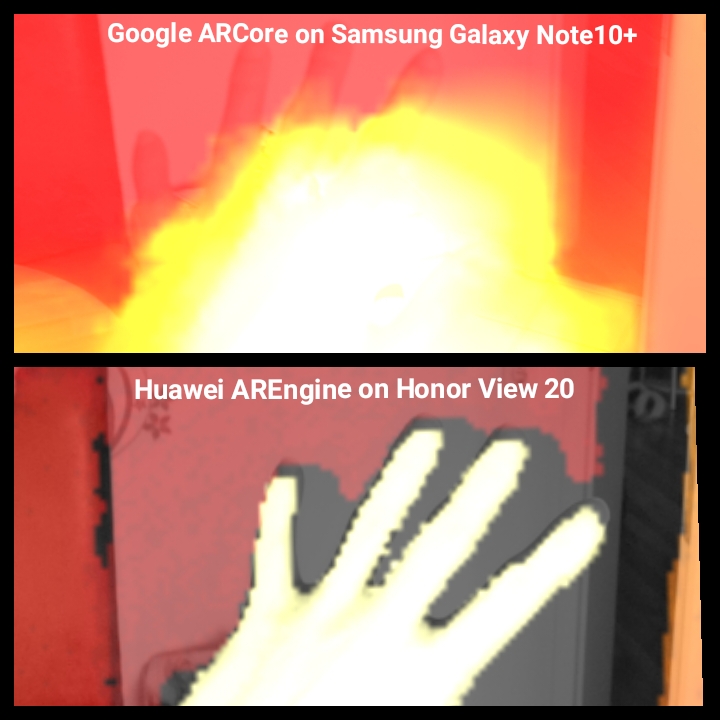
lvonasek
on 27 Jun 2020
Hi @lvonasek, do you think ARCore Depth API work on outdoor environment for 3D reconstruction?
 thachhoang1909
on 9 Jul 2020
thachhoang1909
on 9 Jul 2020
Hi @thachhoang1909, it does but the quality is not so good.
lvonasek
on 9 Jul 2020
@tchowhan: I did not try to overlay the images, sorry.
@Lorenzoarc: I haven't seen that exception but I did the same thing you describe (Camera 2 Api, seperate handler for depth and color images):
CameraManager manager = (CameraManager) this.getSystemService(Context.CAMERA_SERVICE); final ImageReader mImageReader = ImageReader.newInstance(240,180, ImageFormat.DEPTH16,5); final ImageReader mImageReaderColor = ImageReader.newInstance(1024,768, ImageFormat.JPEG,5); CameraDevice.StateCallback depthCallback = CreateDepthCallback(mImageReader); CameraDevice.StateCallback colorCallback = CreateColorCallback(mImageReaderColor); try { manager.openCamera(depthCameraID, depthCallback, null); } catch (CameraAccessException e) { e.printStackTrace(); } try { manager.openCamera("0",colorCallback,null); } catch (CameraAccessException e) { e.printStackTrace(); }
in the callbacks I get frames in OnCaptureCompleted(...) with e.g.:
Image depthImage = mImageReader.acquireLatestImage();
Hi, woulde you please share your code as how to get the depth and rgb data simultaneously?
diudiutao
on 19 Jul 2020
@tchowhan Hi, I want to know how you overlay rgb data and depth data together. And I wonder how you get rgb data and depth data simultaneously? Could you share your source code?
diudiutao
on 22 Jul 2020
@lvonasek Hi, could you please share the night vision source code to me?
diudiutao
on 23 Jul 2020
@diudiutao I guess I answered you already on Email. However you could be interested in this:
https://github.com/mpottinger/arcoreDepth_example
lvonasek
on 23 Jul 2020
@diudiutao I guess I answered you already on Email. However you could be interested in this:
https://github.com/mpottinger/arcoreDepth_example
Hi. What does this project do? It makes nothing on my S10+. Just buttons "next" and "prev" and a slider but changes nothing when I play with them. Had no time to analyze the code yet. Thanks !
 agGitHub
on 23 Jul 2020
agGitHub
on 23 Jul 2020
@agGitHub - AFAIK S10+ does not have ToF sensor. But generally on Samsung devices you need much more complicated approach because the ToF on Samsung devices is in different coordinate space and the system camera calibration is not reliable.
Also to make ToF working on Samsung you need to do yourself a proper calibration for every device. To access depthmap you need parallel to ARCore use Camera2 API (this combination is unstable), ensure the main camera and ToF sensor are in sync. Then recalculate the depthmap into main camera space and then you can start working on the app. I am giving hands out of Samsung, it is too hard to support it.
lvonasek
on 23 Jul 2020
@agGitHub - AFAIK S10+ does not have ToF sensor. But generally on Samsung devices you need much more complicated approach because the ToF on Samsung devices is in different coordinate space and the system camera calibration is not reliable.
Also to make ToF working on Samsung you need to do yourself a proper calibration for every device. To access depthmap you need parallel to ARCore use Camera2 API (this combination is unstable), ensure the main camera and ToF sensor are in sync. Then recalculate the depthmap into main camera space and then you can start working on the app. I am giving hands out of Samsung, it is too hard to support it.
Thanks @lvonasek Seems indeed a mess on Samsung... Question : I see that some of your apps are compatible only with the P30 Pro and the Honor View 20. May you explain what is the reason ? Do these devices have specific ToF sensors ? Other reason ? Thanks !
agGitHub
on 28 Jul 2020
@agGitHub Huawei has an advantage that they have a control about hardware and also about software (Huawei AREngine). They provide much better sensor calibrations and they also solved for developers many problems which makes app development easier.
On Sony and LG I have a problem that reading ToF sensor parallel to ARCore is slow and that means that I do not have the depth and color data synced (I cannot run proper reconstruction because I do not have matching pose for depthmaps). On Samsung this problem is not there but the depthmap is in another coordinate system than RGB data. To reproject it I would need a very accurate intrinsic and extrinsic calibration for RGB and ToF sensor. Unfortunately the system provides very inaccurate calibrations. Also I can run the reconstruction on Samsung but the texture is not matching at all.
I am going to expand my app ToF support to more Huawei devices. Adding support to another devices I need a proper support for ToF sensor in Google ARCore. DepthAPI is currently doing a fusion of ToF and AI depthmap which decreases quality of ToF sensor data. I also saw that they did not solve the Samsung calibration issue yet.
lvonasek
on 28 Jul 2020
@lvonasek Thanks for your answer. I had a look at Huawei AREngine documentation but it seems really poor (or I didn't find the correct link... Should I be part of their dev program to have more doc ?).
Is it finally easier to use than ARCore ? Do you think that they will extend their SDK to Samsung devices ?
By the way, which device has the best 3D reconstruction capabilities with Huawei AREngine ? Same question for ARCore ?
Thanks !
agGitHub
on 28 Jul 2020
@agGitHub Yes documentation is not the best for AREngine, but the api is very similar to ARCore, almost identical with just a few differences, so not hard to pick up if you're already familiar with ARCore.
I have the P40 Pro and P30 Pro, P40 pro seems better and is probably best, but there is not a dramatic difference, both work well.
mpottinger
on 29 Jul 2020
@mpottinger @lvonasek I see that some apps of @lvonasek are compatible only with P30 Pro and Honor View 20 ; why only these two devices whereas the Huawei AREngine compatibility list is much longer ? Thanks.
agGitHub
on 29 Jul 2020
@agGitHub Only this two devices have ToF sensor on rear side (Huawei P20 Pro ToF is not supported by AREngine) and also have Google Play. The app would work on all new Huawei devices with ToF sensor but due to Huawei ban it is not possible to sell it using Google Play.
lvonasek
on 29 Jul 2020
The ARCore documentation for the depth API released at the end of June says this:
If the device has an active depth sensor, such as a time-of-flight sensor (or ToF sensor), that data is automatically included in the processed depth. This enhances the existing depth map and enables depth even when the camera is not moving. It also provides better depth on surfaces with few or no features, such as white walls, or in dynamic scenes with moving people or objects.
Does anyone know if there are any actually devices supporting this mode? I've been working on some AR demo projects with ARcore, but really need proper depth data from a ToF sensor. I'm considering a few options...anyone have any insights on what might be best?
- Pixel 4 Front camera
- I've been able to load up ARcore in shared camera mode on the front camera to grab the stream for DEPTH16 as well. I can render the two simultaneously and the heatmap from DEPTH16 corresponds to the RGB image beautifully, with seemingly very nice and accurate depth data at 640x480. However...using a front-facing camera in ARcore disables most of the AR features such as tracking and plane finding. The only feature supported is face tracking. I'm not certain whether it tries to use the ToF data or not (I suspect not).
One approach I'm considering is to try to trick ARcore into thinking the front camera is actually a back camera, maybe by patching CameraCharacteristics at the android OS level.
Huawei P30 Pro or View 20
- Google lists these as ARcore compatible and supporting the Depth API. Anyone know if the latest releases of ARcore actually read in the ToF depth data? If so, do they get correct correspondence, and how's the accuracy of the depth data?
It would be great if these devices now work with ARcore. If not though, I might also give a stab at AREngine.
Samsung
- @Ivonasek 's experiments with Samsung clearly had some lackluster results. That screenshot from the Note10+ actually looks pretty similar to what I get in ARcore without any ToF data at all, having it just use a single camera. So I doubt ARCore is even picking up the depth data? Does the Note10+ support streaming DEPTH16 out, which I suspect is what ARCore is looking for to enable the ToF input? Also, anyone tried the Galaxy S20+?
- Other reports have also been that the Samsung ToF sensors are not great. I believe they're working on their own to compete with the one's Sony makes (for which they have an exclusive licensing deal with Apple), but they won't even be in the S30 yet.
 kmewhort
on 30 Aug 2020
kmewhort
on 30 Aug 2020
@kmewhort DepthAPI uses ToF sensor BUT Google does a fusion of ToF depthmap with their AI depthmap which completely destroyes the quality of the depthmap. On Samsung devices Google merges the data even when they are with different coordinate system. The best solution is right now Huawei AREngine but then you are of course limited to few devices only.
Pixel 4 - I would not use this device, having depth sensor on front side is not fitting any of my usecases. You can try the same what Scandy did on iPhone X: https://www.scandy.co/product/the-lookout
Honor View20/Huawei P30Pro - They work both on ARCore but the depthmaps are bad just like on Samsungs, but on AREngine they perform much better
Note10+ ToF has resolution 640x480 but DepthAPI provides you 160x90. It is better to use SharedCamera to access the depthmaps from ToF sensor.
Samsung S20+ works similary bad like Note10+, only the depthmaps are bit more noisy if you read them using SharedCamera
ToF sensors are great:
https://www.youtube.com/watch?v=wiVO7zCEqVI
https://www.youtube.com/watch?v=Tx_bfSbmQzU
lvonasek
on 30 Aug 2020
@lvonasek thanks, that's really helpful info. I think now what might actually work best for me is the Samsung route, using ARcore for tracking poses and setting up rough planes to anchor against -- while simultaneously pulling in more detailed depth maps via shared camera access to generate my own more granular point cloud.
kmewhort
on 31 Aug 2020
Great thread here. Thanks in particular @lvonasek and @kmewhort 🙏
Do you guys know if the Shared Camera access for AR Core is also supported via the ARCore API for Unity and how one could access the depth camera in such a way to get VGA depth map from the ToF camera with (AR Core) Unity APIs instead of the 160x90 from ARCore?
reneschulte
on 1 Sep 2020
@reneschulte it is not supported by Google but technically you can create a java plugin which creates the shared session, then you set in C# native pointers and access the depth data using java plugin.
However if you do this on Samsung then you should know that the depthmap will have slightly different coordinate system and there is no valid calibration which would enable you to reproject it.
lvonasek
on 1 Sep 2020
@lvonasek Thanks for sharing these interesting informations. As my research project is also dealing with 3D scanning on these phones I have encountered the problem that my Note 10+ is not providing any DEPTH16 stream configuration in shared camera mode, whereas the Honor View 20 does it. Is your Note 10+ providing it or is it another streaming configuration? Thanks in advance!
 bookhahn
on 2 Sep 2020
bookhahn
on 2 Sep 2020
For Samsung (Note 10+) you have to open the depth and color camera separately (Implementing separate Camera Device / Session/ Request) and use the Color and Depth Camera Intrinsic and Extrinsic matrices to project the depth pixels on the color pixels. It gets complicated to the part that the projection algorithm is a function of the depth of each pixel itself and in particularly for the translation offset of the two camera. You can also access the depth data in parallel to Arcore Color Camera processing and project those pixels to build a better depth map.
tchowhan
on 2 Sep 2020
@tchowhan Thanks a lot, I will give it try. Currently I thought this is not possible, as I have noticed that the HAL (Android 10) is deleting the depth camera id (physical id) from getCameraIdList() .
bookhahn
on 2 Sep 2020
@bookhahn Your Camera Id on the Note 10+ for depth should be "4" . If you aren't getting access to it try updating your Phone Software.
tchowhan
on 2 Sep 2020
Hi! My use case is metrology / photogrammetry. Can anyone tell me how's the accuracy of this current generation of ToF sensors?
 andrestone
on 6 Sep 2020
andrestone
on 6 Sep 2020
Also, @lvonasek, in your app, are you using ARCore or do you project the depth map yourself? Feels very smooth.
andrestone
on 6 Sep 2020
In 3D Scanner for ARCore I use Huawei AREngine on Honor/Huawei devices, DepthAPI on all other devices. ToF Viewer uses Camera2 API
lvonasek
on 6 Sep 2020
I was referring to the ToF viewer. It's pretty interesting to see the effect of the different camera matrices as well as the lens translation.
Is there any particular reason why you didn't apply the transformations? They seem to be available in the device metadata (at least on my device).
andrestone
on 6 Sep 2020
I checked the transformations on two Samsung devices and they are so extremely inaccurate that I am not going to use them.
lvonasek
on 6 Sep 2020
I went with giving the S10 5G a go. It was a tad bit annoying to not have DEPTH16 as another format on the same camera, but not a big deal to open it in a separate camera session either.
Although the output is only 240x180, it's accuracy is really good. The mm output values from DEPTH16 seem spot on. It's also much less noisy than what I was finding on my front-facing pixel 4 camera.
As for image correspondence between the depth camera and RGB camera, after applying the standard arcore image pixel to texture transformation, it's exact on the x axis but a bit off on the y axis. Still investigating, but I suspect this might be mainly because the actual lens for the depth camera is a couple cm below the RGB lens, which makes correspondence quite difficult (with the same point origin, it'd be easy to to shift or scale, but translating the lens up/down a couple cm makes it a different shift at different depths, so have to do a full 3d transform).
kmewhort
on 8 Sep 2020
@kmewhort Thanks for your post. When you say that "The mm output values from DEPTH16 seem spot on", is it just a feeling or did you check this accurately by creating the points of the Depth map in the ARCore 3D space to check that the fit perfectly with the real objects detected ? I have a Samsung S10+, I did represent the points of the depth map in the 3D real world, and the result is not really good... I expected something much more accurate. Thanks.
agGitHub
on 8 Sep 2020
@agGitHub, I haven't done the work yet to layer a point cloud created from the DEPTH16 output to the ARcore 3d space. Given the note that the texture mapping does not exactly line up on the Y axis, this will certainly involve some callibration to get the point cloud in correct alignment.
What I mean by the accuracy is that the depth value from the depth map is good. Eg. if I setup my phone on a tripod measured exactly 1 meter away from a real world object, the pixels registering that object show a depth of 1.0m accurate to at least a cm.
kmewhort
on 8 Sep 2020
@lvonasek, which transformation did you try on the Samsung devices? Given it's a separate camera, I think the one you get from ARcore would be for the visual camera, not the depth camera?
I tried creating a depth map from DEPTH16 by using the focal length and sensor size to calculate angles to each pixel, then getting the actual X, Y, Z from simple trig. It works OK, but definitely doesn't align exactly to the ARcore world space.
Has anyone tried using LENS_INTRINSIC_CALIBRATION, LENS_POSE_ROTATION, LENS_POSE_TRANSLATION and LENS_DISTORTION to translate pixels to "world" space? As described here: https://developer.android.com/reference/android/hardware/camera2/CameraCharacteristics#LENS_INTRINSIC_CALIBRATION. Sounds off the bat like the right way to do this but....lot's of matrix algebra to code up!
kmewhort
on 10 Sep 2020
To project the depthmap you need extrinsic and intrinsic matrices for both depth and color camera.
Intrinsic for color camera you can get from ARCore.
Intrinsic for depth camera you can get using Camera2 API.
Extrinsic matrices also using Camera2 API - create the matrix using LENS_POSE_ROTATION, LENS_POSE_TRANSLATION.
lvonasek
on 10 Sep 2020
@kmewhort , Using depth camera - Intrinsic , translation and rotation project to world coordinates of the camera system and back to the color space to overlap. The translation part will also be influenced by the depth of each pixel . So you have two matrix in the final operation.
I did not use the lens_distortion as both the images are already distortion rectified. Also need to take care that the intrinsic matrix applies to sensor native pixel array size , and so if you are transforming to another color resolution need to compensate it.
tchowhan
on 10 Sep 2020
For the issue of depth maps, see if this helps you at all:
https://developers.google.com/ar/develop/java/depth/overview
Although that is a bit off topic from the original request.
 brianm-sra
on 10 Sep 2020
brianm-sra
on 10 Sep 2020
Thanks all! This feature request probably isn't the best forum for a detailed discussion here, so I asked a question on StackOverflow if anyone has a kind inclination to take a peek: https://stackoverflow.com/questions/63853487/world-co-ordinate-point-cloud-generation-from-depth16
kmewhort
on 11 Sep 2020
@lvonasek Could you give a bit more info about how to wrap Arcore shared session in java plugin? I managed to access tof camera with camera2 api by writing a similar plugin for unity, but i couldn't quite understand how to wrap the arcore session and which minimum functionalities it requires to be used. In my case i only need to access the posedriver values, and nothing more. Shared camera example from google switches the usage from arcore to camera2, would it also require similar approach? and it seems like there is no way to choose which camera to share and it always refers to 0 which is the main backward cam.
 elpekozgun
on 18 Sep 2020
elpekozgun
on 18 Sep 2020
@elpekozgun sorry for delayed answer. About shared camera in java you can get some inspiration here:
https://github.com/Welthungerhilfe/cgm-scanner/blob/master/app/src/main/java/de/welthungerhilfe/cgm/scanner/helper/camera/ARCoreCamera.java
To make it working in Unity you have to modify Unity ARCore SDK to not start AR session but use your AR session you created in java (you can do it by replacing AR session and AR frame native pointers).
lvonasek
on 29 Sep 2020
Here is a great article about troubles of using ToF sensor in apps:
https://www.linkedin.com/pulse/why-apps-phones-tof-sensor-lubo%25C5%25A1-von%25C3%25A1sek
lvonasek
on 29 Sep 2020
@lvonasek Thank you very much for the resources, I'll have a look at those.
elpekozgun
on 29 Sep 2020
@kmewhort , sorry I was away To get the Samsung calibration right use, the matrices as (4 * 4) and implement the following equation Kc * Rc * Rd(inv) * Kd(inv) * [Px,Py,1,1] + 1/z * Kc * Rc *[Tx,Ty,Tz,0]
where I treat M1= Kc * Rc * Rd(inv) *Kd(inv) and M2 =Kc * Rc * [Tx,Ty,Tz,0] . The depth camera has a slight angle also with the sensor Z axis so need the matrix as 4 * 4 .For rotation matrix a transpose of the matrix is equivalent to its inverse.
tchowhan
on 29 Sep 2020
Here is a great article about troubles of using ToF sensor in apps:
https://www.linkedin.com/pulse/why-apps-phones-tof-sensor-lubo%25C5%25A1-von%25C3%25A1sek
That article has old / misleading information about Samsung, which does include ToF sensor in some newer
devices released in 2020. See this page for more info: https://www.samsung.com/global/galaxy/what-is/depthvision-camera/
brianm-sra
on 29 Sep 2020
@brianm-sra the article is actual, see the comment below:
https://www.linkedin.com/feed/update/urn:li:ugcPost:6716628974006546432?commentUrn=urn%3Ali%3Acomment%3A%28ugcPost%3A6716628974006546432%2C6716814687847235584%29&replyUrn=urn%3Ali%3Acomment%3A%28ugcPost%3A6716628974006546432%2C6716949947847118848%29
lvonasek
on 30 Sep 2020
brianm-sra
on 30 Sep 2020
What's your point posting these random links? It's irrelevant to the discussion also to the things addressed by @lvonasek's article.
This is not about what companies sell with their marketing language, but rather a technical discussion about the actual implementation challenges, most of them imposed by the same companies.
andrestone
on 30 Sep 2020
Sorry, I meant to specifically point out that some device are listed there
with the text designating "Supports Depth API" and those "Supports Depth API" devices should work with the ARCore Depth API described at
https://developers.google.com/ar/develop/java/depth/overview
brianm-sra
on 30 Sep 2020
@lvonasek Right now the calibration of my Samsung Note 10+ for depth sensor and camera seems quite accurate. At least for aligning both sensors. When you talking about inaccurate calibration, do you mean extrinsics transformation to sensor frame or intrinsics for 3D reconstruction?
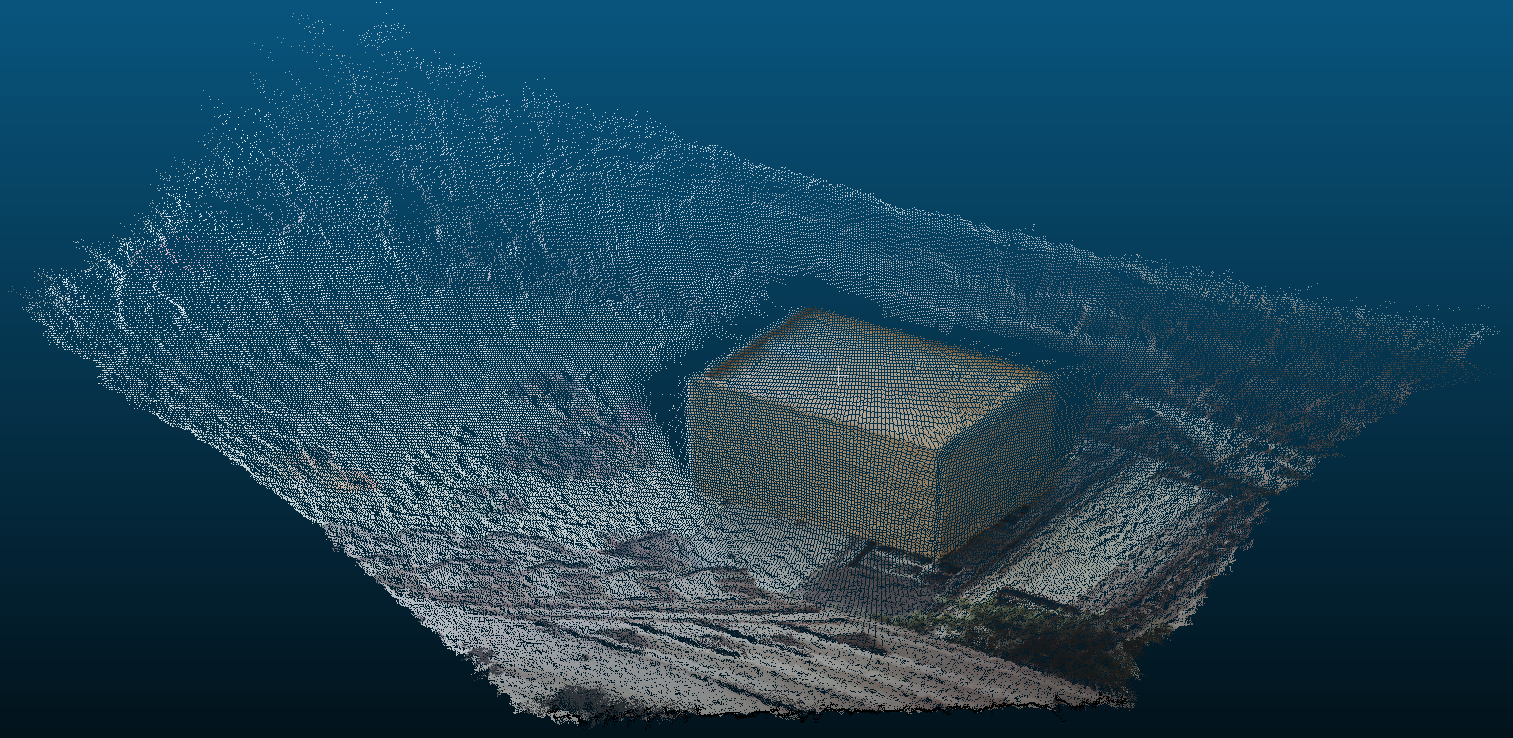

bookhahn
on 7 Oct 2020
I do not know if it is just extrinsic calibration or both. What I see on your pointcloud is that on the left side there is about 3 pixel inaccuracy (white pixels on the edge of the box). On right side there are many box pixels wrong. That's for me not accurate enough.
lvonasek
on 7 Oct 2020
Thanks! I have to admit, that there is no motion compensation. Its just one quick try to align color and depth image, as I thought its going to be much worse.
EDIT:
For me it looks like the sensor noise introduces much more inaccuracy...
bookhahn
on 7 Oct 2020
If I am taking the slightly different LENSE_POSE_ROTATION matrices into account, even the 3 pixel offset disappears.

bookhahn
on 7 Oct 2020
And you increased the error in another direction. If you really need to calibrate your device you should do it with chessboard pattern and do it properly.
lvonasek
on 7 Oct 2020
@bookhahn Thanks for this great picture. How do you get the dots of the mesh ? Do you get them from the Depth API or directly from the depth sensor using Camera2 ? Last question: how do you draw this mesh from your list of points ? OpenGL code ? Thanks a lot.
agGitHub
on 8 Oct 2020
@agGitHub No worries. I have used the full size depth image from camera2 api for this point cloud. The projection is as easy as:
X = (u - cx) * Z / fx
Y = (v - cy) * Z / fy
P = [X,Y,Z]
For my experimental use case I have saved it all to a PLY file. For visualization I use cloudcompare.
bookhahn
on 8 Oct 2020
Hi @diudiutao @tchowhan @Lorenzoarc @bastiankayser !
Did you manage to use ARCore and Camera2 (to get the ToF sensor data) simultaneously ? I have got the CAMERA_DISCONNECTED error.
Please see my question on this thread : https://github.com/google-ar/arcore-android-sdk/issues/1146
Thanks for your help !
agGitHub
on 15 Oct 2020
@agGitHub You cannot use ARCore with depth sensor support and camera2 api at the same time to acquire the depth image. Only one api can access the depth sensor at a time. Set the filter to DepthSensorUsage.DO_NOT_USE and you will be fine. This is only valid for Samsung devices. On Huawei devices ARCore in shared mode is providing a DEPTH16 stream in full resolution. (Tested on Samsung Note 10+ and Honor View 20)
Additional info: In sharedCamera mode, ARCore 1.19 is not using the depth sensor either.
bookhahn
on 15 Oct 2020
@bookhahn : The real test to check if your calibration algorithm is working fine is to get the test object away ( about a meter and a half), intermediate and near about 30cm close and check the color and depth image overlap properly for all. In your transformation from the depth coordinate to the world coordinate you seem to be missing on the camera rotation transformation.
tchowhan
on 15 Oct 2020
@tchowhan I dont see the problem... which image seems incorrect to you?
bookhahn
on 15 Oct 2020
@bookhahn Thanks a lot ! Indeed, it works when setting the filter to DepthSensorUsage.DO_NOT_USE.
I don't manage to figure out if the Tof sensor is used by ARCore when the filter is set to REQUIRE_AND_USE. My feeling is that it is not used even with ARCore 1.20. See my remarks here: https://github.com/google-ar/arcore-android-sdk/issues/1146#issuecomment-709375608 What do you think ?
Is the 3D understanding of the environment is better with the ARCore Depth API or with Camera2+ToF sensor+3D transform ?
What do you mean by "In sharedCamera mode, ARCore 1.19 is not using the depth sensor either." ?
Thanks a lot for your help !
agGitHub
on 15 Oct 2020
Is the 3D understanding of the environment is better with the ARCore Depth API or with Camera2+ToF sensor+3D transform ?
They complement eachother, if Google gave access to both streams separately at the same time.
The depth from motion algorithm that the Depth API uses is not anywhere near as accurate as a TOF sensor, but a TOF sensor has limited range, and sensitive to dark or reflective materials. There are "holes" in the TOF sensor depth maps, where the surface is out of range, or not reflecting enough infrared light.
Depth API is much less accurate than TOF but always offers (somewhat accurate) depth for all points on the image where TOF might fail to pick up anything. TOF also can deal with dynamic scenes better, moving objects, etc.
mpottinger
on 16 Oct 2020
@bookhahn I was referring to the equations you have . It transforms a depth point to the depth camera co-ordinate system and not to the World co-ordinate system. The World coordinate according to the the android literature overlaps with the main camera color (usually id zero). So to transform to the world coordinate you would need to apply the depth camera rotation matrix and the translation of the depth camera further, as is with respect to the mobile sensor coordinate system( or the World coordinate system)
tchowhan
on 16 Oct 2020
@agGitHub It always depends on your goal. If you are aiming for 3D reconstruction you might better use the full resolution depth image. But to get these full resolution depth image you have to either configure ARCore for "sharedCamera" mode (Huawei) or use ARCore and Camera2 in parallel (Samsung). But in both cases ARCore (at least for now) will not use the depth information for better tracking. Only if you are fine with the depth image from Depth API, ARCore might use the depth sensor as well. (Depends on manufacturer) I don't know what changes with future releases.
@tchowhan Thanks, I am aware of camera to world transformation, you might get me wrong. With this equation I have just anwsered to @agGitHub's question how to receive a pointcloud from depth image.
I could share a jupyter notebook if anybody is interested.
Something about the accuracy and calibration of these TOF sensors:
Two sensors are currently the most widely used, Sony IMX316 (240 x 180) and IMX516 (640 x 480). For both sensor we see severe problems with Multi Path Inteference, although the IMX316 performs slightly better. For us, MPI has way more impact than a mentioned calibration issue. Below: two pictures of that box from above from both Sensors:
IMX316 (Honor View 20)

IMX516 (Samsung Note 10+)
bookhahn
on 16 Oct 2020
@bookhahn I would love to see the Jupyter notebook. The issue you are facing I am facing too. In my use case Honor View 20 is usable, Samsung Note10+ not.
lvonasek
on 16 Oct 2020
@agGitHub No worries. I have used the full size depth image from camera2 api for this point cloud. The projection is as easy as:
X = (u - cx) * Z / fx
Y = (v - cy) * Z / fy
P = [X,Y,Z]
For my experimental use case I have saved it all to a PLY file. For visualization I use cloudcompare.
@bookhahn Thanks for these equations. I understand that they give the world coordinates of the point with a defined depth in the camera coordinates system. How do you transform these coordinates in world coordinates system ? Thanks !!!
agGitHub
on 19 Oct 2020
Hi all,
I have a problem. I am executing the following code on each ARCore frame (onDrawUpdate) but I always get the same values for both vectors even when I move my phone :
float[] lensPoseRotation = tofCamera.cameraCharacteristics.get(CameraCharacteristics.LENS_POSE_ROTATION);
float[] lensPoseTranslation = tofCamera.cameraCharacteristics.get(CameraCharacteristics.LENS_POSE_TRANSLATION);
Any idea how to solve this problem ?
Thanks.
agGitHub
on 19 Oct 2020
@agGitHub this parameters have nothing to do with SLAM. It is extrinsic calibration of the sensor (transformation from one camera to another)
lvonasek
on 19 Oct 2020
@lvonasek Yes, thank you, it is what I realized just after asking this question :)
Now, my question to @bookhahn remains the same: how do you transform (X, Y, DEPTH) coordinates in world coordinates system ?
some algebra. But in these calculations: K is constant when the phone is moved, same for R and t, so same for P, so the matrix that link p_w (point in world coords) and p_s (point in screen coords) is constant when the phone moves. Consequently, I am missing something...
How do you transform screen coordinates+depth in world coordinates system ?
Thanks a a lot !
agGitHub
on 19 Oct 2020
Sorry for my late answer:
https://github.com/bookhahn/arcoreDepthTo3D/blob/main/DepthDataProcessing_Samsung.ipynb
Hope it is not too messy. Download link to raw data is coming soon.
Please let me know if you notice something wrong!
bookhahn
on 19 Oct 2020
Thanks @bookhahn Impressed by your code! I don't understand everything from both an algebra and syntaxic points of views as I am not used to use python, but really interesting ; thanks!
My problem is that I am developing an Android app and all what I use is ARCore API and Camera2 (everything in Java). What I don't understand is how to transform depth data from Camera2 to ARCore world coordinates. What is not clear to me is: do I need to use viewmtx/projmtx/camera position from ARCore API mixed with data from Camera2 (intrinsic and extrinsic matrices...) or is it possible to convert Camera2 depth data to ARCore world coordinates only thanks to Camera2 data?
Whatever your answer is, some Java code would help :)
Thanks a lot !
agGitHub
on 19 Oct 2020
@agGitHub
If I got it right, your problem is quite complex and there is no readily available set of constants and APIs that will have this figured out for you. You'll be dealing with three different coordinate systems and each transformation between two of those systems is a 7DoF matrix.
However, I'm afraid that this isn't actually what you want to do. Although ToF sensors might be more accurate than the Depth API, they tend to be more imprecise. Depending on your application, being imprecise hurts much more than being inaccurate.
Besides, if your device is a Samsung device, there's a hardware limitation that prevents you from accessing the two sensors at the same time (which is probably the reason why the Depth data isn't available in the main camera, as it is in other devices). This would force you to code some sort of workaround to activate and deactivate the sensors for a single rendered frame, which is pretty impractical for AR applications.
Also, when ARCore says it uses the ToF sensor when available to deliver the Depth data (which, as I said, is not the case for Samsung devices), it probably doesn't just do the required transformations. They're probably using sensor fusion algorithms to achieve better results.
I hope it helps.
andrestone
on 19 Oct 2020
@andrestone @bookhahn I confirm that what I am trying is pretty complex... Nevertheless, I don't see why I would not manage to do it as @bookhahn manages to use the ToF data obtained with Camera2 on a Samsung Note 10+ to perform a 3D reconstruction that seems to have quite a good quality.
So, all what I need is to be able to convert the depth data obtained with Camera2 to world coordinates. @bookhahn manages to do it in Python ; I want to do it in Java but at the moment I don't understand how to adapt this Python code to my Java app. The main reason is that I don't understand sufficiently this Python code, namely what input data are used (the ARCore viewmtx and projmtx? No data from ARCore? Everything from Camera2 ?)
If anybody can help... Thanks !
agGitHub
on 19 Oct 2020
This:
So, all what I need is to be able to convert the depth data obtained with Camera2 to world coordinates.
Isn't the same as this:
use the ToF data obtained with Camera2 on a Samsung Note 10+ to perform a 3D reconstruction that seems to have quite a good quality.
andrestone
on 19 Oct 2020
@agGitHub First I have to disagree on the quality of my results. As I mentioned above, the accuracy AND precision of the TOF sensor suffers heavily from Multi Path Interferences and without real raw data access there is nothing you can do about it. No matter what I may have missed in termes of 3D projection, for our use case it is not going to work with these sensors. Still @lvonasek already offers a really nice app providing the complete pipeline including data fusion etc.
Maybe the following source is a good starting point. https://docs.opencv.org/master/d9/d0c/group__calib3d.html
What you have to unterstand is, once you have projected the depth image via camera intrinsics to 3D coordinates, these coordinates are in the reference frame of the sensor itself. Then you are starting to apply rotation first and translation second from depth sensor to camera frame and then from camera to world frame. This is what you can do in one step using homogeneous coordinates. ARCore is providing translation and rotation of the camera in the world, based on visual features.
bookhahn
on 19 Oct 2020
Related issues
 FUBAR2077
·
26Comments
FUBAR2077
·
26Comments
 Xanvial
·
37Comments
Xanvial
·
37Comments
 twkx
·
17Comments
twkx
·
17Comments
 NWalker1208
·
51Comments
NWalker1208
·
51Comments
 rohitagarwal3011
·
17Comments
rohitagarwal3011
·
17Comments
Most helpful comment
@chucknology Do I understand the situation right: Honor View 20 and Huawei P30 Pro will never get ToF support with ARcore because of Mr. Trump?
So propably Huawei will make ToF data available through their "HUAWEI AR Engine" at a certain point...
Is the Samsung S10 5G now the the best chance for ToF support with ARcore or is there another (better / cheaper) device?
Or do you think ToF support now has moved to a very low priority within the google team?