Ar.js: Failed Camera Detection [Android] [Chrome]
Describe the bug
Fails to find the camera on galaxy s10 android while using chrome. It successfully asks for permission to use the camera and also to record video. Then even after accepting both prompts, you still get this error.

To Reproduce
Clone the current repo. Open the THREEjs flavored mobilePerformance.html example
Expected behavior
The application should resolve the front facing mobile camera while using chrome browser.
Smartphone (please complete the following information):
Galaxy S10 - Android 9

Additional context
Runs fine on firefox. Other webcam tests seem to work as well. Also works fine on older galaxy S-9. It successfully asks for permission to use the camera and also to record video. Then even after accepting both prompts, you still get this error.
 Bug-Reaper
All 51 comments
There are multiple solutions to that problem.
First of all have you running the site as https?
https://github.com/jeromeetienne/AR.js/issues/463
Also try and search for the error here, since it has been solved multiple times, or gone unsolved because the actual phone does not support it, or the example you mentioned might be outdated.
But also try and open the basic example:
https://github.com/jeromeetienne/AR.js#try-it-on-mobile
Does the above example work?
 commentatorboy
on 18 Jul 2019
commentatorboy
on 18 Jul 2019
Hello @commentatorboy
I am indeed hosting the site on HTTPs and I've searched through the available archive of errors here in the github issue tracker as well as on stack overflow.
The basic example you linked does not work either. Same behavior, prompts for permission the first time then subsequently returns the error pictured above after accepting.
Bug-Reaper
on 22 Jul 2019
I just noticed something.
It might be an issue with chrome. (It being version 75)
We have a compatibility list over at Trello, and I can see that it should work on chrome 72.
(F.x. Android (OxygenOS) 9.0.3, Chrome 72.0.3626.105)
I do not know if it is an issue with galaxy or with chrome itself.
Right now I can unfortunately not know what to do with the error, other than downgrading chrome to 72, or use a different browser.
commentatorboy
on 22 Jul 2019
Yea I believe it is related to the latest version of Chrome. The basic example worked on the s9 with an older version of Chrome and also I see the same error on Chrome 75 on iPhone and Androids. I know many people have Chrome set to auto-update. Is there a plan to support Chrome 75? I'm not exactly sure what's causing the error. It works fine on latest Firefox for Galaxy S10 and Safari for iPhone 10. A Chrome update would be huge!
 DantewithZYX
on 2 Aug 2019
DantewithZYX
on 2 Aug 2019
@DantewithZYX Dante, any chance you can post the entire console output via the remote console feature for chrome:
https://developers.google.com/web/tools/chrome-devtools/remote-debugging/
It's possibly some very minor change that's required. Console output would greatly expedite debugging.
Bug-Reaper
on 2 Aug 2019
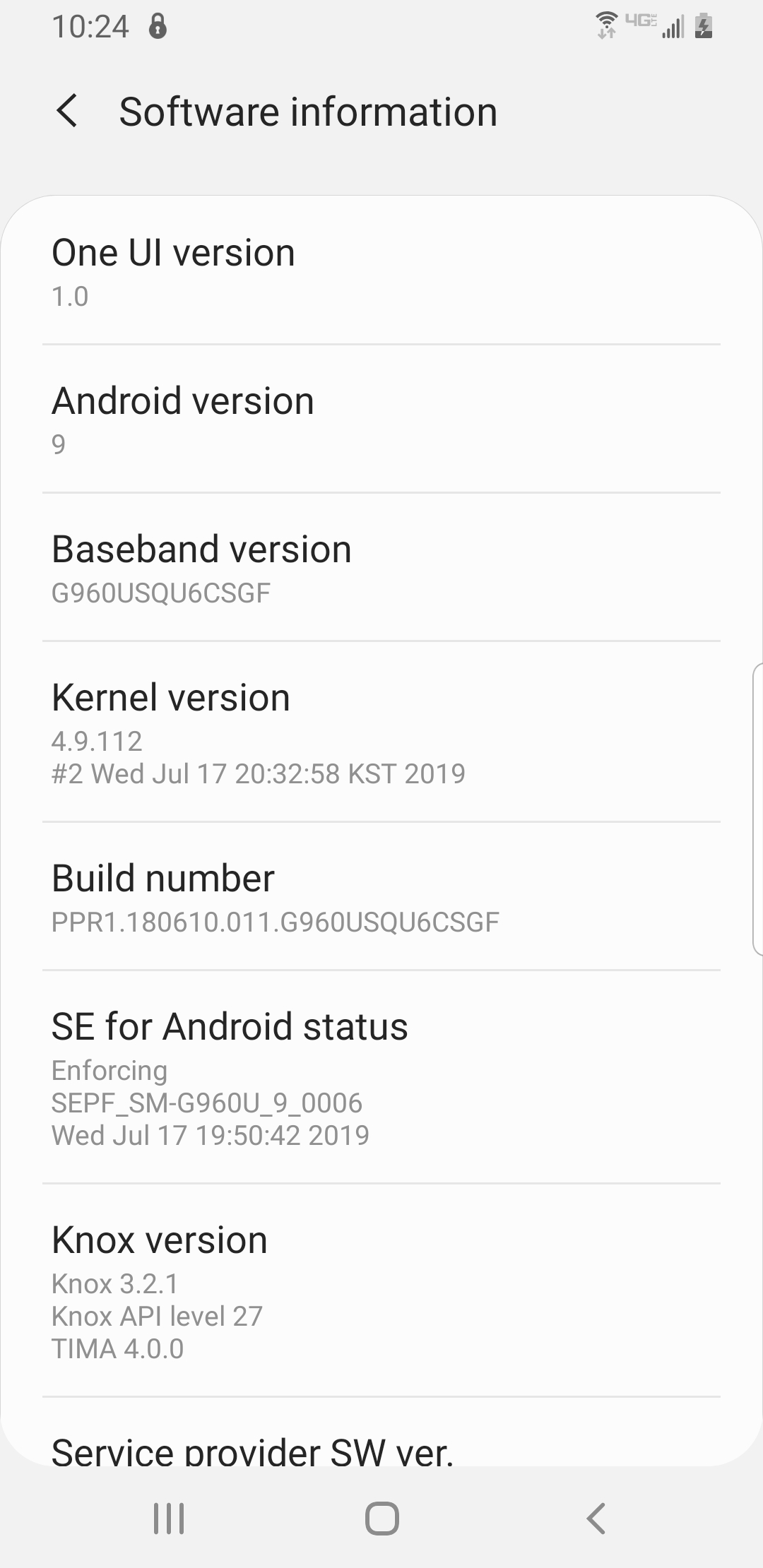
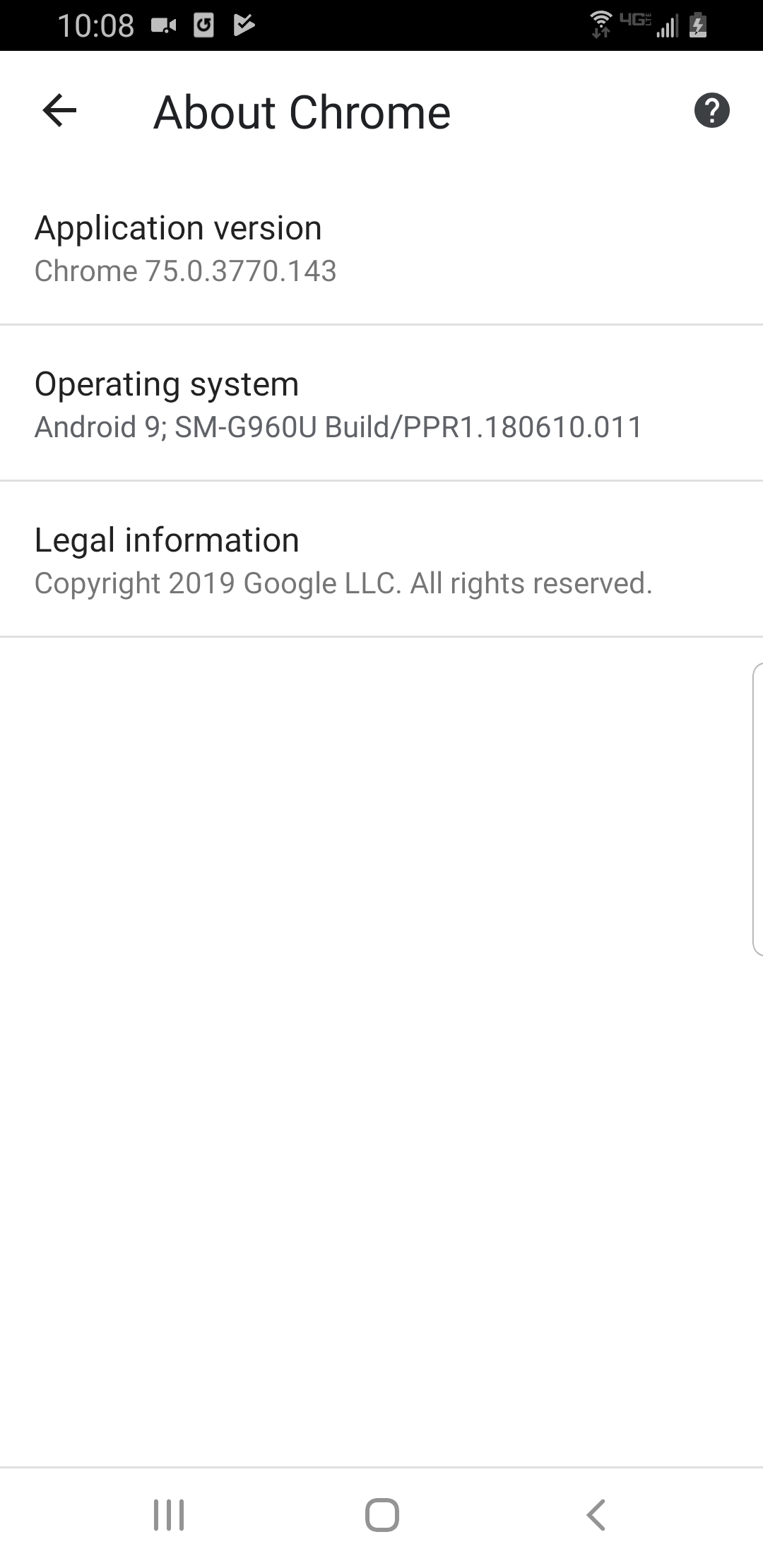
@Bug-Reaper I have just upgraded google chrome to 76
Here are my findings and information:

The information:
https://user-images.githubusercontent.com/1793964/62368871-26778180-b52e-11e9-9c50-b7415f128497.png
commentatorboy
on 2 Aug 2019
I did some testing on a Galaxy S10, a Galaxy S9 and an iPhone X. Here were my results. First, the Galaxy S10:

I tested on the regular Chrome app - v75 - No Success

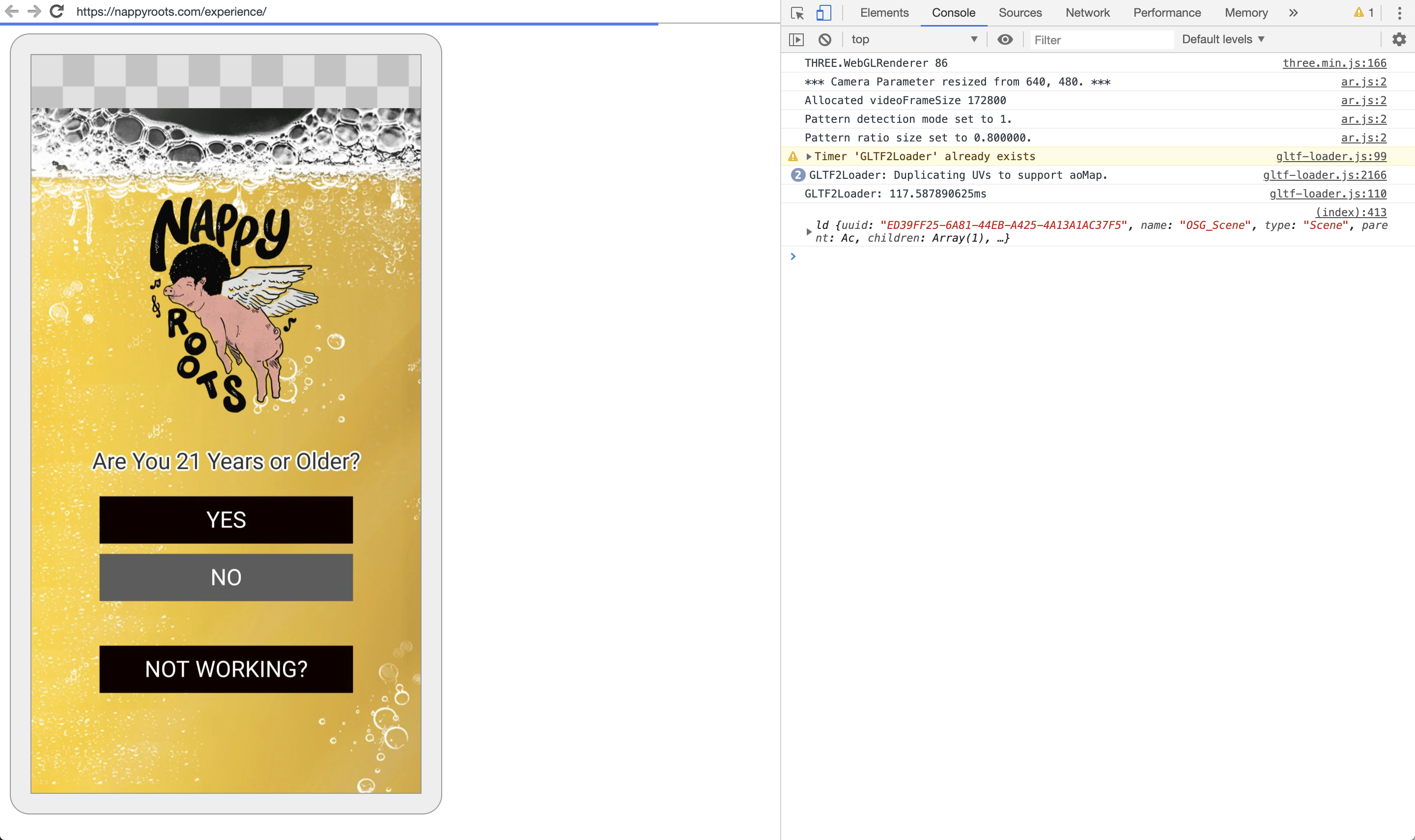

I tested on Chrome Beta App - v76 - No Success
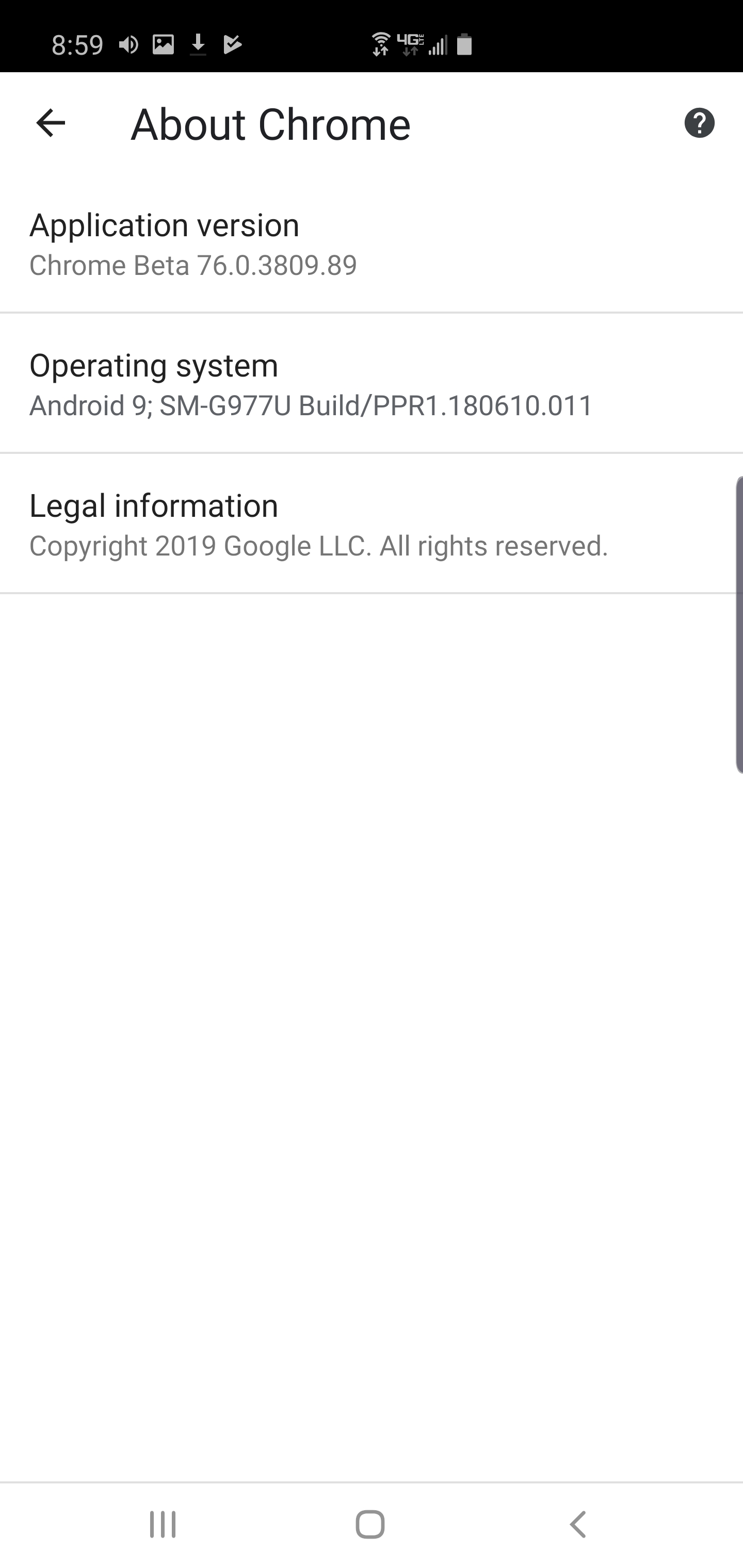
Same console output, same on screen error message
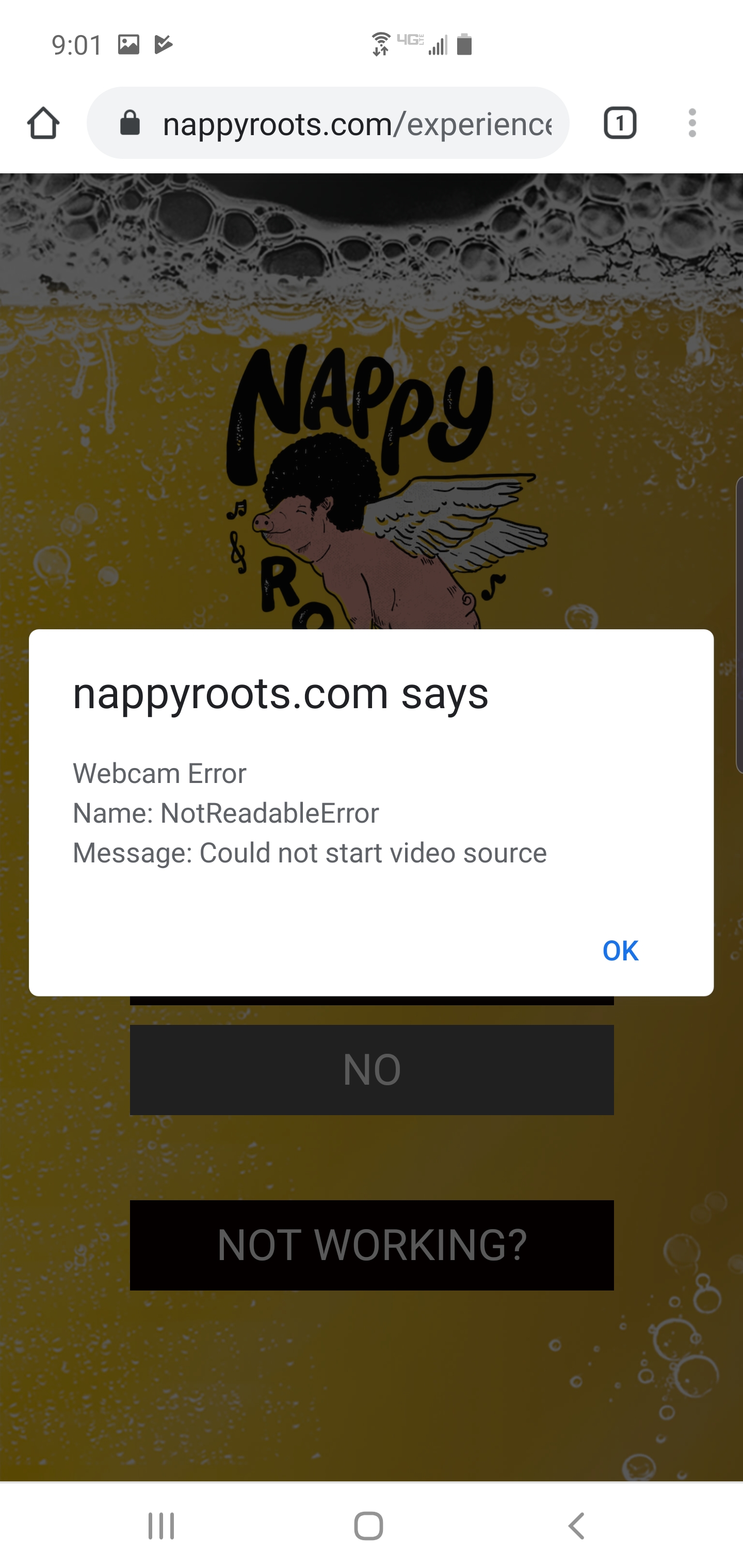
I tested on Chrome Dev App - v77 - No Success
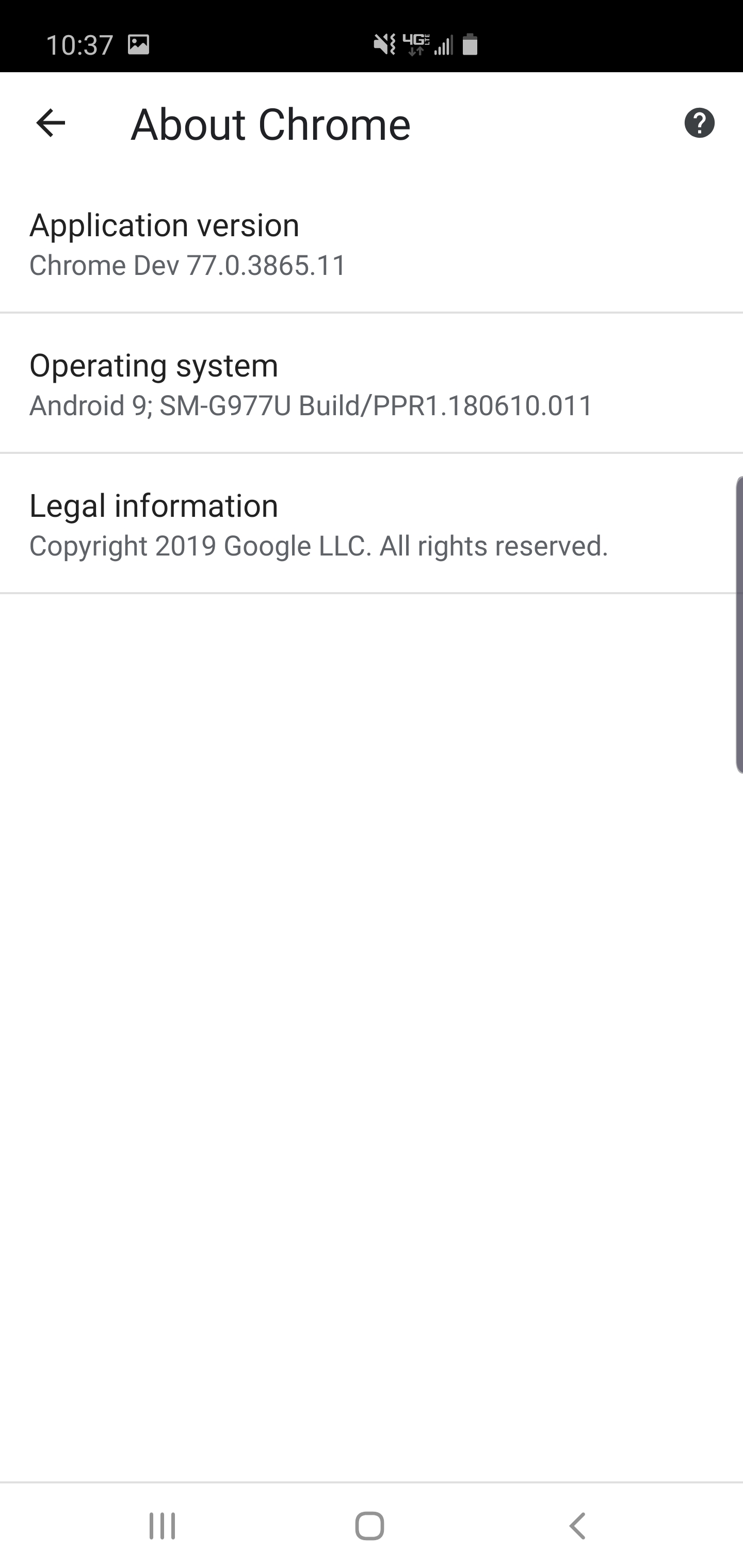
Same console output, same on screen error message.
On Samsung Galaxy S9:
I tested on Chome App - V72 - Success


I tested on Chrome App - V75 - Success
Same console output, same successful result.
On iPhone X:
I tested on Chrome App v75 - No Success

I don't have console output screenshot but I got the same on screen error message.
I also tested all of the above with the example application at https://jeromeetienne.github.io/AR.js/three.js/examples/mobile-performance.html and end results were replicated across the board. Here is console output on Samsung Galaxy S10 on Chrome v75:


Hope this helps a bit. We are about to launch a cool campaign with Nappy Roots promoting their new single in breweries around the US. It will be a great opp to show off the tech!
DantewithZYX
on 5 Aug 2019
If you'd like to try to duplicate, our app is can be found at https://nappyroots.com/experience

DantewithZYX
on 5 Aug 2019
@DantewithZYX Nice findings.
It seems like that to be a combination of newest version of a phone and that it does not support the newest stable chrome version.
So just to summerize:
Galaxy S10:
- Chrome 75 android 9 not working
- Chrome 76 beta android 9 not working
- Chrome dev 77 android 9 not working
Galaxy S9
- Chrome 72 android 9 working
Galaxy S7
- Chrome 76.0.3809.132 Android 8 not working
iPhone X
- Chrome 75 not working.
I assume that these are all updated to the latest version.
commentatorboy
on 5 Aug 2019
An edit to your summary: Under Galaxy S9, Chrome 75, not 77 was tested and was working. 77 was not tested on the S9.
Otherwise that is correct!
All devices were updated to their latest OS versions. Let me know if you have any more questions!
DantewithZYX
on 5 Aug 2019
It works for me, i have a "View" Phone with Chrome 75. Sorry @DantewithZYX for your troubles...
 kalwalt
on 5 Aug 2019
kalwalt
on 5 Aug 2019
Hi all
These are the devices I've tried:
- S10 with Android 9 and Chrome 76.0.3809.132 not working
- S7 Edge with Android 8 and Chrome 76.0.3809.132 not working
 Soolan
on 2 Sep 2019
Soolan
on 2 Sep 2019
Not sure if it's the same problem, but: S7 with Chrome 76.0.3809.132 shows a blank page, no error message. (Android 8)
I remember it did work with an earlier version of Chrome. :(
 ivoras
on 7 Sep 2019
ivoras
on 7 Sep 2019
It seems if we use camera-preview package it works:
$ npm install --save @ionic-native/camera-preview
$ ionic cordova plugin add cordova-plugin-camera-preview
However you can not use DevApp for testing.
You should build and run the apk on your device.
Hope it helps.
Soolan
on 8 Sep 2019
Just to summarize for anyone joining, it appears that the AR.js library is broken for Chrome versions 75 and upwards both for Android and iOS. This is of course over HTTPS and includes all of the example web-pages provided with this library.
The library does work for mobile firefox.
We've also observed that other websites still can use the camera with Chrome versions 75+.
If someone can track down a website that uses the back facing camera and works on Chrome 75+. We should be able to compare the pertainent navigator.mediaDevices code with the relevant code from the AR.js library.
I'd even be willing to make a PR to fix this bug but I'm super tight on time right now. If someone wants to link a website which can access the back facing camera on the latest mobile chrome, I'll give it a shot.
Bug-Reaper
on 10 Sep 2019
@Soolan
Thank you for testing! I'm glad you were able to confirm the issue and find a work around. Hopefully we'll be able to find a solution soon which does not require downloading additional APKs to solve the problem. Very interesting though, your contribution has been noted.
@ivoras
Thank you for testing and providing chrome version info. Just trying to confirm, did you try testing on the example pages provided by the readme.
@kalwalt
Thanks for taking the time to test and respond! Any chance you can provide an exact chrome version number as well as Android OS version number?
@commentatorboy
Thanks for taking the time to summarize detailed findings on non-working versions so far. Anyone interested should check out his post here.
Just to re-iterate from my summary post above:
If someone can track down a website that uses the back facing camera and works on Chrome 75+. We should be able to compare the pertainent navigator.mediaDevices code with the relevant code from the AR.js library. With this info we should hopefully be able to create a bugfix. I'd even be willing to make a PR to fix this bug but I'm super tight on time right now. If someone wants to link a website which can access the back facing camera on the latest mobile chrome, I'll give it a shot.
Bug-Reaper
on 10 Sep 2019
@Bug-Reaper Thank you for the "thank you" XD.
To everyone else:
Now I am just curious to know if your camera even works with chrome 76.
Please can you go to the following website and report your errors?
https://test.webrtc.org
You can tap on the different errors to see a detailed information about it.
Also I just noticed that media capture is not supported for the newest chrome for android.
Look at getDisplayMedia and ondevicechange. I am not sure if AR.js uses any of those, but that might be the issue.
https://caniuse.com/#search=mediaDevices (you can also go to the bottom of the page to see a summary).
And when looking here: https://developer.mozilla.org/en-US/docs/Web/API/Navigator/mediaDevices#Browser_compatibility
It seems like that mediadevices are not compatible with IOS safari anymore...
I also noticed that some of the other mediadevices works for chrome 75. It does not show any reports for chrome 76. So I might think that it is because of that it is not supported yet.
Also for future reference, we can use this function to change the camera to backfacing.
https://developer.mozilla.org/en-US/docs/Web/API/MediaDevices/getUserMedia#Front_and_back_camera
commentatorboy
on 10 Sep 2019
Here were my results with https://test.webrtc.org
Samsung S10 Android 9 - Chrome 76:
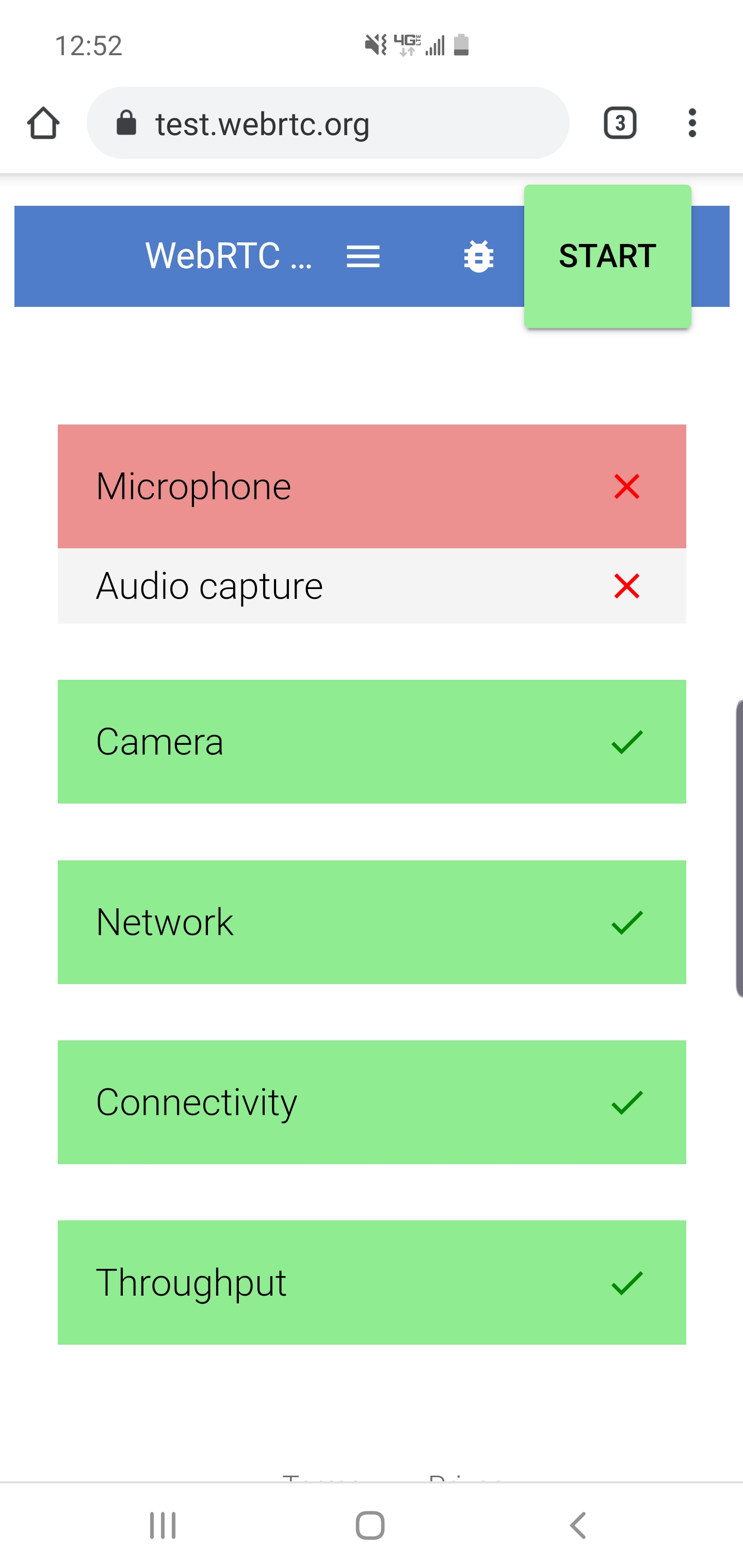
Samsung S10 Android 9 - Firefox 68.1:

(Throughput error may have to do with poor hotspot connection)
Samsung S9 Android 9 - Chrome 75:

I also got the microphone error on Chrome 76 desktop. It's possible they disabled this completely in Chrome for security no? Could this be causing the issue?
DantewithZYX
on 10 Sep 2019
Hm... Weird. Ok. Thank you. So it might not be an issue with the mediadevices.
I might try and take a look at (which also includes source code, but they also use adapter.js):
https://webrtc.github.io/samples/
I also tried on a friends Iphone XS. The basic example does not work either, both on chrome and safari.
commentatorboy
on 10 Sep 2019
Just tested iPhone X and iPhone 7+ both running Chrome 76. I tested https://test.webrtc.org on Chrome and I got a blank screen on both devices:

I tested https://nappyroots.com/experience and I get this error message:
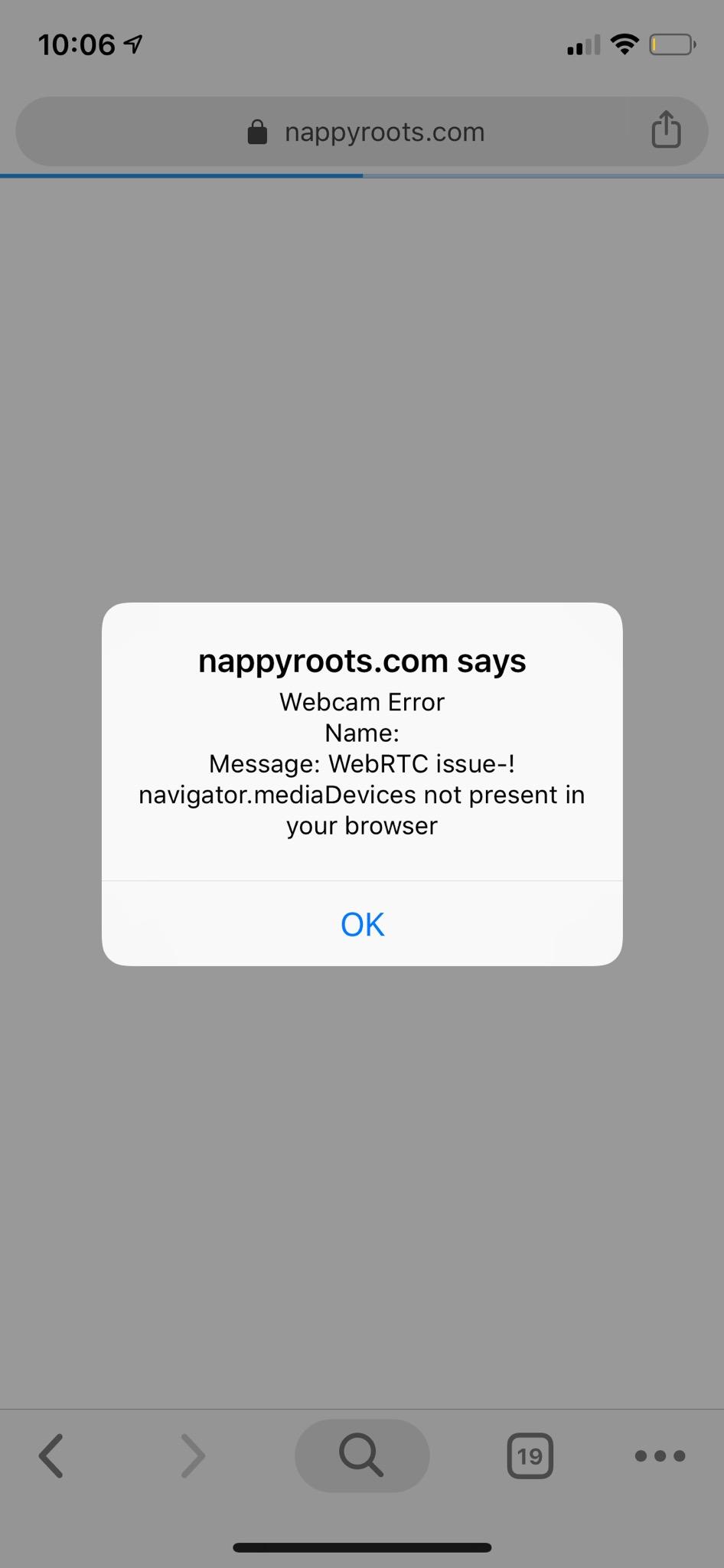
Both sites worked fine on both phones in Safari. AR was working great.
DantewithZYX
on 11 Sep 2019
@DantewithZYX OK! Thanks for confirming!
So it seems like that AR.js does not support IPhone X and up. (Properly also Iphone 7).
Untill then we have to wait. Or at least, tell google, or apple about this issue.
I think the only solution right now is to use a third party package like https://github.com/jeromeetienne/AR.js/issues/558#issuecomment-529164085 or adapter.js (not tested yet, I have to figure it out).
Also create an issue for chrome to fix (for IPhones that is), and wait.
commentatorboy
on 11 Sep 2019
@commentatorboy Actually it looks like it's Chrome. Safari works fine on iPhones 7 thru X. Chrome doesn't work even on my Samsung S9 and S10 each with Android 9.
DantewithZYX
on 11 Sep 2019
WebRTC's adapter.js (https://github.com/webrtcHacks/adapter) doesn't help - at least not by just having it loaded before the AR libraries.
ivoras
on 11 Sep 2019
@commentatorboy Thanks for your advice! I will create an issue in Chrome.
If anyone has any bright ideas in the meantime, please let me know! I am very new to this library and the camera/ar tech. I am planning to launch the Nappy Roots experience this fall.
My worst fear is Google and Apple are trying to kill AR for the web. Any comments or information are appreciated!
DantewithZYX
on 12 Sep 2019
@DantewithZYX
My only advice is to try and use older versions of aframe and AR.js and see if they work.
Check the examples here and see if they work: https://jeromeetienne.github.io/AR.js-docs/misc/EXAMPLES.html
I can assure you that they are not.
Although Apple and Google want people to use their own API kits (ARKit, and ARCore, respectively). Only problem is that they only support the newer smartphones.
commentatorboy
on 12 Sep 2019
Has anyone found a working website that actually accesses the backfacing camera on Chrome 76+? I would really like to confirm that the back camera access has not been disabled.
I can also probably look at the code for a working website and update AR.js accordingly. Can anyone find a camera test website or something that works on Chrome 76+ (specifically the back facing camera)? Please @ me if you do.
Bug-Reaper
on 13 Sep 2019
Chrome 76 and 78 (dev version) back-facing camera works for me on a Galaxy Tab S4 running Android 9. Tested the basic AR.js example.
 droid001
on 13 Sep 2019
droid001
on 13 Sep 2019
The basic example and our app work great in Firefox on Android, but they fail in Chrome on Android. Our code is very similar to the basic example.
Here is a working WebRTC example on Chrome 76 on my Galaxy S10 Android 9: https://webrtc.github.io/samples/src/content/peerconnection/upgrade/
Could it possibly be related to order of operations? Is Chrome trying to render the camera before the permissions have been asked for?
Or is there a camera object that already exists that needs to be stopped/restarted? I noticed on Desktop Chrome 76 on Macbook the basic example asks for permission once and if I close and go back to that page, the camera is turned on automatically. This is not allowed on Android I'm assuming. Firefox asks for the permission first every time on Android. Chrome gives us a "Could not start video source" error first on load.
I also realize that on the newest phones, they all have 3-4 cameras on the back and 2 on the front. I'm not sure if that is relevant.
Also there has been a recent update to this answer on Stackoverflow with news on iOS 13: https://stackoverflow.com/questions/48775154/notreadableerror-could-not-start-source
It may be this issue isn't fixable atm, but if someone more familiar with these libraries has an AHA moment, please let us know! Thanks!!
DantewithZYX
on 20 Sep 2019
Having the same problem on Andoid (S10e and Tab S3 with Chrome 78.0.3904.96. I found it sometimes works when I switch to the front camera, let it sit there for a while (1 minute or so) and then switch to the back camera. Then getUserMedia().then(...) will work. May have to go back and forth a few times.
 kwaclaw
on 20 Nov 2019
kwaclaw
on 20 Nov 2019
I may have done some progress to this. Can anyone please test? See there: https://github.com/jeromeetienne/AR.js/pull/661#issuecomment-559787020
 nicolocarpignoli
on 29 Nov 2019
nicolocarpignoli
on 29 Nov 2019
@nicolocarpignoli I see the exact same error my app experiences in Chrome. Tested using Chrome 78 on Samsung S10. It prompted to allow access to the camera, I said yes, then this error message:

DantewithZYX
on 29 Nov 2019
try now
nicolocarpignoli
on 29 Nov 2019
Same thing. Now in Chrome Beta v80 all I see is a blank page. No prompt either.
DantewithZYX
on 29 Nov 2019
pelase don't use chrome beta. we are still in chrome 78 :) if you can share dev tool console of chrome I may understand the problem.
nicolocarpignoli
on 29 Nov 2019
Still same error message on that link in Chrome 78 on Samsung S10. Console output is same as my post above - https://github.com/jeromeetienne/AR.js/issues/558#issuecomment-518078980 - No Change with Chrome 78.
DantewithZYX
on 10 Dec 2019
@DantewithZYX Have you tried to test if you can run this? Does it give any errors?
https://test.webrtc.org/
commentatorboy
on 10 Dec 2019
I just ran on Chrome 78, consistently NO errors the first time I run it.
If I re-hit the start button after the tests have successfully run with no errors, I get a microphone error. Similar to last time I tried in Chrome 76 which I posted here: https://github.com/jeromeetienne/AR.js/issues/558#issuecomment-529785089
DantewithZYX
on 10 Dec 2019
I have the same issue at Samsung Note 10 plus.
Chrome 79 not working, but Firefox 68.3 working.


 henrychen95
on 25 Dec 2019
henrychen95
on 25 Dec 2019
@henrychen95 have you tried with chrome 78?
commentatorboy
on 25 Dec 2019
@henrychen95 which Ar.js version are you using? 2.1.4?
kalwalt
on 25 Dec 2019
@commentatorboy no, I didn't try chrome 78. Because end users of my project don't know how to change to old chrome.
@kalwalt I used this link https://codepen.io/nicolocarpignoli/full/vMBgob and got this error.
henrychen95
on 26 Dec 2019
Got the same error on my phone (Xiaomi Mi 8 Pro). In my case the fix is I made a cert and ran it with https which I did with http-server (https://www.npmjs.com/package/http-server).
 kdta91
on 14 Jan 2020
kdta91
on 14 Jan 2020
When troubleshooting these types of errors, be sure not to overlook the importance of the Feature-Policy HTTP header. If it's set to a restrictive setting for the camera, Chrome will throw an error before even attempting to ask the user for permission.
https://developers.google.com/web/updates/2018/06/feature-policy
 michaellehmkuhl
on 28 Jan 2020
michaellehmkuhl
on 28 Jan 2020
Hi
Having this same issue with
Galaxy Note 10+
Android 10
Chrome 80.0.3987.132
 preston-method
on 12 Mar 2020
preston-method
on 12 Mar 2020
@nicolocarpignoli Did the Feature-Policy header help? Or did you pursue some other direction, currently struggling with the same issue and would love some help if you know something.
Thanks in advance!
 nxidplease
on 30 Mar 2020
nxidplease
on 30 Mar 2020
Hi @nxidplease i don't know this but we have moved AR.js to a new github organization. This repo will not receive updates. There is also a linked isssue on this topic https://github.com/AR-js-org/AR.js/issues/26
kalwalt
on 30 Mar 2020
Hi I tried the feature policy headers. It doesn’t work on the note 10. It works fine on the note 9 and other Android devices. I think the issue is that the JavaScript is not waiting for the camera on the note 10 to initialise. I also tried testing on some paid systems. They also gave the same error. The only one that worked so far was the 8thwall paid library but the frame rate was quite slow.
 slaymantis
on 30 Mar 2020
slaymantis
on 30 Mar 2020
Hi I tried the feature policy headers. It doesn’t work on the note 10. It works fine on the note 9 and other Android devices. I think the issue is that the JavaScript is not waiting for the camera on the note 10 to initialise. I also tried testing on some paid systems. They also gave the same error. The only one that worked so far was the 8thwall paid library but the frame rate was quite slow.
I see they're using enumerateDevices and looking for a videoinput labeled as 'back' this approach won't work with varying locales. What beats me is why using facingMode: 'environment' doesn't work on the note 10.
nxidplease
on 31 Mar 2020
I tried the following feature policy http header, still not working on Samsung S10. Tried to delay some initialization too, didn't have any effect.
Feature-Policy: camera *;
I also tried both Image and Marker examples on the new repo, same result I'm getting here on Samsung S10 - "Webcam Error | Name: NotReadableError | Message: Could not start video source"
 dantecullari
on 2 Apr 2020
dantecullari
on 2 Apr 2020
I tried the following feature policy http header, still not working on Samsung S10. Tried to delay some initialization too, didn't have any effect.
Feature-Policy: camera *;
I also tried both Image and Marker examples on the new repo, same result I'm getting here on Samsung S10 - "Webcam Error | Name: NotReadableError | Message: Could not start video source"
@dantecullari I solved it on my side like 8thwall did, If you look at their source code you see they just use deviceId instead of facingMode. Something is broken in the browser or os side of this, try getting the user media with facingMode and if you fail fallback to using deviceId
nxidplease
on 2 Apr 2020
@nxidplease Thanks for the suggestion! Sounds like it could be a good patch. I'm not super familiar with the build, maybe @Bug-Reaper can chime in. You're saying to alter the AR.js config to get rid of FacingMode all together and just use deviceId if config with FacingMode fails initially? Any specific lines you could point to in AR.js would be super helpful! Again, haven't spent a ton of time with the library but would love to fix it if it's simple like that.
dantecullari
on 2 Apr 2020
Related issues
 shigenobu-kondo
·
6Comments
shigenobu-kondo
·
6Comments
 ghost
·
4Comments
ghost
·
4Comments
 filippomarra
·
5Comments
filippomarra
·
5Comments
 pvnr0082t
·
4Comments
pvnr0082t
·
4Comments
 usama-ghufran
·
5Comments
usama-ghufran
·
5Comments
Most helpful comment
@Soolan
Thank you for testing! I'm glad you were able to confirm the issue and find a work around. Hopefully we'll be able to find a solution soon which does not require downloading additional APKs to solve the problem. Very interesting though, your contribution has been noted.
@ivoras
Thank you for testing and providing chrome version info. Just trying to confirm, did you try testing on the example pages provided by the readme.
@kalwalt
Thanks for taking the time to test and respond! Any chance you can provide an exact chrome version number as well as Android OS version number?
@commentatorboy
Thanks for taking the time to summarize detailed findings on non-working versions so far. Anyone interested should check out his post here.
Just to re-iterate from my summary post above:
If someone can track down a website that uses the back facing camera and works on Chrome 75+. We should be able to compare the pertainent navigator.mediaDevices code with the relevant code from the AR.js library. With this info we should hopefully be able to create a bugfix. I'd even be willing to make a PR to fix this bug but I'm super tight on time right now. If someone wants to link a website which can access the back facing camera on the latest mobile chrome, I'll give it a shot.