Ar.js: is 'Get Started' script still working?
Describe the bug
I'm just trying to run with most basic setup which is 10 lines of html. Camera opens but no object is shown on the marker. There is a 'markersAreaEnabled :false' text at the bottom. On the comment section of youtube video lots of people encountered same problem. What am I missing here?
To Reproduce
Just wrote the sample 10 line code and opened my browser.
Expected behavior
Same behavior as in youtube video
Screenshots
https://ibb.co/Qfb4gw3
Smartphone (please complete the following information):
- Device: [iPhone6s+]
- OS: [iOS11.3]
- Browser [safari]
Adding console logs here:
 mercem
All 7 comments
Hi, you are right, thanks for that!
I see that is not working for me too. I see that it uses an old version of aframe and of ar.js. Also, it uses
Tomorrow I will update the example and check for similar error anywhere. thanks again :)
 nicolocarpignoli
on 28 Mar 2019
nicolocarpignoli
on 28 Mar 2019
It works for me, if I update the versions.
But it does not show the entire animation claimed. (Refer to the image)
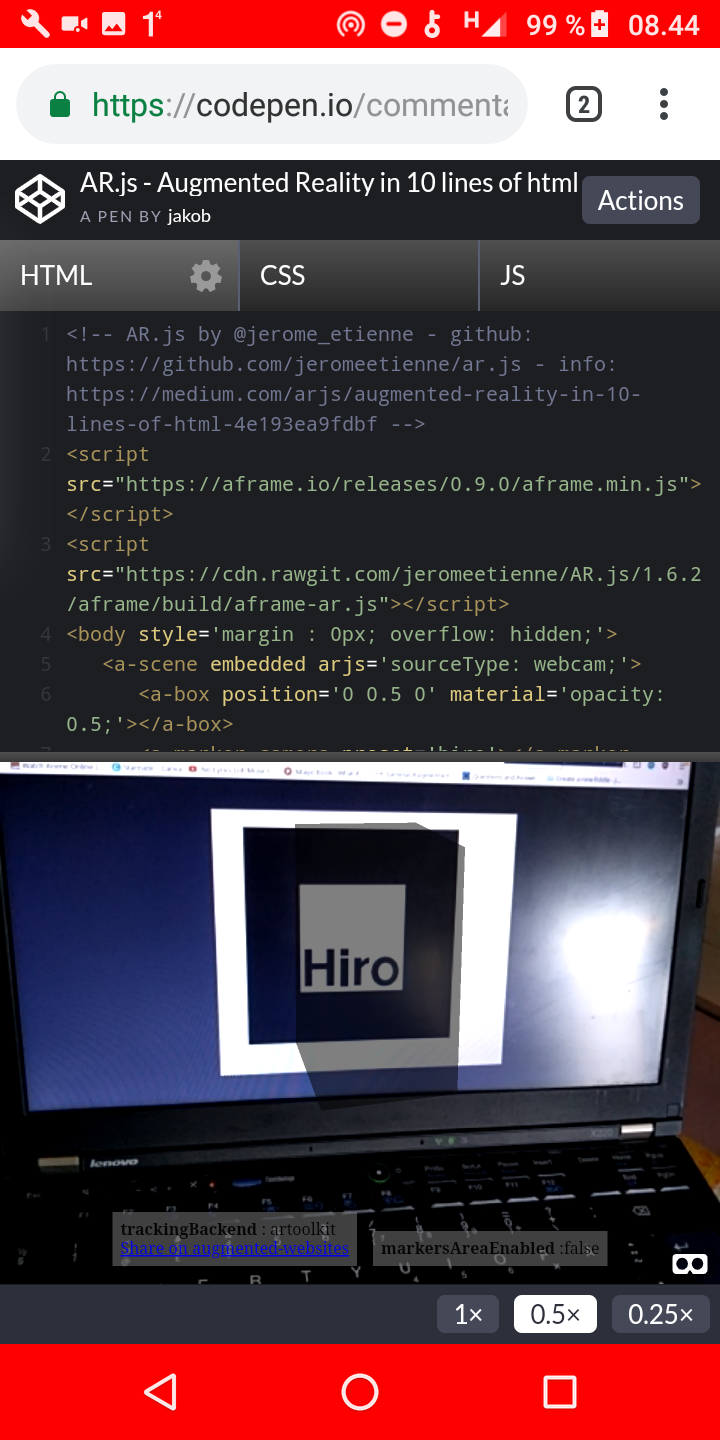
Source code here:
https://codepen.io/commentatorboy/pen/BbXvPW
 commentatorboy
on 29 Mar 2019
commentatorboy
on 29 Mar 2019
@commentatorboy I am using exactly the same code that you have shared and still cant see anything on the marker. Can it be related to IOS?
@nicolocarpignoli Can you tell me when you guys update the code?
mercem
on 29 Mar 2019
If you are using Chrome on iOS, it won't work, it is a known issue. Try with Safari instead. This afternoon I will probably update that code on Readme, anyway
nicolocarpignoli
on 29 Mar 2019
For now, if you need a quick working version (again, in ios only on safari), try with this:
<script src="https://aframe.io/releases/0.9.0/aframe.min.js"></script>
<script src="https://cdn.rawgit.com/jeromeetienne/AR.js/1.6.2/aframe/build/aframe-ar.js"></script>
<body style='margin : 0px; overflow: hidden;'>
    <a-scene embedded arjs='sourceType: webcam;'>
                <a-marker preset='hiro'>
                    <a-box position='0 0.5 0' material='opacity: 0.5;'></a-box>
                 </a-marker>
                 <a-entity camera> </a-entity>
    </a-scene>
</body>
In here, I used a-entity static camera and a-marker instead of a-marker camera. Although I don't believe this is the problem in your case, try with this. Let us know if it works so we can understand better
nicolocarpignoli
on 29 Mar 2019
Last example works like charm thank you!
Off topic: When I wrap a-scene with html elements in body it is not working properly. Is there a way to eliminate this because I'm trying to integrate it to my React project.
mercem
on 29 Mar 2019
It is impossible to answer to this in general. If you have a specific issue, please provide an example. On a separate issue, this one only for the 'get started' bug :)
nicolocarpignoli
on 29 Mar 2019
Related issues
 Samsy
·
5Comments
Samsy
·
5Comments
 Suresh3d
·
7Comments
Suresh3d
·
7Comments
 vijayrajasekaran
·
6Comments
vijayrajasekaran
·
6Comments
 quistuipater
·
7Comments
quistuipater
·
7Comments
 evaristoc
·
5Comments
evaristoc
·
5Comments