Apps-android-commons: Remove HeightLimitedRecyclerView
Summary:
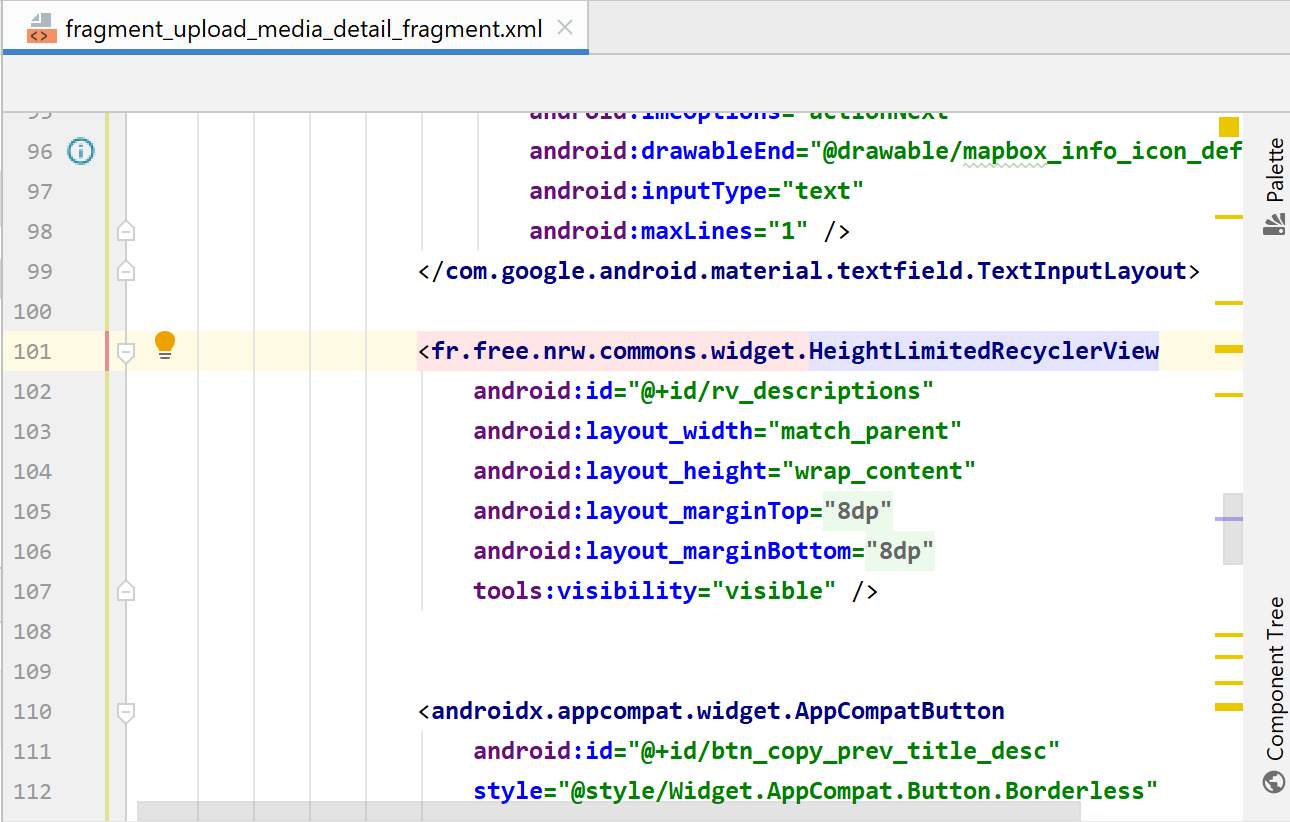
I can see no reason why this should exist. It should be removed and the UploadMediaDetailFragment tested with a standard Recyclerview
Would you like to work on the issue?
Anyone feel free to take, otherwise I'll get to it
 macgills
All 28 comments
Hey @macgills, is this still up for grabs - correct me if not, but UploadMediaDetailFragment is using a ReyclerView
 hudlerr
on 14 Mar 2020
hudlerr
on 14 Mar 2020
It is up for grabs
macgills
on 16 Mar 2020
I tested it and it seems to be working fine. The only change is that the user will then be able to give unlimited descriptions to an image and are we sure that that's okay?
 Glitch101
on 17 Mar 2020
Glitch101
on 17 Mar 2020
@Glitch101 that is different from how it currently is?
macgills
on 18 Mar 2020
I think even now we are not limiting the number of descriptions, don't remember why this was added anyways
 ashishkumar468
on 18 Mar 2020
ashishkumar468
on 18 Mar 2020
Maybe @misaochan or @maskaravivek could confirm
ashishkumar468
on 18 Mar 2020
When I tested it with the HeightLimitedRecyclerView, I was only able to use the + sign 3 more times so that's four descriptions max in my case.
Glitch101
on 18 Mar 2020
No no, I just tried, we can add any number of descriptions, just the rendering is slow and maybe that's why you perceived it to be 4. Anyways, even if we have to limit it to 4, I am sure we can do it without the HeightLimitedRecycler view
ashishkumar468
on 18 Mar 2020
No no, I just tried, we can add any number of descriptions, just the rendering is slow and maybe that's why you perceived it to be 4. Anyways, even if we have to limit it to 4, I am sure we can do it without the HeightLimitedRecycler view
I tested it again and I can only do it 4 times on my device. I even waited 60 seconds and nothing happened. Let me test it more thoroughly with logs and I will keep you guys updated.
Glitch101
on 18 Mar 2020
It performs very poorly and does not persist the data on scroll but I did add 7
macgills
on 18 Mar 2020
It performs very poorly and does not persist the data on scroll but I did add 7
Were you able to go beyond 7?
Edit: By looking at the code below from the HeightLimitedRecyclerView class, I think that the height might not be same for everyone as it's clearly being calculated at runtime:
int height;
    public HeightLimitedRecyclerView(Context context) {
        super(context);
        DisplayMetrics displayMetrics = new DisplayMetrics();
        ((Activity) getContext()).getWindowManager()
                .getDefaultDisplay()
                .getMetrics(displayMetrics);
        height=displayMetrics.heightPixels;
    }
This issue is unrelated to removing HeightRecyclerView, please open a new issue for this.
It is difficult to say because the scrolling is so choppy but I believe so
macgills
on 18 Mar 2020
This issue is unrelated to removing HeightRecyclerView, please open a new issue for this.
It is difficult to say because the scrolling is so choppy but I believe so
You are right. Since we would be removing it from this layout, it won't matter anyway.
Anyways, this issue seemed stale to me since @hudlerr hasn't responded for some while. Would it be okay if I submit a PR for this?
Glitch101
on 18 Mar 2020
@hudlerr Are you still interested in picking this up?
ashishkumar468
on 18 Mar 2020
Sorry for the late reply; i would still like to, yes.
hudlerr
on 18 Mar 2020
@hudlerr Thanks for the quick response, please keep us posted regarding the updates, @Glitch101 Feel free to choose from the other issues :)
ashishkumar468
on 18 Mar 2020
@hudlerr Thanks for the quick response, please keep us posted regarding the updates, @Glitch101 Feel free to choose from the other issues :)
Sure, happy to help :)
Glitch101
on 18 Mar 2020
@hudlerr Thanks for the quick response, please keep us posted regarding the updates, @Glitch101 Feel free to choose from the other issues :)
Got it!
hudlerr
on 18 Mar 2020
@macgills Sorry I just saw this. I don't know what HeightLimitedRecyclerView is, but from a functional point of view: Users should be able to enter as many language pairs as they want.
 nicolas-raoul
on 27 Mar 2020
nicolas-raoul
on 27 Mar 2020
@nicolas-raoul look at #3508 for some images. HeightLimitedRecyclerview meant the list would never grow beyond a certain height, if we don't care about the list growing to cover the image then the PR is fine as is. If that isn't fine then we need to persist the functionality of the list never growing beyond a certain amount
macgills
on 27 Mar 2020
Ah OK I see what that means now, thanks!
Since most people just enter caption/description in 1 language, the ideal would probably be:
- Initial height just like now, just high enough to show a single language
- If the user taps "+", grow enough to show about 2 language pairs
- Have some maximum height, so that it does not take the full screen if a polyglot user actually wants to enter 10 language pairs. A good maximum height could be 2 or 2.5 or 3 language pairs, I guess.
nicolas-raoul
on 27 Mar 2020
hey, @macgills my apps been crashing again and I can't seem to get it back up, so feel free to reassign this issue.
hudlerr
on 4 Apr 2020
@macgills Can i work on this issue? Also, to be clear we are supposed to remove HeightLimitedRecyclerView and adjust height of normal recycler view
 318anushka
on 13 Apr 2020
318anushka
on 13 Apr 2020
@318anushka you have it right, please refer to my comments on the now closed pr
macgills
on 13 Apr 2020
I tried wrapping recyclerview inside constraint layout and set maximum height but the issue is recyclerview is not scrolling on adding more items.
Recyclerview scrolls if either parent is scrollable(constraint layout is not) or its height is less than all items.
Now the problem is, we are dynamically adding items to view so cannot set a fixed height
neither can set height to 0dp (match constraints) since we initially want to wrap_content for 3-4 items.
So it seems impossible or atleast not easy to limit height through xml. However, programmatically
it's quite easy by overriding onMeasure() and setting max height that's why i think heightLimited view was used.
318anushka
on 18 Apr 2020
How about this answer?
macgills
on 20 Apr 2020
Yeah tried every related solution. Setting constraint layout height to 0dp hides entire view.
I don't know why is it causing problem but looking for a solution.
app:layout_constraintHeight_max="450px"
This alone doesn't work have to use it along with android:maxHeight=" " to limit constraint layout height.
Also i tried this one
setting max height in recyclerview and constraining it and keep on adding items
but as soon as total item height crosses max height height of view abruptly reduces to 0.
I'll see if something can be done to make constraint layout scrollable.
318anushka
on 20 Apr 2020
Eh lets abandon this. The hope was it was easy and simpler than HeightLimitedRecyclerView, it looks like this is not the case, closing
macgills
on 20 Apr 2020
Related issues
 madhurgupta10
·
4Comments
madhurgupta10
·
4Comments
 neslihanturan
·
3Comments
neslihanturan
·
3Comments
 misaochan
·
4Comments
madhurgupta10
·
3Comments
neslihanturan
·
3Comments
misaochan
·
4Comments
madhurgupta10
·
3Comments
neslihanturan
·
3Comments
Most helpful comment
Sorry for the late reply; i would still like to, yes.