Apps-android-commons: Help popup in Achievements: Link to tips
In each of the help popups, it would be great to have a link that a wiki page that explains things much more deeply.
For instance the help popup for "Featured Images" could link to https://commons.wikimedia.org/wiki/Commons:Featured_picture_candidates or https://commons.wikimedia.org/wiki/Commons:Featured_pictures
 nicolas-raoul
All 26 comments
@nicolas-raoul I would like to work on this.
 yashk2000
on 25 Feb 2020
yashk2000
on 25 Feb 2020
It is a simple enough change. Adding good-first-issue tag.
@yashk2000 assigned the issue to you.
 maskaravivek
on 25 Feb 2020
maskaravivek
on 25 Feb 2020
@maskaravivek you can re-assign this issue to someone else. I think it will be better for a newcomer hoping to make their first contribution.
yashk2000
on 3 Mar 2020
@maskaravivek may I work on this issue as well along with other achievements issue?
Both of them would be a good combo :p
 TejaswiKarasani
on 3 Mar 2020
TejaswiKarasani
on 3 Mar 2020
Sure. Take it up @TejaswiKarasani. Make sure to create separate PRs for both the fixes.
maskaravivek
on 4 Mar 2020
Ok @maskaravivek :)
TejaswiKarasani
on 4 Mar 2020
@nicolas-raoul @maskaravivek
Could you please have a look over the links that I have collected for resolving this issue and may I also know about the number of links should be included in pop up?
Images uploaded:
https://commons.wikimedia.org/wiki/Commons:Upload
https://commons.wikimedia.org/wiki/Commons:First_steps/Uploading_files
https://en.wikipedia.org/wiki/Wikipedia:Image_use_policy
https://commons.wikimedia.org/wiki/Commons:Fair_use
Images that were not reverted
https://commons.wikimedia.org/wiki/Commons:Fair_use
https://en.wikipedia.org/wiki/Wikipedia:Image_use_policy
https://commons.wikimedia.org/wiki/Commons:Deletion_policy
https://commons.wikimedia.org/wiki/Commons:Deletion_requests
Images used
https://commons.wikimedia.org/wiki/Commons:Quality_images
https://commons.wikimedia.org/wiki/Commons:Featured_pictures
Images via "Nearby Places"
Couldn't find anything related
Featured Images
https://commons.wikimedia.org/wiki/Commons:Featured_picture_candidates or https://commons.wikimedia.org/wiki/Commons:Featured_pictures
Thanks Received
https://en.wikipedia.org/wiki/Help:Notifications/Thanks
https://meta.wikimedia.org/wiki/Research:Understanding_thanks
TejaswiKarasani
on 4 Mar 2020
... may I also know about the number of links should be included in pop up?
IMO, in the the ideal case it would be great if we could just link to only one most relevant resource. That would make it easy for the users to quickly get the related information.
 sivaraam
on 4 Mar 2020
sivaraam
on 4 Mar 2020
... may I also know about the number of links should be included in pop up?
IMO, in the the ideal case it would be great if we could just link to only one most relevant resource. That would make it easy for the users to quickly the related information.
@sivaraam ok 👍
TejaswiKarasani
on 4 Mar 2020
Hello! is this fixed? If not is possible to work on it?
 gerardolgvr
on 5 Jun 2020
gerardolgvr
on 5 Jun 2020
@TejaswiKarasani Thanks a lot for finding all of these links! Are you still working on this? If not we can let @gerardolgvr continue the work :-)
I agree with sivaraam that one link per topic is best. I suggest the following:
Images uploaded: https://commons.wikimedia.org/wiki/Commons:Project_scope
Images that were not reverted: https://commons.wikimedia.org/wiki/Commons:Deletion_policy#Reasons_for_deletion
Images used: https://en.wikipedia.org/wiki/Wikipedia:Manual_of_Style/Images
Images via "Nearby Places": https://www.wikidata.org/wiki/Property:P18 (not great but best I have found)
Featured Images: https://commons.wikimedia.org/wiki/Commons:Featured_pictures
Thanks Received: https://www.mediawiki.org/wiki/Extension:Thanks
nicolas-raoul
on 7 Jun 2020
Please assign this issue to any other.
Thanks.
TejaswiKarasani
on 7 Jun 2020
Thanks @TejaswiKarasani for your work and have a great weekend :-)
@gerardolgvr this task is yours from now on :-)
nicolas-raoul
on 7 Jun 2020
Thanks! I'm gonna work on it.
Have a great weekend! Any update or question I'm gonna post it here :)
gerardolgvr
on 7 Jun 2020
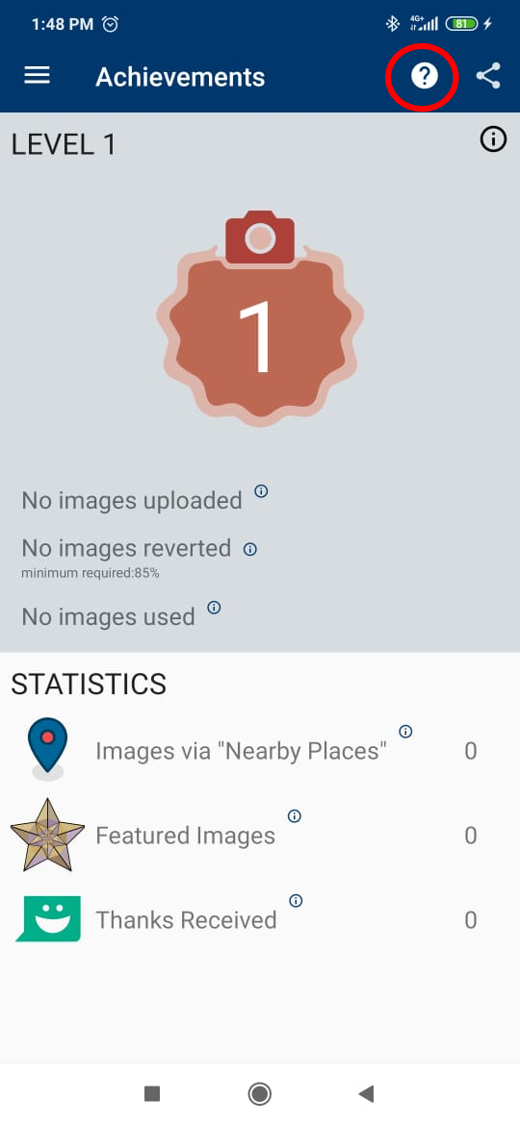
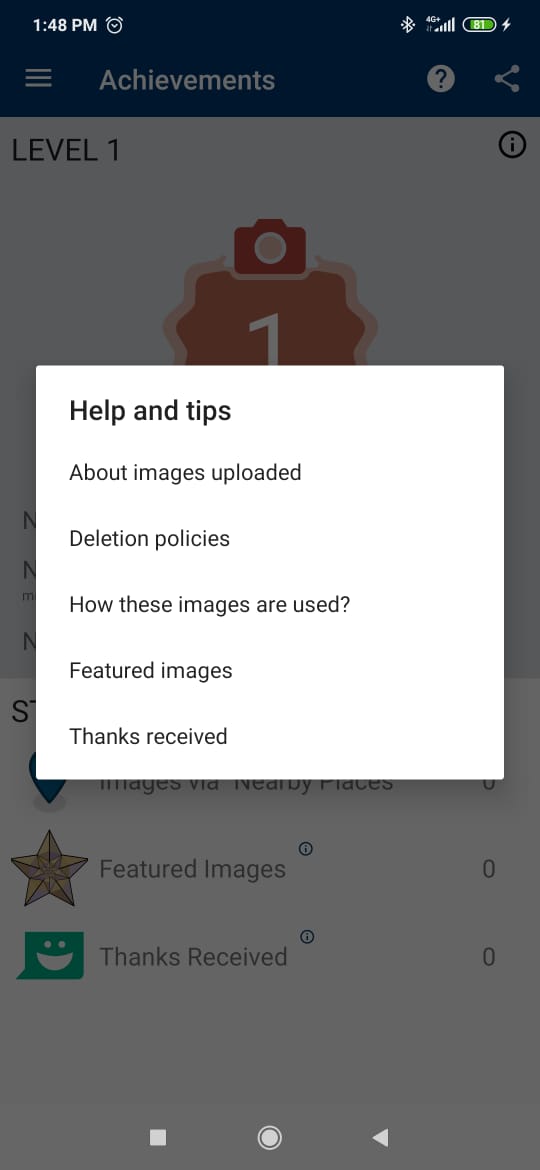
I added a new menu item in order to access the pop up. A list is used to show the item using the link you mentioned above. Before to continue I would like to ask about this:
- Is ok the pop up is accessed via menu like the image? (I was finding a good place and a menu item seems a well place and it not affects the semantic of UI elements). If this is approved I was thinking in create a new menu to no affect the other activities that uses the same menu.
- Just to confirm, All the new strings that I'm gonna use must be accessed from String.xml, Am I right?
- The last one, the intent for the link must be open inside the app?
These are the pictures to know if this is that you have in mind. If not to do the necessary adjustments
gerardolgvr
on 8 Jun 2020
@gerardolgvr It would be easier to find if each link was inside the information popup attached to it.
For instance when you tap on the "i" at the right of "Thanks Received", it opens a popup. That popup would contain its current explanation, plus a "Read more" link at the bottom which opens the given web page.
Thanks! :-)
nicolas-raoul
on 9 Jun 2020
@nicolas-raoul ohhh, I got it! All makes sense now jeje. Thanks for the explanation
gerardolgvr
on 9 Jun 2020
Hello @nicolas-raoul I'm trying to run the tests but I got this:
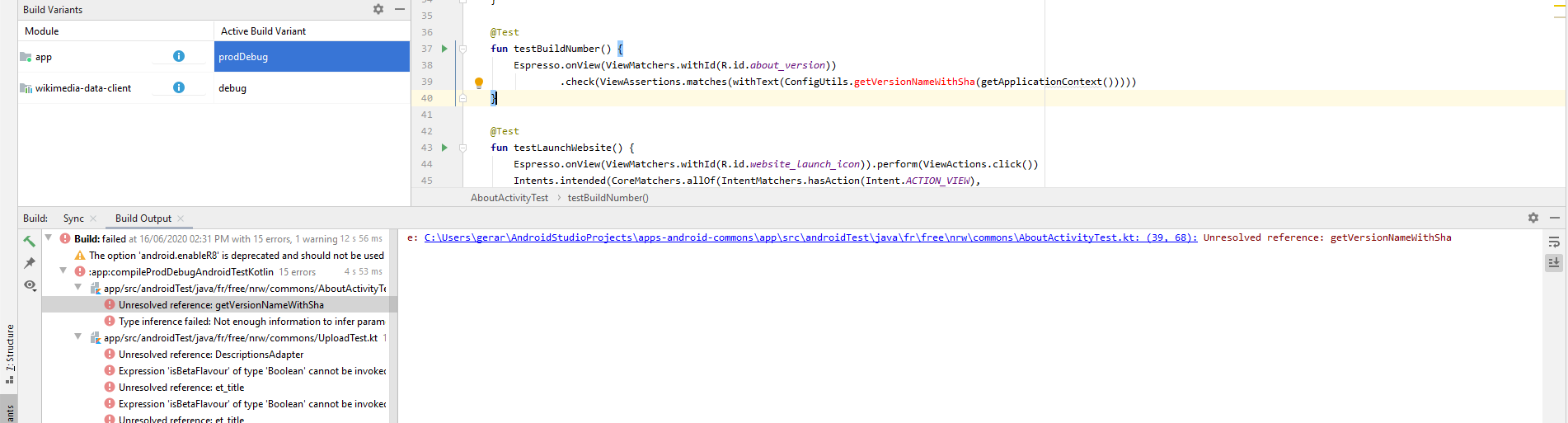
Is there a config or a setting that I'm not doing?
gerardolgvr
on 16 Jun 2020
@gerardolgvr because these androidTests are not run on our CI or checked in any way it is very easy for them to get broken and for nobody to realize. The compilation is failing due in no way to your changes and it seemingly has 15 errors
 macgills
on 23 Jun 2020
macgills
on 23 Jun 2020
Thanks @macgills , good to know about it.
I'm gonna try to research more about it and look for a solution
gerardolgvr
on 23 Jun 2020
I would make a new issue "Fix Instrumentation tests", generally when we ask for tests what is meant is unit tests because those do get run on the CI. The functionality you added however is mostly in an Activity, a quite annoying to unit test class
macgills
on 24 Jun 2020
ohh , good idea.
Yeah, it makes sense
gerardolgvr
on 24 Jun 2020
Hi, @macgills @nicolas-raoul I would like to work on this issue. If It is still open. Can I?
 Ayan-10
on 31 Mar 2021
Ayan-10
on 31 Mar 2021
@Ayan-10 No news from gerardolgvr for 10 months, so I guess yes. Thanks!
nicolas-raoul
on 1 Apr 2021
Hey @nicolas-raoul , Thanks for assigning me.
I make two buttons in alert dialogue which is "READ MORE" and "OK". If user clicks the "READ MORE" button. It will open a webpage and by clicking "OK" dialogue got cancelled. I am attaching a screenshot here.
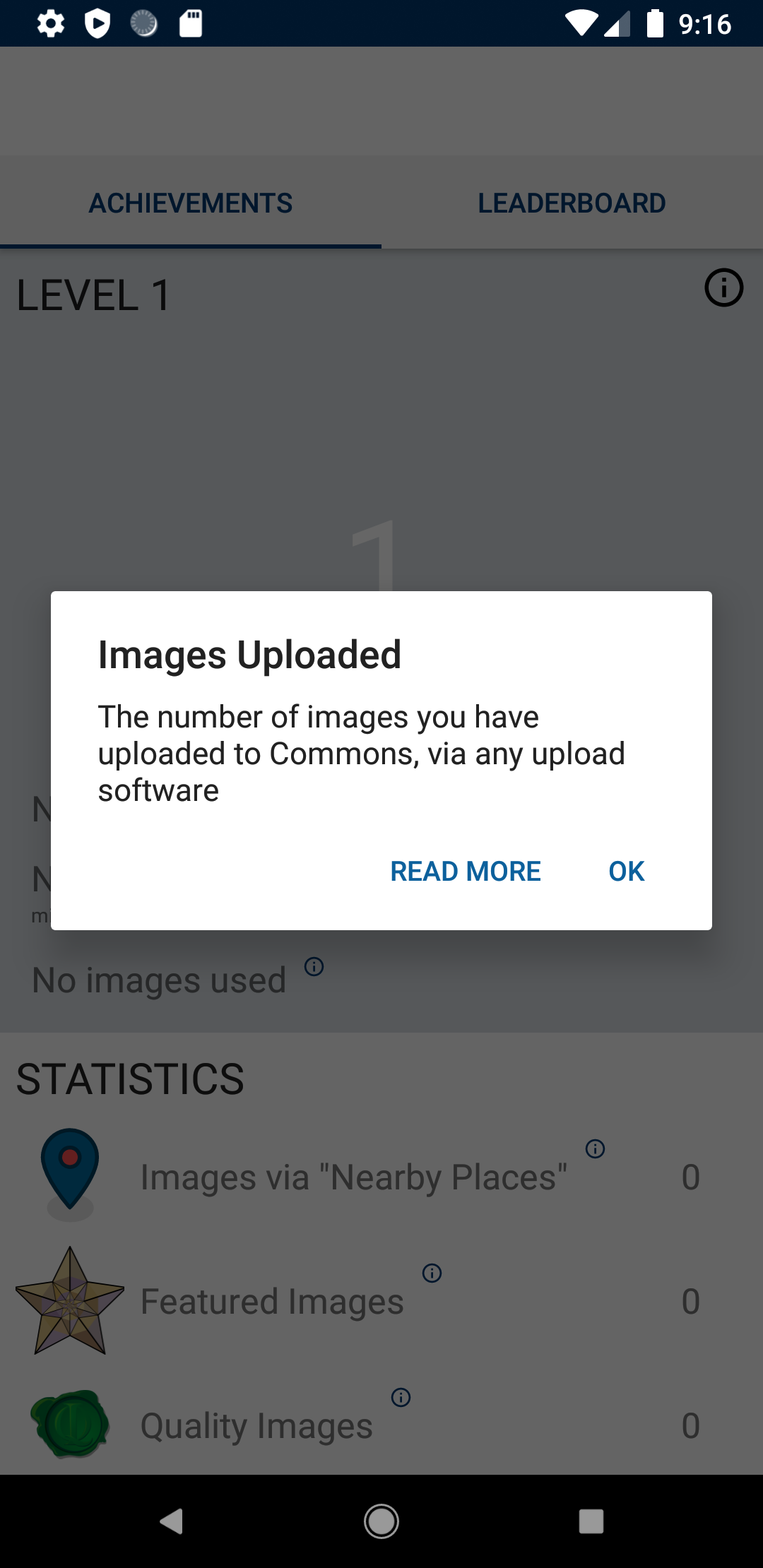
I also thought about open the webpage in a custom chrome tab.
So, this is how I thougth to solve this issue. Let me know your thought about this solution. Should I go forward with that or Do you have any preference or any other recommendation? You can tell me.
Ayan-10
on 1 Apr 2021
"READ MORE"/"OK" looks good :-) You can go forward with a pull request.
nicolas-raoul
on 2 Apr 2021
Related issues
 misaochan
·
4Comments
misaochan
·
4Comments
 Opsylac
·
3Comments
Opsylac
·
3Comments
 neslihanturan
·
3Comments
neslihanturan
·
3Comments
 madhurgupta10
·
3Comments
madhurgupta10
·
3Comments
 psh
·
4Comments
psh
·
4Comments
Most helpful comment
Please assign this issue to any other.
Thanks.