Apps-android-commons: Show information message when login is throttling
When logging through the app and the login gets throttled, the app still only shows, that the username/password is wrong. The app should give the information, that the login is throttled and the user should wait for some time.
 FlorianSW
All 17 comments
What do you mean by "throttling"?
Do you mean, when the user is blocked?
 nicolas-raoul
on 19 Nov 2019
nicolas-raoul
on 19 Nov 2019
Nope, When logging in with the wrong password, the user is "throttled" from making any new attempt to login for a given time period. This feature can be configured with: https://www.mediawiki.org/wiki/Manual:$wgPasswordAttemptThrottle
When hitting this throttling using the commons app, it will keep saying, that the username/password combination was incorrect, while this was not checked, and the login try was just aborted by MediaWiki, as the user needs to wait some time. This message is missing in the app.
Was that clearer now? If you've any further quetsions, feel free to give me a hint :)
FlorianSW
on 19 Nov 2019
Thanks @FlorianSW , I think it would be a lot more beneficial having the correct message with an information link about what throttling is.
 neslihanturan
on 19 Nov 2019
neslihanturan
on 19 Nov 2019
Can I work on this issue,as I did experience this issue and was going to report it soon if no else was going to.
 GearGit
on 20 Nov 2019
GearGit
on 20 Nov 2019
@geargit It is yours! :)
 misaochan
on 21 Nov 2019
misaochan
on 21 Nov 2019
After analyzing the problem, a few options come to my mind.
We can disable the login button, let's say for the next 5 minutes, and enable it when the set time has elapsed. Then the user will again get the same amount of trials but this time the throttling period will increase to, say 30 minutes.
This option is preferred as the app should not allow any login attempts when the login is throttled, even if the password entered after the throttle is correct. Because if we allow the app to show a message that the entered password is correct when the login is throttled, then it might become a security flaw.
Also, it would be nice to display a timer, after which the user can retry logging in.
GearGit
on 22 Nov 2019
I loved the idea of displaying seconds @GearGit . Of course we will need to have some texts to explain whats going on. On the other hand, If we just disable login button, as a user I might feel like login button will be enabled when I entered my password and username. It is currently disabled because fields are empty. To prevent this confusion I suggest having a red very visible warning on top of the screen.
neslihanturan
on 22 Nov 2019
We can disable the login button, let's say for the next 5 minutes, and enable it when the set time has elapsed. Then the user will again get the same amount of trials but this time the throttling period will increase to, say 30 minutes.
I wouldn't disable the login button, but only show a message to the user (and probably a timer, not sure if you get the time to wait from the api, though). Disabling the login button only works as long as the app is not restarted and would probably be confusing to the user. It might also be, that the user still, for whatever reason, want to submit the form. That should not be prevented without any good reason. Btw.: The web form shows an error message only, as well, and still allows you to resubmit the form.
Because if we allow the app to show a message that the entered password is correct when the login is throttled, then it might become a security flaw.
If you submit the login form with a correct password when throttled you'll still get the message that the login was throttled and no indication, that the password is correct. This should (and is, iirc) handled by the API already and should not be enforced by the client (this app, e.g.).
FlorianSW
on 22 Nov 2019
We can disable the login button, let's say for the next 5 minutes, and enable it when the set time has elapsed. Then the user will again get the same amount of trials but this time the throttling period will increase to, say 30 minutes.
I wouldn't disable the login button, but only show a message to the user (and probably a timer, not sure if you get the time to wait from the api, though). Disabling the login button only works as long as the app is not restarted and would probably be confusing to the user. It might also be, that the user still, for whatever reason, want to submit the form. That should not be prevented without any good reason. Btw.: The web form shows an error message only, as well, and still allows you to resubmit the form.
The API has the information as to how long should the user wait before logging in again. Therefore as soon as the login is throttled we can trigger the countdown timer which calls the API and converts the time to seconds or minutes and displays in the login section.
If you submit the login form with a correct password when throttled you'll still get the message that the login was throttled and no indication, that the password is correct. This should (and is, iirc) handled by the API already and should not be enforced by the client (this app, e.g.).
What we can do is, display a kind of pop up with a message "Please wait before logging in again".
GearGit
on 22 Nov 2019
I wouldn't disable the login button, but only show a message to the user (and probably a timer, not sure if you get the time to wait from the api, though).
I agree with this.
Because if we allow the app to show a message that the entered password is correct when the login is throttled, then it might become a security flaw.
@GearGit there is no need to mention whether the last-submitted password is correct or not (and in fact I doubt there is any way we can even know this). Maybe we can just say something like: "Too many failed attempts. Please wait X seconds before trying again" in red?
misaochan
on 23 Nov 2019
Why do I think disabling the Login button is necessary when login is throttled?
Consider the following case, where I deliberately enter incorrect password till it displays the message "Too many unsuccessful attempts. Please try again in a few minutes". It takes a total of 6 failed attempts.
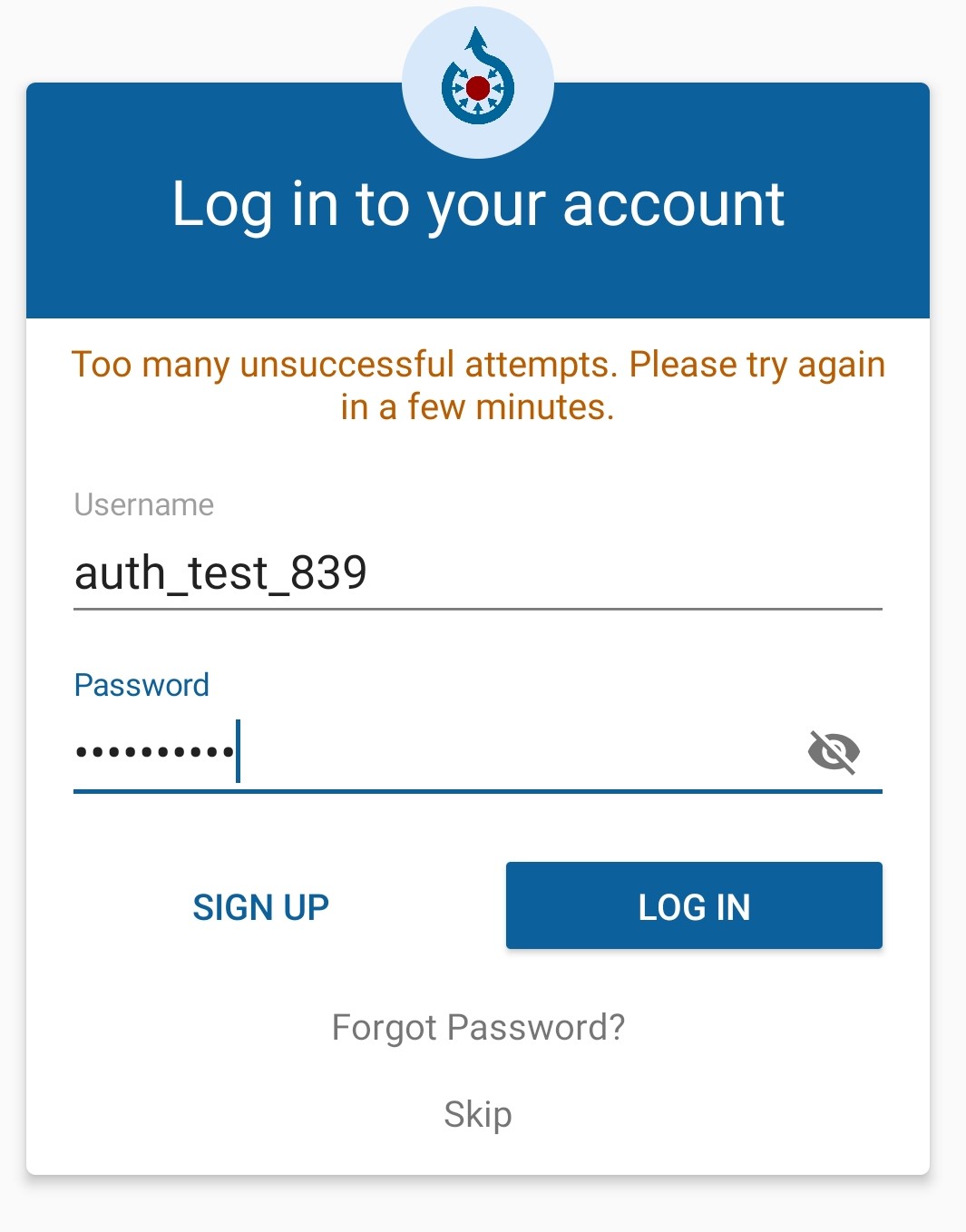
Now, when I try to login with the correct password in the 7th try, the same message was displayed which says that many "Too many unsuccessful attempts. Please try again in a few minutes".
- The problem :
This would make the user think that the password entered 7th time is also incorrect, even though it was correct but according to the message it was incorrect, due to login throttling's default message. This might led the user to think that the 7th try was also incorrect even though the password entered was correct.
- If we disable the Login button:
If the login button is available only after the set time then the user's 7th try will result in a successful login if the password is correct or else the message "Unable to login - check your username and password" will be displayed and the user will be left with 5 more attempts until the login is throttled again and this process continues forever.
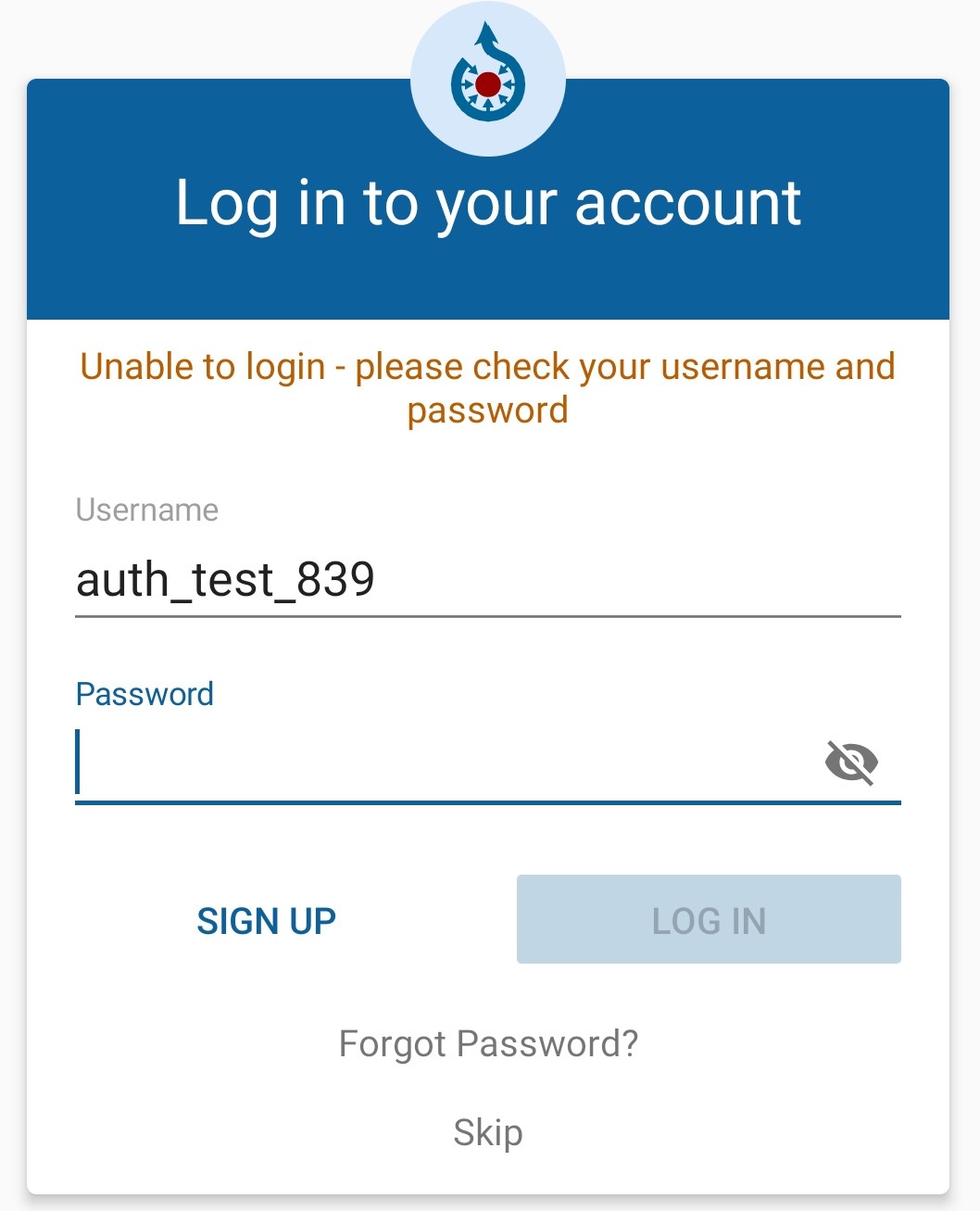
But if we did not disable the button in the 7th try, then the user may get confused if the entered password in 7th try is correct or not because until the throttling time is completed, the following message is displayed:
"Too many unsuccessful attempts. Please try again in a few minutes", regardless of the credentials entered.
GearGit
on 23 Nov 2019
@nicolas-raoul @FlorianSW Should I start working on disabling the login button when login is throttled? If yes, then please do assign me the task.
GearGit
on 25 Nov 2019
According to discussions, for now it can be nice to display warning text and remaining seconds (if the API makes it possible). Login button visibility can be decided later.
neslihanturan
on 25 Nov 2019
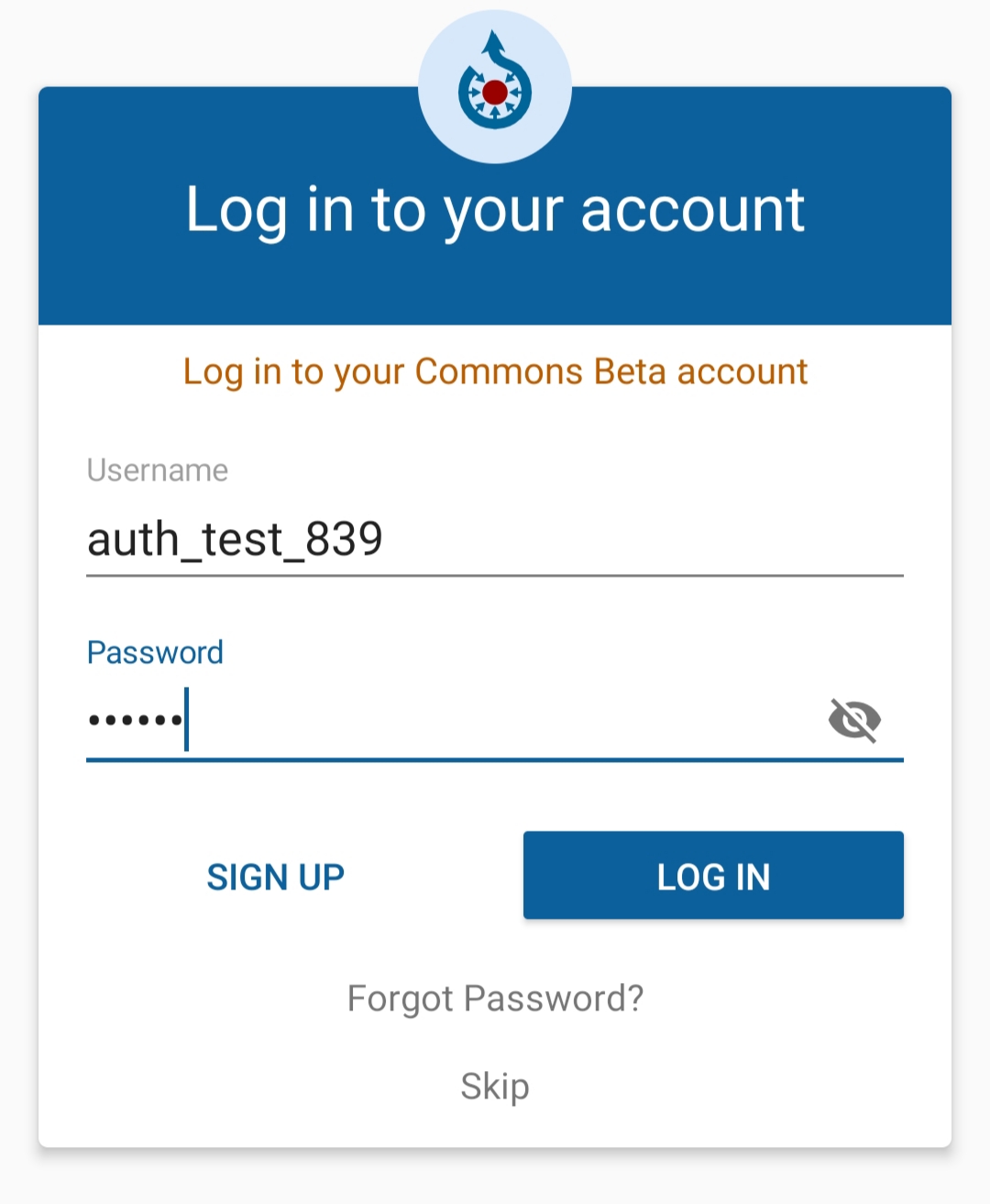
This is the current beta version of the commons app login screen:
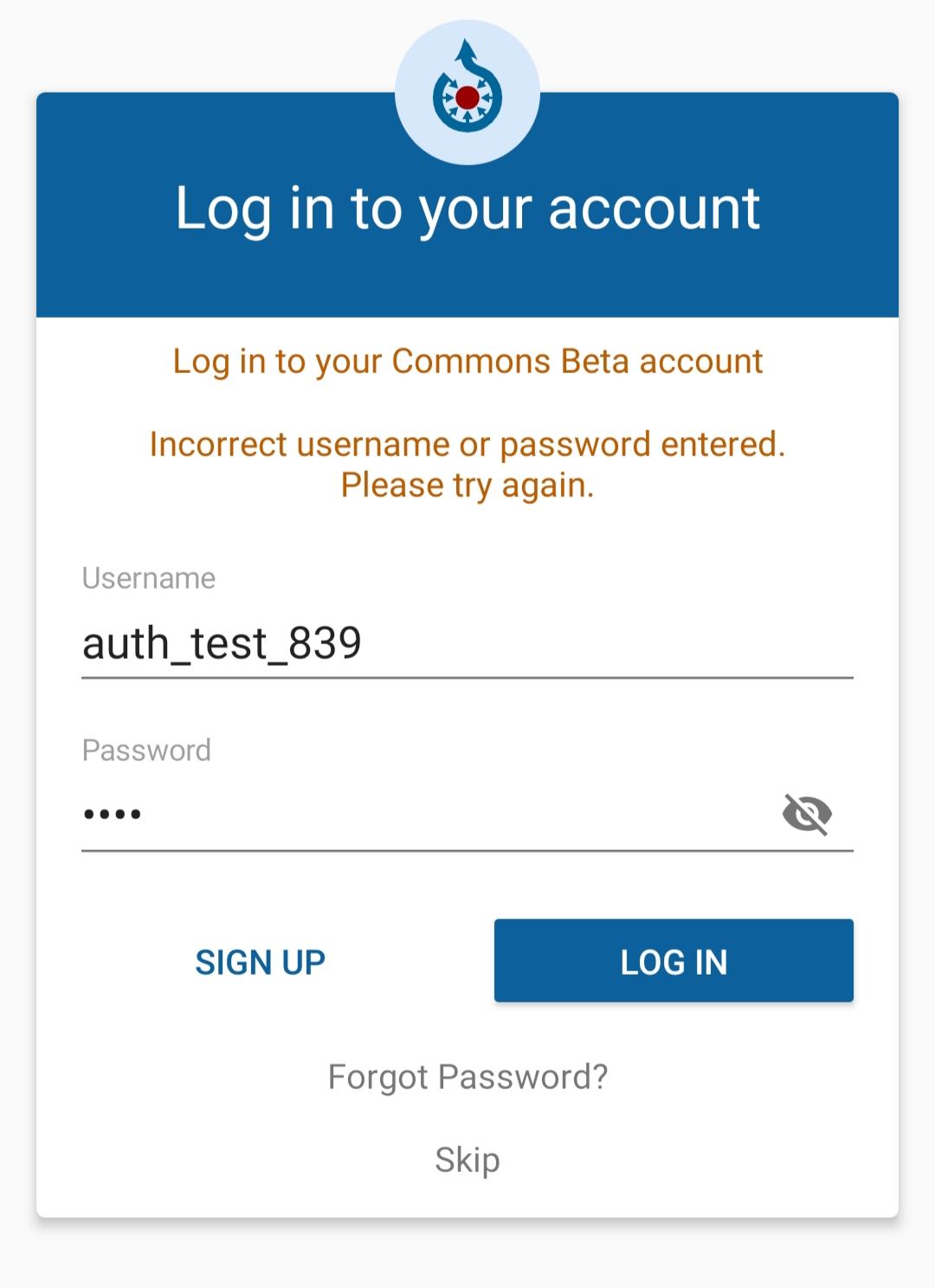
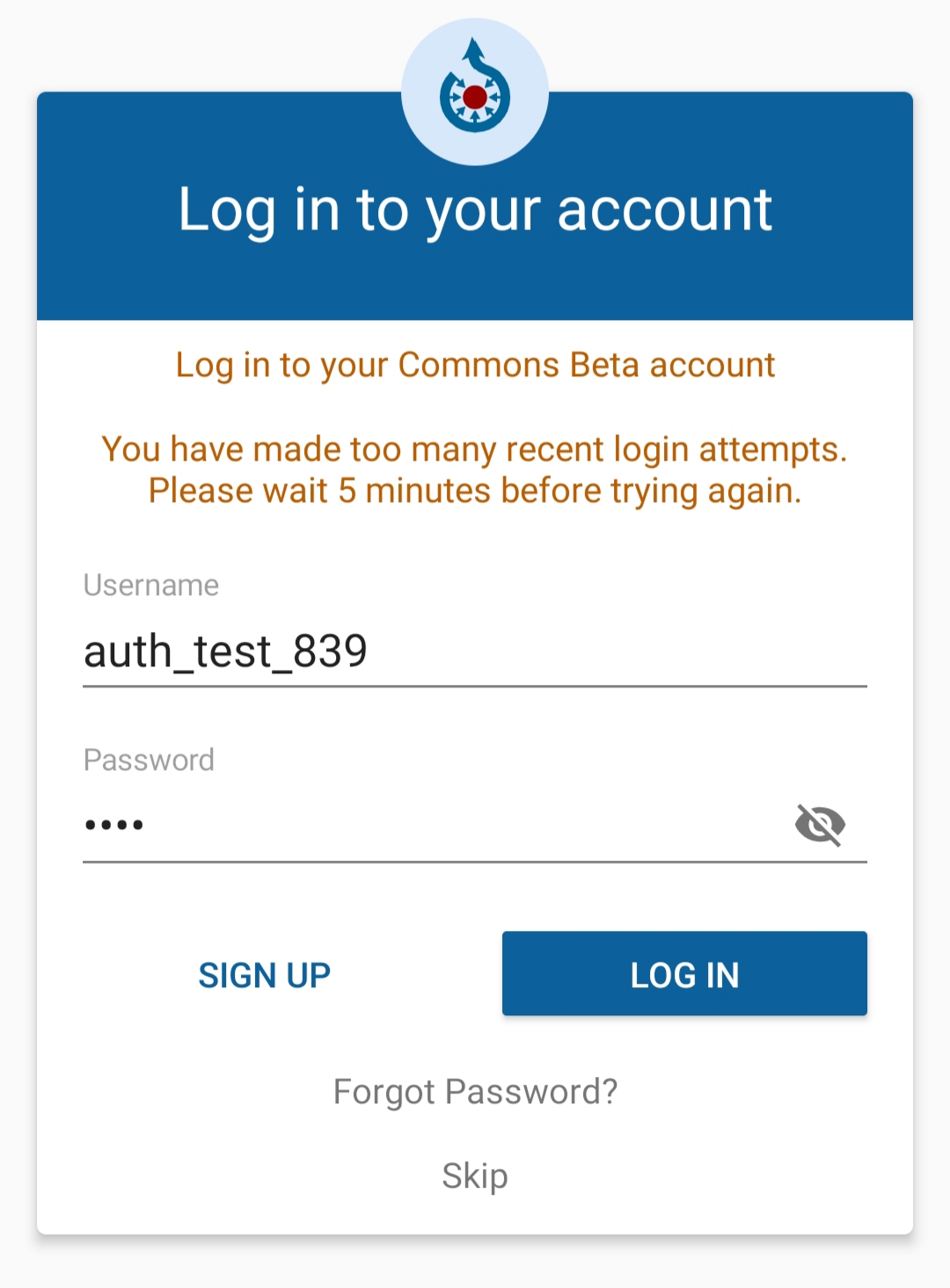
As we can see that it is mentioned that the login is throttled for the next 5 minutes, therefore, is the remaining time a valid feature or not? If yes, then I'd be happy to work on it.
Also, if this is a bug or not, but when the login is throttled and you close the app and reopen the app, the reattempt message is no longer displayed, however, if you enter the wrong credentials again then the login will be throttled along with a message shown to reattempt.
GearGit
on 25 Nov 2019
Also, if this is a bug or not, but when the login is throttled and you close the app and reopen the app, the reattempt message is no longer displayed, however, if you enter the wrong credentials again then the login will be throttled along with a message shown to reattempt.
I think it is understandable that we don't see the message when we close the app and come back. Since there are no login information, we can't know if the users login throttled or not as that state. So it should stay same.
As we can see that it is mentioned that the login is throttled for the next 5 minutes, therefore, is the remaining time a valid feature or not? If yes, then I'd be happy to work on it.
I am suprised we already have it. This issue is created next to me by @FlorianSw and he said no information displayed. Can you please also check for prod too @GearGit ? Maybe our problem is only for prod.
Even if there is not problem with this, I think adding seconds would be a nice improvement. And changing text color to red can also help if it is not visible enough.
neslihanturan
on 26 Nov 2019
I am suprised we already have it. This issue is created next to me by @FlorianSW and he said no information displayed. Can you please also check for prod too @GearGit ? Maybe our problem is only for prod.
@neslihanturan I cloned the master branch and compiled it on my mobile phone. So I guess this feature will be introduced in the upcoming update of commons app.
However, I do agree with adding a timer when the login is throttled and I guess we can display the timer in center just below the current throttling message.
GearGit
on 27 Nov 2019
@nicolas-raoul @FlorianSW Who will be working on this issue then?If no one has taken up the issue, I would like to work on this issue.
GearGit
on 28 Nov 2019
Related issues
 maskaravivek
·
3Comments
misaochan
·
4Comments
maskaravivek
·
3Comments
misaochan
·
4Comments
 Saral-code
·
3Comments
nicolas-raoul
·
4Comments
Saral-code
·
3Comments
nicolas-raoul
·
4Comments
 domdomegg
·
3Comments
domdomegg
·
3Comments