Apps-android-commons: Mark notification as read after user click's(views detail of the notification)
Summary:
Currently notifications are marked as read only after the user swipe's to delete them. While if the user clicks on the notification and then returns back notification's are not marked as read.
Steps to reproduce:
- Go to notification activity
- Click on the notification
- Notification detail activity opens
- Press back button to return to same activity
Notification was't marked as read although it was supposed to be marked as read
Device and Android version:
Vivo 1713 API level 24
Commons app version:
Latest master
Would you like to work on the issue?
Yes
 vanshikaarora
All 12 comments
@vanshikaarora I think it is better to have the notifications color to be changed (decreased intensity) when the user reads the notification and comes back since the user might not want to archive them.
 madhurgupta10
on 14 Mar 2019
madhurgupta10
on 14 Mar 2019
@vanshikaarora I think it is better to have the notifications color to be changed (decreased intensity) when the user reads the notification and comes back since the user might not want to archive them.
I think that's a good suggestion. But before working I would love to hear opinion of other mentors @nicolas-raoul @maskaravivek @misaochan @neslihanturan Please pitch in your suggestions :)
vanshikaarora
on 15 Mar 2019
No opinion, as notifications are not showing up for me recently (I will fill an issue as soon as possible).
 nicolas-raoul
on 15 Mar 2019
nicolas-raoul
on 15 Mar 2019
@maskaravivek @ujjwalagrawal17 Can you please share your opinion :)
vanshikaarora
on 15 Mar 2019
@vanshikaarora I think it can be done in 2 ways.
A. the notifications can be divided into 2 groups - new, read. (Then we only need to mark the notification as read when we click them). If we are going with this flow then we can assume when the user clicks on the notification, he/she read it. Also, we can probably remove swipe to read feature.
B. the notifications can be divided into 3 groups- new, read, archived. We can divide the notifications activity in 2 groups (new/read) and all the new notifications should above read ones. Similar to this:
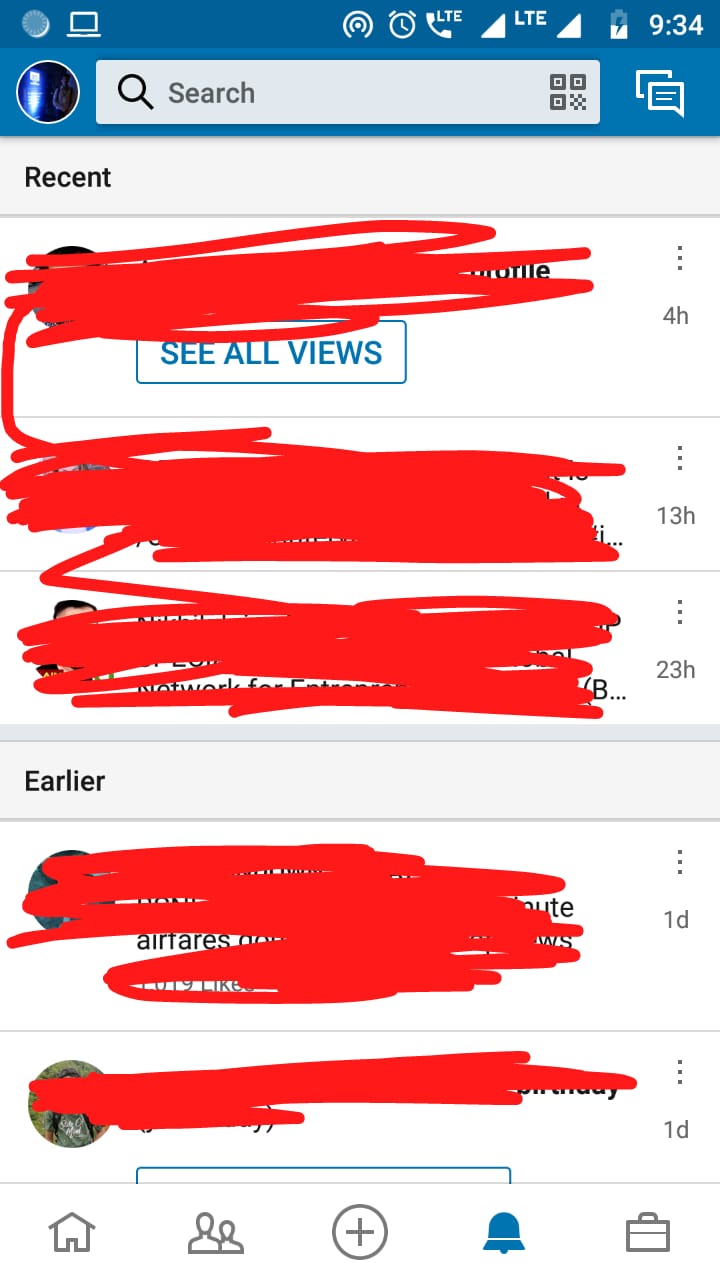
If we are going with this flow then, we should change the "swipe to read feature" to "swipe to archive" . I think we need to store the arciheved notifications in server end as well. We need to check whether there is an API or not for that.
I am fine with both the ways.
 ujjwalagrawal17
on 16 Mar 2019
ujjwalagrawal17
on 16 Mar 2019
@ujjwalagrawal17 I prefer the option B. There can be three categories with the category new being highlighted. And for the read notification I agree with creating a swipe to archive feature instead of swipe to read.
@maskaravivek @nicolas-raoul @albendz Please share your opinion :)
vanshikaarora
on 17 Mar 2019
Notifications are not showing for me as well (neither unread nor read ones). :/
Personally, I would prefer option A because of its simplicity.
If we are going with this flow then we can assume when the user clicks on the notification, he/she read it.
We can probably listen for web view loaded event and mark the notification as read, only after the page loads completely.
If we go with option B, then we will introduce something called archived notifications. Mediawiki API doesn't support archived notifications. You can just mark a notification as read. So if we go ahead with B, we can just store these notifications locally and once the user reinstalls the app then he will have to archive it again.
It would be nice to have @misaochan @neslihanturan @ashishkumar468's opinions too.
 maskaravivek
on 17 Mar 2019
maskaravivek
on 17 Mar 2019
So if we go ahead with B, we can just store these notifications locally and once the user reinstalls the app then he will have to archive it again.
Looking upon the problems we have with API i think option A would be a better choice.
@nicolas-raoul @domdomegg @misaochan @neslihanturan Can you please share your opinion here :)
vanshikaarora
on 17 Mar 2019
I'd prefer option A for the same reasons as @maskaravivek
 domdomegg
on 17 Mar 2019
domdomegg
on 17 Mar 2019
Since option A seems preferable. Here is how we can implement it:
- Create a section for new notifications (no section in case of no notifications)
- Clicking on any of them means the user has marked the notification as read
- I am not sure whether we are going to remove the swipe to delete feature or not (yet to be decided)
I am working on the above two features as of now.
Third point still needs opinion of the mentors @nicolas-raoul @maskaravivek @domdomegg @ujjwalagrawal17 . Please share your opinion :)
vanshikaarora
on 17 Mar 2019
I think remove swipe to delete
domdomegg
on 17 Mar 2019
I also think we should remove swipe to read.
ujjwalagrawal17
on 17 Mar 2019
Related issues
 psh
·
4Comments
psh
·
4Comments
 misaochan
·
4Comments
misaochan
·
4Comments
 neslihanturan
·
3Comments
maskaravivek
·
3Comments
neslihanturan
·
3Comments
maskaravivek
·
3Comments
 Saral-code
·
3Comments
Saral-code
·
3Comments