Apps-android-commons: Nearby: My position does not move
Steps to reproduce:
- Open Nearby, see the dot showing where you are
- Go for a walk
Expected: The dot moves with you
Actually: The dot does not move
If it is working for you, then please comment below, thanks!
Commons app version:
2.9.0
 nicolas-raoul
All 22 comments
Hmm, thanks @nicolas-raoul , I should have forget implement this during refactoring nearby activity to fragment.
 neslihanturan
on 3 Dec 2018
neslihanturan
on 3 Dec 2018
Eeep. Gotta put this in the hotfix then. Thanks for reporting this!
 misaochan
on 3 Dec 2018
misaochan
on 3 Dec 2018
Anyone working on this or should I take it up?
 Divyanshu2132
on 18 Dec 2018
Divyanshu2132
on 18 Dec 2018
@Divyanshu2132 Feel free to work on it, it is yours, thanks! 🙂
nicolas-raoul
on 18 Dec 2018
Ah, @neslihanturan are you working on it?
nicolas-raoul
on 18 Dec 2018
I think it's fine for @Divyanshu2132 to work on it. I just assigned @neslihanturan at the start as the person responsible for it, but if a volunteer wants to do it I am sure she won't mind. ;)
misaochan
on 19 Dec 2018
Hi @Divyanshu2132 , thanks for taking this up, can you please share your progress? Since this is not a very beginner friendly task you can share your progress with us (cause I know related code is kinda confusing, me and @ashishkumar0207 worked on those area recently, and there are some uncertainties). if you decide to switch to another issue, please notify me as soon as possible so that I can claim the issue.
neslihanturan
on 19 Dec 2018
Yes sure I'll notify you if I'll switch to another issue
Right now i am just following the flow the code
Divyanshu2132
on 19 Dec 2018
@neslihanturan can you help me to reproduce this
Cause in my phone(Api level 27) it is working fine blue dot is moving as expected.
And flow of code also seems fine slight location changes is always called
Divyanshu2132
on 20 Dec 2018
Can you share a gif showing it is working for you? You can use Android studio record and mock location apps for fake move. I never recognized this issue either, maybe @nicolas can help for repriducing
neslihanturan
on 20 Dec 2018
And are you sure your master is up to date? We just included 2.9.0 to master and Nicolas mentioned this issue happens on 2.9.0. can you also share what you see on your about page as software version
neslihanturan
on 20 Dec 2018
I just managed to reproduce the problem with today's 2.9.0.118.
It was difficult:
- First I opened Nearby, walked a bit, saw the point move with me, kill the app, try again, 6 times, zero bug.
- Then I opened Nearby, waited for the points to load, performed various activities (opening my bookmarked pictures and opening their categories, this kind of activity), walked a bit, saw the point move with me, killed the app, tried again, and then it happened. The point did not move anymore. I walked 500 more meters without the point moving.
Nes, I send you my logcat by email as it contains some confidential information (WiFi network names), the log starts when the wikidata items are loaded successfully (at around 15:45 I would say), then after like 30 seconds I realized the point was not moving.
nicolas-raoul
on 20 Dec 2018
I still have the app running in that stuck position, if you want me to try something quickly, just ask.
nicolas-raoul
on 20 Dec 2018
@nicolas if you moved the map focus with your fingers, map thinks that you are discovering around and does not update map focus according to your location to not interrupting your discovering. If search this area button is visible, it is intended not to follow your location. Is this your case?
neslihanturan
on 20 Dec 2018
The "search this area" button is not visible, here is a screenshot of where my position is stuck:
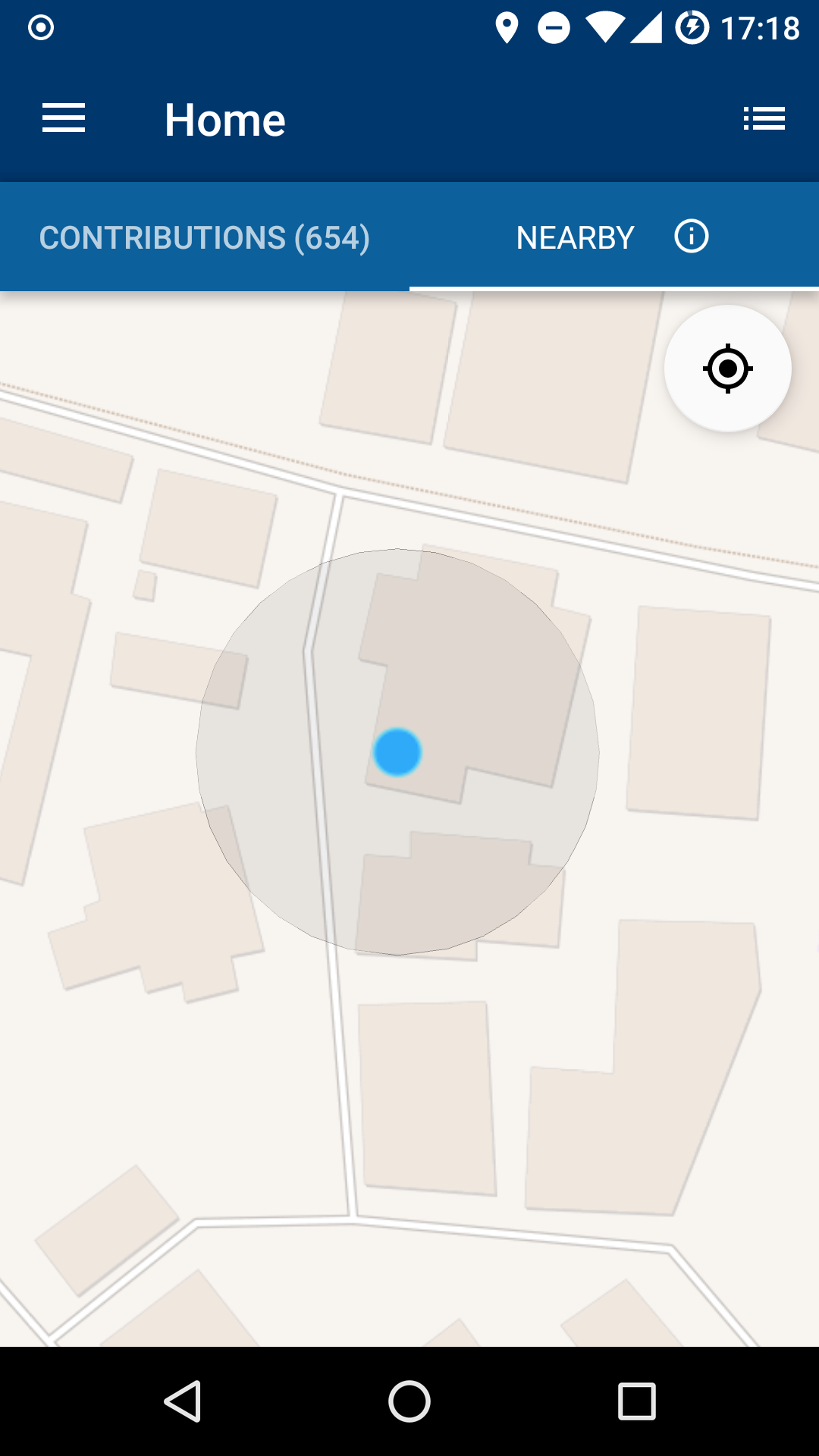
The Google Maps app, on the other hand, follows my real current position.
nicolas-raoul
on 20 Dec 2018
And are you sure your master is up to date? We just included 2.9.0 to master and Nicolas mentioned this issue happens on 2.9.0. can you also share what you see on your about page as software version
Yes my master is updated
Divyanshu2132
on 20 Dec 2018
One extra thing is also happening
I am sitting in my room location is changing automatically that blue dot is stable for some time the it moves to another position then back to same position.
Which is not happening with google map.
Mainly happens when I either zoom in or zoom out
Divyanshu2132
on 20 Dec 2018
I see @nicolas-raoul . @Divyanshu2132 can I take this issue up please? I have some assumptions but I am not sure if they will work or not. So this PR may require several revisions.
neslihanturan
on 20 Dec 2018
Sure sidewise I will also look into the code if I found something
I might need log details that I will ask here directly whenever required
Divyanshu2132
on 20 Dec 2018
Hi @nicolas-raoul , I have been testing this issue for while, I couldn't reproduce a not tracking situation so far.
What I recognized is:
- Search this area button becomes invisible unnecessarily, that's why you may think it does not track you, while you are not checking around. Actually, you are checking around, that's why it does not follow your position.
But some user may feel this is a bug, To fix this issue I have some suggestions:
- Increase radius to decide user is checking around or checking nearby
- ( I am not sure if this option is technically possible but ), if current location marker is visible on the map screen, track users position no matter how far we moved on map.
Update: It is technically possible:)
Second one seems like a better idea to me. What do you say @nicolas-raoul ?
neslihanturan
on 26 Dec 2018
- ( I am not sure if this option is technically possible but ), if current location marker is visible on the map screen, track users position no matter how far we moved on map.
Update: It is technically possible:)
My PR is up for related solution
neslihanturan
on 26 Dec 2018
Second solution sounds better, actually I thought it was the intended behavior for the start :-)
I indeed always move the map a little bit, as I pinch to adjust the zoom level and check the pins around me.
Thanks!
nicolas-raoul
on 26 Dec 2018
Related issues
 Opsylac
·
3Comments
Opsylac
·
3Comments
 jidanni
·
3Comments
jidanni
·
3Comments
 domdomegg
·
3Comments
domdomegg
·
3Comments
 madhurgupta10
·
4Comments
madhurgupta10
·
3Comments
madhurgupta10
·
4Comments
madhurgupta10
·
3Comments