Apps-android-commons: Add search Images from commons feature
This is a child issue of #1221
Summary:
The users should be able to search images directly using name/description from commons.
Screen-shots:
| 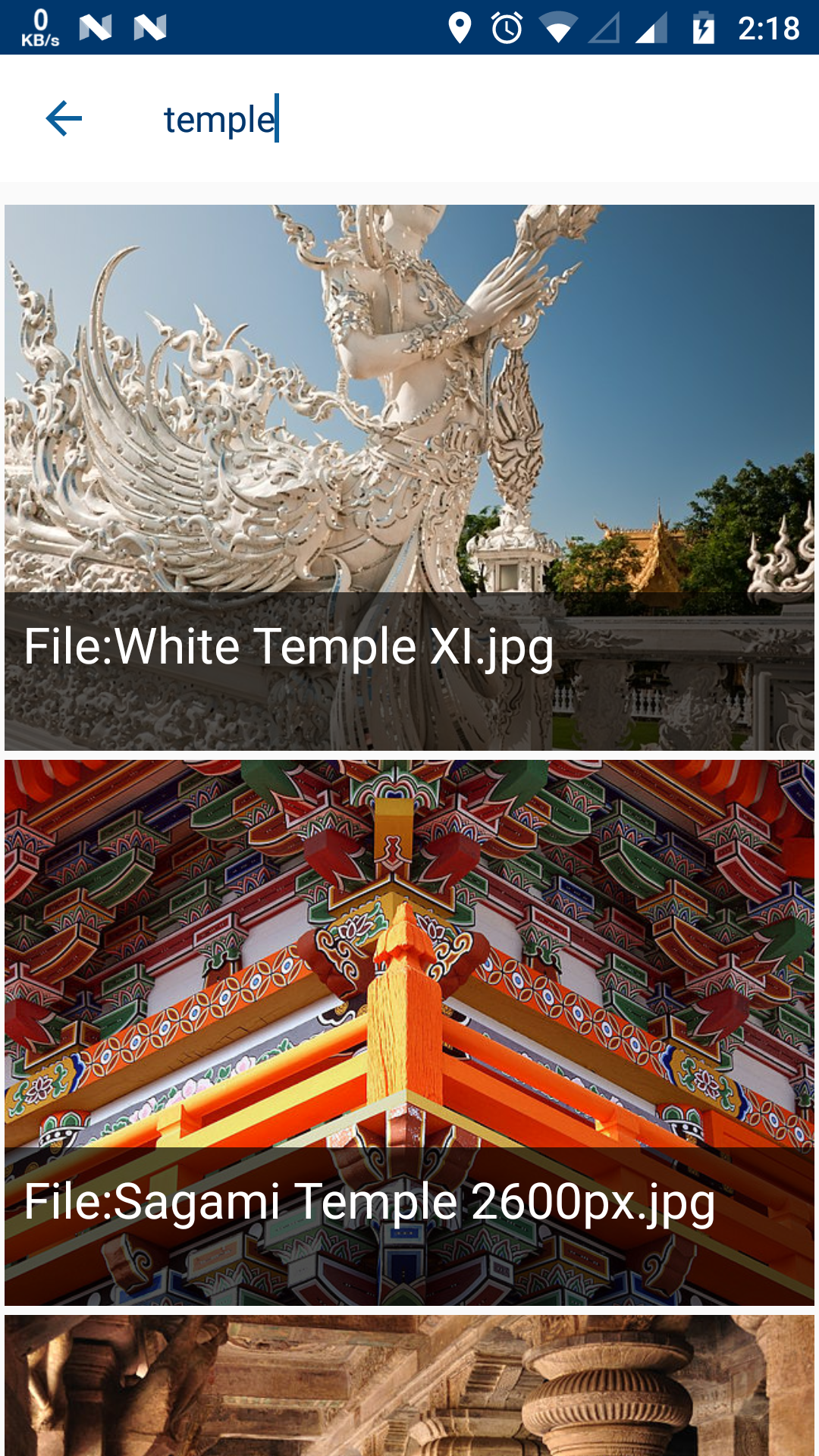 | 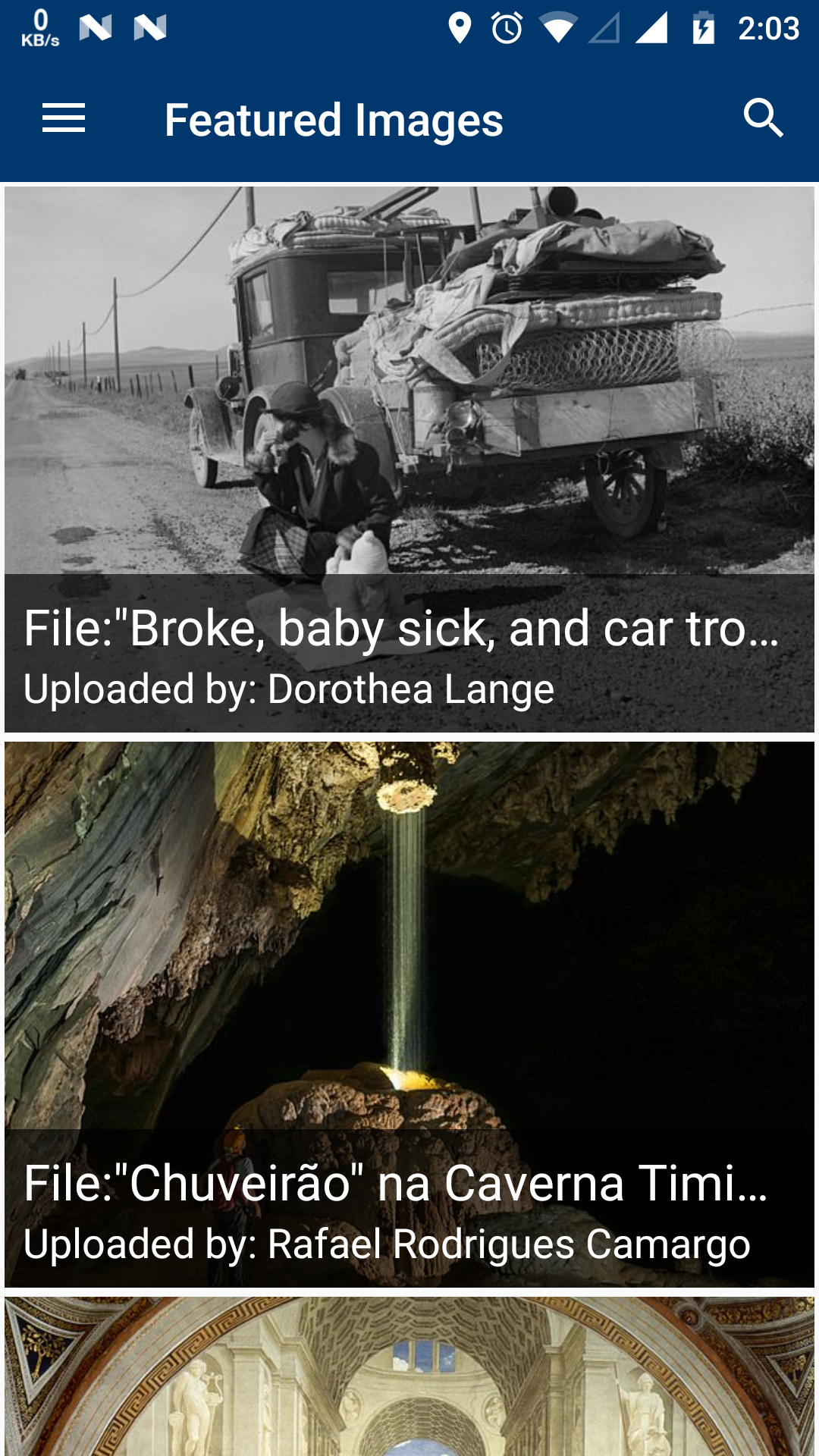 |
Would you like to work on the issue?
Yes, I have started working on this issue. Will send a PR soon.
 ujjwalagrawal17
All 18 comments
@ujjwalagrawal17 As shown in the screenshot would you be adding this functionality in the featured image activity?
 maskaravivek
on 16 May 2018
maskaravivek
on 16 May 2018
@maskaravivek I am working on a separate search Activity which queries the data from servers. I am planning to open it from Featured Image Activity. Also, we can rename featured option to "explore" in the navigation drawer.
ujjwalagrawal17
on 16 May 2018
IMO, you can very well use all the functionality of featured images activity as its totally generic but am not very sure about renaming it.
You can init a separate instance of the featured images activity naming it Explore in the hamburger menu.
Anyways if we have consensus on merging featured images with Explore then you can go ahead with it. :)
maskaravivek
on 16 May 2018
Personally I am in favor of a single "Explore" item that shows featured images and a loop button to search.
The hamburger is already a bit crowded and might get more crowded with statistics, peer review, contests, etc.
 nicolas-raoul
on 17 May 2018
nicolas-raoul
on 17 May 2018
How about we have the search bar on top of Featured activity - when someone searches, they will initially be shown all the featured images that match their search. And when the results are displayed, we also have a "show non-featured images" button (similar to the "show more" button in other apps) where if they tap it, they can view the non-featured images as well for the same search term?
(Not sure if that's beyond the GSoC scope. If it exceeds scope, we can just have the search bar on top of Featured activity and have it just do one query for all images. Either way, I agree with Nicolas that we don't want two items on the nav bar, featured+browse should be consolidated into one activity IMO.)
 misaochan
on 17 May 2018
misaochan
on 17 May 2018
Yes, I agree that the hamburger is already too crowded. So having a single Explore sounds good to me (Y).
In addition to the search button, it would be great to have a filter button too. Right now the app shows all the featured images from Commons but there are further categories on Commons like Industry, History people etc.
https://commons.wikimedia.org/wiki/Commons:Featured_pictures
It would be great to have people filter and see featured images from a particular category.
maskaravivek
on 17 May 2018
The wide majority of searches return zero featured pictures, because only 0.024% of pictures are featured.
If there was a "show non-featured images" button it would be necessary to click every at pretty much every single search.
So, I suggest showing all images for now, and, in the second part of the GSoC, showing the featured images matching the search at the beginning of the results. That is actually what is planned in the GSoC schedule :-)
nicolas-raoul
on 17 May 2018
Oh! Yep, that sounds good to me @nicolas-raoul .
misaochan
on 17 May 2018
@nicolas-raoul @neslihanturan We can discuss here that we should make a new Activity for exploring or refactor the code of CategoryImagesActivity (featuredActivity). @nicolas-raoul Can you catchup the discussion at #1561 .
ujjwalagrawal17
on 28 May 2018
Let's continue here:
neslihanturan
We have to think about UIs. Because Featured images is not same with explore. You can explore ALL images. But when we add search icon top of featured images, it feels like user can only search in featured images. This is not the case.
@ujjwalagrawal17
ujjwalagrawal17
Yes @neslihanturan you are right. There are 2 solutions for this -
- We can change and refractor featured activity and rename it explore and below toolbar we can maybe mention that below images are featured using a textview maybe.
- Or create a seperate Explore activity and do it there.
misaochan
@neslihanturan Can that issue not be solved by having existing text in the search bar that says "Search all images in Commons"?
I would personally prefer Browse and Featured to be united in a single activity if possible, as they are highly related and it reduces cluttering. I believe we were discussing this at #1521
neslihanturan
I also meant we definitely should have them in same activity but maybe different tabs? Or your solution could also work. Under any case I think it is better to discuss on mockups. @ujjwalagrawal17 are you willing to create some mockups to find best solution? @nicolas-raoul I really wonder your opinion about this topic.
 neslihanturan
on 28 May 2018
neslihanturan
on 28 May 2018
I already made a few mock-ups.


I thought We can start with only featured images. Later on we can integrate picture of the day and customise it more.
Yes I will share some more mock ups for explore feature tomorrow!
ujjwalagrawal17
on 28 May 2018
I believe this would be the best:
- One single item in the left menu called "Explore"
- Touching "Explore" show the featured images and a search icon in the corner
- Touching the search icon brings the search screen as implemented in this request
In other words, like @ujjwalagrawal17 implemented looks great to me :-)
nicolas-raoul
on 29 May 2018
Usage of tabs solved all unclarity for me. So for now I will merge @ujjwalagrawal17 's PR, then he can add other tabs on another PR.
neslihanturan
on 29 May 2018
If we look at Commons Website main page
I found that except Featured Image - Quality Images, Valued Images, and Picture of the day can also be shown in explore page.
Links of the categories -
- [Picture of the day] https://commons.wikimedia.org/wiki/Category:Commons:Potd_(en)
- [Valued Images] https://commons.wikimedia.org/wiki/Category:Valued_images
- [Quality Images] https://commons.wikimedia.org/wiki/Category:Quality_images
- [Featured] https://commons.wikimedia.org/wiki/Category:Featured_pictures_on_Wikimedia_Commons
I have designed an UI for explore page -
| 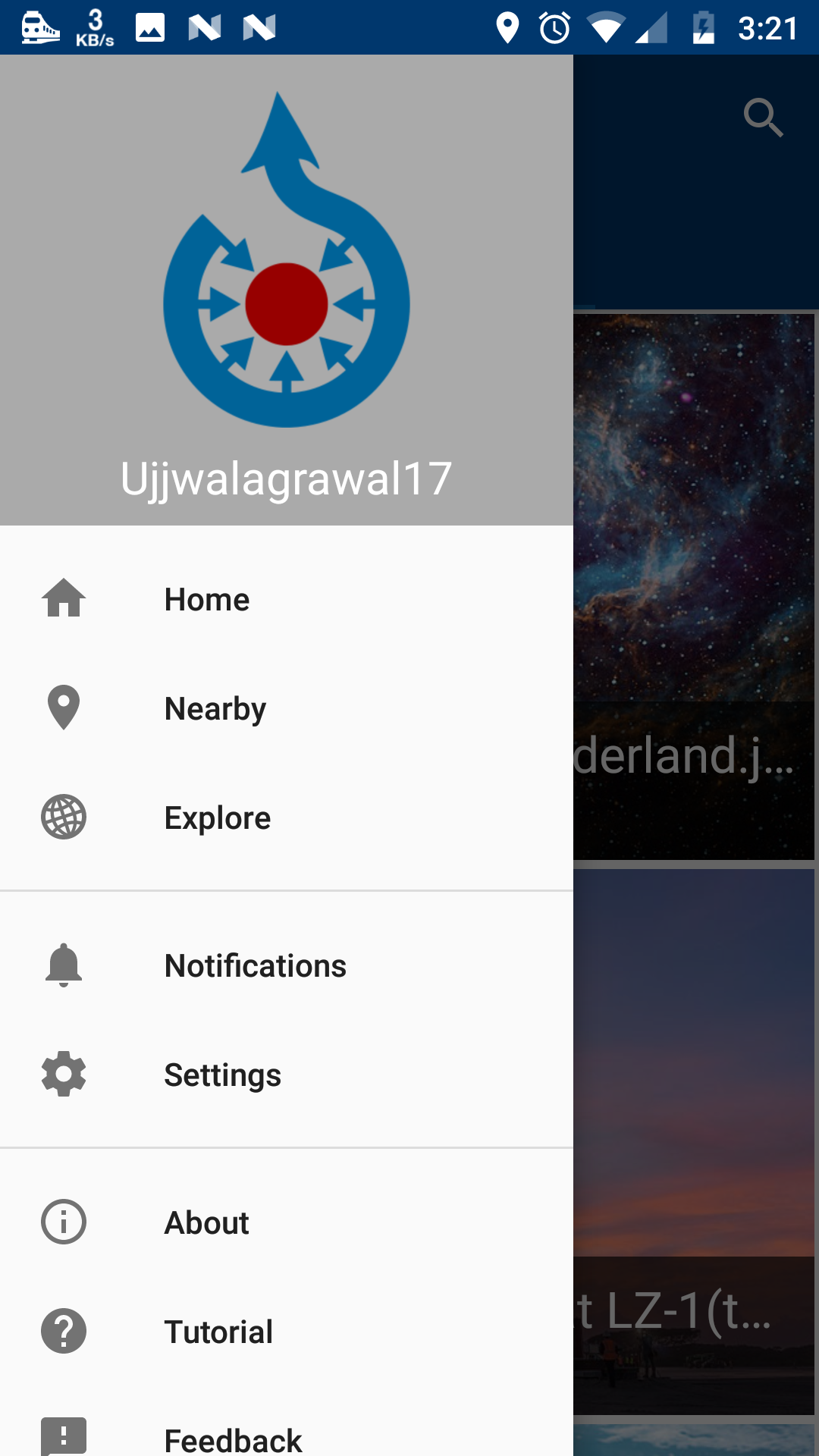 |  |
On click of each we will open the already existing CategoryImageActivity by passing category name which will not contain search icon.(We don't need to write API calls for each page as @maskaravivek has made a common method for it).
Also we can put some icons along with the names if this UI looks simple.
ujjwalagrawal17
on 29 May 2018
Also we can maybe write some content in the page similar to website -
Highlights
If you are browsing Commons for the first time, you may want to start with Featured pictures, Quality images or Valued images.
or maybe we can include main website link at the bottom too.[https://commons.wikimedia.org/wiki/Main_Page]
ujjwalagrawal17
on 29 May 2018
Most Commons users do not know what is the difference between quality and valued images, and don;t really need to know.
They just want to see nice images.
So, how about hiding these technicalities, and just showing pictures in this order:
- The picture of the day
- All of the pictures for the first page (page in the meaning of query paging) of featured images
- All of the pictures for the first page (page in the meaning of query paging) of quality images
- All of the pictures for the first page (page in the meaning of query paging) of valued images
- All of the pictures for the second page (page in the meaning of query paging) of featured images
- All of the pictures for the second page (page in the meaning of query paging) of quality images
- All of the pictures for the second page (page in the meaning of query paging) of valued images
- etc
Advantages over showing a featured/potd/quality/valued menu:
- Content is shown as soon as you touch "Explore", which is more entertaining
- More user-friendly
I guess this should be discussed in a different issue, though, as it is not about search :-)
nicolas-raoul
on 29 May 2018
This feature is added so I am closing this issue :)
ujjwalagrawal17
on 30 May 2018
Thanks!
neslihanturan
on 30 May 2018
Related issues
 psh
·
3Comments
psh
·
3Comments
 madhurgupta10
·
4Comments
misaochan
·
4Comments
madhurgupta10
·
4Comments
misaochan
·
4Comments
 Opsylac
·
3Comments
neslihanturan
·
3Comments
Opsylac
·
3Comments
neslihanturan
·
3Comments
Most helpful comment
Personally I am in favor of a single "Explore" item that shows featured images and a loop button to search.
The hamburger is already a bit crowded and might get more crowded with statistics, peer review, contests, etc.