Apps-android-commons: Show complete text of welcome notification
Summary:
Welcome Notification doesn't redirect the user to any link. As a user, I would like to know the complete information displayed in the notification. So, Either it should redirect the user to an external link containing the full information or it should show the complete text of the notification.
Steps to reproduce:
- After Login, click on Notifications.
- Check the welcome notification.
Device and Android version:
Samsung A8
Android 6.0 Marshmallow
Commons app version:
2.6.7
Screen-shots:
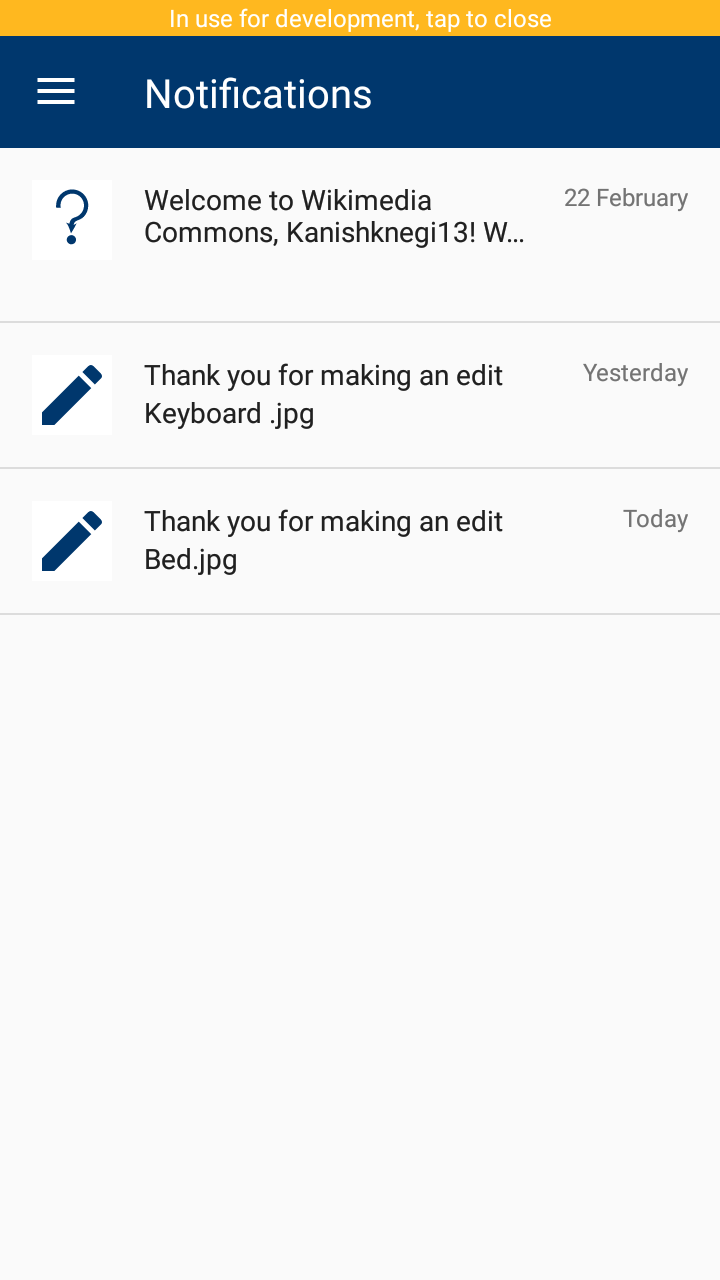
How will I proceed on this issue
Since the API itself doesn't provide any link for welcome notifications. Removing the maxLines limit of title can be a quick fix. @maskaravivek please let me know if this approach is okay, will open the PR accordingly.
Thanks. :)
 ayushin78
All 8 comments
Am not sure how the notifications would look if the message is too long. Instead of removing the maxLines limit we can probably just increase it.
Moreover:
- It would be great if we could reduce the padding and size of the image. That would give us some more space for the notification text.
 maskaravivek
on 27 Feb 2018
maskaravivek
on 27 Feb 2018
Can't we include a button in notification to completely see the notification, so whenever a user clicks on that notification button complete text will be displayed something like see more, see fewer buttons in LinkedIn, Facebook.
Example:

 Jatin0312
on 28 Feb 2018
Jatin0312
on 28 Feb 2018
The see more option actually makes sense and it would be great if we could implement that.
maskaravivek
on 28 Feb 2018
I would like to work on this issue
Jatin0312
on 28 Feb 2018
Sure, please feel free to pick this up. :)
maskaravivek
on 28 Feb 2018
@maskaravivek I have created a fix. Please review it, I will create a pull request accordingly. Thanks :)
Screenshot showing what changed.

Jatin0312
on 3 Mar 2018
@Jatin0312 I couldn't find the PR for this. Can you attach a link for it.
maskaravivek
on 3 Mar 2018
Ya sure, I will send a PR soon.
Jatin0312
on 3 Mar 2018
Related issues
 nicolas-raoul
·
4Comments
nicolas-raoul
·
4Comments
 neslihanturan
·
3Comments
nicolas-raoul
·
3Comments
neslihanturan
·
3Comments
nicolas-raoul
·
3Comments
 madhurgupta10
·
4Comments
madhurgupta10
·
4Comments
 whym
·
3Comments
whym
·
3Comments
Most helpful comment
Can't we include a button in notification to completely see the notification, so whenever a user clicks on that notification button complete text will be displayed something like see more, see fewer buttons in LinkedIn, Facebook.

Example: