Apps-android-commons: Image downloading fails
Summary
Clicking the download button after going to My Recent Recent Uploads fails to download an image to the phone's storage even when the app has been granted Storage Permission.
Screenshots

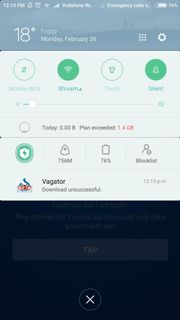
System Logs
The log report can be found at this link:
Log Report File
Device and Android version
Redmi Note 3
6.0.1 MMB29M
MIUI Version: MIUI Global 8.5
Commons app version:
2.6.7
 gupta-meghna64
All 16 comments
Yup @gupta-meghna64 , I can confirm the issue.
Device and Android Version
Android 7.0 MIUI Global V9.0
Can I take up this issue?
 knight-shade
on 27 Feb 2018
knight-shade
on 27 Feb 2018
Let us wait for a confirmation @knight-shade
gupta-meghna64
on 27 Feb 2018
That's really weird but I confirm that I cannot download images either. ("Download Failed")
 VojtechDostal
on 27 Feb 2018
VojtechDostal
on 27 Feb 2018
Please feel free to take up the issue. @gupta-meghna64 or @knight-shade.
 maskaravivek
on 27 Feb 2018
maskaravivek
on 27 Feb 2018
I'd like to explore about the issue and work on it. I'll keep on updating my progress here :-)
gupta-meghna64
on 27 Feb 2018
@gupta-meghna64 didn't realised this issue was assigned to you, although this might be useful for you:
The following two options appear before you select the download one:
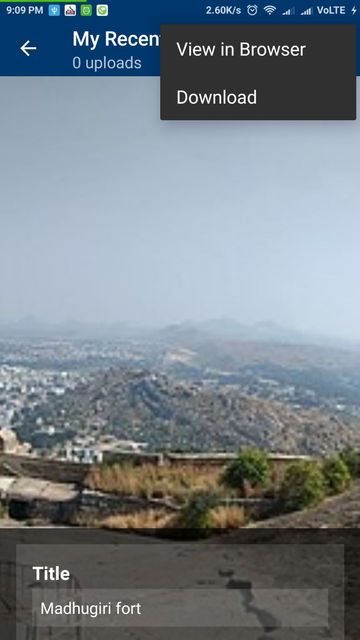
The reason why all the downloads are unsuccessful is both the urls of the above options are different, just for example in case of image I uploaded:
View in Browser url :
https://commons.m.wikimedia.beta.wmflabs.org/wiki/File:Madhugiri_fort.jpg
Download url:
https://upload.beta.wmflabs.org/wikipedia/commons/6/64/File%3AMadhugiri_fort.jpg
The Download url is the one which leads to 404 error, hence obviously download being unsuccessful because there is no image existing at that url.
The correct download url should be:
https://upload.beta.wmflabs.org/wikipedia/commons/0/0c/Madhugiri_fort.jpg
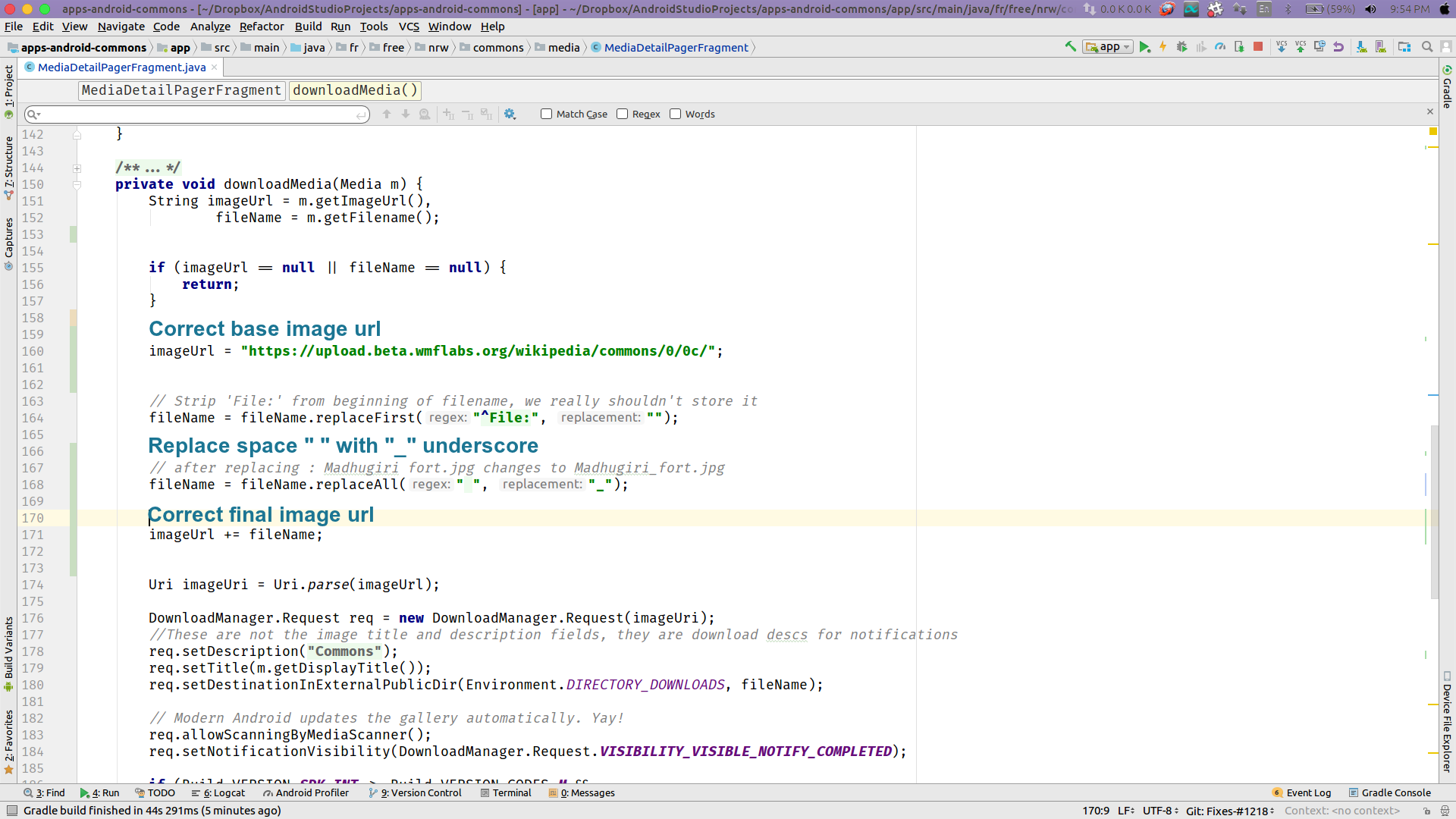
The below picture lists the necessary changes( ~ just 2 lines), after which all downloads are successful.
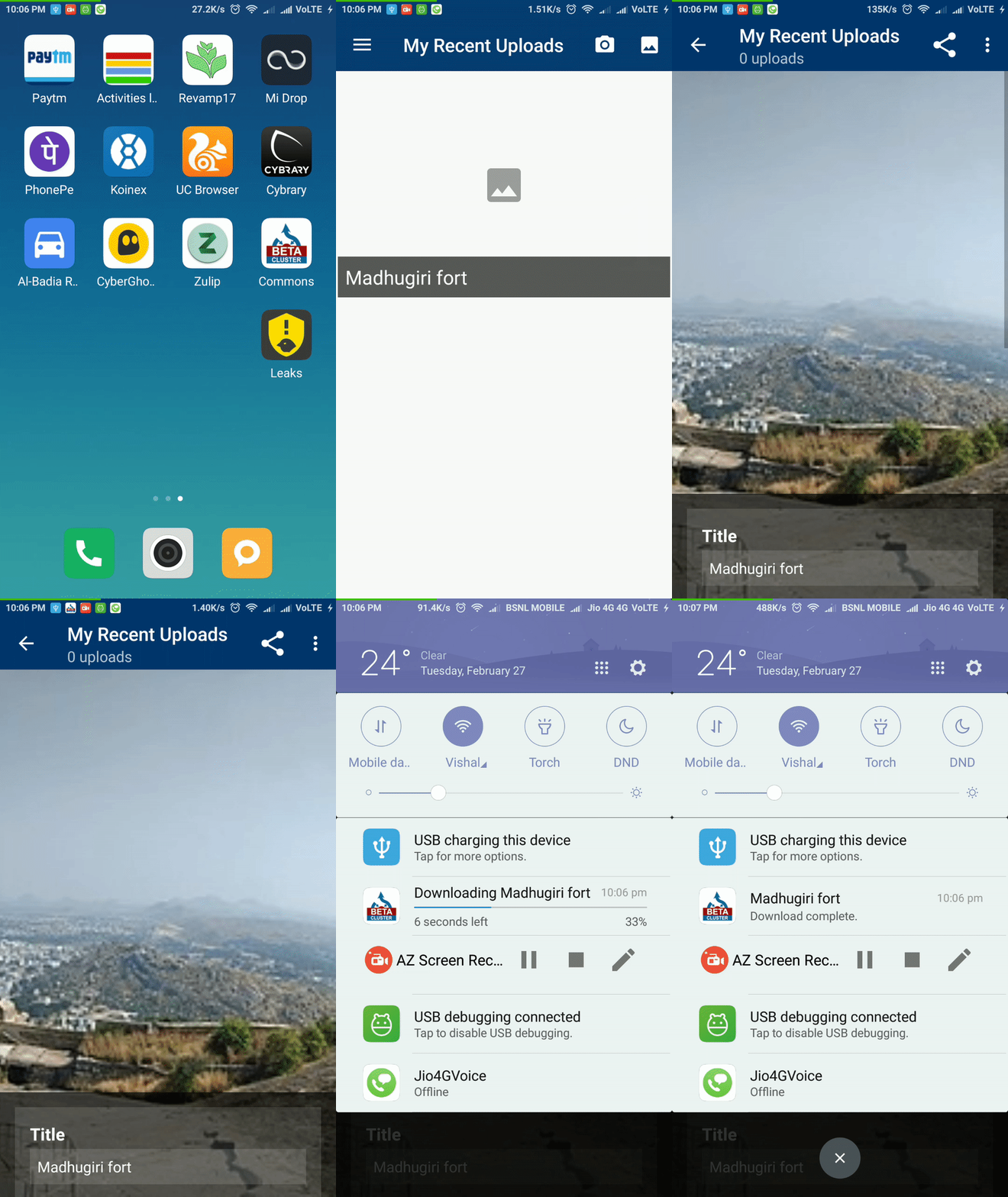
I have tested the solution on real device and attached a gif below illustrating successful download of image:
@maskaravivek, @gupta-meghna64 AFAIK very likely 99% :) this problem is caused due to issue mentioned in #1169 .
Can you verify the same ?
Update
Base image url is not same for everybody, so the above solution won't work.
knight-shade
on 27 Feb 2018
@knight-shade The base imageUrl that you have specified in the code as https://upload.beta.wmflabs.org/wikipedia/commons/0/0c/ isn't the same for every image being uploaded. In my case, the base url turns out to be
https://upload.beta.wmflabs.org/wikipedia/commons/b/bd/
So, I guess we'll have to find out an alternative way of fetching the base URL instead of hard-coding it.
gupta-meghna64
on 27 Feb 2018
@gupta-meghna64 , Uh ohh, I think it varies for each user, is it? can't verify this though. If it is dynamically generated then its more a backend problem then app. Better solution might be just make the backend much bettter. I think if this issue #1169 is solved then image failed issue might automatically gets solved as a side effect.
knight-shade
on 27 Feb 2018
@knight-shade The URL generated in the case of images with no spaces in the name is perfect, and the downloading is also taking place. But the problem comes when the image that has been uploaded has a space/special symbol in the name because of which the imageURL being generated is incorrect.
gupta-meghna64
on 27 Feb 2018
@gupta-meghna64 I have come up with a fix, shortly will update in detail.
Update
In SingleUploadFragment in fuction onOptionsItemSelected (line 73), removing any special symbols first, and then replacing spaces with underscores solves this issue, and apparently should solve #1169 also.
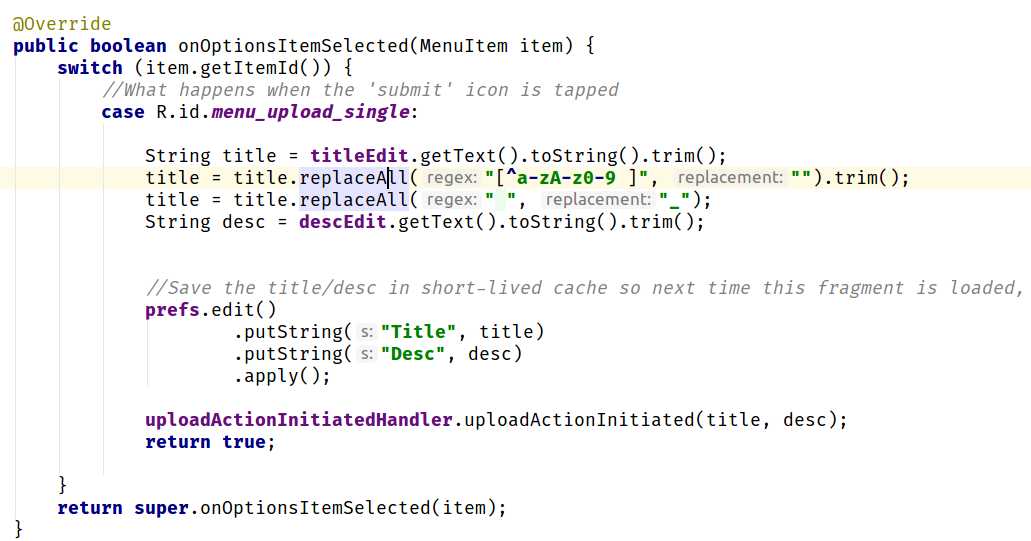
I have tested this on real device, and works like a charm. Can you confirm the same?
knight-shade
on 28 Feb 2018
@knight-shade It's working :-)
gupta-meghna64
on 28 Feb 2018
A few difficult file names to check:
- File:ČSD ř. M 260.001 1939-02.17. 24.jpg
- File:دمشق جبل قاسيون.jpg
Does the regex work for them?
VojtechDostal
on 28 Feb 2018
Currently the app crashes for filenames which are not in english, trying to work on the issue.
knight-shade
on 28 Feb 2018
@gupta-meghna64 , @VojtechDostal
The below solution allows you to upload image with any title irrespective of whether it contains special symbos, spaces, or any language as far as I could check.
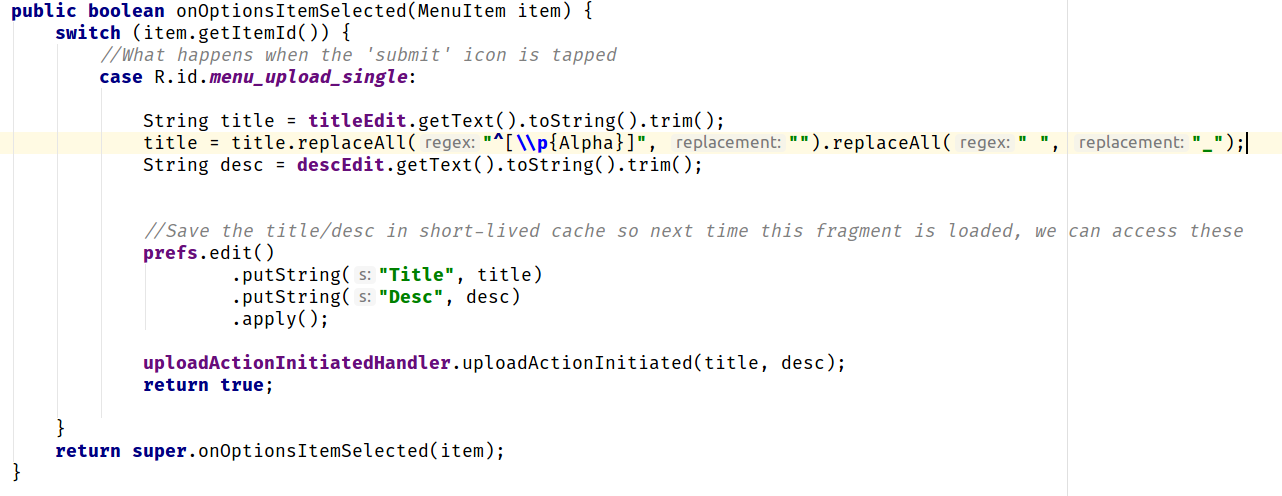
Some example images with difficult names:
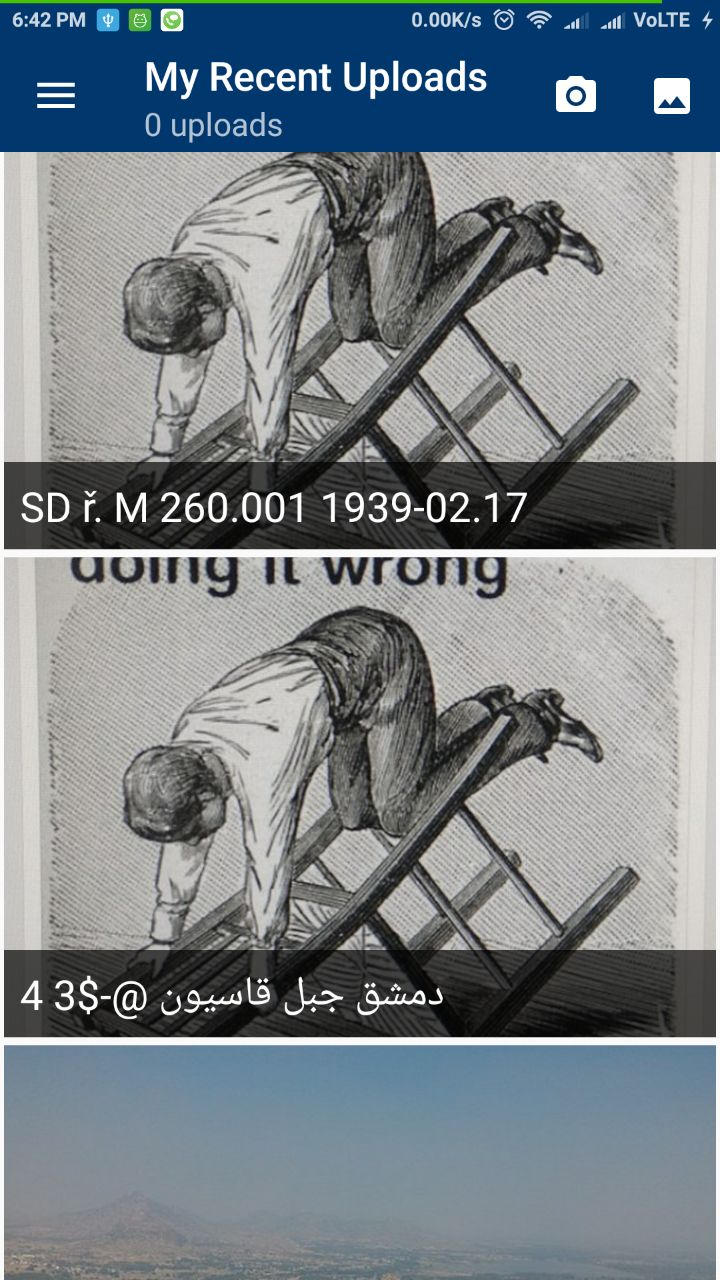
And the images are downloading also, cheers :+1:
knight-shade
on 28 Feb 2018
@knight-shade Since you've already figured out the solution, I request you to put a PR to this and @VojtechDostal and @maskaravivek to re-assign the issue to @knight-shade
gupta-meghna64
on 28 Feb 2018
@gupta-meghna64 , now again it will take more time to re-assign the task, its hardly a line, and since its already assigned to you, I request you to make the PR kindly. :ok_hand:
knight-shade
on 28 Feb 2018
Related issues
 madhurgupta10
·
3Comments
madhurgupta10
·
3Comments
 Saral-code
·
3Comments
Saral-code
·
3Comments
 jidanni
·
3Comments
jidanni
·
3Comments
 nicolas-raoul
·
4Comments
nicolas-raoul
·
4Comments
 misaochan
·
3Comments
misaochan
·
3Comments
Most helpful comment
Please feel free to take up the issue. @gupta-meghna64 or @knight-shade.