Apps-android-commons: Tutorial again and quizz, for people who did not understand topicness/copyright immediately
Topicness and copyright are not innate, it can be hard to grasp what is OK and what is not (I am still struggling with it).
We can expect many users to not understand (or not even read) the first tutorial, but let's give these users another chance to learn before their account gets banned.
If a user gets more than 50% of reverts in their last 20 uploads (or other conditions), then show the tutorial slides again, followed by a quizz with questions about what is OK or not to upload. Examples:
(selfie picture)
OK to upload? ✔ ✗
(picture of the Taj Mahal)
OK to upload? ✔ ✗
(screenshot of The New York Times' mobile website)
OK to upload? ✔ ✗
(blurry picture of a not-remarkable human hand)
OK to upload? ✔ ✗
(picture of a Hmong wedding in traditional clothes)
OK to upload? ✔ ✗
At every wrong answer, show an explanation.
At the end of the quizz: If more than 80% of good answers, unlock the app. If less, show the tutorial again then quizz again.
The quizz and tutorial could be adapted to what the user has not understood yet: topicness, copyright.
A variation could target people who enter extremely short titles and no description nor tags.
What do you think about this idea? I expect the idea of such "punishment" to be rather controversial.
 nicolas-raoul
All 31 comments
Haha, wow. I actually think it might be useful, but we might have to be prepared for our Google Play ratings to drop drastically, because I'm pretty sure those who get locked out WILL complain very vocally. :D I mean, I know it'll be just 1 in 50 who gets locked out like that, but the other 49 will be a lot less motivated to rate/review...
I would suggest a softer method first, like popping up a notification if >50% reverts in last 20 uploads, and prompting them to take the quiz, with the warning that if they carry on they will be banned. But not locking the app. I guess if reverts is a huge issue in the future then we could switch to the tougher method?
BTW, how do we check % of reverts for a particular user? Is there an API for it?
 misaochan
on 13 Sep 2016
misaochan
on 13 Sep 2016
Yeah, I guess locking the app is a bit tough haha
Off topic: how does the app reacts when a user gets blocked (or the password changed)? That's worth testing.
Getting this % is something we should really do, I know no API for that unfortunately. We should ask at Commons.
nicolas-raoul
on 13 Sep 2016
Bumping this discussion since we plan on including it in GSoC/Outreachy. My proposed schedule:
- Search for a way to find % of reverted uploads by a user
- If % exceeds threshold (50%), pop up a dialog to the user warning them that they will likely get banned, and encouraging them to take our quiz to learn more about which uploads are allowed and which aren't. I would strongly recommend giving them a way out and not locking the app, so they can refuse if they really want.
- Display an in-depth copyright/topicness tutorial to user. Implement quiz after that. At every wrong answer, show an explanation
- At end of quiz, congratulate them and reset their counter (so they don't get pinged all over again the next time they load the app)
- Testing, bug fixing, documentation
If we are unable to find a way to search for % of reverted uploads, as a backup perhaps we could go through the user's notifications, find the ones that mentioned an image being nominated for deletion, and if we find at least 5 nominations, pop up the dialog. In this case we probably need to be even less strict, by resetting the counter even if the user refuses to take the quiz.
misaochan
on 5 Mar 2018
When I started using the commons app, as a beginner I wasn't aware about the exact meaning of each licence while uploading the images. So I think it's important for us to make the user understand which license he/she should opt for while uploading the image.
Thus, it would be great if we could add a brief description about each license in the tutorial itself which would thus avoid the user randomly opting any license without knowing the exact meaning of it. Please give your suggestions @misaochan @nicolas-raoul @maskaravivek :)
 gupta-meghna64
on 15 Mar 2018
gupta-meghna64
on 15 Mar 2018
@gupta-meghna64 Great point! Could you please create a new issue about this? Thanks!
nicolas-raoul
on 16 Mar 2018
@nicolas-raoul Sure, I will :)
gupta-meghna64
on 16 Mar 2018
@gupta-meghna64 Sounds like a good idea to me, but I'm not sure we need this in the welcome tutorial itself (remember, users always have to click through all of it with each fresh install ;)). Rather, I would recommend having it in the upload screen where the licenses are selected.
Please link the new issue here when you create it, thanks! :)
misaochan
on 16 Mar 2018
@misaochan I agree to your point. Even @nicolas-raoul suggested to put it in the upload screen :)
I've created an issue for this #1316
gupta-meghna64
on 17 Mar 2018
QUIZ
We can divide the quiz into two parts :
First part can be related to topicness where we can display ask yes-no question as earlier mentioned by @nicolas-raoul. The following are questions that can be asked in the format given in the mockup:
1) Selfie
2) Screenshot of a website
3) blurry image
4) image of artwork, logo
5) sketch of an animated cartoon series
6) Image of a monument
7) Image of an event
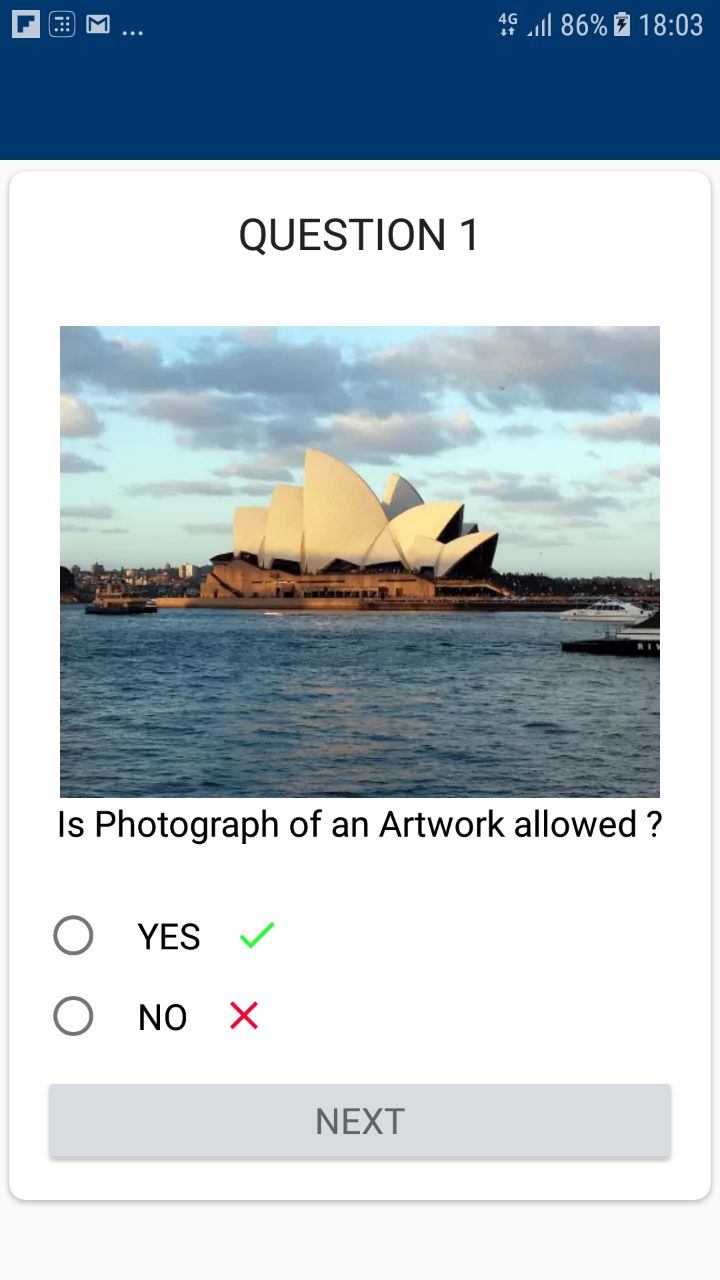
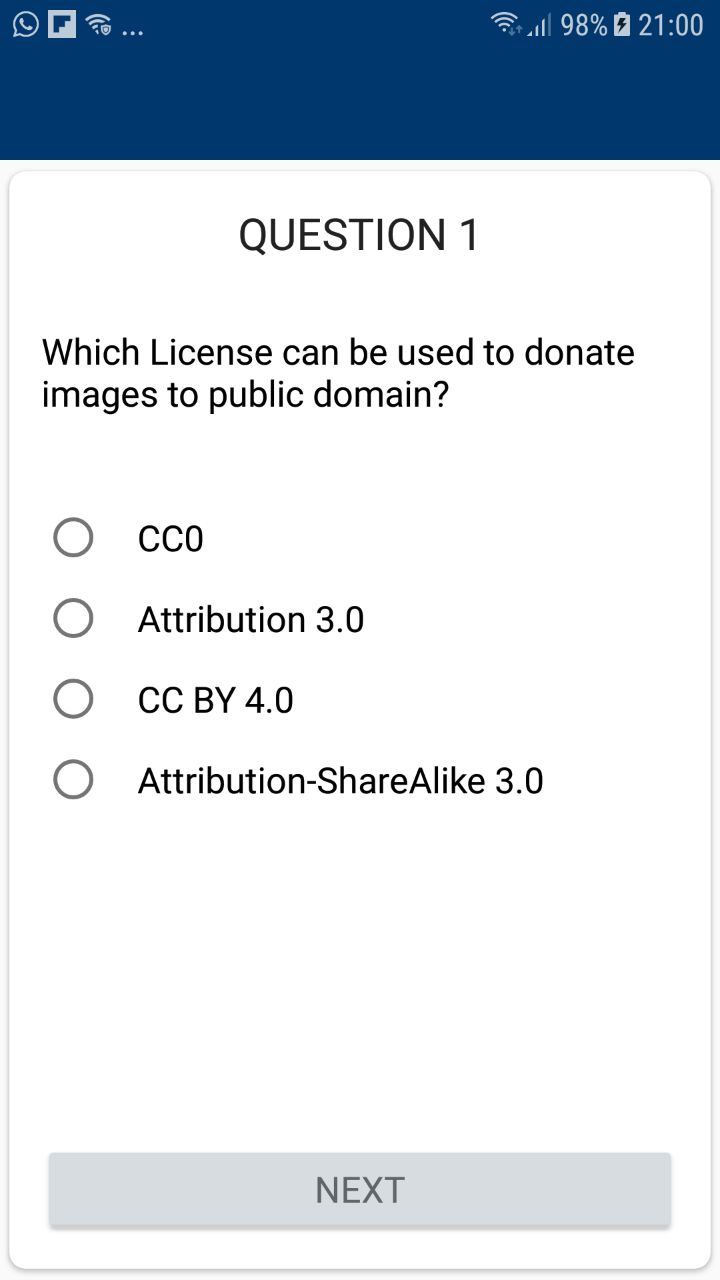
Second part related to copyright where we can ask some simple MCQ questions like :
1) Which among the license is not provided by Commons
2) which License can be used to donate images to public domain?
There are two ways in which copyright questions be presented :
#### METHOD 1 :
METHOD 2 :
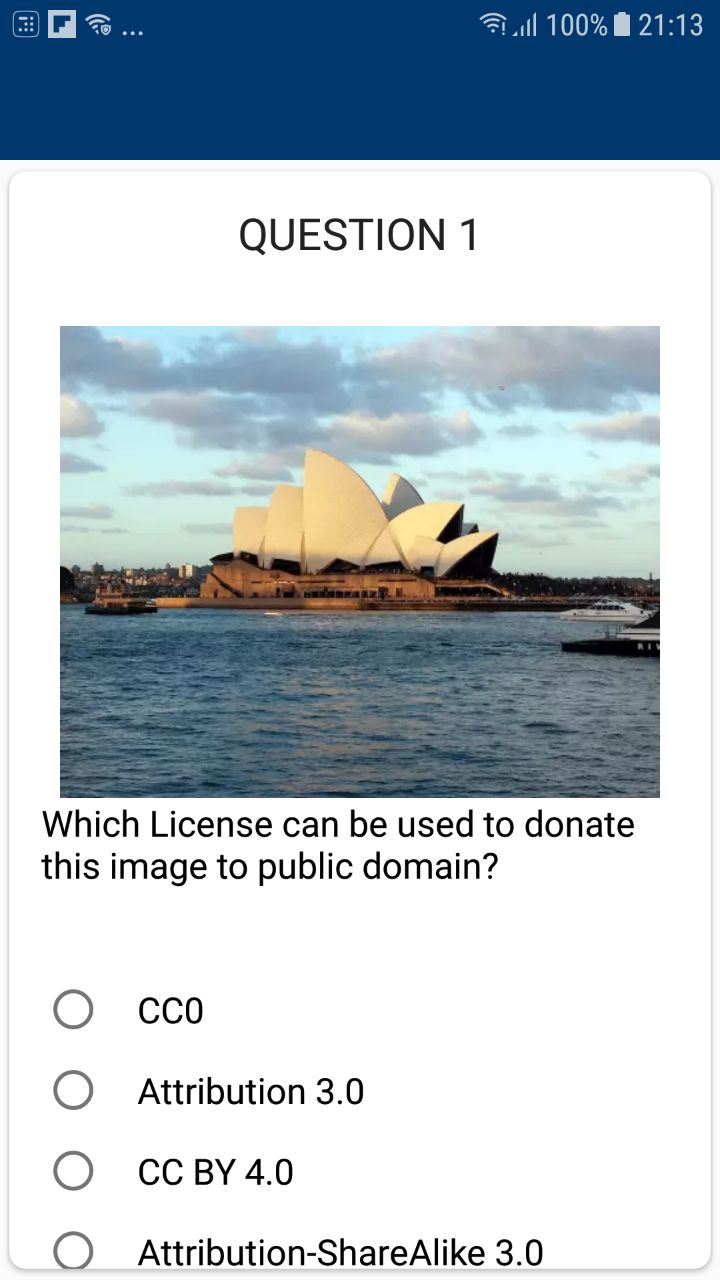
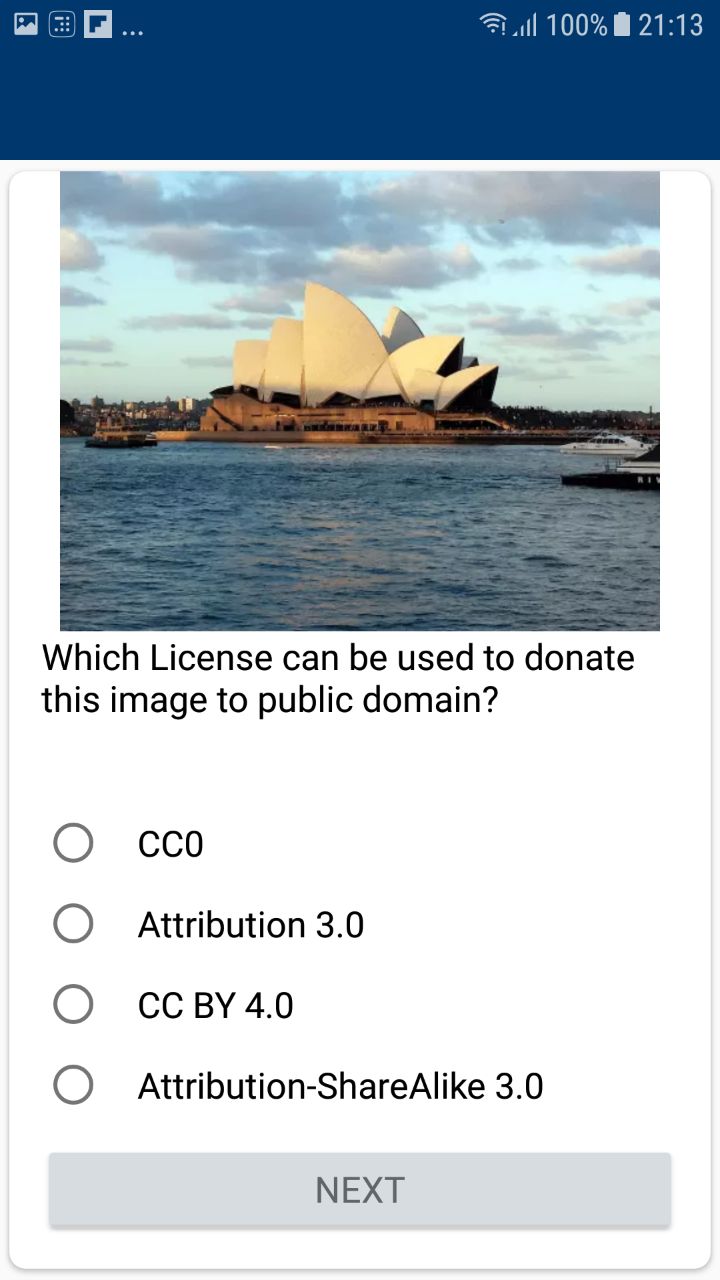
Quiz can proceed in two ways :
1) After each question we show whether the answer was right and wrong with brief explanation and later we display a cummulative result.
2) After all questions we show whether the answer was right and wrong with explanation along with result.
_I am partial towards first :) but I would love to hear the others opionion ?_
Doubt Regarding tutorial : Should we add copyright information in tutorial , Since relevant links are already present in uploads fragments ?
_I will soon add the results activity ( to be display at the end of screen ) and please feel free to add questions for the quiz . Thanks !_
 tanvidadu
on 8 Jun 2018
tanvidadu
on 8 Jun 2018
Hi @tanvidadu , the mockups could do with a bit of polish for the final UI in my opinion (for instance, we shouldn't leave the action bar blank), but as a draft it looks good. :)
I don't think there is a need to divide the tutorial into two parts per se. For instance, "Screenshot of a website", "image of artwork, logo" etc in your Part 1 is actually related to copyright. I also don't think there is a need for questions like "Which among the license is not provided by Commons
which License can be used to donate images to public domain?" because that is theoretical knowledge that doesn't actually help the user understand what to upload or what not to upload.
My suggestion is that we start with the examples provided by @nicolas-raoul and add to them later if needed.
Quiz can proceed in two ways :
After each question we show whether the answer was right and wrong with brief explanation and later we display a cummulative result.
After all questions we show whether the answer was right and wrong with explanation along with result.
I am partial towards first :) but I would love to hear the others opionion ?
Definitely option 1 IMO. :)
Doubt Regarding tutorial : Should we add copyright information in tutorial , Since relevant links are already present in uploads fragments ?
I don't think we should.
misaochan
on 8 Jun 2018
Thanks for the review @misaochan !
I will go as per the @nicolas-raoul examples.
Sorry! I didn't work on the finer details, I will polish the UI and share the updated mockups.
tanvidadu
on 8 Jun 2018
No worries Tanvi! You're doing a great job. :)
An additional thought regarding copyright questions - we can't ACTUALLY use a copyrighted picture in our app, unless we own the copyright, not even for educational purposes I think. What do you think is the best way to get around this @nicolas-raoul ?
misaochan
on 8 Jun 2018
The mockups look great! :-)
Like you two, I prefer option 1 (showing the result after each question) because it is more efficient to educate the users on-the-spot.
I totally agree with Josephine's words here:
I [...] don't think there is a need for questions like "Which among the license is not provided by Commons which License can be used to donate images to public domain?" because that is theoretical knowledge that doesn't actually help the user understand what to upload or what not to upload.
Thanks for pointing out that many people probably don't know what CC0 is. Actually half of these people probably don't know what "public domain" is either. But terminology is hard to remember, so I believe that there is a more reliable way to solve this problem than a quizz, I detailed that in #1316.
We need public domain picture indeed, and here are some we can use:
- selfie: https://i.imgur.com/0fMYcpM.jpg (I declare it in public domain)
- Taj Mahal: https://commons.wikimedia.org/wiki/File:Taj_Mahal-03.jpg
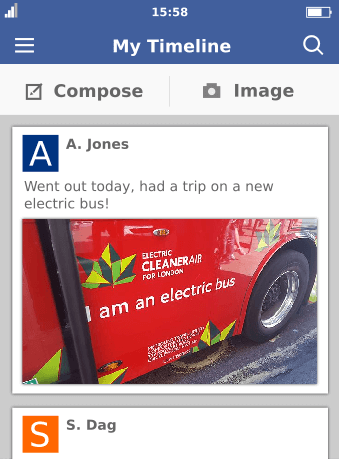
- screenshot of The New York Times' mobile website: It is not exactly the same thing, but we could reuse https://github.com/commons-app/apps-android-commons/blob/master/app/src/main/res/drawable/proprietary_x.png @domdomegg : would you have the version without the red X? Thanks! :-)
- blurry picture of a not-remarkable human hand: (will post later, people around me now would think I am crazy)
- Hmong wedding in traditional clothes: Different but equally interesting and avoiding potential personality rights issues: https://commons.wikimedia.org/wiki/File:HouseBuildingInNorthernVietnam.jpg
nicolas-raoul
on 12 Jun 2018
Haven't seen this thread as been busy recently, but this looks like an awesome concept. I've uploaded the full version of that image onto commons. It's available in the public domain (CC0) as an svg, so you can scale it to whatever you need/edit it etc.: https://commons.wikimedia.org/wiki/File:Social_media_app_mockup_screenshot.svg
For convenience, I've rendered out a png version without the red X here:
 domdomegg
on 12 Jun 2018
domdomegg
on 12 Jun 2018
Thanks, @nicolas-raoul @domdomegg for sharing images!
In continuation to our previous discussion
After each question we show whether the answer was right and wrong with the brief explanation and later we display a cumulative result
I have come up with few brief explanations for each anwser. I would love to hear community reviews .
Selfies:
Selfies of yourself or of other people shouldn't be uploaded due to right of privacy and right of publicity. Due to these rights, photographer cannot remove any rights belonging to the subject of the photograph.
Picture of Taj Mahal:
Images of monuments are considered derivatives but they may be okay to upload if artwork is permanently installed and in that country, taking images of public ground is legal.
Blurry Images:
One of the goals of Commons is to encourage quality images being contributed. Therefore, blurry images shouldn't be uploaded. Often lower quality images are nominated for deletion by Commons members.
Screenshot of The New York Times' mobile website:
Screenshots of websites are considered derivatives works and subject to any copyright on the website itself. These can be used after permission from the author. Without such permission any art you create based on their work is legally considered an unlicensed copy owned by the original author.
picture of a Hmong wedding in traditional clothes:
People taking part in a public event at a privately-owned venue , for example, a press conference at an office building or Hmong wedding, doesn't require consent of the individual in many countries.
tanvidadu
on 20 Jun 2018
I reworded a bit. Actually, some the pictures are OK are not for other reasons I believe:
Selfies:
Selfies do not have much encyclopedic value. Please do not upload a picture of your self unless you are famous enough and already have a Wikipedia article about you.
(when uploading a selfie you renounce to your right of privacy for this picture. but it is just off-topic for Commons, though I could not find a policy page)
Picture of Taj Mahal:
Pictures of monuments and outside scenery is OK to upload in most countries. Please note that temporary art installations outside are often copyrighted and not OK to upload.
Blurry Images:
One of the goals of Commons is to gather quality images. Therefore, blurry images shouldn't be uploaded. Always try to take nice pictures with good lighting.
Screenshot of The New York Times' mobile website:
Screenshots of websites are considered derivatives works and subject to any copyright on the website itself. These can be used after permission from the author. Without such permission any art you create based on their work is legally considered an unlicensed copy owned by the original author.
picture of house building in northern Vietnam:
Pictures showing technology or culture are very welcome on Commons.
We should really ask for everyone's feedback at https://commons.wikimedia.org/wiki/Commons:Village_pump to make sure we understand the policies correctly.
nicolas-raoul
on 21 Jun 2018
We need to discuss what happens after the user has already completed the quiz - do we give them a "grace period" to get their revert % down before showing them the dialog again, perhaps a month? Or do we never show it to them again? If they uninstall and reinstall the app, this setting should be retained, as it wouldn't be fair to keep making them take it just because they reinstalled.
misaochan
on 30 Jun 2018
Discussed this with @tanvidadu , this is the criteria we are thinking with using at the moment:
If there are 50 uploads and 25 reverts. Quiz pops up and after quiz both upload criterion and revert criterion is set to 0. Then after another 10 uploads, if revert rate is greater than 50 it will pop quiz.
Thoughts anyone? :)
misaochan
on 30 Jun 2018
Sounds good!
About the 25/50 part: Do you mean the quizz will not popup before the user uploads 50 pictures? I think it would make sense to show the quizz much earlier, for instance as soon as 5 pictures have been reverted (except if more than 5 have been not reverted).
Also, I would say that one third of reverts is already quite high.
Finally, when you say "10 uploads, if revert rate is greater than 50 it will pop quiz" what would happen if a user uploads 5 pictures and they all get reverted? I don't think there is a need to wait until 10 pictures have been uplodaded, as we already know it will be over 50%.
nicolas-raoul
on 3 Jul 2018
Sorry, that was a bit unclear, haha. I think what was intended is to basically check their revert rate every 10 uploads. So lets say a new user uploads 10 pictures and 5 are reverted, they will get a popup with the quiz. Once they complete the quiz, their counter is reset and they will not be checked anymore, until they upload another 10 pictures. Then we check their revert rate again, if exceeds threshold they receive another popup, if it doesn't exceed threshold, they don't. So on and so forth. @tanvidadu is my interpretation accurate?
Yeah, I guess we could go with a revert rate of 35% instead of 50% as the threshold, but I was worried that might be too strict.
I agree that there is no need to wait until 10 have been uploaded in that case, but not sure how much complexity that would introduce to the implementation. I guess this "early checking" could be an enhancement if there is still time left at the end of GSoC.
misaochan
on 3 Jul 2018
@misaochan, you are accurate in this respect. thanks :)
I only introduced the check at a particular threshold to avoid a situation like:
Once the quiz has been popped up and the counter has been reset, then if a person uploads an image and that image is reverted, the percentage would be 100% and quiz would be popped up. As a result, it will be annoying for the user.
I can reduce the threshold value to 5
tanvidadu
on 3 Jul 2018
@nicolas-raoul please share the link for blurry picture of a not-remarkable human hand!
Thanks :)
tanvidadu
on 10 Jul 2018
@tanvidadu If Nicolas doesn't get back to you, feel free to take one by yourself. ;) It doesn't matter too much whose hand is in it, haha.
misaochan
on 10 Jul 2018

I was thinking of using this image be used as blurry/low quality image. I would love to know others opinion :)
tanvidadu
on 13 Jul 2018
Sorry for the long wait! Here is my blurry hand feel free to use it or not, public domain ^^
https://i.imgur.com/Kepb5jR.jpg
Actually this night picture looks not blurry on a normal smartphone screen size.
nicolas-raoul
on 13 Jul 2018
How about this very blurry one? Also mine, public domain.

I made it very small because per definition it does not contain much information. I guess it can be scaled up from within the app.
nicolas-raoul
on 13 Jul 2018
thanks @nicolas-raoul ! These images are perfect for quiz :)
tanvidadu
on 13 Jul 2018
Is there any way to test the quiz, besides uploading a lot of bad pictures? :-)
nicolas-raoul
on 28 Jul 2018
@nicolas-raoul I tested it by setting the values in a debugger. @tanvidadu could you link to your existing screencast that demonstrates what to do?
misaochan
on 28 Jul 2018
@nicolas-raoul, please refer this short video which I recorded for the demonstration of quiz module https://drive.google.com/open?id=1cW2Pg6PrlWEB1IaRN4OCaraWlSbqDHhX
tanvidadu
on 28 Jul 2018
Completed, thanks @tanvidadu ! :)
misaochan
on 22 Aug 2018
Related issues
 madhurgupta10
·
3Comments
madhurgupta10
·
3Comments
 4D17Y4
·
3Comments
4D17Y4
·
3Comments
 psh
·
3Comments
nicolas-raoul
·
4Comments
psh
·
3Comments
nicolas-raoul
·
4Comments
 maskaravivek
·
3Comments
maskaravivek
·
3Comments
Most helpful comment
Bumping this discussion since we plan on including it in GSoC/Outreachy. My proposed schedule:
If we are unable to find a way to search for % of reverted uploads, as a backup perhaps we could go through the user's notifications, find the ones that mentioned an image being nominated for deletion, and if we find at least 5 nominations, pop up the dialog. In this case we probably need to be even less strict, by resetting the counter even if the user refuses to take the quiz.