Applicationinsights-js: ai.0.js failing on 8 and older version of IE
Hi,
I have used Application Insights on many modules of one of our web-based application. I have added Application Insights for the JavaScript tracking as well.
Some of the HTML pages are destined for hardware devices which run IE version 7 or older. Since last night, 10:00 PM UTC, the JS are failing due to this Application Insights usage. It is failing even if we are using desktop browsers with emulation of IE 7 or 8. It started working fine when we disabled App Insights in the app (we stopped calling the JS function initializing it).
I'd appreciate if anyone confirms it is an incompatibility in the new version or if there is a way to call it differently in the older versions. If no option works, we will be forced to keep the JS logging disabled.
The function we use to initialize App Insights is as following:
function ConfigureAppInsight(instrumentationKey) {
if (instrumentationKey != null && instrumentationKey.length > 0) {
var appInsights = window.appInsights || function (config) {
function i(config) { t[config] = function () { var i = arguments; t.queue.push(function () { t[config].apply(t, i) }) } } var t = { config: config }, u = document, e = window, o = "script", s = "AuthenticatedUserContext", h = "start", c = "stop", l = "Track", a = l + "Event", v = l + "Page", y = u.createElement(o), r, f; y.src = config.url || "https://az416426.vo.msecnd.net/scripts/a/ai.0.js"; u.getElementsByTagName(o)[0].parentNode.appendChild(y); try { t.cookie = u.cookie } catch (p) { } for (t.queue = [], t.version = "1.0", r = ["Event", "Exception", "Metric", "PageView", "Trace", "Dependency"]; r.length;) i("track" + r.pop()); return i("set" + s), i("clear" + s), i(h + a), i(c + a), i(h + v), i(c + v), i("flush"), config.disableExceptionTracking || (r = "onerror", i("_" + r), f = e[r], e[r] = function (config, i, u, e, o) { var s = f && f(config, i, u, e, o); return s !== !0 && t"_" + r, s }), t
}({
instrumentationKey: instrumentationKey
});window.appInsights = appInsights; appInsights.trackPageView(); return appInsights; } else return null;}
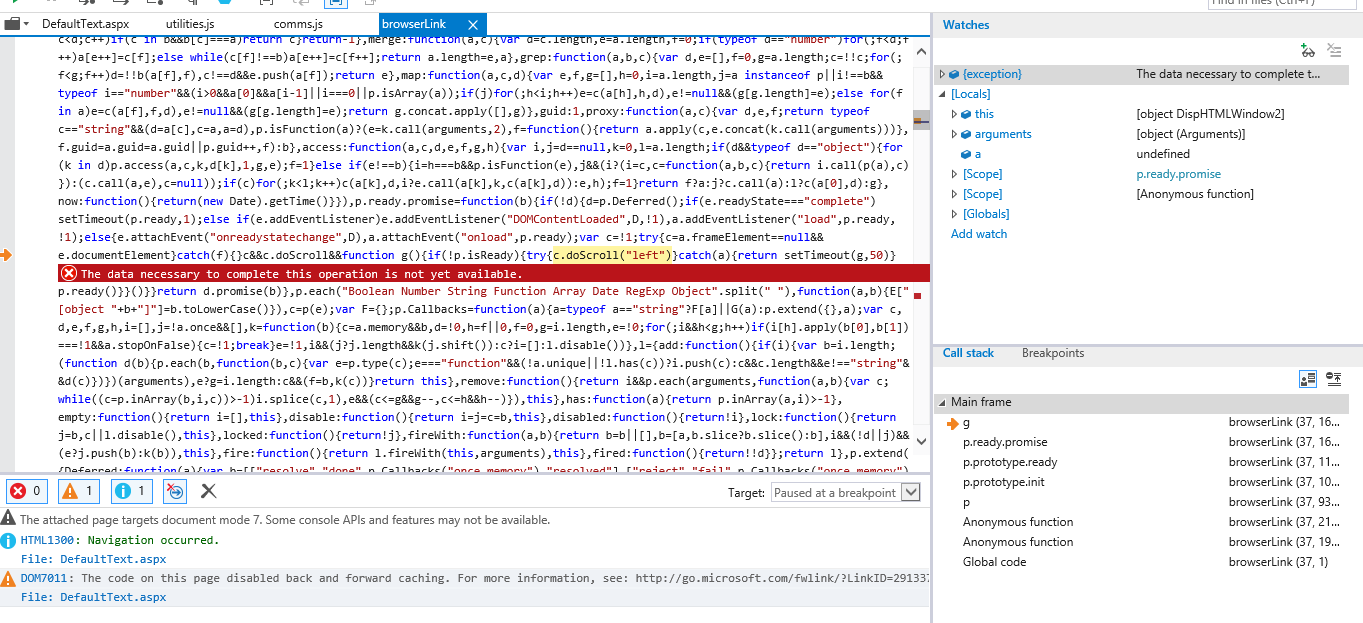
Error seen in the browser console:

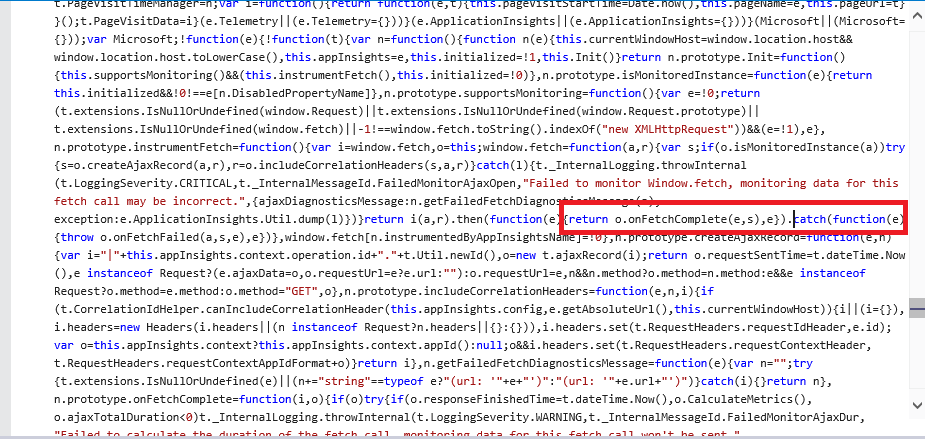
Erring line in the CDN served file ai.0.js:
 kabirsharancondeco
All 17 comments
@kshcon , instrumenting fetch api is disabled by default. The code should not execute at all without the setting disableFetchTracking set to false. Investigating some more.
 jpiyali
on 24 Aug 2018
jpiyali
on 24 Aug 2018
@kshcon - can you please share the stack trace. I confirmed in the code instrumenting fetch should not run by default, so am surprised. Which IE browser version is this?
adding @markwolff
jpiyali
on 24 Aug 2018
Okay, reproed this just now. This is a script error on old browser versions and not related to fetch as such. Its due to usage of usage of promise.prototype.catch/then I believe. We're looking at a fix, will roll out today. Thanks for reporting this!
jpiyali
on 24 Aug 2018
@jpiyali Thanks. Is this the right place to expect the updates on this?
kabirsharancondeco
on 24 Aug 2018
Yes, we're working on a fix. Sorry for the inconvenience. I'll update the thread in the next few hours.
jpiyali
on 24 Aug 2018
@kshcon - can you try out the following script and confirm if it works for you?
https://az416426.vo.msecnd.net/scripts/a/ai.vnext.0.js
I'm going to upload a fix, need some help validation
jpiyali
on 24 Aug 2018
@kshcon - please try prod and let us know if the issue is fixed. Thanks!
jpiyali
on 24 Aug 2018
@jpiyali Thanks for such a speedy response. I will sure let you know once I am done with the verification.
kabirsharancondeco
on 25 Aug 2018
@jpiyali I tested the fix. As you mentioned in your fixing commit, although the original script error has been fixed, There are still some silent script errors for which I am posting some screenshots. I tested with both, the prod "https://az416426.vo.msecnd.net/scripts/a/ai.0.js" as well as "https://az416426.vo.msecnd.net/scripts/a/ai.vnext.0.js" and found almost the same errors.
Also, as I understand, this library will not work with the older browsers anyway, as the fix is all about disabling it for them. So, I am going to remove the JS integration from my devices. At least, I should be able to utilize the server side App Insight features.
I will however keep this bug opened for brief duration so that I could test if using the library from my other web pages impacts their functionality due to the silent script errors when browsed from the older browsers.
kabirsharancondeco
on 25 Aug 2018
@kshcon - sorry the fix did not work. We'll be removing fetch support from the SDK today.
jpiyali
on 27 Aug 2018
@kshcon - support for fetch api was removed in an update. This error should no longer occur.
jpiyali
on 27 Aug 2018
Hi jpiyali,
i am facing the Could not locate https://az416426.vo.msecnd.net/scripts/JavaScript/JavaScriptSDK/Init.ts specified in source map https://az416426.vo.msecnd.net/scripts/a/ai.0.js.map.https://az416426.vo.msecnd.net/scripts/a/ai.0.js.
IE 7 is not supporting when i use https://az416426.vo.msecnd.net/scripts/a/ai.vnext.0.js .
Could you please help me if there is alternate solution for this?
 rajithagarapati
on 2 Apr 2020
rajithagarapati
on 2 Apr 2020
Hi,
ai.0.js is no longer being generally maintained and IE7/8 is not supported because of the syntax errors listed in this thread, likewise the source map and source code is not available via the CDN.
However, the current version (v2) does support IE8 and we do have someone using it on IE7 as we have addressed the JS syntax issues, so you should update to v2 if you require IE 7/8 support.
Cheers
Nev
 MSNev
on 2 Apr 2020
MSNev
on 2 Apr 2020
Thanks for your response MSNev.
Could you please give me link to update to V2 for IE 7/8 support
rajithagarapati
on 7 Apr 2020
The readme on the main page provides a link, but simplistically the CDN version is a case of replacing this https://az416426.vo.msecnd.net/scripts/a/ai.0.js with this one https://az416426.vo.msecnd.net/scripts/b/ai.2.min.js.
However, there are additional changes that you will need to perform, including a new snippet and other possible breaking changes for some properties.
MSNev
on 7 Apr 2020
hi,
i'm using below snippet for appinsights
do i need to change anything to make it work on IE7?
rajithagarapati
on 13 Apr 2020
That should be all that is required.
MSNev
on 13 Apr 2020
Related issues
 Erikvdv
·
6Comments
Erikvdv
·
6Comments
 johansuperstar
·
3Comments
johansuperstar
·
3Comments
 gregjhogan
·
8Comments
gregjhogan
·
8Comments
 slawomir-brzezinski-at-clarksons
·
4Comments
slawomir-brzezinski-at-clarksons
·
4Comments
 alvipeo
·
4Comments
alvipeo
·
4Comments
Most helpful comment
Okay, reproed this just now. This is a script error on old browser versions and not related to fetch as such. Its due to usage of usage of promise.prototype.catch/then I believe. We're looking at a fix, will roll out today. Thanks for reporting this!