Appium-desktop: Start Session unknown server side error. The application is not writeable.
Appium or Appium Desktop?
You are reporting an issue at the Appium Desktop repository. Appium Desktop is a wrapper around Appium. If you are having trouble running tests, it is much more likely that the problem you are encountering is not a problem with Appium Desktop but with Appium. For that reason we require you to have tried your testcase with Appium CLI before reporting issues. Check the checkbox below to confirm that you have proven your issue does _not_ reproduce on Appium itself:
- [x] I have verified that my issue does not occur with Appium and should be investigated as an Appium Desktop issue
The problem
Open Appium Desktop. OK
Start server. OK
Start session. Unknown server error.
If I start a session with config
{
  "platformName": "Android",
  "deviceName": "SamsungJ3",
  "platformVersion": "7",
  "app": "/home/marko/app-debug.apk"
}
I can successfully connect to phone.
But if I add
automationName: UiAutomator2 I get the error.
An unknown server-side error occurred while processing the command. Original error: The application at '/tmp/.mount_AppiumxUhbZe/resources/app/node_modules/appium/node_modules/appium-uiautomator2-server/apks/appium-uiautomator2-server-debug-androidTest.apk' is not writeable. Please grant write permissions to this file or to its parent folder '/tmp/.mount_AppiumxUhbZe/resources/app/node_modules/appium/node_modules/appium-uiautomator2-server/apks' for the Appium process, so it could sign the application
When I check /tmp/.mount_AppiumxUhbZe and all subdirs, folder permissions are 777, but file permissions are USER only writeable, and OWNER is ROOT.
Similar issue is this https://github.com/cncjs/cncjs/issues/319
Environment
- I am running Appium Desktop version _<1.12.1>_.
- I am on (pick one):
- [x] Linux
 markotitel
All 21 comments
I'm running into the same issue, I've been trying to solve it for over two weeks and I hit a dead end, anyone know what's going on here?
Error
An unknown server-side error occurred while processing the command. Original error: The application at '/tmp/.mount_app.Ap8xEj5P/resources/app/node_modules/appium/node_modules/appium-uiautomator2-server/apks/appium-uiautomator2-server-debug-androidTest.apk' is not writeable. Please grant write permissions to this file or to its parent folder '/tmp/.mount_app.Ap8xEj5P/resources/app/node_modules/appium/node_modules/appium-uiautomator2-server/apks' for the Appium process, so it could sign the application
 EzCrash
on 23 Apr 2019
EzCrash
on 23 Apr 2019
I'm running into the same issue, I've been trying to solve it for over two weeks and I hit a dead end, anyone know what's going on here?
Error An unknown server-side error occurred while processing the command. Original error: The application at '/tmp/.mount_app.Ap8xEj5P/resources/app/node_modules/appium/node_modules/appium-uiautomator2-server/apks/appium-uiautomator2-server-debug-androidTest.apk' is not writeable. Please grant write permissions to this file or to its parent folder '/tmp/.mount_app.Ap8xEj5P/resources/app/node_modules/appium/node_modules/appium-uiautomator2-server/apks' for the Appium process, so it could sign the application
Exact same here @EzCrash in Manjaro. I noticed that the file system appears to me mounted as read-only, but that could be symptomatic.
 bhayward93
on 5 May 2019
bhayward93
on 5 May 2019
@bhayward93, I'm still getting this issue, only happens with Appium Desktop 1.12 when UiAutomator2 is set as automationName.
Previous versions of Appium Desktop run fine with UiAutomator but it's obsolete.
I tried everything to solve this issue but I hit a dead-end everytime
EzCrash
on 5 May 2019
@EzCrash I can confirm that after removing UiAutomator2 name, my tests run, but unfortunately the tests I'm testing are dependant on UiAutomator2. I'm new to Appium; when you say obsolete - would it still serve me for testing?
I'll let you know if I find anything. I need to have a good read through docs I think. Can you confirm that if you try $touch /tmp/[appium_dir] the FS is mounted as read-only?
bhayward93
on 5 May 2019
What happens when you try running appium from command line and using Custom Server?
 dpgraham
on 5 May 2019
dpgraham
on 5 May 2019
The app on the emulator dies and throws this

bhayward93
on 5 May 2019
Tried this again on a fresh install of Ubuntu 18.04 thinking It'd just be something weird in Manjaro. Same error occurs.
bhayward93
on 13 May 2019
Same here, I reinstalled Ubuntu 18.04 and I still have this issue, by looking at number posts reporting this bug I concluded that it's a Linux-wide issue regardless of distribution, Appium-desktop is trying to write to a read only file.
Again the issue only happens with UiAutomator2.
EzCrash
on 13 May 2019
Indeed. I've tried a couple of fixes but just don't have the knowledge of the scope of the project to fix it. I guess UiAutomator2 must mount something incorrectly for Linux. Not even sure what is being mounted so thats about as far as I can go with it.
Here's hoping for a resolution soon!
bhayward93
on 14 May 2019
I am also seeing this. Appium Desktop on Linux runs as an AppImage. These are immutable, hence the read-only mount on /tmp/.mount_Appiumxxxxxx. The appium-uiautomator2-driver assumes that the apk it needs to sign is writeable, but this will never be true because it's inside the AppImage which is not writeable. The apk is part of the appium-uiautomator2-server package, so appium-uiautomator2-driver should not be modifying it in place - it should copy the apk to a new (writeable) temp dir and use that instead.
 jrbushell
on 14 May 2019
jrbushell
on 14 May 2019
Thanks for taking the time to explain the issue jrbushell. Makes perfect sense. Hopefully the developers are able to resolve this.
bhayward93
on 14 May 2019
@dpgraham take a look at @jrbushell 's breakdown of the bug, that is exactly what happens, can you please fix this bug and release a new Linux image soon, thanks
EzCrash
on 14 May 2019
Thanks for your investigation @jrbushell! I can have a look. This won't be an entirely trivial task, though,
Can I recommend that in the interim, what folks do is install Appium from the command line using npm install -g appium and then using Custom Server in inspector to point your inspector session to the version running from the CLI.
dpgraham
on 14 May 2019
@dpgraham Thanks for this, I can atleast start running tests now - as for writing them I need to gain access to the inspector.
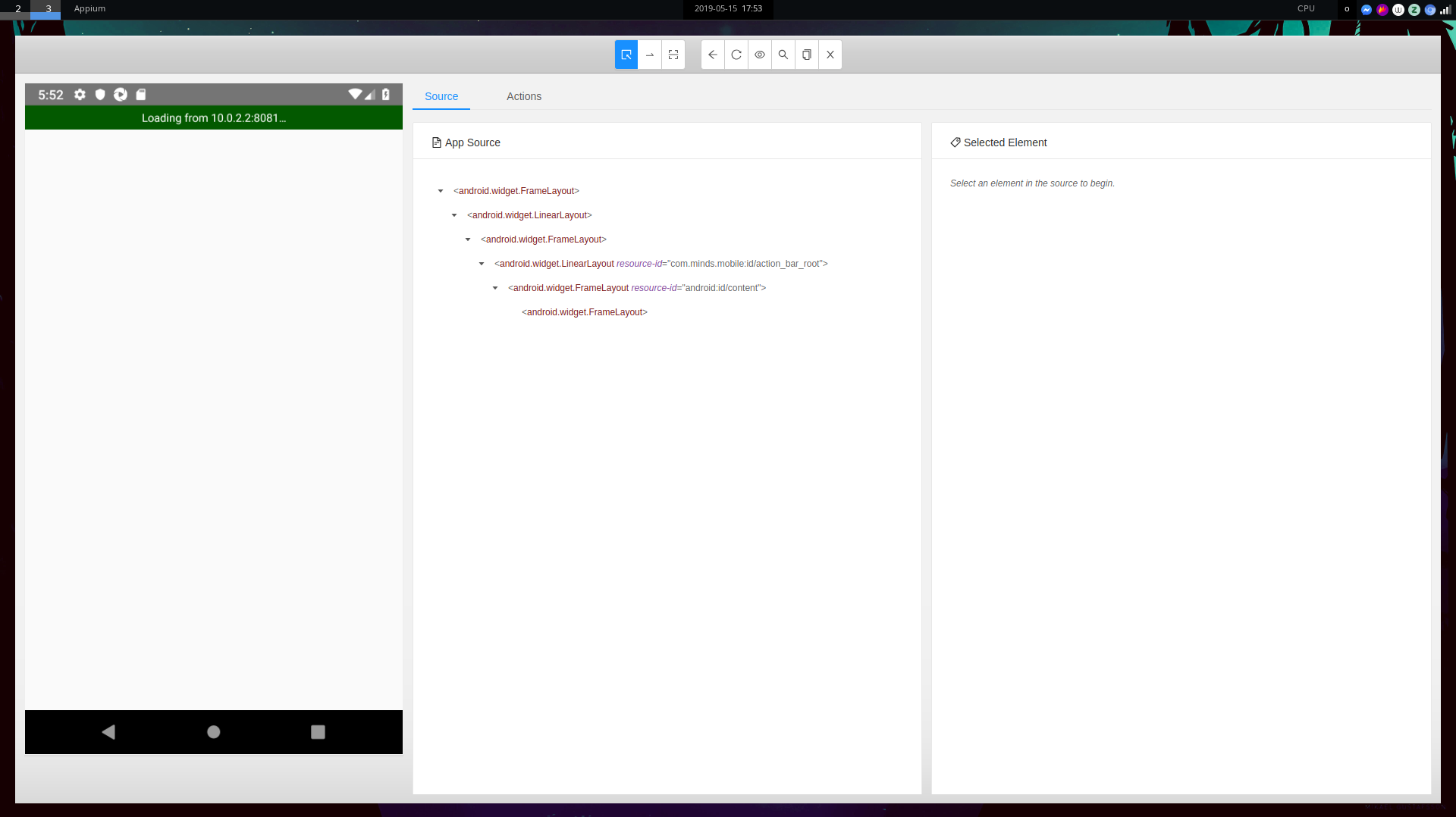
A bit new to Appium, so this is possibly unrelated, but any idea why when the app is loaded in an emulator, the inspector shows this? I ran Appium by the command line and connected into it via Custom Server (taking the details from [Appium] Appium REST http interface listener started on 0.0.0.0:4723. I can watch the tests running on the emu, but whatever is loaded there does not change.
The only thing that could be wrong really is the mount point, which I've left unchanged.
bhayward93
on 15 May 2019
Fixed by following this comment https://github.com/appium/appium/issues/8308#issuecomment-388281211
bhayward93
on 15 May 2019
Appimage 1.13 still has this error
 samuraii
on 22 May 2019
samuraii
on 22 May 2019
I am running into the same problem as @bhayward93 on windows (Appium 1.13.0)
 kartikjain12
on 7 Jun 2019
kartikjain12
on 7 Jun 2019
@dpgraham
Can I recommend that in the interim, what folks do is install Appium from the command line using
npm install -g appiumand then usingCustom Serverin inspector to point your inspector session to the version running from the CLI.
This problem is still happening.
Can you be a bit more explicit with your work around, plz. I'm running on linux, I did the global install of appium. I have started inspector, Custom Server UI.

 timrsfo
on 17 Jun 2019
timrsfo
on 17 Jun 2019
appium --address 127.0.0.1 --port 4723 , no gui, run from commandline works for me
timrsfo
on 17 Jun 2019
@dpgraham
this bug is still happening in the latest build of Appium. Thankfully my app runs fine in UiAutomator1.
here are the logs:
[Appium] Welcome to Appium v1.14.0
[Appium] Appium REST http interface listener started on 0.0.0.0:4723
[HTTP] --> POST /wd/hub/session
[HTTP] {"capabilities":{"firstMatch":[{"platformName":"Android","appium:platformVersion":"8.0","appium:deviceName":"HTC 10","appium:udid":"FA78FBN00978","appium:appPackage":"<my app>","appium:appActivity":"<main>","appium:automationName":"UiAutomator2"}]},"desiredCapabilities":{"platformName":"Android","platformVersion":"8.0","deviceName":"HTC 10","udid":"FA78FBN00978","appPackage":"<my app>","appActivity":"<main>","automationName":"UiAutomator2"}}
[debug] [W3C] Calling AppiumDriver.createSession() with args: [{"platformName":"Android","platformVersion":"8.0","deviceName":"HTC 10","udid":"FA78FBN00978","appPackage":"<my app>","appActivity":"<main>","automationName":"UiAutomator2"},null,{"firstMatch":[{"platformName":"Android","appium:platformVersion":"8.0","appium:deviceName":"HTC 10","appium:udid":"FA78FBN00978","appium:appPackage":"<my app>","appium:appActivity":"<main>","appium:automationName":"UiAutomator2"}]}]
[debug] [BaseDriver] Event 'newSessionRequested' logged at 1562770008395 (16:46:48 GMT+0200 (Central European Summer Time))
[Appium] Appium v1.14.0 creating new AndroidUiautomator2Driver (v1.33.1) session
[Appium] Capabilities:
[Appium]   platformName: Android
[Appium]   platformVersion: 8.0
[Appium]   deviceName: HTC 10
[Appium]   udid: FA78FBN00978
[Appium]   appPackage: <my app>
[Appium]   appActivity: <main>
[Appium]   automationName: UiAutomator2
[debug] [BaseDriver] W3C capabilities {"alwaysMatch":{"platformNa... and MJSONWP desired capabilities {"platformName":"Android","... were provided
[debug] [BaseDriver] Creating session with W3C capabilities: {"alwaysMatch":{"platformNa...
[BaseDriver] Session created with session id: 38fc9a12-26ef-459e-8b16-c615c15ddb9f
[ADB] Cannot sort build-tools folders ["27.0.1","debian"] by semantic version names.
[ADB] Falling back to sorting by modification date. Original error: Invalid Version: debian
[ADB] Found 2 'build-tools' folders under '/usr/lib/android-sdk' (newest first):
[ADB]     /usr/lib/android-sdk/build-tools/27.0.1
[ADB]     /usr/lib/android-sdk/build-tools/debian
[ADB] Using 'adb' from '/usr/lib/android-sdk/platform-tools/adb'
[AndroidDriver] Retrieving device list
[debug] [ADB] Trying to find a connected android device
[debug] [ADB] Getting connected devices...
[debug] [ADB] 1 device(s) connected
[AndroidDriver] Using device: FA78FBN00978
[ADB] Using 'adb' from '/usr/lib/android-sdk/platform-tools/adb'
[debug] [ADB] Setting device id to FA78FBN00978
[debug] [ADB] Running '/usr/lib/android-sdk/platform-tools/adb -P 5037 -s FA78FBN00978 shell getprop ro.build.version.sdk'
[debug] [ADB] Current device property 'ro.build.version.sdk': 26
[debug] [ADB] Device API level: 26
[AndroidDriver] No app sent in, not parsing package/activity
[debug] [ADB] Running '/usr/lib/android-sdk/platform-tools/adb -P 5037 -s FA78FBN00978 wait-for-device'
[debug] [ADB] Running '/usr/lib/android-sdk/platform-tools/adb -P 5037 -s FA78FBN00978 shell echo ping'
[debug] [AndroidDriver] Pushing settings apk to device...
[debug] [ADB] Getting install status for io.appium.settings
[debug] [ADB] Running '/usr/lib/android-sdk/platform-tools/adb -P 5037 -s FA78FBN00978 shell dumpsys package io.appium.settings'
[debug] [ADB] 'io.appium.settings' is installed
[debug] [ADB] Getting package info for 'io.appium.settings'
[debug] [ADB] Running '/usr/lib/android-sdk/platform-tools/adb -P 5037 -s FA78FBN00978 shell dumpsys package io.appium.settings'
[ADB] Using 'aapt' from '/usr/lib/android-sdk/build-tools/27.0.1/aapt'
[debug] [ADB] The version name of the installed 'io.appium.settings' is greater or equal to the application version name ('2.14.1' >= '2.14.1')
[debug] [ADB] There is no need to install/upgrade '/home/linuxbrew/.linuxbrew/lib/node_modules/appium/node_modules/io.appium.settings/apks/settings_apk-debug.apk'
[debug] [ADB] Getting IDs of all 'io.appium.settings' processes
[debug] [ADB] Running '/usr/lib/android-sdk/platform-tools/adb -P 5037 -s FA78FBN00978 shell 'pgrep --help; echo $?''
[debug] [ADB] Running '/usr/lib/android-sdk/platform-tools/adb -P 5037 -s FA78FBN00978 shell pgrep \^appium\\.settings\$'
[debug] [AndroidDriver] io.appium.settings is already running. There is no need to reset its permissions.
[debug] [ADB] Running '/usr/lib/android-sdk/platform-tools/adb -P 5037 -s FA78FBN00978 shell appops set io.appium.settings android\:mock_location allow'
[debug] [Logcat] Starting logcat capture
[debug] [ADB] Getting install status for io.appium.uiautomator2.server
[debug] [ADB] Running '/usr/lib/android-sdk/platform-tools/adb -P 5037 -s FA78FBN00978 shell dumpsys package io.appium.uiautomator2.server'
[debug] [ADB] 'io.appium.uiautomator2.server' is not installed
[debug] [ADB] App '/home/linuxbrew/.linuxbrew/lib/node_modules/appium/node_modules/appium-uiautomator2-server/apks/appium-uiautomator2-server-v3.7.0.apk' is not installed
[debug] [UiAutomator2] io.appium.uiautomator2.server installation state: notInstalled
[debug] [ADB] Checking app cert for /home/linuxbrew/.linuxbrew/lib/node_modules/appium/node_modules/appium-uiautomator2-server/apks/appium-uiautomator2-server-v3.7.0.apk
[ADB] Cannot use apksigner tool for signature verification. Original error: Could not find 'apksigner' in ["/usr/lib/android-sdk/platform-tools/apksigner","/usr/lib/android-sdk/emulator/apksigner","/usr/lib/android-sdk/tools/apksigner","/usr/lib/android-sdk/tools/bin/apksigner","/usr/lib/android-sdk/build-tools/27.0.1/apksigner","/usr/lib/android-sdk/build-tools/debian/apksigner"]. Do you have Android Build Tools installed at '/usr/lib/android-sdk'?
[debug] [ADB] Defaulting to verify.jar
[debug] [ADB] '/home/linuxbrew/.linuxbrew/lib/node_modules/appium/node_modules/appium-uiautomator2-server/apks/appium-uiautomator2-server-v3.7.0.apk' is already signed.
[debug] [ADB] Getting install status for io.appium.uiautomator2.server.test
[debug] [ADB] Running '/usr/lib/android-sdk/platform-tools/adb -P 5037 -s FA78FBN00978 shell dumpsys package io.appium.uiautomator2.server.test'
[debug] [ADB] 'io.appium.uiautomator2.server.test' is not installed
[debug] [ADB] Checking app cert for /home/linuxbrew/.linuxbrew/lib/node_modules/appium/node_modules/appium-uiautomator2-server/apks/appium-uiautomator2-server-debug-androidTest.apk
[debug] [ADB] '/home/linuxbrew/.linuxbrew/lib/node_modules/appium/node_modules/appium-uiautomator2-server/apks/appium-uiautomator2-server-debug-androidTest.apk' does not exist
[debug] [UiAutomator2] Deleting UiAutomator2 session
[debug] [UiAutomator2] Deleting UiAutomator2 server session
[debug] [WD Proxy] Matched '/' to command name 'deleteSession'
[UiAutomator2] Did not get confirmation UiAutomator2 deleteSession worked; Error was: UnknownError: An unknown server-side error occurred while processing the command. Original error: Trying to proxy a session command without session id
[debug] [ADB] Running '/usr/lib/android-sdk/platform-tools/adb -P 5037 -s FA78FBN00978 shell am force-stop <my app>'
[debug] [Logcat] Stopping logcat capture
[debug] [ADB] Removing forwarded port socket connection: 8200
[debug] [ADB] Running '/usr/lib/android-sdk/platform-tools/adb -P 5037 -s FA78FBN00978 forward --remove tcp\:8200'
[UiAutomator2] Unable to remove port forward 'Error executing adbExec. Original error: 'Command '/usr/lib/android-sdk/platform-tools/adb -P 5037 -s FA78FBN00978 forward --remove tcp\:8200' exited with code 1'; Stderr: 'error: listener 'tcp:8200' not found'; Code: '1''
[debug] [BaseDriver] Event 'newSessionStarted' logged at 1562770010107 (16:46:50 GMT+0200 (Central European Summer Time))
[debug] [W3C] Encountered internal error running command: Error: The application at '/home/linuxbrew/.linuxbrew/lib/node_modules/appium/node_modules/appium-uiautomator2-server/apks/appium-uiautomator2-server-debug-androidTest.apk' is not writeable. Please grant write permissions to this file or to its parent folder '/home/linuxbrew/.linuxbrew/lib/node_modules/appium/node_modules/appium-uiautomator2-server/apks' for the Appium process, so it could sign the application
[debug] [W3C]     at Object.helpers.signApp (/home/linuxbrew/.linuxbrew/lib/node_modules/appium/node_modules/appium-uiautomator2-driver/lib/helpers.js:23:11)
[HTTP] <-- POST /wd/hub/session 500 1834 ms - 1341
 xenomorphangel
on 10 Jul 2019
xenomorphangel
on 10 Jul 2019
Duplication of https://github.com/appium/appium-desktop/issues/1115
 KazuCocoa
on 9 Nov 2019
KazuCocoa
on 9 Nov 2019
Related issues
 jutamasJeab
·
3Comments
jutamasJeab
·
3Comments
 josephbaylon
·
8Comments
josephbaylon
·
8Comments
 sridhar-vadlamani-ck
·
5Comments
sridhar-vadlamani-ck
·
5Comments
 jphennessey
·
9Comments
jphennessey
·
9Comments
 chaitanyadeshmukh
·
11Comments
chaitanyadeshmukh
·
11Comments
Most helpful comment
I am also seeing this. Appium Desktop on Linux runs as an AppImage. These are immutable, hence the read-only mount on /tmp/.mount_Appiumxxxxxx. The appium-uiautomator2-driver assumes that the apk it needs to sign is writeable, but this will never be true because it's inside the AppImage which is not writeable. The apk is part of the appium-uiautomator2-server package, so appium-uiautomator2-driver should not be modifying it in place - it should copy the apk to a new (writeable) temp dir and use that instead.