Appium-desktop: Elements are not highlighted in the preview screen on selecting Ids from the search result
Appium or Appium Desktop?
You are reporting an issue at the Appium Desktop repository. Appium Desktop is a wrapper around Appium. If you are having trouble running tests, it is much more likely that the problem you are encountering is not a problem with Appium Desktop but with Appium. For that reason we require you to have tried your testcase with Appium CLI before reporting issues. Check the checkbox below to confirm that you have proven your issue does _not_ reproduce on Appium itself:
- [x] I have verified that my issue does not occur with Appium and should be investigated as an Appium Desktop issue
The problem
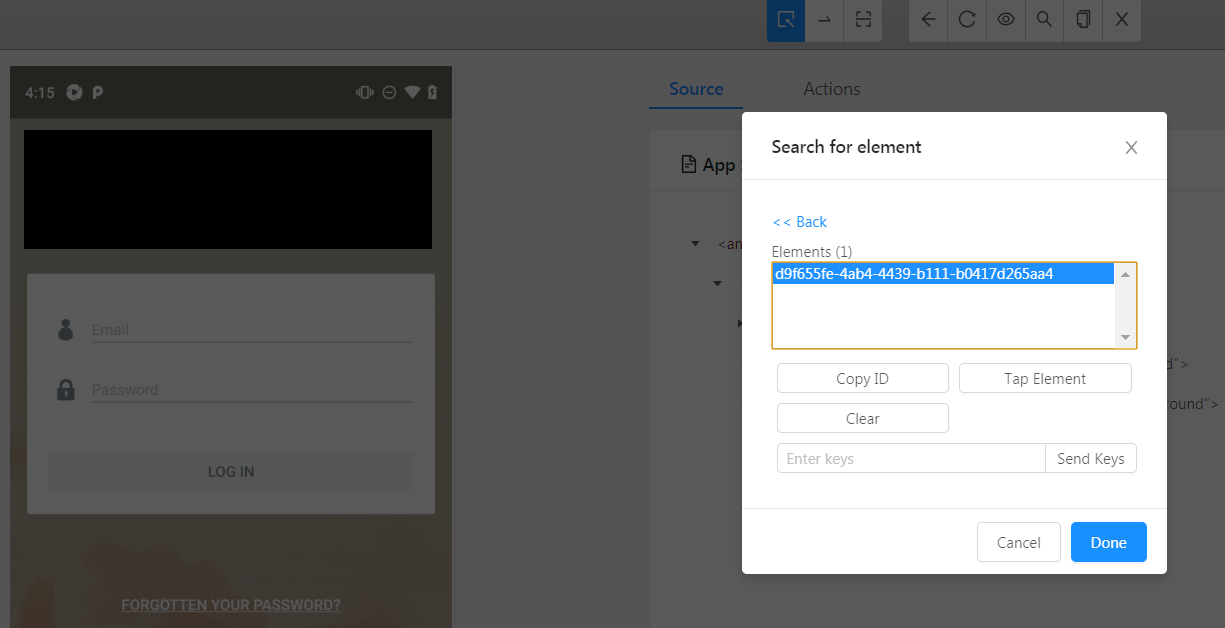
Upon searching for an element with a valid selector, the matching elementIDs are returned like earlier but on selecting the ID, the corresponding element is not highlighted anymore in the preview screen with the latest version of Appium Desktop.
Environment
- I am running Appium Desktop version 1.12.0.
- I am on (pick one):
- [x] Windows
 Vijayabaskar03
All 3 comments
I am also facing the same with version 1.1.2.0, it was all fine in last version
 vinaym512
on 1 Apr 2019
vinaym512
on 1 Apr 2019
Thanks for reporting this! I'll have a look today.
 dpgraham
on 1 Apr 2019
dpgraham
on 1 Apr 2019
I have a fix in for this. This will be next release.
dpgraham
on 3 Apr 2019
Related issues
 KazuCocoa
·
4Comments
KazuCocoa
·
4Comments
 vikramvi
·
10Comments
vikramvi
·
10Comments
 sridhar-vadlamani-ck
·
5Comments
sridhar-vadlamani-ck
·
5Comments
 jutamasJeab
·
3Comments
jutamasJeab
·
3Comments
 jphennessey
·
9Comments
jphennessey
·
9Comments