Appium-desktop: Please provide Appium AppImage for Linux
Please provide an Appium Desktop AppImage for Linux on https://bitbucket.org/appium/appium.app/downloads/ (similar to the existing Windows and macOS downloads).
Providing an AppImage would have, among others, these advantages:
- Works for most Linux distributions (including Ubuntu, Fedora, openSUSE, CentOS, elementaryOS, Linux Mint, and others)
- One app = one file = super simple for users: just download one AppImage file, make it executable, and run
- No unpacking or installation necessary
- No root needed
- No system libraries changed
- Just one format for all major distributions
- Works out of the box, no installation of runtimes needed
- Optional(!) desktop integration with
appimaged - Binary delta updates, e.g., for continuous builds (only download the binary diff) using AppImageUpdate
- Can GPG2-sign your AppImages (inside the file)
Here is an overview of projects that are already distributing upstream-provided, official AppImages.
Many of these are Electron-based, since electron-builder as support for generating AppImages built in. In fact, AppImage is already configured in the Appium source.
 probonopd
All 15 comments
We're working on our first beta release right now and the Linux AppImage is on the list of release targets.
If you wanted to get your hands on it now, you can try running the packaging script npm run package from a Linux machine and get a copy of the AppImage
 dpgraham
on 14 Feb 2017
dpgraham
on 14 Feb 2017
Hi @probonopd, I just did a pre-release of Appium 1.0.0-beta. It has a .AppImage binary attached.
dpgraham
on 17 Feb 2017
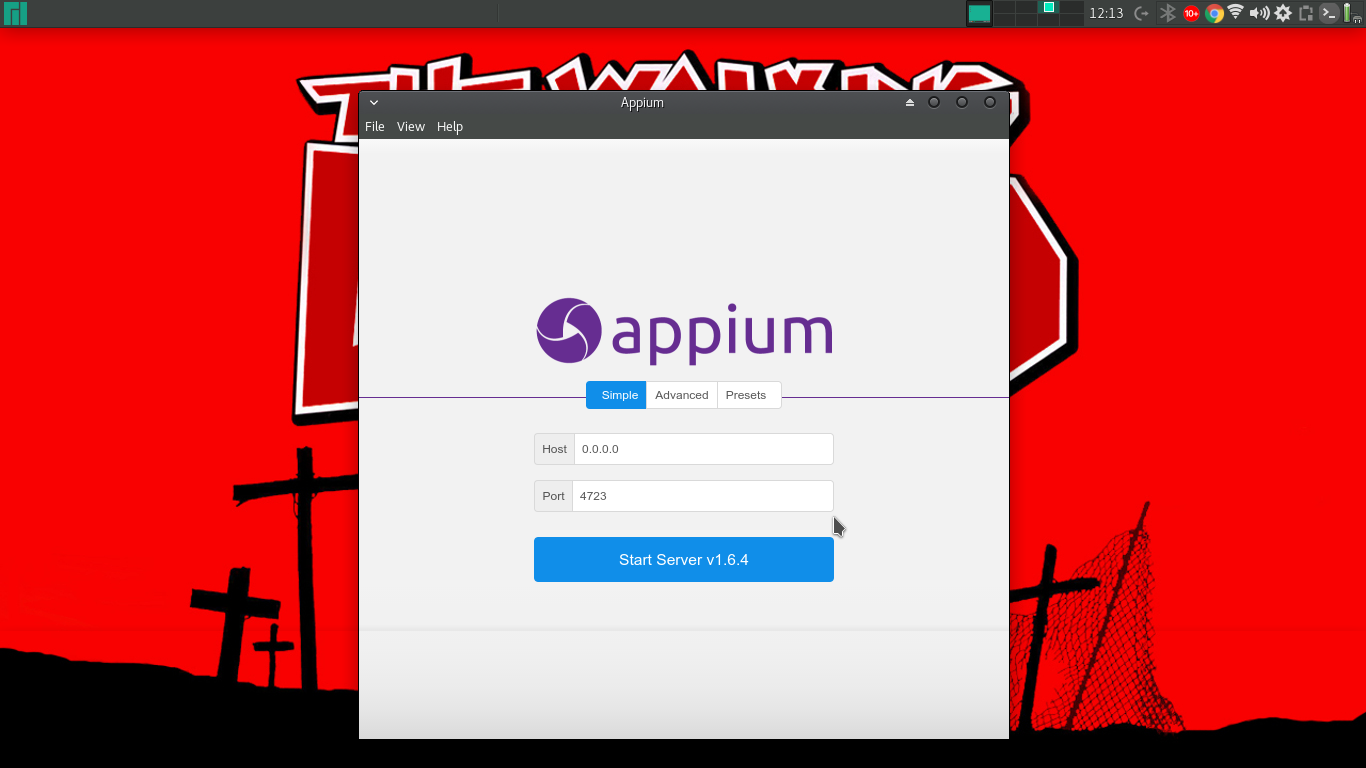
Thanks @dpgraham, running well for me on Ubuntu 16.04.
probonopd
on 17 Feb 2017
Great to here!
dpgraham
on 17 Feb 2017
@probonopd any chance you can give us some screenshots of a few of the different views in action? i don't have easy access to a linux desktop at the moment and it'd be nice to include some in the docs when we make them.
 jlipps
on 22 Feb 2017
jlipps
on 22 Feb 2017
KDE neon User Edition 5.9


Ubuntu 16.04


Antergos Linux release 17.1


probonopd
on 23 Feb 2017
By the way, on CentOS 7 I get:
/tmp/.mount_qOloXL/usr/bin/appium-desktop: error while loading shared libraries: libXss.so.1: cannot open shared object file: No such file or directory
Workaround/solution: https://github.com/probonopd/AppImages/issues/127#issuecomment-278427441
probonopd
on 23 Feb 2017
Awesome, thanks @probonopd
jlipps
on 23 Feb 2017
Great. Thanks @probonopd!
dpgraham
on 24 Feb 2017
Manjaro 4.9:
I had this error:
No native production dependencies
⚠️  Packaging using asar archive is disabled — it is strongly not recommended.
Please enable asar and use asarUnpack to unpack files that must be externally available.
Packaging for linux x64 using electron 1.4.13 to release/linux-unpacked
Unhandled rejection Error: Exit code: ENOENT. spawn icns2png ENOENT
    at /home/patricio/Descargas/appium-desktop-1.0.0/node_modules/electron-builder-util/src/util.ts:75:16
    at exithandler (child_process.js:212:5)
    at ChildProcess.errorhandler (child_process.js:224:5)
    at emitOne (events.js:96:13)
    at ChildProcess.emit (events.js:191:7)
    at Process.ChildProcess._handle.onexit (internal/child_process.js:213:12)
    at onErrorNT (internal/child_process.js:367:16)
    at _combinedTickCallback (internal/process/next_tick.js:80:11)
    at process._tickCallback (internal/process/next_tick.js:104:9)
From previous event:
    at exec (/home/patricio/Descargas/appium-desktop-1.0.0/node_modules/electron-builder-util/src/util.ts:53:3)
    at /home/patricio/Descargas/appium-desktop-1.0.0/node_modules/electron-builder/src/targets/LinuxTargetHelper.ts:167:28
    at Generator.next (<anonymous>)
    at runCallback (timers.js:672:20)
    at tryOnImmediate (timers.js:645:5)
    at processImmediate [as _immediateCallback] (timers.js:617:5)
From previous event:
    at LinuxTargetHelper.createFromIcns (/home/patricio/Descargas/appium-desktop-1.0.0/node_modules/electron-builder/out/targets/LinuxTargetHelper.js:216:11)
    at /home/patricio/Descargas/appium-desktop-1.0.0/node_modules/electron-builder/src/targets/LinuxTargetHelper.ts:54:25
From previous event:
    at LinuxTargetHelper.computeDesktopIcons (/home/patricio/Descargas/appium-desktop-1.0.0/node_modules/electron-builder/out/targets/LinuxTargetHelper.js:84:11)
    at new LinuxTargetHelper (/home/patricio/Descargas/appium-desktop-1.0.0/node_modules/electron-builder/src/targets/LinuxTargetHelper.ts:17:23)
    at getHelper (/home/patricio/Descargas/appium-desktop-1.0.0/node_modules/electron-builder/src/linuxPackager.ts:32:18)
    at outDir (/home/patricio/Descargas/appium-desktop-1.0.0/node_modules/electron-builder/src/linuxPackager.ts:61:122)
    at mapper (/home/patricio/Descargas/appium-desktop-1.0.0/node_modules/electron-builder/src/targets/targetFactory.ts:15:16)
    at LinuxPackager.createTargets (/home/patricio/Descargas/appium-desktop-1.0.0/node_modules/electron-builder/src/linuxPackager.ts:61:7)
    at createTargets (/home/patricio/Descargas/appium-desktop-1.0.0/node_modules/electron-builder/src/targets/targetFactory.ts:22:12)
    at /home/patricio/Descargas/appium-desktop-1.0.0/node_modules/electron-builder/src/packager.ts:231:41
From previous event:
    at Packager.doBuild (/home/patricio/Descargas/appium-desktop-1.0.0/node_modules/electron-builder/out/packager.js:351:11)
    at /home/patricio/Descargas/appium-desktop-1.0.0/node_modules/electron-builder/src/packager.ts:159:38
    at Generator.next (<anonymous>)
    at runCallback (timers.js:672:20)
    at tryOnImmediate (timers.js:645:5)
    at processImmediate [as _immediateCallback] (timers.js:617:5)
From previous event:
    at Packager.build (/home/patricio/Descargas/appium-desktop-1.0.0/node_modules/electron-builder/out/packager.js:257:11)
    at /home/patricio/Descargas/appium-desktop-1.0.0/node_modules/electron-builder/src/builder.ts:217:33
    at Generator.next (<anonymous>)
From previous event:
    at build (/home/patricio/Descargas/appium-desktop-1.0.0/node_modules/electron-builder/out/builder.js:70:21)
    at Object.<anonymous> (/home/patricio/Descargas/appium-desktop-1.0.0/node_modules/electron-builder/out/cli/build-cli.js:71:41)
    at Module._compile (module.js:571:32)
    at Object.Module._extensions..js (module.js:580:10)
    at Module.load (module.js:488:32)
    at tryModuleLoad (module.js:447:12)
    at Function.Module._load (module.js:439:3)
    at Module.runMain (module.js:605:10)
    at run (bootstrap_node.js:423:7)
    at startup (bootstrap_node.js:147:9)
    at bootstrap_node.js:538:3
 pascencio
on 2 May 2017
pascencio
on 2 May 2017
Hi @pascencio,
You need to install icns2png on your Linux machine.
We use electron-builder to build Appium Desktop. This document has information on how to get things up-and-running: https://github.com/electron-userland/electron-builder/wiki/Multi-Platform-Build#linux
I should probably make a note of this in the README
dpgraham
on 2 May 2017
Thanks @dpgraham !
That worked for me.
pascencio
on 7 Jun 2017
Install appium in Linuxmint/ubuntu, here is the step by step process to install appium in linux mint via terminal by software tester
https://techsouljours.blogspot.com/2018/03/install-appium-in-linux-mint.html
 BShivShankar
on 19 Mar 2018
BShivShankar
on 19 Mar 2018
Nice, thanks @BShivShankar!
dpgraham
on 19 Mar 2018
Install appium in Linuxmint/ubuntu, here is the step by step process to install appium in linux mint via terminal
...or just download the AppImage, make it executable, and run it.
probonopd
on 19 Mar 2018
Related issues
 vikramvi
·
10Comments
vikramvi
·
10Comments
 jphennessey
·
9Comments
jphennessey
·
9Comments
 Devapal
·
4Comments
Devapal
·
4Comments
 VTINFOJames
·
7Comments
VTINFOJames
·
7Comments
 sridhar-vadlamani-ck
·
5Comments
sridhar-vadlamani-ck
·
5Comments
Most helpful comment
Hi @probonopd, I just did a pre-release of Appium 1.0.0-beta. It has a .AppImage binary attached.