Appcenter: Error in fetching the Apple service connection details
When trying to connect to App Store Connect for a new project I'm getting this error:
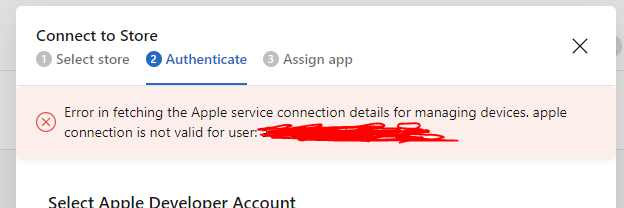
Trying to add the account again also results in an error that the account already exists.
What could be wrong?
 andreialecu
All 6 comments
An additional error when trying to set up a new app specific password (although the previous one that was set was still valid):
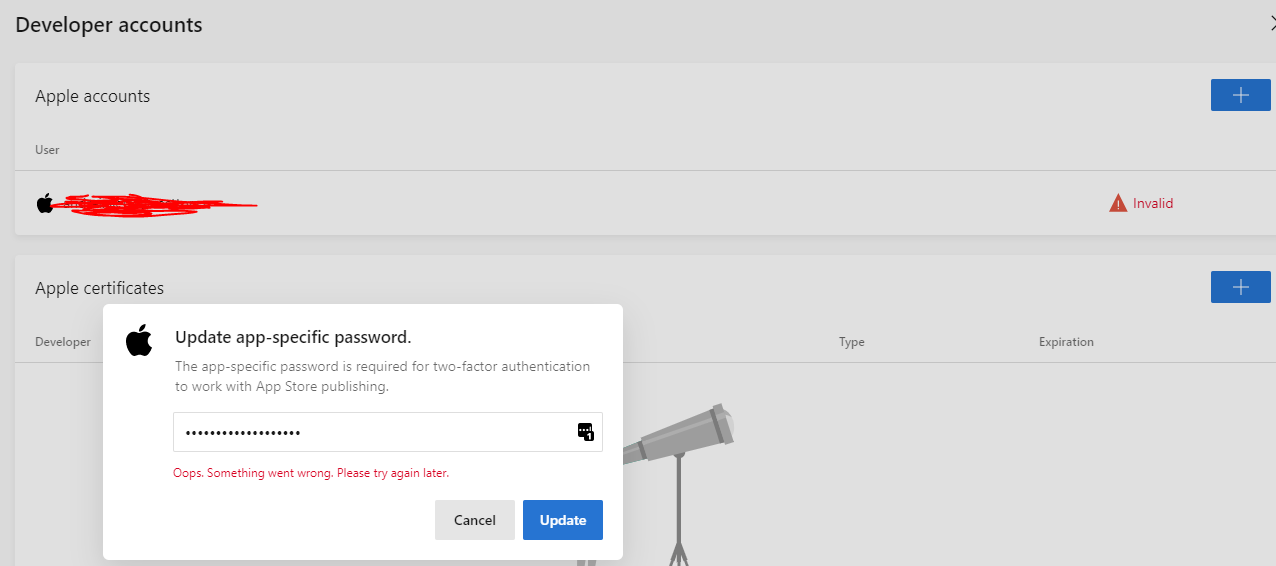
andreialecu
on 13 Sep 2019
I was able to completely remove the account and re-add it. Seems that it went through.
Perhaps there could be a better explanation of what is wrong, and hints on what to try in the interface. The errors were quite unhelpful.
andreialecu
on 13 Sep 2019
@andreialecu Were you able to resolve the issue? If you see it again, please reach out to us via support.
 elamalani
on 13 Sep 2019
elamalani
on 13 Sep 2019
I was able to resolve it by re-adding the account.
Would be a good idea to improve this flow though. Feel free to close.
andreialecu
on 13 Sep 2019
Another solution: Click on your Avatar -> Account Settings -> Developer Accounts
There was a message noting "Invalid". Just click on it and re-connect your account.
 thinking-twins
on 2 Dec 2019
thinking-twins
on 2 Dec 2019
The mis-leading error is still present as of today but thinking-twins solution works well (when clicking on Reconnect, the apple password is not requested, it's just an Apple re-authentication).
 oguennec
on 4 Oct 2020
oguennec
on 4 Oct 2020
Related issues
 muhammaddadu
·
3Comments
muhammaddadu
·
3Comments
 KSemenenko
·
3Comments
KSemenenko
·
3Comments
 galfonso777
·
3Comments
galfonso777
·
3Comments
 thabemmz
·
3Comments
thabemmz
·
3Comments
 chriskellor
·
3Comments
chriskellor
·
3Comments
Most helpful comment
Another solution: Click on your Avatar -> Account Settings -> Developer Accounts
There was a message noting "Invalid". Just click on it and re-connect your account.