Appcenter: View Unsymbolicated Crashes
Describe the solution you'd like
It would be nice if you could view unsymbolicated crashes since there is valuable information like device type and frequency of crashes that can still be gathered from the logs.
Currently, I do not have enough information in the "unsymbolicated" list to determine if it's worth the effort to upload the symbols to view the crash information.
Describe alternatives you've considered
The main alternative is to upload the symbols for all unsymbolicated crashes. This can be inefficient if I then determine the crash is not a high priority due to crash frequency, device type, etc.
Additional context
N/A
 addisonwebb
All 13 comments
+1 on this request. From our perspective all Crashes should be in the Crashes list (errors API) with an attribute identifying them as Symbolicated or Unsymbolicated.
 lklepner
on 26 Feb 2019
lklepner
on 26 Feb 2019
Thanks for the feedback! We are considering changing this experience in the future but don't have any immediate plans on our short term roadmap. I'll monitor this feature request to help our team prioritize this in the future.
 winnie
on 27 Feb 2019
winnie
on 27 Feb 2019
It would be nice to also be able to download the logs
 clt
on 5 Mar 2019
clt
on 5 Mar 2019
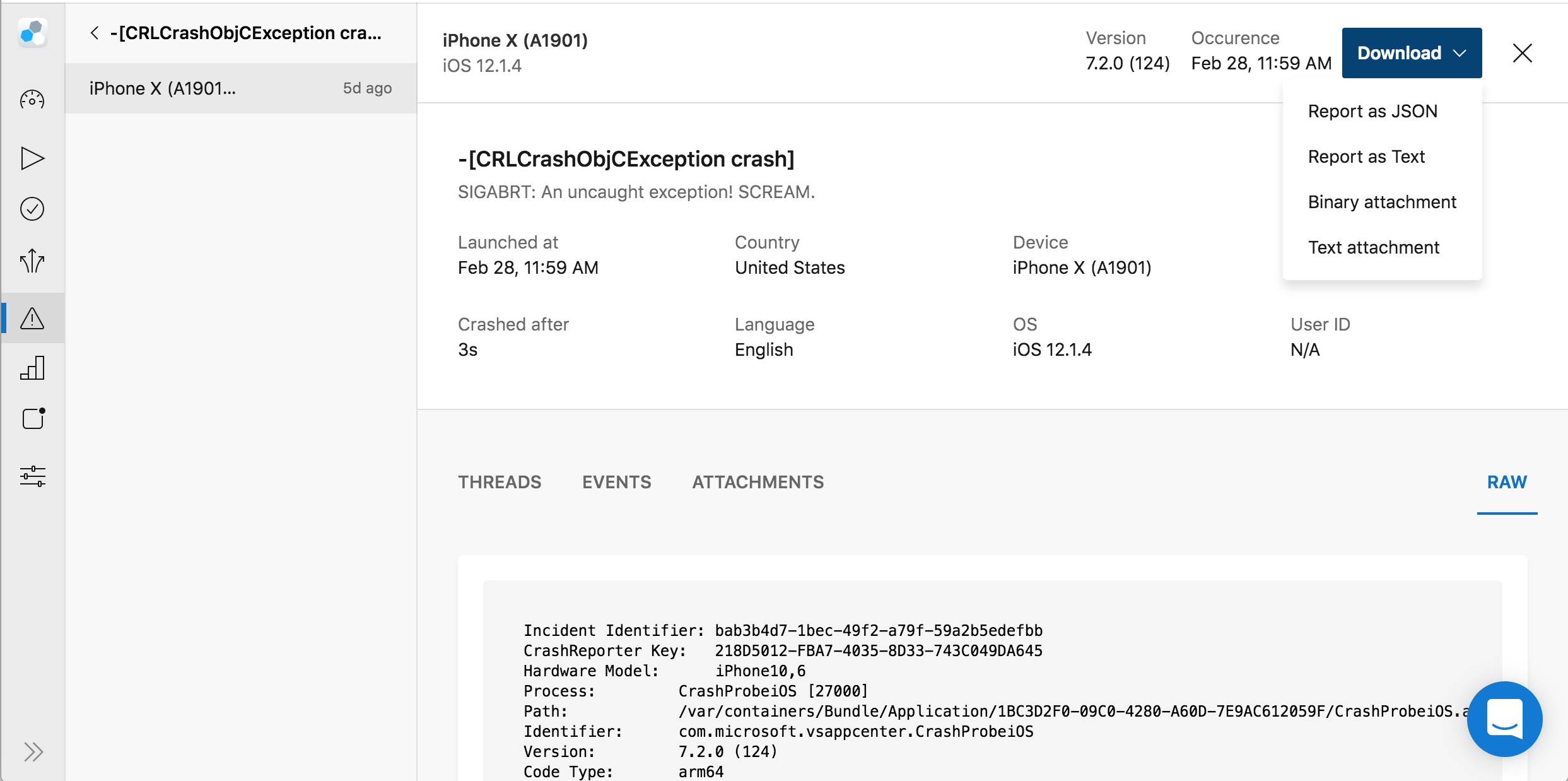
Hi @clt - do you mean download your crash data? You can do so in the upper right-hand corner of each crash report:
As a workaround, you can also ignore uploading symbols for a specific crash group version which will then move the crash groups from that version back to the issues page as unsymbolicated.
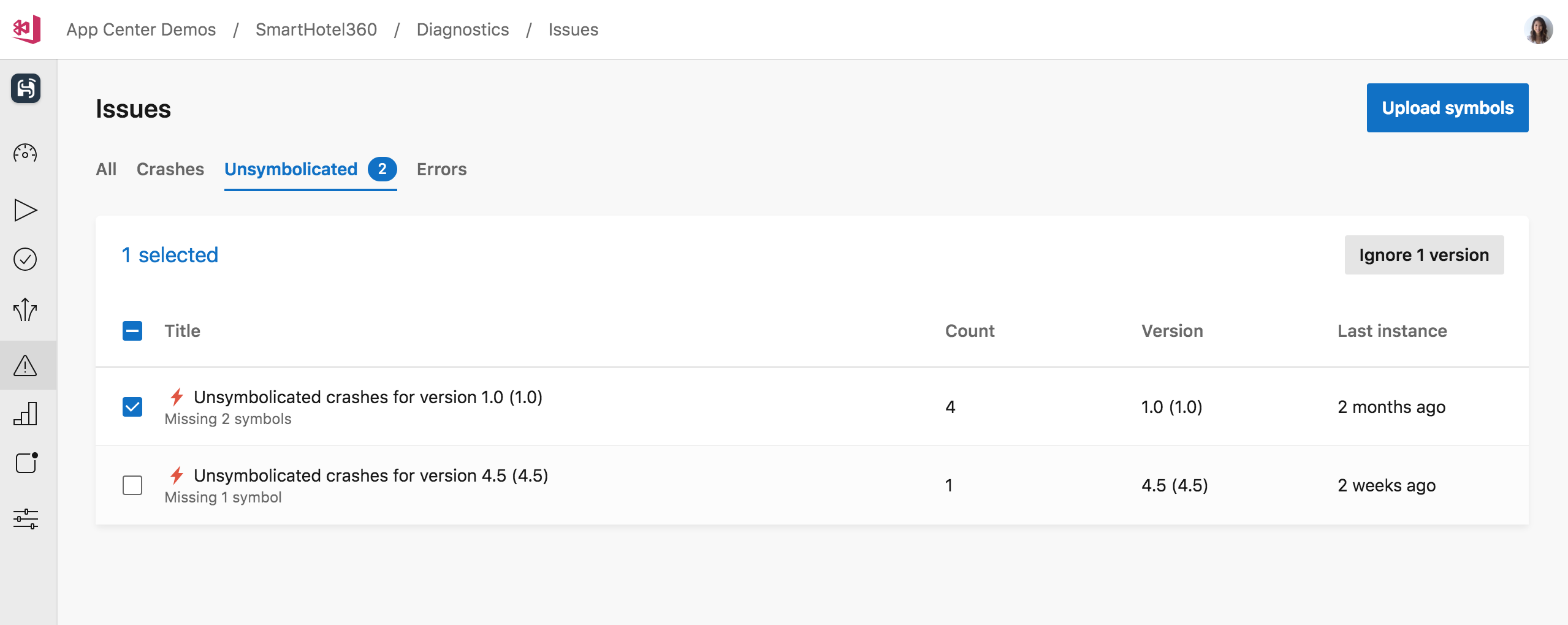
I understand this isn't exactly what you are requesting but hopefully this would provide some unsymbolicated information you're looking for.
winnie
on 6 Mar 2019
Hi @winnieli1208 - I'd like to be able to download unsymbolicated logs. I don't think there's a way to do that now.
clt
on 6 Mar 2019
@winnieli1208 That is a good tip! I did not realize that if you "ignored" the unsymbolicated reports that they would be added to the main crashes tab. I think this is a good work around for now.
I think the ideal situation is that the crashes in the "Unsymbolicated" tab are viewable by default in the same way they are after you "ignore" them. I do like how the unsymbolicated crashes are separated from normal crashes. I would just like the ability to view the unsymbolicated crashes without needing to "ignore" them first. These would be my desired requirements for this feature:
- All unsymbolicated crash reports are located in the "Unsymbolicated" tab.
- When I click on an unsymbolicated item it should show me the details for that crash.
Other than those two things I think it is possible to get all of the data needed from unsymbolicated crash reports. It's just a little difficult to get to the unsymbolicated crash details at the moment.
@clt I just figured out how to download the unsymbolicated logs. If you follow @winnieli1208's steps of ignoring an unsymbolicated crash you can get to the raw unsymbolicated logs.
- Ignore the unsymbolicated crash
Wait for a little bit and it will show up in the main crashes tab
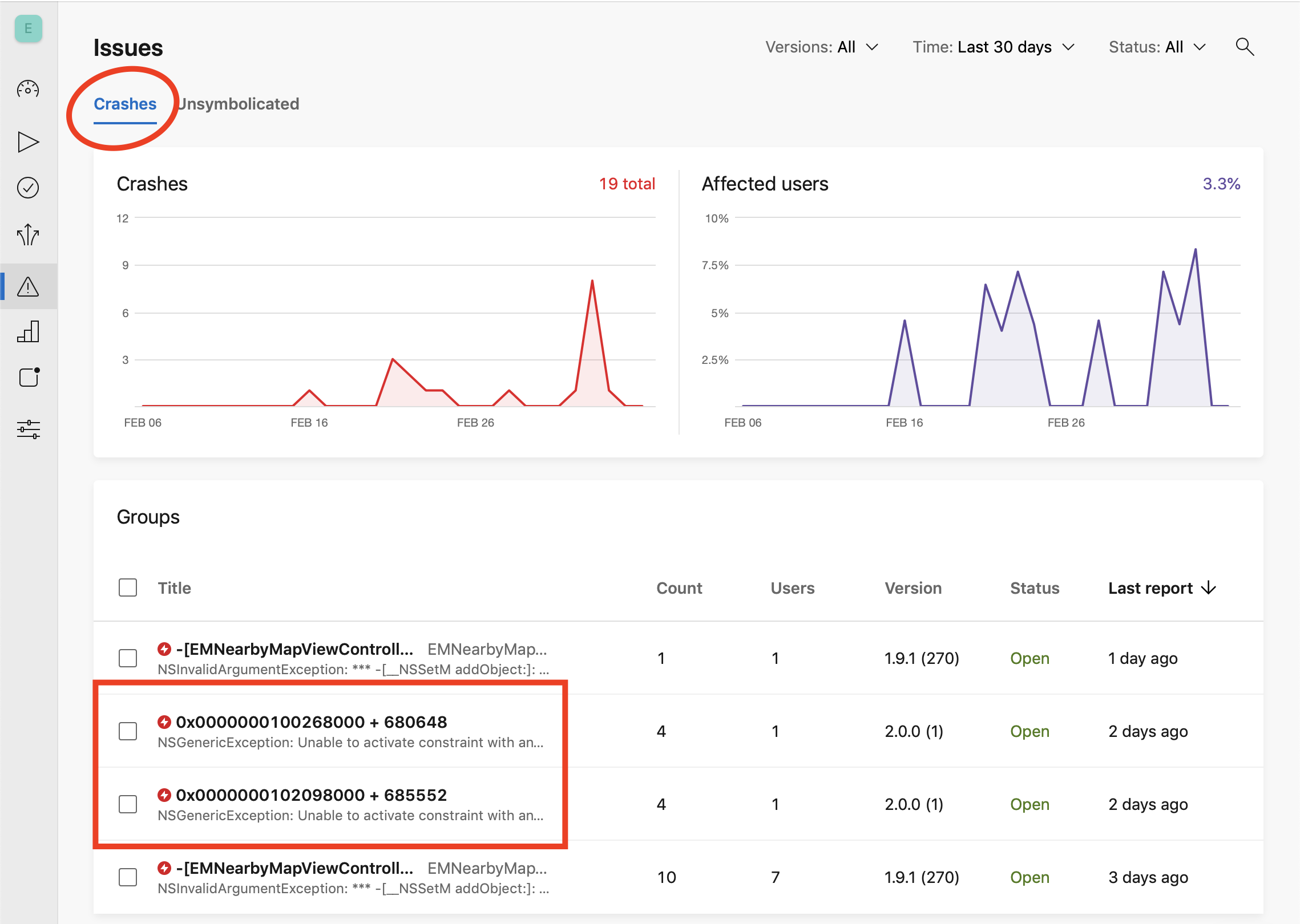
Click on the unsymbolicated crash to view the crash details
- Click on the "Reports" tab on the crash detail page
Click on a specific report

Download the logs.
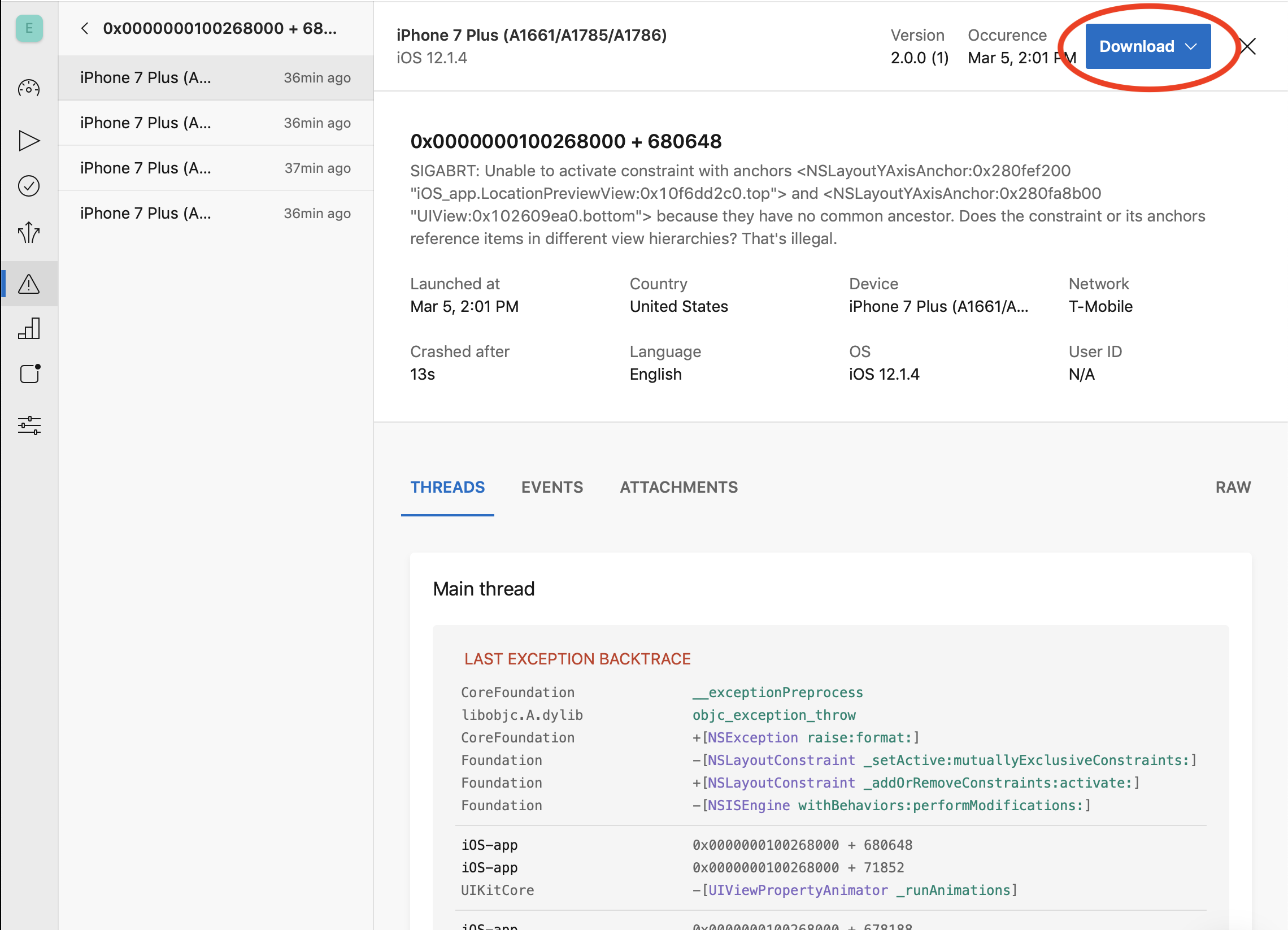
Hope that helps.
addisonwebb
on 8 Mar 2019
@addisonwebb got it. Thank you!
clt
on 8 Mar 2019
You have to ignore them to view them? Now why didn't I think of that? Typical Microsoft.
Another misfeature is that apps that are uploaded to TestFlight become unsymbolicated. Apple recompiles the apps and the symbols change. I eventually figured out I could download the dSYMs from TestFlight under the Activity screen and then upload them to appcenter and get my crashes symbolicated.
But it should be trivial to download the unsymbolicated crashlogs.
 phoney
on 13 Mar 2019
phoney
on 13 Mar 2019
Any progress on this? At least consider a new API to access them by ID, so that we can remove such crashes once they become irrelevant. Thanks in advance!
 shpakovski
on 30 Jul 2019
shpakovski
on 30 Jul 2019
Hi all - we just started looking into this and exploring different options. Does it make sense to include the unsymbolicated stack traces in the "Crashes" tab and maintain the unsymbolicated tab for users to manage their symbols? Or would you prefer to keep symbolicated vs. unsymbolicated stack traces in separate places?
I'd love to hear what you all think!
winnie
on 17 Oct 2019
Hi @winnieli1, as soon as we can remove and work with them, it doesn’t matter where they live. I’d prefer a separate “quarantine” tab.
shpakovski
on 21 Oct 2019
@winnieli1 It is important to me to have a single list of unique crashes along with the number of occurrences for the corresponding crash so that I can see where I should focus my attention.
If there is a significant crash that is unsymbolicated I can then choose to upload symbols or download individual stack traces and symbolicate them locally on my machine as part of the troubleshooting process.
addisonwebb
on 22 Oct 2019
Hi all! You can now view unsymbolicated crashes in the Issues and Crashes tabs. The Unsymbolicated tab can still be used to manage missing symbols and App Center will symbolicate crashes when the right symbols are uploaded.
Closing this for now but feel free to comment or start a support ticket if you run into any issues. Thanks for the patience!
winnie
on 18 Dec 2019
Related issues
 master-lincoln
·
3Comments
master-lincoln
·
3Comments
 egorikftp
·
3Comments
egorikftp
·
3Comments
 DouglasMarq
·
4Comments
DouglasMarq
·
4Comments
 sindresorhus
·
3Comments
sindresorhus
·
3Comments
 patrickdoodyIRL
·
3Comments
patrickdoodyIRL
·
3Comments
Most helpful comment
+1 on this request. From our perspective all Crashes should be in the Crashes list (errors API) with an attribute identifying them as Symbolicated or Unsymbolicated.