Appcenter-sdk-react-native: Unable to build app after attempting to add AppCenter multiple ways
Description
Hi there. I'm looking forward to integrating the AppCenter into our app, but I am having some problems.
Repro Steps
This is with
RN => 0.52
React => 16.2
AppCenterReactNative => 1.6
AppCenterIOS => 1.7.1
XCode 9.3
After running react-native link and then building the app I get errors in my AppDelegate.m

I did find in one issue where it was suggested to remove the preceding part of the reference.
making
#import <AppCenterReactNativeCrashes/AppCenterReactNativeCrashes.h>
#import <AppCenterReactNativeAnalytics/AppCenterReactNativeAnalytics.h>
#import <AppCenterReactNative/AppCenterReactNative.h>
into
#import <AppCenterReactNativeCrashes.h>
#import <AppCenterReactNativeAnalytics.h>
#import <AppCenterReactNative.h>
which didn't do anything until I updated the Header Search Paths
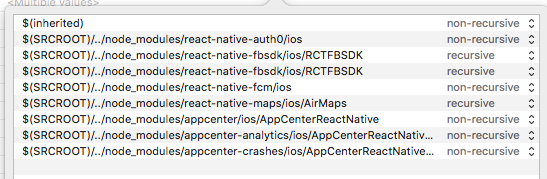
which then left me with this error...
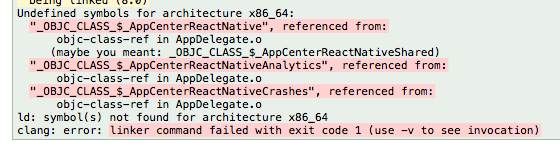
So after trying some things with that... I then started over and tried to bring it in manually. This strangely didn't give me any errors when I build at the end within XCode, the build just kept failing without telling me much. I tried to run from command line and was given...
CompileC /Users/creedmangrum/roodat/roodat-native-ejected/ios/build/Build/Intermediates.noindex/AppCenterReactNative.build/Debug-iphonesimulator/AppCenterReactNative.build/Objects-normal/x86_64/AppCenterReactNative.o AppCenterReactNative/AppCenterReactNative.m normal x86_64 objective-c com.apple.compilers.llvm.clang.1_0.compiler
Details
- Which SDK version are you using?
- e.g. 1.6.0
- Which OS version did you experience the issue on?
- e.g. iOS 11
- What device version did you see this error on? Were you using an emulator or a physical device?
- e.g. iPhone 7 simulator
- What third party libraries are you using?
- react-native-maps
- react-apollo
- react-navigation
- react-native-auth0
- Run the following command and paste the output below:
react-native info
Environment:
OS: macOS High Sierra 10.13.3
Node: 7.6.0
Yarn: 1.3.2
npm: 4.1.2
Watchman: 4.9.0
Xcode: Xcode 9.3.1 Build version 9E501
Android Studio: 3.1 AI-173.4697961
Packages: (wanted => installed)
react: 16.2.0 => 16.2.0
react-native: ^0.52.0 => 0.52.3
- If you're developing for React Native iOS, run the following command and paste the output below:
pod --version
1.5.3
Happy to provide more details if necessary
 creedmangrum
All 12 comments
I'm also getting this issue using a fresh react-native init
Apple mach-o error?
 acomito
on 21 Jun 2018
acomito
on 21 Jun 2018
Hi guys, I just tried a react-native init and added the latest version of our SDK and I don't run into any issue. One reason for this could be that I'm running a more current stack with Node 8, NPM 5, React-Native 0.56.
But before you guys upgrade your stack, can you check if you opened the xcworkspace to build the app?
 ElektrojungeAtWork
on 22 Jun 2018
ElektrojungeAtWork
on 22 Jun 2018
I am slightly behind you.
{
"version": "0.0.1",
"private": true,
"scripts": {
"start": "node node_modules/react-native/local-cli/cli.js start",
"test": "jest"
},
"dependencies": {
"appcenter": "^1.6.0",
"appcenter-analytics": "^1.6.0",
"appcenter-crashes": "^1.6.0",
"react": "16.3.1",
"react-native": "0.55.4",
"react-native-code-push": "^5.3.4"
},
"devDependencies": {
"babel-jest": "23.0.1",
"babel-preset-react-native": "4.0.0",
"jest": "23.1.0",
"react-test-renderer": "16.3.1"
},
"jest": {
"preset": "react-native",
"setupFiles": [
"./node_modules/appcenter/test/AppCenterMock.js",
"./node_modules/appcenter-crashes/test/AppCenterCrashesMock.js",
"./node_modules/appcenter-analytics/test/AppCenterAnalyticsMock.js"
]
}
}
But before you guys upgrade your stack, can you check if you opened the xcworkspace to build the app?
I think I recall this message in the terminal but wasn't 100% sure what to make of it. So we should open
acomito
on 22 Jun 2018
I have been using xcworkspace.
creedmangrum
on 22 Jun 2018
My xcworkspace still fails as well. I had it building on AppCenter until I added crash/analytics/appcenter npm packages.
Environment:
OS: macOS Sierra 10.12.6
Node: 9.7.1
Yarn: 1.5.1
npm: 5.6.0
Watchman: 4.9.0
Xcode: Xcode 9.2 Build version 9C40b
Android Studio: 3.1 AI-173.4819257
Packages: (wanted => installed)
react: 16.3.1 => 16.3.1
react-native: 0.55.4 => 0.55.4
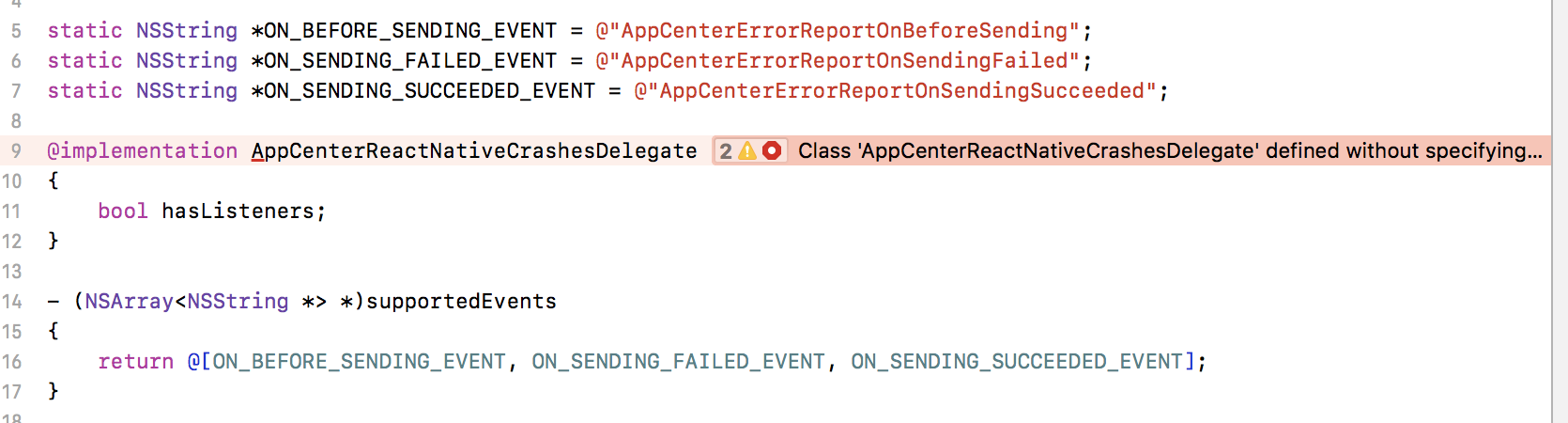
Getting about 9 errors of this nature
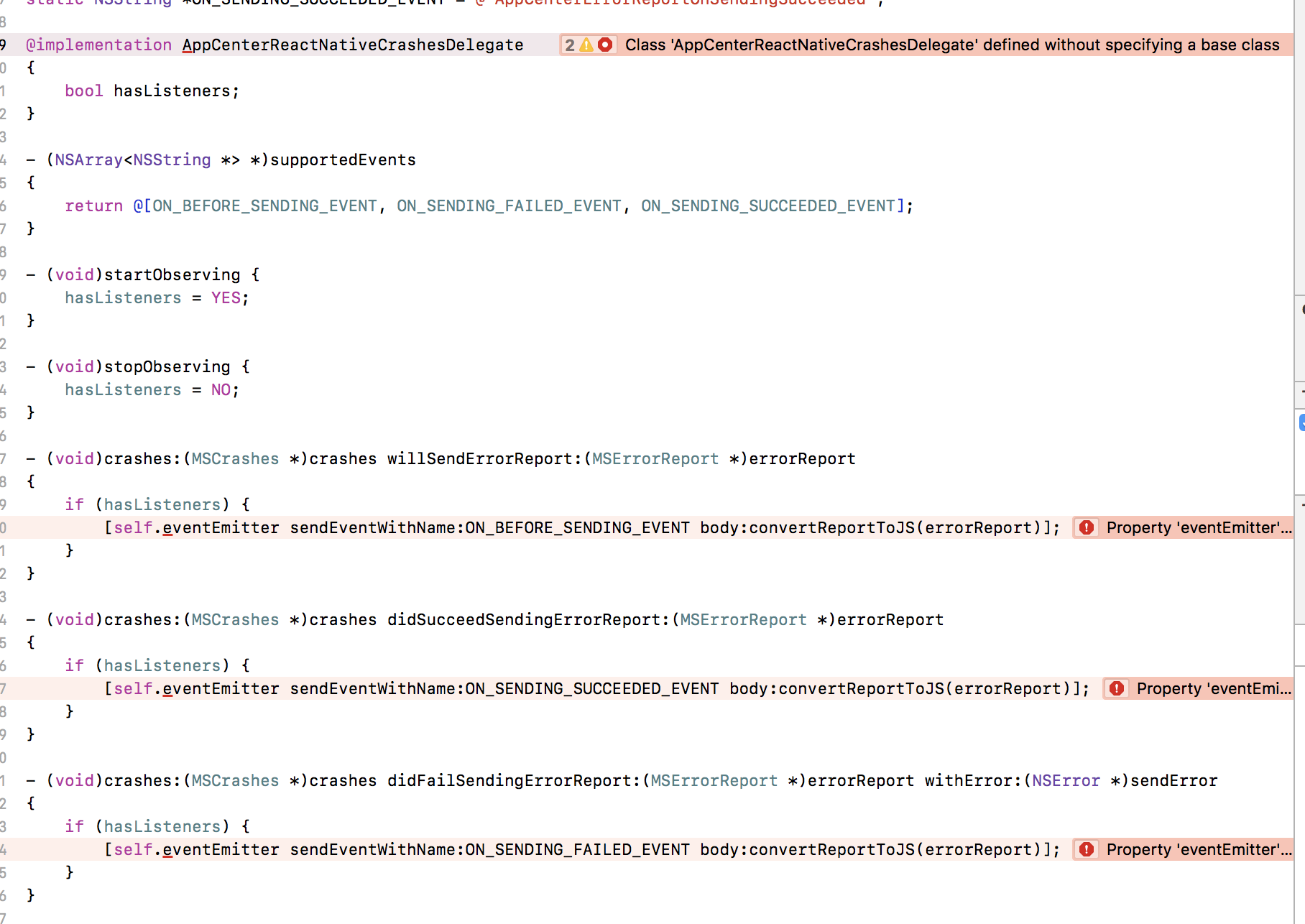
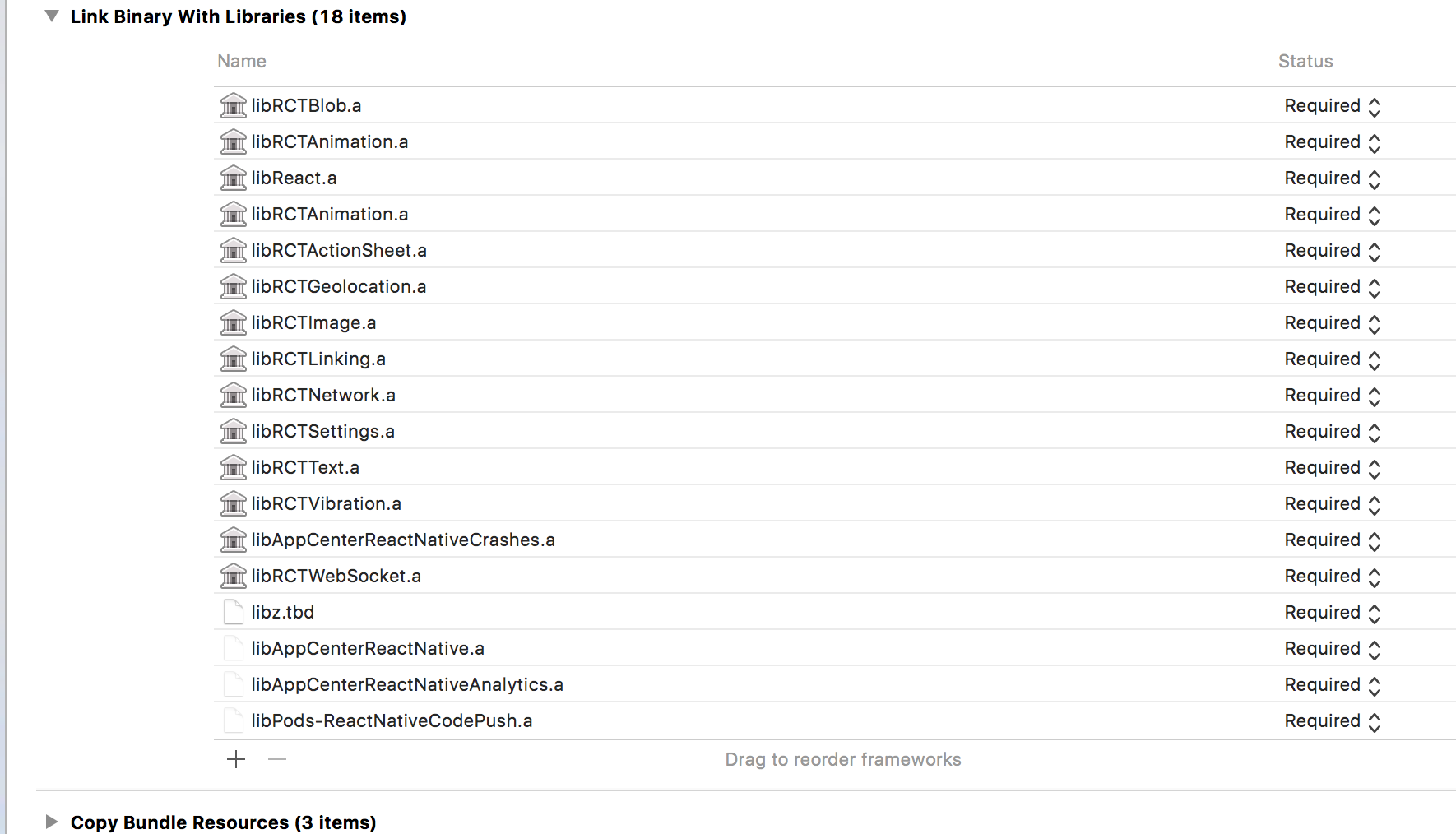
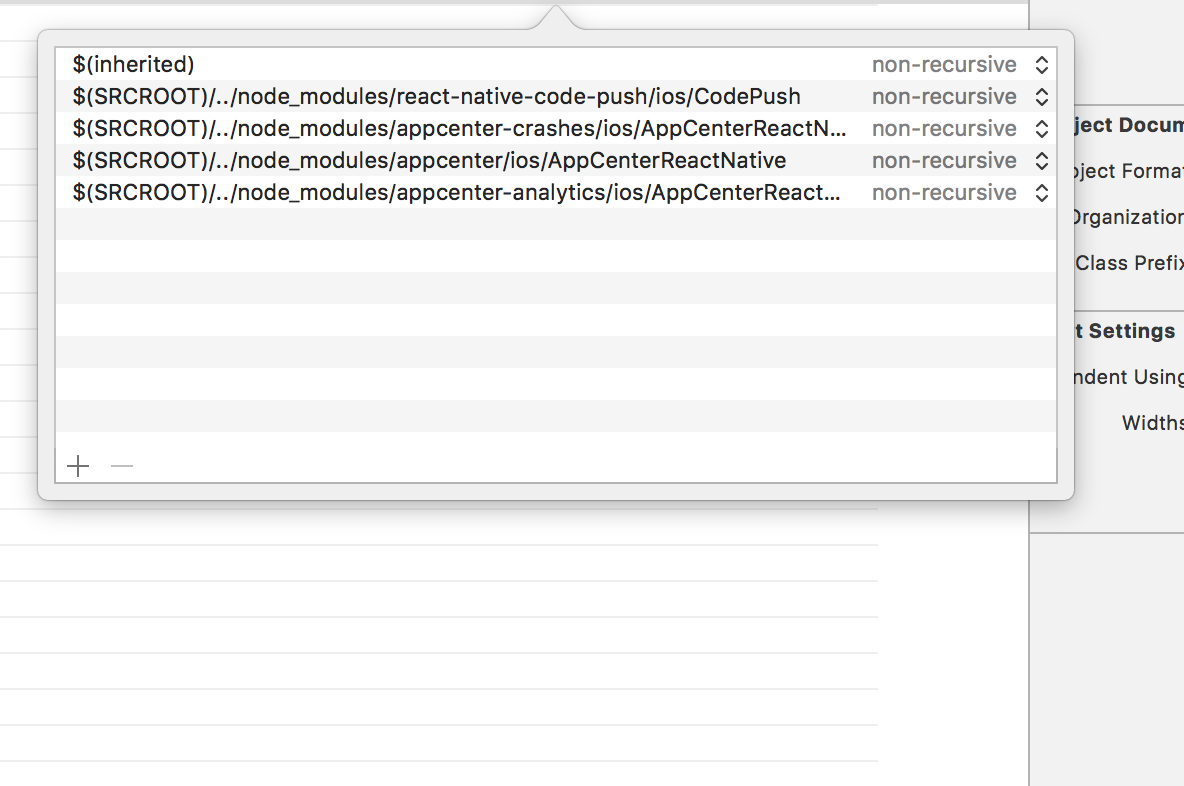
Not seeing the packages show up in build settings and not sure where to find the files in my project to link them:
acomito
on 22 Jun 2018
Okay I was able to get this running by following the manual linking process here rather than what is in the AppCenter docs.
I'm not certain exactly what was different. The only thing I can glean at this point is that it skips optional step #3 from the AppCenter docs. I am going to start fresh and see if I can duplicate these results.
creedmangrum
on 22 Jun 2018
I'm still getting errors. What exactly did you need to change for step 3? I can't see anything wrong with the paths I have and I'm not 100% following what the docs mean:
Step 3
Not every library will need this step, what you need to consider is:
Do I need to know the contents of the library at compile time?
What that means is, are you using this library on the native side or only in JavaScript? If you are only using it in JavaScript, you are good to go!
If you do need to call it from native, then we need to know the library's headers. To achieve that you have to go to your project's file, select Build Settings and search for Header Search Paths. There you should include the path to your library. (This documentation used to recommend using recursive, but this is no longer recommended, as it can cause subtle build failures, especially with CocoaPods.)
acomito
on 22 Jun 2018
Hey @acomito,
Thanks for getting in touch.
Since @creedmangrum mentioned manual linking, we have documentations on manual linking App Center SDKs as well, maybe give it a try?
 dhei
on 22 Jun 2018
dhei
on 22 Jun 2018
To answer another question from above:
So we should open /ios/.xcworkspace in xcode rather than the xcodeproj?
Yes!
ElektrojungeAtWork
on 22 Jun 2018
Hey Guys, I started a new project and everything works great accept I ran into a hitch with react-native-code-push, which I had to link manually. If I can get more detail on where/when I ran afoul, I'll make a note or something to the docs. For now, I'm back on track.
acomito
on 22 Jun 2018
glad to hear @acomito!
I'm closing this issue for now but please re-open/comment in case you have more questions or have a suggestion how we can improve the docs.
ElektrojungeAtWork
on 22 Jun 2018
I would like to reopen this because I am getting behavior very similar to @creedmangrum and following the instructions he offered on creedmangrum commented on Jun 22, 2018 did not help me at all, its like I am going around in circles here.
All because I was trying to solve this:
Undefined symbols for architecture x86_64:
  "_OBJC_CLASS_$_AppCenterReactNativeCrashes", referenced from:
      objc-class-ref in AppDelegate.o
ld: symbol(s) not found for architecture x86_64
clang: error: linker command failed with exit code 1 (use -v to see invocation)


** BUILD FAILED **


The following build commands failed:
    Ld /Users/danale/Library/Developer/Xcode/DerivedData/build/Build/Products/Debug-iphonesimulator/NFIBEngage.app/NFIBEngage normal x86_64
(1 failure)

Installing build/Build/Products/Debug-iphonesimulator/NFIBEngage.app
An error was encountered processing the command (domain=NSPOSIXErrorDomain, code=22):
Failed to install the requested application
The bundle identifier of the application could not be determined.
Ensure that the application's Info.plist contains a value for CFBundleIdentifier.
Print: Entry, ":CFBundleIdentifier", Does Not Exist

Command failed: /usr/libexec/PlistBuddy -c Print:CFBundleIdentifier build/Build/Products/Debug-iphonesimulator/NFIBEngage.app/Info.plist
Print: Entry, ":CFBundleIdentifier", Does Not Exist
and that just lead to this:
fatal error: 'AppCenterReactNativeCrashes/AppCenterReactNativeCrashes.h' file not found
#import <AppCenterReactNativeCrashes/AppCenterReactNativeCrashes.h>
So I am just going from error to error and Github issue to Github issue of people saying try this, try that. Maybe someone could refer to some documentation on what is an <AppCenterReactNativeCrashes.h>, why do we need it? What does it do? Or a more high level question, if I completely gut out AppCenter what will that do to my React Native project?
 ldco2016
on 6 Jun 2019
ldco2016
on 6 Jun 2019
Related issues
 CyberMew
·
4Comments
CyberMew
·
4Comments
 rafaelcorreiapoli
·
5Comments
rafaelcorreiapoli
·
5Comments
 celso-henrique
·
9Comments
celso-henrique
·
9Comments
 rskapadiadev
·
7Comments
rskapadiadev
·
7Comments
 matthargett
·
7Comments
matthargett
·
7Comments
Most helpful comment
I would like to reopen this because I am getting behavior very similar to @creedmangrum and following the instructions he offered on creedmangrum commented on Jun 22, 2018 did not help me at all, its like I am going around in circles here.
All because I was trying to solve this:
and that just lead to this:
So I am just going from error to error and Github issue to Github issue of people saying try this, try that. Maybe someone could refer to some documentation on what is an
<AppCenterReactNativeCrashes.h>, why do we need it? What does it do? Or a more high level question, if I completely gut outAppCenterwhat will that do to my React Native project?