Appcenter-sdk-dotnet: Properties not divided in Application Insights
When AppCenter is connected to Application Insights, the properties dictionary passed to Analytics.TrackEvent is exported to Application Insights as a property called "Properties" with a value of the JSON representation of the dictionary. This causes the Application Insights UI for filtering by individual properties to not work. The filter just shows "Properties" and then every unique combination of all the actual property values.
Instead, the properties in the dictionary should be exported as individual properties.
 breyed
All 13 comments
Hi, I forwarded the feedback to the team. To get better tracking of non SDK issues, our official support center for anything not directly related to the SDK is the chat button on https://appcenter.ms.
I'll keep this issue open and will try to get someone to answer here.
 guperrot
on 28 Jan 2019
guperrot
on 28 Jan 2019
This looks like an AppCenter SDK bug, not an App Insights bug. I use the App Insights SDK for web servers and desktop apps, and have no problems with creating unique properties. It looks like the AppCenter SDK just isn't doing that, but instead is just creating a Properties property and naively dumping everything in there.
breyed
on 28 Jan 2019
The properties are correctly displayed as individual string / string mappings on the event section of the Analytics page.
If the issue is that on App Insights you see a single Properties object then it is not a SDK issue but an issue in the export feature.
guperrot
on 28 Jan 2019
That is correct. The properties are correctly displayed on appcenter.ms, just not in Application Insights.
breyed
on 29 Jan 2019
It might be by design on the AI side. They may index some properties, but not the others. Is there any chance you could filter those custom properties out using a query (vs the drop-down)? We have a write up to show how to do it: https://blogs.msdn.microsoft.com/vsappcenter/better-decisions-through-better-analytics-visual-studio-app-center-with-azure-application-insights/.
 nikitag-ms
on 29 Jan 2019
nikitag-ms
on 29 Jan 2019
I didn't see where a query could dig into JSON within a property value, but even if you could, it seems unlikely to be by design to circumvent the primary UI of App Insights. From my experience with App Insights, it indexes all properties. Indeed, they even index the Properties property that AppCenter creates - it's just not very useful.
Chances are this is an easy bug to find and fix. Just search the export code for "Properties", and replace the code in that context with code that creates individual AI properties, rather than one super-property.
breyed
on 29 Jan 2019
At this point it could be a matter of backward-compatibility for other users. A change like this would effectively change the schema of the data ingested into the AI and might break other customer's custom queries and charts.
Here's the query I was referring to:
| where name == "login"
| extend Properties = todynamic(tostring(customDimensions.Properties))
| extend microsoft_account = Properties.microsoft_account
| where microsoft_account == true
The part that I think you were asking about is Properties = todynamic(tostring(customDimensions.Properties)). This is how AI allows you to parse a schema-lass object into a dynamic entity through which you can get access to its underlying properties (e.g. Properties.microsoft_account later on).
nikitag-ms
on 1 Feb 2019
Hi, we haven't heard from you in a while so I'm closing this issue.
Please reopen/comment if you have more questions or run into this again.
 MatkovIvan
on 12 Feb 2019
MatkovIvan
on 12 Feb 2019
I think you should re-open the issue. I hadn't replied because the situation seemed well described and just needs a solution. In case there's any confusion, I'll highlight the key points:
Dropping all properties into a
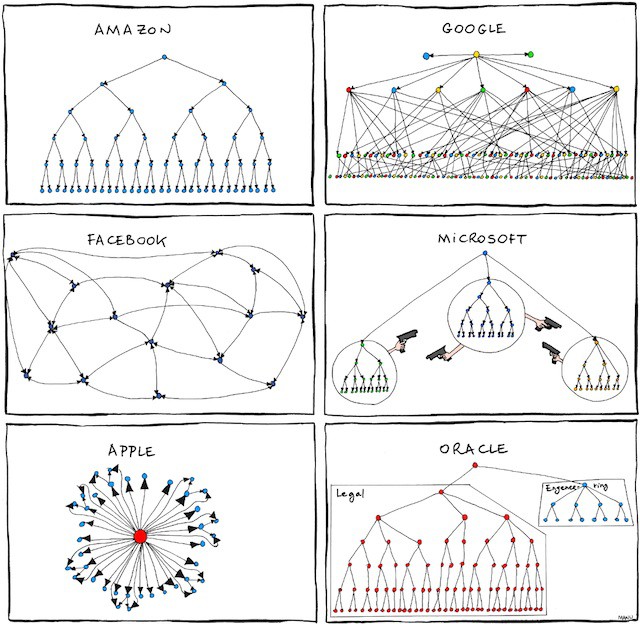
Propertiessuper-property instead of their own properties is a design flaw that hinders easy filtering through App Insight's UI.This issue is part of a broader problem with a lack of holistic design and seamless integration between AppCenter and Application Insights. It feels like the two services are from different companies who didn't coordinate. The SDKs have overlapping telemetry functionality with totally different APIs and different undocumented assumptions (e.g. Microsoft/appcenter#41). They fit right in with the Microsoft org chart perception. :-)
Because of the divergent telemetry APIs, developers can't reuse knowledge or code between a website and a mobile app (which was one of the selling points of Xamarin).
OK. Back to the property issue. Fixing it would break backward compatibility. But not fixing it would mean having it suck forever. So it look like there needs to be some kind of legacy mode where it can be "sucky on purpose" for those who need it to be. Not fun, but it's what you got to do when you encounter one of those slap-your-forehead-what-have-we-done moments. If mode selection goes down to the SDK level, the issue can stay here; if it's only at the app center level, this issue can be transferred to Microsoft/appcenter.
breyed
on 12 Feb 2019
When you create an AI resource with type App Center, they know of the schema of the Properties object within customDimensions and build a number of pre-defined charts accordingly based on the fact that they know it's coming from App Center. And if you want a custom query, there are ways to do that as well as build charts on top of those. Is that not what you are looking for?
Could you paste a screenshot of what exactly you are referring to and describe in a but more detail what would you like to happen differently?
nikitag-ms
on 13 Feb 2019
I don't have an easy way to take a screenshot without proprietary data, but I believe I can explain what I'm experiencing.
I have App Insights set up on a website, where I use TrackEvent to record events. Some of the events have metrics. I set common contextual properties using TelemetryClientContext.GlobalProperties.Add.
In portal.azure.com's Search section of Application Insights, when I click Filters, I'm presented with properties to filter the events by. These include properties provided by the platform combined with my own properties.
Visual Studio's Application Insights Search window is similar. After an initial search, there is a Refine By section where I can choose properties to narrow the results. Again, the properties listed are the union of standard and custom properties.
Back in portal.azure.com, in the Metrics section, I can view metrics on standard metrics or my custom ones. They're even grouped that way in the metric drop boxes.
Now let's look at the AppCenter experience. I start by googling "application insights xamarin". A project comes right up, but it's been deprecated in favor of something even better. Awesome! Well, as it turns out, not so much. It has a divergent API. There's no App-Insights-style metrics support. There's no equivalent to GlobalProperties (it looks like there's one, but it's not - Microsoft/appcenter#41). And when I go to Search section on portal.azure.com or the VS App Insights window, I can't filter by my custom properties.
Let's suppose I have 3 customer properties, Color, Shape, and Length. Using App Insights on a website, I'd see those properties and their various values in the filter. Viewing data that has passed through AppCenter, I don't see any of those properties, but instead a property called "Properties". Not that the other standard properties aren't properties, but I assume it means "Custom App Center Properties".
The values of the "Properties" property are the Cartesian product of the all the values of my custom properties. So if I had 10 unique values for each of my 3 properties, I would have 1000 unique values for "Properties". That makes it useless for filtering. There is a workaround by using a custom query, but it's extra work, and can't be done in Visual Studio. This is an example of the overall ecosystem not being well integrated.
breyed
on 15 Feb 2019
Thank you for the thoughtful feedback and elaborating on inconsistencies between various products and SDKs. I've passed the message to our PM team and they are going to look into how we can fix it.
At the moment it is hard to give a definitive ETA on when we will be able to make it happen. So meanwhile, a temporary workaround would be to use custom queries, as we recommended in previous responses. We apologize for the inconvenience, it's understandable that it is not as easy as custom properties behaved similar to "native" fields.
nikitag-ms
on 15 Feb 2019
Seems like discussion now happens on https://github.com/Microsoft/appcenter/issues/41
guperrot
on 22 Feb 2019
Related issues
 jozefizso
·
10Comments
jozefizso
·
10Comments
 helsq
·
8Comments
helsq
·
8Comments
 warpedgeoid
·
8Comments
warpedgeoid
·
8Comments
 tcxact
·
8Comments
tcxact
·
8Comments
 imuller
·
3Comments
imuller
·
3Comments
Most helpful comment
I think you should re-open the issue. I hadn't replied because the situation seemed well described and just needs a solution. In case there's any confusion, I'll highlight the key points:
Dropping all properties into a
Propertiessuper-property instead of their own properties is a design flaw that hinders easy filtering through App Insight's UI.This issue is part of a broader problem with a lack of holistic design and seamless integration between AppCenter and Application Insights. It feels like the two services are from different companies who didn't coordinate. The SDKs have overlapping telemetry functionality with totally different APIs and different undocumented assumptions (e.g. Microsoft/appcenter#41). They fit right in with the Microsoft org chart perception. :-)
Because of the divergent telemetry APIs, developers can't reuse knowledge or code between a website and a mobile app (which was one of the selling points of Xamarin).
OK. Back to the property issue. Fixing it would break backward compatibility. But not fixing it would mean having it suck forever. So it look like there needs to be some kind of legacy mode where it can be "sucky on purpose" for those who need it to be. Not fun, but it's what you got to do when you encounter one of those slap-your-forehead-what-have-we-done moments. If mode selection goes down to the SDK level, the issue can stay here; if it's only at the app center level, this issue can be transferred to Microsoft/appcenter.