Appcenter-sdk-dotnet: Crash reports on UWP are unreliable
After your explanations in #544, I have contacted the app center support more than a month ago.
Hello!
I have been testing AppCenter SDK's preview that includes crash reporting for UWP.
I have added the SDK and Crashes to my app as is described in your documentation[1], but no crashes are showing up, and the AppCenter-SDK folks have sent me here [2] as they suspect this is not an SDK issue.
A short description of my setup:
- The app is published in the store[3], but for promo codes only
- Target version is FCU (build 16299), min version is CU (build 15063)
- I am crashing the app by building a local version (on my W10 Desktop) that throws an exception in an event handler
- The UnhandledException handler only logs the exception to a logfile
- The local control panel's "security and maintenance" page properly lists the crashes
- Each crash's "problem details" page says "The report was sent"
However, I see no crashes in my app center's crashes page.
[1] https://docs.microsoft.com/en-us/appcenter/sdk/crashes/uwp
[2] https://github.com/Microsoft/AppCenter-SDK-DotNet/issues/544
[3] https://www.microsoft.com/en-us/store/p/signal-private-messenger/9nr474lrlh62
The support promptly responded, and asked an interesting question:
Hi, sorry for the trouble! Can you please check if crashes of the app have been sent to your Windows Dev Center portal?
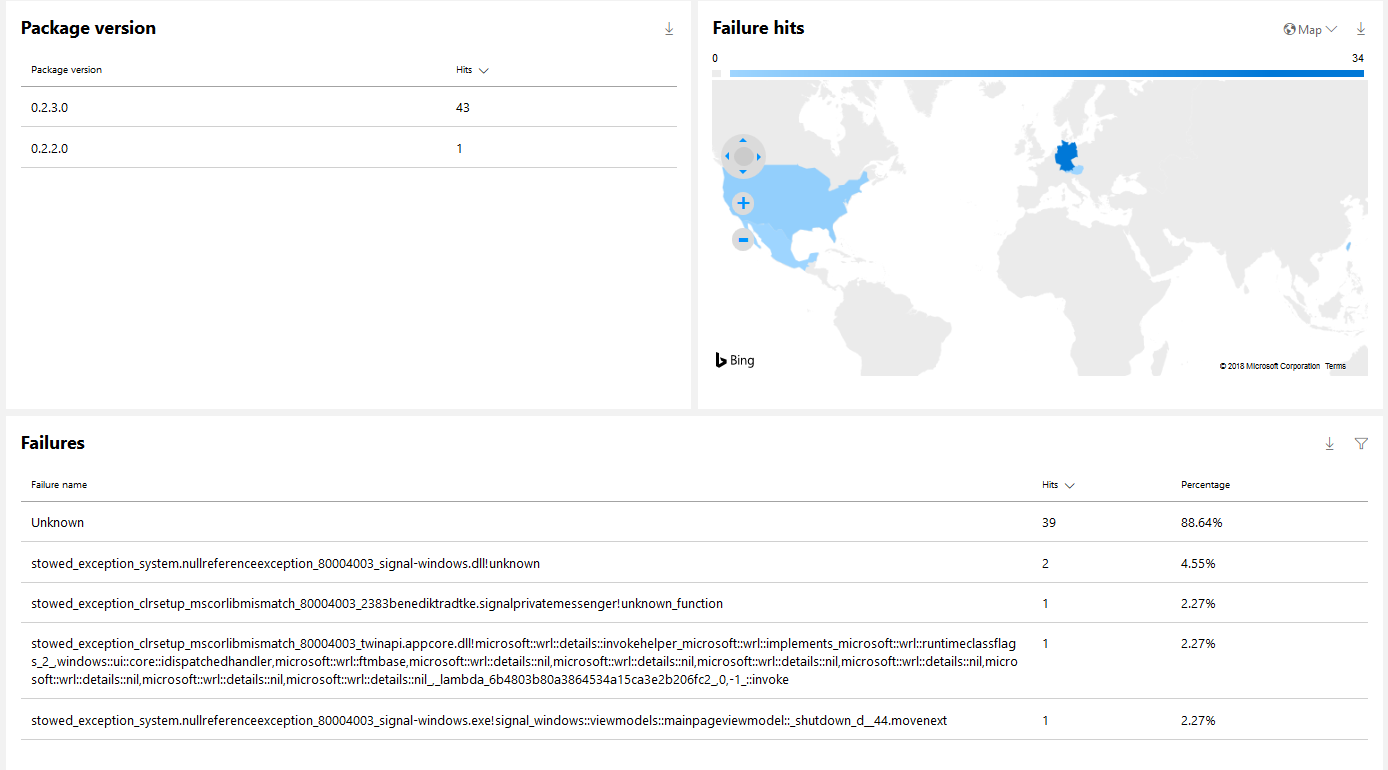
And we indeed have issues with the dev center portal, as you can see here. No matter how often I trigger the exception, nothing except "Unknown" failures are listed, and the unknown hit count is zero:

Which I immediately reported to the support:
The information displayed on the app's dashboard is inconsistent - It lists 5 failure hits for the most recent package version, but the failure list contains only a TaskCanceledException (1 hit) and Unknown (0 hits). I am dividing by zero, so my test exception is not listed.
The support has not responded to any further inquiry since then (13th of december 2017).
Is the crash report delivery depending on the dev center portal? If so, will you stick with that design decision? We are considering to switch to AppCenterSDK because the dev center is unrealiable in the first place.
 Trolldemorted
All 18 comments
Hi, for UWP the SDK only registers to the system level crash reporting and does nothing else. I believe this is the same system used by the app store and thus the dev app center.
Did you double check you tested only on devices that run Windows Creators Falls Update? It will definitely not register on earlier windows versions.
To validate sdk integration, reporting crashes should work in debug with standard exception types (though they will not be symbolicated and custom exception types will be discarded according to my tests).
In debug please look at logs we print to see if there is any error registering with the crash reporter.
 guperrot
on 16 Jan 2018
guperrot
on 16 Jan 2018
As i have stated in #544, I am using W10 Pro N, version 1709, build 16299.98, and windows tells me that the crash reports have been sent ("Der Bericht wurde gesendet"):
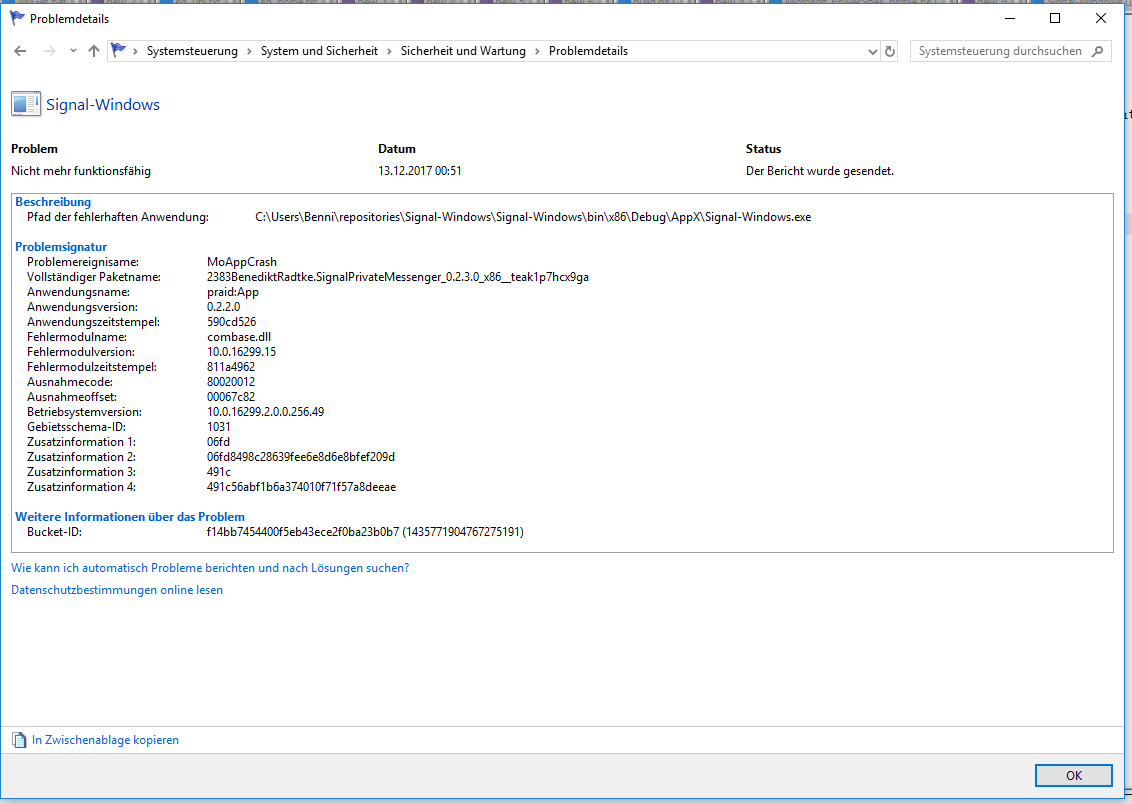
I know that the sdk only registers to the system level crash reporting and you are not responsible for their bugs, but I have to say your dependencies' problems are also your problems. Will the sdk continue to rely on the dev app center? Can attaching a log file be archieved with it within the near future? Can we push the dumps/logs manually within our app to your endpoint?
Trolldemorted
on 17 Jan 2018
There was discussion to handle UWP crashes without Windows system but nothing has been committed to the roadmap yet.
We can leave this ticket opened as a feature request and contact you later when a decision is made.
guperrot
on 17 Jan 2018
I don't really care how the dumps and logs are delivered, I just wanted to say that waiting for the dev app center to sort things out could not be feasible, as they have not been able to sort out their "unknown" crashes since forever.
But since I can reliably reproduce not working crash reports, if you want to track down why they don't and need me to test or verify something, just tell me.
Trolldemorted
on 17 Jan 2018
I will try to reach out to the windows team and see what we can to troubleshoot this issue.
guperrot
on 17 Jan 2018
Here is the answer I got:
This is likely related to client telemetry consent settings, which dictate what data is sent by the WER client. Having this setting from the customer would help root cause. Also useful would be the report id from the WER event. This can be found in the WER 1001 log in the Windows event viewer.
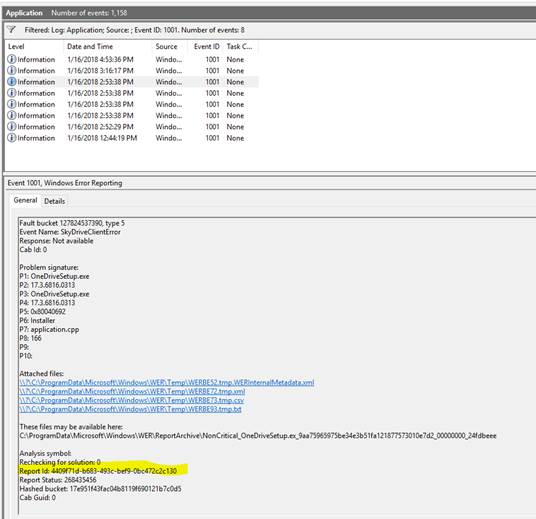
Could you also send the App Center app secret for this app? We can validate in our backend if we see crashes with an Unknown failure.
If you want to send app secret to us outside of github, please contact us using the blue chat button on https://appcenter.ms.
guperrot
on 18 Jan 2018
Which settings are important?
Control panel > System and Security > Security and Maintenance > Maintenance says "report problems: on", I assumed that is the one that should be responsible.
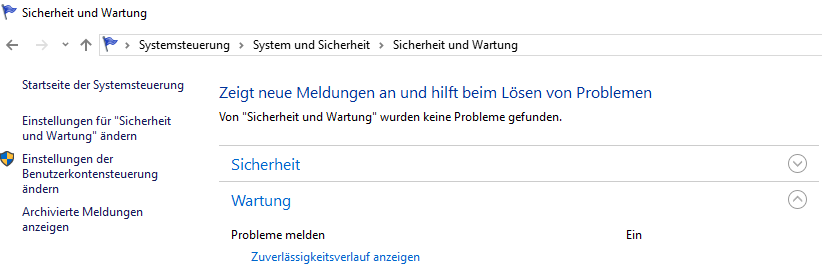
I just crashed the app again, here is the event log:

Name der fehlerhaften Anwendung: Signal-Windows.exe, Version: 0.2.2.0, Zeitstempel: 0x590cd526
Name des fehlerhaften Moduls: Windows.UI.Xaml.dll, Version: 10.0.16299.98, Zeitstempel: 0x4d4eec9e
Ausnahmecode: 0xc000027b
Fehleroffset: 0x0089360a
ID des fehlerhaften Prozesses: 0x3450
Startzeit der fehlerhaften Anwendung: 0x01d3903a6c416a3b
Pfad der fehlerhaften Anwendung: C:\Users\Benni\repositories\Signal-Windows\Signal-Windows\bin\x86\Debug\AppX\Signal-Windows.exe
Pfad des fehlerhaften Moduls: C:\Windows\System32\Windows.UI.Xaml.dll
Berichtskennung: fa5d61d7-e2f3-4293-8ffc-d9c6cabb7bef
Vollständiger Name des fehlerhaften Pakets: 2383BenediktRadtke.SignalPrivateMessenger_0.2.3.0_x86__teak1p7hcx9ga
Anwendungs-ID, die relativ zum fehlerhaften Paket ist: App
Report id is fa5d61d7-e2f3-4293-8ffc-d9c6cabb7bef. This time it doesn't even show up in the developer dashboard (so far). Edit: now they do.
Problem details insist again that the report was sent.
I have sent the appsecret to the appcenter support.
Trolldemorted
on 18 Jan 2018
Hi there,
I can understand your frustration, since the data mismatch is not obvious to understand. I've looked up your app on our backend and I have a good idea of what's happening. To confirm it though, I need to see what you are seeing on AppCenter. Can you either share a hi-res screen shot of the Crash page, plus the specific Crash Group page for the failure ending with "unknown", OR add me as a Viewer to your page? My email is [email protected].
Thank you for your feedback on the product.
 FranciszMicrosoft
on 23 Jan 2018
FranciszMicrosoft
on 23 Jan 2018
I have added you as a viewer, feel free to take a look!
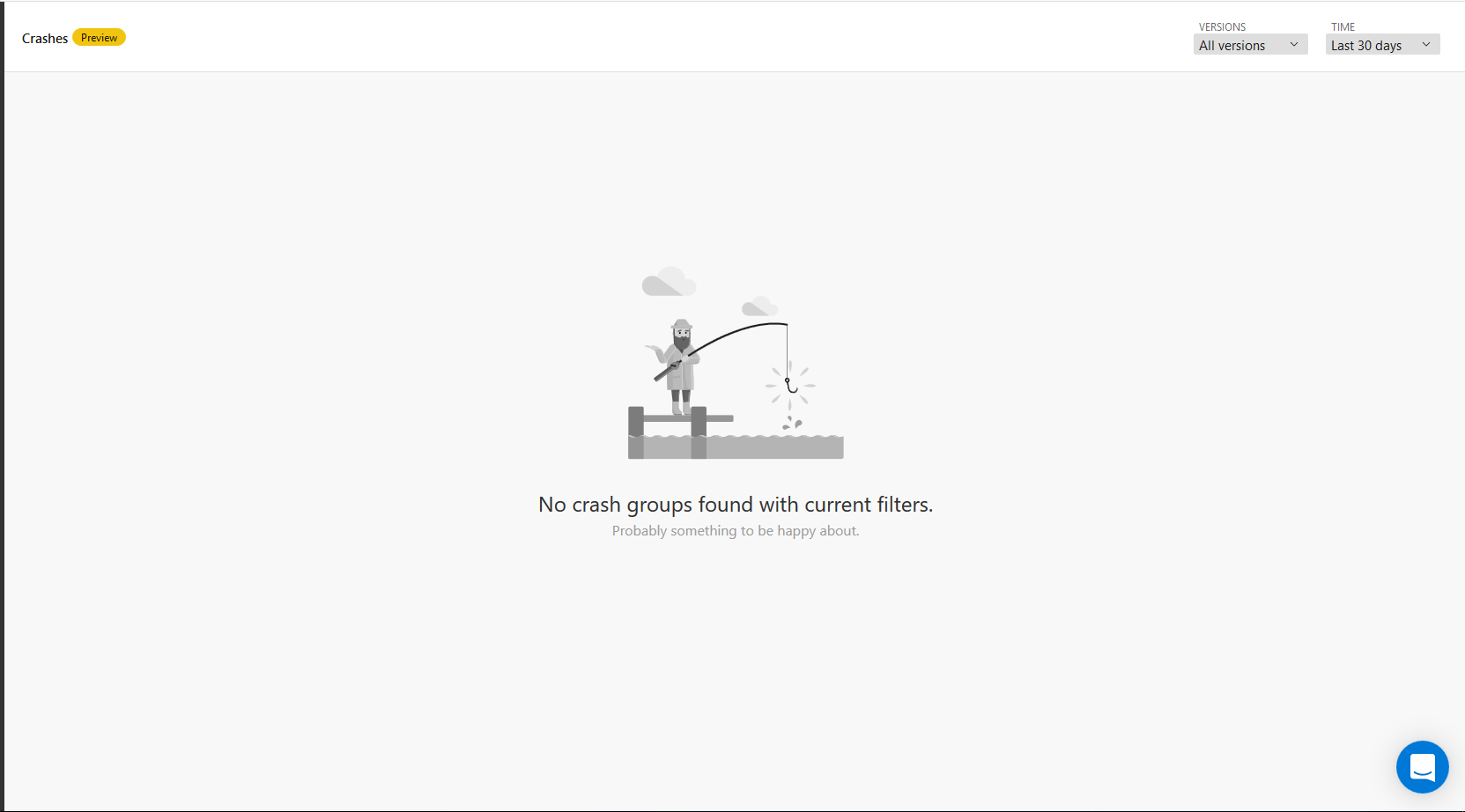
What do you mean with crash group page? In the dashboard's failure list, "Unknown" is not a clickable link unlike the other crashes:
Trolldemorted
on 23 Jan 2018
Thank you for your patience, I know what's going on now. The reason none of the crashes showed up is because symbols aren't indexed, in which case AppCenter Crash services will filter them out (why show a crash if you can't do anything about it?) DevCenter, on the other hand, will surface such crashes, and you can in fact see it in the second row in the "Failures" table, the one ending with "!unknown". In the AppCenter Preview release, the only way to resolve this for now is to ingest your app through DevCenter, which then automatically index the symbols, and both DevCenter and AppCenter can get the crash stack.
I know this is not a great solution, and we are working on a way for customers to directly upload symbols through AppCenter UI. Sorry for the inconvenience.
FranciszMicrosoft
on 26 Jan 2018
Hey! We haven't heard from you in a while so we'll assume your issue is fixed and go ahead and close this conversation. Should you still have questions, please don't hesitate to contact us again. Thanks!
guperrot
on 30 Jan 2018
Sorry for the late response!
Thanks for the detailed explanation. I have noticed you have also amended the documentation:
Crashes sent via application associated with the Microsoft Store but not installed from the Microsoft Store (like when using bundle directly, which includes installing via App Center portal) will appear on the portal without the symbols (no method names or class names).
I assume you meant "will appear in the dev center without symbols, and not in the app center"?
Trolldemorted
on 1 Feb 2018
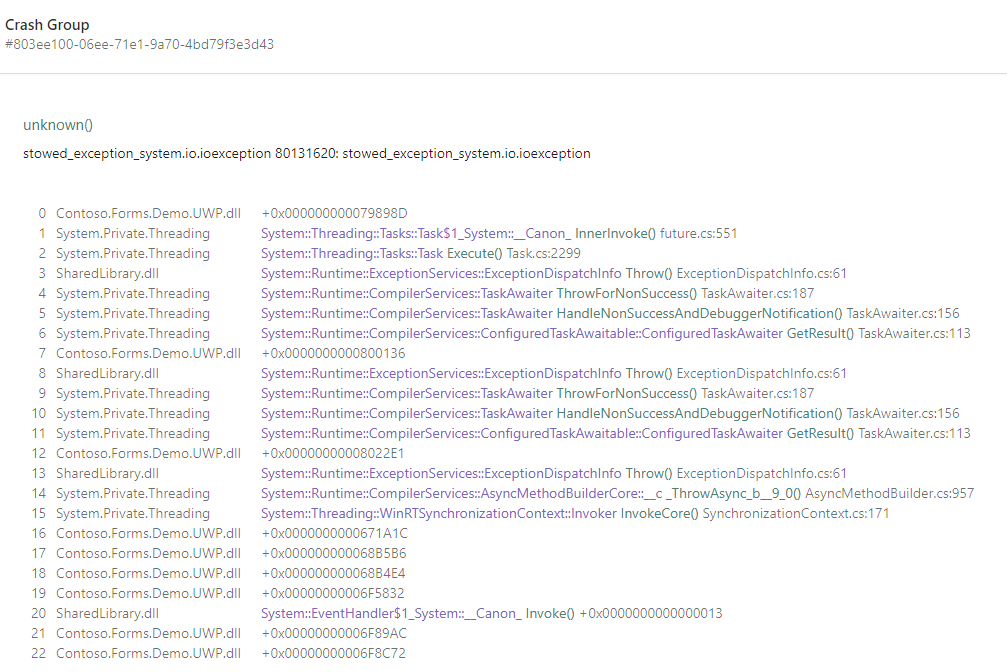
Standard exception types might appear on AppCenter. Custom exception classes however will not appear at all in AppCenter.
guperrot
on 1 Feb 2018
For example a System.IO.IOException appears like this, but we have a TestCrashException which does not appear at all.
Anyway the feature is designed to work with published apps, these unsymbolicated crashes is not a real feature and we might remove the statement from the docs if it creates confusion.
guperrot
on 1 Feb 2018
If I understand @FranciszMicrosoft's comment correctly, no exception from a self-built app will appear, because right now the symbols are not indexed, even if the self-built app was built with symbols. This would fit to what I am experiencing, since I am dividing by zero in a self-built app, and the resulting (definitely not custom) exception is not being displayed in AppCenter.
Which portal is the documentation referring to? If it is referring to AppCenter's portal, it is wrong (?), because the exceptions do not show up there.
Trolldemorted
on 2 Feb 2018
We will remove this from app center documentation right away, it works for me but apparently not for you. (And yes the screenshot was App Center).
guperrot
on 2 Feb 2018
Thanks for your time and patience!
Trolldemorted
on 2 Feb 2018
The statement will just be rephrased as some unwanted unsymbolicated crashes might appear if app not published (since that was the case for me it will happen to others too).
Something like:
Some crashes might appear unsymbolicated (missing method names or file names or even class names) from applications that are associated with Microsoft Store (such as when you add WNS push) before the application is actually published. This behavior can happen but there is no guarantee that it will.
guperrot
on 2 Feb 2018
Related issues
 nathanielcook
·
9Comments
nathanielcook
·
9Comments
 poumason
·
3Comments
poumason
·
3Comments
 MisterJimson
·
3Comments
MisterJimson
·
3Comments
 andrekiba
·
4Comments
andrekiba
·
4Comments
 james1301
·
9Comments
james1301
·
9Comments