App: Issue with Applying Snapshot/Wallet Backup
Actual behavior: applying snapshot is stuck since 10 hours, do not know how to access my wallet and wallet backup does not work
Expected behavior: that the snapshot would be applied and I would be able to use my defi wallet further not to lose coins
How to reproduce it (as minimally and precisely as possible):
transferred first DFI coins today
after couple of hours sync was staying between 99.9% and not moving
so ì decided to apply a snapshot and since then the unpacking is not moving in the past 10 hours or so, additionally not able to backup wallet, the window to backup appears but it is not saved in library, although even previously attempted (before applying the snapshot).
Archive.zip
- Download snapshot
- Snapshot was successfully downloaded but now the screen with applying snapshot (unpacking) is at the same level for the past 10 hours
- cannot backup wallet - the window to save the backup appears but not able to locate the backup in the library
What are your environment parameters?
- DeFi Wallet Version: 2.5.2
- Operating System (OS): macOS 11.5.1
- Current free storage capacity: 14.36 GB
Anything else we need to know?
 pmjlaw
All 14 comments
@pmjlaw: Thanks for opening an issue, it is currently awaiting triage.
The triage/accepted label can be added by foundation members by writing /triage accepted in a comment.
In the meantime, you can:
- Checkout DeFiChain’s Github issue page to see if your issue has already been reported
- Submit any logs if you have them, this will greatly expedite the process for us.
- You can also join our Telegram or Reddit community channels.
Details
I am a bot created to help the DeFiCh developers manage community feedback and contributions. You can check out my manifest file to understand my behavior and what I can do. If you want to use this for your project, you can check out the DeFiCh/oss-governance-bot repository.
 defichain-bot
on 28 Jul 2021
defichain-bot
on 28 Jul 2021
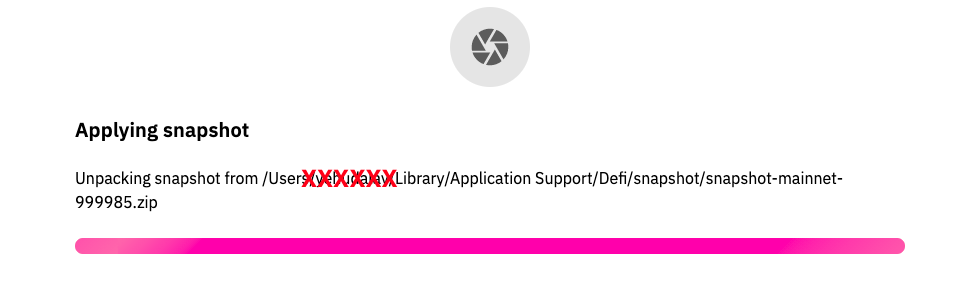
pls find attached the screenshot
pmjlaw
on 28 Jul 2021
Hi @pmjlaw , thanks for the screenshot, while the snapshot is unpacking — this usually takes about 20minutes to unpack. If could be the RAM of your Mac is full, try to clear some space and not run more than 3 applications on your MAC while running the snapshot. Run snapshot again. If you still face a similar issue after re-trying, send logs & screenshot. Thank you.
 izzycsy
on 28 Jul 2021
izzycsy
on 28 Jul 2021
thanks a lot for quickly getting back, this unpacking takes more than 10 hours now :(
Not able to run a snapshot again, nor to make any other action. Please see earlier attached logs, can of course try to pull those again.
I am wondering what happens with my wallet. I tried to backup and saved with different names but I cannot find those, however can find a wallet.dat
Thanks a lot for your help!
pmjlaw
on 28 Jul 2021
Archive.zip
Hi @izzycsy Pls find attached the new zip logs, thanks!
pmjlaw
on 28 Jul 2021
Hi @pmjlaw , try the following:
- Force quit the app
- Clear storage space
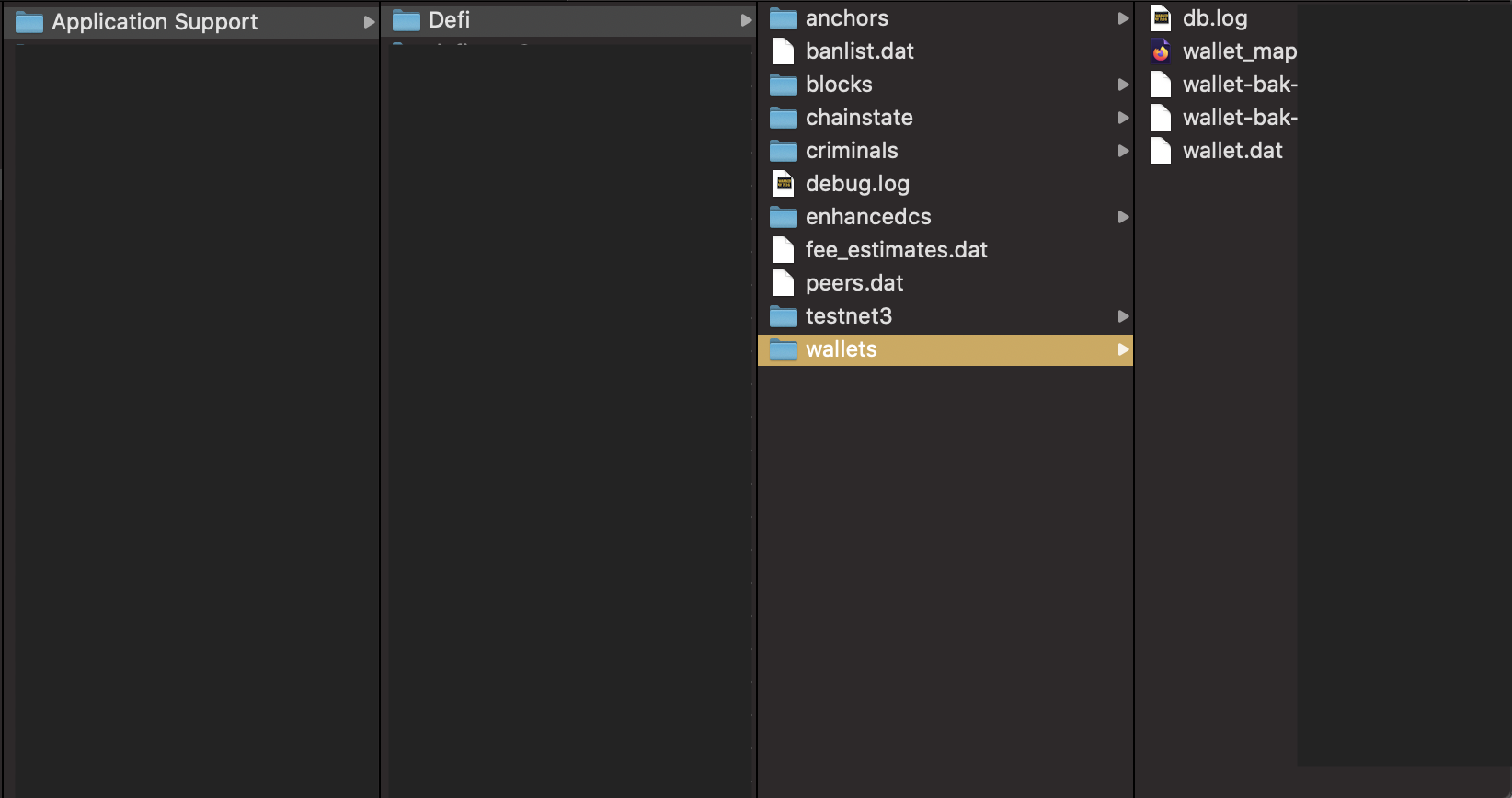
- Backup the entire
walletsfolder, you can copy & paste it on an external drive, personally I store it inDocuments
In the wallets folder you'll likely see wallet-bak-123456789 as well, these are additional backups.
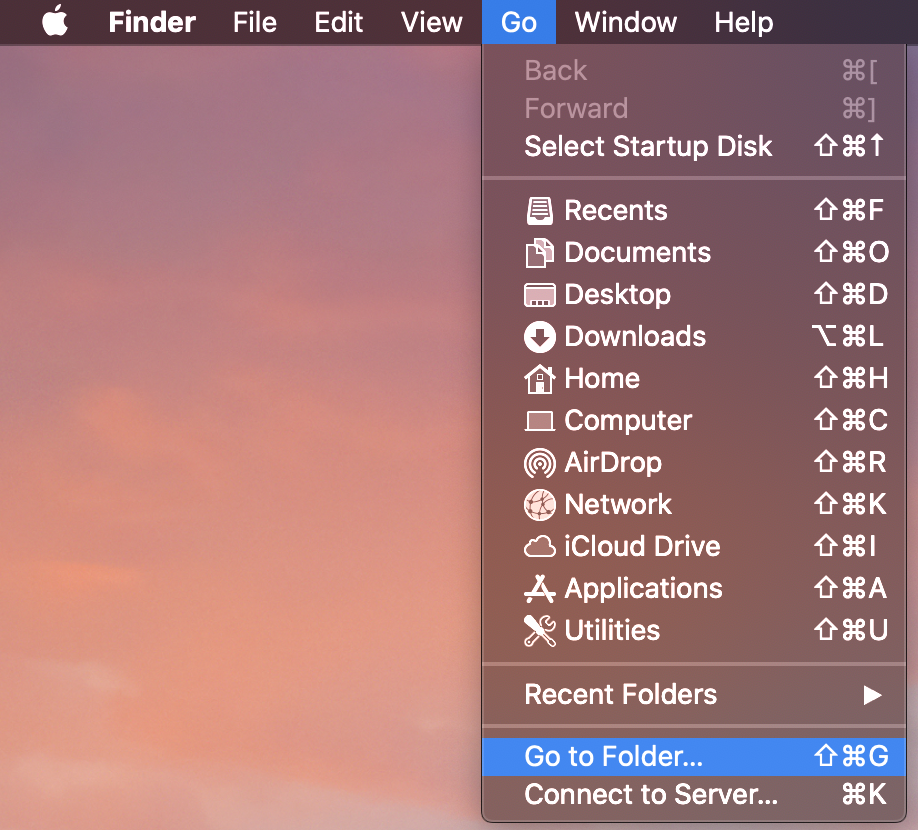
For Mac, it's located here: Go To Folder
/Users/<username>/Library/Application Support/Defi/wallets/
- Once you've backup-ed the
wallet.dats, ensure you're not running more than 3 applications on your MAC - Open DeFi Wallet app, most likely you'll face an error
node is disconnected, this is because the app was forcefully quit (step 1), refer to the follow guide to reindex
izzycsy
on 28 Jul 2021
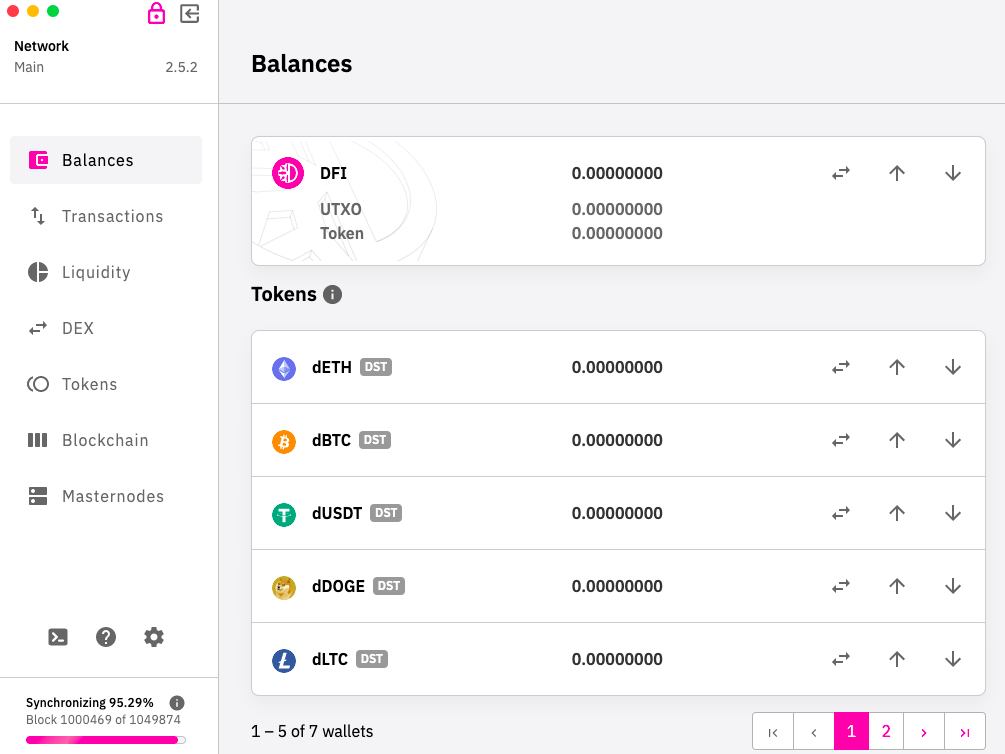
many thanks @izzycsy :) I have followed the steps however now it shoes 0 for my tokens, how can I load my backed up wallet? :(
pmjlaw
on 28 Jul 2021
Hi @pmjlaw , okay great that you managed to sync, refer to this guide to Restore Wallet.
izzycsy
on 28 Jul 2021
dear @izzycsy sorry for all the questions, trying to avoid issues and hope to retrieve my coins, pls see the screen I am at currently, I do not see an option to restore wallet from backup
pmjlaw
on 28 Jul 2021
I am also wondering if for whatever reason when i tried to backup the wallet, it did not work - app froze is there any mechanism to automatically save the latest version of the wallet to be able to retrieve it? I think this should be really a very crucial requirement.
It is interesting that I can see still my wallet address but where are the coins? if it is all on one blockchain we can easily verify that i have not transferred them anywhere, is there any way to get my coins back?
pmjlaw
on 28 Jul 2021
Hi @pmjlaw , anything you want to perform on the app can only happen after synchronisation to reaches 100%, your balances should reflect then.
izzycsy
on 28 Jul 2021
Thanks super @izzycsy thanks :) waiting for the good news! would confirm asap at 97.41% now
pmjlaw
on 28 Jul 2021
Thanks G-d, my money is back! love you @izzycsy!
pmjlaw
on 28 Jul 2021
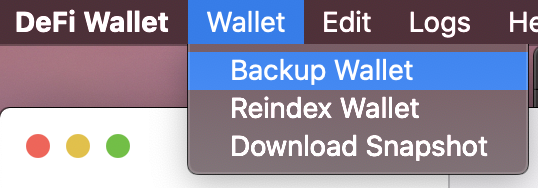
Hi @pmjlaw , good to hear! Please make a backup of your wallet.dat for safe keeping.
izzycsy
on 28 Jul 2021
Related issues
 adrian-schnell
·
3Comments
adrian-schnell
·
3Comments
 RobinTorque
·
6Comments
RobinTorque
·
7Comments
RobinTorque
·
6Comments
RobinTorque
·
7Comments
 dell1503
·
7Comments
dell1503
·
7Comments
 Rocky-81
·
8Comments
Rocky-81
·
8Comments