Apollo: In the navigation mode, open the "Planning" module and other related modules, and click "Start Auto", and the vehicle will not be controlled
We appreciate you go through Apollo documentations and search previous issues before creating an new one. If neither of the sources helped you with your issues, please report the issue using the following form. Please note missing info can delay the response time.
System information
- OS Platform and Distribution (e.g., Linux Ubuntu 18.04):
- Apollo installed from (source or binary):
- Apollo version (3.5, 5.0, 5.5, 6.0):
- Output of
apollo.sh configif onmasterbranch:
Steps to reproduce the issue:
- Please use bullet points and include as much details as possible:
Supporting materials (screenshots, command lines, code/script snippets):
Problem description:
1.We are manually recorded reference line, and then through the modified navigator.py script sent.We use version 5.5, Ubuntu 16.04.
2.When automatic driving is turned on, the vehicle is always uncontrolled and moves to the right.However, we have no problem in RTK tracing test.
3.I found some strange phenomena. I showed them with pictures.
4.It should be noted that some modules are opened through the terminal.
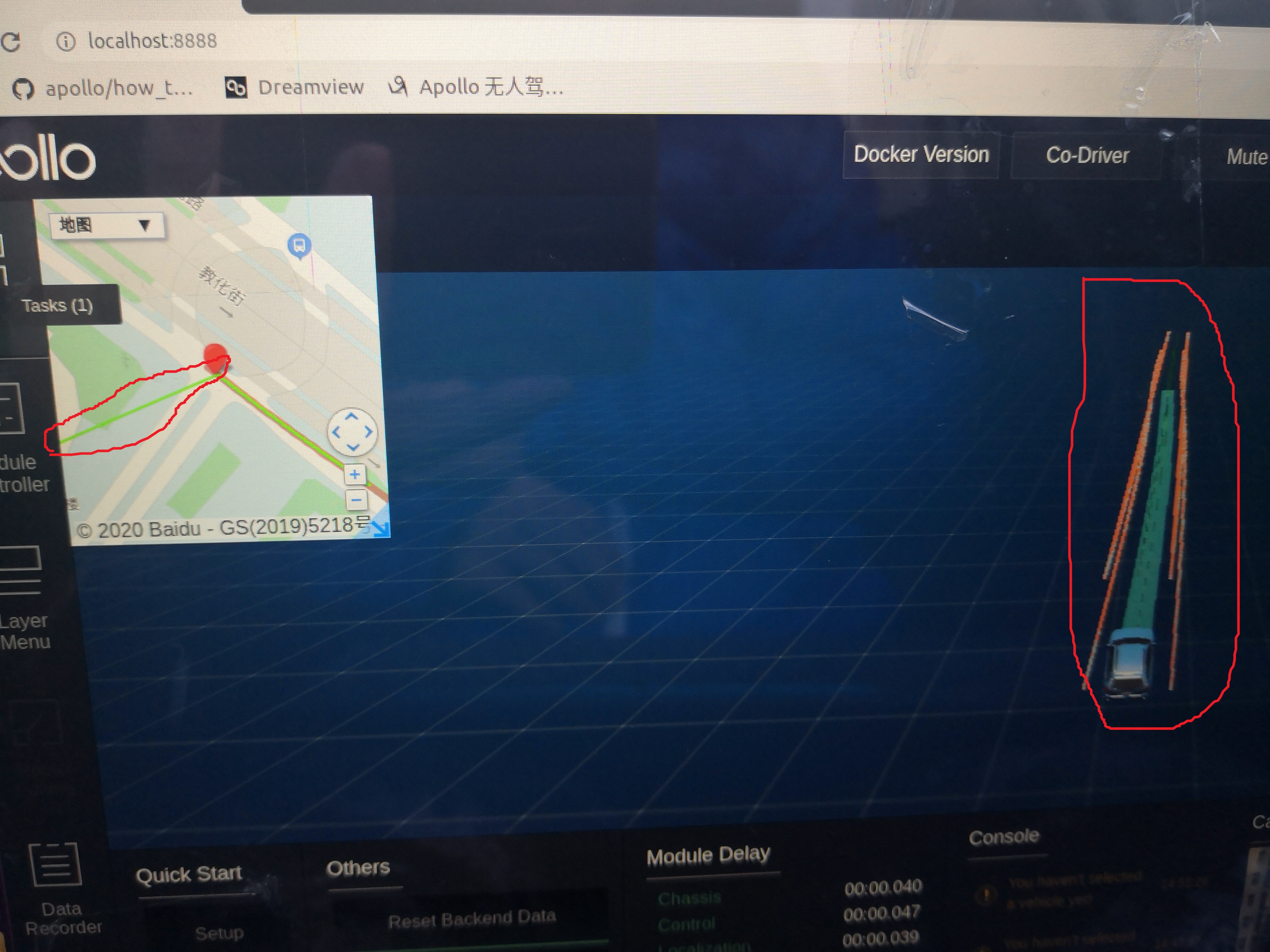
First of all, there is an extra green line on the map in the upper left corner, This extra green line is always flashing, not always appearing.which does not match the reference line. And the actual test found that the vehicle seems to be looking for this line, not the reference line we want. Secondly, in dreamview, there is an extra group of line segments, which are both white and yellow.

This is our channel information. I don't know if some information is missing.
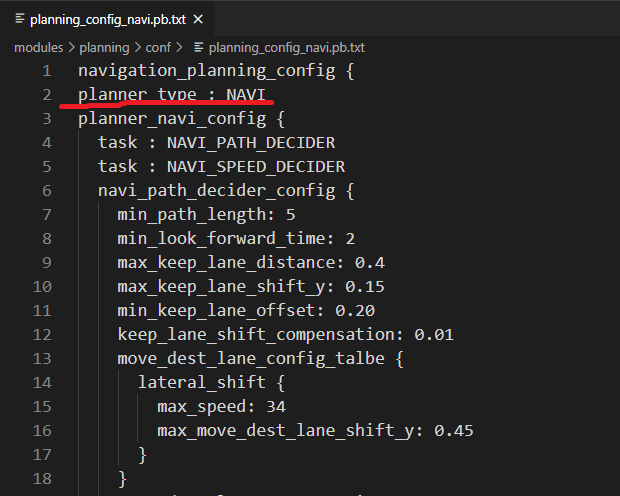
This is our profile
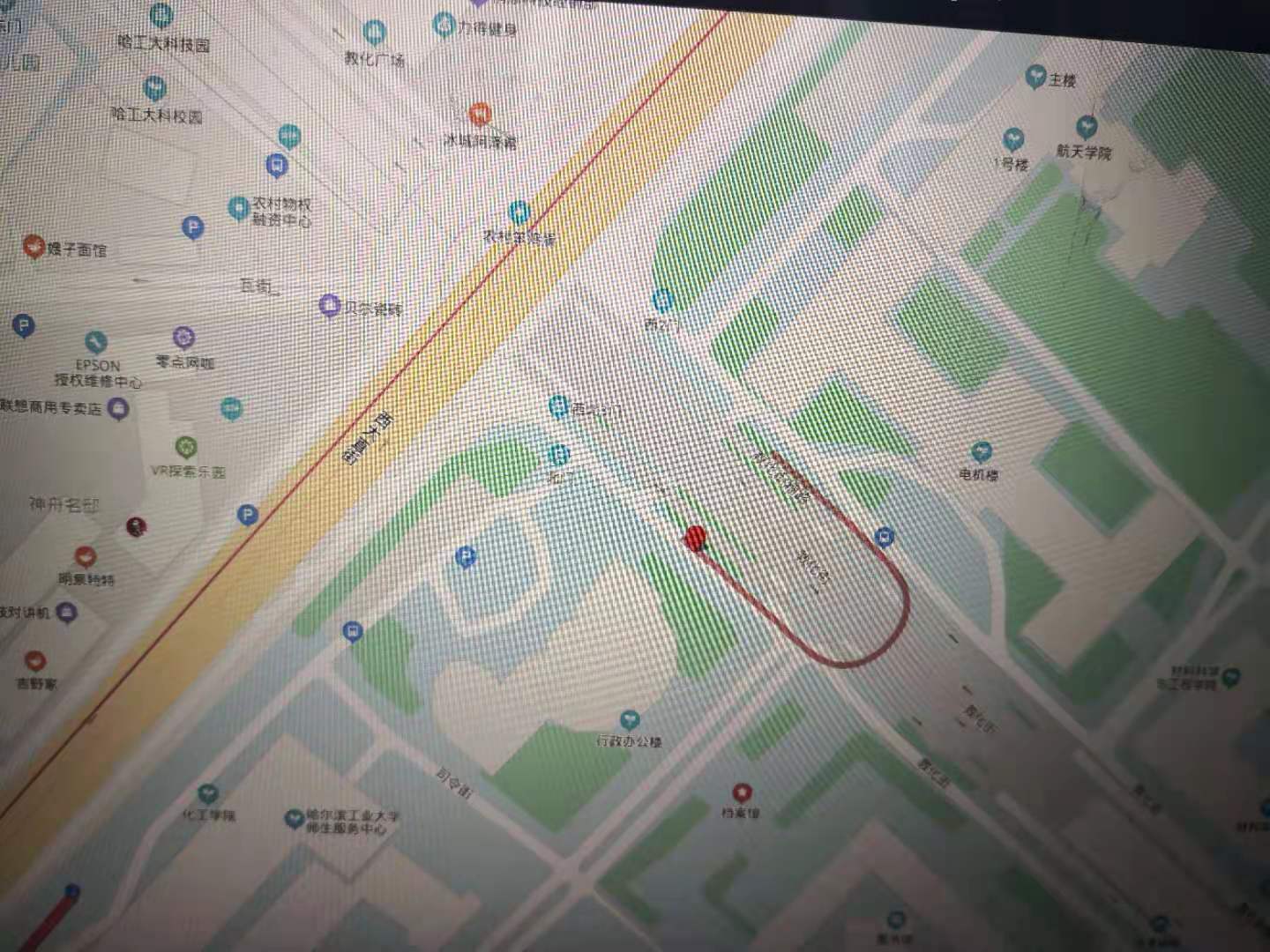
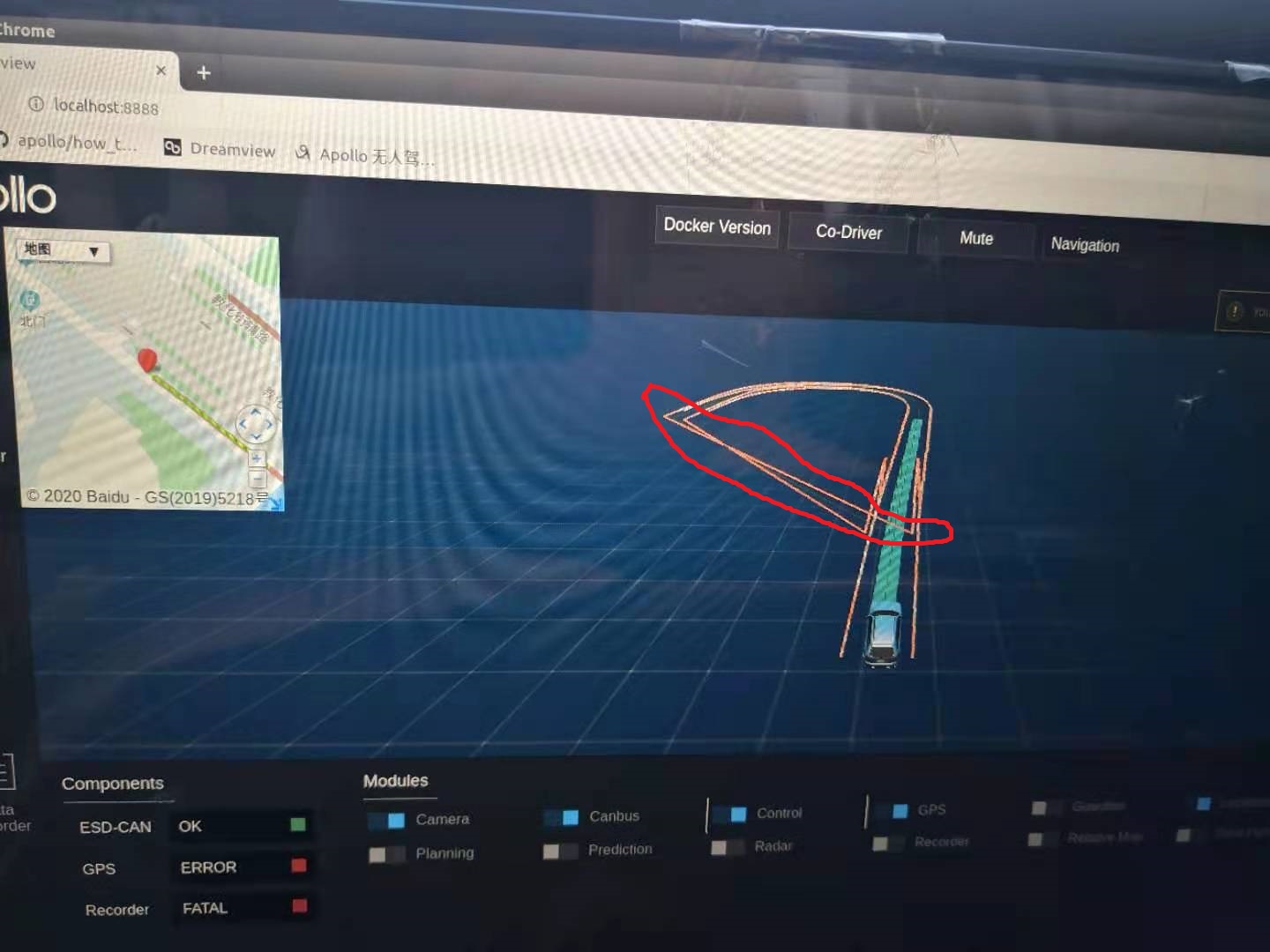
There are always more things we don't need.
Now, I really need the official help. Thank you. Expect a reply
 yufeilongyuan
All 11 comments
Is it a bug in apollo's code?
 jiayisong
on 8 Dec 2020
jiayisong
on 8 Dec 2020
We have a similar problem. Have you solved it?
 VictXue
on 8 Dec 2020
VictXue
on 8 Dec 2020
Hello, brother. Sympathize with you, I also encountered the same problem, can not solve, give up. I thought only I could meet, but you did. Hope you can solve it. Don't forget to inform me. Thank you
 yfl1991
on 8 Dec 2020
yfl1991
on 8 Dec 2020
Is it a bug in apollo's code?
I don't know, but I'm in trouble.
yufeilongyuan
on 8 Dec 2020
We have a similar problem. Have you solved it?
NO, and I'm in trouble.
yufeilongyuan
on 8 Dec 2020
Hello, brother. Sympathize with you, I also encountered the same problem, can not solve, give up. I thought only I could meet, but you did. Hope you can solve it. Don't forget to inform me. Thank you
It's luck, man.
yufeilongyuan
on 8 Dec 2020
We have encountered a similar problem, have you solved it
 github-luffy
on 9 Dec 2020
github-luffy
on 9 Dec 2020
We have encountered a similar problem, have you solved it
We have encountered a similar problem, have you solved it
NO, and I'm in trouble.
yufeilongyuan
on 9 Dec 2020
Supplementary note: after verification, the extra green straight line finally points to the point with zero longitude and latitude.
yufeilongyuan
on 9 Dec 2020
@liouyx @guoweiwan @JasonZhou404 Would you please help with this issue? It seems that several developers encounter this problem.
 storypku
on 17 Dec 2020
storypku
on 17 Dec 2020
The problem has been solved, thank you.
yufeilongyuan
on 24 Dec 2020
Related issues
 BenBaek
·
3Comments
BenBaek
·
3Comments
 zmsunnyday
·
3Comments
zmsunnyday
·
3Comments
 CCodie
·
3Comments
CCodie
·
3Comments
 chasingw
·
3Comments
chasingw
·
3Comments
 YaoQii
·
3Comments
YaoQii
·
3Comments