Apollo: Conflict between Apollo RT kernel and Nvidia driver
Describe the bug
The nvidia driver does not support 3D graphic acceleration while co-exist with Apollo RT Kernel.
To Reproduce
Steps to reproduce the behavior:
- Launch Apollo 3.0 system with Lidar, camera, radar perception mode
- Open the Dreamview
Expected behavior
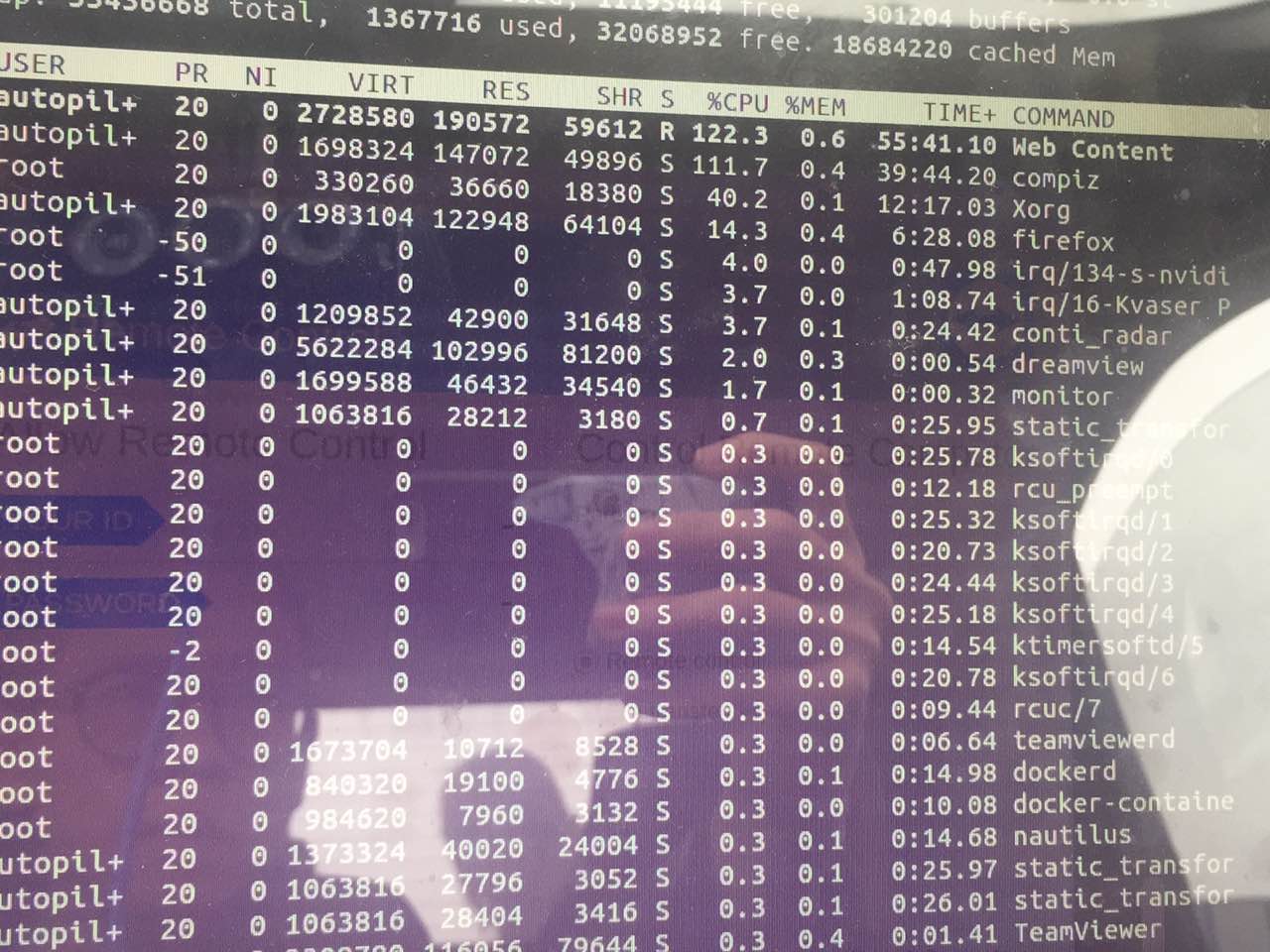
You will see the system become extremly slow and not respond to any action because the CPU are rendering all the graphic content instead of GPU. The 'Compiz' process eat all the CPU computation resources.
Screenshots
Desktop (please complete the following information):
- OS: Ubuntu 14.04.03
- Browser: chrome, firefox
- Version: Apollo 3.0, Apollo 3.1.
Additional context
We tried to reinstall the GPU driver but and 3D acceleration(compiz) is still now running on GPU. If a different version of GPU driver are used, the Ubuntu UI will crash because the exist of Apollo RT Kernel.
 JonathanJones92
All 4 comments
@natashadsouza @weidezhang @bigwhite Apollo team, Please help us to check , thanks.
JonathanJones92
on 2 Apr 2019
hi, JonathanJones92 , please install docker according to the documentation https://github.com/ApolloAuto/apollo/tree/master/docker/scripts#install-nvidia-docker-optional
 zhangchaoltt
on 3 Apr 2019
zhangchaoltt
on 3 Apr 2019
hi, JonathanJones92 , please install docker according to the documentation https://github.com/ApolloAuto/apollo/tree/master/docker/scripts#install-nvidia-docker-optional
Hi @zhangchaoltt ,
Thanks for your timly reply.
I think I did install nvidia driver inside and outside docker properly because I run 'nvidia-smi' on both sides. They all return correct GPU driver info(The same driver version info). May I ask what it will be if I install the nvidia-docker correctly? Is there any checkpoint infomation that I can find if I did all the driver stuff correctly?
Thank you again :)
Jonathan
JonathanJones92
on 3 Apr 2019
 storypku
Related issues
 chilihua
·
3Comments
chilihua
·
3Comments
 CCodie
·
3Comments
CCodie
·
3Comments
 chasingw
·
3Comments
chasingw
·
3Comments
 westeast
·
3Comments
westeast
·
3Comments
 Triangle001
·
3Comments
Triangle001
·
3Comments
Most helpful comment
@natashadsouza @weidezhang @bigwhite Apollo team, Please help us to check , thanks.