Apollo: Planning: pull over problem.
System information
- OS Platform and Distribution (e.g., Linux Ubuntu 14.04): 16.04
- Apollo installed from (source or binary): source
- Apollo version (1.0, 1.5, 2.0, 2.5, 3.0): 3.0
- Simulator: LG Simulator https://github.com/lgsvl/simulator
Steps to reproduce the issue:
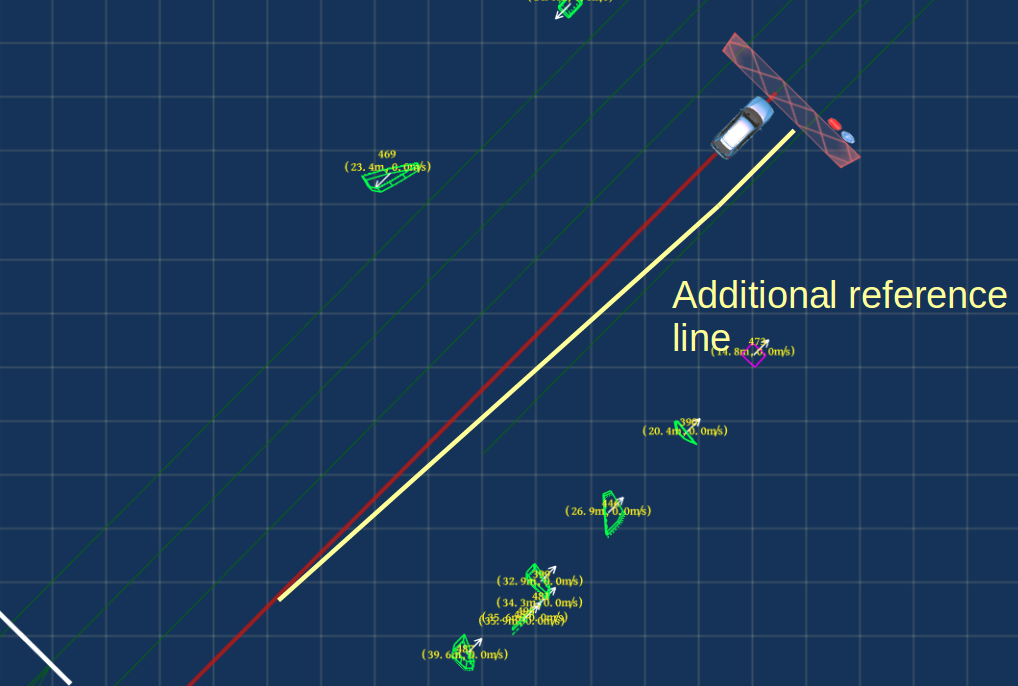
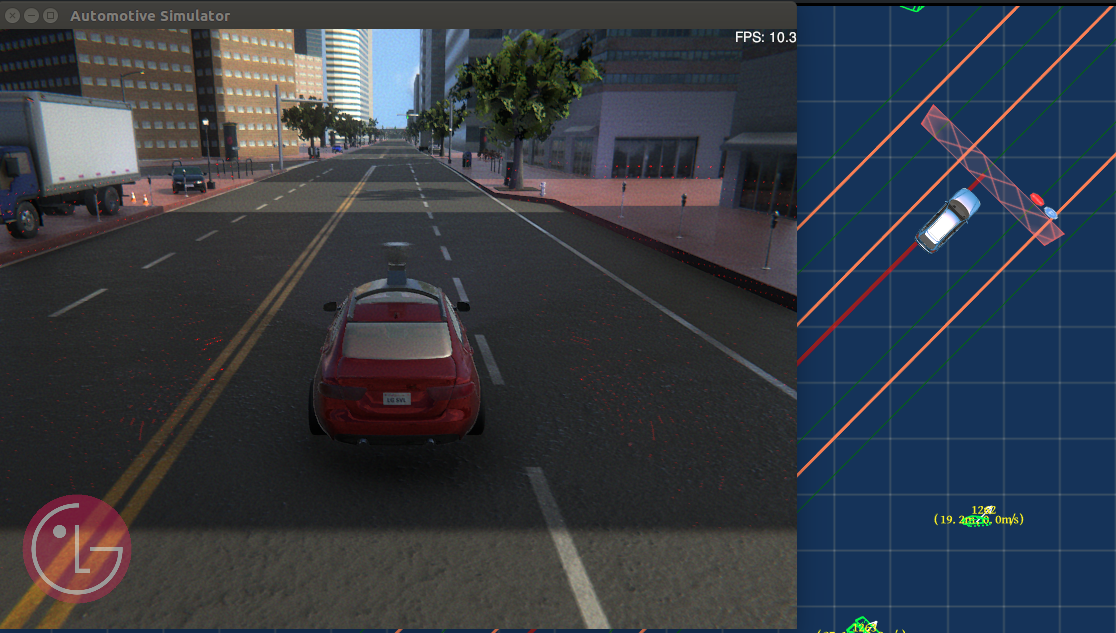
I'm working on Apollo planning module with customized simulator. I'm trying to make ego vehicle pulling over the curbside of the road shown in right side of it in picture 1. But this curbside is drivable by manual operation. Our HDmap doesn't have information of curbside shown in Picture 2. I checked that BuildPullOverStop() function (shown in picture 3) was called. The vehicle doesn't go to curbside and just stop on the reference line.
1.Do I need to add map info on HDMap to make pull over working? I also tried to reduce some parameters like reducing pull_over_plan_distance 55.00 to 15.00, plan_distance from 55.0 to 15.0 and operation_length from 50.0 to 10.0 to make pull over working but failed.
2.What is the expected pull over behavior? Does the vehicle stop near to the curbside?
In the planning.INFO log message, I could see message like the follow.
[DEBUG] pull_over_status: in_pull_over: true
3.Whenver the vehicle pulls over, inlane_dest_point is set. Does this mean that the vehicle doesn't stop near to curbside but stop on the reference line?
Picture 1:
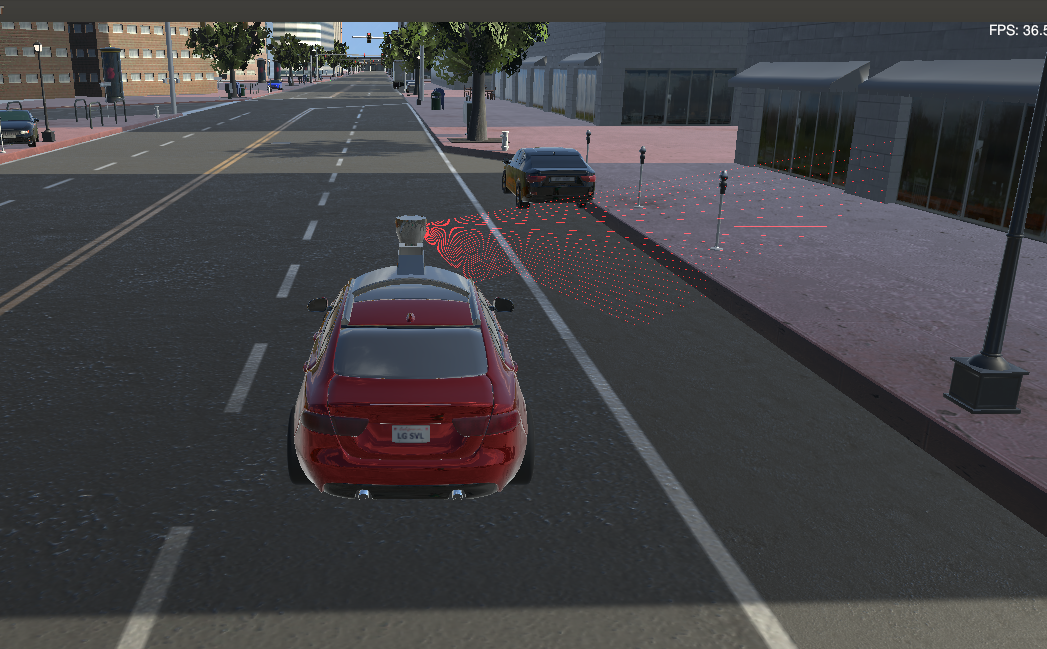
Picture 2:
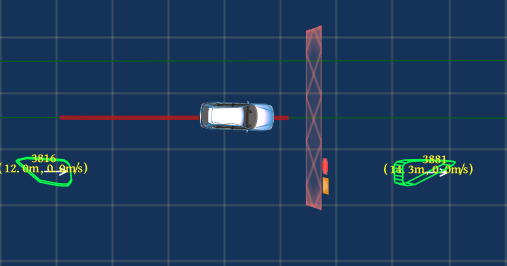
Picture 3:
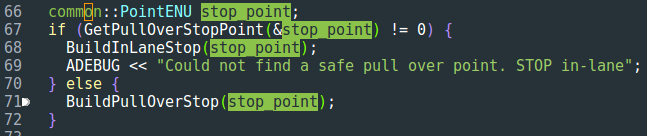
Thank you so much.
 cyberphysicalrobotics
All 12 comments
I think you should create a route for the curbside.
Right now, planner module in Apollo heavily depends on ref line, so consider the curbside as another lane.
Btw, your simulator look very nice, what tool are you using?
 lesun90
on 15 Oct 2018
lesun90
on 15 Oct 2018
^ Also curious. Which simulator project is that? Looks based on Unreal Engine. AirSim? Lidar representation looks nice.
 moenasrallah
on 15 Oct 2018
moenasrallah
on 15 Oct 2018
This simulation is using Unity. You can see the video and check the repository of project.
Project video: https://youtu.be/4gstgiW04Xw
Github repository: https://github.com/lgsvl/simulator
cyberphysicalrobotics
on 15 Oct 2018
I checked that there is P symbol on the virtual obstacle for pull over like the following. The P virtual obstacle shows with the offset of lateral but the vehicle doesn't have lateral offset designated for virtual obstacle at the destination. The vehicle just stops the way it does at the normal virtual obstacle.
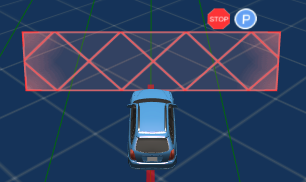
In order to have pull over behavior, what else do I need to have on hdmap?
I made the lane_0 which is dummy lane for parking. But it doesn't work.
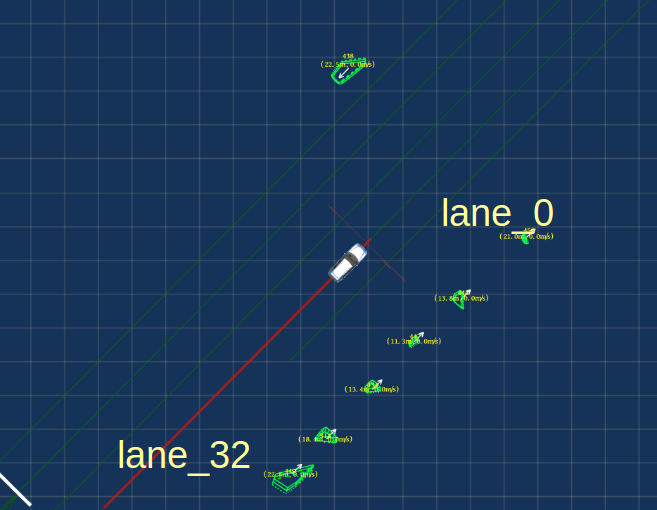
lane[lane_0] length[63.222848] type[PARKING] turn[NO_TURN] speed_limit[0.000000] predecessor[] successor[] left_forward[lane_32] right_forward[] left_reverse[] right_reverse[], Left Boundary: [ virtual?:true, Type: [s: 0.000000->CURB, ]; Right Boundary: [ virtual?:true, Type: s: 0.000000->CURB, ] overlap[]; start point(x,y,heading):552746.415192,4182622.481049,0.789150 end point(x,y,heading):552790.952568,4182667.353653,0.789150 left_width:1.750000 right_width:1.750000
lane[lane_32] length[144.431911] type[CITY_DRIVING] turn[NO_TURN] speed_limit[20.000000] predecessor[lane_275, lane_279] successor[lane_285] left_forward[lane_31] right_forward[lane_0] left_reverse[] right_reverse[], Left Boundary: [ virtual?:true, Type: [s: 0.000000->CURB, ]; Right Boundary: [ virtual?:true, Type: s: 0.000000->CURB, ] overlap[]; start point(x,y,heading):552721.960068,4182602.329224,0.789983 end point(x,y,heading):552823.619495,4182704.925217,0.789983 left_width:1.750000 right_width:1.750000
My question:
- Should the addtional reference line be derived from the original lane (lane_32) so there are two reference lines on lane_32?
- If the one lane can't have two reference line, I think two lanes should be poked by one predecessor.
cyberphysicalrobotics
on 26 Oct 2018
Ref_lines do not work as you think. From routing, the planner will create ref_line in each lane, so there is only one ref_line in each lane, the ref_line will be similar to the routing line. When change lane, the car will use the ref_line in the target lane to plan the motion.
Turn on PNC monitor (in tasks)
While running the planner, can you see any reference line (thin blue line) in your parking lane? if not, planner did not create any ref_line in that lane, that why the car does not move there.
lesun90
on 26 Oct 2018
1.For checking my understanding, does it mean that changing lane happens with pull over operation? Once pull over task starts, could the lane change be activated by pull over behavior which makes virtual obstacle wall on the other lane like the following?
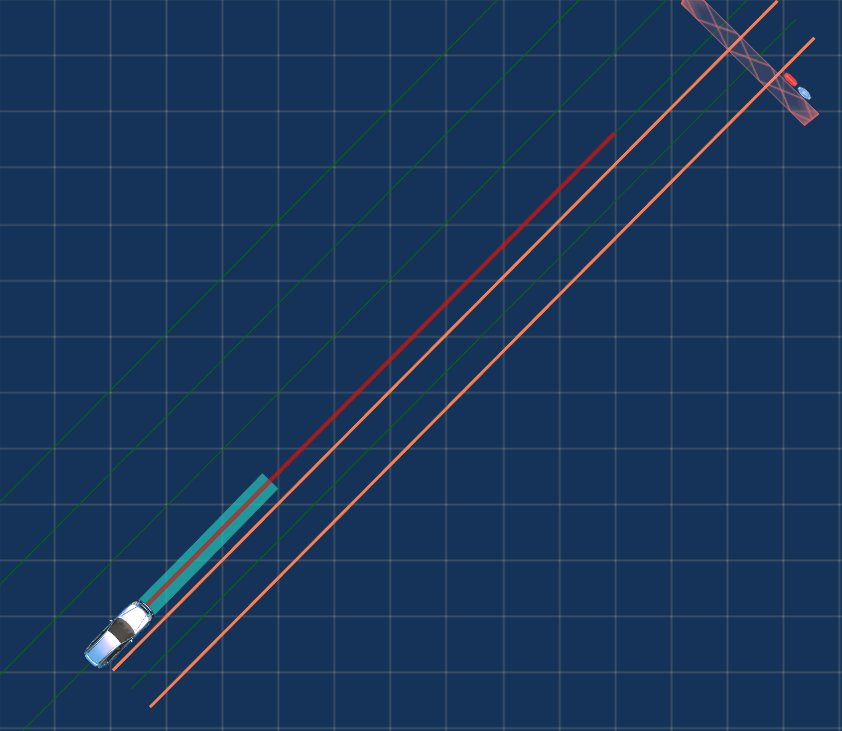
But the lane change was not activated and virtual obstacle wall was changed on the original lane like the following.
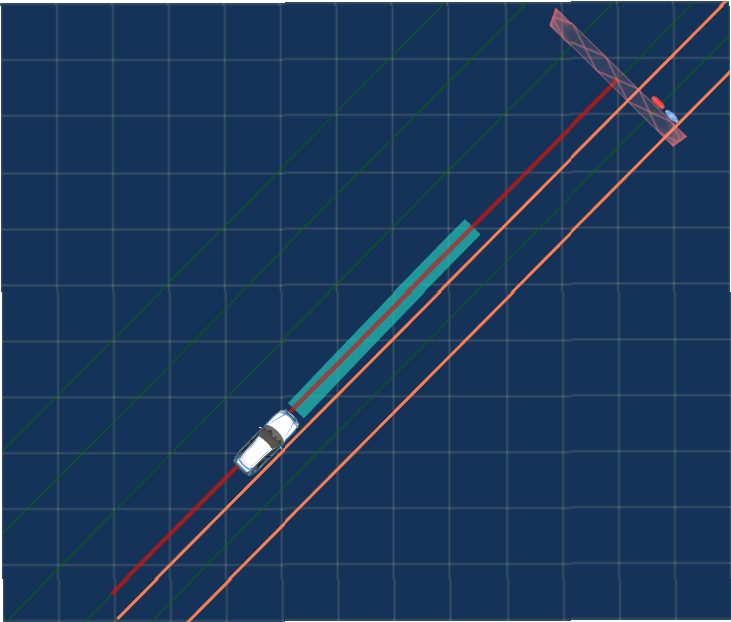
2.If there is no other lane where the vehicle pulls over, the vehicle seems doing in-lane pull over which is not different with normal stop to destination.
3.When I set the destination on same lane (lane_32), the virtual obstacle (with P symbol) appeared with the lateral offset . But the vehicle just stop in-lane pull over after returning OPERATION_LENGTH_NOT_ENOUGH in IsValidStop() function.
cyberphysicalrobotics
on 27 Oct 2018
After testing a lot of cases, I made conclusions like the followings:
(If you have some feedback on this, let me know that.)
1.Even if there is virtual obstacle wall is on the other lane, pull over doesn't activate the lane change.
This is because routing destination on same lane doesn't make reference line on the other lane.
Only if there is destination on the other lane, there are more than one reference line.
In my test, I was setting -3.8 as buffer_buffer_to_boundary.
2.Pull over task is not different with normal stop at the destination.
Pull over implementation seems not done.
Figure 1: Virtual obstacle wall has lateral offset on the reference line on original lane.
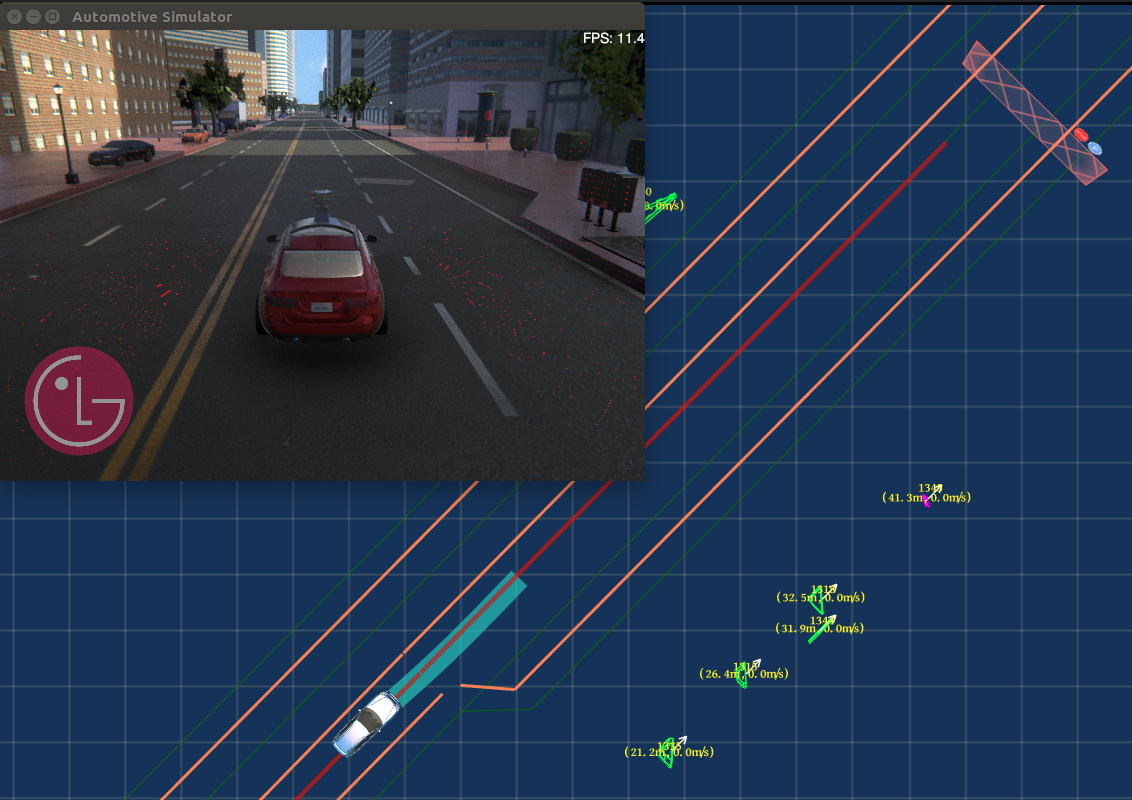
Figure 2: As the ADC moves forward, the virtual obstacle wall changes onto the original lane, which makes no difference with normal stop at the destination.
cyberphysicalrobotics
on 30 Oct 2018
check if the lanes have a correct neighbor. If they are not neighbor, the car could not make a lane change.
lesun90
on 30 Oct 2018
I set the lane_23 as SIDEWALK to make lane_22 right-most-lane and -3.8 as buffer_buffer_to_boundary to make the virtual obstacle wall on the other lane, 2nd lane.
Lane change:
When the destination is on the other lane, there are two lanes where lane change is working (Figure4). When the destination is on the same lane, only one lane has route unlike Figure 4. Even if there is virtual obstacle wall is on the 1st lane, there is only one red line.
Pull over:
When planning modules starts, the virtual obstacle wall is on the 1st lane. As the ADC is moving, the virtual obstacle wall moves to the 2nd lane. It seems that the ADC is not pulling over to the 2nd lane.
Conclusion:
Pull over is not activating lane change and stops at the same lane started from the starting lane as the way like normal stop behavior. (I want to check this fact!)
Figure1. When I set destination at 1st lane, virtual obstacle wall is on the 2nd lane but lane change doesn't happen.
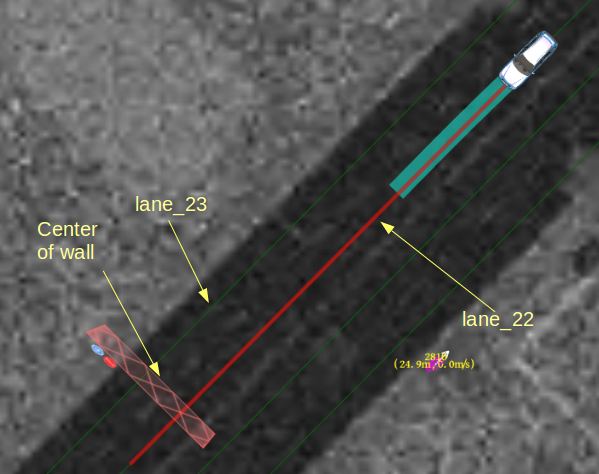
lane[lane_23] length[255.464990] type[SIDEWALK] turn[NO_TURN] speed_limit[20.000000] predecessor[lane_301, lane_306] successor[lane_228, lane_237] left_forward[lane_22] right_forward[] left_reverse[] right_reverse[], Left Boundary: [ virtual?:true, Type: [s: 0.000000->DOTTED_WHITE, ]; Right Boundary: [ virtual?:true, Type: s: 0.000000->DOTTED_WHITE, ] overlap[]; start point(x,y,heading):553030.875198,4182656.029800,-2.351326 end point(x,y,heading):552851.115683,4182474.511543,-2.351326 left_width:1.750000 right_width:1.750000
lane[lane_22] length[255.464985] type[CITY_DRIVING] turn[NO_TURN] speed_limit[20.000000] predecessor[lane_300] successor[lane_227, lane_238, lane_239] left_forward[] right_forward[lane_23] left_reverse[lane_21] right_reverse[], Left Boundary: [ virtual?:true, Type: [s: 0.000000->DOTTED_WHITE, ]; Right Boundary: [ virtual?:true, Type: s: 0.000000->DOTTED_WHITE, ] overlap[]; start point(x,y,heading):553033.661514,4182653.272507,-2.351326 end point(x,y,heading):552853.902006,4182471.754249,-2.351326 left_width:1.750000 right_width:1.750000
Figure2.Virtual obstacle wall is on the 1st lane. (I set the destination at the 1st lane.)
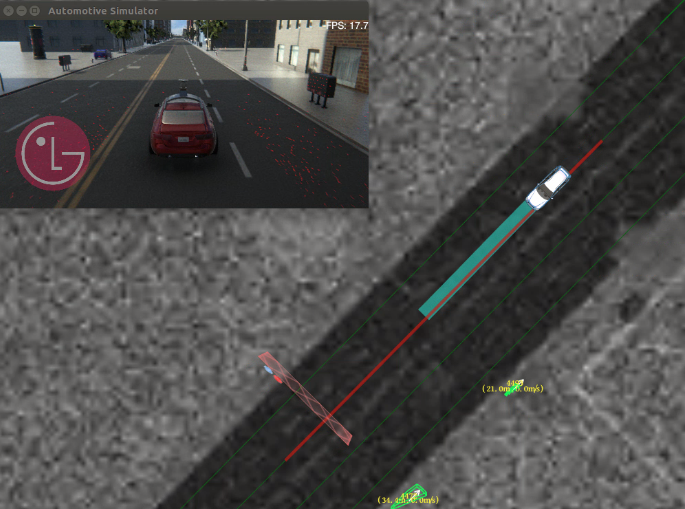
Figure3.Virtual obstacle wall moves from 1st lane to 2nd lane. (I set the destination at the 1st lane.)
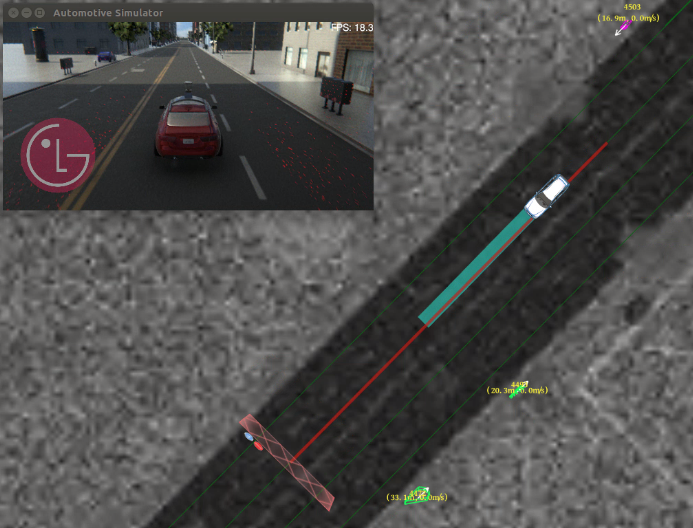
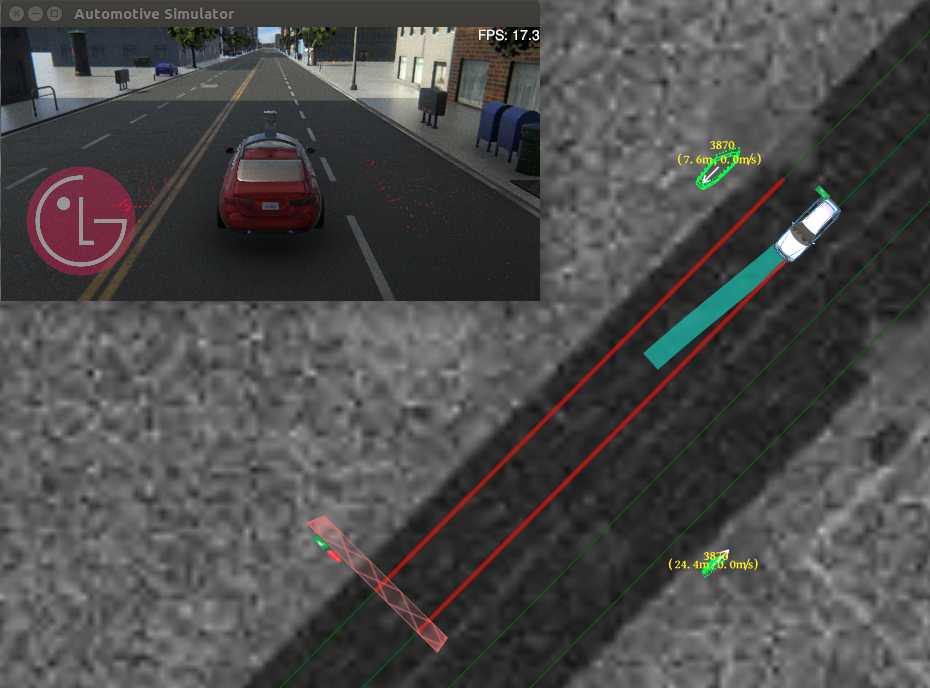
Figure4. When I set destination on the 2nd lane, lane change is working.
cyberphysicalrobotics
on 31 Oct 2018
Ah, i think i know why, you are using the em planner, right? Standar apollo em planner could not make such a short lane change. You can tune the parameter of em planner to make that happen. Try to change the step_length_max and step_length_min to smaller value.
Remember to toggle planning module off and on to after change parameter.
Let me know the result.
lesun90
on 31 Oct 2018
I'm using em planner. I tuned the parameter path_l_cost to 65 so the lane change could work in short distance. I tested with smaller step_length_min like 10.0, 2.0, 0.2, 0.02 (default: 20.0) The result was same with the previous. (See Figure 1) That's why pull over is not activating lane change task. Lane change doesn't work unless you set the destination on the other lane. Let me know what you think about the result.
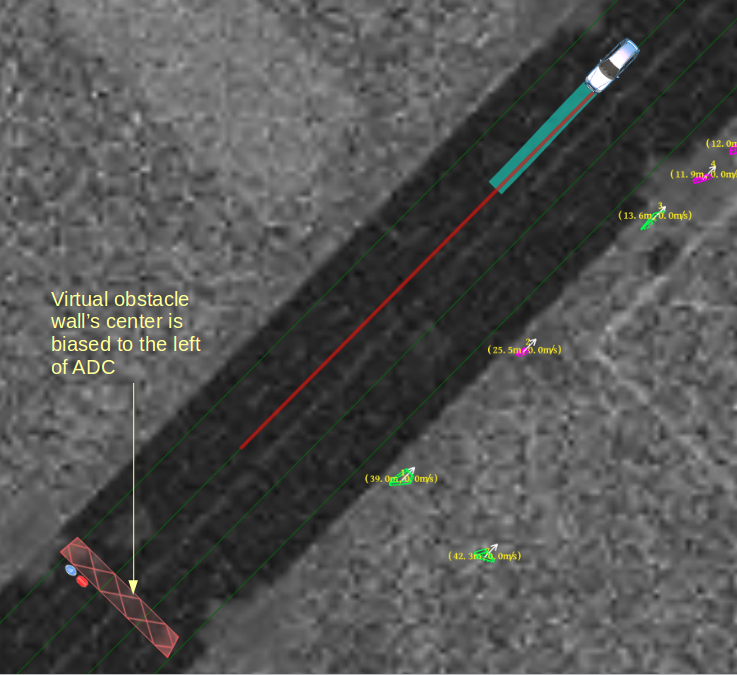
Also I have one question. See the Figure 3. Default value of buffer_to_boundary is 0.5 to make virtual obstacle wall is biased to the left of the ADC, which is not intuitive. Because pulling over the car should be to the curb of the road, which is right of the ADC.
Figure 1-1.I set buffer_to_boundary to -5.0 to make virtual obstacle wall on the 2nd lane.
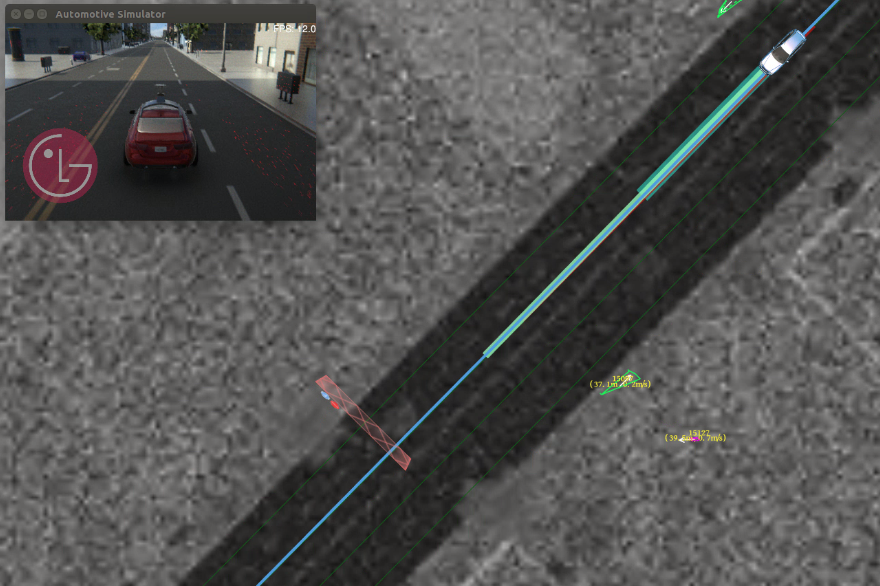
Figure 1-2.The ADC stops on the same lane after virtual obstacle wall moves to 1st lane.
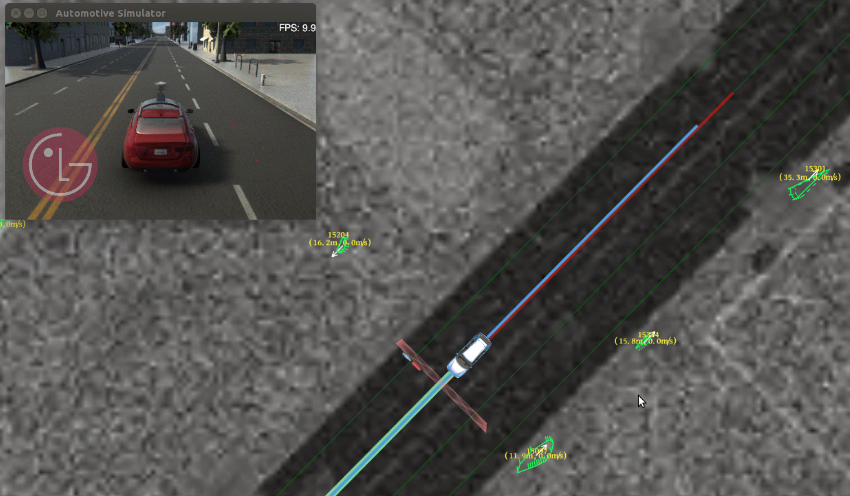
Figure 2. When I set the destination on 2nd lane, lane change works. There is blue reference line on 2nd lane.
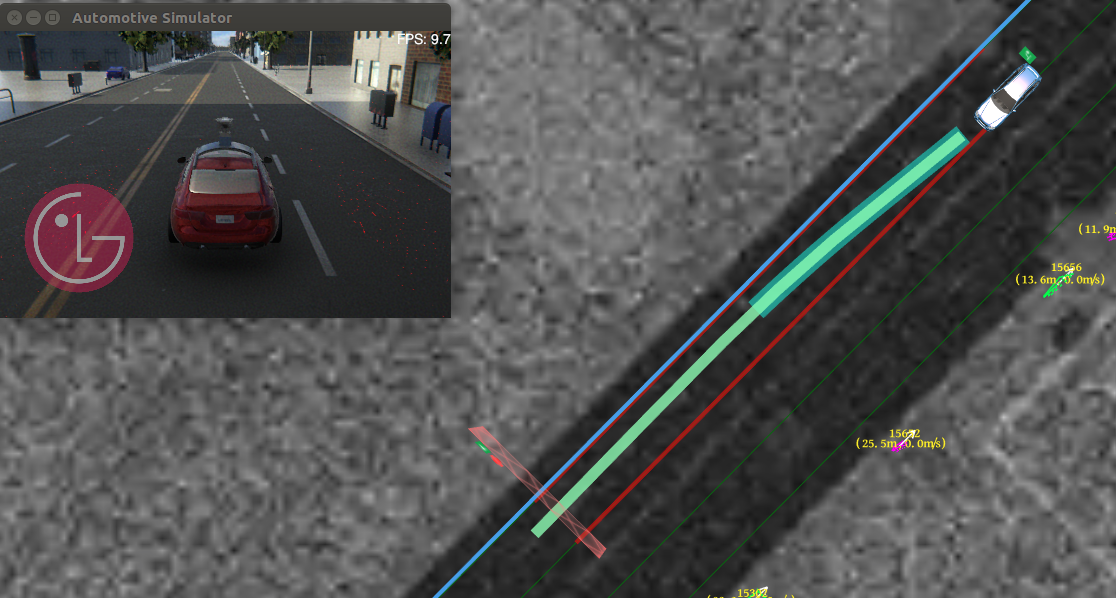
Figure 3.Virtual obstacle wall's center is biased to the right of the ADC.
cyberphysicalrobotics
on 31 Oct 2018
I tested with smaller step_length_min like 10.0, 2.0, 0.2, 0.02
also try to change the step_length_max, I use 4/8 and it works in most cases.
Lane change doesn't work unless you set the destination on the other lane
yes, I think you are correct.
Also I have one question. See the Figure 3. Default value of buffer_to_boundary is 0.5 to make virtual obstacle wall is biased to the left of the ADC, which is not intuitive. Because pulling over the car should be to the curb of the road, which is right of the ADC.
I think right now apollo does not really care about exact stop location, in S-L coordinate, it only cares if the car can reach the stop point in S direction, but not in L direction.
Anyone from apollo please correct me if I am wrong here.
lesun90
on 2 Nov 2018
Related issues
 zmsunnyday
·
3Comments
zmsunnyday
·
3Comments
 lyletbjohnson
·
3Comments
lyletbjohnson
·
3Comments
 lql7595
·
3Comments
lql7595
·
3Comments
 poutyface
·
3Comments
poutyface
·
3Comments
 Wsine
·
3Comments
Wsine
·
3Comments
Most helpful comment
This simulation is using Unity. You can see the video and check the repository of project.
Project video: https://youtu.be/4gstgiW04Xw
Github repository: https://github.com/lgsvl/simulator