Apollo: Low cost perception in standard mode
Hi all!
I am trying to test the perception module with only a camera. I am using the r3.0.0 branch. The YOLO detector detects the car very well. However, I found that car position are published in car coordinates system (not map coordinates system). I have disable flag use_navigation_mode, however it does not work properly anyway.
Here is an example.
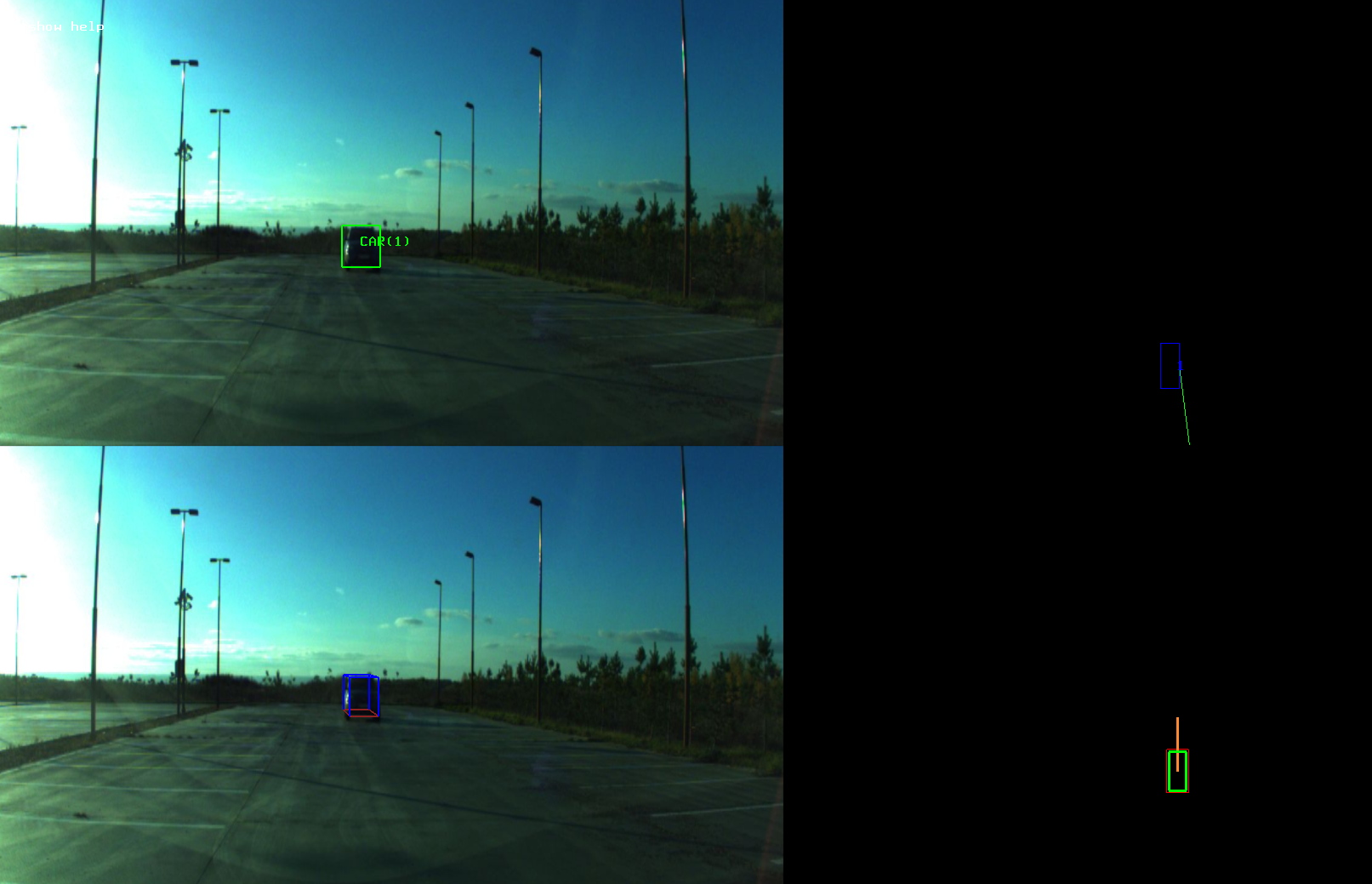
The detected car is front me about 30 meters. I supposed that if I use the standard mode the perception module have to convert an obstacle position from ego car frame to map frame. However, I see in '/apollo/perception/obstacles/' topic the following:
perception_obstacle {
  id: 1
  position {
    x: 35.8058547974
    y: 0.589089155197
    z: 0.0
  }
  theta: 0.143582284451
It looks like ego car frame coordinates.
In addition, in the dreamviewer the position of obstacle is invalid:
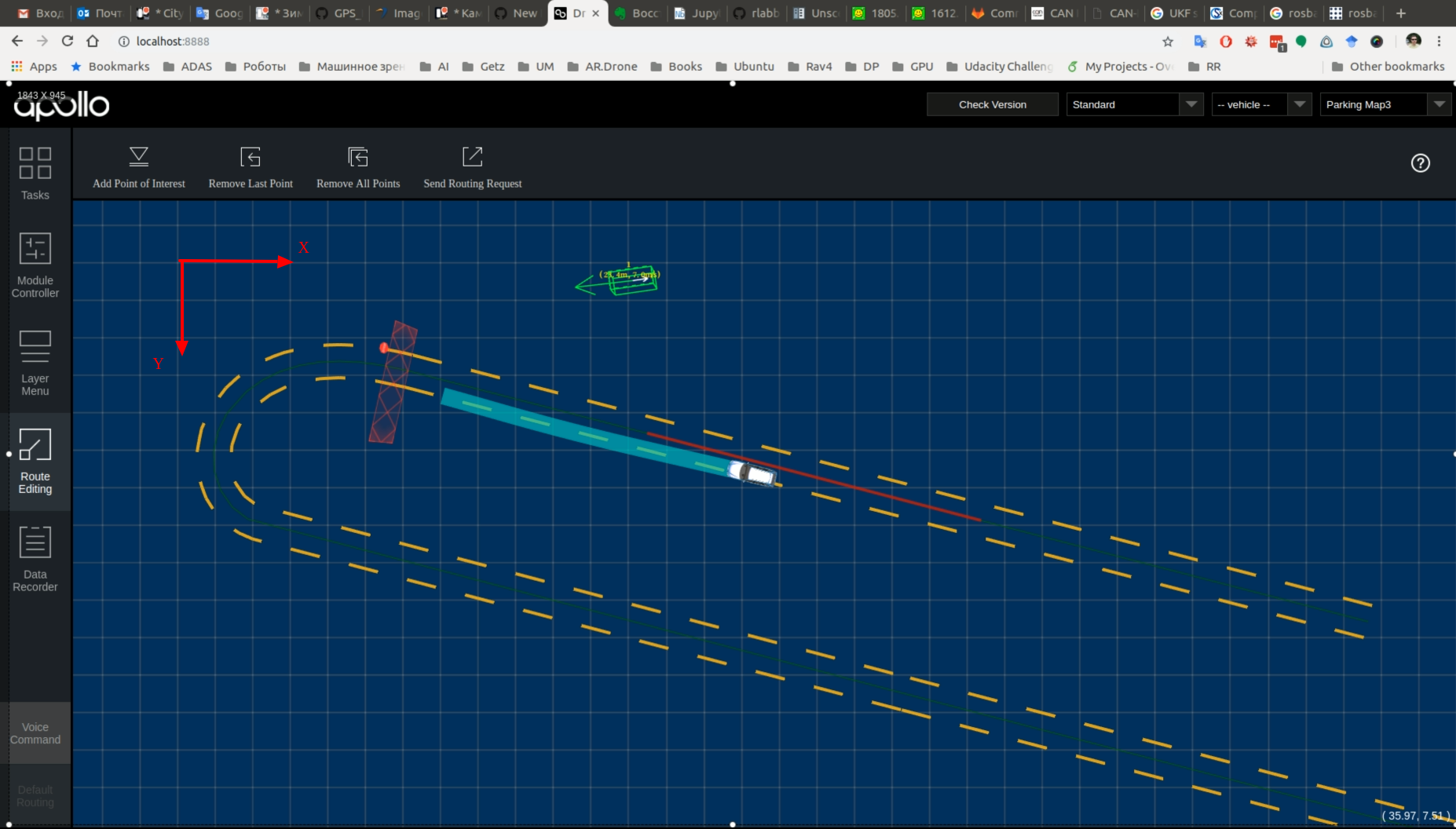
Is it possible to use a low cost perception module in standard mode?
 alexbuyval
All 9 comments
Hi @alexbuyval , I have a question.
I'm trying to do something similar to you the lowcost perception.
Is the above picture using the Offline Perception Visualizer ?
If so, which dag streaming config file did you use? (e.g. dag_camera_obstacle_vis.config, ...)
Because I'm having problems with several dag streaming config files.
Thanks !
 CCodie
on 10 Oct 2018
CCodie
on 10 Oct 2018
Hi @CCodie
Is the above picture using the Offline Perception Visualizer ?
Yes, it is.
If so, which dag streaming config file did you use?
Yes, I use the dag_camera_obstacle_vis.config
Best regards
Alex
alexbuyval
on 10 Oct 2018
Hi!
It seems I found a solution.
I found the following commit in master branch. There is a transformation from camera coordinates to world frame for standard mode.
So I merged the perception module from my branch with master branch. Now the position of detected car is right.
Here is an example
alexbuyval
on 11 Oct 2018
@alexbuyval hey, can you tell me how do you get this result? Which modules do I need to enable, which script do I need to use and where to find the output picture?
 xinwf
on 19 Oct 2018
xinwf
on 19 Oct 2018
Hi @xinwf
You need to run:
./scripts/bootstrap.sh
./scripts/perception_lowcost_vis.sh
Last script run the perception module with the visualization window.
Also check that '/modules/perception/conf/perception_lowcost_vis.conf' file has the following settings:
--dag_config_path=modules/perception/conf/dag_camera_obstacle_vis.config
--use_navigation_mode=false
And, of course, you need corresponded data in camera topic and chassis topic.
alexbuyval
on 19 Oct 2018
@alexbuyval hello,I have learn apollo these days,could tell me how to add a new modules in apollo ?If you are convenient ,can you give me some examples?
 jinjinhong
on 7 Jan 2019
jinjinhong
on 7 Jan 2019
Hi @jinjinhong
It is not difficult. You can copy exist module, for instance, 'routing' and then rename folder, rename files like routing.cc, routing.h and so on. Then change name into BUILD file. Then change class name into your files and replace the code on your.
I have example new module, however for r.3.0.0 version. As I understand, old modules are not suitable for master branch
alexbuyval
on 8 Jan 2019
ok, thank you.
发自网易邮箱大师
On 01/8/2019 16:38,Alexandr Buyvalnotifications@github.com wrote:
Hi @jinjinhong
It is not difficult. You can copy exist module, for instance, 'routing' and then rename folder, rename files like routing.cc, routing.h and so on. Then change name into BUILD file. Then change class name into your files and replace the code on your.
I have example new module, however for r.3.0.0 version. As I understand, old modules are not suitable for master branch
—
You are receiving this because you were mentioned.
Reply to this email directly, view it on GitHub, or mute the thread.
jinjinhong
on 9 Jan 2019
Hi @alexbuyval,
we are trying to use the low cost perception in standard mode in our car.
The yolo camera detector works well, but when I tried to transform the coordinates from camera coordinates to world frame for standard mode, if failed.
Can you tell me how do you get the transform matrix from camera to world?
 louis016
on 20 Feb 2019
louis016
on 20 Feb 2019
Related issues
 zmsunnyday
·
3Comments
zmsunnyday
·
3Comments
 c-xyli
·
3Comments
xinwf
·
3Comments
c-xyli
·
3Comments
xinwf
·
3Comments
 poutyface
·
3Comments
poutyface
·
3Comments
 jamchen1025
·
3Comments
jamchen1025
·
3Comments