Apollo: Potentialy bug ¨How to Run the Fusion Obstacle Visualization Tool¨
Hi,
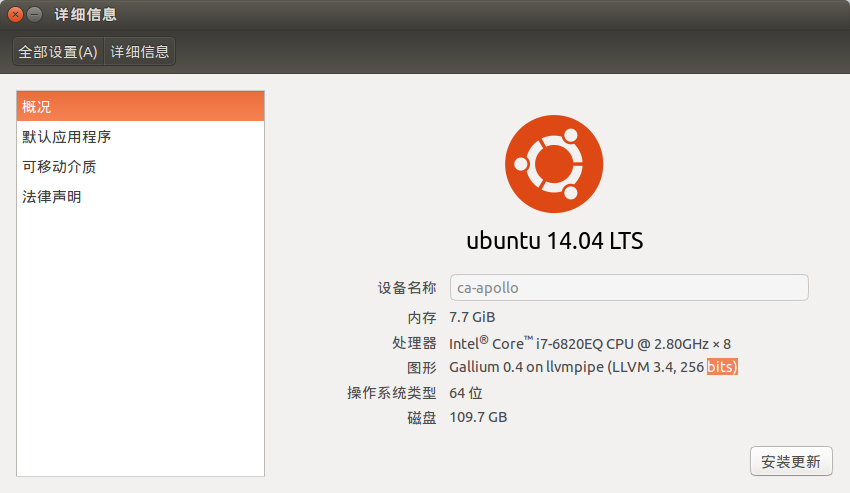
I was putting effort to run the perception visualizer in my computer, here is my computer configuration:
I followed the instructions from :https://github.com/ApolloAuto/apollo/blob/master/docs/howto/how_to_run_offline_sequential_obstacle_perception_visualizer.md
In the end, it failed with some errors regarding graphic card as shown below:
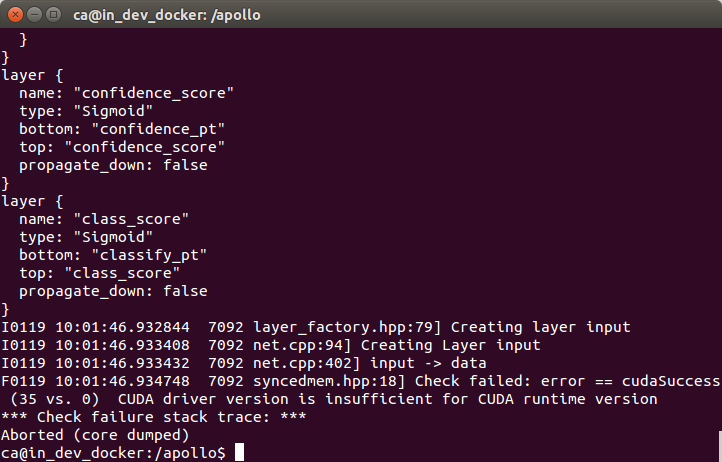
Can somebody tell me how to solve this?
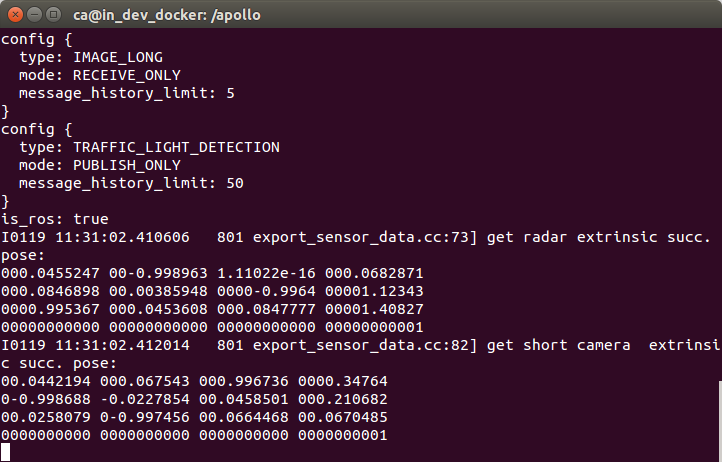
And, from the step " Run the data exporter using this command:¨
I input the scripts, but it never stop? Is there someone facing the same issue as [me?]
 JonathanJones92
All 21 comments
configuration:
JonathanJones92
on 19 Jan 2018
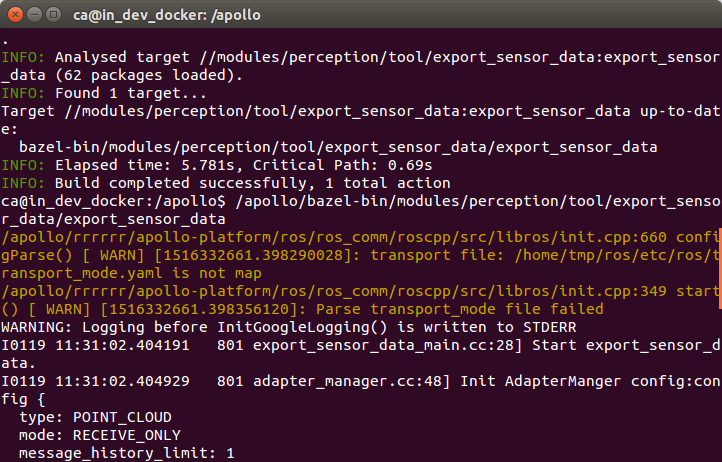
the script that never stop is:
Run the data exporter using this command:
/apollo/bazel-bin/modules/perception/tool/export_sensor_data/export_sensor_data
I put manually interrupt
JonathanJones92
on 19 Jan 2018
can someone help me? @startcode @lianglia-apollo @apollo-jingaowang
JonathanJones92
on 19 Jan 2018
Hi @JonathanJones92
Your first problem seems to be a cuda driver problem. But if you follow the readme, you should be able to build a cpu-only version by clean the previous build
bash apollo.sh clean,
and run command
bazel build //modules/perception/tool/export_sensor_data:export_sensor_data
To build again.
 startcode
on 19 Jan 2018
startcode
on 19 Jan 2018
@startcode thanks let me have a shot :)
JonathanJones92
on 19 Jan 2018
@startcode Hi,
I clean the previous build but I still have one question regarding following steps:
Run the data exporter using this command:
/apollo/bazel-bin/modules/perception/tool/export_sensor_data/export_sensor_data
Play the ROS bag.
The default directory of the ROS bag is /apollo/data/bag. In the following example, the file name of ROS bag is example.bag.
Use these commands:
cd /apollo/data/bag
rosbag play --clock example.bag --rate=0.1
when I run the data exporter, shall I open the rosbag parallely ?
Is there any other config should I make?
JonathanJones92
on 19 Jan 2018
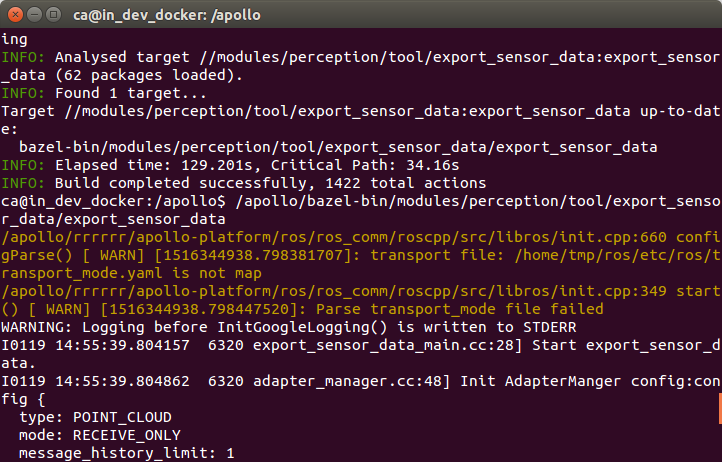
Apollo reported 2 warnings in step ´Run the data exporter´, can you have a look?
@startcode
JonathanJones92
on 19 Jan 2018
@JonathanJones92 when you run the exporter, you should see something like:
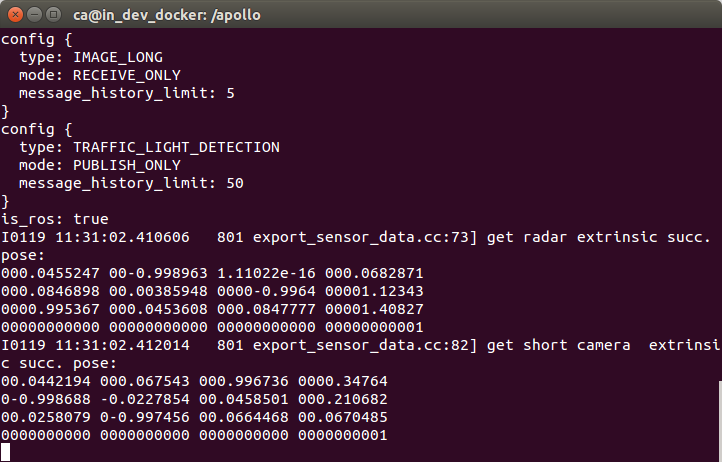
as you paste above, which indicates waiting for the ros message.
Following the README, next you should play the rosbag.
 xiaohuitu
on 19 Jan 2018
xiaohuitu
on 19 Jan 2018
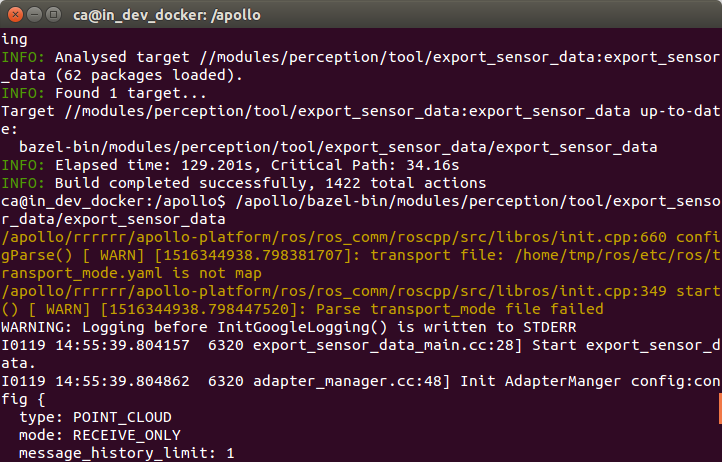
@xiaohuitu shall I ignore the warnings? from this step? for the rosbag, shall I open a new terminal and get into docker?
thanks for your help.
JonathanJones92
on 19 Jan 2018
yes, you could ignore the warning, and open another terminal and get into docker, then play the rosbag following the README. @JonathanJones92
xiaohuitu
on 19 Jan 2018
@startcode @xiaohuitu Hi,
Thanks for your timely reply :)
when I trying to get into the docker dev_enviroment using another terminal, the original one got closed automaticlly. can you offer some advise on that?
Thanks again
JonathanJones92
on 19 Jan 2018
I guess you start another docker container in the other terminal, so the original one closed. You just need to get into it when you have started in one terminal, which means you should get into it directly when you open another terminal, but not start then get into it. @JonathanJones92
xiaohuitu
on 19 Jan 2018
@xiaohuitu Yes,
Itś getting work now but another issue came across:
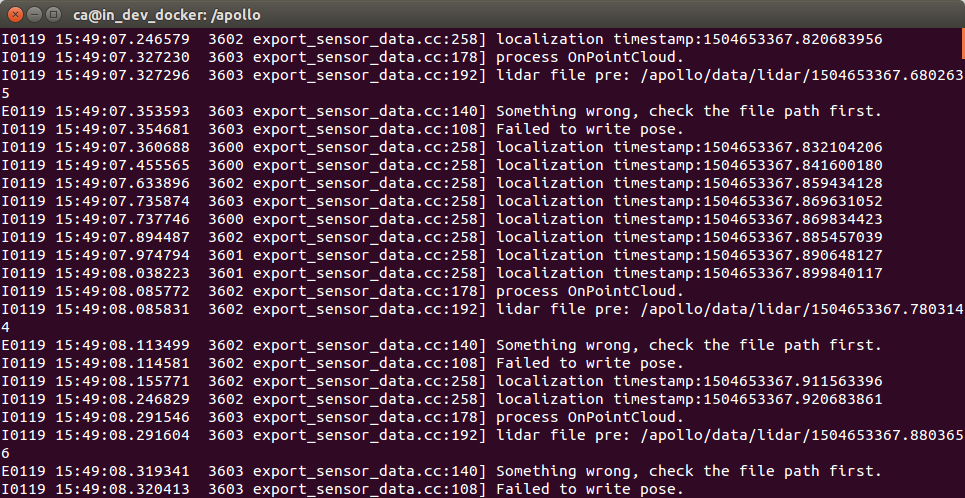
can you help me to check ?
Thank you for your help :)
JonathanJones92
on 19 Jan 2018
@startcode @xiaohuitu There are more errors coming in this step as below:
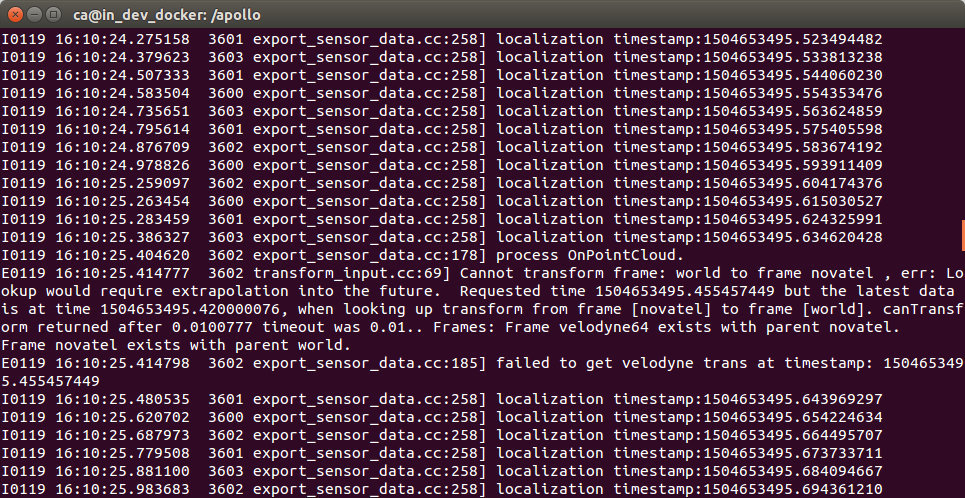
Any ideas my friend :)
JonathanJones92
on 19 Jan 2018
@JonathanJones92 Did you create the data path? You should create the data paths for lidar and radar, i.e. lidar_path and radar_path in the configuration file.
xiaohuitu
on 19 Jan 2018
@xiaohuitu it seems working fantastic :) thank you
JonathanJones92
on 19 Jan 2018
@startcode @xiaohuitu I created the radar and lidar folder. The lidar data was successfully dumped but nothing exist in radar folder.
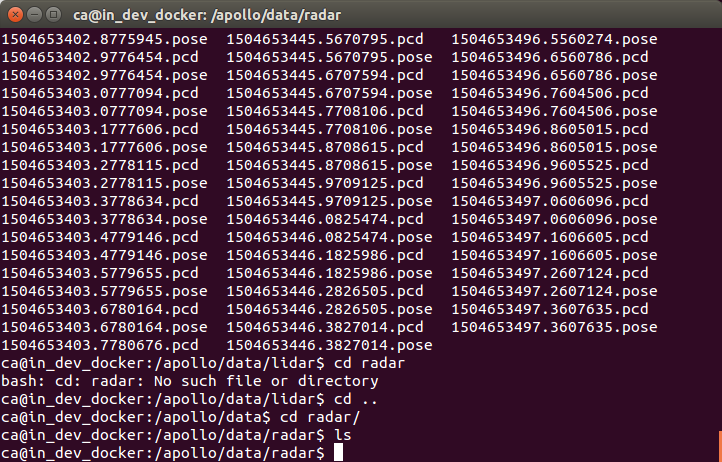
Can you help me to analyse?
With the Lidar data, I jumped to the final step, the same error occurs:
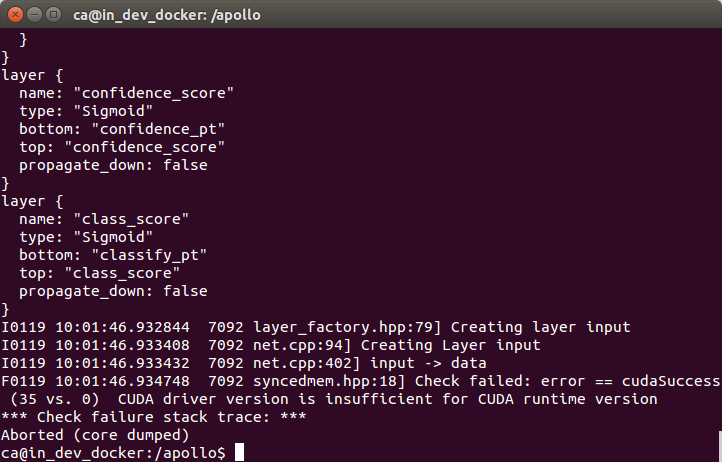
I build without GPU but why it come across? Iḿ really confused, please help me.
cheers !
JonathanJones92
on 19 Jan 2018
@xiaohuitu @xiaohuitu @bigwhite @zhxt @startcode Hi
I just want to be humble to all the apollo developers but is there any detailed instructions on how to run the perception visualizer without a GPU/GPU driver? Please help me.
Cheers!
JonathanJones92
on 20 Jan 2018
With only the lidar data, I progress to the next step in the fusion mode from here
I build
bazel build -c opt //modules/perception/tool/offline_visualizer_tool:offline_sequential_obstacle_perception_test
and run with
/apollo/bazel-bin/modules/perception/tool/offline_visualizer_tool/offline_sequential_obstacle_perception_test
The results were :
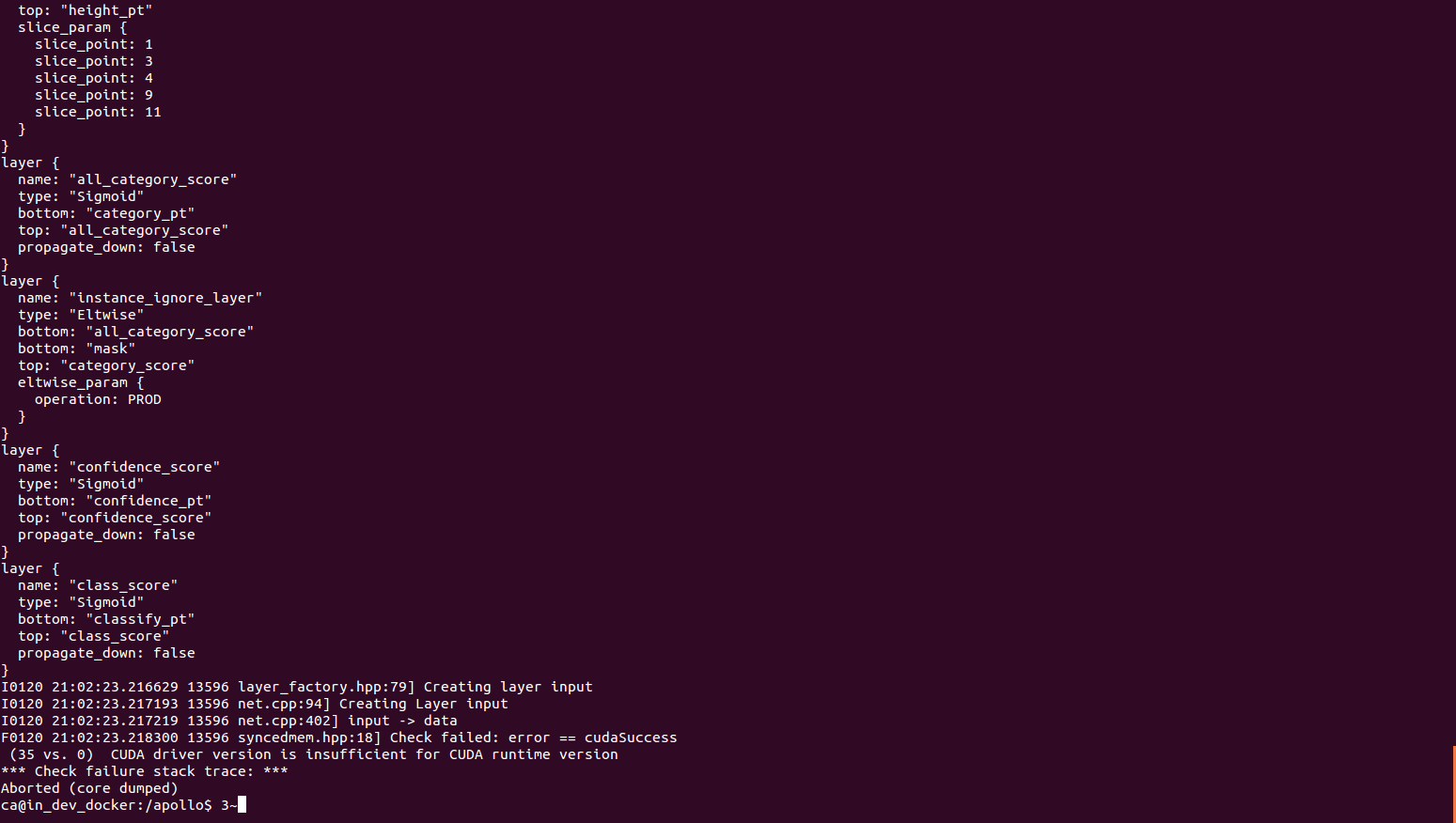
Still driver issue or maybe lacking the radar data.
Can you help me to check ?
@startcode @xiaohuitu @bigwhite @weidezhang @zhxt
# Otherwise I think this is a bug
Regards,
Jonathan
JonathanJones92
on 20 Jan 2018
I'm facing the same issue. There is no GPU installed on my setup, and I have tried to build with CPU_ONLY and still failed at checking CUDA version.
I0402 13:21:08.735582 22570 layer_factory.hpp:79] Creating layer input
I0402 13:21:08.736299 22570 net.cpp:94] Creating Layer input
I0402 13:21:08.736336 22570 net.cpp:402] input -> data
F0402 13:21:08.736694 22570 syncedmem.hpp:18] Check failed: error == cudaSuccess (35 vs. 0) CUDA driver version is insufficient for CUDA runtime version
* Check failure stack trace: *
Aborted (core dumped)
 gmhuili
on 2 Apr 2018
gmhuili
on 2 Apr 2018
Please use the same Nvidia driver for your linux and docker.
 techoe
on 17 May 2018
techoe
on 17 May 2018
Related issues
 CCodie
·
3Comments
CCodie
·
3Comments
 chasingw
·
3Comments
chasingw
·
3Comments
 freeclouds
·
3Comments
freeclouds
·
3Comments
 zmsunnyday
·
3Comments
zmsunnyday
·
3Comments
 JSnobody
·
3Comments
JSnobody
·
3Comments