Apollo-server: Apollo Server 2.0 Getting Started Guide Error
I'm following the getting started guide here: https://www.apollographql.com/docs/apollo-server/v2/getting-started.html
Once I start the server and go to localhost:4000 in Chrome, it says "GET query missing.".
I even tried cloning the example project and received the same message: https://github.com/apollographql/graphql-server-example
Am I missing something? There doesn't seem to be anything in the guide that I missed.
OSX 10.13.4
Node: v8.9.4
NPM: 5.6.0
 zachrnolan
All 7 comments
Zachs-MacBook-Pro:Projects zachnolan$ git clone https://github.com/apollographql/graphql-server-example
Cloning into 'graphql-server-example'...
remote: Counting objects: 10, done.
remote: Compressing objects: 100% (8/8), done.
remote: Total 10 (delta 2), reused 10 (delta 2), pack-reused 0
Unpacking objects: 100% (10/10), done.
Checking connectivity... done.
Zachs-MacBook-Pro:Projects zachnolan$ cd graphql-server-example/
Zachs-MacBook-Pro:graphql-server-example zachnolan$ ls
README.md        index.js        package-lock.json    package.json
Zachs-MacBook-Pro:graphql-server-example zachnolan$ nvm current
v8.9.4
Zachs-MacBook-Pro:graphql-server-example zachnolan$ npm -v
5.6.0
Zachs-MacBook-Pro:graphql-server-example zachnolan$ npm install

> [email protected] postinstall /Users/zachnolan/Projects/graphql-server-example/node_modules/protobufjs
> node scripts/postinstall

npm WARN [email protected] No repository field.

added 185 packages in 5.489s
Zachs-MacBook-Pro:graphql-server-example zachnolan$ node .
🚀  Server ready at http://localhost:4000/
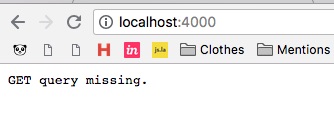
Here's the part of the source code where this error is being thrown:
if (!request.query || Object.keys(request.query).length === 0) {
    throw new HttpQueryError(400, 'GET query missing.');
}
Any help is greatly appreciated.
zachrnolan
on 31 May 2018
Ugh, I had NODE_ENV set to test in my .bash_profile. Commenting that out fixed this issue. Nothing to see here.
zachrnolan
on 1 Jun 2018
Hey!
Yes I confirm, I'm completely new to apollo and did not realize that I was testing my production build, so my node env was set to prod. Running my dev build did the trick!
 glemiere
on 31 Jul 2018
glemiere
on 31 Jul 2018
To enable the playground in production, see https://www.apollographql.com/docs/apollo-server/features/graphql-playground.html#Enabling-GraphQL-Playground-in-production
 dandv
on 2 Feb 2019
dandv
on 2 Feb 2019
while developing the mobile app is there any way to solve this without exposing the graphql on production
 yashinshekh
on 12 Jul 2019
yashinshekh
on 12 Jul 2019
URL posted by @dandv shows 404 Page Not Found
This is the new one 👇
https://www.apollographql.com/docs/apollo-server/testing/graphql-playground/#enabling-graphql-playground-in-production
 techeverri
on 17 Sep 2019
techeverri
on 17 Sep 2019
In my case I need to clean browser cache for localhost:3000
 gyerts
on 21 Nov 2020
gyerts
on 21 Nov 2020
Related issues
 manuelfink
·
3Comments
manuelfink
·
3Comments
 dbrrt
·
3Comments
dbrrt
·
3Comments
 stevezau
·
3Comments
stevezau
·
3Comments
 attdona
·
3Comments
attdona
·
3Comments
 nevyn-lookback
·
3Comments
nevyn-lookback
·
3Comments
Most helpful comment
To enable the playground in production, see https://www.apollographql.com/docs/apollo-server/features/graphql-playground.html#Enabling-GraphQL-Playground-in-production