Apollo-module: Problem with Auth
All 47 comments
This issue as been imported as question since it does not respect apollo-module issue template. Only bug reports and feature requests stays open to reduce maintainers workload.
If your issue is not a question, please mention the repo admin or moderator to change its type and it will be re-opened automatically.
Your question is available at https://cmty.app/nuxt/apollo-module/issues/c98.
![cmty[bot] picture](https://avatars.githubusercontent.com/in/6210?v=4&s=40) cmty[bot]
on 14 Jun 2018
cmty[bot]
on 14 Jun 2018
I think I am struggling at the same problem. I need to add an API key as an authorization header and can't figure out how to do that.
 mmintel
on 16 Jun 2018
mmintel
on 16 Jun 2018
To set an authorization token you should call the onLogin() helper as shown here: https://github.com/nuxt-community/apollo-module#user-login
Does that solve your issue?
 dohomi
on 17 Jun 2018
dohomi
on 17 Jun 2018
I am not sure about that. Ofc i have seen this in the readme but i am not sure where to put this code. I dont have a dynamic user login, I just need to set the authorization header for an api key that will never change, because i am just fetching data from a headless cms. So for my understanding the best place for that should be the config?
mmintel
on 17 Jun 2018
@mmintel yes just call the function somewhere on app start. not sure how your structure looks like though..
dohomi
on 17 Jun 2018
Hi @dohomi can you write an example to call it under component or asyncdata or fetch? I don’t understand like @mmintel
 mcpll
on 17 Jun 2018
mcpll
on 17 Jun 2018
Check out the full example code here:
https://github.com/nuxt-community/apollo-module/tree/master/test/fixture
dohomi
on 17 Jun 2018
@dohomi
Sorry but i follow the example and i write this code:
async asyncData(context) {
let client = context.app.apolloProvider.defaultClient
await context.app.$apolloHelpers.onLogin('ded5ebeaeab439f1fc2e3bbc9ff467')
let { data } = await client.query({
query: ALLPAGINAS
})
return {
allPaginas: data.allPaginas
}
}
but the call have the authorization header always set to "".
Do you have any suggest?
mcpll
on 18 Jun 2018
@mcpll its very hard to read, please write wrap your code examples with 3 "```" that would be helpful.
Why are you not setting the login directly in your application code like:
// App.vue
export default {
async created(){
await this.$apolloHelpers.onLogin('your_key')
}
}
If you use Vuex you can also use the onServerInit function. Just from what I read is that you create client => setToken => queryClient. It should be: setToken => client => queryClient
dohomi
on 18 Jun 2018
Sorry @dohomi
i create this nuxtServerInit
```export const actions = {
async nuxtServerInit(store, context) {
// console.log('context', context)
let data = await context.app.$apolloHelpers.onLogin('ded5ebeaeab439f1fc2e3bbc9ff467')
}
}
the in pages in my async asyncdata i write this:
async asyncData(context) {
let client = context.app.apolloProvider.defaultClient
let { data } = await client.query({
query: ALLPAGINAS
})
return {
allPaginas: data.allPaginas
}
}
```
this is the result:
Error: Network error: Response not successful: Received status code 401
i don't think why? where is my fault?
thnx
mcpll
on 18 Jun 2018
Can you check inside the network panel if you have Authorization Header if you trigger the query?
dohomi
on 18 Jun 2018
Beside that make sure (in case Authorization Header is set) that you also set the correct authorization type: https://github.com/nuxt-community/apollo-module#authenticationtype-string-optional-default-bearer
dohomi
on 18 Jun 2018
yes, my auth is Bearer so i think is the default, @dohomi
mcpll
on 18 Jun 2018
@dohomi this is my pages/index.vue
<script>
import home from '../container/home.vue'
import { ALLPAGINAS } from '../apollo/queries/queries'
export default {
computed: {
component () {
return home
}
},
async asyncData(context) {
let client = context.app.apolloProvider.defaultClient
let { data } = await client.query({
query: ALLPAGINAS
})
return {
allPaginas: data.allPaginas
}
}
}
</script>
this is my store index
export const actions = {
async nuxtServerInit(store, context) {
await context.app.$apolloHelpers.onLogin('ded5ebeaeab439f1fc2e3bbc9ff467')
}
}
and this is my nuxt config_
modules: ['@nuxtjs/apollo'],
apollo: {
tokenName: 'ded5ebeaeab439f1fc2e3bbc9ff467', // optional, default: apollo-token
includeNodeModules: false, // optional, default: false (this includes graphql-tag for node_modules folder)
// required
clientConfigs: {
default: {
//getAuth: function prova() {},
// required
httpEndpoint: "https://graphql.datocms.com",
// You can use `wss` for secure connection (recommended in production)
// Use `null` to disable subscriptions
// wsEndpoint: "https://graphql.datocms.com", // optional
// LocalStorage token
tokenName: 'ded5ebeaeab439f1fc2e3bbc9ff467', // optional
// Enable Automatic Query persisting with Apollo Engine
persisting: false, // Optional
// Use websockets for everything (no HTTP)
// You need to pass a `wsEndpoint` for this to work
websocketsOnly: false, // Optional
}
}
},
if i don't change the graphql-client/dist/index file like this:
authLink = setContext(function (_, _ref2) {
var headers = _ref2.headers;
return {
headers: _objectSpread({}, headers, {
authorization: tokenName
})
};
}); // Concat all the http link parts
i received a strange error on localhost, where header not have the authentication set
mcpll
on 18 Jun 2018
if i use component call like this:
<script>
import home from '../container/home.vue'
import { ALLPAGINAS } from '../apollo/queries/queries'
export default {
computed: {
component () {
return home
}
},
apollo: {
allPaginas: {
query: ALLPAGINAS
}
}
/*async asyncData(context) {
let client = context.app.apolloProvider.defaultClient
let { data } = await client.query({
query: ALLPAGINAS
})
return {
allPaginas: data.allPaginas
}
}*/
}
</script>

mcpll
on 18 Jun 2018
@mcpll tokenName is not your token: its a name how you would call the cookie to hold your token - thats all about it.
If you want to always enable the same token you could do this (https://github.com/nuxt-community/apollo-module/blob/master/lib/templates/plugin.js#L22):
apollo{
default:{
// enpoints...
getAuth:() => 'your_permanent_token'
}
}
hi @dohomi thx for you assistance.
unfortunately seems not work,
this is my nuxt config
modules: ['@nuxtjs/apollo'],
apollo: {
clientConfigs: {
default: {
httpEndpoint: "https://graphql.datocms.com",
getAuth: () => 'ded5ebeaeab439f1fc2e3bbc9ff467'
}
}
},
and the auth is always not set

mcpll
on 19 Jun 2018
Same issue with auth
Seems like jsCookie.set(AUTH_TOKEN, token) in apollo-module.js doesn't do anything for me.
(Google chrome, mac os)
 gong-it
on 19 Jun 2018
gong-it
on 19 Jun 2018
@mcpll can you please check the current beta.3 I just released? now the upper code should work
dohomi
on 19 Jun 2018
@RodionMun what is the exact problem you are facing? Here are two different approaches available: https://github.com/nuxt-community/apollo-module/tree/master/test
dohomi
on 19 Jun 2018
@dohomi in nuxtServerInit i do have:
let token = app.$apolloHelpers.getToken();
if(!token) {
token = await app.$axios.$get('https://api.some.site/api/jwt')
.then((response) => response.token).catch((error) => error.message); //returns valid jwt token
}
await app.$apolloHelpers.onLogin(token);
app.$apolloHelpers.getToken(); //returns undefined;
It seems like js-cookie does nothing for me. I confused how it should work in ssr environment by the way. There is no document in context
Also, i got error in the apollo-module.js in recent release of beta-3
const authFunction = //?? nothing is here causing error
const getAuth = typeof authFunction === 'function' ? authFunction() : () => {
Edit
Ok, got it, we could not use a login function in the vuex, because of ssr. Just don't found it in the FAQ
gong-it
on 19 Jun 2018
@dohomi
i updated at beta.3 version but now return that getauth is not a function
this is the nuxt.config
modules: ['@nuxtjs/apollo'],
apollo: {
clientConfigs: {
default: {
httpEndpoint: "https://graphql.datocms.com",
getAuth: () => 'ded5ebeaeab439f1fc2e3bbc9ff467'
}
}
},
@mcpll that is very strange, I wrote a test and it works with following api. Be aware: you have to set in your getAuth() function your authentication type as: 'Bearer your_token' - depends on your server or API:
https://github.com/nuxt-community/apollo-module/blob/master/test/fixture-static-auth/nuxt.config.js
dohomi
on 19 Jun 2018
Another approach (thus the above one should work..):
Write a router middleware with following context:
export default async function ({app}) {
await app.$apolloHelpers.onLogin('Bearer your_token')
}
would be interesting to know if that is working out for you
dohomi
on 19 Jun 2018
ok, when i have a free time, test and then responde to you @dohomi
mcpll
on 19 Jun 2018
If it helps: I am also getting Network error: getAuth is not a function using this config:
apollo: {
clientConfigs: {
default: {
httpEndpoint: 'https://graphql.datocms.com',
getAuth: () => '123124124123123'
},
}
},
next I tried adding middleware/apollo.js with the following content:
export default async function ({app}) {
await app.$apolloHelpers.onLogin('Bearer a64ba61531e5e541d02eb705f98d72')
}
that gives me the following error:
Syntax Error: Unexpected token (25:6)
23 | const tokenName = currentOptions.tokenName || AUTH_TOKEN_NAME
24 | const authFunction =
> 25 | const getAuth = typeof authFunction === 'function' ? authFunction() : () => {
| ^
Seems strange to me that line 24 is just const authFunction = without anything as the assignment.
mmintel
on 19 Jun 2018
@mcpll @mmintel can you guys try the beta.4 if that solves your problem. beta.3 definitely didn't evaluate correctly
dohomi
on 20 Jun 2018
@dohomi thanks that's working for me!
mmintel
on 20 Jun 2018
@dohomi perfect now work correctly, thx for your support
mcpll
on 20 Jun 2018
perfect I will close this issue now. Was definitely a missing feature and a bug, so I added now another test to make sure a provided authFunction will get passed through correctly
dohomi
on 20 Jun 2018
@dohomi Can you please provide me with example of setup and query
for apollo-upload-client
Problem: have not been able to upload image in NUXTJS
 razorabhu1995
on 16 Aug 2018
razorabhu1995
on 16 Aug 2018
@dohomi i am having this issue - i think i have setup everything up correctly but in my network request i get a 401 Unauthorized, and in the request headers i don't see an auth key/value.
versions
"@nuxtjs/apollo": "^4.0.0-rc3",
"nuxt": "^2.2.0",
"graphql-tag": "^2.10.0"
nuxt.config.js
/*
** Apollo
*/
apollo: {
clientConfigs: {
default: {
httpEndpoint: "https://graphql.datocms.com",
getAuth : () => "Bearer <secret>"
}
}
},
pages/index.vue
<script>
import gql from "graphql-tag";
export default {
layout: "default",
apollo: {
allGrids: gql`{ allGrids { id } }`
}
};
</script>
console error

no auth screenshot

 ghost
on 6 Nov 2018
ghost
on 6 Nov 2018
Take a look how it is done here:
https://github.com/nuxt-community/apollo-module/tree/master/test/fixture-static-auth
dohomi
on 7 Nov 2018
@mike-rotate have you solved the problem? I currently facing the same issue /:
 creazy231
on 22 Nov 2018
creazy231
on 22 Nov 2018
@creazy231 following the link @dohomi gave, i changed my nuxt.config.js to include this...
module.exports = {

  /*
   ** Apollo
   */
  apollo: {
    clientConfigs: {
      default: "~/plugins/apollo-config.js"
    }
  },
and added a file in the plugins folder called apollo-config.js with contents like this...
export default function () {
  return {
    httpEndpoint: "https://graphql.datocms.com",
    getAuth     : () => `Bearer <TOKEN HERE>`
  };
}
Awesome 👍🏻 You saved my day (:
I followed the link but it wasn't clear what I have to to. Thanks for the answer 🍪
creazy231
on 23 Nov 2018
@creazy231 yeah it took me a minute to figure it to! 👍
ghost
on 23 Nov 2018
I'm getting this error only absolute urls are supported in Nuxt with the above approach
 altryne
on 9 Dec 2018
altryne
on 9 Dec 2018
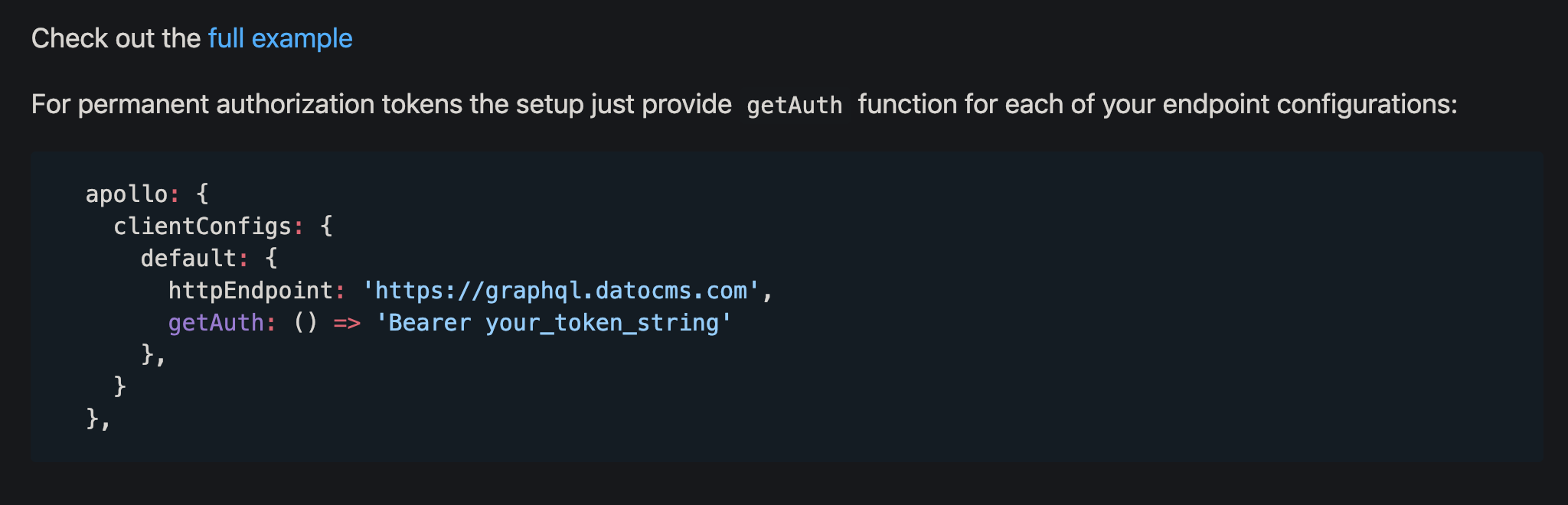
Please, add the above config auth example to the README.md, have spend an hour digging into this issue :(
 ksanderer
on 29 Jan 2019
ksanderer
on 29 Jan 2019
In my nuxt v2.8.1 project, if I put Bearer ${process.env.MY_API_KEY} in apollo.clientConfigs.default.getAuth of nuxt.config.js directly, it doesn't send auth header, but if I put it in plugin per @ghost comment, it does. At first I thought it was like a missing dotenv but I suspect something wrong here..?
// nuxt.config.js
const env = require('dotenv').config()
console.log('env', process.env.MY_API_KEY) // this prints the key
export default {
  //...
  apollo: {
    clientConfigs: {
      //default: "~/plugins/my-alternative-apollo-config.js" // this works
      default: {
        httpEndpoint: 'http://localhost:4000/graphql',
        getAuth: () => `Bearer ${process.env.MY_API_KEY}` // doesn't work
      },
    }
  },
 bob-lee
on 12 Aug 2019
bob-lee
on 12 Aug 2019
The only way i could get this to work was by having the Apollo config in a separate file as @ksanderer outlined above. The readme documentation should be changed to reflect this. Using getAuth: () => "Basic <token_here>" directly in nuxt.config.js doesn't work. This took me weeks to figure out and it was only the only place to find it.
 drewbaker
on 27 Nov 2019
drewbaker
on 27 Nov 2019
@bob-lee @drewbaker Thank you! It actually is documented, however, it is easy to overlook. Lost 1h on this until I found this thread.
That the behavior between nuxt.config.js and an external config differs, is not something someone would expect. Would be nice if this could be made more clear in the docs.
 andre-brdoch
on 24 Apr 2020
andre-brdoch
on 24 Apr 2020
Anyone was able to make this work? I'm doing exactly like the static auth example suggested by @dohomi, but I'm being blocked:

nuxt.config.js
{
  publicRuntimeConfig: {
    apiUrl: process.env.BACKEND_URL + "/api",
  },
  apollo: {
    // TODO: Remove this when prefetch is fixed, at the moment it's not working.
    // https://github.com/nuxt-community/apollo-module/issues/278
    // https://github.com/vuejs/vue-apollo/issues/585
    defaultOptions: {
      $prefetch: false,
    },
    clientConfigs: {
      default: "~/apollo.config.js",
    },
    includeNodeModules: true,
  },
}
apollo.config.js
export default function ({ $config }) {
  return {
    httpEndpoint: $config.apiUrl,
    /*
     * For permanent authentication provide `getAuth` function.
     * The string returned will be used in all requests as authorization header
     */
    getAuth: () => "Bearer BrdOqOCW1OzL1mqQEwhyp3yEAxW7fH6o",
  }
}
middleware/isAuth.js
export default function ({ app, error }) {
  const hasToken = !!app.$apolloHelpers.getToken()
  if (!hasToken) {
    error({ errorCode: 503, message: "You are not allowed to see this" })
  }
}
pages/featured.vue
import FeaturedWorksQuery from "@/graphql/featured-works"
export default {
  middleware: ["isAuth"],
  async asyncData({ app }) {
    const { data } = await app.apolloProvider.defaultClient.query({ query: FeaturedWorksQuery })
    return {
      featuredWorks: [
        {
          poster: data.entry.featuredPoster1[0].url,
          title: data.entry.featuredWork1[0].title,
        },
        {
          poster: data.entry.featuredPoster2[0].url,
          title: data.entry.featuredWork2[0].title,
        },
        {
          poster: data.entry.featuredPoster3[0].url,
          title: data.entry.featuredWork3[0].title,
        },
        {
          poster: data.entry.featuredPoster4[0].url,
          title: data.entry.featuredWork4[0].title,
        },
      ],
    },
  },
  data() {
    return {
      featuredWorks: [],
    }
  },
}
 thiagorossener
on 3 Sep 2020
thiagorossener
on 3 Sep 2020
Hello @dohomi, My accessToken isn't static as I'm required to login to mongodb realm as a user in order to access the data, I use anonymous signing which means that the token will always change. I've tried all possible methods that I know of and also follow all solutions in all threads dating back to 2018 but I still can't get it working. I get this error
Network error: Response not successful: Received status code 401
Please help.
 Horlamedhey
on 7 Oct 2020
Horlamedhey
on 7 Oct 2020
@Horlamedhey i need help bro in the same problem when make authanticated with nuxtApollo module autharization dose not work correctly why .?
@drewbaker
@altryne
@dohomi
 ahmedShawareb567
on 4 Dec 2020
ahmedShawareb567
on 4 Dec 2020
Here same problem :(
 clixmat
on 5 Dec 2020
clixmat
on 5 Dec 2020
@mmintel yes just call the function somewhere on app start. not sure how your structure looks like though..
not work for me onLogin() not send autharization , i am using nuxtApollo with nuxt typescript ..:(
ahmedShawareb567
on 6 Dec 2020
Related issues
 SuddenlyRust
·
5Comments
SuddenlyRust
·
5Comments
 kieusonlam
·
4Comments
kieusonlam
·
4Comments
 Vlaoff
·
6Comments
Vlaoff
·
6Comments
 gbouteiller
·
6Comments
gbouteiller
·
6Comments
 dmitryyankowski
·
9Comments
dmitryyankowski
·
9Comments
Most helpful comment
@creazy231 following the link @dohomi gave, i changed my
nuxt.config.jsto include this...and added a file in the
pluginsfolder calledapollo-config.jswith contents like this...